


 12/05/2026
  301 views
Database Management System (DBMS) is used to manage data in an organized manner, helping users easily manipulate, retrieve, and manage data within a database. So, what is a Database Management System? What is its role? How many types are there? Let’s find the detailed answers with 1Office in the article below.
Mục lục
- 1. What is a Database Management System?
- 2. Example of a Database Management System
- 3. Basic Structure of a Database Management System
- 4. Classification of Database Management Systems
- 5. The Role of a Database Management System
- 6. Benefits of an Effective Data Management System for Businesses
- 7. 13 Popular Database Management Systems for Businesses Today
- 8. Conclusion
1. What is a Database Management System?
A Database Management System (DBMS) is a software system that allows users to create, manage, and interact with databases efficiently. A DBMS helps users store, retrieve, update, and manage data securely and in an organized way. Through a DBMS, data can be managed consistently while ensuring security, avoiding data conflicts, and supporting concurrent data access by multiple users.
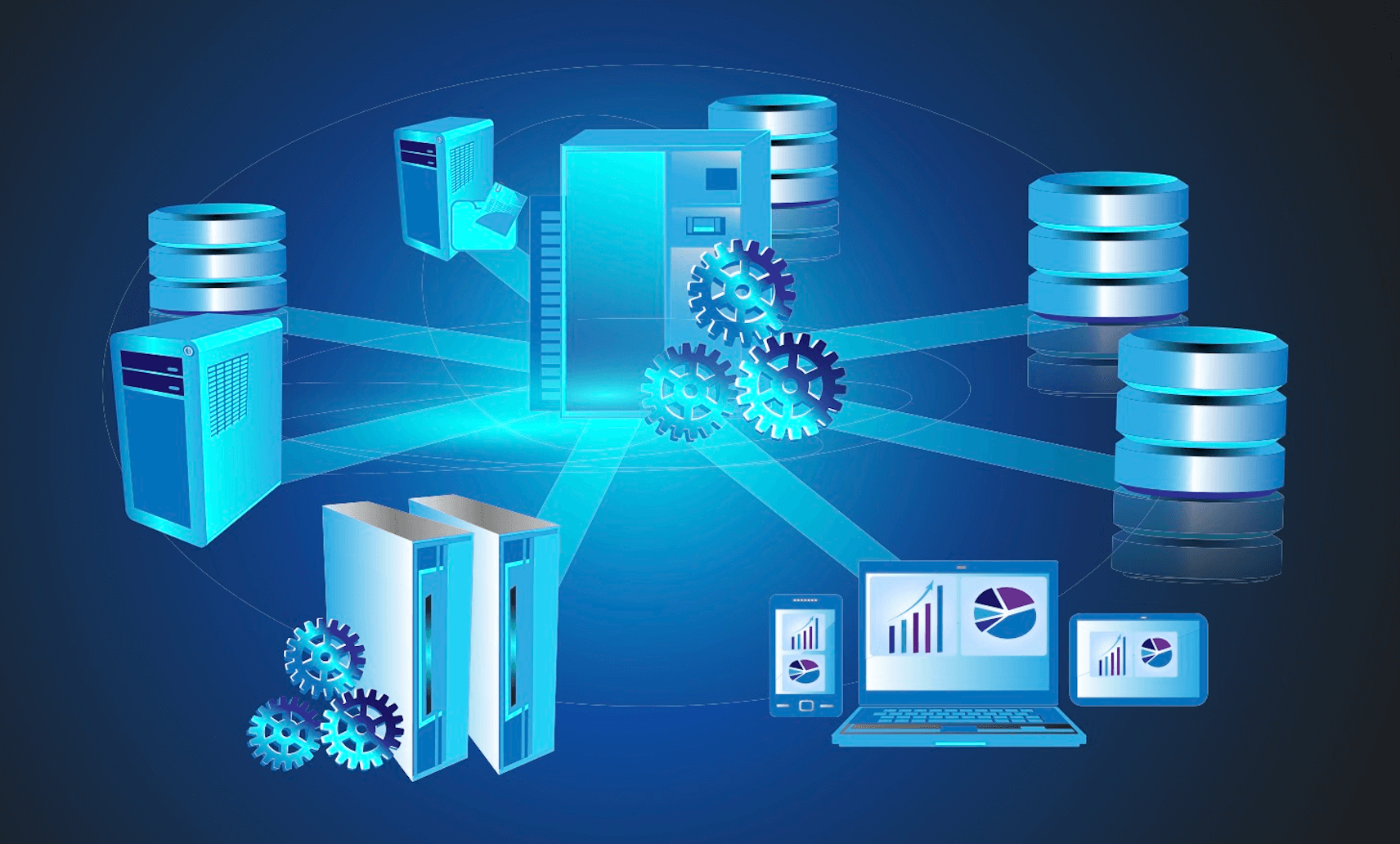
A Database Management System typically includes tools and functions that support data maintenance, access control, data backup and recovery, as well as optimizing information retrieval performance. Popular database management systems today include MySQL, Oracle, SQL Server, and PostgreSQL.
2. Example of a Database Management System
An electronics distribution company manages its inventory and customer information through a database system, which consists of separate data files:
- Product: Contains information about the products the company distributes, such as name, description, price, and technical specifications.
- Customer: Stores customer data, including name, address, contact information, and purchase history.
- Order: Records customer orders, with details about the products ordered, quantity, price, and shipping information.
- Supplier: Provides information about the company’s suppliers, such as name, address, and contact information.
- Inventory: Manages the stock quantity of each product in the company’s warehouses.
The Database Management System is used to manage and interact with the data files above, providing functions such as adding, modifying, deleting, and querying data. This helps the company easily track inventory, manage orders, and effectively maintain relationships with both customers and suppliers.
3. Basic Structure of a Database Management System
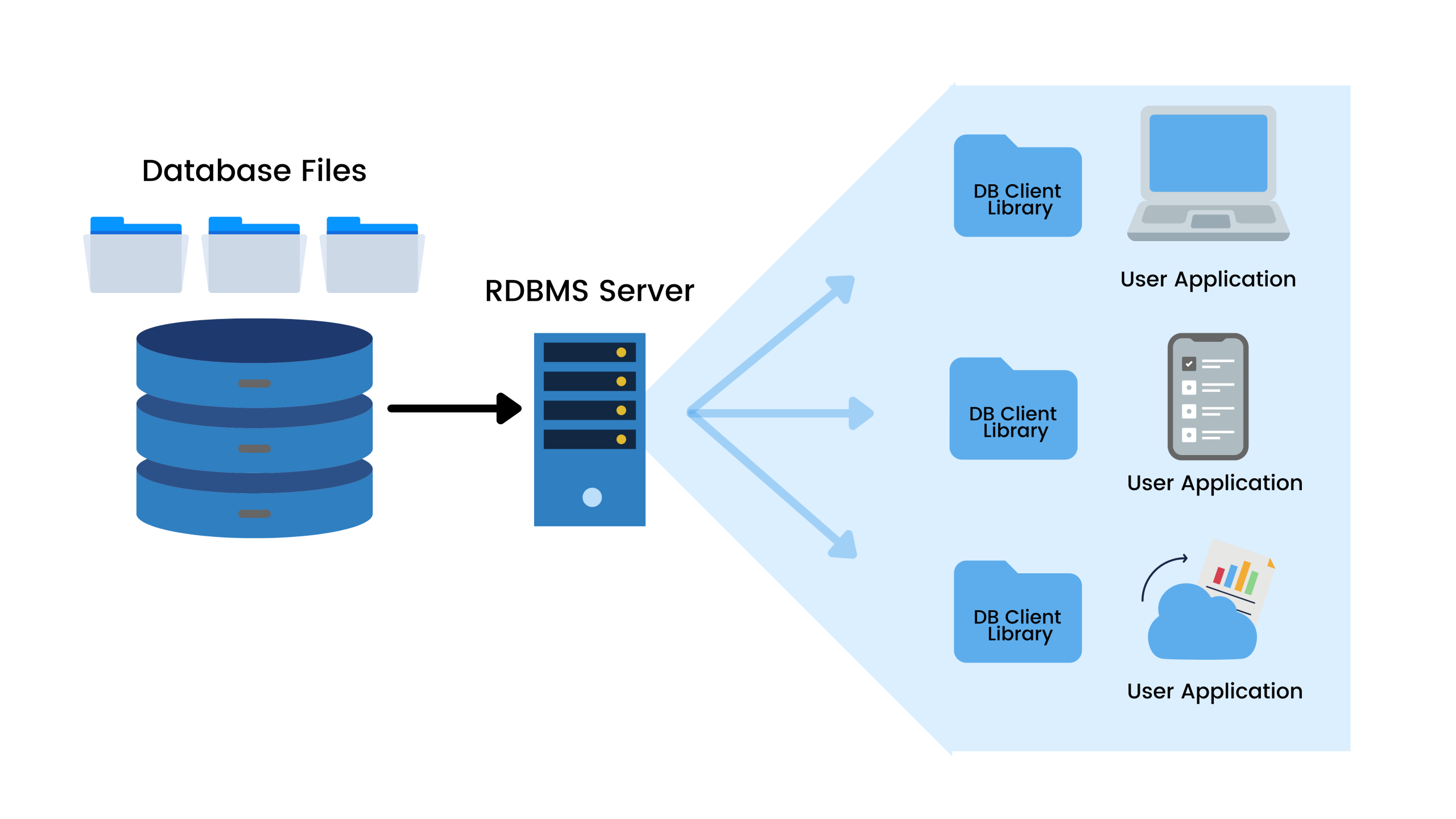
A Database Management System (DBMS) is a complex software system designed to manage databases, providing an environment to create, access, and manage data efficiently. Below is an analysis of the basic structure of a database management system with its main components:
- DBMS Interface: This component allows users or applications to perform operations on the database through interfaces such as a query language (SQL), an application programming interface (API), and graphical user interface (GUI) tools. Users can enter commands to add, delete, update, and query data.
- Query Processor: This component is responsible for receiving and processing query commands from users or applications. It includes a parser, a query optimizer, and a query executor. The query processor parses the query command, optimizes the query plan, and executes the query to retrieve the necessary data from the database.
- Storage Manager: This component manages the storage of data on physical storage devices. It includes functions such as storage space management, buffer management, data file management, and ensuring data integrity. The storage manager ensures that data is organized and stored efficiently and can be accessed quickly.
- Transaction Manager: This component manages database transactions, ensuring that all operations within a transaction are either fully completed or not executed at all (atomicity of the transaction). It also ensures the consistency, isolation, and durability of transactions (ACID properties). The transaction manager handles conflict situations and recovery after system failures.
- Data and Metadata: Data is the actual information stored in the database, including records, tables, and the relationships between tables. Metadata is the information that describes the structure of the database, including table definitions, columns, data types, constraints, and indexes. Metadata helps manage and access data efficiently and accurately.
4. Classification of Database Management Systems
Database Management Systems (DBMS) can be classified based on many different criteria. Below are some common classification methods:
4.1. Classification based on data model
- Relational (Relational DBMS – RDBMS): Uses tables (relations) to store data. Examples: MySQL, PostgreSQL, Oracle Database, Microsoft SQL Server.
- Object-oriented (Object-oriented DBMS – OODBMS): Data is stored in the form of objects, similar to object-oriented programming. Examples: db4o, ObjectDB.
- Object-relational (Object-relational DBMS – ORDBMS): Combines both relational and object models. Example: PostgreSQL.
- NoSQL: Uses non-relational data models to store data. The main types of NoSQL DBMS include:
- Document-based – Stores data in the form of documents. Examples: MongoDB, CouchDB.
- Column-based – Uses a column-based data model. Examples: Cassandra, HBase.
- Key-value – Stores data as key-value pairs. Examples: Redis, DynamoDB.
- Graph-based – Uses graphs to store data. Examples: Neo4j, OrientDB.
4.2. Classification by System Architecture
- Centralized (Centralized DBMS): All data is stored and managed on a single server.
- Distributed (Distributed DBMS): Data is stored on multiple different servers, which can be in different locations but are managed as a single system.
- Cloud (Cloud DBMS): Data is stored and managed on cloud platforms. Examples: Amazon RDS, Google Cloud SQL, Microsoft Azure SQL Database.
4.3. Classification by Access Method
- Row-oriented (Row-oriented DBMS): Stores data by row. Suitable for OLTP (Online Transaction Processing) applications.
- Column-oriented (Column-oriented DBMS): Stores data by column. Suitable for OLAP (Online Analytical Processing) applications. Examples: Amazon Redshift, Google BigQuery.
4.4. Classification by Data Storage and Processing Capability
- In-memory DBMS: Stores primary data in RAM for faster access. Examples: SAP HANA, MemSQL.
- Disk-based DBMS: Stores primary data on a hard disk.
5. The Role of a Database Management System
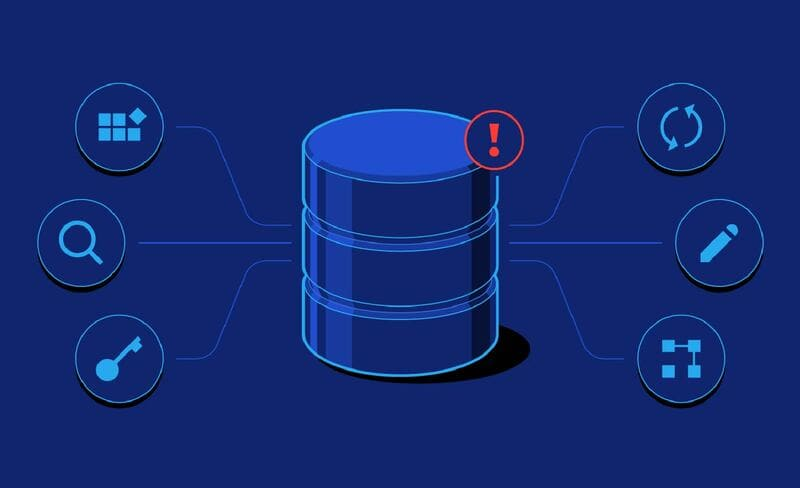
A Database Management System (DBMS) plays an extremely important role in a business, helping to organize, manage, and leverage data effectively:
- Data Organization and Management: A DBMS helps store and arrange structured data, preventing duplication and loss.
- Decision Support: Provides accurate and timely data for strategic decisions.
- Increased Work Efficiency: Helps employees access and share data quickly, saving time.
- Security and Authorization: Ensures data safety with authorization and encryption features.
- Scalability Support: Manages large amounts of data and supports business growth.
- Performance Optimization: Improves the ability to process and retrieve data quickly.
6. Benefits of an Effective Data Management System for Businesses
An effective data management system helps businesses operate stably, optimize resources, and increase their competitiveness in the market. When a business has an effective data management system, it will gain many benefits, such as:
- Enhanced Decision-Making: Data can be accessed quickly and accurately, helping leadership make timely strategic decisions.
- Improved Work Efficiency: Employees can easily retrieve and share data, reducing time spent searching for information and increasing productivity.
- Better Information Security: Security and authorization mechanisms help prevent unauthorized access, protecting the company’s sensitive data.
- Cost and Resource Savings: Automating the data management process helps reduce personnel costs and storage-related expenses.
- Flexible Scalability: A good data management system can be easily scaled as the business grows, ensuring the system operates effectively even as data volume increases rapidly.
- Minimized Risk of Data Loss: Automated data backup and recovery mechanisms help protect important information from loss due to incidents.
- Support for Analysis and Forecasting: Organized data allows for accurate analysis, reporting, and forecasting, supporting the business in its sustainable development.
7. 13 Popular Database Management Systems for Businesses Today
Oracle
Oracle Database is a relational Database Management System (DBMS) developed and provided by Oracle Corporation. It is one of the most popular relational database management systems today, used for storing, organizing, and retrieving data.
Some key features of Oracle Database:
- Relational structure: Oracle Database uses a relational model to store data, making it easy to retrieve and manage information.
- Multi-user capability: Oracle Database can manage large amounts of data in a multi-user environment, allowing multiple users to access data simultaneously.
- Security and recovery capabilities: This database management system provides security measures to prevent unauthorized access and offers effective solutions for data recovery after an incident.
- Multi-network architecture: Oracle Database was the first database management system designed for multi-network databases, helping to manage information and applications flexibly and cost-effectively.
- Advanced tools and technologies: Oracle provides many advanced tools and technologies, such as Oracle Grid Architecture, to help manage workloads and optimize performance.
MySQL
MySQL is a popular open-source relational database management system widely used in the development of web applications and information systems.
Key features of MySQL:
- Open source: MySQL is open-source software, which means it is free and users can modify the source code to suit their needs.
- High performance: MySQL is designed to efficiently handle database-related tasks, especially when processing large data transactions.
- Easy to use: MySQL provides a user-friendly interface and intuitive management tools, making it easy for users to deploy and manage databases.
- High compatibility: MySQL is compatible with many operating systems such as Windows, Linux, and macOS, and supports multiple programming languages like PHP, Python, Java, and C++.
- Robust security: MySQL provides multiple security mechanisms to protect data, including user access control, data encryption, and SSL authentication support.
Applications of MySQL
- Web Applications: MySQL is widely used in web applications like WordPress, Drupal, and Joomla to manage content and user data.
- E-commerce: E-commerce platforms like Magento and Shopify use MySQL to process online sales transactions.
- Data analysis: MySQL is also used in data analysis and reporting applications to store and retrieve information efficiently.
MySQL is one of the top choices for developing data-driven applications due to its flexibility, high performance, and strong community support.
Microsoft SQL Server
Microsoft SQL Server is a popular relational database management system (RDBMS) developed by Microsoft, designed to provide data storage, management, and retrieval capabilities for enterprise applications. SQL Server supports various data types and allows for processing SQL (Structured Query Language) queries to interact with and manipulate the database.
Key features of Microsoft SQL Server
- Scalability and high performance: SQL Server offers high-performance database management capabilities, especially when deployed in enterprise environments with large amounts of data and a need for stability.
- Robust security: Integrates many advanced security mechanisms such as data encryption, access rights management, and row-level security.
- Integrated data analysis and processing: With tools like SQL Server Analysis Services (SSAS), SQL Server Integration Services (SSIS), and SQL Server Reporting Services (SSRS), SQL Server provides excellent support for data analysis and reporting tasks.
- Integration with Microsoft Azure: The ability to integrate with the Azure cloud platform allows SQL Server to be easily scaled in the cloud, supporting hybrid solutions (combining on-premises and cloud).
- Easy management: SQL Server Management Studio (SSMS) is a powerful and intuitive management tool that helps administrators easily set up, monitor, and optimize databases.
Applications of Microsoft SQL Server
- Enterprise database management: SQL Server is widely used in ERP, CRM, and other administrative applications.
- Big Data storage and analysis: With SQL Server Big Data Clusters, SQL Server supports the ability to store, process, and analyze large datasets, helping businesses maximize the value of their data.
- IoT and AI solutions: SQL Server supports AI models integrated directly into the database, enabling fast processing and real-time analysis from IoT devices.
PostgreSQL
PostgreSQL is a powerful and flexible open-source relational database management system, highly regarded for its scalability, stable performance, and support for modern SQL standards. PostgreSQL not only supports the traditional relational model but also integrates object-oriented database features, helping to meet the needs of diverse applications.
Features and applications of PostgreSQL
- Open-source and customizable: Users can freely customize and optimize it to their needs, saving costs for the business.
- High performance and stability: PostgreSQL is suitable for large systems that require complex data management, such as web and mobile applications and unstructured data storage.
- Data analysis support: Its ability to integrate with Big Data tools like Hadoop, Spark, and cloud platforms helps businesses analyze and leverage data effectively.
With its diverse features and high reliability, PostgreSQL is an optimal choice for businesses seeking a powerful and flexible database management solution.
MongoDB
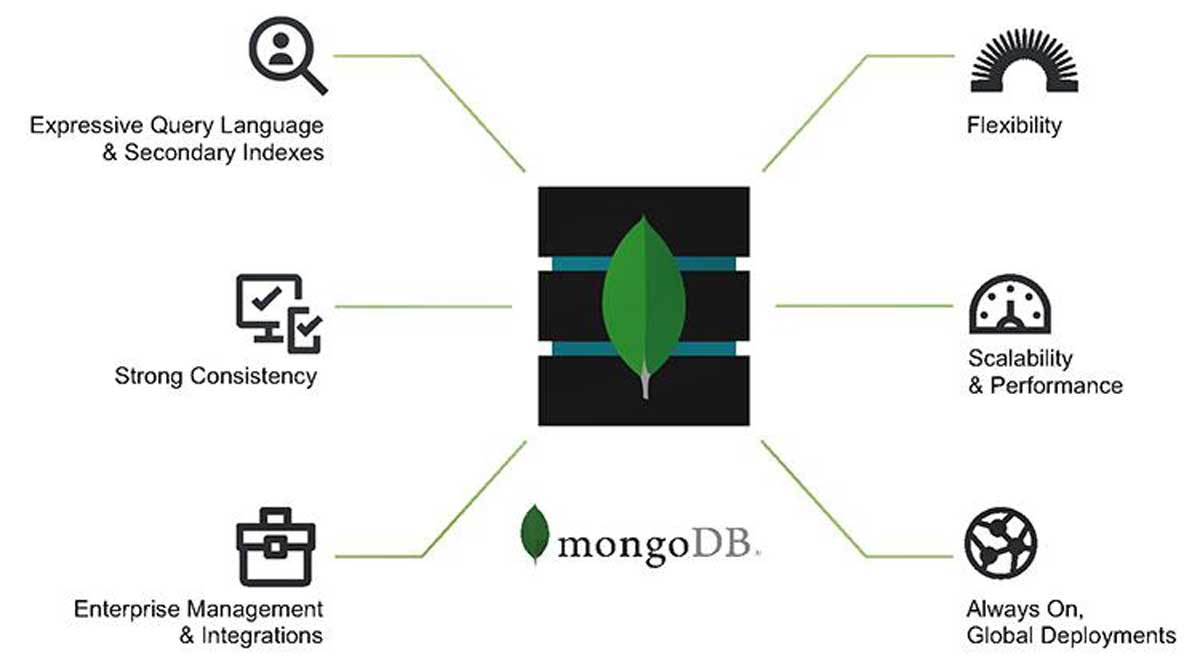
MongoDB is a NoSQL database management system designed to efficiently handle unstructured and semi-structured datasets. It is one of the most popular NoSQL database management systems today, widely used in modern applications and projects that require high scalability.
Key features of MongoDB:
- NoSQL: MongoDB does not use the traditional relational model but instead uses a document model, where data is stored in BSON (Binary JSON) documents.
- High scalability: MongoDB is designed for easy vertical and horizontal scaling. This means you can enhance data processing capabilities by adding more servers.
- Flexibility: Because MongoDB stores data in documents, it allows for a flexible data structure, suitable for applications that require frequent changes to the data schema.
- High performance: MongoDB provides powerful querying and indexing mechanisms, helping to optimize data retrieval performance.
- Strong support for web applications: MongoDB integrates well with many popular programming languages and web development platforms like Node.js, Python, and Java.
Applications of MongoDB:
- Data analysis and Big Data: MongoDB is often used in applications that require processing and analyzing large amounts of unstructured data.
- Content management: Content Management Systems (CMS) use MongoDB to store and manage articles, images, and other types of content.
- Mobile applications: Many mobile applications use MongoDB for storing user data and synchronizing information.
Redis
Redis is an open-source, in-memory key-value database management system that enables extremely fast data retrieval and storage. Optimized for speed and performance, Redis is often used as a cache, session store, or to support real-time applications.
Features and applications of Redis
- High performance: Redis operates entirely in RAM, significantly reducing query latency, making it suitable for high-speed applications like online games, social networks, and real-time data processing.
- Diverse data types: Redis supports data types such as strings, lists, sets, hashes, and other data structures, making it easy to organize data.
- Scalability: Redis supports clustering and data sharding features, allowing for easy scaling as data volume increases.
Redis is an ideal choice for systems that require high processing speed and good performance, especially when needing to store temporary, non-critical, or easily reproducible data.
Elasticsearch
Elasticsearch is an open-source search and analysis engine based on the Apache Lucene library, which helps store and search unstructured text data efficiently. Elasticsearch is often used to build text search functions, log analysis, and data analysis.
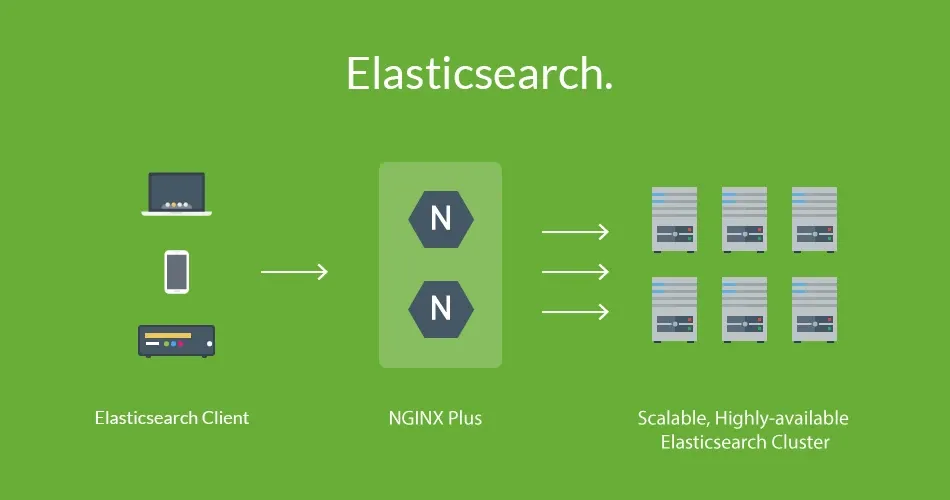
Features and applications of Elasticsearch
- Fast search: Elasticsearch is optimized for full-text search queries, enabling high-speed searching of unstructured data.
- Scalability and distribution: Elasticsearch supports clustering, which distributes data across multiple nodes to enhance performance and capacity.
- Easy integration: Elasticsearch integrates well with analysis and logging systems like Logstash and Kibana, forming the ELK Stack for collecting, processing, and visualizing data.
Elasticsearch is a suitable solution for applications that require powerful, fast, and easily scalable search capabilities, especially in large systems like e-commerce and log analysis.
IBM Db2
IBM Db2 is a relational database management system developed by IBM, supporting large enterprise environments that need to store and process complex data. With its high-performance optimization capabilities, Db2 is an ideal choice for financial institutions, banks, and large enterprises.
Features and applications of IBM Db2
- Optimized performance: Db2 uses technologies like data compression and automatic query optimization to enhance data processing efficiency.
- Robust integration and security: Db2 provides security features such as data encryption and advanced access control, ensuring the safety of enterprise data.
- Multi-platform support: Db2 supports deployment on multiple platforms, from enterprise operating systems like AIX and z/OS to cloud platforms.
IBM Db2 is the ideal database management system for large enterprises with high demands for security, performance, and scalability in data management.
Snowflake
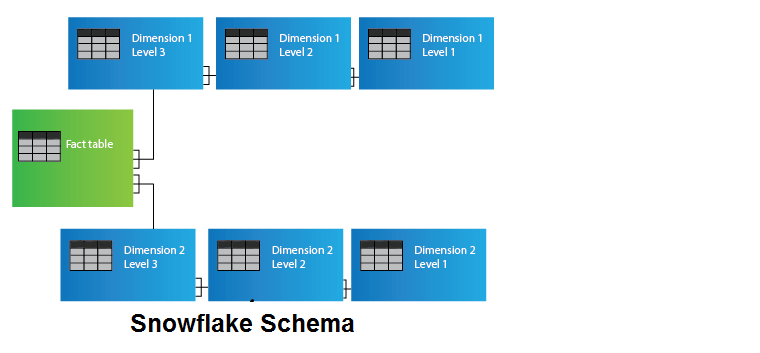
Snowflake is a cloud-based database management platform specifically designed for data storage and analysis. Snowflake allows businesses to store, query, and process data with high performance without having to manage physical infrastructure.
Features and applications of Snowflake
- Unique cloud architecture: Snowflake operates entirely on the cloud, automatically managing resources and scalability, which helps save on operational costs.
- Multi-platform support: Snowflake easily integrates with major cloud systems like AWS, Azure, and Google Cloud, supporting distributed data.
- Big data processing capabilities: Snowflake is suitable for large and complex data analysis systems, allowing businesses to perform queries quickly and efficiently.
SQLite
SQLite is a compact database management system that requires no server configuration and is often integrated directly into applications. SQLite is very popular in mobile, embedded, and small applications due to its flexibility and ease of use.
Features and applications of SQLite
- Serverless: SQLite does not require a separate server, which saves resources and makes it easy to deploy in lightweight applications.
- Easy to use and integrate: SQLite is suitable for small applications, such as mobile apps, IoT, or embedded software.
- Fast speed in lightweight applications: With its small size, SQLite is very fast and ideal for systems with a small number of users or basic requirements.
Microsoft Access
Microsoft Access is a database management system for personal computers that helps users store and manage data through a visual interface. Access is often used for small-scale data management applications in offices or departments.
Features and applications of Microsoft Access
- Easy to use with a friendly interface: Access has a visual interface, making it easy for users who are not database experts to manage data and create reports.
- Integration with the Microsoft Office suite: Access integrates well with applications like Excel and Outlook, supporting office workflows.
- Suitable for small and medium scale: Access is a good choice for small businesses or internal projects with data management requirements that are not overly complex.
Cassandra
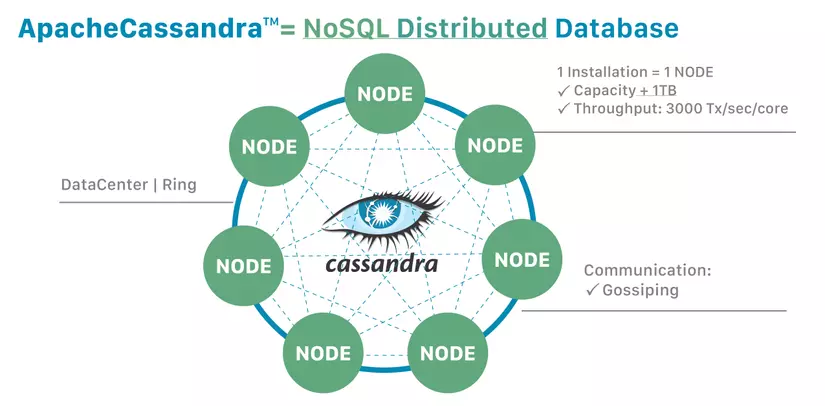
Apache Cassandra is an open-source, distributed database management system designed to handle large amounts of data across many servers. Cassandra is optimized for high availability and fast performance, making it suitable for distributed and real-time applications.
Features and applications of Cassandra
- Powerful horizontal scalability: Cassandra supports easy scaling across multiple servers without system disruption.
- High availability and no single point of failure: Its distributed mechanism and data replication make Cassandra highly fault-tolerant, suitable for systems requiring continuous operation.
- Real-time data processing: Cassandra is suitable for applications that require storing and processing large amounts of data at high speeds, such as recommendation systems, social networks, and IoT platforms.
MariaDB
MariaDB is an open-source database management system, developed from MySQL, with improved performance and security. MariaDB offers many advanced features, supporting systems that require reliability and scalability.
Features and applications of MariaDB
- High scalability and performance: MariaDB provides various storage technologies that help increase performance and optimize for enterprise applications.
- Compatibility with MySQL: MariaDB is highly compatible with MySQL, allowing businesses to easily migrate and upgrade without changing source code.
- Good support for security and distributed features: MariaDB integrates advanced security features, ensuring the safety of business data.
8. Conclusion
The information above provides a general overview of database management systems, including their concept, role, structure, and the benefits for businesses that have an effective data management system. Through this article, 1Office hopes to help you choose a suitable DBMS to quickly solve the data management and exploitation challenges for your business.
















