


 13/05/2026
  223 views
Recently, 1Office has updated some changes to profiles in the HR module, helping the Human Resources department better manage tasks and improve their work efficiency.
Mục lục
1Office Releases Latest Updates for the HR Module
Changes to Employee Profile Settings
1Office has replaced the “Qualification” setting with the “Level” setting. This allows for setting up multiple different levels. However, the system limits creation to a two-tier structure (parent, child) to facilitate level classification and future employee qualification assessments.
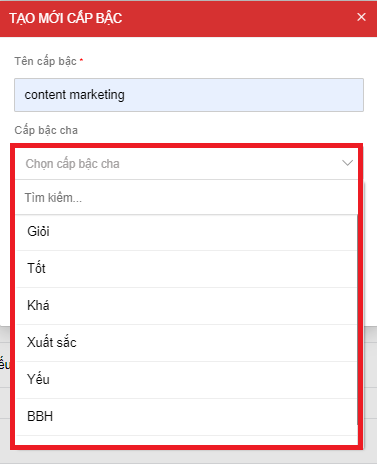
Replacing the “Qualification” setting with the “Level” setting
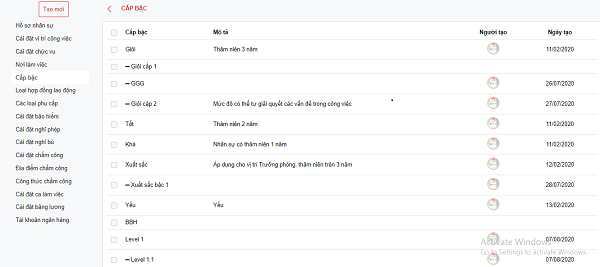
The “Level” field can be divided into many different levels based on the seniority and competency of each employee in the company.
Labor Contract Type Settings
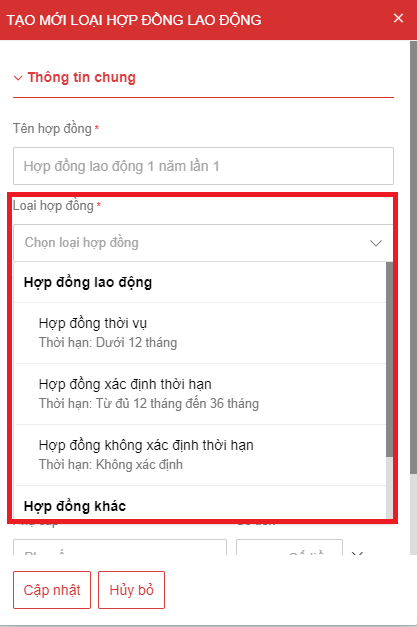
Contracts are an essential document in every business. Currently, contracts in 1Office are divided into two main types: labor contracts and other contracts.
Labor contracts are divided into 3 types: seasonal contracts, fixed-term contracts, and indefinite-term contracts. For each contract type, the system will suggest an accompanying term.
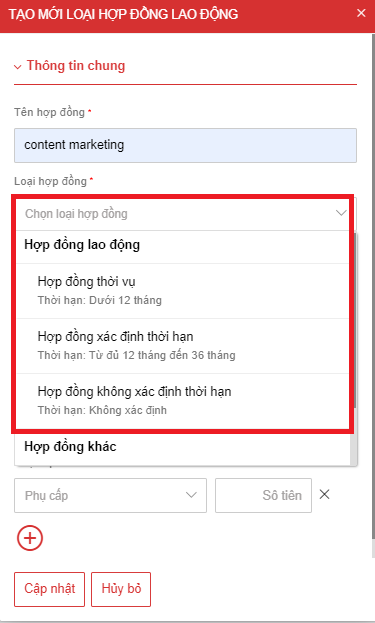
Labor contracts are divided into 3 types, each with a suggested term
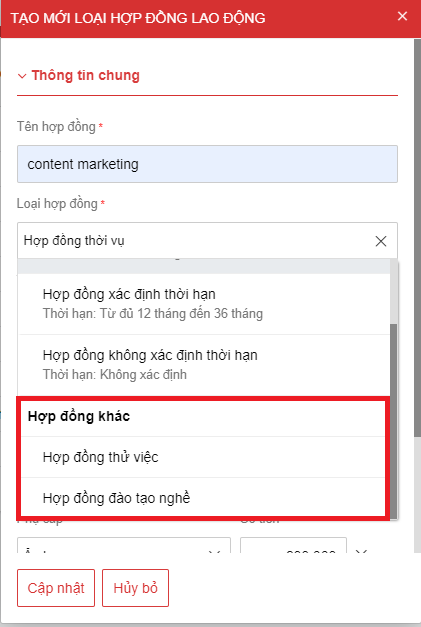
Other contracts include probationary contracts and vocational training contracts.
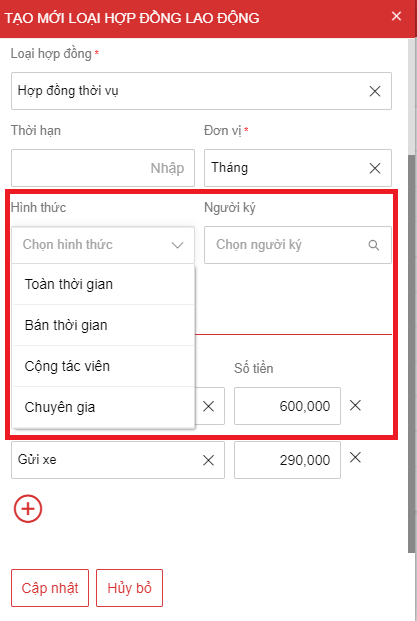
Added contract form and contract approver.
Adding Allowances in Contract Settings
1Office allows managers to create types of allowances and their corresponding amounts. When setting up a contract, the system will display pre-configured allowances, helping HR staff reduce steps and save significant time.
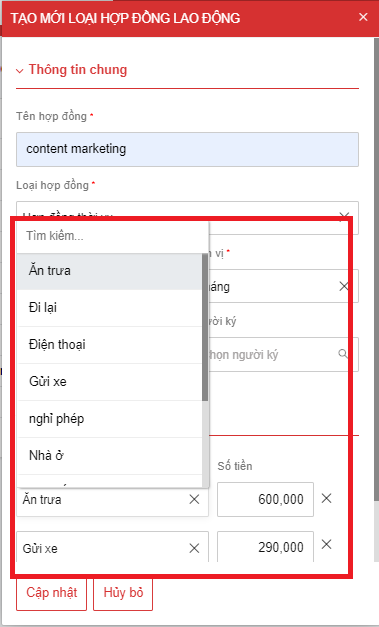 Added an allowance section when creating a new contract
Creating a New Employee Profile
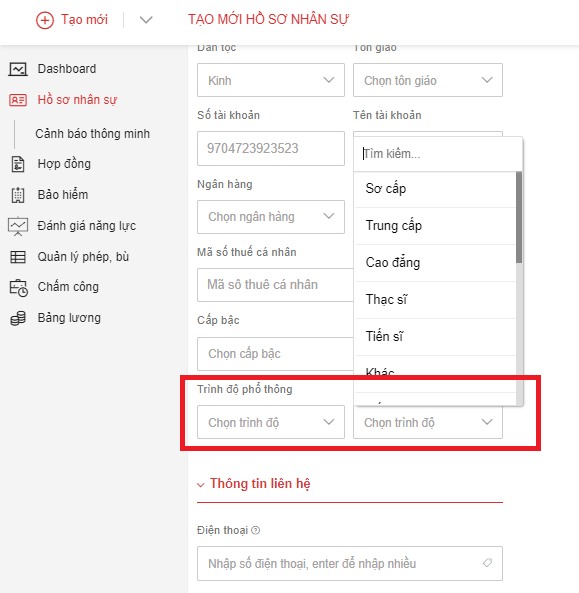 In the HR profile creation section, the 1Office system has added two new fields: education level and professional qualification.
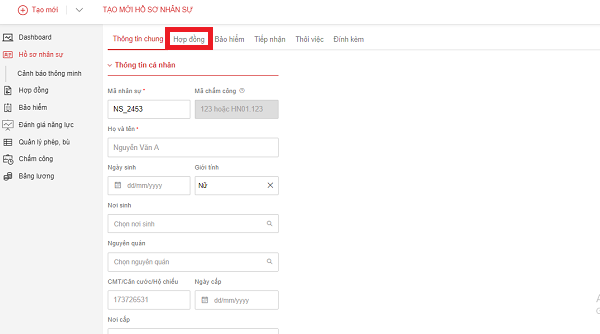 Replaced the “Work” tab with the “Contract” tab, allowing HR staff to create new employee profiles and contracts within a single tab.
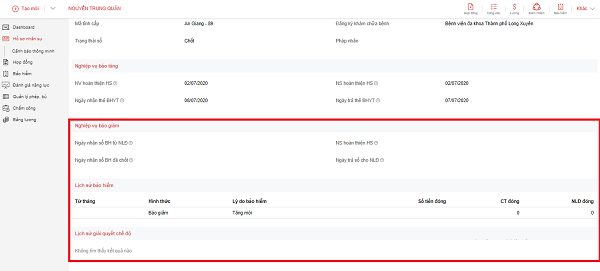 Added fields for employees to easily track procedures and monthly insurance payment history
The 1Office system adds several fields to record the time when employees and the HR department complete insurance procedures, and to log the history of each insurance payment made by the HR department for employees. Additionally, the system also saves the history of insurance benefit claims for sick leave, maternity leave, etc.
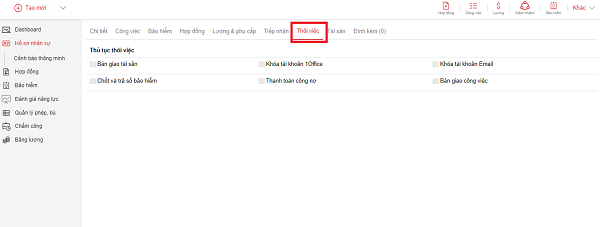
Added a “Termination” tab that allows HR staff to create records for terminated employees. This tab will contain job details and work handover items.
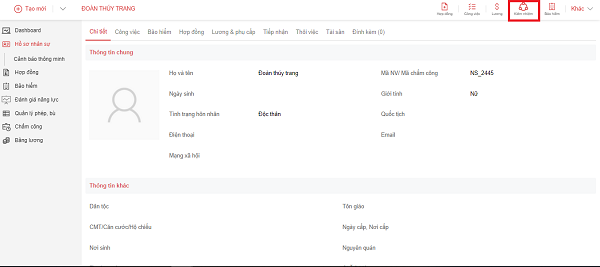
Removed the “Concurrent Position” field from the HR creation section and moved it to an action in the details section
Instead of setting up parameters for the Concurrent Position feature by department, position, and title during creation, 1Office allows HR-Admin staff to configure this feature after a complete employee profile has been created.
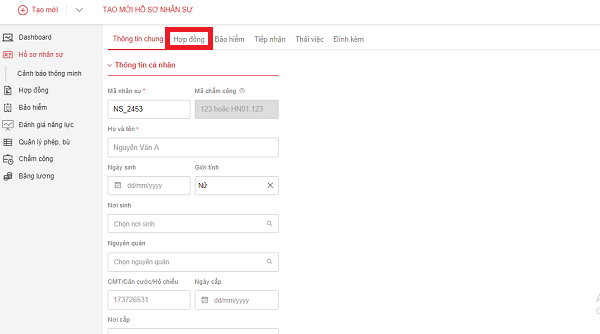 The 1Office system adds a Contract tab when creating a new employee profile
Detailed changes to employee profiles
To make it easier to track information about each employee’s department, position, title, contract, and contract ID in the company, the 1Office system will display a work history section. This information will be taken directly from the Employee Contract section.
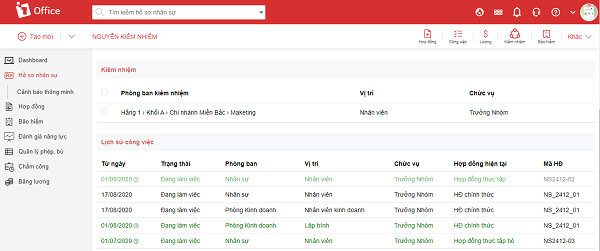 Displaying work history helps managers easily track each employee’s work
All information about employee salaries and allowances will be separated into a distinct section. This section helps the HR-Admin department conveniently track information about each person’s monthly salary, bonuses, and allowances.
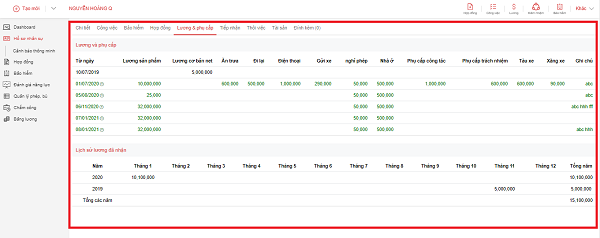
Adding information to record the history of salaries and allowances received makes it easier to track an employee’s entire salary and bonus history from their start date to the present.
Create New Contract
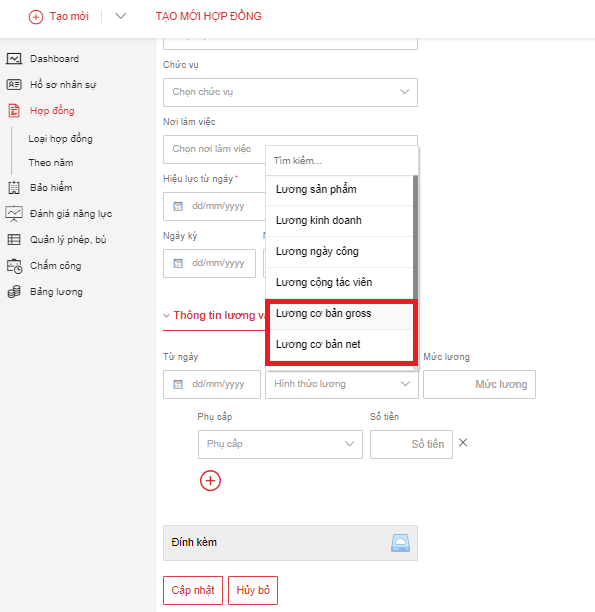
1Office replaces the basic salary calculation method with two forms: Net basic salary and Gross basic salary.
We hope that with these new feature updates in the HR module, 1Office will make the work of HR-Admin staff easier. Don’t forget to follow 1Office to stay updated on new features and apply them to your work for the best performance.
Related articles:
















