13/05/2026
  331 views
Task management is a pressing issue for many managers. To save every bit of time for strategic thinking and project coordination, managers need to find ways to optimize tasks, procedures, and processes within the business, ensuring operations run as smoothly as possible.
In the era of digital transformation, many managers have turned to free task management tools with the hope of reducing the burden of operational costs. Do these tools actually help businesses, and how can they be applied most effectively? Find the answers in this article.
Mục lục
Task Management Tools – Should You Use Them?
The short answer is yes.
With a massive workload, investing in task and process management from the very beginning is the right move to avoid wasting time, money, and intellectual resources in later stages.

Using a task management tool is recommended to avoid waste
To achieve this, using a task and process management tool is an essential step, as it will deliver the following clear benefits:
Estimating, Planning, and Monitoring
Project management tools such as project planners, task assignment tools, project cost estimators, and Gantt charts (a type of chart used for project planning and scheduling) will help managers easily execute tasks set for each project item.
Gantt chart used for planning and managing project tasks
Many managers consider the creation and development of a project plan to be the most crucial stage in project management and coordination. These tools will help managers clearly define overall goals and specific objectives for each department and individual in the company.
Assigning and Coordinating Human Resources
In the field of human resource management, project management tools play a crucial role. Gantt charts, along with reports on progress, performance, and labor costs, will help managers easily assign tasks and coordinate project schedules reasonably.
This is a strength that will be very helpful in fields such as construction and manufacturing.
FREE vs. PAID Task Management Tools: The Business Cost Equation
Depending on the needs and actual situation of each business, either a free or a paid tool will be more suitable.
For startups, small, and micro-businesses with a small number of employees, few and simple processes, and purely needing a tool to support the project information system and connect employees, a free tool is not a bad choice.
Some popular free tools available today include:
Free Task Management Tool: Trello
Trello is a personal or team project management tool presented in a card-based, drag-and-drop format. You need to define categories, task statuses, or stages on Trello’s boards yourself, for example, a task status like “On Hold” or personal lists like “Shopping List.”
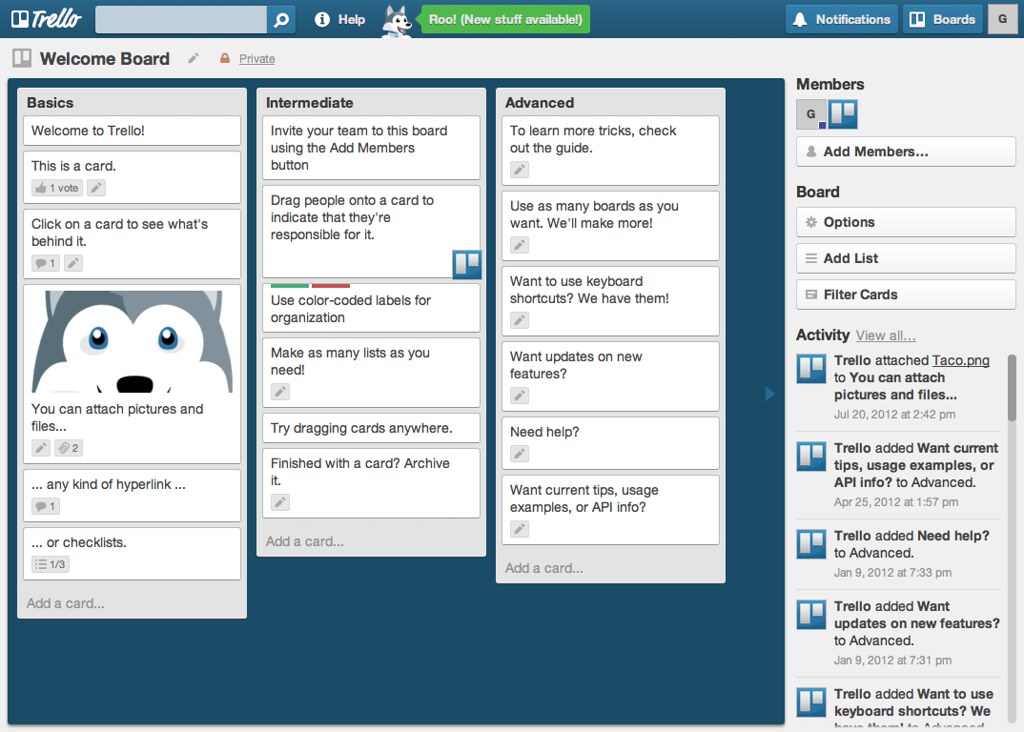
Free task management tool Trello
Tasks in Trello are represented as cards. Each card includes a name, an assignee, and a due date. Users can attach files or images to each card.
Trello is free forever for up to 10 team boards, with unlimited personal boards, cards, and lists. If you need to use the paid version, the minimum fee for this tool is $9.99 per user per month.
Free Task Management Tool: Asana
Asana is one of the most popular project management solutions abroad, widely used in 192 countries. Although Asana does not yet have a Vietnamese version, its interface is quite clean and easy to use.
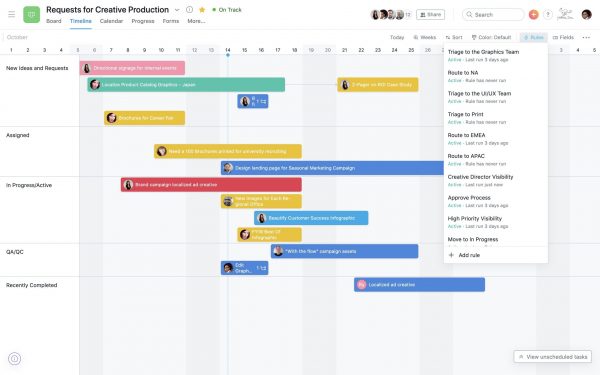
Free task management tool Asana
To manage projects with Asana, you need to create boards for each project category and stage, then use the reporting function to track completed tasks and tasks that require special attention.
Asana is free for unlimited projects for teams of up to 15 people. If you need to use the paid version, the minimum fee for Asana is $10.99 per user per month.
Free Task Management Tool: Toggl
Toggl Plan is an effective project management tool that helps automate the task assignment process and makes it easy to monitor completed or uncompleted tasks.
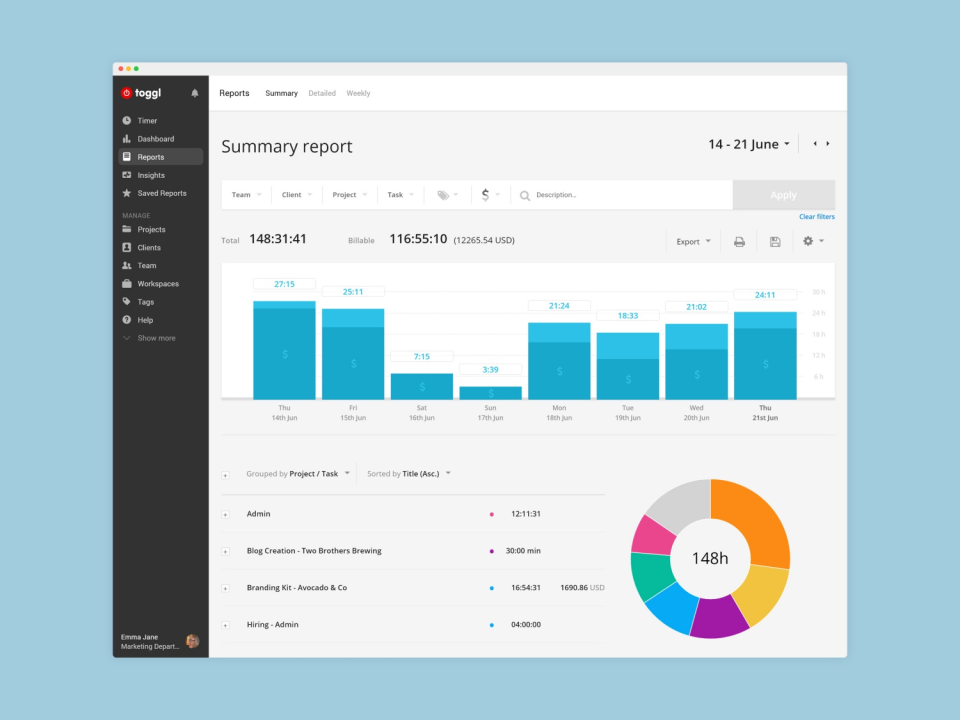
Free work management tool Toggl
If your team frequently collaborates with other departments on projects, this is a reasonable tool to try.
Toggl Plan is free for unlimited projects for teams of up to 5 people. If you need to use the paid version, the minimum fee for Asana is $9.00 per user per month.
The downsides of free work management tools
For large enterprises with detailed organizational structures and complex workflows, using free tools is not feasible due to limitations on professional project management:
- Limited number of users. Purchasing individual licenses for a large number of employees is costly.
- Limited tool integrations. Each free application usually limits account connections to only 1-2 channels like Dropbox or Google Drive. To connect with more accounts that your business uses, you need to pay a fee.
- Limited mobility. Free applications often do not guarantee full functionality between phone and computer versions. Some applications don’t even have a mobile version, making it difficult to work outside the office.
- Limited incident response time. When an application or software encounters an error, the IT team always prioritizes handling issues for paying customers. The longer the wait for incident response, the greater the damage to the business.
1Office – A work management tool by Vietnamese people, for Vietnamese people
If you are looking for a solution to help optimize project monitoring at a reasonable cost, consider 1Office software. For 1,300 VND/user/day, you can own a professional work management solution used by over 2,000 businesses, with features such as:
- Plan and assign tasks by employee position or department.
- Easily monitor, exchange, discuss, and communicate about work.
- Implementers can easily ask for opinions through discussions and report on their work progress.
- Automatically evaluate results and link to KPIs to calculate salaries and bonuses according to regulations.
- The reporting system must be intuitive and always able to answer the following questions:
Users can conveniently view tasks and projects in various ways (list view, Gantt chart view, kanban view). A major advantage of the 1Office work management software is that it can be used on multiple platforms: PC, laptop, phone – as long as your device has an Internet connection.
Learn more about 1Office here: https://1office.vn/ – The solution selected by the Ministry of Information and Communications as a pioneering platform in the national digital transformation program.