


 11/05/2026
  299 views
In the era of digital transformation, data has become a valuable resource for organizations, but the costs of storing and operating traditional IT infrastructure are becoming a burden. Is your organization missing the opportunity to lead because its data potential is untapped? How can you optimize costs and scale flexibly while still ensuring rapid strategic decision-making? Join 1Office to explore Cloud Computing storage technology and seize the opportunity for effective digital transformation.
Mục lục
- 1. Demystifying Cloud Computing Technology in Simple Terms
- 2. Classifying Cloud Computing Models
- 3. How does Cloud Computing work?
- 4. Which businesses are suitable for implementing Cloud Computing?
- 5. Pros and Cons for Businesses Choosing to Invest in Cloud Computing
- 6. Cloud Computing and AI – The Future of Business Management
1. Demystifying Cloud Computing Technology in Simple Terms
Cloud Computing is a modern information technology service delivery model that allows businesses to access and use computing resources such as servers, storage, software, and data over the internet without needing to invest in or manage complex physical infrastructure.
This helps businesses shift from a model of large capital expenditures to flexible operating expenses, optimizing resources and adapting quickly to market changes.
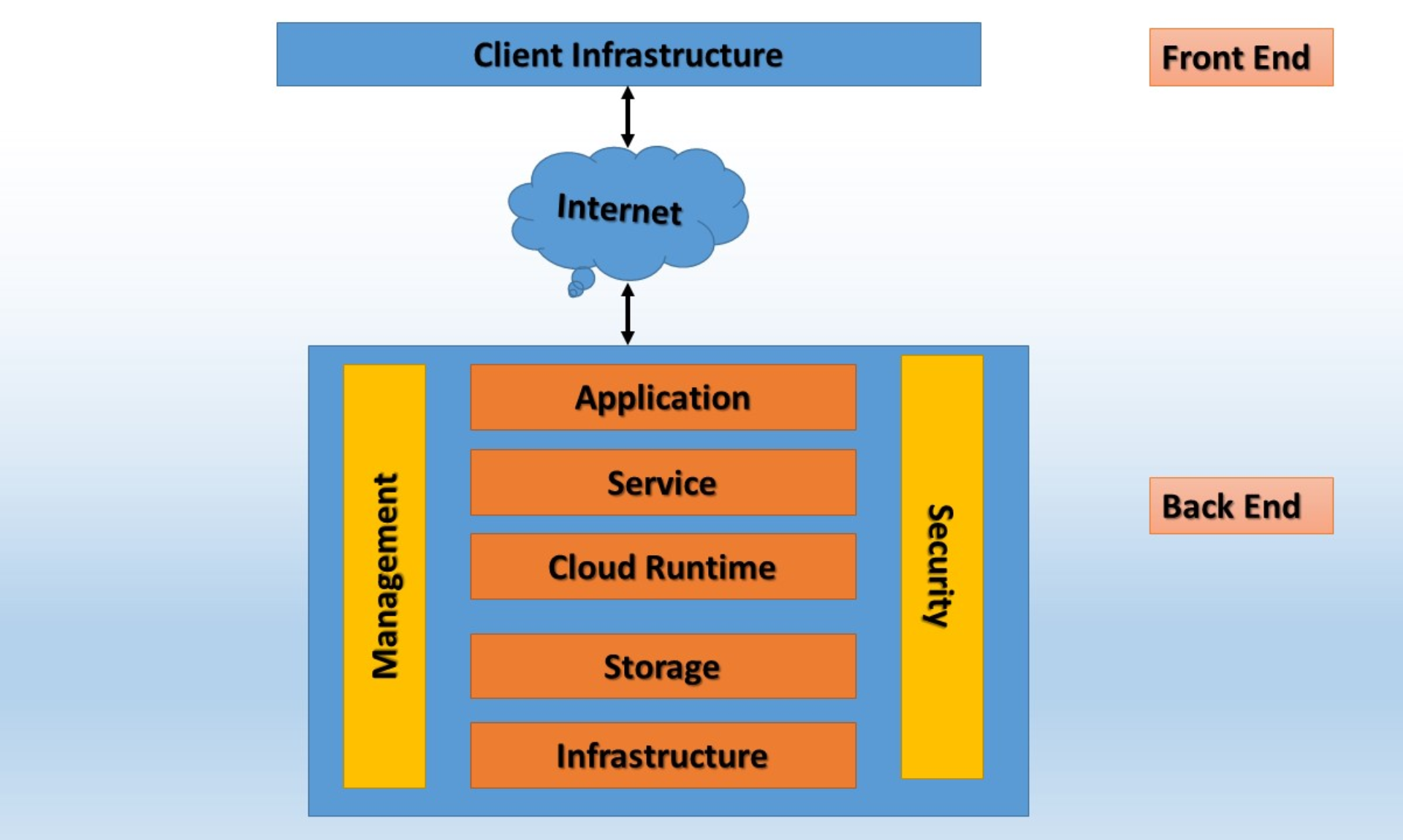
The Structure of Cloud Computing
Cloud Computing is composed of three main components:
- User Interface (Front End): Ensures a seamless and flexible access experience on any device through web browser-based Thin Clients, or provides more powerful operational capabilities with specialized Fat Clients.
- Back-end Platforms: The powerful core, built from a diverse system of servers to ensure the capacity for storing and processing massive amounts of data.
- Network and Cloud-Based Delivery Services: Includes the Internet, Intranet, and Intercloud (different cloud services connecting and interacting with each other).
2. Classifying Cloud Computing Models
Cloud Computing is classified into two groups based on deployment models and service models.
2.1. Classification by Deployment Model
Public Cloud
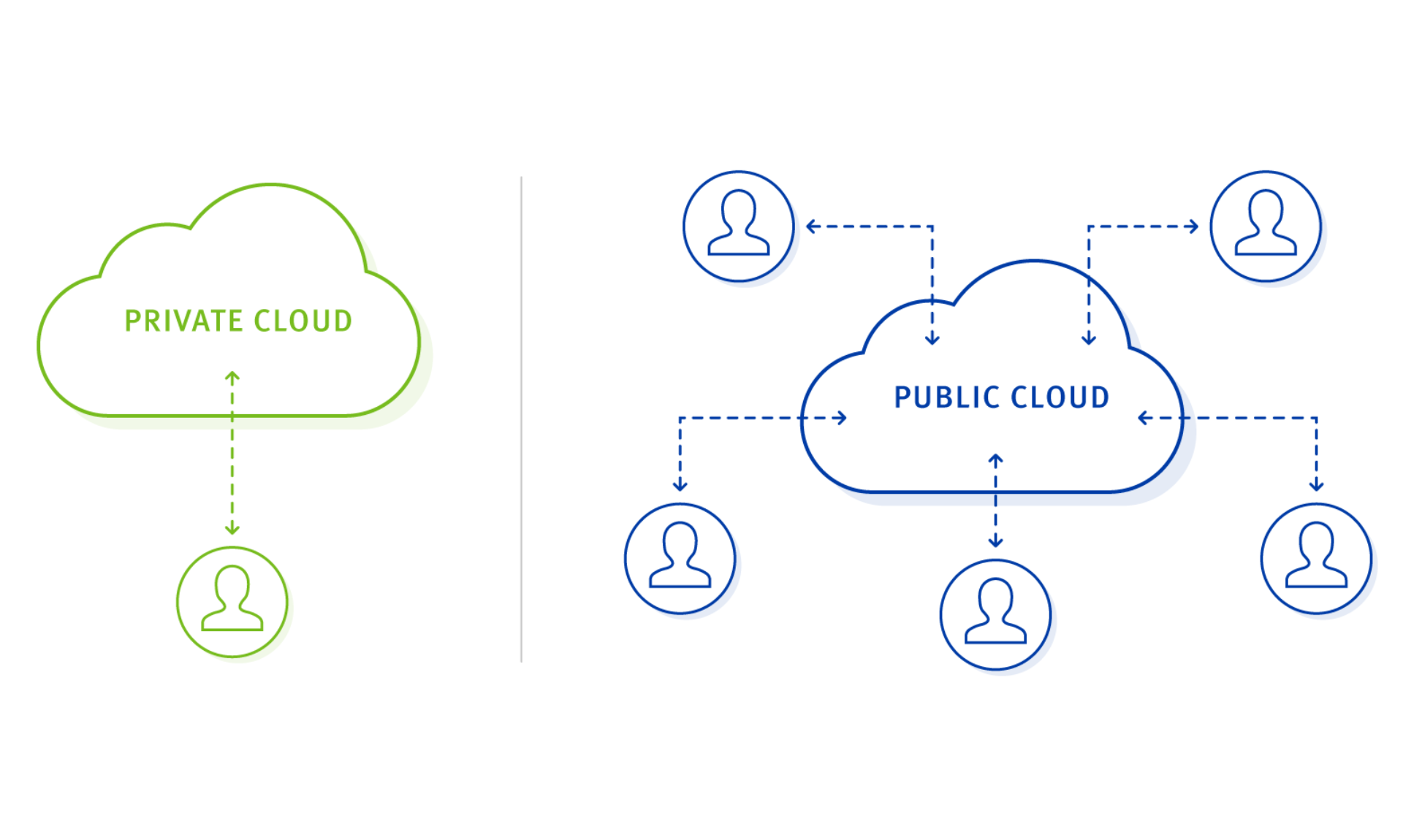
Classification of Cloud Computing Deployment Models
Public Cloud is understood as a public cloud where a service provider shares cloud resources among multiple businesses. The key advantages of Public Cloud are low initial investment costs and rapid deployment speed. However, businesses need to pay special attention to data security policies, as the infrastructure is shared with many other users.
Private Cloud
This private cloud model is designed exclusively for a single enterprise. It can be located in an internal data center or outsourced but does not share resources. Private Cloud offers superior security and absolute control, making it ideal for businesses with strict regulatory and data security requirements.
Hybrid Cloud
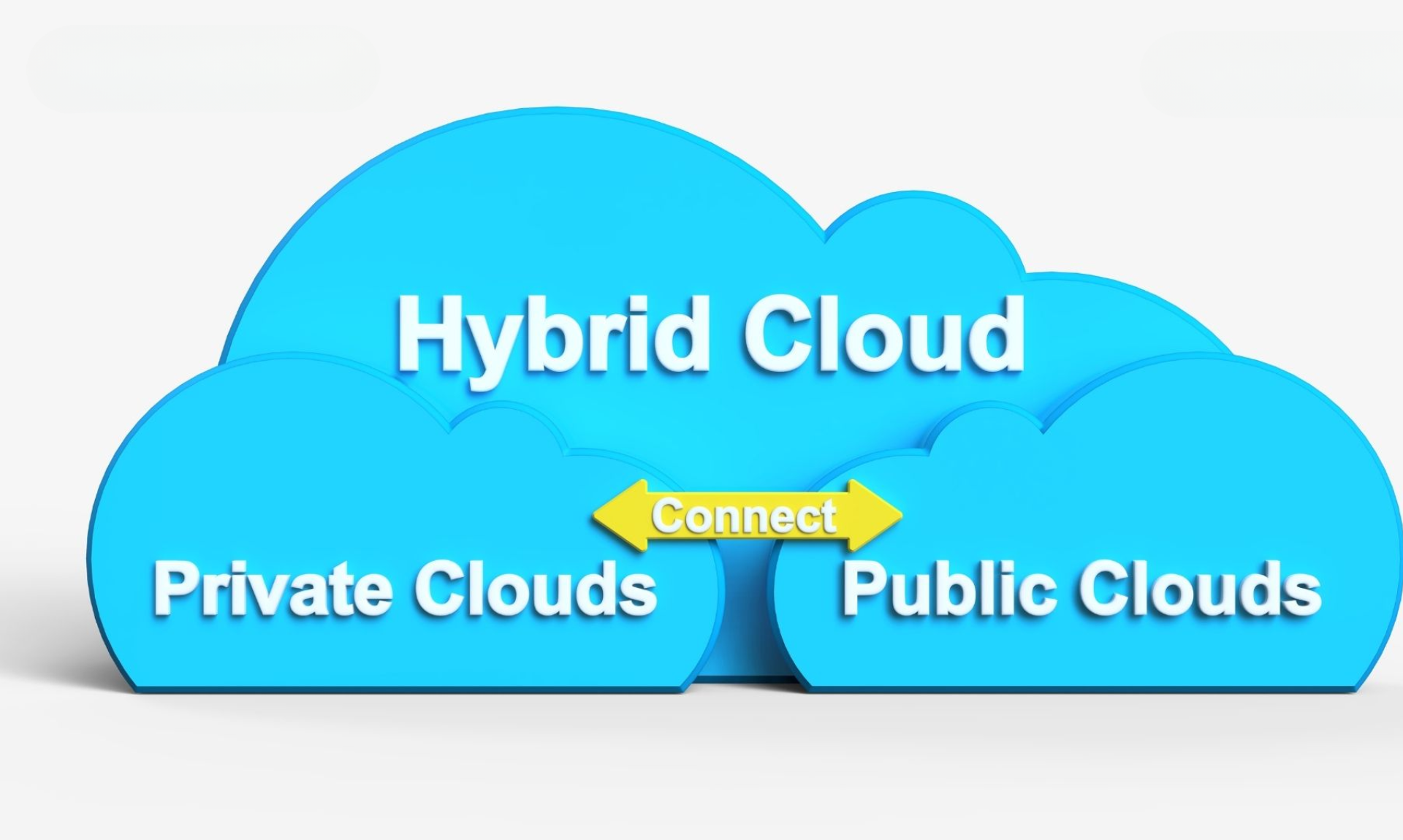
Hybrid Cloud is a combination of Private and Public Cloud
A combination of Public Cloud and Private Cloud, it helps businesses leverage the advantages of both models. Critical data and applications can be stored on the Private Cloud, while other services use the Public Cloud to save costs.
2.2. Classification by Service Model
Software as a Service (SaaS)
SaaS provides complete, ready-to-use software applications over the internet. Users access the software via a browser or an app without installation, and the provider is responsible for maintaining, upgrading, and operating the entire system.
Technological characteristics:
- The software is designed for multi-tenancy, ensuring it can serve thousands of customers simultaneously.
- Automatic and continuous updates ensure you always have the latest, most secure, and stable version.
- API integration allows for easy connection with other systems.
SaaS is suitable for businesses that want to quickly use standardized solutions like business email, customer management, and employee collaboration without investing in developing or maintaining their own software. Examples: Gmail, Salesforce, Microsoft 365, Zoom.
Platform as a Service (PaaS)
PaaS provides a complete platform to develop, run, and manage applications without worrying about the physical infrastructure or operating system. The provider handles all the infrastructure, databases, and development environment, helping users focus on building and deploying software.
Technological features:
- Integrates development tools, middleware services, database management systems, and built-in security and monitoring systems.
- Supports automatic scaling, load balancing, backup, and data recovery.
- Allows developers to work faster and more efficiently, focusing on coding and business logic.
Infrastructure as a Service (IaaS) – Infrastructure as a Service
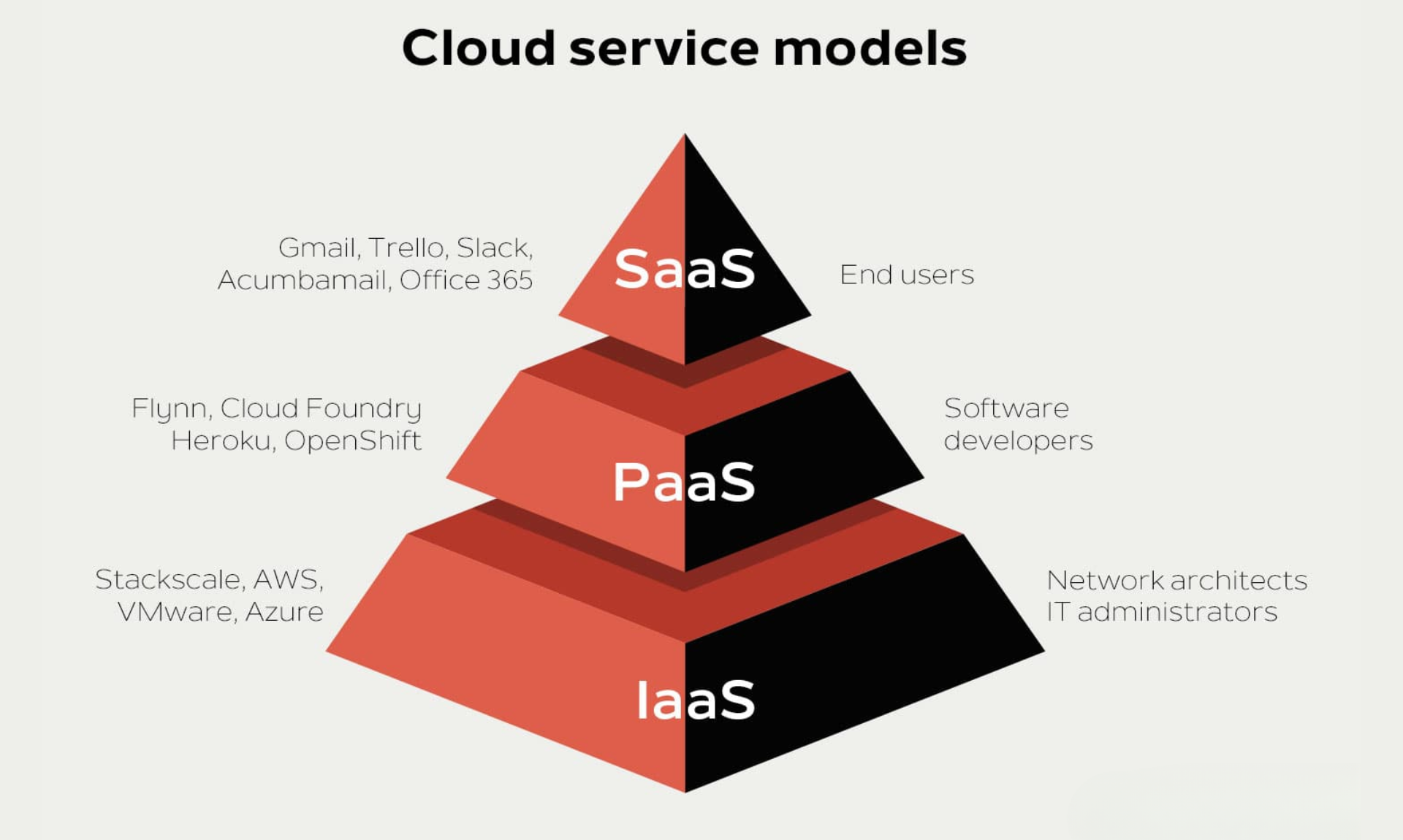
The three main services of Cloud Computing
IaaS provides technology infrastructure including virtual servers, storage, networking, and computing resources via the cloud platform. Users rent these resources, and they manage the operating system, middleware, applications, and data themselves.
Technological features:
- Virtualization is the core technology that allows for the flexible creation and distribution of infrastructure resources.
- Resources can be scaled up or down instantly according to actual demand.
- Users have nearly complete control over the system on the cloud infrastructure without needing to invest in physical hardware.
This model is suitable for businesses that want to build and manage their own IT systems, develop custom applications, or migrate existing systems to the cloud while retaining control. Some prominent services include Amazon Web Services EC2, Microsoft Azure Virtual Machines, and Google Compute Engine.
3. How does Cloud Computing work?
The operational mechanism of Cloud Computing revolves around the principle of sharing computing resources over the Internet, completely eliminating the burden of managing on-premise physical infrastructure.
Instead of making large investments in purchasing and operating their own servers, businesses can leverage the power of thousands of powerful servers in the service provider’s data centers. These servers are tightly interconnected, forming a unified system that provides computing resources (CPU, memory), storage, and essential services to millions of users simultaneously. When a business chooses a cloud service, access to resources is granted via the Internet.
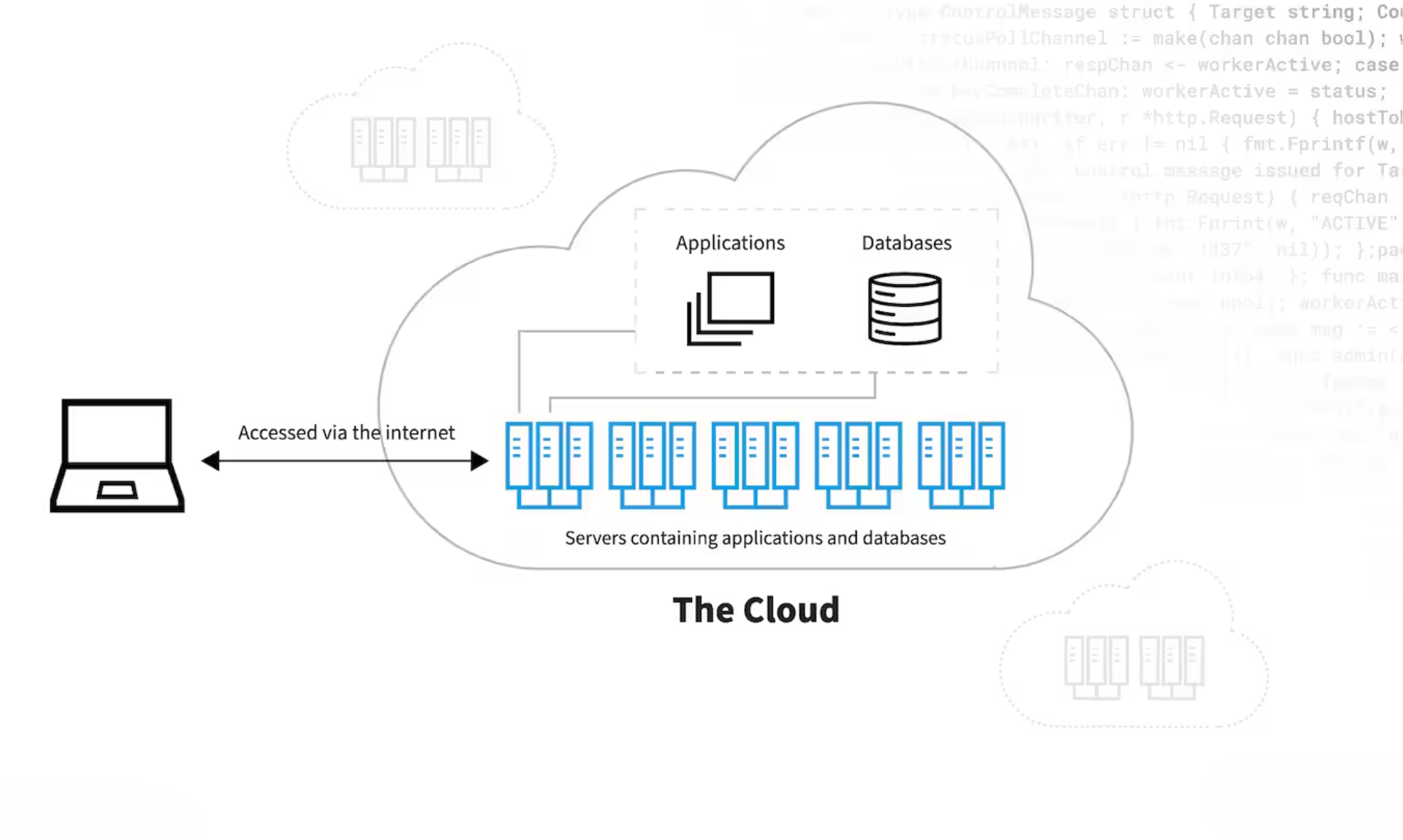
How Cloud Computing works
Access to resources is done via the internet, while the hardware, maintenance, and backups are all handled by the provider. Businesses simply use the service and pay based on the actual resources consumed.
Here is an illustrative example to help you visualize how Cloud Computing is applied in the workplace:
“To better visualize a practical application, consider a business implementing HR management software on a cloud platform like 1Office. Instead of investing in installing and maintaining the system on individual computers or local servers, all HR data – from timesheets to payroll – is securely stored and processed on cloud servers managed by the provider.
This allows employees and managers to access the system anytime, anywhere with just an Internet connection and a web browser or mobile app. All information updates are synchronized instantly, ensuring data is always accurate and transparent, supporting timely decision-making and improving operational efficiency.”
4. Which businesses are suitable for implementing Cloud Computing?
Cloud Computing is a universal technology that provides outstanding value to a wide range of individuals, organizations, and businesses of all sizes and industries. In particular, the following sectors have a great opportunity to break through in operational efficiency by applying Cloud Computing:
E-commerce Industry
The e-commerce industry is characterized by a large volume of orders and constantly changing customer data. Effective management requires a technology system with flexible scalability and rapid data synchronization. Cloud Computing is the ideal solution for these reasons:
- Capacity to process large data volumes and synchronize orders instantly: Ensures real-time order tracking, inventory management, and transactions, minimizing errors and enhancing operational efficiency.
- Flexible scalability according to business cycles: Automatically increases or decreases server resources, helping businesses proactively adapt to market fluctuations and optimize costs.
- Significantly reduces physical infrastructure investment costs: Businesses do not need to purchase or maintain expensive servers, instead paying only for the resources they actually use.
- Enhances customer experience with stable, high-speed services: Ensures websites and applications run smoothly without interruption, even during peak traffic periods.
Information Technology and Software Industry
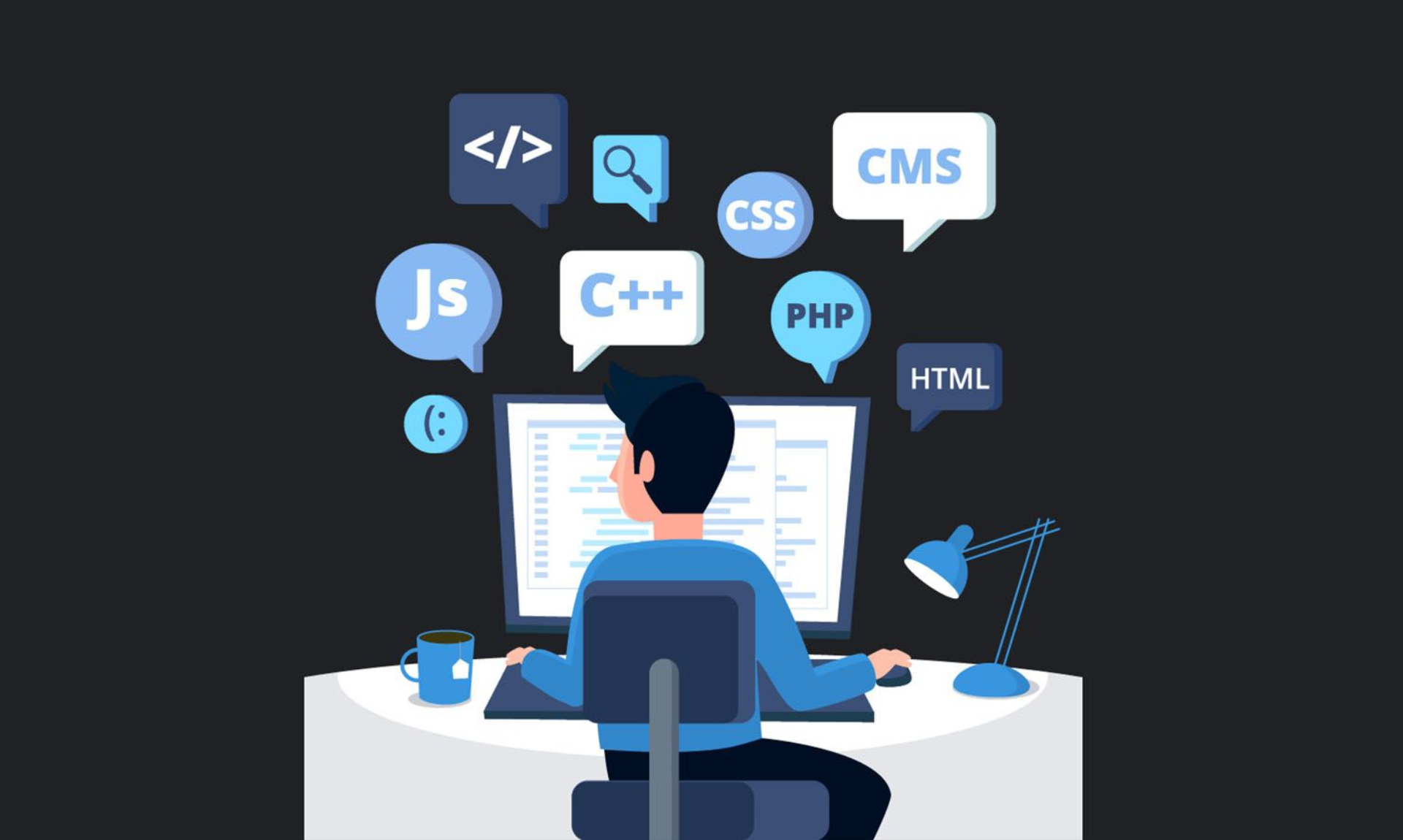
Software development requires space for testing
Businesses in the information technology and software development sector need an environment to test, develop, and deploy applications. Cloud Computing provides on-demand technology platforms and infrastructure. Some noticeable benefits include:
- Provides a powerful development platform and computing infrastructure: Helps programming teams build, test, and deploy software at superior speeds, eliminating all hardware capacity limitations.
- Accelerates the software testing and deployment cycle, shortening the time-to-market for products.
- Enhances collaboration and multi-location teamwork: Teams in different places can work together on the same system, sharing data and receiving real-time updates.
- Significantly reduces the burden of maintaining internal IT infrastructure: Frees businesses from managing physical servers, thereby optimizing maintenance costs and allowing the technical team to focus on more strategic tasks.
Finance – Banking Industry
The finance and banking industry has very high requirements for security and reliability. Cloud Computing helps organizations in this sector ensure data safety, redundancy, and quick recovery in case of incidents with these features:
- Meets strict security standards and legal regulations: Protects customer data and complies with data protection regulations such as GDPR, PCI DSS.
- Ensures data is always stored securely, with integrity, and can be instantly recovered when needed.
- Supports transaction processing with superior speed and high stability, handling large volumes of real-time transactions.
- Analyzes big data to support financial decision-making: Uses analytics technology to forecast risks and optimize business operations.
Healthcare and Education Industries
The healthcare and education sectors require high security for medical records, training materials, and personal information. Cloud Computing supports secure online work, helping healthcare staff, teachers, and students access data quickly by:
- Storing and securing medical records and learning materials: Ensures data is strictly protected, minimizing the risk of information loss.
- Supporting remote work and seamless multi-device access: Facilitates flexible teaching, medical examination, and management activities, overcoming geographical barriers.
- Synchronizing and sharing data effectively, creating seamless information flow between departments and units.
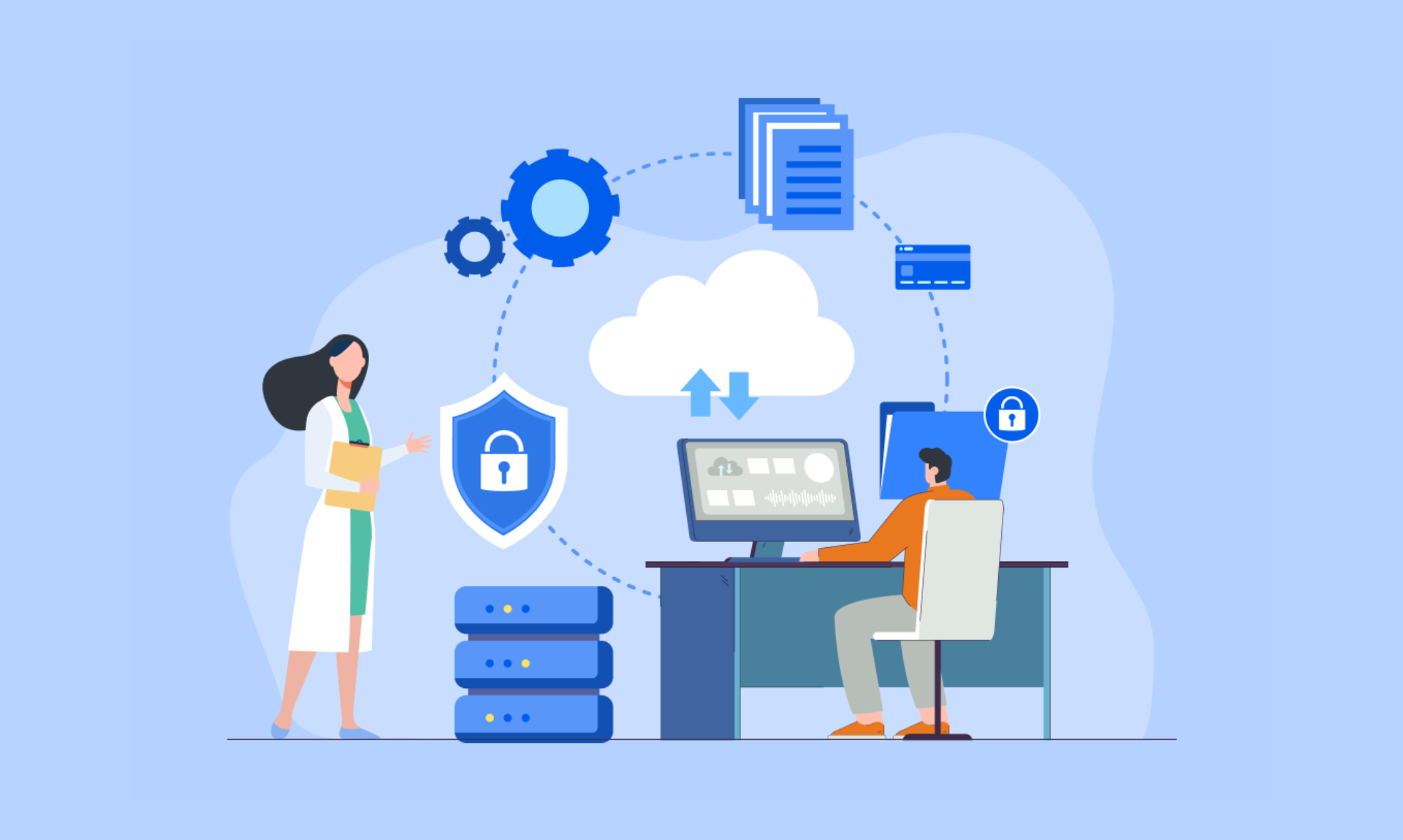
Cloud Computing is applied in the Healthcare industry
Cloud Computing offers flexible, cost-effective, and efficient solutions for various types of businesses, from small startups to large corporations, across diverse industries. Choosing a Cloud deployment that suits specific characteristics and needs will help businesses optimize their resources.
5. Pros and Cons for Businesses Choosing to Invest in Cloud Computing
Besides the outstanding benefits that Cloud Computing brings to businesses, there are some challenges that need careful consideration before investing. Understanding the pros and cons will help businesses make appropriate decisions and optimize usage efficiency.
Regarding the advantages:
- Significant savings on investment and operational costs: Businesses do not need to make large investments in physical infrastructure, while also significantly cutting costs for system maintenance and upgrades.
- Flexible and instant scalability: Technology resources can be quickly scaled up or down according to business needs, allowing businesses to proactively adapt and seize opportunities from market fluctuations.
- Enhanced security and superior data recovery capabilities: Leading Cloud service providers apply international security standards and advanced backup systems, ensuring absolute safety and integrity for the business’s strategic data.
- Supports remote work: Cloud computing allows employees to securely access data and applications anytime, anywhere, on any device, facilitating a flexible and productive work environment.
- Simplified IT infrastructure management: Frees the IT team from complex system maintenance tasks, allowing them to focus on other important duties.
Disadvantages:
- Technological capability barrier: Some businesses may face barriers due to a lack of personnel with sufficient expertise to deploy and manage Cloud services optimally.
- Data security concerns: Although highly secure and certified for information security, businesses still face a small risk of internal information leaks, especially when data is stored on a Public Cloud.
- Unpredictable costs: Without an effective strategy for managing and monitoring Cloud resources, costs can exceed the initial budget.
- Dependence on service providers: Business operations will depend on the stability of external services and network connectivity. Therefore, choosing a reputable partner and having a contingency plan are key to ensuring continuous operation.
6. Cloud Computing and AI – The Future of Business Management
In the digital era, Cloud Computing and Artificial Intelligence (AI) are becoming a powerful technological duo, creating superior combined strength that helps businesses build intelligent management models and operate more efficiently than ever before.
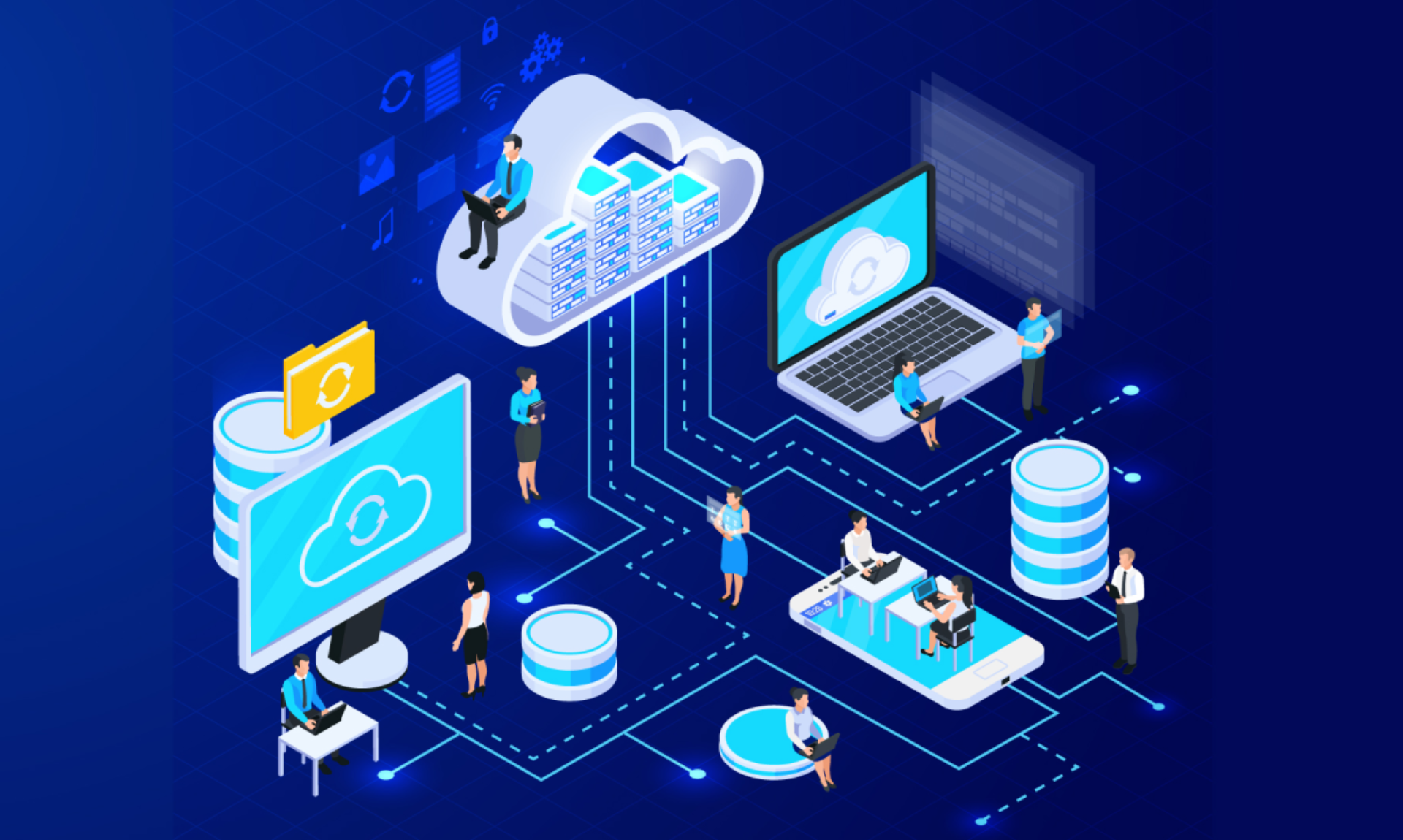
Cloud Computing combined with AI
AI is integrated into Cloud systems to automate repetitive tasks and analyze complex data. The main applications of AI include:
- Process automation: AI handles tasks such as data classification and customer responses via chatbots, reducing the manual workload.
- Intelligent data analysis: AI processes big data on the Cloud to identify trends, forecast risks, and support fast and accurate decision-making.
- Resource optimization: AI predicts and automatically adjusts Cloud resources, helping to save costs and maintain stable performance.
With the groundbreaking potential that Cloud Computing and AI offer, choosing a suitable digital transformation platform is not just a strategy, but a key factor in determining a company’s competitiveness and sustainable development in the future.
In the Vietnamese market, 1Office stands out as a comprehensive business management platform integrating Cloud Computing and AI, offering a superiorly synchronized, flexible, and intelligent management ecosystem.
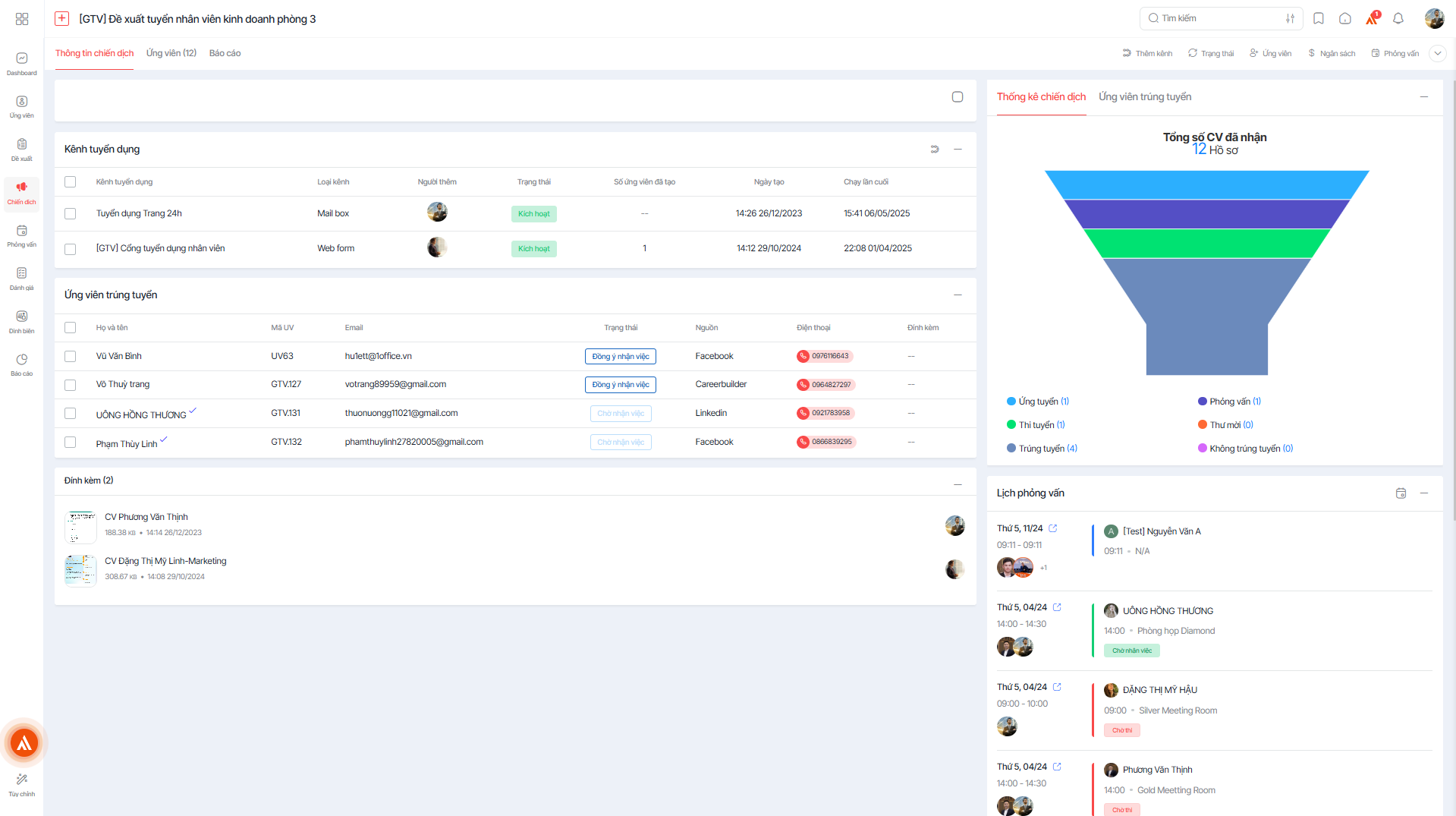
1Office is a comprehensive SaaS business management platform
Register for a free 1Office Demo account!
The 1Office platform brings together groundbreaking features designed to help businesses optimize every work process:
- Comprehensive and synchronized Cloud platform: 1Office provides a business management ecosystem that fully integrates modules such as work, project, human resources, and financial management on a Cloud platform, helping businesses operate efficiently and transparently.
- Customization with a Low-code technology platform: Enables not only the IT team but also employees from various departments to quickly build and expand work processes without deep intervention in the IT infrastructure.
- Security and standards compliance: The platform ensures data security according to international standards, while also helping businesses comply with legal regulations on information management and protection.
- AI Agent integration: Supports the automation of administrative tasks, reporting, and data analysis, accelerating decision-making and improving work performance.
Cloud Computing has opened up a new direction for business management, helping to improve storage capabilities, enhance performance, and increase competitiveness in the market. Applying this technology not only saves costs but also creates conditions for businesses to develop sustainably in the digital age. 1Office, with its comprehensive management platform integrating AI and Cloud Computing, is ready to accompany businesses on their digital transformation journey, helping you master technology and lead the future.
















