


 12/05/2026
  310 views
Instead of drafting a document by hand or calling/texting your superior, writing a leave request email demonstrates professionalism and covers all necessary details. This article by 1Office will guide you on how to write a leave request email most effectively.
Mục lục
- I. Things to Note When Writing a Leave Request Email
- II. The Importance of a Leave Request Email
- III. Leave Request Email Templates
- IV. 12 Ways to Write More Professional Emails
- 1. Use a clear, easy-to-understand subject line
- 2. Use a professional email address
- 3. Be careful when replying all
- 4. Email signature
- 5. Avoid overly informal greetings
- 6. Avoid exclamation points, interjections, and special characters
- 7. Use humor appropriately
- 8. Be mindful of culture
- 9. Proofread your email before sending
- 10. Only enter the address after you’ve finished writing the email
- 11. Pay attention to the email layout
- 12. Write emails with a calm mindset
I. Things to Note When Writing a Leave Request Email
Writing an email is very easy, but to write a standard leave request email, you need to pay attention to the following information:
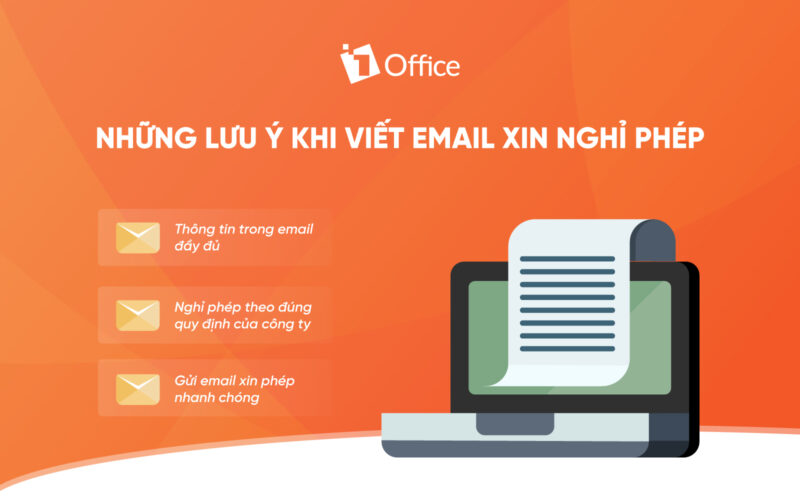
1. Take Leave in Accordance with Company Policy
Every company or business has its own regulations and policies regarding leave time. Therefore, every individual, employee, and even intern must adhere to the regulations set by the management. In case of unexpected incidents, you should follow the workplace’s procedures to propose a reasonable leave request.
2. Provide Complete Information in the Email
A leave request email should be concise and to the point. However, it must also contain all the necessary information as follows:
- Reason for leave: State the reason clearly and fully, but avoid going into excessive detail. For example: What illness required hospitalization? How does the illness affect your ability to work?
- Leave duration: If you are requesting leave for an unexpected matter, you should state the exact duration to ensure work efficiency for the company. Additionally, specifying the exact leave period enhances your credibility with your superiors. If you are seriously ill, you should consult a doctor to determine the approximate number of days and then inform your boss.
- Contact information: Before sending the email, you should confirm with your boss if they can reply via email. Also, include your phone number so they can contact you in an emergency. If you are too ill, be honest with your boss that you cannot reply to emails and will be unreachable during your absence.
- Availability: Additionally, you should also confirm whether you can work during your leave. There might be cases where the illness is not severe but could be contagious to others.
- Handover/Replacement: Besides that, you should also find someone to take over or handle your tasks during your absence to ensure the company’s work progress is maintained.
- Salutation and closing: A leave request email should include a greeting and a thank you. Furthermore, it should be written in a coherent and professional manner, and importantly, not be too lengthy.
3. Send the Request Email Promptly
Taking a day off and only writing the request the next day, or even a few days later, is inconsiderate and disrespectful to your superiors. Once you have ensured all the information in the email is complete, you should send it to your manager as soon as possible so they can make contingency plans for work.
II. The Importance of a Leave Request Email
In reality, some companies do not use email for operational management; however, email is widely used and is a mandatory communication tool in most businesses.
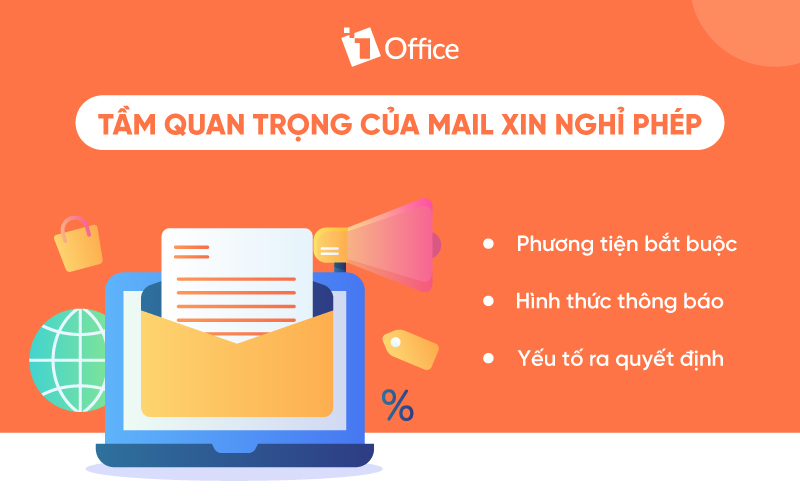
Many issues can arise in our lives that affect our work. In these moments, writing a leave request email is very important. It is the way we can inform our superiors and colleagues about the reason for and duration of our absence. Based on this formal request, the management will review and decide whether to approve your leave. By having clear information about your leave, the company can more easily manage its human resources, and at the same time, arrange for new staff or a replacement to prevent your absence from affecting work efficiency and progress.
III. Leave Request Email Templates
If you have never written a leave request email before or are unsure how to write one, below 1Office provides you with the most standard and commonly used leave request templates:
1. Common Leave Request Template
|
Subject: Leave Application ……………………………………………………………………………………………………….. |
|
To: – The Board of Directors of ………………………………………………………………………………………….………….. – Head of Human Resources & Administration Department: ……………………………………………………………………….……… – Head of Department ………………………………………………………………………………………………………………… My name is: ………………………………………………………………………………………………………………..……………. Position: ………………………………………………………………………………………………………………………………. Department: …………………………………………………………………………………………………………………………… Contact phone number: ……………………………………………………………………………………………………………. I am writing this letter to request permission from the Board of Directors and the Human Resources & Administration Department to take leave for…. from…. to…. I commit to returning to work on the scheduled date after my leave. I will take full responsibility for any failure to do so. I hope the company’s leadership and the Human Resources & Administration Department will approve my request. Thank you sincerely! |
| Name & Signature (Applicant’s information) |
2. English Leave Request Email Template
Whether the email is in Vietnamese or English, it must adhere to the following mandatory rules:
- Email Subject: Based on the circumstances of your leave, you should write a subject line that matches your reason for the request. Alternatively, a simpler subject line could be: Requesting leave of absence – [Your Name]
- Salutation: This is an essential part of any email, not just leave requests. Even if you are friends or have a good relationship with your boss, a formal email requires a proper salutation. Start with: Dear Sir, Dear Ms./Mr. [Boss’s Name], or something similar.
- Opening Paragraph: You should clearly state your leave request and the duration of your leave (start and end dates) in the opening part of the email.
- Body: Most importantly, explain the reason for your leave request. You need to clarify what the reason is and how it might affect your work.
- Final Paragraph: Explain and ensure that tasks and deliverables will be completed during your absence, and outline the plan for someone else to take over your responsibilities (depending on the situation).
- Conclusion: Do not forget to include a thank you at the end of the email. You should thank your company and your boss so they can review and respond to your request promptly.
Suggested English email template for sick leave:
|
Dear Mr. Thang: I would like to request a leave of absence for medical reasons. I will be having hernia surgery on ………………………….. and expect to return to work approximately ………………. weeks later. I can provide written documentation from the surgeon, if necessary. Thank you very much for your consideration. Sincerely, Signature |
IV. 12 Ways to Write More Professional Emails
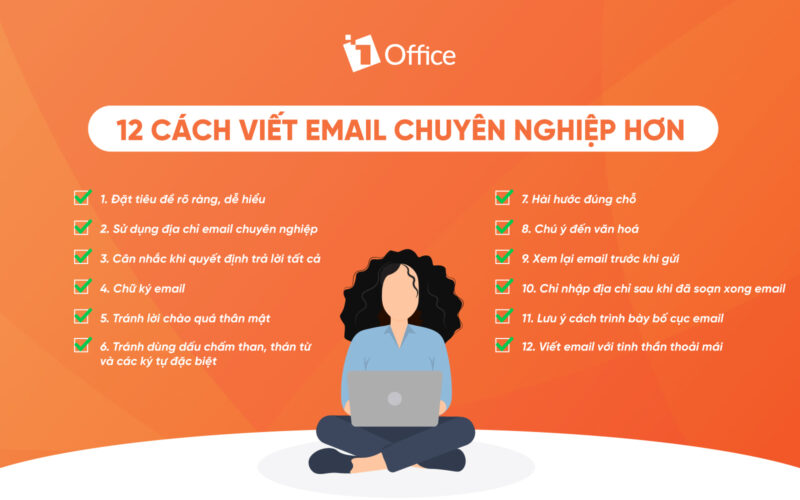
1. Use a clear, easy-to-understand subject line
Whether it’s a regular email or an out-of-office email, you should always use a clear, concise, and easy-to-understand subject line. The subject line is the first thing the recipient sees, and it’s what determines whether they open your email. For example, when sending a job application email, candidates should carefully read the job description and pay attention to any specific subject line format requirements. If there are no requirements, you should include these three elements in your subject line: Full Name_Position Applied For_Date.
2. Use a professional email address
To appear professional, you should avoid using personal email addresses with nicknames like: pretty_duyen@, handsome_Tuan@, hotboy_Hung@, etc. Instead, use an email address with your name and the domain of an organization, for example, duyenlt@1office.com. If you are a freelancer, create a personal email address that is still related to your work.
3. Be careful when replying all
In some cases, you will receive an email sent to many people at once. When replying to that email, be cautious and mindful of the “Reply All” button, as some recipients may not need to see your response, and including them can be annoying. Depending on the situation, if you are the one conveying information, replying to all is necessary to streamline the communication process instead of emailing each person individually.
4. Email signature
An email with a specific signature helps the recipient easily see and save your information for convenient contact when needed. It also helps them identify you more easily, answering “who are you?” and “what company do you work for?”. You can customize your signature with different colors and sizes, or even add an image to make it easier for the recipient to recognize.
5. Avoid overly informal greetings
Email is a means of communication that reflects seriousness and professionalism at work. Therefore, using overly informal language in an email is a major don’t, even with close friends or siblings. When emailing an organization, we should use formal salutations to show respect, regardless of whether the recipient is younger or older.
6. Avoid exclamation points, interjections, and special characters
Using exclamation points or interjections in an email can make it lose its professional tone, seem overly emotional, and read like an essay. Additionally, using interjections in an email can lead the reader to misinterpret your meaning. And using special characters in an email is a major don’t. Doing so can make your email look like an advertisement, increasing the risk of it being marked as spam and not reaching the recipient.
7. Use humor appropriately
We cannot convey emotions effectively through the text in an email. Using humorous or flippant language can easily be misunderstood and show a lack of respect for the recipient. Not everyone will be in a cheerful mood when they receive an email, unless you know the other person very well.
8. Be mindful of culture
Every company, business, and country around the world has different email writing styles and cultures. Context is very important if you want to collaborate with someone. You need to include your full and detailed information in the email and add conversational greetings. Conversely, in low-context cultures, you should get straight to the point.
9. Proofread your email before sending
A common mistake people make when writing emails is not proofreading before sending. This can easily lead to issues like missing content or spelling errors, which can make the recipient think you are careless and unprofessional. More importantly, you shouldn’t rely solely on your computer’s spell checker; instead, take the time to review it yourself.
10. Only enter the address after you’ve finished writing the email
Accidentally sending an unfinished email is a very common situation. Therefore, you should be meticulous and enter the recipient’s address accurately. Furthermore, you should get into the habit of removing the recipient’s address when replying to an email and only adding it back when you are certain the email is complete.
11. Pay attention to the email layout
A perfect email requires a clear layout and complete information. You should arrange your email content logically and in order: Subject Line – Greeting – Body – Closing – Signature (Sender’s Information). Additionally, you should bold the main points to help the reader easily identify and understand the issue. Most importantly, do not write overly long sentences and focus only on the main “keywords”.
12. Write emails with a calm mindset
When writing and replying to emails, you should have a calm mindset. Avoid writing emails when you are upset or angry about something, as your emotions can easily bleed into your words. This can make your sentences sound unpleasant and unprofessional. You shouldn’t write when you’re angry, as it can lead to unforeseen consequences later.
















