


 09/05/2026
  11793 views
An Excel sales management file helps small stores and businesses track orders, revenue, debts, inventory, and customer information all in one spreadsheet. Instead of scattered notes or manual consolidation, a ready-made template helps you enter data faster, monitor sales figures more clearly, and easily customize it to your actual needs. The article below provides a free Excel sales management file with easy-to-follow instructions.
Mục lục
- 1. Should businesses use an Excel file for sales management?
- 2. What a sales management Excel template should contain
- 3. Who should use an Excel file for sales management?
- 4. A collection of the 7 latest Excel sales management files
- 4.1. Sales management plan file for Sales teams
- 4.4. Excel File for Business Revenue and Expenditure Management
- 4.5. Excel File for Sales Management by Product
- 4.6. Excel File for Inventory Management (Import/Export)
- 4.7. Excel File for Customer Management
- 4.8. Excel File for Managing Sales Staff KPIs and Performance
- 7. Frequently Asked Questions (FAQs) about Sales Management with Excel
- 8. Conclusion
1. Should businesses use an Excel file for sales management?
Using Excel for sales management is a reasonable choice for small-scale business models due to its simplicity and cost-effectiveness; however, it is only a temporary solution and should be replaced with a specialized tool when the business needs to scale.

Factors determining the use of Excel:
- Compatibility with small scale: For individual entrepreneurs or startups with a limited number of SKUs and a small customer base, Excel is a powerful “right-hand man” for tracking basic metrics without the cost of investing in technology infrastructure.
- Process simplification: This tool is extremely effective when sales operations do not involve many intermediate steps. Data entry, calculating sales figures, or creating simple charts can be done quickly without requiring users to have advanced technical skills.
- Flexibility and popularity: As a universally used software, Excel allows users to customize spreadsheets according to their personal preferences. However, this flexibility is also a “double-edged sword” as data grows, easily leading to errors from manual operations or difficulties in coordinating among multiple staff members.
Excel is a good starting point for saving budget, but to avoid the risk of data loss and to optimize the customer care process in the long run, growing businesses should transition to more professional management systems.
2. What a sales management Excel template should contain

An Excel sales management file is a useful tool that helps businesses track and manage sales information, supporting managers in decision-making, increasing sales efficiency, and improving competitiveness. A typical sales management Excel template includes the following information:
- Product list:
- Product ID
- Product Name
- Description
- Unit
- Selling Price
- Customer list:
- Customer ID
- Customer Name
- Address
- Phone Number
- Order information:
- Order ID
- Order Date
- Customer (referenced from the customer list)
- Product (referenced from the product list)
- Quantity
- Total Amount
- Sales summary:
- Total Sales
- Sales by Product
- Sales by Customer
- Statistical chart (if any)
- Inventory management:
- Stock quantity
- Quantity sold
- Remaining quantity
- Update inventory upon sales/purchase transactions
- Summary table:
- Total Revenue
- Profit
- Total Orders
- Unpaid Orders
- Payment list:
- Payment ID
- Payment Date
- Related Order
- Amount Paid
- Shipping list (if needed):
- Shipping ID
- Delivery Date
- Related Order
- Shipping Information
Note: Businesses can customize the Excel template based on their specific requirements and add any other necessary information.
3. Who should use an Excel file for sales management?
Excel is an ideal management tool for business models in their early stages, where flexibility, low cost, and a manually manageable data volume are priorities.
Audiences who should prioritize using Excel:
-
Small-scale retail store owners and online businesses: With a non-diverse product catalog and a moderate number of daily orders, Excel helps shop owners track revenue, inventory, and debts visually without the cost of operating software.
-
Small and medium-sized enterprises (SMEs) in the startup phase: When the staff is lean and coordination processes are not yet complex, using spreadsheets saves on infrastructure investment while still ensuring a basic data storage system for business operations.
-
Startups testing the market: Excel allows for extremely fast customization of spreadsheets to adapt to continuous changes in product strategy. This is a safe solution that helps the founding team monitor growth metrics before deciding to invest in specialized management systems.
4. A collection of the 7 latest Excel sales management files
4.1. Sales management plan file for Sales teams
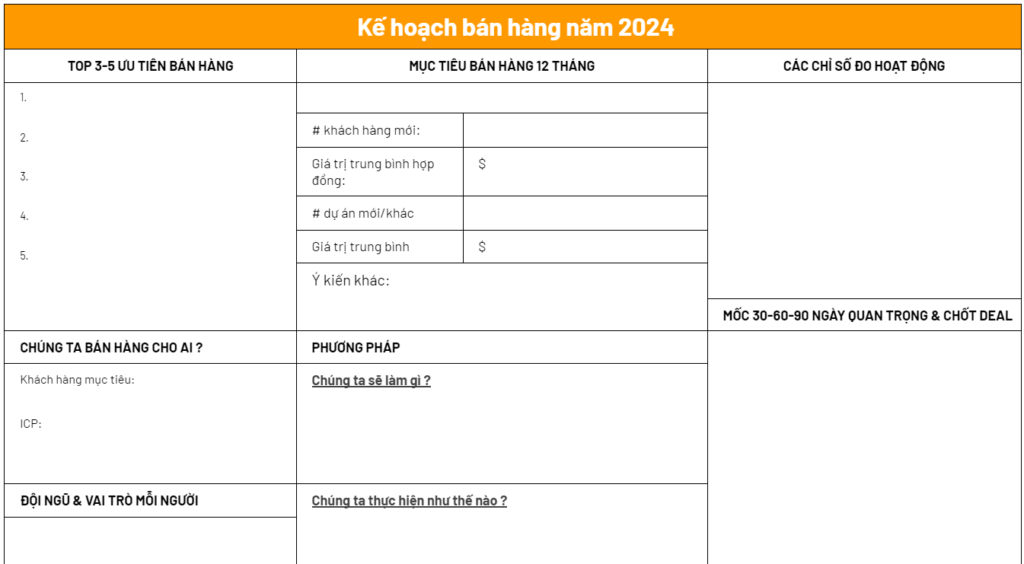
The sales management plan template for Sales teams is a powerful support tool for:
- Creating detailed sales strategy plans by month, quarter, and year.
- Tracking plan implementation progress and evaluating sales performance to promptly devise improvement solutions.
- Assigning tasks and responsibilities to each individual to ensure work is completed on time.
- Providing data to evaluate the performance of the sales team.
4.4. Excel File for Business Revenue and Expenditure Management
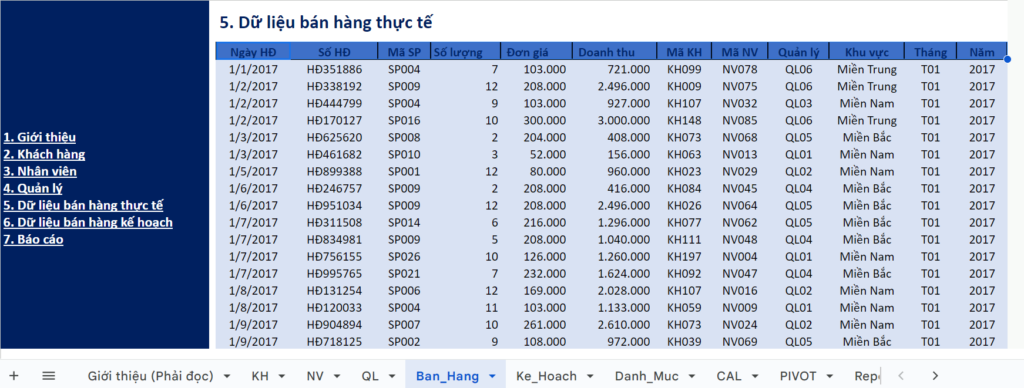
This revenue and expenditure management template helps businesses track their financial situation and control spending effectively. Specifically:
- Record and track all business revenues and expenditures, including cash, bank transfers, and bank transactions.
- Categorize revenues and expenditures by type, such as sales revenue, production costs, administrative expenses, selling expenses, etc.
- Calculate the business’s cash and bank balances at any given time.
Advantages: This template allows businesses to fully record daily revenues and expenditures, thereby managing cash flow transparently and minimizing losses. With its clear layout, business owners can easily grasp the short-term financial situation. It is a cost-effective yet efficient tool.
Disadvantages: Since data is entered manually, updating becomes time-consuming and prone to errors when there are many transactions. The file is also difficult to control if multiple employees are working on it simultaneously. This reduces accuracy as the business generates more items.
This file template is suitable for retail stores, family businesses, or small service companies. These entities typically have a moderate volume of transactions and do not require a complex system, making Excel a suitable choice.
Download: [1OFFICE] Revenue and Expenditure Report Template in Excel
4.5. Excel File for Sales Management by Product
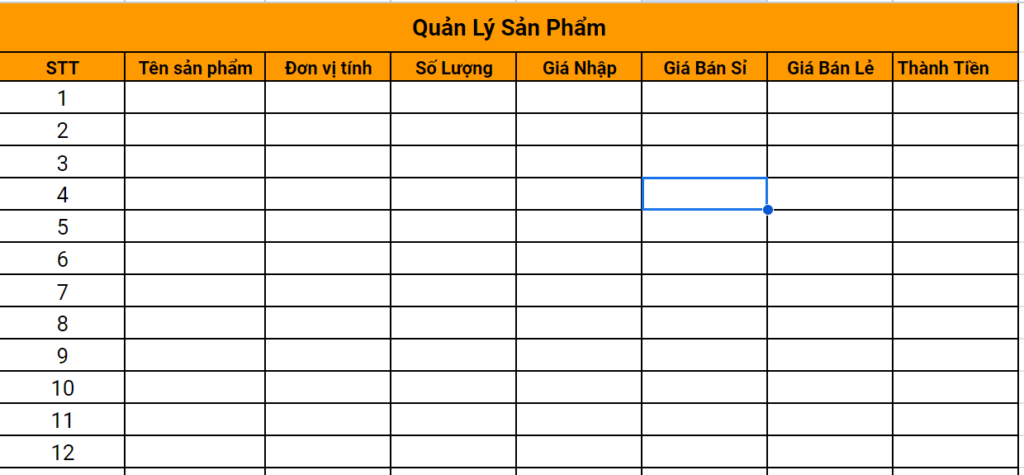
The sales management by product template is a useful tool for businesses, especially those with many products.
- Track the sales performance of each product
- Identify best-selling and slow-moving products
- Make decisions about production and business
- Improve sales operation efficiency
Advantages: This file allows for detailed tracking of sales by product, helping to identify which items are best-sellers and which are overstocked. This makes it easy for the business to decide whether to restock or discontinue underperforming products. It is a very intuitive tool for sales analysis.
Disadvantages: When the product catalog is too large, the file can become slow and cumbersome. Filtering or sorting operations take a long time, especially with thousands of SKUs. If the data is not organized systematically, the file will quickly become difficult to use.
This file is suitable for online shops, grocery stores, or small e-commerce businesses. In these models, tracking products by product line is crucial for optimizing inventory and sales strategy.
4.6. Excel File for Inventory Management (Import/Export)
The Excel template for inventory management helps businesses closely monitor the status of goods in the warehouse and manage imports and exports effectively. This template file allows tracking the quantity of goods imported, exported, and in stock by type, product code, and batch. It also helps manage pricing by tracking the cost and selling price of goods, providing accurate and comprehensive data for reporting.
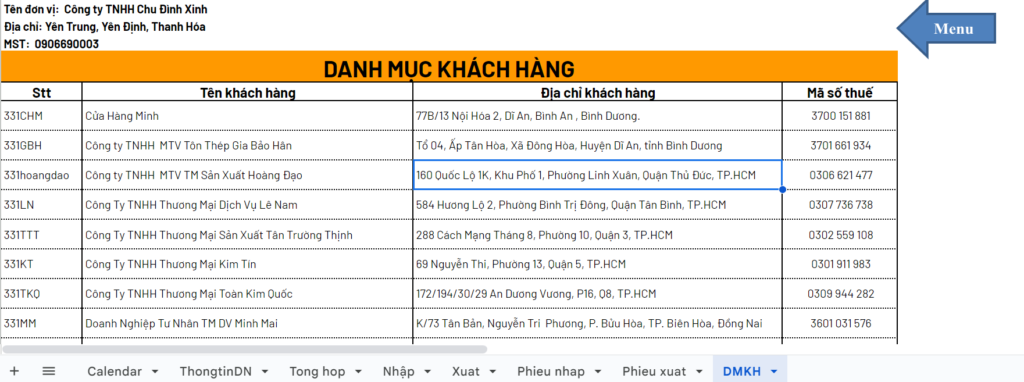
Advantages: This file template helps control goods moving in and out of the warehouse in detail, from import-export quantities to year-end inventory levels. Thanks to its clarity, managers can easily prevent losses and maintain accurate inventory data. It is a cost-saving alternative to warehouse software.
Disadvantages: The file cannot automatically alert when stock is low, so managers must monitor it manually and frequently. When the volume of goods is large, data entry also becomes a burden. This reduces processing speed compared to specialized tools.
This file is suitable for small manufacturing businesses, retail stores, or distribution agents that need basic inventory control. For small and medium-sized operations, Excel is still sufficient for managing daily goods movement.
Download: [1OFFICE] Inventory Management Template in Excel.xlsx
4.7. Excel File for Customer Management
The customer management template is a useful tool that helps businesses manage customer information and improve the efficiency of sales and customer service activities. However, businesses need to consider their specific needs to choose the appropriate management solution.
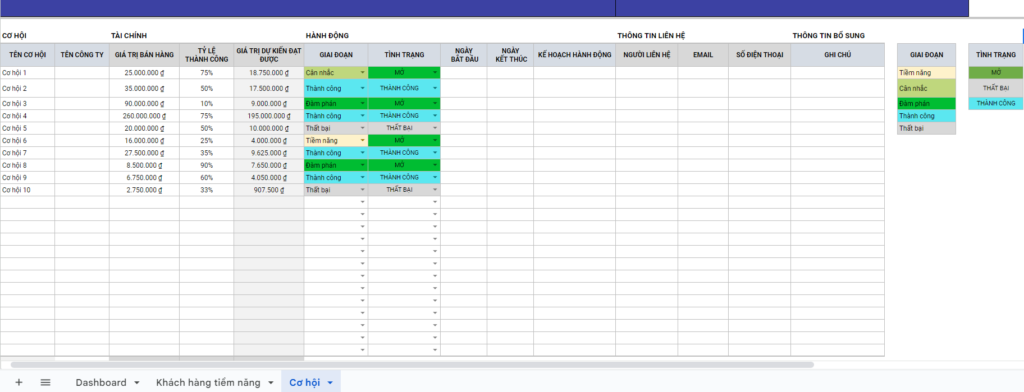
Advantages: This file template helps store detailed customer information such as name, phone number, purchase history, and customer classification. This allows the business to provide better customer care, build lasting relationships, and increase customer retention rates. It is a simple starting point for customer data management.
Disadvantages: The file is limited to basic storage and does not offer in-depth analysis of shopping behavior like CRM software. As the customer base grows, data can become fragmented and difficult to fully leverage. This makes it challenging for businesses to build detailed marketing strategies.
This file is suitable for fashion shops, cosmetics stores, or small service businesses. For a lean operation, Excel is sufficient for tracking customers and supporting simple customer care campaigns.
Download: [1OFFICE] Excel Template for Customer Information Management
4.8. Excel File for Managing Sales Staff KPIs and Performance
This is a file template that helps businesses track the entire work process of their sales staff. Metrics such as the number of customers reached, calls, appointments, closing rates, and revenue are clearly displayed. This gives managers a comprehensive overview of performance and makes it easy to fairly assess each individual’s capabilities.
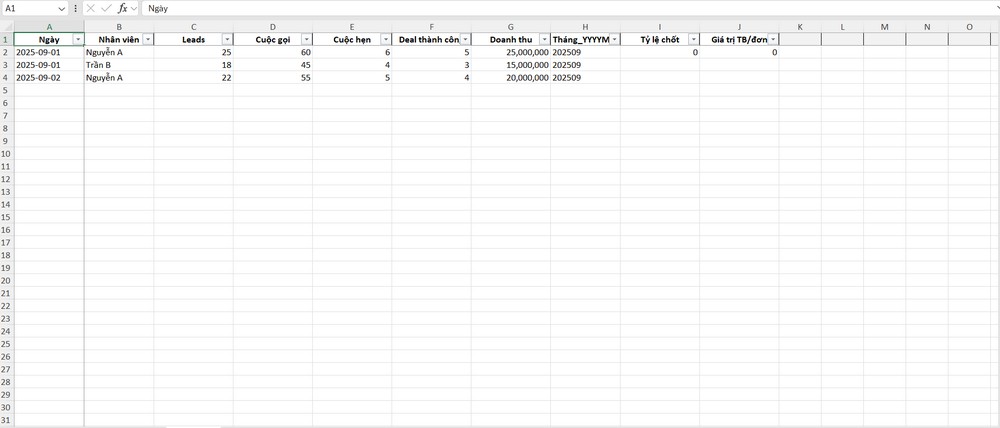
Advantages: This file template helps track each employee’s KPIs in detail by day, week, or month. Metrics such as the number of customers reached, revenue generated, closing rates, etc., are clearly displayed. This provides managers with a basis for fair and transparent performance evaluation.
Disadvantages: Since data is entered manually, updating it can be quite time-consuming when there are many employees. Additionally, the file cannot show long-term trend analysis without adding charts.
Suitable for small to medium-sized sales teams, retail stores with a few employees, or startups testing the market
Register for a free 1Office software consultation and demo!
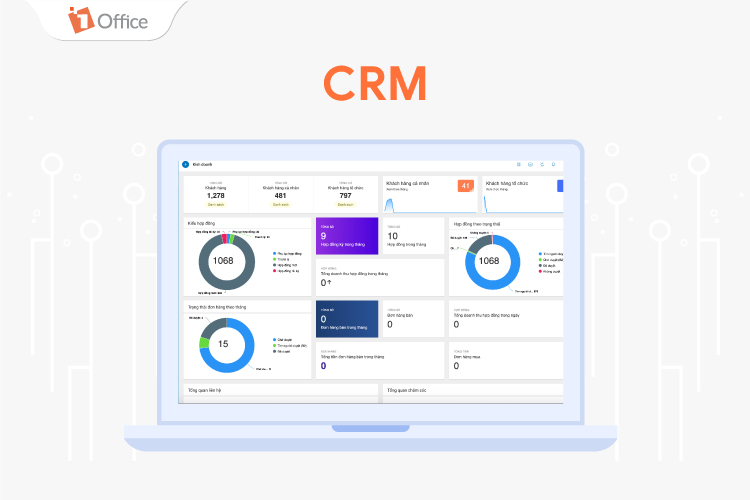
Other outstanding features of 1Office CRM include:
- Automatically track, record, and report sales and commissions for each employee – directly linked to the 1Office HRM payroll module.
- Supports bulk digital signing of orders/contracts directly on the system.
- Smart alerts for debts, contract deadlines, and payment progress.
- Automatically segment customer data based on rules, standardize the sales pipeline, and build lead nurturing scenarios.
- Personalized sales reports and dashboards by role, allowing the CEO to monitor business performance in real-time.
Register for a free 1Office software consultation and demo!
7. Frequently Asked Questions (FAQs) about Sales Management with Excel
How to avoid errors when multiple people enter data into the same Excel file?
To minimize data discrepancies, you should use Excel Online or Google Sheets for real-time synchronization. Additionally, use the Data Validation feature to restrict input types (e.g., only allowing numbers in the quantity column) and Protect Sheet to lock cells containing important formulas.
What to do when an Excel file becomes slow and laggy due to large data?
When the file exceeds thousands of rows, you should:
- Split the file by year or quarter.
- Limit the use of complex, repetitive calculation functions (like VLOOKUP, SUMPRODUCT).
- Move old data to a separate “Archive” file to reduce the load on the daily operational file.
Is there a way for Excel to automatically alert when inventory is low?
You can use the Conditional Formatting feature. Set up a rule: If the quantity in the “Inventory” column is less than a minimum level (e.g., < 5), the cell will automatically turn red to alert you to restock.
How to secure customer information in an Excel file?
Excel’s security is not high, so you need to:
- Set a password to open the file (Encrypt with Password).
- Set access permissions through cloud storage services (only allowing authorized users to view or edit).
- Regularly back up the file to another device to prevent data loss in case of computer failure.
When should a business stop using Excel and switch to CRM software?
You should upgrade to 1Office CRM when you encounter the following signs:
- Spending too much time (over 2 hours/day) just on manual data entry and report compilation.
- Data is scattered, customer information is lost, or debt confusion occurs frequently.
- The sales team is growing (5 or more people) and requires seamless coordination between the Sales, Warehouse, and Accounting departments.
8. Conclusion
If your top priorities are simplicity, being free of charge, and lightweight data, a sales management Excel file is the most suitable choice. When your scale begins to exceed the control of a spreadsheet, it’s time to upgrade to comprehensive management solutions.
















