


 12/05/2026
  163 views
Dear valued customers,
1Office sincerely thanks you for your trust and for using our services. With the desire to improve product quality and provide you with a better experience, we are constantly researching and developing new features. In this upgrade, we are pleased to announce the improvement and upgrade of new features in the Digital Signature Module.
Estimated upgrade time: 14:00, November 10, 2023
After the upgrade, users will experience the following features:
- Integrate corporate digital signatures in System Settings
- Add Dashboard and Data stream screens for the digital signature module
- Separate digital signature templates to help users use signature templates flexibly
- Improve the editor when configuring signature templates and signing files
- Add discussion and comment features in the signing file
- Add a viewer role in the signing profile
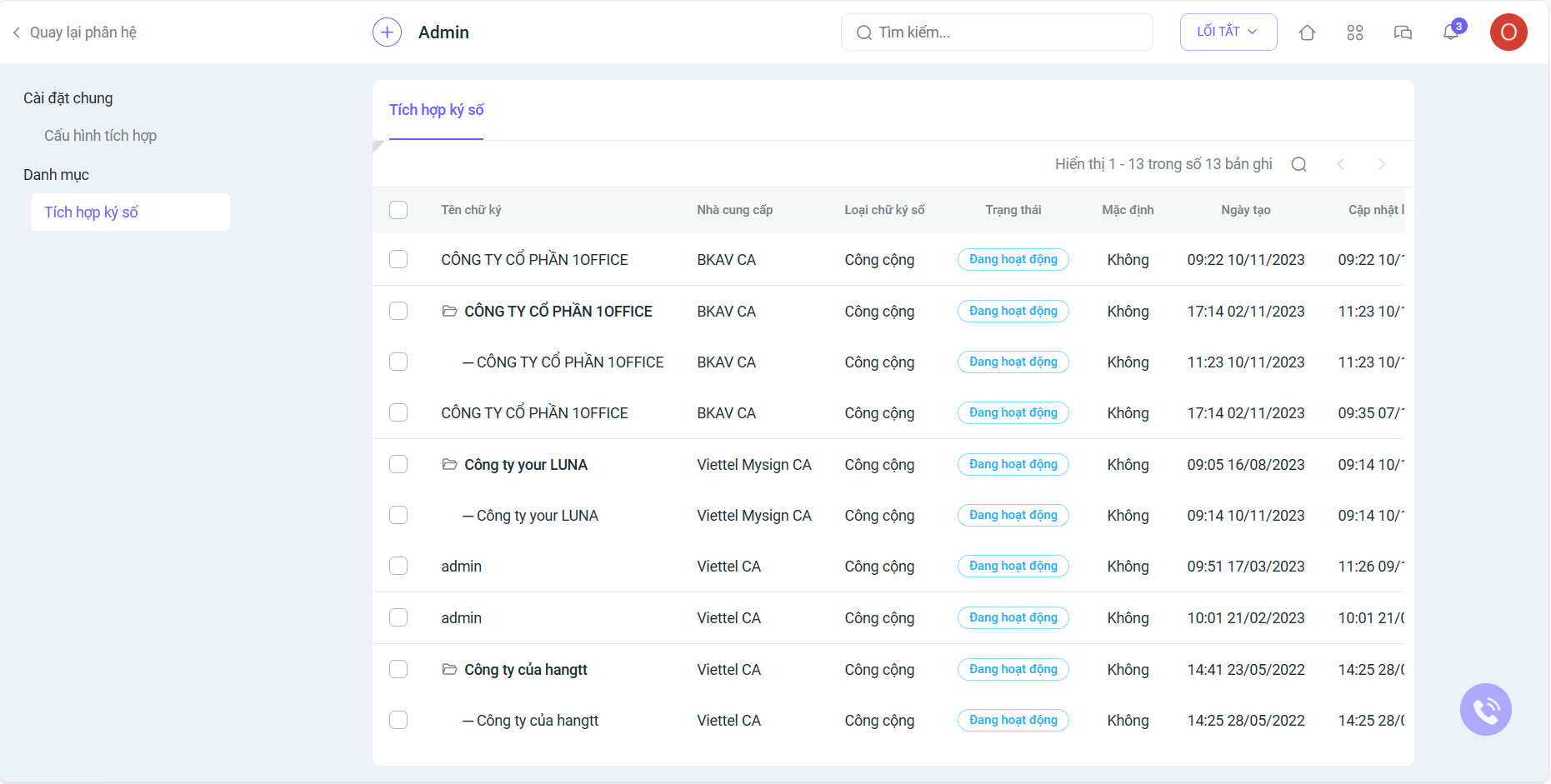
1. Corporate signature integration
In the System Settings screen, go to the Integration section. Here, you will see a list of integrated corporate signatures:
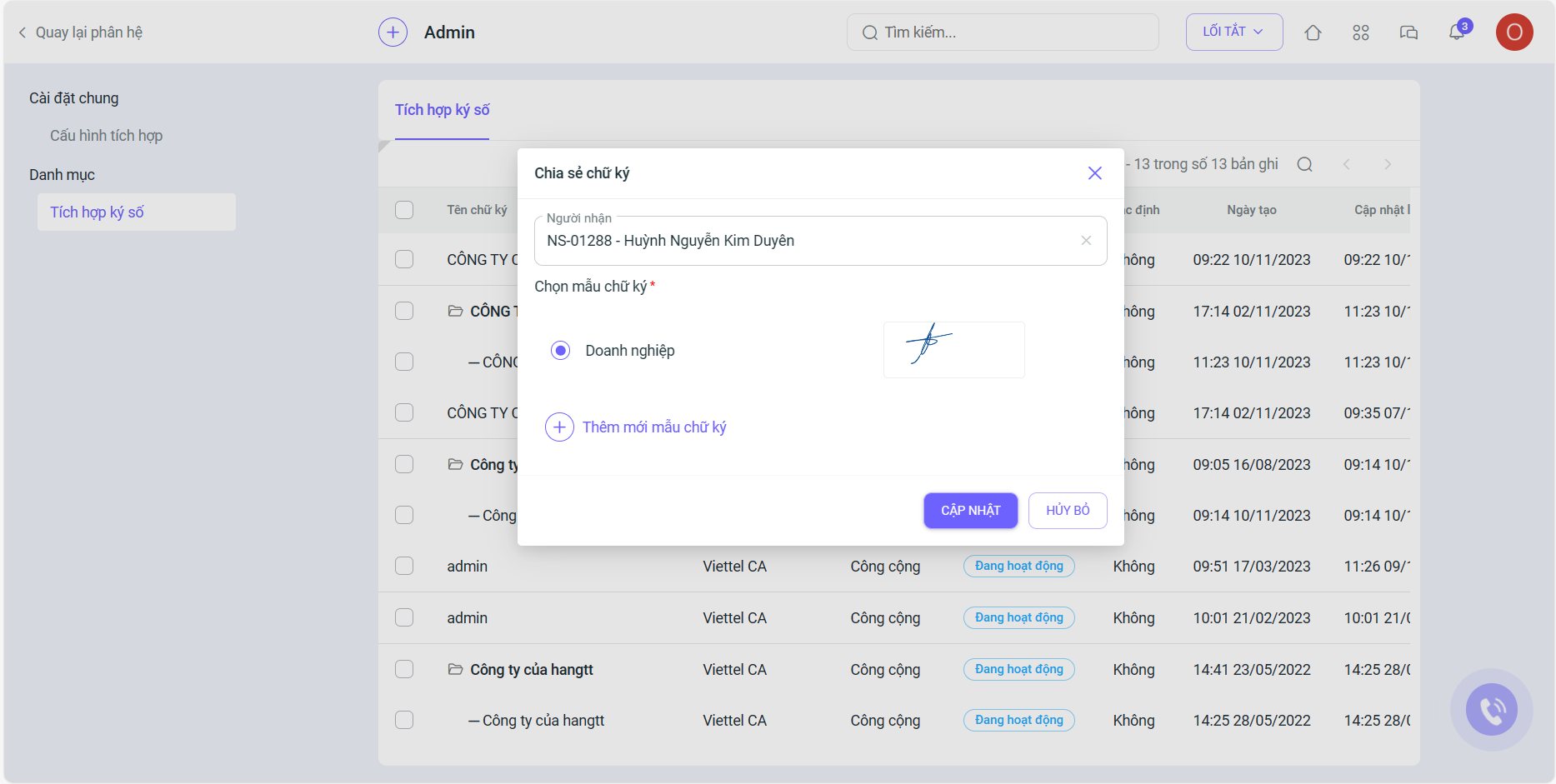
After creating a new corporate signature integration, the Manager needs to share that signature with the staff for use:
2. Addition of Dashboard and Data Stream screens
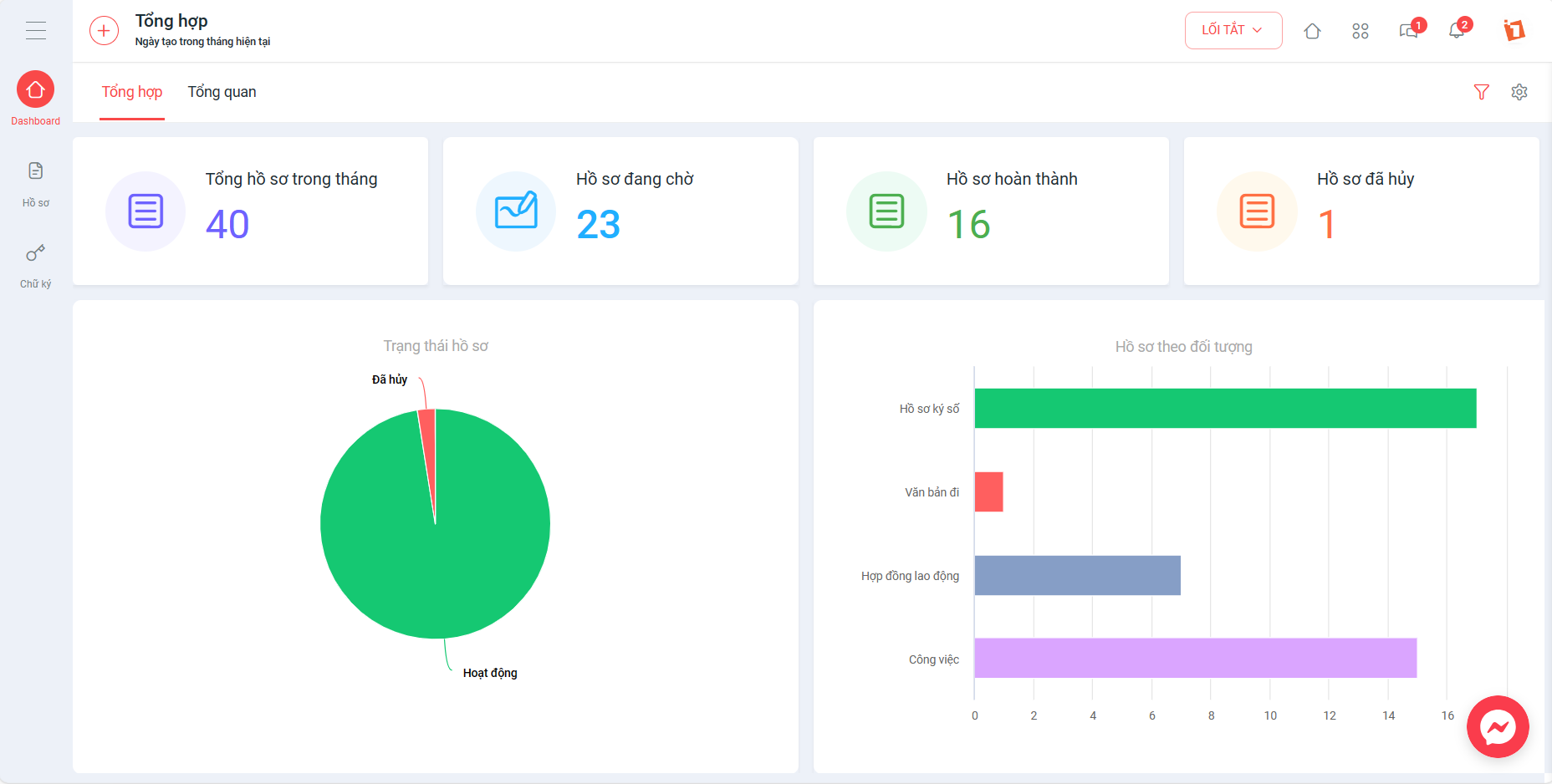
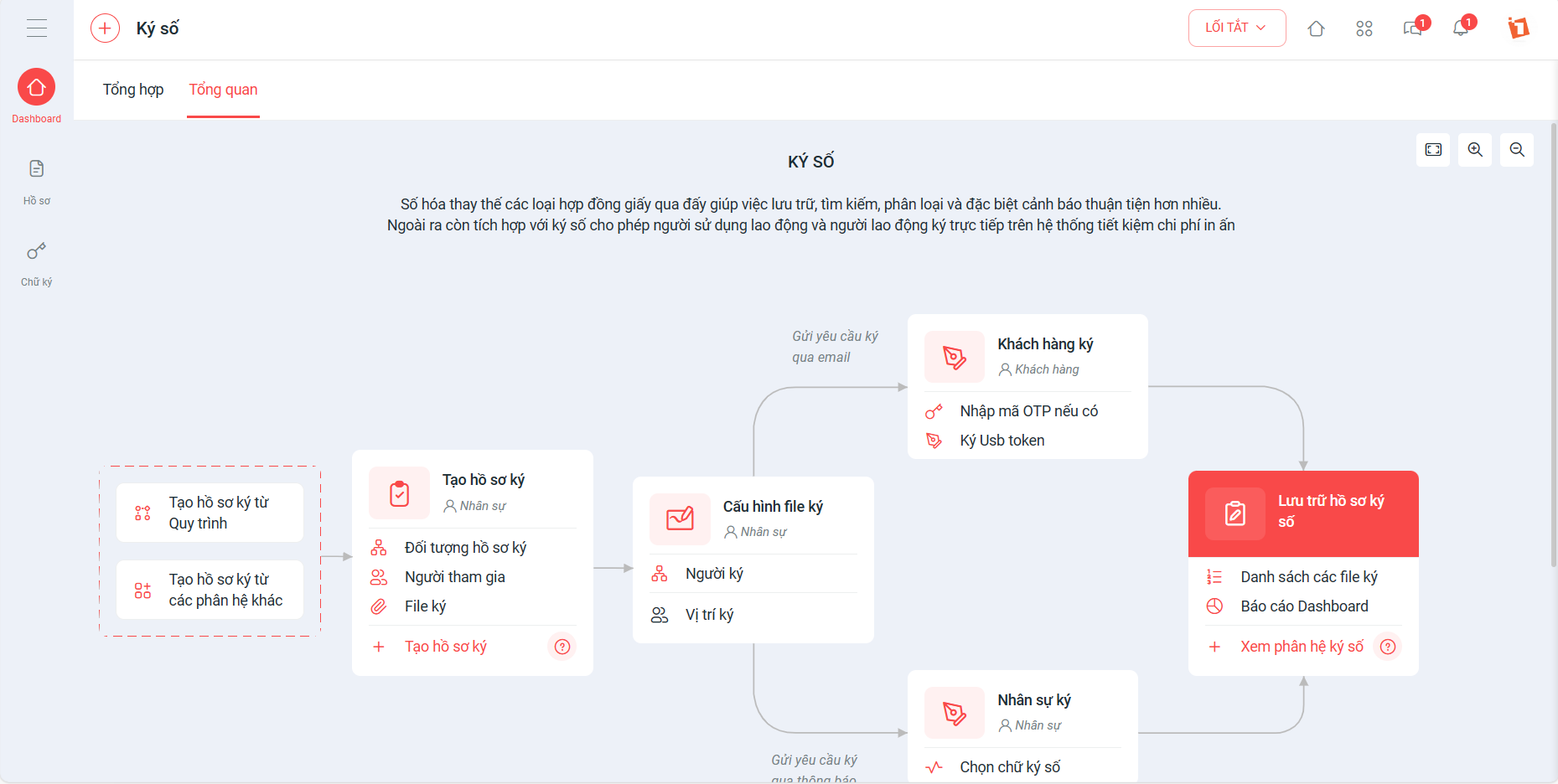
The addition of the Dashboard and Data stream screens helps:
- The Dashboard helps managers easily track statistics related to Signing Profiles and digital signatures, thereby making accurate and timely decisions.
- The Data stream helps staff easily operate and use the digital signature module quickly and conveniently.
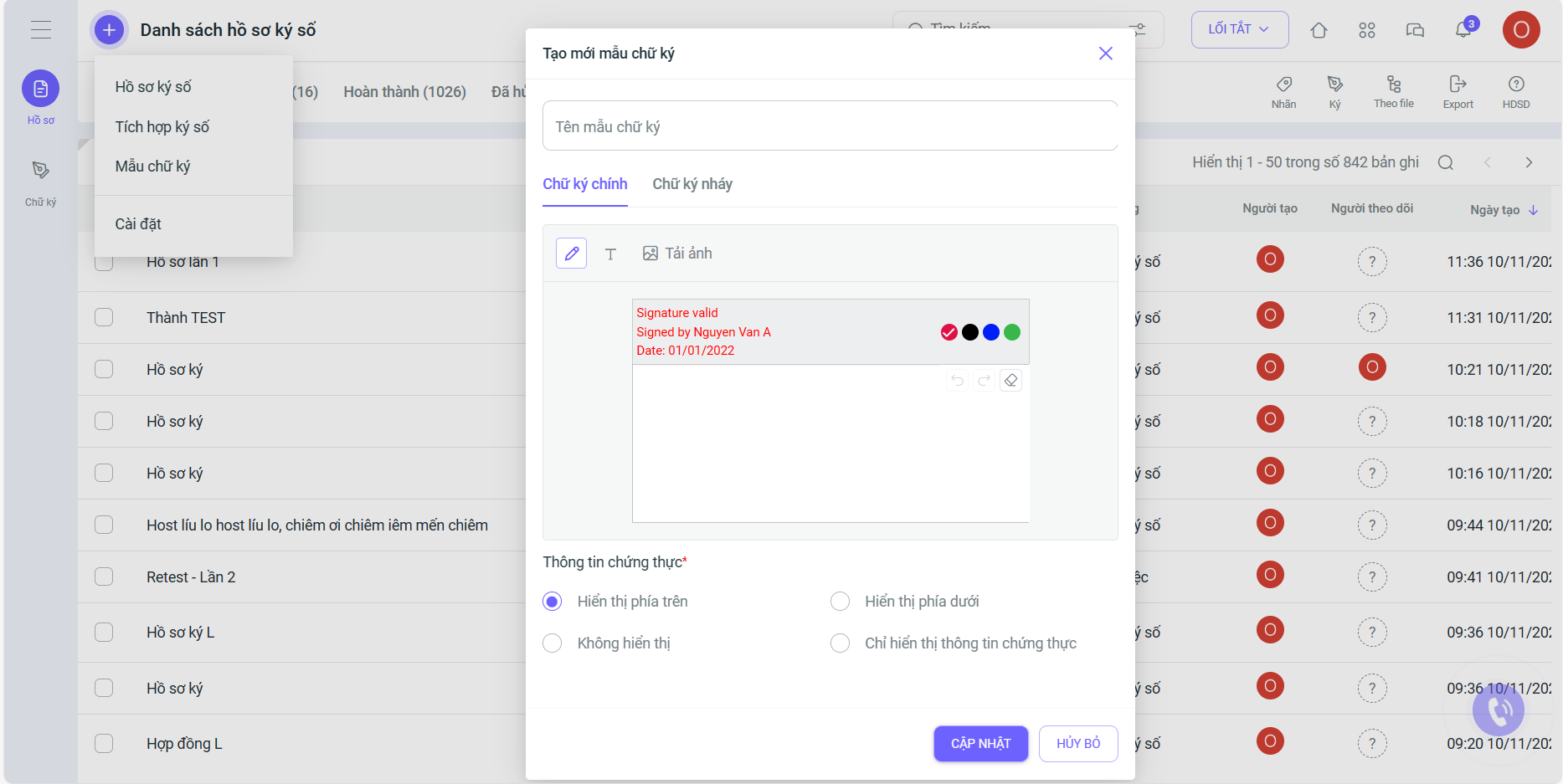
3. Digital signature template
The improved Signature Template feature brings a simple, convenient, and fast signing experience for users:
- Create one signature template and apply it to any type of digital signature.
- Design separate main signature and initial templates as desired.
- Improved signature template Editor: add a signature image, enter text while selecting a font for the signature, choose colors, and adjust the display position of authentication information on the signature template.
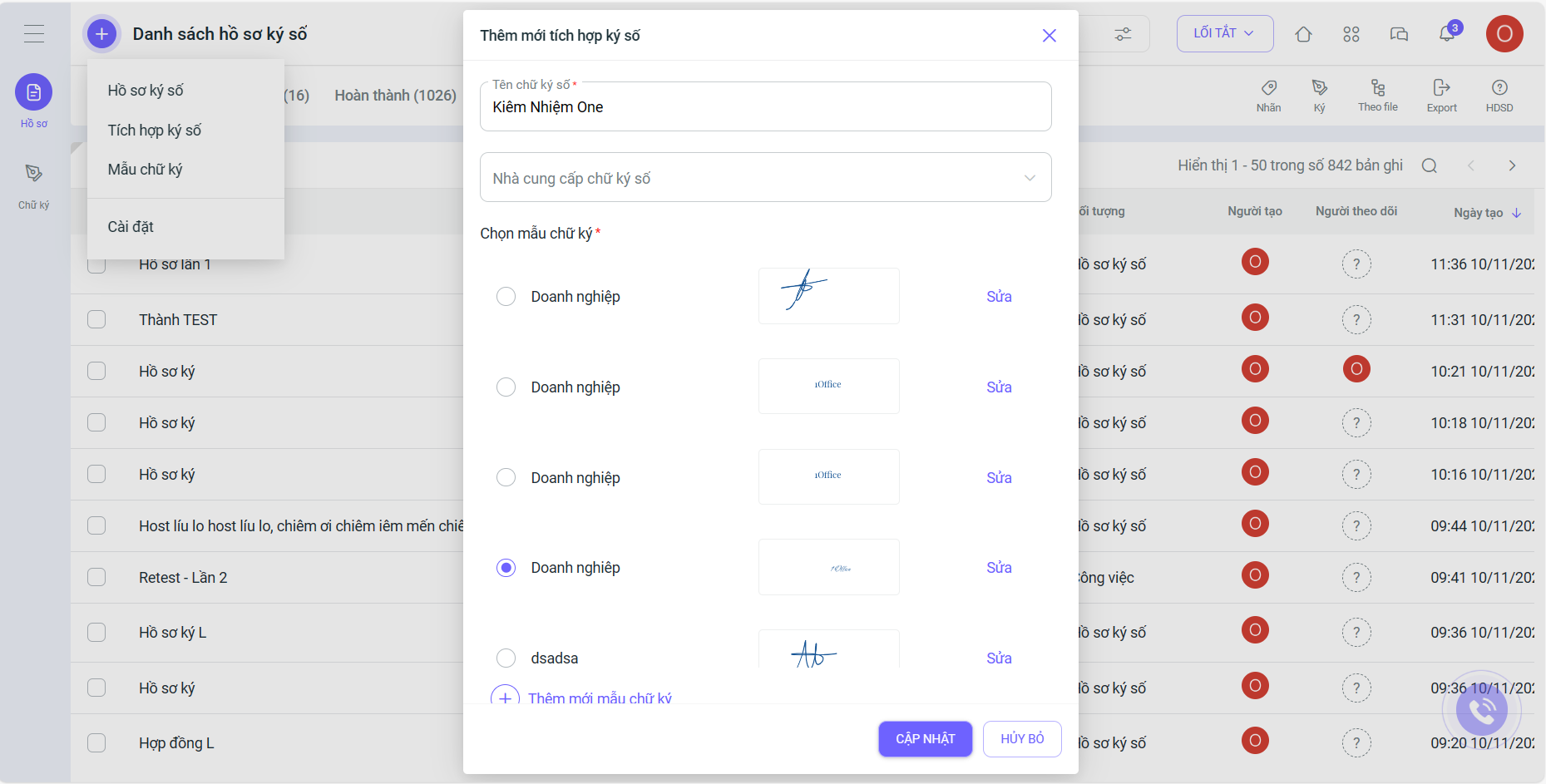
4. Personal signature integration
When integrating a digital signature, you can immediately configure a signature template including the main signature and initials. Additionally, you can edit or add new signature templates if desired.
5. Create a signing profile
The Create Digital Signing Profile interface has been upgraded with 3 very simple steps:
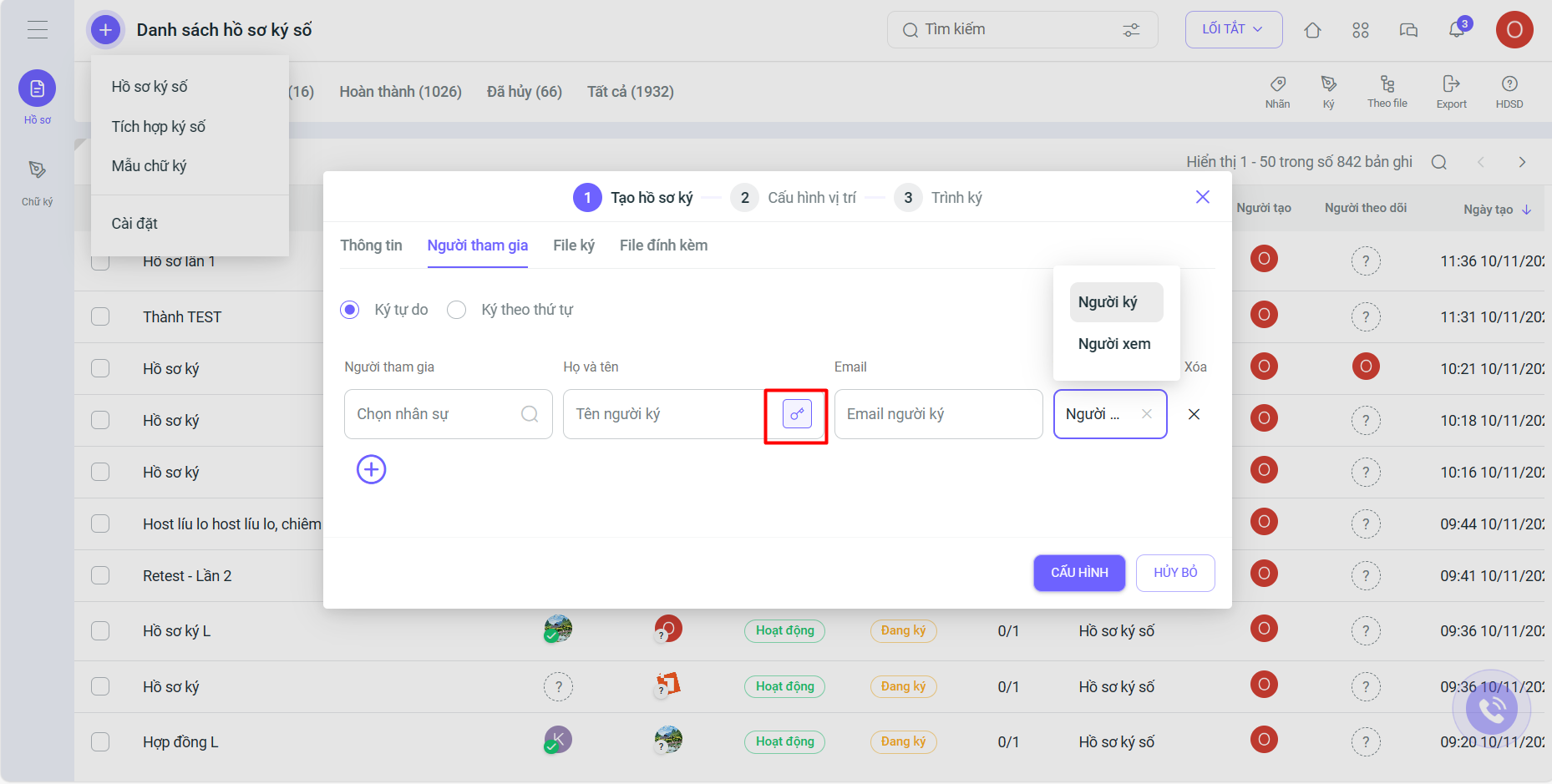
Step 1: Create signing profile
Two new features have been added to the Create signing profile step:
1. Viewer role: allows users to only view the signed document without being able to change or add more signatures
2. Enable/Disable OTP code when sending the signing profile to customers: When customers receive the digital signing profile via email
- If the OTP code is disabled, the customer only needs to access the link to the Digital Signing Profile to sign
- If the OTP code is enabled, the customer must enter the OTP code to access the Digital Signing Profile
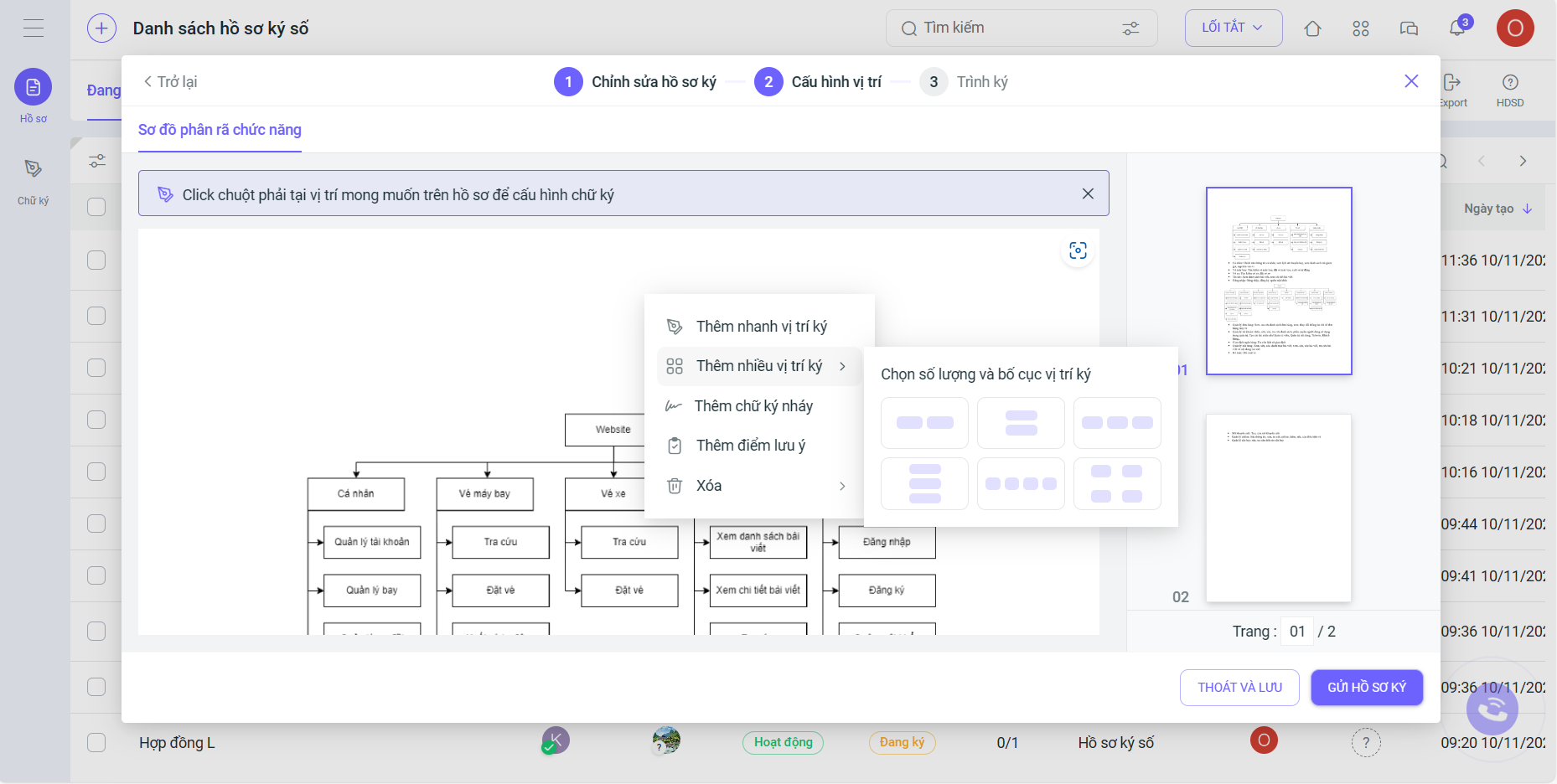
Step 2: Configure signing position
Added a feature to select the layout and number of signatures (allowing users to customize the position, layout, and quantity of digital signatures in the document and share it with multiple signers).
You can now sign with multiple signatures simultaneously in a single row, or in 2, 3 rows, etc. Additionally, the person configuring the signing profile can set the signature type and signature template, helping signers complete the process faster and more conveniently.
Step 3: Submit for signing
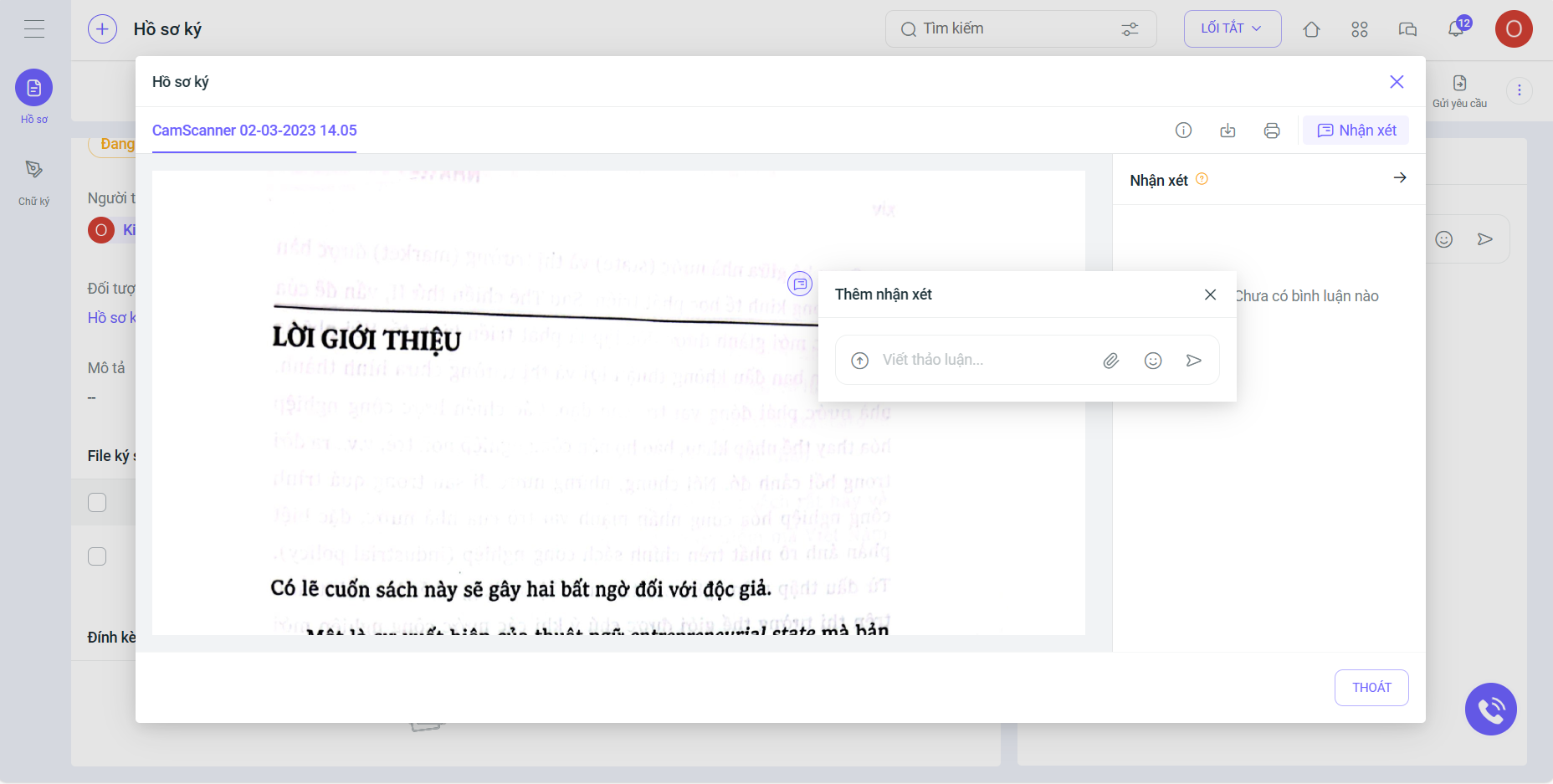
Added a Comment feature within the signing file to help participants track and contribute feedback during the signing process.
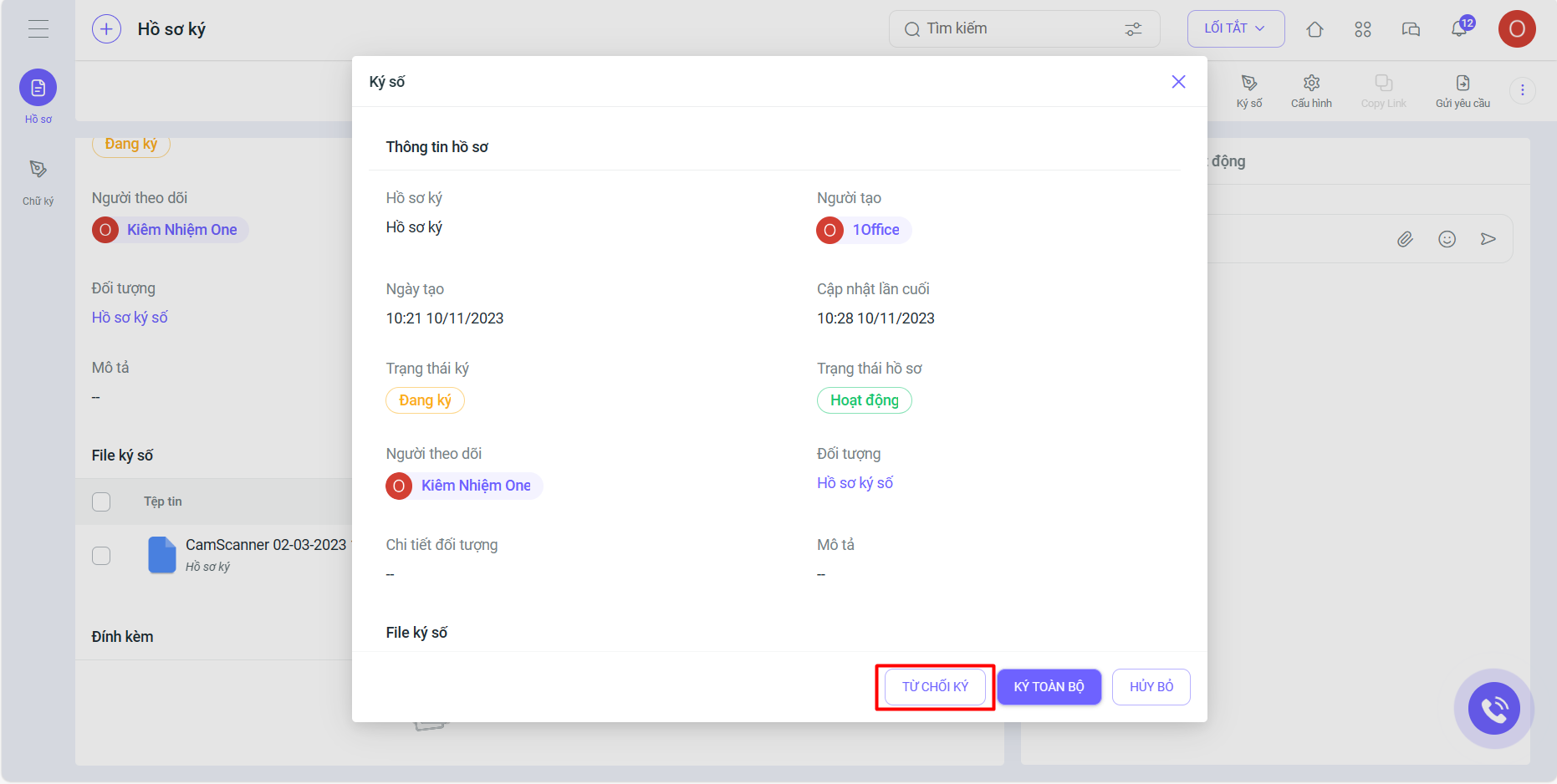
If a signer does not want to sign the document, they can select “Decline to sign.” After declining, the user will no longer be able to view or access the signing file.
Note:
The feature update process is performed periodically and will not affect any customer data. After this period, the system will resume normal operations. We kindly ask our valued customers to take note of the update schedule to avoid any disruption to your business operations. For any further information or support, please contact us via:
- Customer Service Hotline: 1900 3313
- Email: support@1office.vn
- Live chat on the software
- Ticket
Best regards,
The 1Office Product Development Team.
















