


 11/05/2026
  604 views
Automation is no longer a foreign concept but has become the foundation that helps businesses operate faster, with fewer errors, and more transparently. If you want to understand what automation is and where to start, this article will help you grasp the information most accurately.
Mục lục
- 1. What is Automation?
- 2. Types of Automation
- 3. Applications of Automation in Business
- 4. Benefits of Automation in Business
- 5. When should a business implement Automation?
- 6. Common Mistakes When Implementing Automation
- 7. New Trend: Combining AI & Low-code for Comprehensive Automation
- 8. Experience Business Automation with AI & Low-code at the 1Office Next Event
1. What is Automation?

Automation is the process of using technology to perform tasks, processes, or systems that previously required manual human intervention. Instead of performing repetitive daily tasks—such as data entry, document approval, or sending reports—automation allows these jobs to be done automatically, accurately, and continuously.
In a business context, automation is not just about using software to replace people; it’s a way to standardize processes, minimize operational risks, accelerate decision-making, and free up resources for strategic activities.
Simply put: if digital transformation is the journey of digitizing data and processes, then automation is the next step—where businesses operate smoothly and efficiently without needing to “touch” everything manually.
2. Types of Automation
2.1. Business Process Automation (BPA)
BPA focuses on standardizing and automating repetitive business processes, such as approving proposals, processing orders, recruitment, reporting, and customer care. This is the most common form of automation in the digital transformation of medium and large enterprises.
For example: A leave request is submitted, approved, and employee data is updated—all completely automatically.
2.2. Robotic Process Automation (RPA)
RPA uses software robots to mimic human actions on computer systems, such as data entry, data copying, report generation, and sending emails. This is an optimal solution for businesses that still use multiple legacy systems with a lack of data connectivity.
For example: A robot automatically downloads data from software A, processes it, and enters it into system B daily.
2.3. IT Process Automation (ITPA)
ITPA serves the internal operations of the IT department, such as data backup, system monitoring, technical error handling, and granting access rights. This form of automation helps the IT team reduce manual processing time and increase system availability.
For example: The system automatically detects a server error, sends an alert, and restarts the service without human intervention.
2.4. Marketing & Sales Automation
This is the form of automation most familiar to sales and marketing teams, from nurturing potential customers (email, chatbot) to lead distribution and post-sales care. The system operates 24/7 to ensure no opportunities are missed.
For example: After a customer fills out a form, the system automatically sends an email, distributes the lead to a sales representative, and updates the CRM simultaneously.
Each type of automation is most effective when applied to the right specific problem. A business can start small (e.g., with approvals or reports) and then expand to a comprehensive automation ecosystem, enabling the CEO to run the business in real-time based on accurate data and consistent processes.
>>> Learn more: The 5 Basic Steps of an Automation Process
3. Applications of Automation in Business

After understanding what automation is and its common types, the question is: Where can businesses apply automation to achieve tangible results? Below are typical areas where automation is making a significant difference in the management and operation of modern businesses.
3.1. HR Management, Timekeeping, and Payroll
Automation in the HR field helps businesses reduce manual workloads and increase transparency and consistency:
- Automatically approve leave requests, overtime, and personnel transfers.
- Automatically compile timekeeping data as a basis for payroll—no manual Excel work needed.
- Automatically send internal announcements and decisions to employees at the right time.
Result: Reduce administrative processing time by up to 60%, limit errors, and improve the employee experience.
3.2. Work and Internal Process Management
Automation helps businesses design, track, and optimize workflows across departments:
- Assign tasks, send deadline reminders, and approve results completely automatically.
- Automatically transfer tasks through different stages—no manual reminders needed.
- Track progress in real-time and send alerts when tasks are overdue.
Result: Increased efficiency in cross-departmental coordination, reduced rate of delayed tasks.
3.3. Accounting – Finance
Repetitive tasks in finance and accounting operations are fertile ground for automation to take effect:
- Automatically consolidate debts and generate periodic financial reports.
- Send payment reminders and create receipts/payment vouchers based on behavioral triggers.
- Automatically alert when spending exceeds the budget or cash flow is at risk.
Result: Saves time on report generation, helping CEOs make quick decisions based on real-time data.
3.4. Sales and Customer Care
Automation helps businesses create a seamless experience, from customer outreach to post-sales:
- Automatically send care emails/messages based on user behavior.
- Distribute leads to the right sales staff according to preset conditions.
- Automatically assess satisfaction levels, feedback, and suggest post-sales upsells.
Result: Increased conversion rates, improved personalized care without increasing staff.
3.5. Strategic Management and Decision-Making
At a higher level, automation not only handles tasks but also helps CEOs see the “big picture”:
- Consolidate real-time dashboards from multiple departments.
- Suggest alerts based on KPI indicators exceeding/reaching thresholds.
- Make quick decisions based on standardized and automatically analyzed data streams.
Result: Leaders can manage the business anytime, anywhere, based on an accurate data platform.
4. Benefits of Automation in Business
4.1. Reduce operational costs and repetitive resource use
Automation helps eliminate manual tasks, reduces reliance on administrative staff, and increases resource utilization efficiency.
- Reduce personnel costs for non-value-adding tasks.
- Limit human errors, saving costs on corrections and incident handling.
- Optimize process handling time – from hours down to a few minutes.
4.2. Accelerate decision-making with real-time data

When processes are automated, data is continuously collected and analyzed – helping managers make timely and accurate decisions.
- Financial, operational, HR… reports are updated in real-time.
- Easily receive early warnings about risks in the system.
- Analyze performance, cash flow, and tasks by stage without requesting manual reports.
4.3. Enhance employee and customer experience
Automation helps eliminate stagnation in internal processes and creates a smoother customer journey.
- Employees no longer waste time on paperwork and can focus on their specialized tasks.
- Customers receive timely feedback, personalized service, and a seamless experience.
- Increase satisfaction, reduce turnover and complaint rates.
4.4. Control and transparency of processes
Automation allows businesses to standardize all operations, making process control and compliance easier.
- All actions are clearly recorded, checked, and traceable.
- Reduce risks from spontaneous, person-dependent processes.
- Ensure compliance with internal policies and laws.
4.5. Create a foundation for digital transformation and sustainable development
Automation not only solves current problems, but also paves the way for businesses to adapt and develop long-term.
- Serves as a stepping stone for integrating AI, data analytics, low-code, etc., into operations.
- Increases adaptability to changes in the business environment.
- Creates an open platform for businesses to expand and connect to the digital ecosystem.
5. When should a business implement Automation?
Not every business needs to automate immediately – but it shouldn’t be delayed for too long either. Choosing the right time to implement automation will help optimize investment efficiency, avoid wasting resources, and create real operational transformation.
Here are the signs that it’s time for your business to adopt automation:
Growing workforce size without a corresponding increase in productivity
- If your business continuously hires more people to handle repetitive tasks (data entry, approvals, reporting…) but efficiency does not improve significantly, then this is the right time for a change.
Internal processes are fragmented and dependent on people
- The business has not standardized its processes, leading to situations where you have to “ask this person, wait for that person,” resulting in delays, errors, and an inability to trace accountability.
Data is scattered, lacking integration between departments
- The sales department uses Excel, the accounting department uses separate software, and HR manages paperwork… preventing the CEO from having a comprehensive overview.
The business is growing fast, but management can’t keep up
- When the business expands its market, personnel, products, etc., but continues to manage in the old way, operational risks will increase significantly.
The CEO cannot control operations when absent
- If you can only grasp the situation through reports from subordinates or have to constantly intervene in daily processes, it’s a sign that the business needs to operate with a system, not be dependent on people.
6. Common Mistakes When Implementing Automation
Although automation offers many benefits, reality shows that many businesses implement it only to… “shelve” it, or fail to achieve their initial expectations. The reason often lies not in the technology, but in the implementation mindset and flawed approach.
Below are the “common pitfalls” that CEOs and managers should avoid when implementing automation in their business.
6.1. Treating automation as “support software,” not an operational strategy
Many businesses purchase automation software with the expectation of handling a specific stage, but fail to synchronize the entire system. As a result, automation operates in isolation, without data connectivity – and can even create more work. Automation should be viewed as part of a comprehensive strategy for process restructuring and overall management.
6.2. Choosing the wrong processes to automate first
A major mistake is choosing overly complex or unstable processes to start with automation. When the data foundation isn’t standardized and roles are unclear, automation will only create more confusion. Start with simple, repetitive processes that are easy to measure, such as approvals, timekeeping, and basic customer care.
6.3. Lack of coordination between departments
Many CEOs assign a single department (usually IT or HR) to implement automation without involving other stakeholders. This leads to a system that doesn’t fit practical needs, faces resistance, or goes unused. Automation requires inter-departmental consensus and should be implemented with a “user-led” model rather than being technically dependent.
6.4. Expecting to completely replace people
Automation does not mean eliminating people. Many managers expect a “one-time investment to replace all staff,” leading to disillusionment when the system isn’t flexible enough to handle real-world situations. Automation is meant to support, not completely replace. It’s crucial to clearly define which tasks are assigned to the system and which still require a human element.
6.5. Failing to measure post-implementation effectiveness
Businesses often implement automation and then… leave it be. They don’t track KPIs, make improvements, or expand its scope, leading to wasted investment and unrealized potential. Like a machine, automation requires regular maintenance, fine-tuning, and evaluation to become increasingly optimized.
7. New Trend: Combining AI & Low-code for Comprehensive Automation
Automation is entering a new era – one where businesses not only automate repetitive processes but also create systems that can think, act, and optimize intelligently and flexibly. The core of this trend is the combination of AI (Artificial Intelligence) and Low-code (platforms that require little to no coding).
7.1. AI – The intelligent “digital assistant”
Unlike traditional automation, which operates on fixed logic, AI offers the ability to:
- Analyze real-time data to make appropriate decisions.
- Learn from user behavior and process outcomes.
- Predict unusual situations (e.g., early warnings of financial risks, employee turnover…).
- Suggest optimal actions for managers.
AI transforms the system from “following commands” to “understanding, acting, and improving on its own”.
7.2. Low-code enables fast implementation, easy customization, and reduced IT dependency
While AI provides intelligence, Low-code empowers managers to:
- Design processes, interfaces, processing conditions, etc., with simple drag-and-drop actions, without needing to know how to code.
- Customize flexibly according to the business’s specific needs, without depending on the vendor.
- Shorten implementation time from months to just a few days.
Low-code helps automation “go live” faster and better aligned with actual needs.
7.3. The combination of AI & Low-code: Automation without limits
By combining both AI and Low-code, businesses can build an intelligent operational ecosystem:
- The CRM system automatically suggests actions for sales and forecasts deal-closing rates.
- The internal AI assistant helps look up processes, provides operational guidance, and answers employee questions.
- Automatically analyzes personnel performance, operating costs, and backlogged tasks.
- Everything can be customized and expanded without relying on IT or third parties.
This is the level of “comprehensive automation” – where every department in the business can operate smoothly, data-driven, and cohesively.
8. Experience Business Automation with AI & Low-code at the 1Office Next Event
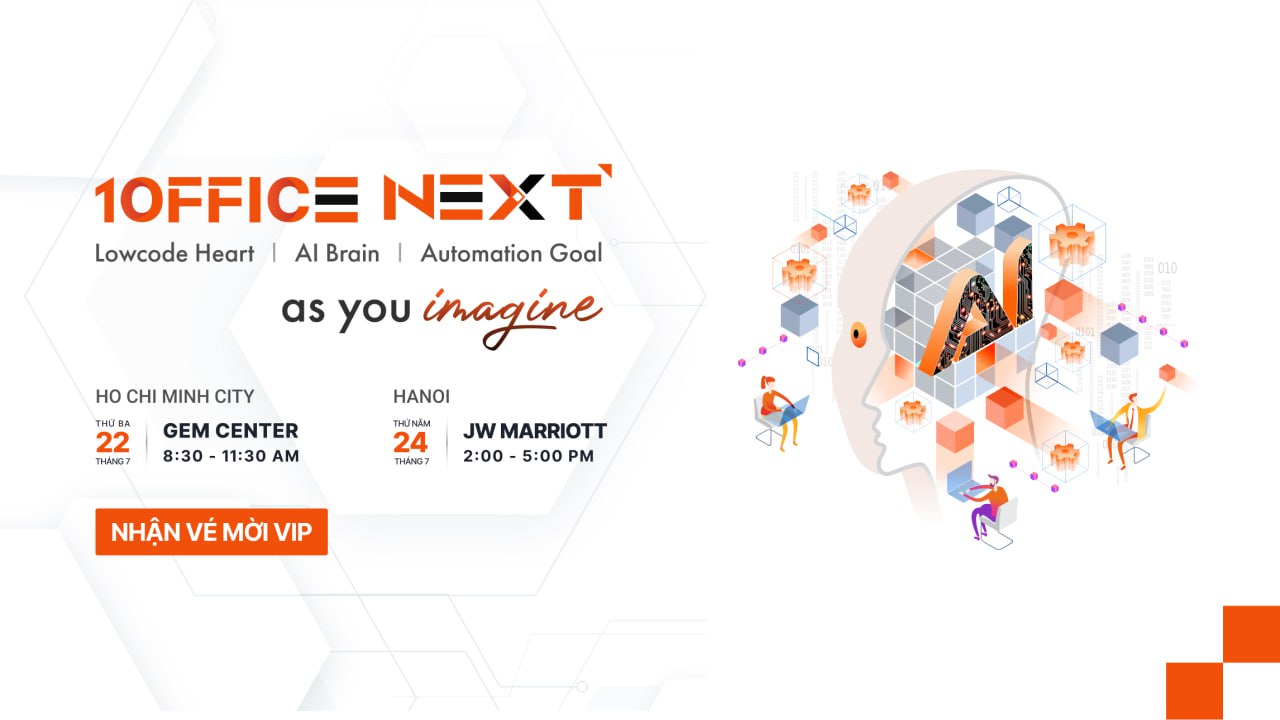
With over 10 years of accompanying Vietnamese businesses, 1Office understands that every CEO desires a smoothly operating business – without complaints, without dependency on people, and without worrying about complicated processes. However, for most, this remains a dream because technology is complex, systems are convoluted, and resources are limited.
The 1Office Next – AI Brain | Lowcode Heart | Automation Goal event is the milestone to turn that aspiration into reality.
Directly experience the groundbreaking AI & Low-code platform:
- AI Agent Platform – an intelligent virtual assistant that helps answer process questions, suggest actions, and forecast operations.
- Low-code Platform – allows you to build processes, set up software, and create reports with simple drag-and-drop actions, no technical skills required.
- Demonstration of real-world automation scenarios – from recruitment, HR, sales, and accounting to the board of directors – all operating seamlessly, intelligently, and exactly “the way you imagine”.
- 1:1 consultation with experts – analyze operations, identify bottlenecks, and create a customized automation roadmap for each business.
Don’t just watch – you will get to experience and personally touch the future of business operations
The 1Office Next event is not a theoretical seminar. It is a practical technology playground where you can:
- Pose real problems – get real solutions from the new platform.
- Build your business processes according to your own “imagination”.
- Directly compare traditional methods with operations powered by AI + Low-code.
*Note: The number of tickets is limited. Register early to reserve your spot!
















