11/05/2026
  805 views
In this era of technological development, exchanging work and holding meetings over the Internet has become more common than ever. Especially during the pandemic, finding a free team task management software to increase productivity and work progress is extremely important and necessary. If you are wondering how to choose a team task management software, let’s explore with 1Office in the article below.
Mục lục
1. Why do businesses need to use team task management software?
Team task management software helps digitize and unify processes, thereby optimizing productivity and ensuring absolute data accuracy and security for businesses.
Free team task management software is an online task management tool that helps digitize workflows and manage team members’ tasks. This allows leaders and managers to easily monitor work progress and manage the work process of each member. In the era of Industry 4.0, applying software will bring many great benefits to businesses, such as:
Increase efficiency and accuracy in work
This is the greatest benefit that free team task management software provides. By receiving and synchronizing system data, and automatically calculating and analyzing data based on available modules. From there, managers can easily look up, analyze, and export data, ensuring accuracy in the work process. For managers, the software helps them get an overview of the work situation to intervene promptly when any errors occur.

Save time
If you spend hours using paper or Excel for management, it will be inefficient and time-consuming. But with free team task management software, it will do all that work for you, helping you eliminate unnecessary redundant steps in the work process (report meetings, sending files to share data, etc.). As a result, the time to complete tasks is shortened as much as possible.
Professionalize team workflow
With many smart features and good security capabilities, team collaboration software will certainly bring many benefits and a professional experience to users. Managers or leaders can manage work centrally through a single platform, helping to assign tasks fairly and scientifically. At the same time, the software helps increase user interaction during the work process, creating a professional working environment. You can also learn more about task management software for individuals to easily optimize work efficiency.
Effective information security
It can be said that using management software is the perfect solution to help you set up protection and back up data quickly. You are very likely to face risks if you store confidential company data in Excel files; if that file is leaked, or your computer is damaged, the probability of data loss is very high.
Free team task management software will help you completely overcome these risks by setting up password protection, scientific access permissions, and applying cloud computing technology for data backup.
With the benefits mentioned above, free team task management software is truly a useful solution that helps managers optimize the teamwork process for their teams and businesses. To help managers save time and effort in work operations, we will share with you 9 professional, automated team task management software.
Optimize your task management process with:
>> The secret to implementing a task management system that increases productivity by 200%
2. Top 9 free team task management software you should use
In the digital age, using team task management software not only saves time but also significantly improves work efficiency. Below are 9 highly-rated free team task management software suitable for various business models:

2.1 1Office task assignment and management software
The effective team task management software 1Office is one of the leading effective and professional team collaboration applications today. With many outstanding features and advantages, the software helps managers centrally manage all tasks within the business on a single system.
This helps business owners easily manage all tasks of departments or individual employees. To date, 1Office has been chosen and trusted by over 500,000 users and 6,000 Vietnamese businesses.
Clear and unified process on a single platform
- Easily plan and implement tasks/projects, assign work to individuals, departments, and teams
- Closely monitor project progress: schedule, assignee, and work results.
- Control operational data, synchronize metrics, and optimize data mining capabilities
- Customize the system, measurement methods, and reports to suit the different characteristics and purposes of the business
Intuitive Real-time Project Progress Reports
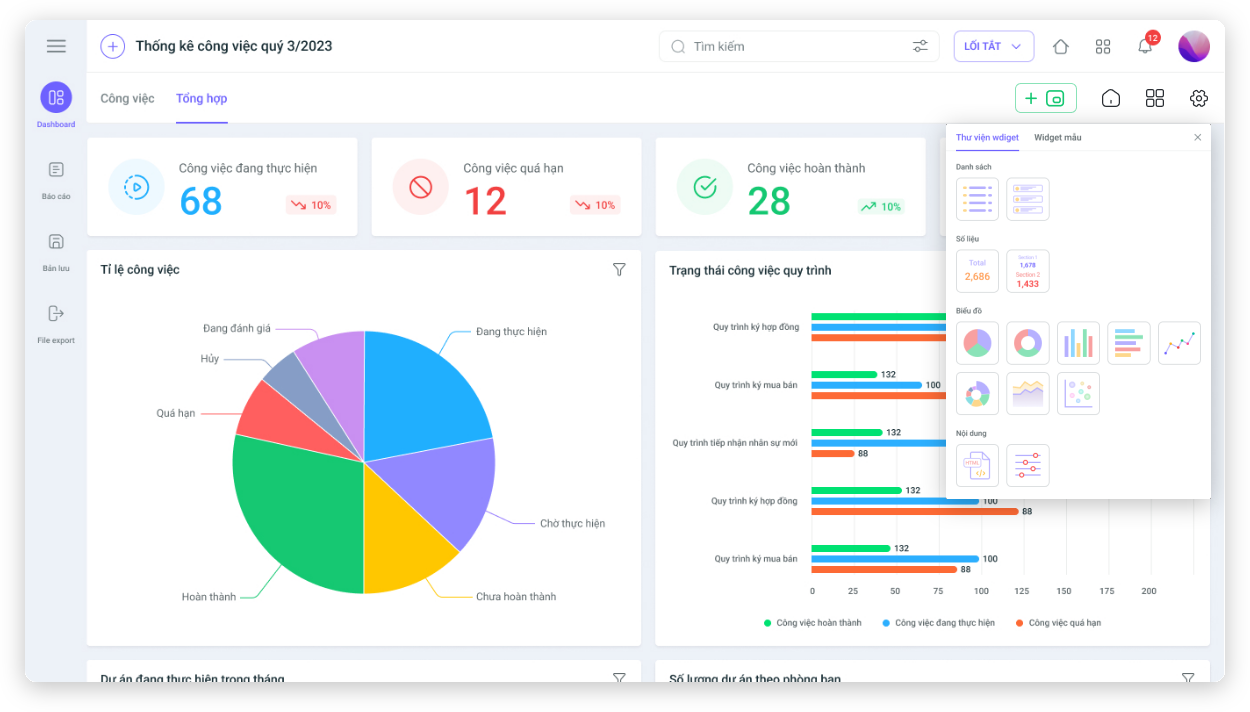
- The task assignment software provides accurate, intuitive, and automatic measurements with detailed figures, charts, and statistics
- Instantly update reports and data on all aspects of the business (sales, projects, HR, communications, etc.)
- Check the results achieved by departments/individuals. Automatically and quickly calculate the profit and loss percentage for each project.
In the trade and import-export industry, departments often work in a distributed manner: from the sales, logistics, and warehousing departments to the documentation and accounting departments – each stage is tied to strict processes and clear deadlines. Handling document delivery, tracking container progress, processing international orders, etc., if assigned only through email, Excel, or fragmented chat software like Zalo or Slack, can easily lead to errors, overlapping tasks, or missed deadlines.
With 1Office, businesses can manage all tasks for each shipment – project – contract using Board, List, or Timeline views suitable for each department. When an issue arises from the documentation department, the system automatically updates so that relevant parties like accounting or the warehouse are informed and can take the next step – no need to send files back and forth or hold daily report meetings.
Additionally, all attached information such as contracts, bills of lading, delivery notes, packing lists, etc., can be stored directly within each task, and view/edit permissions can be assigned by role. This allows managers to easily control progress, prevents employees from being overloaded or missing tasks, and ensures the entire process is digitized and transparent.
Standardize Processes, Enhance Work Performance
- Proactively track project and process progress with automatic, real-time reports, and promptly handle any issues that arise
- The process system is built specifically for each department and staff position, with a clear division of responsibilities for each unit, helping to minimize delays or missed assignments
- Helps employees understand the overall coordination picture, allowing them to take control of their work progress
Additionally, the software allows users to upload various file types like Word, Excel, PDF, etc., for work-related storage, share documents with individuals or departments, and quickly adjust management, editing, or viewing permissions for the recipients.
See more: Top 8 Most Effective Free Task Assignment Software for Employees Today
2.2 Microsoft To Do
Microsoft To-Do is a team task management software that helps you plan and manage your work better. By using the software, users can be assured that work progress is maintained, and tracking progress helps in promptly addressing any issues that arise.
However, Microsoft To-Do only allows users to connect with their personal calendars from Outlook. This is a major drawback, as Outlook is no longer a popular software and is used by very few people today.
2.3 Google Hangouts
Google Hangouts is known as a very useful free team collaboration software when you work from home. You can create multiple group chats for your team or make audio/video calls for online meetings, making teamwork easy. From there, you can create group chats for different teams and projects, helping you connect and work together effectively.
The downside of the software is that it is not widely known and lacks many tools, the service support team is limited, and users must create a phone number through Google Voice to make calls. Additionally, the software requires you to install multiple Google applications before use.
2.4 Asana Task Management Software
Asana is a free team and project management software that helps you organize and manage work in the most optimal way. The software is an effective solution for users managing team tasks and online projects, and it helps users schedule their time effectively.
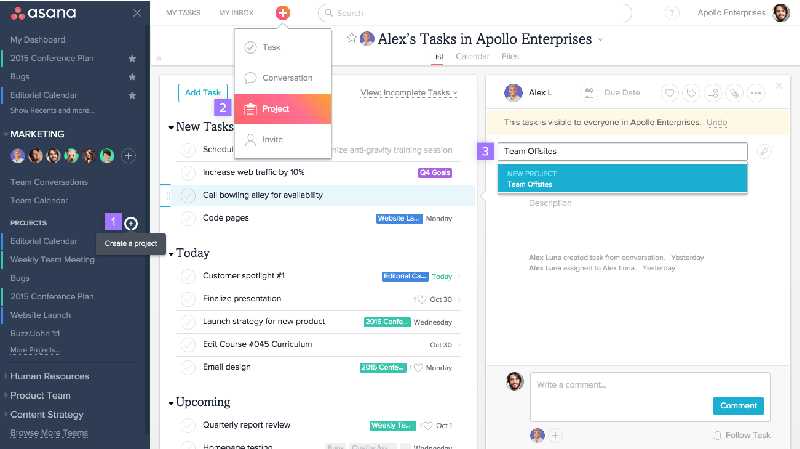
However, to use advanced features that best support businesses on Asana, such as advanced task search, adding custom fields to projects, advanced reporting, and setting project privacy, you have to pay a rather expensive fee of $9.99 / user / month. To fully utilize Asana’s features, businesses must pay a fairly high price.
2.5 Teamwork Software
Teamwork is a free team task management application trusted by many individuals and organizations to manage team tasks and projects. With a simple, intuitive interface, the software helps you easily manage both team tasks and complex projects.
However, for those who are not tech-savvy, the software is not suitable due to its cluttered and difficult-to-use interface. The subtask feature does not work effectively, making it difficult to create highly complex, multi-branched tasks.
2.6 Trello Project and Task Management Software
Trello is an effective application specifically for managing and monitoring tasks within a project. With a work interface resembling sticky notes on a screen, it helps you track work visually and scientifically. Just by looking at the interface, a manager can grasp the overall project progress. To optimize your workflow, you can learn more about how to manage workflows effectively and automatically.
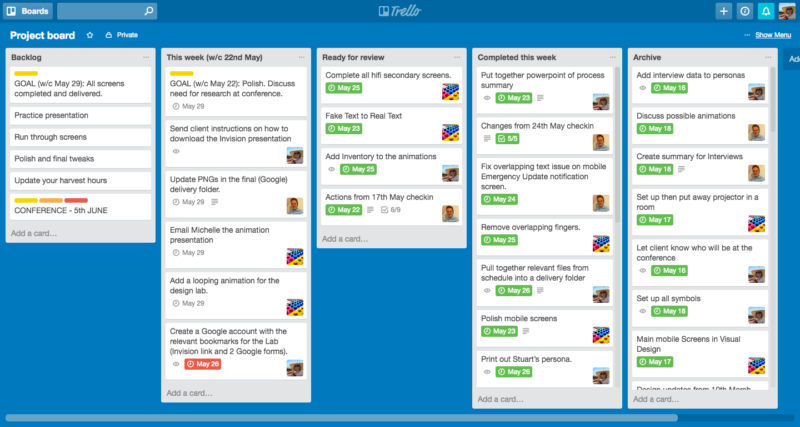
Currently, Trello is only suitable for teamwork. The software does not have an administrative member hierarchy, making it difficult to manage and secure information and collaboration among members. This makes it impossible for managers to evaluate the work progress of employees and departmental projects.
See more: 7+ most used Work Management Apps
2.7 Slack Free Work Management Application
If you are looking for a free team task management application, then Slack is an effective solution you should try. With many smart features, Slack allows you to open and send files easily. Notably, when you are tagged in a project or task, the software will automatically send you a notification immediately.
Slack software is compatible with Google Drive, Dropbox, or Salesforce, making it very convenient for users.
2.8 Wrike Software
Wrike is one of the popular and widely used team collaboration software. Its advantage is that it helps replace email and other tasks. If you are managing multiple tasks, you will surely be satisfied with the unlimited number of projects you can use.
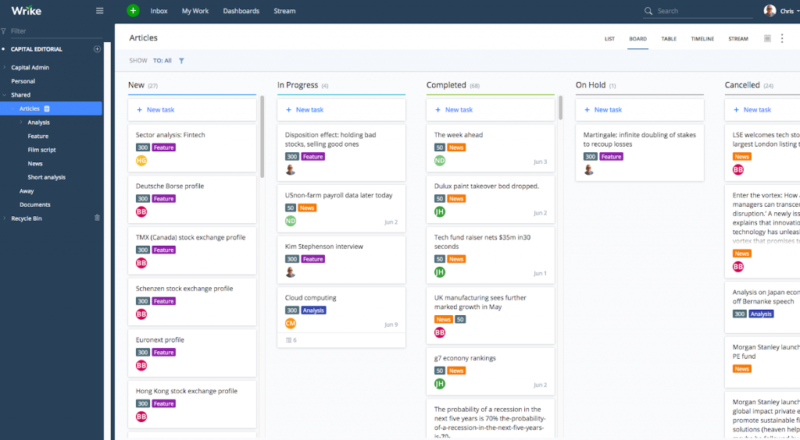
The downside of Wrike is that it is only suitable for small teams or startups with limited budgets. Businesses that want to use more advanced functions must invest in a more expensive plan. The Professional version is for teams of 5 – 15 people, with a fee of $9.8/user/month.
2.9 Jira Software Task Management Solution
JIRA is a project and task management solution from the software company Atlassian. The software is designed to help software teams plan and track projects using the agile management methodology (a method focused on efficiency). Therefore, product versions are continuously upgraded and released based on customer feedback.
However, the software still has some issues, such as a complex interface that is difficult to use without training, and it takes a long time to get familiar with the software. In particular, the software is limited to certain fields and is only suitable for tech teams, software development teams, or teams working with the Agile methodology.
3. Frequently Asked Questions about Free Team Task Management Software
Should businesses prioritize international or domestic software?
International software is strong in advanced features but has a high cost; domestic software like 1Office has the advantage of local language support, optimized costs, and a fast, on-site support team.
How can employees avoid feeling the pressure of being “monitored” when using the software?
Managers should communicate that the software is a tool to help employees self-manage their progress, reduce meetings and manual reporting, rather than just a tool for time tracking.
Is data on free task management software secure?
Free versions often have limitations on storage capacity and advanced security layers. Businesses with sensitive data should consider paid plans or software with international security certifications.
Can businesses integrate task management software with other applications?
Yes. Most modern software allows connections with popular applications like Google Drive and calendars, or deep integration with HR and accounting modules on a single comprehensive management platform.
Which management model should I choose for the software (Kanban, Scrum, or Timeline)?
The choice depends on the nature of the work: Kanban is suitable for continuous workflows; Scrum/Agile is optimal for software projects; Timeline/Gantt Chart is suitable for projects with deadlines and strong dependencies between tasks.
4. Conclusion
In the Industry 4.0 work trend, the focus is often on collective strength rather than individual efforts. Therefore, free team task management software is truly a powerful assistant that helps managers and businesses optimize their corporate workflows.
To register for a trial of our team task management software that helps optimize operational costs and increase work efficiency, please leave your information. The 1Office team of experts will contact you for a consultation today.
For more detailed information, please visit:
Hotline: 083 483 8888
Website: https://1office.vn/
Fanpage: https://www.facebook.com/1officevn/
Youtube: https://www.youtube.com/channel/UCeTIRNqxaTwk0_kcTw6SxmA