


 11/05/2026
  443 views
In today’s rapidly changing economy, managing progress and coordinating work is becoming a challenge, especially as businesses expand. Notion, a versatile work management application, has emerged as an effective solution to this challenge. So, what is Notion? Can this tool meet the increasingly complex management demands of a business? Join 1Office as we answer these questions in the content below.
Mục lục
- 1. Introducing the “All-in-One” Application, Notion
- 2. Which Groups Within a Business is Notion Suitable For?
- 3. The Benefits of Using Notion for Work Management
- 4. 8 Features That Make Notion Popular for Project Management
- Task & Project Management
- Time and Schedule Management with Calendar
- Note-Taking and Document Editing Feature
- High Customizability with Blocks
- Create and Manage Data Collection Forms with Form
- Feature for Building Wikis and Internal Knowledge Management Systems
- Collaboration and Sharing
- Notion AI Assistant
- Frequently Asked Questions for New Notion Users
1. Introducing the “All-in-One” Application, Notion
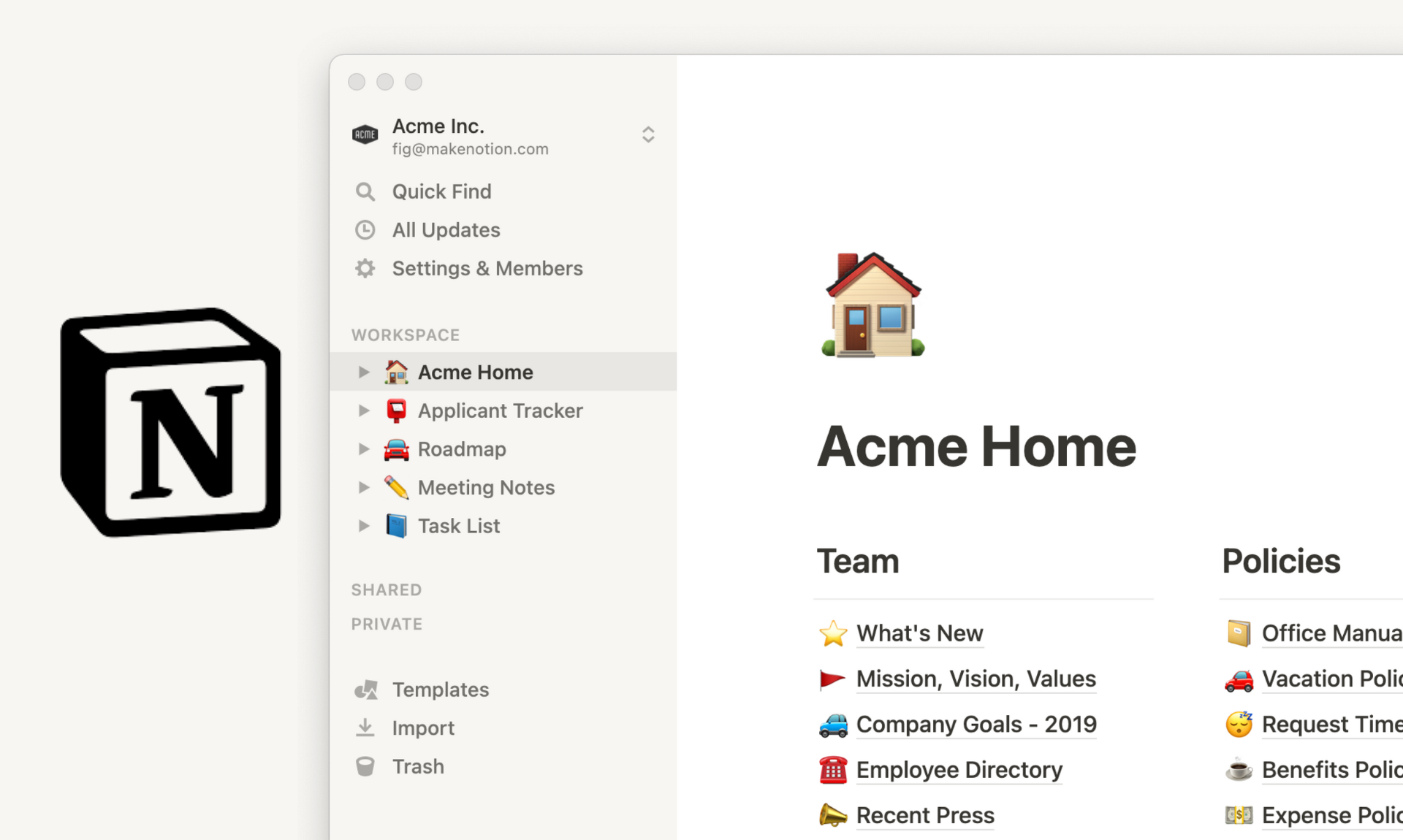
The Notion application interface
Since its launch in 2016, Notion has redefined the concept of an “information management space.” This platform seamlessly combines note-taking, task management, project monitoring, and data storage in a single, synchronized environment.
Unlike simple note-taking apps, Notion allows users to build custom workspaces tailored to their needs: from personal calendars, work logs, and Kanban boards to internal Wiki systems or team project management. All of this can be implemented with just a few clicks.
2. Which Groups Within a Business is Notion Suitable For?
With its user-friendly interface and diverse functionality, Notion is suitable for various user groups within a business:
- Project Managers: Those responsible for assigning tasks, tracking progress, and coordinating teams will appreciate Notion’s visual reporting and tracking tools. Notion provides reports in Kanban board and timeline formats, helping them easily monitor every project step, promptly identify bottlenecks, and make quick adjustments. As a result, projects run smoothly, minimizing errors and delays.
- Administrative Professionals: Administrative staff can use Notion to manage daily tasks, oversee paperwork, track expenses, and complete other support duties. Notion helps them digitize and centralize all data in an easily accessible system, allowing for quick organization, tracking, and updates.
- Department Staff: Office workers can use Notion to track daily work, plan personal projects, take meeting notes, and store internal documents. All information is scientifically organized in a single space, helping to save time and avoid missing tasks.
3. The Benefits of Using Notion for Work Management
Centralize Tasks in a Single System
One of the major challenges for medium and large enterprises is effectively managing a vast amount of information and multi-source tasks. Notion minimizes the risk of errors from missed tasks or information overload by centralizing all activities into a unified workspace.
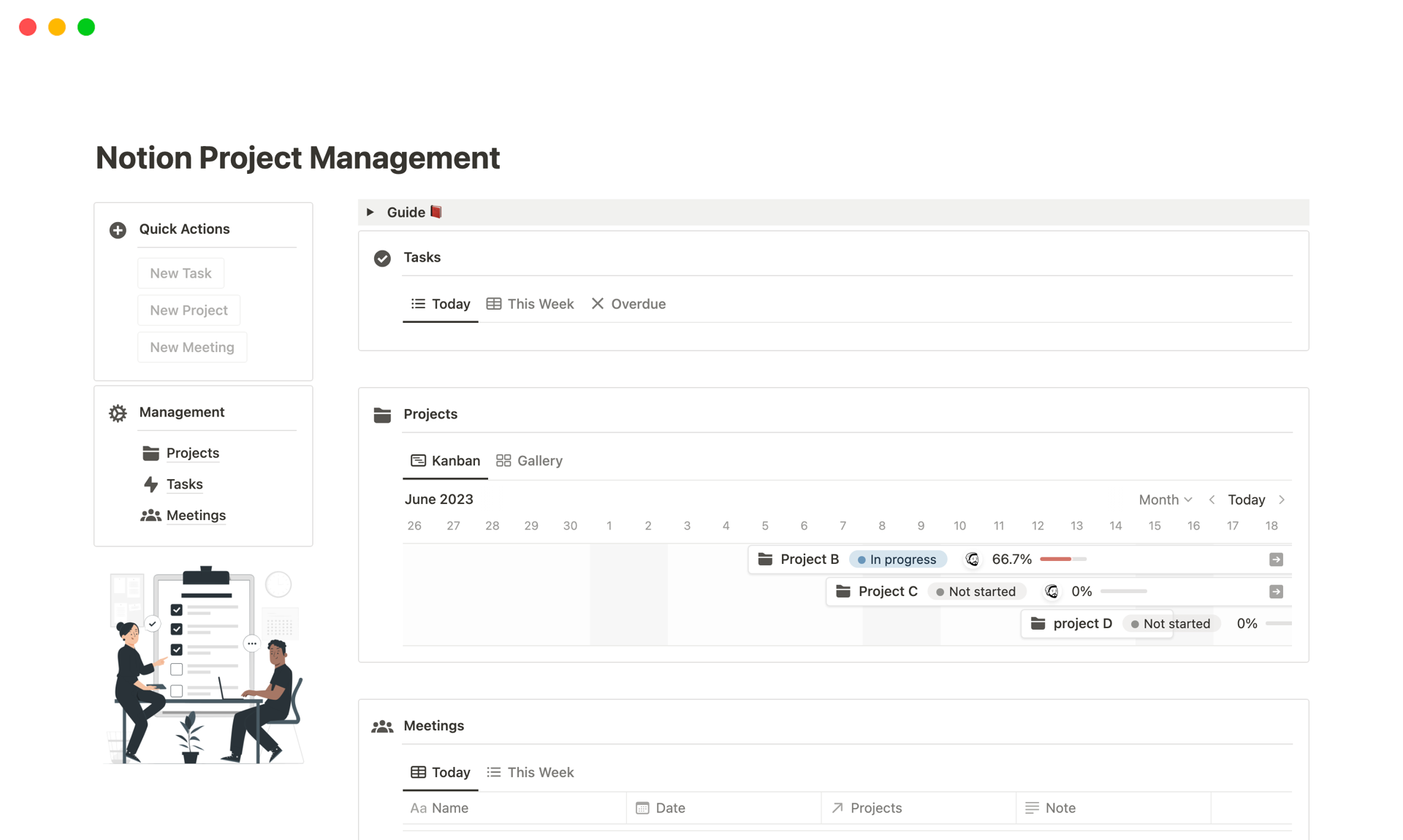
Notion helps users manage work in an organized way
Maintaining a centralized system helps teams and managers easily get an overview of work progress, avoiding scattered or duplicated tasks. This enhances coordination efficiency and project control.
Easy to Customize to Your Needs
Notion’s flexible, customizable interface allows users to easily modify their workspace by adding or removing necessary components, such as tables, lists, schedules, and dashboards.
This flexibility creates a personalized experience for each task and project. The standout feature is that reports and schedules on the system can be built by people with no specialized programming knowledge. All you need to do is drag, drop, and type.
Effective Communication and Collaboration
As a centralized workspace, any changes to information entered or documents added to the system are updated by Notion in real-time. All team members can see these updates instantly, even within the same work session.
Notion encourages discussions to take place during the work execution process, significantly shortening the time it takes to receive information.
Reduce Time Spent Searching for Information
Notion helps managers and employees find and filter information more quickly and easily thanks to its advanced search capabilities. Furthermore, the combination of advanced search with content tagging enables rapid data retrieval, accelerating task completion.
This feature is particularly useful in environments with large and diverse amounts of information, as effective data management is a prerequisite for ensuring projects run smoothly.
Connect Data with Other Tools in the Business Ecosystem
Notion offers comprehensive integration with popular tools like Google Drive, Slack, and Google Calendar, helping to seamlessly synchronize data and significantly reduce manual data entry.
This integration ensures all departments can access accurate information and creates a synchronized work environment.
4. 8 Features That Make Notion Popular for Project Management
Notion’s power and flexibility come from its clever integration of various functions into a single platform, going beyond simple note-taking or task management applications.
Task & Project Management
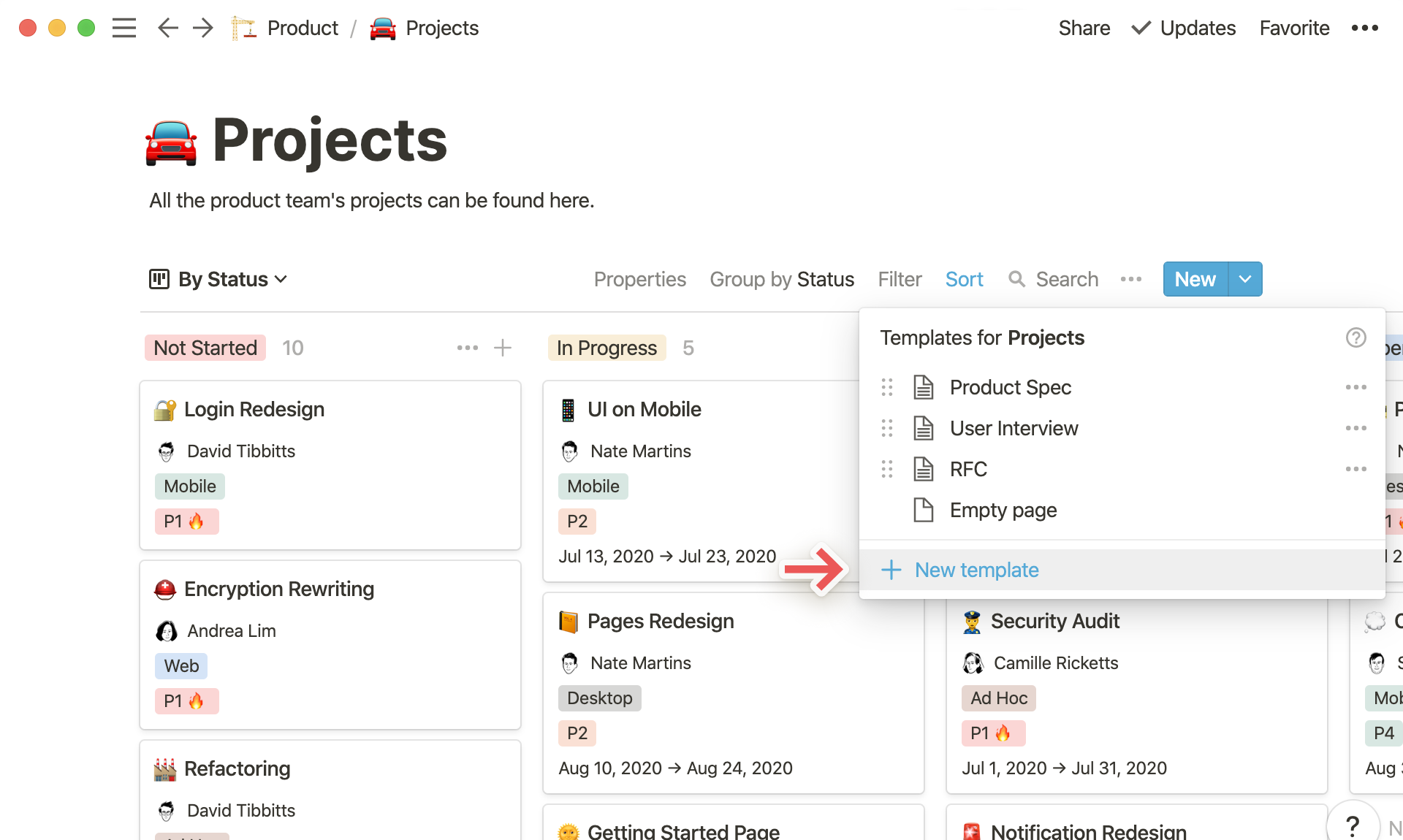
Easy project management with Notion
At the core of Notion is a flexible and powerful project and task management system that meets the diverse needs of modern businesses. With multiple view modes such as visual Kanban boards, detailed checklists, and overview dashboards, Notion helps teams easily track the progress of each task, prioritize important assignments, and coordinate smoothly.
Users can not only assign tasks quickly but also evaluate their status and execution performance within the same platform, helping to improve work efficiency, minimize the risk of delays, and optimize operational processes.
Time and Schedule Management with Calendar
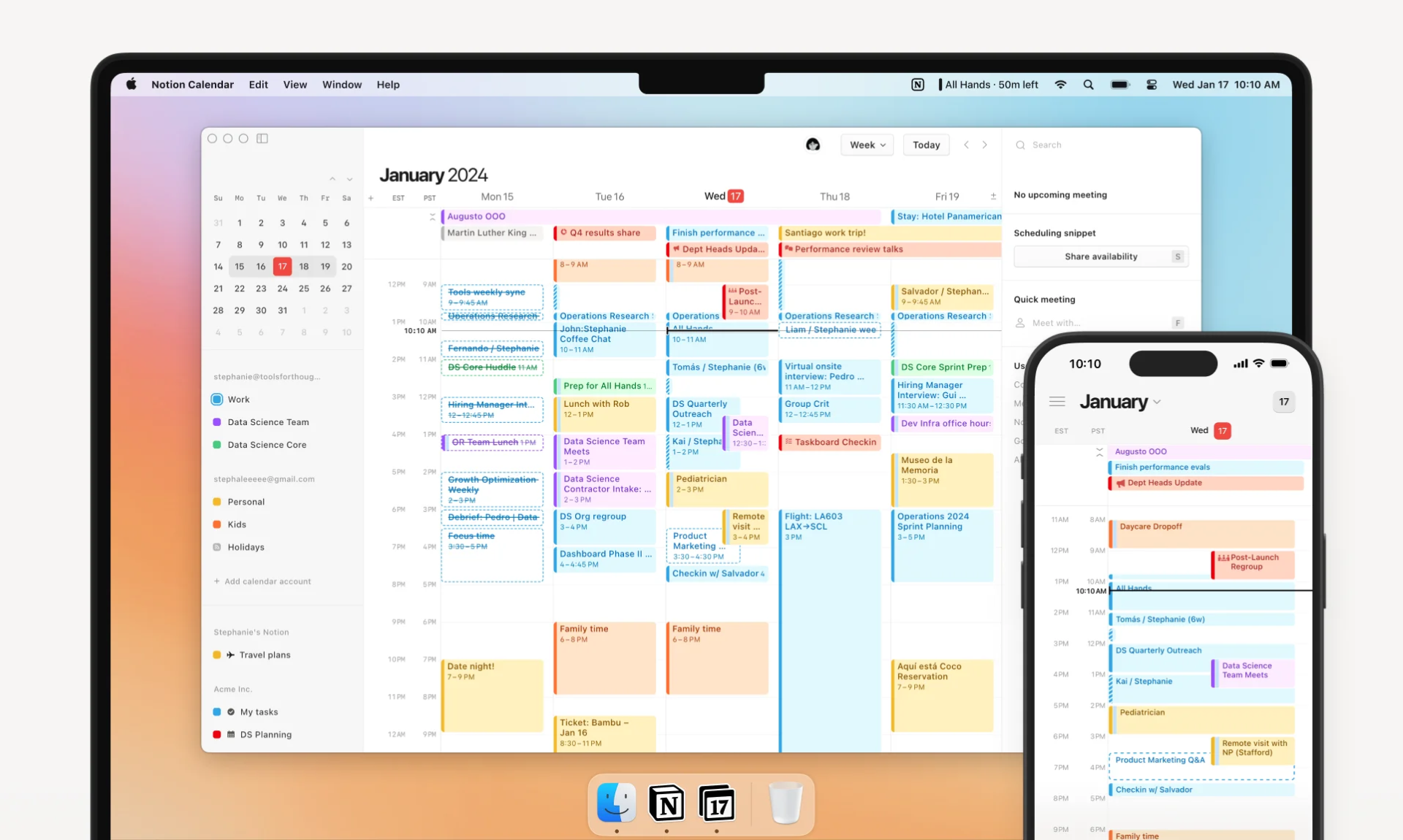
Notion Calendar Interface
Another useful feature is the Calendar, which helps users schedule tasks and track important events. The Calendar links directly to tasks in Notion, allowing users to:
- Create schedules for important tasks and events like meetings and partner appointments.
- Sync with other calendar tools to avoid scheduling conflicts.
- Receive automatic reminders for upcoming events.
Note-Taking and Document Editing Feature
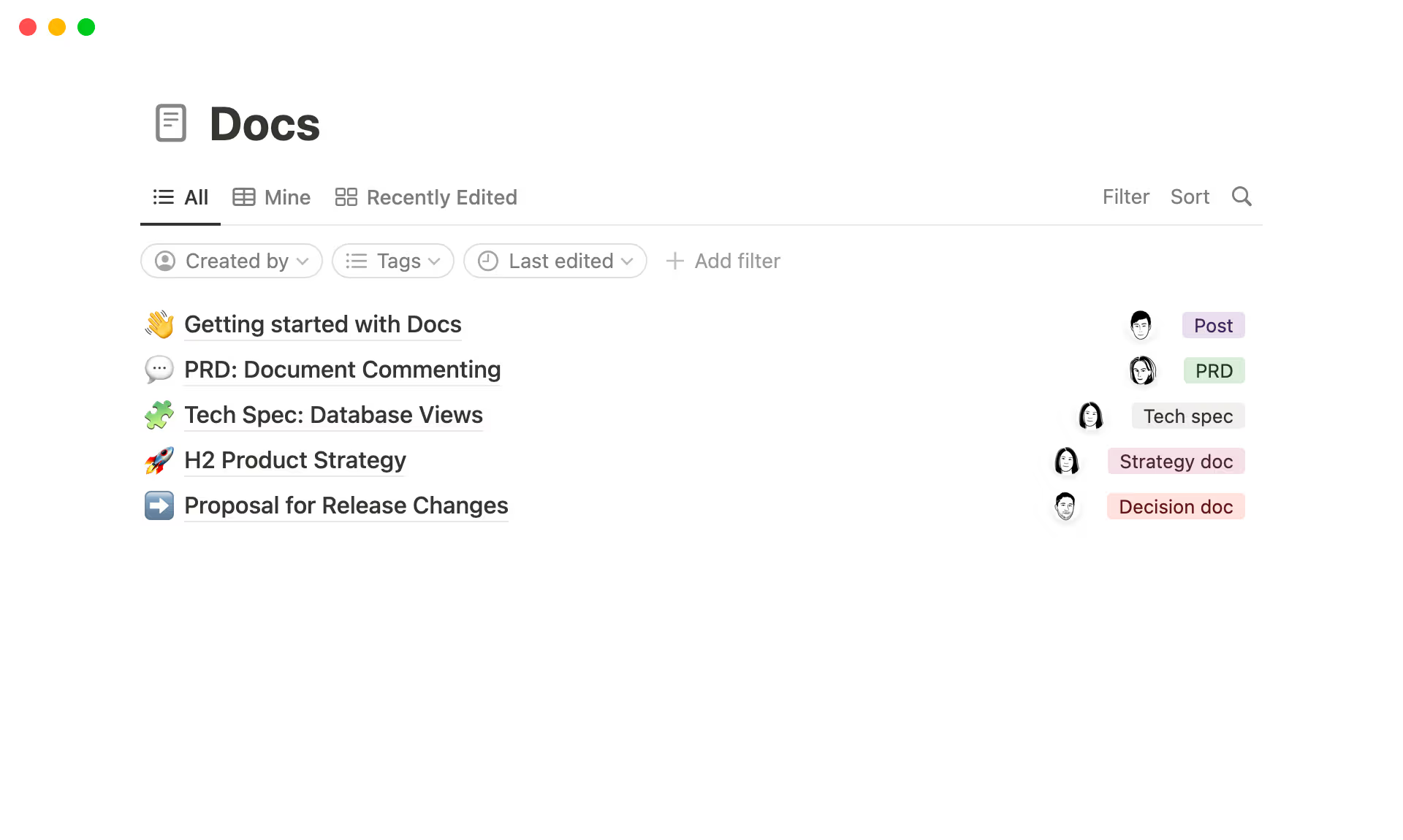
Document Editing Feature
Notion’s editor supports a wide variety of text formats, including bold, italics, underline, bulleted lists, numbered lists, quotes, and multi-level headings. This helps users easily create both simple notes and complex documents with clear structure and high aesthetic appeal.
High Customizability with Blocks
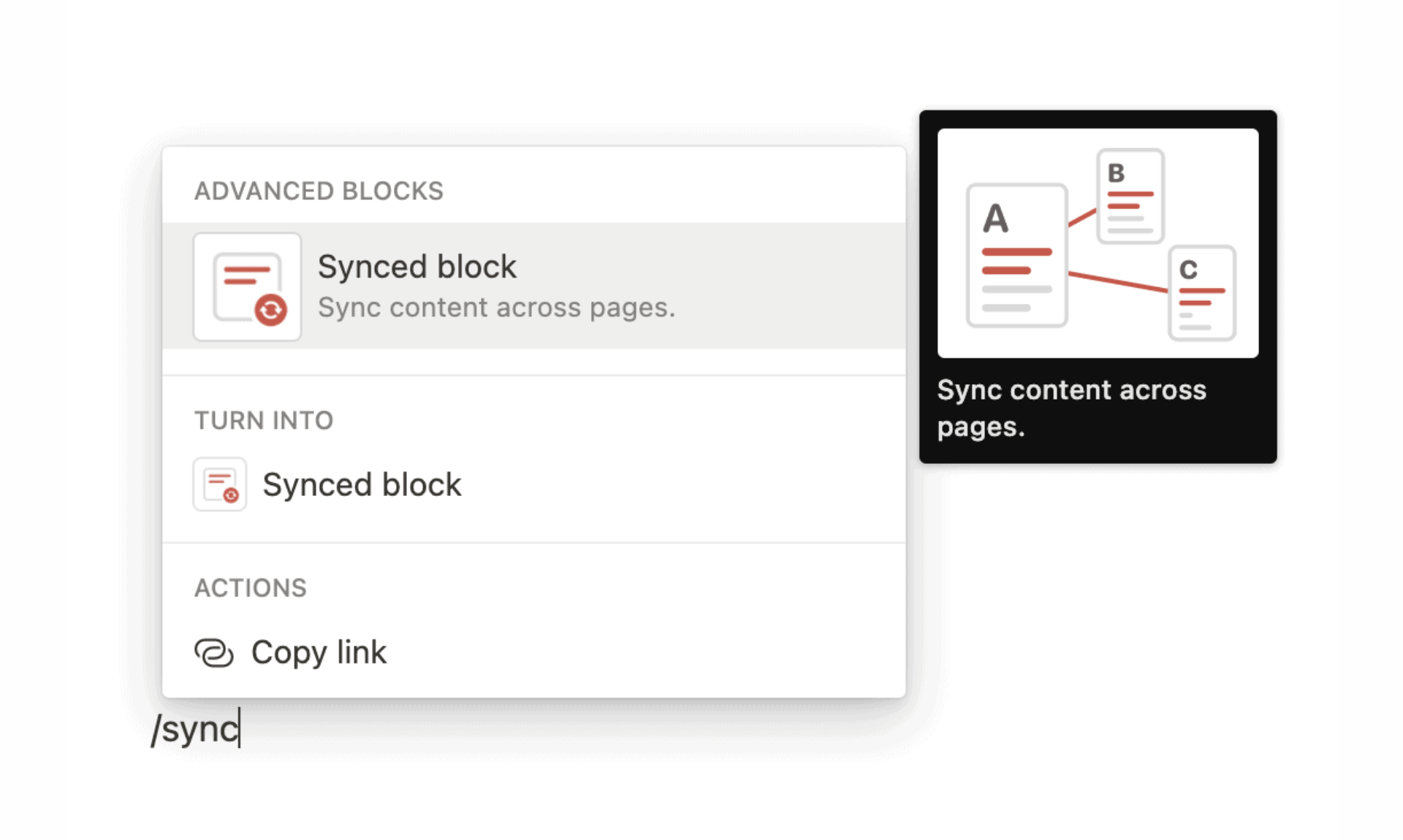
Notion offers high customizability with Blocks
The foundational element for Notion’s customizability is its Blocks. This system allows users to drag and drop, rearrange, or change block types as desired.
For example, you can turn a paragraph into a checklist or a quote into a heading. Combining various block types on the same page helps in designing layouts that suit individual needs.
Create and Manage Data Collection Forms with Form
Similar to Google Forms, Notion provides a feature to create and manage forms for businesses to collect information from team members, partners, or customers.
This feature offers superior form customization, allowing users to adjust them to their specific requirements. The collected data is automatically synchronized and stored in Notion as a structured database, facilitating easy management and analysis.
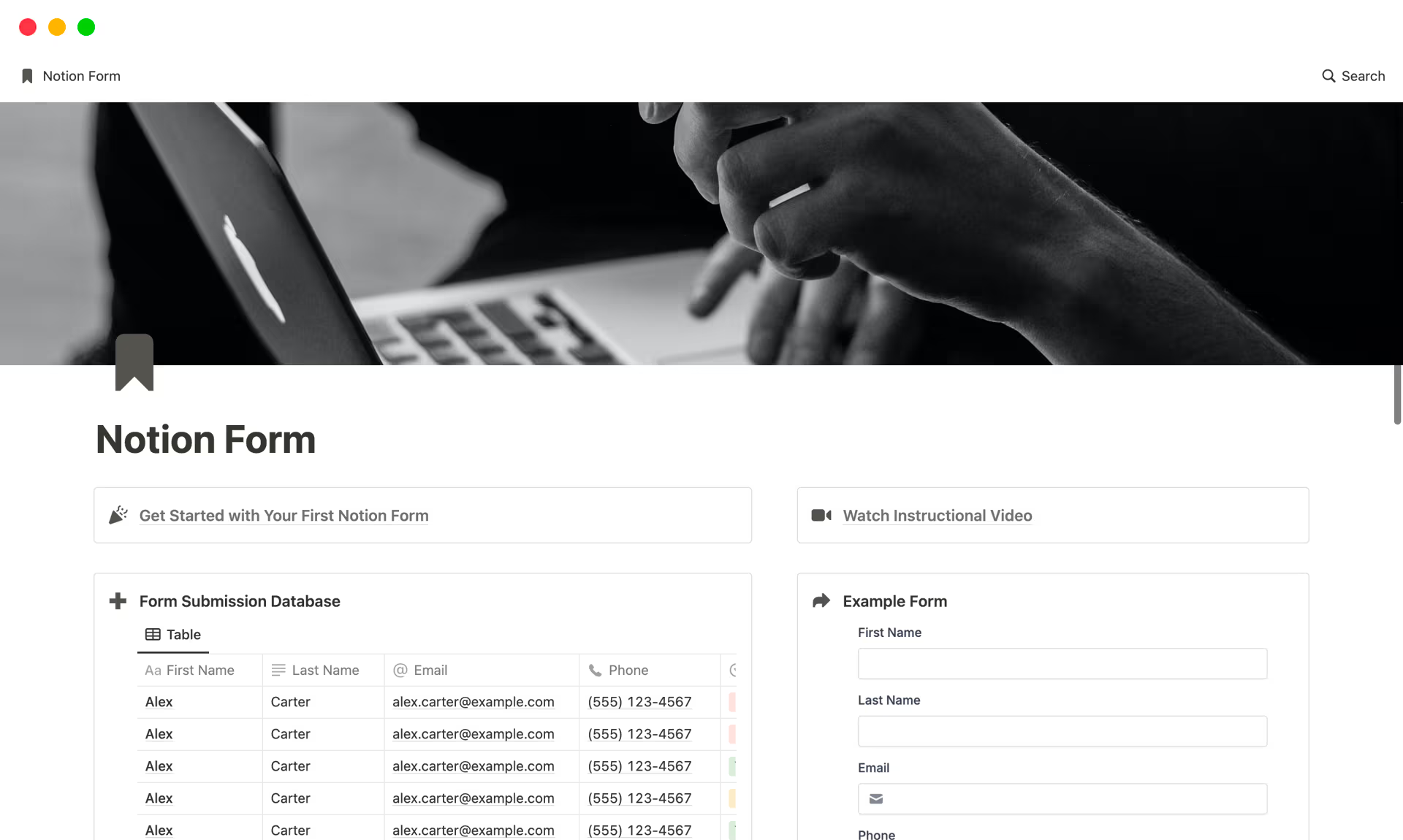
Manage forms with Notion Form
Sharing forms is made simple via a link, allowing recipients to easily fill out and submit the information. This solution optimizes workflows, reduces time and effort spent on manual data entry, and enhances overall efficiency.
Feature for Building Wikis and Internal Knowledge Management Systems
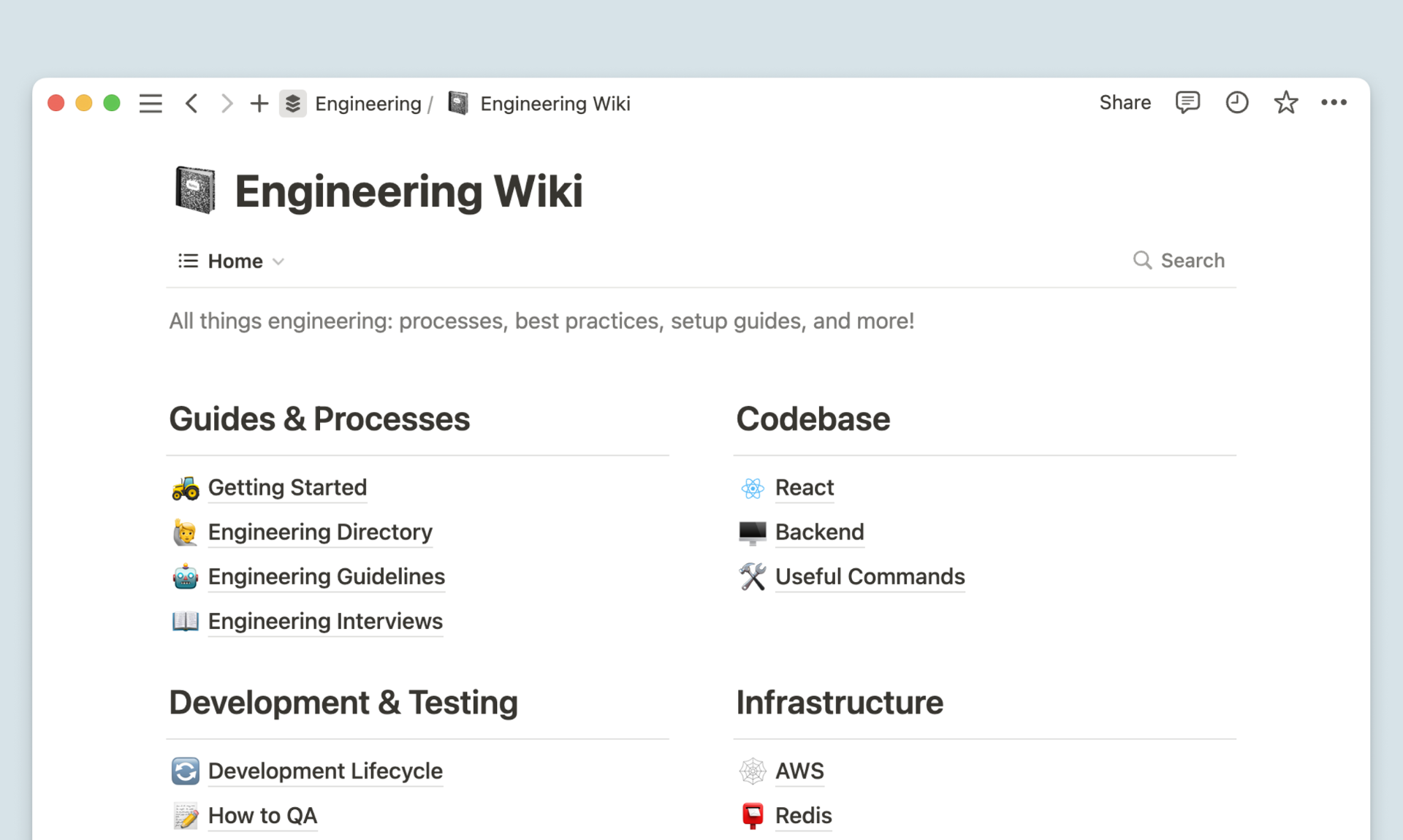
Users can build an internal knowledge system
Notion is an ideal solution not only for businesses but also for startups, supporting the effective creation of internal Wikis. This platform allows for the digitization of workflows, training materials, and product information. Its flexible page creation feature, combined with powerful content linking capabilities, helps build a comprehensive information network that is easy to access and manage.
Collaboration and Sharing
Notion’s collaboration and sharing capabilities enhance cooperation among team members and organizations, similar to Google Docs/Sheets. Through the “@username” mention feature, members can communicate directly on specific tasks or documents, making the exchange process quick and convenient. This not only reduces the reliance on email or other communication methods but also allows discussions and decisions to be made right where the work is happening.
Notion AI Assistant
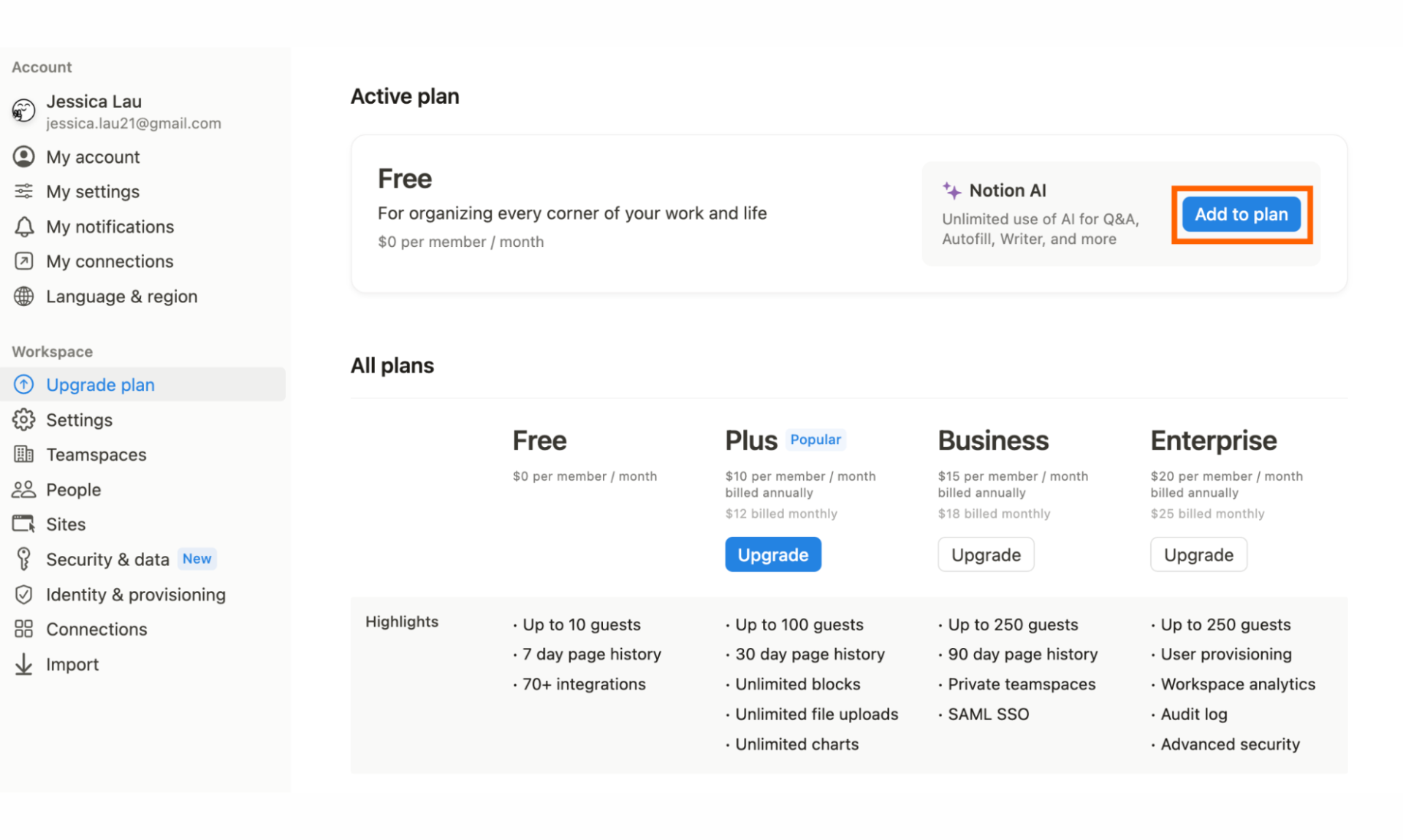
Notion AI assists users with several tasks
Notion AI is a new feature integrated directly into the Notion platform, helping users automate most tasks within this ecosystem. With Notion AI, users can:
- Draft detailed content from scratch (write blog posts, emails, scripts…) with a high degree of uniqueness
- Edit and improve writing style to closely match user requirements
- Summarize long documents with a full table of contents
- Translate with high accuracy
- Brainstorm ideas
- Quickly extract key information from text.
The features Notion offers are suitable for individuals and small teams due to its flexibility and user-friendly interface. However, in a corporate environment with complex, multi-departmental processes and strict information control requirements, Notion reveals its limitations: a lack of deep permission settings, no progress tracking based on organizational structure, and no integration of approval workflows or connections with internal business operations.
This is where 1Office comes in, filling the gaps that Notion cannot address. With technological breakthroughs like Lowcode and AI, 1Office can help businesses manage work comprehensively, integrate process automation, track multi-dimensional project progress, and provide detailed reports.
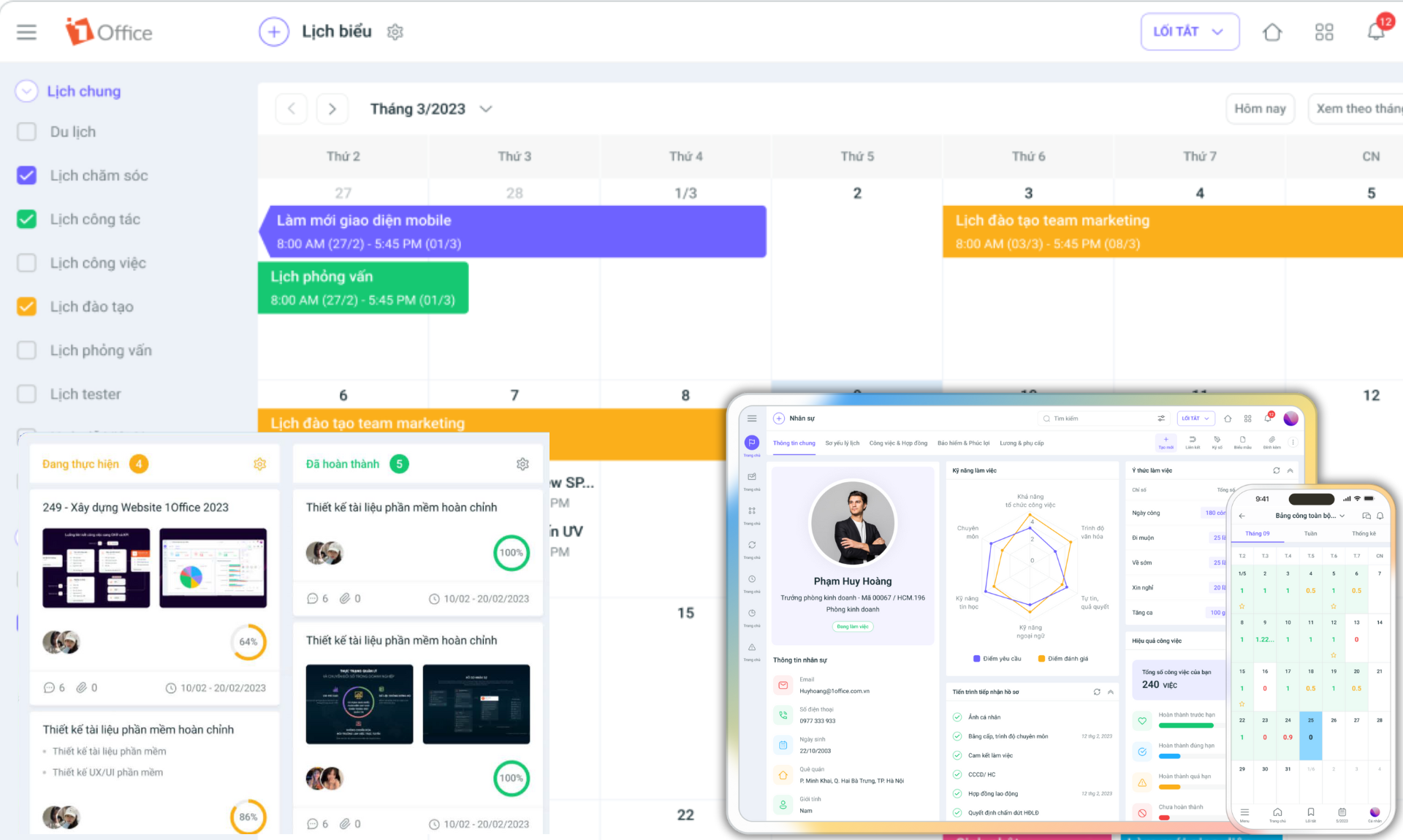
Manage projects effectively with the 1Office solution
Register for a free 1Office Demo account!
1Office is designed to fully meet the operational and management requirements of a business with in-depth features such as:
- Comprehensive Work Management: Automatically allocate employee workloads, provide progress alerts, offer online work approval processes, and connect with KPIs & OKRs for accurate performance evaluation.
- Role/Hierarchy-Based Permissions: Provides the ability to set detailed access and action permissions based on organizational structure and job positions, ensuring information security and tight internal control.
- Multi-Dimensional Project Management: Track work progress by task, timeline, and milestone; manage supplies and equipment for projects; estimate budgets, and control project costs and profitability.
- Project Process Automation: Build and execute automated workflows with the help of Artificial Intelligence. From approvals to inter-departmental task assignments, ensure seamlessness and compliance with the company’s overall processes.
- Easy Process Customization: As the business scales and the workload increases, companies need to adjust their workflows to match their current size. The Lowcode technology platform in 1Office allows businesses to customize modules, forms, processes, etc., without needing deep programming knowledge.
- AI Integration for data-driven decision-making: Analyzes data from project management, work activities, and other modules to provide reports, forecasts, and insights, helping managers make strategic decisions based on data.
With its automation capabilities, flexible customization, and ability to link with departmental business modules, 1Office not only replaces Notion but also expands management boundaries, helping businesses operate smoothly and make informed decisions.
Frequently Asked Questions for New Notion Users
#1: Is Notion free?
Answer: No. Notion offers a free plan (Personal Free) with basic features, which is very suitable for individual users to start experiencing and using Notion. However, the Free version is limited in functionality and the number of team users compared to the paid plans.
#2: Can Notion be used offline?
Answer: Basically, you cannot use Notion without an internet connection. Basic features and data extraction capabilities require a network connection to function normally. However, you can still use some Blocks like headers and quotes.
#3: Does Notion support Vietnamese?
Answer: Currently, Notion does not have an official Vietnamese interface, but users can still input Vietnamese content and use it normally.
#4: Is Notion difficult to use?
Answer: For newcomers, Notion can be a bit overwhelming at first due to its high customizability compared to other work applications. However, basic operations like creating pages and adding Blocks are quite intuitive. The best way to start is to explore Notion’s available Templates and customize them to your needs.
#5: Is Notion suitable for medium and large enterprises?
Answer: Notion can be sufficient for small businesses, startups, and small teams, but for larger scales and complex management requirements, businesses should consider more comprehensive solutions like 1Office.
Notion is not just a note-taking tool, but a comprehensive workspace for managing tasks, projects, and systematizing knowledge. If you need a more suitable solution for your business with capabilities for self-customization, automation, and integration of trending AI technology, 1Office is ready to partner with you.
















