


 11/05/2026
  764 views
CTA (Call to Action) is a crucial element that encourages users to take actions such as clicking, signing up, or making a purchase. An effective CTA not only captures attention but also directly impacts the conversion rate. In this article, 1Office will help you understand what a CTA is, common types of CTAs, and formulas for writing compelling CTAs with practical examples.
Mục lục
- I. What is a CTA (call to action)?
- II. Some Common Types of Calls to Action on Websites
- III. What are the common forms of CTAs?
- IV. Guide to Optimizing Calls to Action to Increase Conversion Rates
- V. Some Great Call to Action Examples That Mesmerize Users
- VI. Why are CTAs important for conversions?
- Frequently Asked Questions about Call to Action (CTA) Optimization
- VII. Conclusion
I. What is a CTA (call to action)?
A CTA (Call To Action) is a marketing prompt, often appearing as a button, link, or text, designed to encourage users to take a specific action such as making a purchase, signing up, downloading a document, or getting in touch.
For example: A CTA can direct a user to click a purchase button to complete a sale or simply guide them to become a lead who uses the company’s goods and services. For instance, a CTA might suggest that the reader subscribe to a newsletter containing product updates. To be effective, a CTA must be clear and immediately follow the marketing message.
A call to action is a key element on a website, acting as a signpost that lets users know what to do next. Without a clear CTA, users won’t know the next steps to take to buy a product or sign up for a newsletter, and may leave the website without performing any task.
A Call to action helps potential customers clearly understand what action to take and removes friction in moving users down the sales funnel. Alternatively, there can be multiple calls to action on a single page if the user is expected to perform several actions.
For example: If a reader comes across a blog post and there is no CTA at the end, they are very likely to leave your website. However, if there is a call-to-action at the end of the post, you can prompt them to subscribe to an email newsletter or read more articles to continue engaging with the website.
| Read more: What is NPS? How to Calculate and Improve Net Promoter Score Effectively |
II. Some Common Types of Calls to Action on Websites
1. Lead Generation and Management
This is the first and most important type of CTA for generating leads from your website. Since your goal is to convert visitors into leads through this CTA, you should place it in high-traffic areas on your site.
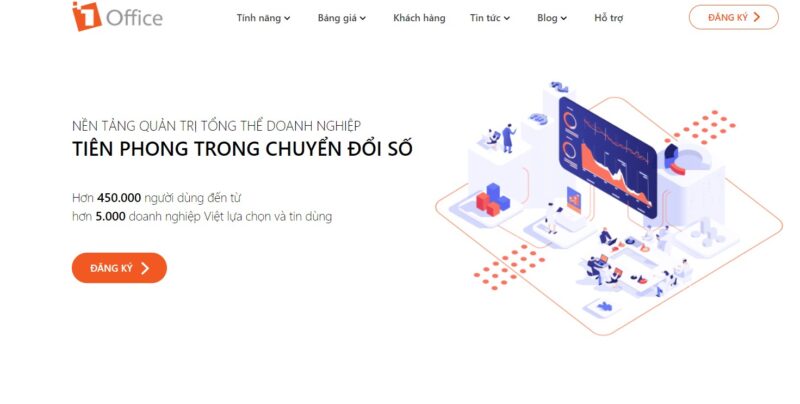
Common places to put a CTA are at the end of a blog post or in the sidebar with a floating banner in the corner. To encourage users to click, you need to create an eye-catching CTA that communicates value—customers should know exactly what to expect when they arrive at the landing page the CTA points to. This data will be centrally stored in the customer management software so the organization can take the next steps in the nurturing or sales process.
2. Form Submission
This type of CTA is also quite common. When customers visit your landing page, they will perform two actions before they can become your customer: filling out a form and clicking to submit their information to your contact database. With form submissions, you can convert anonymous visitors into identifiable leads.
3. “Read More” CTA
The “read (or learn) more” button encourages users to continue reading concise information, allowing for a brief display without sacrificing visibility. With this CTA button, you can display your content feed anywhere. This will entice your homepage visitors to click on individual posts by showing the first few paragraphs of your content, followed by a “read more” call to action.
Therefore, make sure your posts are engaging enough to entice readers. This will encourage people to click on your articles instead of just scrolling down the homepage.
4. Product or Service Discovery
These are the most common discovery CTAs found on websites to guide customers to the products and services a company offers. When users browse your website to learn about your company and its offerings, you want to make it as easy as possible for them. Ultimately, your products and services are what will help your business grow. Therefore, you need to design a prominent and eye-catching CTA on your homepage.
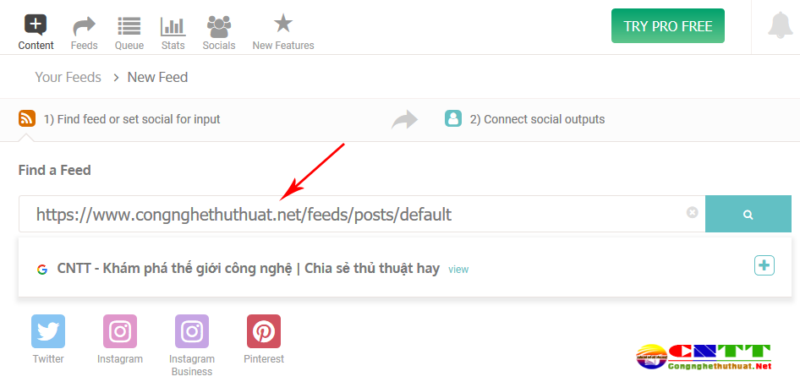
One of the simplest and most effective types of calls to action encourages sharing on personal social media platforms like Facebook and Zalo. Social sharing is an effective way to increase visitor traffic and engagement with your brand. Therefore, you should actively share useful content on your personal pages to expand your reach. You can use marketing management software to quickly boost engagement when sharing on social media.
6. Lead Nurturing
For visitors who have become leads but are not yet confident in your product or service, you need to engage them with a different sales funnel—one that is more suited to your product than a typical top-of-funnel marketing offer.
You can use offers like product demos, free trials, or free quotes to promote a call to action for lead nurturing. You can feature this CTA on your blog or at the end of a thank-you page for another marketing offer.
Pro tip: The most effective ways to approach potential customers for your business
7. Closing the Sale CTA
This step is taken after the customer outreach process is complete. At this point, you need to turn potential customers into actual customers for your business. You can place a CTA at the end of a blog post to encourage customers to finalize their purchase. Alternatively, you can place the call-to-action in the sidebar or in the middle of the article to close sales faster.
8. Promotions
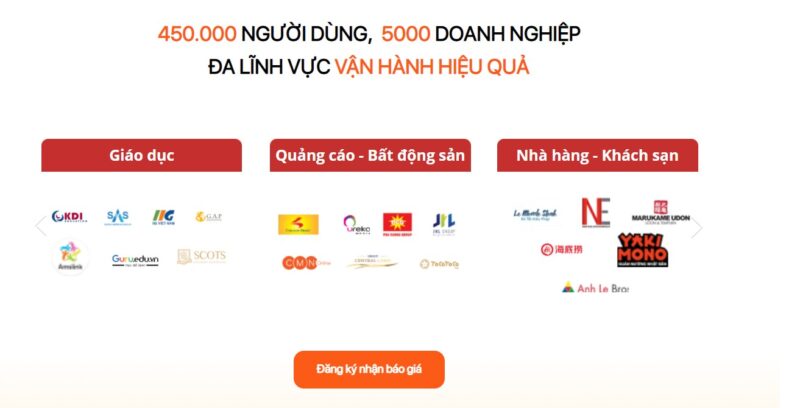
Every customer loves a good promotion. Therefore, take this opportunity to build your promotional campaigns using a banner or a landing page to let everyone know you’re running a major event to boost demand. You can place the banner and CTA button on your homepage, login page, within blog posts, and more. Place it in any prominent, highly visible location to quickly capture your customers’ attention.
| Read more: The Process of Building a Sales Plan and Common Problems Encountered |
III. What are the common forms of CTAs?
Calls-to-Action (CTAs) are implemented in four main forms: visual buttons (Button), linked text (In-text), pop-up windows (Pop-up), and slide-in boxes (Slide-in), to guide users to convert at strategic locations on a website.
Button CTAs are calls-to-action displayed in the form of a clickable button. You can create these buttons using CSS, plugins, or images. This is arguably the most popular form because it is aesthetically pleasing and tends to encourage more clicks than other forms.
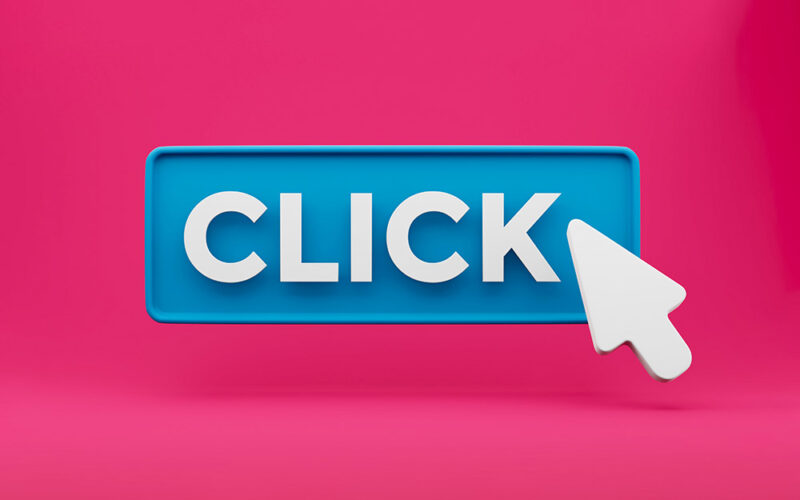
The content of button CTAs is very diverse and is used for many purposes, such as: calling users to register for a consultation, sign up for a trial, buy now, download documents, etc.
2. In-text call to action
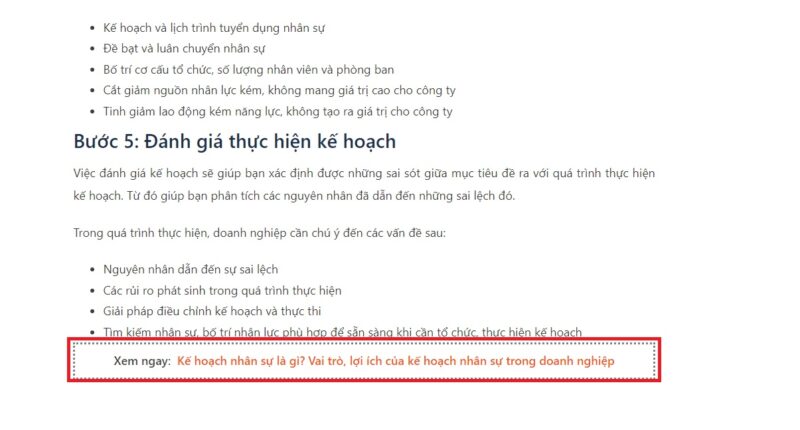
In-text is a call-to-action presented as text with a link embedded in the article. Text links are often used for longer phrases and lead directly to a destination via a hyperlink, while shorter phrases are usually displayed as buttons. The advantage of this type of call-to-action is a high click-through rate and an improved user experience, allowing users to access more useful content like downloading documents, learning about products, etc.
3. Pop-up CTA
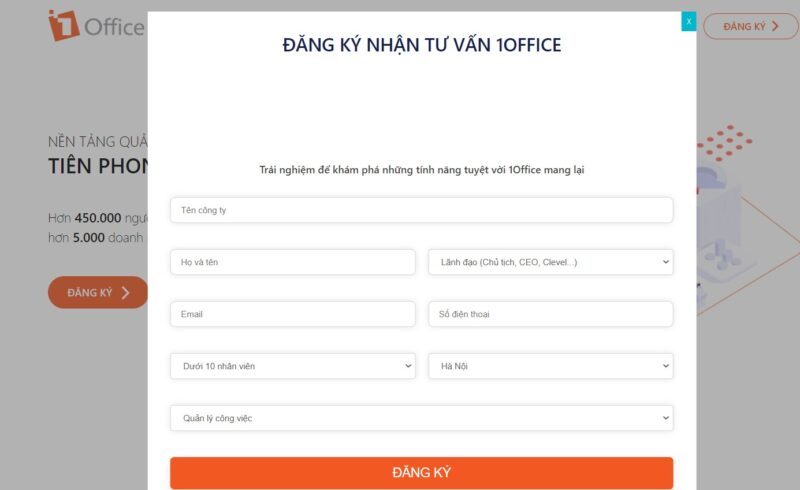
A Pop-up CTA is a type of CTA that appears unexpectedly on the screen when the reader scrolls to a certain point on the page.
The advantage of this type of CTA is that it immediately grabs the user’s attention, but it can also be annoying as it interrupts them. Pop-up CTAs can easily create a negative user experience, as users must click the close button to return to the content if the offer isn’t relevant or compelling.
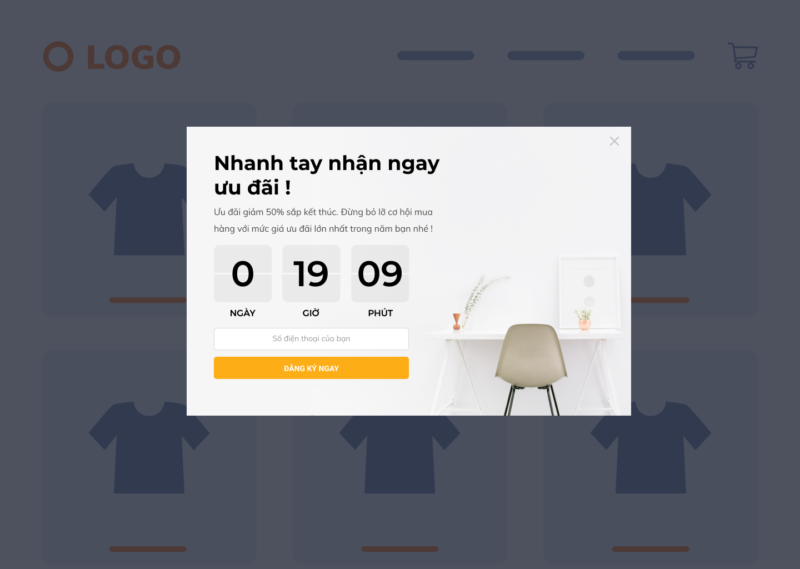
This is a type of pop-up commonly used on websites, blogs, and product pages.
4. Slide-in call to action
This is a type of CTA that slides into view and remains fixed on the right or left side of the page. This is often used in website layouts. Its advantage is that it’s in a fixed position, doesn’t interrupt the user, and is easy to see. However, the disadvantage is that its conversion rate may be lower as the reader scrolls further down the page.
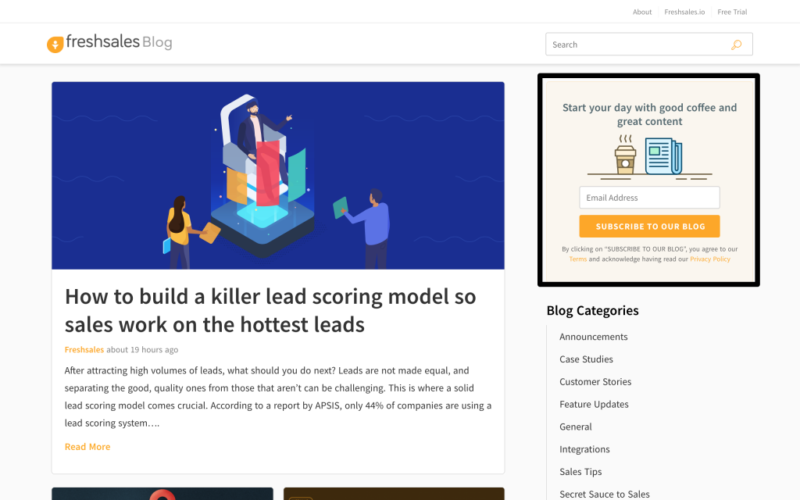
This sidebar-style call-to-action is commonly used for introducing products, prompting users to sign up for newsletters, offering document downloads, etc.
| Read more: Top 10 Best Free CRM Software on the Market – How to Choose an Effective CRM Tool |
IV. Guide to Optimizing Calls to Action to Increase Conversion Rates
How to create a compelling CTA that attracts users is a key concern for marketers. If you don’t know how to optimize your conversion rate, refer to some of the methods below:
1. Use attractive and impressive content
Content is one of the most important factors that can entice users to click on a CTA. To increase user clicks, you should use imperative, urgent words like: “Sign Up,” “Try Now,” or “Get Started.” They get the job done, but they don’t fully optimize the CTA.
2. CTA Design
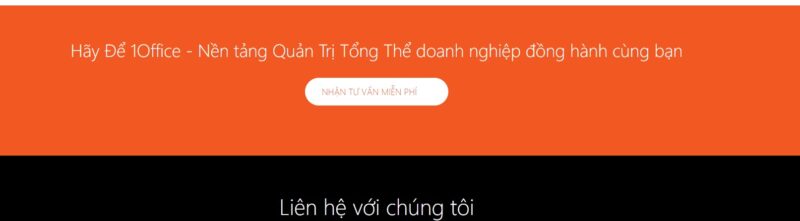
The shape, size, color, and other visual elements affect its role in the conversion potential of your landing page. This is because color directly influences the success of your landing pages in two ways: through readability and psychological color association.
A well-sized CTA button should be large enough for visitors to easily find it, but not so large that it disrupts the surrounding layout. Therefore, the design around your button is also very important. If you place your CTA button on an image, make sure that image is appealing to customers.
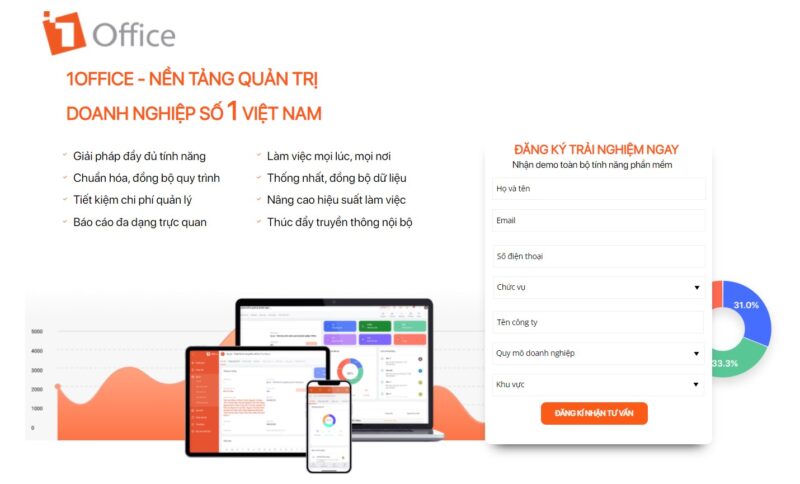
3. CTA Placement
Your CTA won’t deliver the desired results if it’s not in a position where it will generate good outcomes. You might place it in a location that leads to few conversions, or worse, people can’t find it in the first place. CTA placement plays a crucial role and affects conversions. Therefore, you should consider placing your button above the fold or at the top of the page before visitors start scrolling. If you want to introduce your landing page’s topic first, you can also place it in the conclusion of your content.
4. Check the link
Checking CTA links before publishing is essential to ensure that readers are directed to the correct page you intend. Therefore, you need to double-check if the link is correct. A wrong link will cause you to lose conversion opportunities and negatively affect the user experience.
5. Perform A/B testing
A/B testing is one of the components of the overall conversion rate optimization (CRO) process. Using this process helps you gather both qualitative and quantitative user insights. You can use this collected data to understand user behavior, engagement rates, pain points, and even satisfaction with website features, including new features, improved page sections, and more.
Additionally, you can use UTM tracking to monitor the effectiveness of your CTAs. This allows you to compare and contrast the performance of different CTA types and test various wording, formats, designs, and placements to find the CTA with the highest click-through rate.
V. Some Great Call to Action Examples That Mesmerize Users
1. Email Call to Action Templates
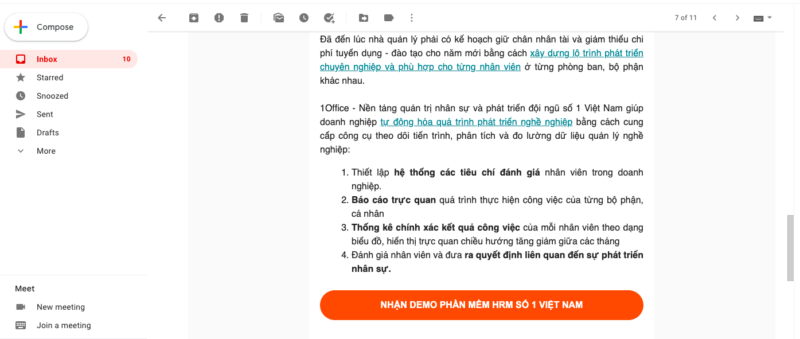
The following examples illustrate the use of CTAs in emails.
- Shop now
- Click here to sign up now
- Register for the webinar
- Save up to 80% when you sign up today
- Click here now and I’ll show you X
- Start saving
2. Facebook Call to Action Templates
Facebook remains the most popular social network for businesses to advertise on, largely because their ads are very effective at reaching highly targeted audiences. When you boost a post on Facebook, you choose the CTA button you want to use. Below are five examples of such buttons in action, but in reality, there are dozens of call-to-action buttons available, depending on your goal.
- Learn more
- Apply now
- Get offer
- Sign up today – Get an instant offer
3. YouTube Call-to-Action Templates
- Watch now
- Start now
- Subscribe
- Visit
4. E-commerce Call-to-Action Templates
If your business sells on e-commerce platforms or websites, there are prompts to encourage potential customers to make a purchase and boost your cross-sale campaigns to increase sales revenue. You can use the options below to inspire your calls to action and increase conversion rates.
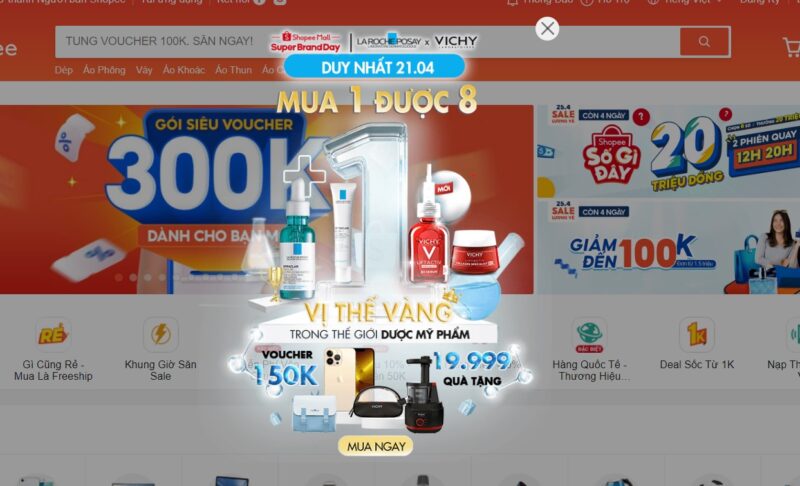
- Buy now
- Ship immediately
- Claim my discount
- Get this limited-time offer
- Add to cart
- Checkout now
5. Blog Call-to-Action Templates
For blog calls to action, you need to provide value to your website visitors, including CTAs to generate leads for your business. You can refer to some of the CTA templates below to encourage users to subscribe to your blog, newsletter, or download content.
- Read more
- Learn more
- Use this Template
- Get my guide
- Get the Guide
- Continue reading
- Read our tips
- Download now
- Subscribe now
- Subscribe to the Blog
- See More
- Be the first to know
- Start reading
- Share this article
- Check it out
- Get early access
- Claim my free copy
6. Purchase Call-to-Action Templates
Calls to action that generate sales are perhaps the most important. However, not every sales process supports a “buy now” approach. Instead, you can prompt users to try a free version or a demo. Below are some specific examples of calls to action.
- Get started
- Start a free trial
- Schedule a call
- Start your free trial now
- Install now
- Sign up
- Sign up now
- View Demo
- Order now
- Contact us
- Request a Demo
- Upgrade and Save
VI. Why are CTAs important for conversions?
A Call to Action (CTA) acts as a behavioral guide, helping to eliminate customer hesitation and directly converting traffic into tangible business results.
The presence of a well-structured CTA system brings the following core values to a marketing campaign:
- Helps increase the conversion rate
- Shortens the customer journey
- Promotes specific actions at the right time
For example: A CTA like “Start a free trial now” on a landing page can increase the conversion potential by 30-50% if placed correctly and designed to stand out.
Frequently Asked Questions about Call to Action (CTA) Optimization
Should I use the first or second person in CTA content?
You should use the first person because it creates a sense of personalization and ownership, which often significantly improves the click-through rate compared to the second person.
What is the ideal length for a CTA phrase?
An effective CTA should be concise, within 2 to 5 words. You should prioritize strong action verbs (such as: Get, Download, Watch, Try) accompanied by a specific benefit.
Why do businesses need to add UTM tracking codes to each CTA button?
Adding UTMs helps accurately measure conversion sources and identify the most effective CTA placements. When integrated with the 1CRM system, this data is automatically analyzed to identify conversion “hotspots” on the website, helping you focus resources on the positions that generate actual revenue.
How is the “Fear of Missing Out” (FOMO) psychological effect applied to CTAs?
You can incorporate time or quantity limitations into your CTA to encourage immediate action. For example: “Get offer – Only 5 spots left” or “Register now – Offer ends in 24h”. This strongly influences customer psychology, making them less hesitant when making a decision.
How can a CTA stand out without ruining the user experience (UX)?
Use the white space rule around the CTA button and choose a color that has high contrast with the web background to attract attention while still ensuring a good user experience.
VII. Conclusion
This article has introduced you to all the information about what a CTA – call to action is as well as the most popular types of CTAs used today. We hope the content above has provided you with useful knowledge to apply to your business, helping to increase conversion rates quickly and easily.
For more detailed information, please see:
- Hotline: 083 483 8888
- Fanpage: https://www.facebook.com/1officevn/
- Youtube: https://www.youtube.com/channel/UCeTIRNqxaTwk0_kcTw6SxmA
















