


 11/05/2026
  315 views
What is digitization? This is a question not only sought by businesses amidst the strong technological transformation but also a key factor that helps CEOs, CTOs, and senior managers optimize processes and increase work efficiency. Digitization is not just about converting paper documents into digital format; it also opens up endless opportunities for organizations to improve productivity, reduce costs, and enhance their competitive edge.
In this article, we will explore digitization in detail, the difference between digitization and digital transformation, and the benefits businesses can achieve by applying modern digital technologies to their operational processes.
Mục lục
- 1. What is digitization?
- 2. The Difference Between “Digitization,” “Digitalization,” and “Digital Transformation”
- 3. Why is Digitization Important?
- 4. The Digitization Implementation Process
- 5. Applying Digitization in Business with 1Office
- 6. Challenges and Solutions in Implementing Digitization
- 7. Conclusion
1. What is digitization?

Digitization is the process of converting information from a physical, manual, or analog format into a digital format, allowing data to be stored, retrieved, processed, and shared through digital technologies. Simply put, digitization is the process of turning traditional documents, images, audio, and video into digital files that a computer can recognize and process.
– Converting Physical Documents to Digital Documents: One of the most common examples of digitization is converting paper documents into digital files, such as PDF, Word, or images (JPEG, PNG). For example, when you scan a piece of paper, the information on it is digitized into data that a computer can process and store as a file.
– Converting Other Forms of Information: Besides documents, digitization also applies to other types of information, such as:
- Images and video: Converting from printed photos or analog video tapes (like VHS) to digital file formats (JPEG, MP4).
- Audio: Converting from vinyl records or cassette tapes to digital audio formats (MP3, WAV).
- Physical data: Information stored on physical media like blueprints, maps, or even measurement devices can also be digitized for easy use, analysis, and sharing.
2. The Difference Between “Digitization,” “Digitalization,” and “Digital Transformation”
| Digitization | Digitalization | Digital Transformation | |
| Definition | Converting information from a physical format to a digital format. | Applying digital technology to optimize work processes and improve efficiency. | The process of comprehensively changing the business model through digital technology. |
| Purpose | Converting physical data into digital data. | Improving business processes and operations using digital technology. | Changing the business model, improving all operations from products to services through digital technology. |
| Scope | Limited to converting data and documents. | Applying technology to internal work processes and systems. | Encompasses the entire organization and business model, including culture and strategy. |
| Technology Used | Scanning documents, converting data from physical to digital. | Management software, process automation, cloud storage, ERP, CRM. | Breakthrough technologies such as AI, IoT, Blockchain, and Big Data. |
| Example | Scanning paper documents into PDF files, converting cassette tapes into MP3s. | Using CRM software to manage customers, automating the sales process. | Building fully digitized services, creating new business models such as cloud services and online platforms. |
| Key Benefits | Easy data storage, minimizing the risk of physical information loss. | Cost savings, increased productivity, easy access to and sharing of information. | Sustainable growth, changing business strategy, and improving competitiveness. |
| Implementation Time | Short-term, fast, and easy to implement. | Medium-term, requires available technology tools and processes. | Long-term, requires significant changes in culture, strategy, and organizational structure. |
Summary:
- Digitization is simply the process of converting physical data into a digital format, helping to store and manage information more effectively.
- Digitalization uses digital technology to optimize internal processes and improve work efficiency without changing the core business model.
- Digital Transformation is a comprehensive process that changes an organization’s business model and strategy through digital technology, bringing about breakthrough changes in how it operates and creates new value for customers.
3. Why is Digitization Important?

Enhance Work Efficiency
- Process automation: Digitization helps minimize manual tasks, thereby saving time and human resources. Managing, storing, and retrieving information becomes much faster and easier.
- Minimize human error: When data is digitized, all tasks become more accurate, avoiding errors from manual data entry. This helps improve work quality and reduce incidents during work processes.
Cost Savings
- Reduce storage costs: Storing physical documents not only takes up space but is also costly to maintain. Digitization helps save on storage costs as all data can be stored online or in electronic databases.
- Save operational costs: Automating work processes helps reduce operational costs by eliminating manual steps and working with computer systems instead, helping to lower personnel costs and increase productivity.
Improve Data Management
- Easy information retrieval and sharing: Digitized data can be accessed and shared in real-time. This allows departments within the company to access information quickly and accurately, thereby enhancing coordination between departments.
- Data security and backup: Digital data is easy to secure and back up, reducing the risk of loss due to damage or natural disasters. Cloud storage systems or electronic databases help protect information securely and make it easy to restore.
Enhance Decision-Making Capabilities
- Easier management with digital data: As a business scales, handling a large volume of data becomes much easier once it has been digitized. Software tools for managing, storing, and analyzing data help process large data volumes quickly and efficiently.
- Flexibility in analysis and decision-making: Digitized data provides detailed and easily analyzable information, helping business leaders make faster and more accurate decisions.
Improve Customer Experience
- Faster and more efficient service: When all information is digitized, businesses can serve customers quickly and accurately. Handling customer requests and complaints also becomes more efficient.
- Provide multi-channel service: With digital data, businesses can interact with customers on various platforms, from email and online chat to social media, helping to enhance the user experience.
Expand Development Opportunities
- Create new opportunities for innovation: Digitization is the foundation for applying advanced technologies like artificial intelligence (AI), machine learning, and Big Data analytics, opening up new opportunities for creativity and improving products and services.
- Boost competitiveness: Businesses can adapt to rapid changes in the business environment, leveraging digital technologies to create more competitive products and services.
Create Conditions for Digital Transformation
- The first step of digital transformation: Digitization is the foundation for implementing digitalization and digital transformation. Once data is digitized, businesses can easily apply digital technologies to optimize work processes, change business models, and create new opportunities in serving customers.
4. The Digitization Implementation Process

4.1. Define Digitization Goals
- Clear direction: Before starting the digitization process, it is necessary to define the specific goals the business wants to achieve, such as improving work efficiency, reducing storage costs, enhancing work processes, or facilitating easier data sharing.
- Reasons for digitization: Understand why the business needs to digitize (e.g., to manage electronic documents, enhance data analysis capabilities, or improve work processes).
4.2. Assess Current Resources and Data
- Examine physical documents: Assess the quantity, type, and condition of documents that need to be digitized. This includes identifying paper documents, images, videos, or old information that needs to be digitized.
- Evaluate current technology infrastructure: Review the company’s existing tools and software, and identify the necessary software to support the digitization process, such as document scanning software, data management tools, or an electronic document management system (DMS).
4.3. Create a Digitization Plan
- Select digitization tools and methods: Choose appropriate tools and software for digitization. For example: use a document scanner to convert paper documents into PDF files, or apply OCR (Optical Character Recognition) software to recognize and convert text from images.
- Classify data: Identify the type of data to be digitized (documents, images, audio, video) and classify it by priority or importance.
- Plan the timeline: Establish a specific roadmap for the digitization process, including key milestones and the necessary resources for implementation.
4.4. Implement Data Digitization
- Scan and Convert Data: Scan paper documents, images, or other materials into digital files (PDF, JPEG, DOC, etc.) and use OCR tools to convert image-based documents into editable text.
- Store data: Once the data has been digitized, it needs to be stored in a secure and easily accessible location, such as on cloud storage systems or in electronic databases.
- Update data regularly: Digitization is not a one-time process; it needs to be continuously maintained. Update new data as needed and verify the accuracy of the digitized information.
4.5. Organize and Manage Digitized Data
- Create a classification and management system: Establish a logical storage system for digitized data to facilitate easy searching and retrieval of information when needed. This can be done using document management software (DMS) or cloud storage tools.
- Index and classify information: Create indexes and clear, searchable file names to make managing digital documents easier and more efficient.
- Ensure data security: Implement security measures such as data encryption and restricted access controls to protect important information from leaks or loss.
4.6. Train Employees
- Training on using digitization tools: Provide training for employees on how to use digitization tools and data management software. Ensure employees understand the digitization process and how to retrieve information from digitized systems.
- Ensure security awareness: Train employees on information security regulations, helping them become aware of how to protect data when working with digitized documents.
4.7. Test and Evaluate Results
- Assess the quality of digitized data: Check the accuracy and completeness of the digitized data. Errors during the scanning and conversion process can affect information quality, so it’s necessary to check for and correct these errors.
- Measure effectiveness: Evaluate whether digitization is truly benefiting the business, including cost savings, increased work efficiency, improved document management, and easier information sharing.
4.8. Maintain and Update Data
- Maintain the digitization system: Ensure that the digitization systems are always maintained and updated. This includes adding new documents, modifying data, and performing regular backups.
- Improve processes: Once the digitization system is implemented, continuously monitor and improve the process to optimize performance and ensure the system always operates effectively.
>>> Read more: 5 Tips for Effective Digital Transformation for Businesses
5. Applying Digitization in Business with 1Office
5.1. Electronic Document and Record Management
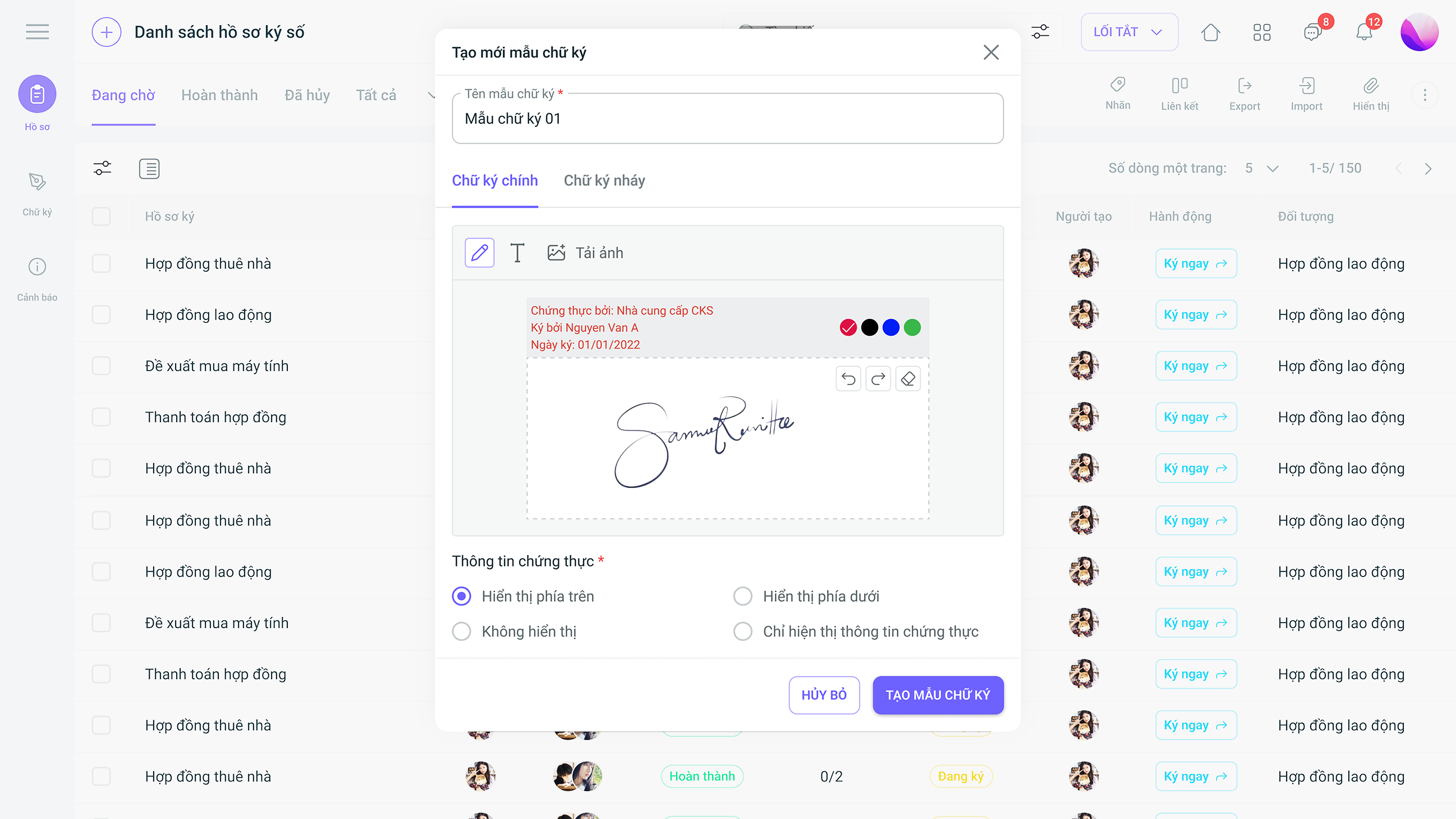
Register for a free OKR feature Demo!
Digital document storage: Digitization helps convert paper documents into digital files (PDF, DOC, etc.), saving storage space and making it easy to search and retrieve data.
Effective document management: Document Management System (DMS) software helps organize, classify, and quickly search for documents. 1Office assists businesses in storing digital documents securely and providing easy access.
- Store and manage employee records: 1Office allows you to store detailed information for each employee in the system. Information on personal records, labor contracts, work history, and related documents are all managed easily and securely.
- Manage requests (Leave requests, sick leave requests, other requests): The Request Management feature helps automate the approval process for requests such as leave requests, sick leave, transfer requests, and other employee requests. Managing and approving requests becomes fast and transparent.
- Create and store requests online: Employees can create requests online directly on the system, eliminating the need for physical paperwork and making it easy to track and approve through automated steps.
5.2. Automate the Approval Process
- Approve requests online: The request approval process is automated, minimizing errors and saving time. Managers can approve requests directly on the software, helping requests to be processed quickly and accurately.
- Request history and status: 1Office records the entire history and status of each request, helping managers easily track the progress and changes related to employee requests.
5.3. Electronic Document Management
- Store HR documents: 1Office allows for the secure and easy storage and management of HR documents, including labor contracts, timesheets, personal records, etc. These documents can be digitized and accessed online at any time.
- Manage documents by group: Documents are clearly categorized by employee group, department, or project. This makes searching for and accessing documents easier.
- Share and secure documents: Documents can be easily shared within the company while ensuring security. Access control management helps protect sensitive information, allowing access only to authorized personnel.
5.4. HR Record and Report Management
- Track and report on HR: 1Office helps businesses track all HR information, including work history, leave periods, and data related to employee performance. The reporting system gives managers a comprehensive overview, making it easier to make decisions.
- Automated HR record reporting: 1Office provides automated reports on the HR situation, including employee numbers, leave periods, and work status, helping businesses easily monitor and make decisions.
- Manage employee information: Digitization helps store employee information, track work performance, and manage employee benefits easily and accurately.
- Calculate payroll and benefits: 1Office supports the calculation of salaries, bonuses, and benefits for employees, helping businesses save time and minimize errors in the calculation process.
5.5. Security and Risk Management
- Data security: Digitization helps businesses protect sensitive data by encrypting information and managing access rights, preventing the risk of data loss or leakage.
- Risk management: Digital tools help track and manage risk factors within the business, thereby enabling preventive measures to be taken to minimize damage.
6. Challenges and Solutions in Implementing Digitization
6.1. Challenge: Difficulty in Converting Physical Data
Problem: Businesses often have a large volume of paper documents that need to be digitized. This process can be time-consuming and costly, especially when documents are not standardized or are in a difficult-to-process format.
Solution:
- Use document scanning and OCR software: Apply Optical Character Recognition (OCR) technology to automatically convert paper documents into digital data, saving time and costs.
- Use professional digitization services: Professional third-party services help process documents with high quality, ensuring accurate conversion.
6.2. Data Security
Problem: Storing and transmitting data via digital platforms can expose businesses to security and data safety risks, especially with the involvement of multiple external parties.
Solution:
- Implement strong security measures: Use data encryption, two-factor authentication, and user access control to protect sensitive information.
- Store data on a secure platform: Ensure data is stored on reliable cloud systems or highly secure databases.
6.3. High Initial Investment Costs
Problem: Digitization requires investment in software, hardware, and employee training. The initial investment cost can be a major barrier for small and medium-sized enterprises.
Solution:
- Choose reasonable and flexible software: Software like 1Office provides solutions with reasonable costs for businesses, helping them optimize their investment costs.
- Invest gradually: Instead of investing all at once, businesses can implement digitization step-by-step, starting with the most critical processes and gradually expanding.
6.4. Lack of Skills and Knowledge
Problem: Employees in the company may lack the experience and skills to use digital tools and software, making implementation difficult.
Solution:
- Employee training: Provide a comprehensive training program on digital tools, document management software, and work processes for employees.
- Support from experts: Businesses can seek advice and support from experts in implementing digitization and improving work processes.
6.5. Managing Organizational Culture Change
Problem: Digital transformation is not just about technology; it also involves changing the culture and work habits of employees, which can meet with resistance from those unaccustomed to change.
Solution:
- Communication and persuasion: Clearly explain the benefits of digitization and digital transformation to all employees, helping them understand the importance and necessity of this process.
- Motivating employees: Highlight the direct benefits employees can receive from participating in the digitization process, such as saving time, increasing work efficiency, and reducing manual tasks.
6.6. Integrating Legacy Systems
Problem: Many businesses are using old systems and software that are incompatible with new digital technologies, making data integration and synchronization difficult.
Solution:
- Choose integrated software: Select solutions like 1Office that can integrate with existing systems and software, helping to synchronize data and processes without compatibility issues.
- Upgrade systems: If necessary, businesses can invest in upgrading old systems to ensure compatibility with new technologies.
6.7. Ensuring Data Accuracy
Problem: The digitization process can encounter errors in data conversion, leading to the loss or inaccuracy of important information.
Solution:
- Data verification and validation: Establish a process to check digitized data to ensure accuracy. Use supporting software tools to detect and correct errors.
- Data backup: Digitized data needs to be backed up and protected in case of technical incidents.
7. Conclusion
Digitization is a crucial step in the development and transformation of a business. Applying digital technology not only helps optimize work processes, save time and costs, but also opens up new opportunities for creativity and innovation in all activities. Although the digitization process faces several challenges, from data management and security to organizational culture change, with suitable technology solutions like 1Office software, businesses can completely overcome these difficulties.
To succeed in digitization, businesses need a clear strategy, the right tools, and employee training so they can adapt and maximize the potential of digital systems. When implemented correctly, digitization will become a decisive factor that helps businesses not only survive but also thrive in an increasingly competitive and rapidly changing business environment.
















