


 12/05/2026
  85 views
The Vietnam Labor Law Conference will take place in both Ho Chi Minh City and Hanoi. What makes the Labor Law Conference special is its lineup of speakers, including over 30 leading HR experts and lawyers, along with nearly 1,000 attendees who are HR professionals and Labor Law experts from across the country, promising to create a vibrant space for networking and knowledge exchange in both regions.
Additionally, the conference will feature over 26 of the latest, carefully selected HR technology and professional solutions. These solutions will help optimize processes and may be the answer to the HR management challenges faced by many businesses.
After receiving an exclusive discount of up to 60% from 1OFFICE, learn how to register for the event below.
Mục lục
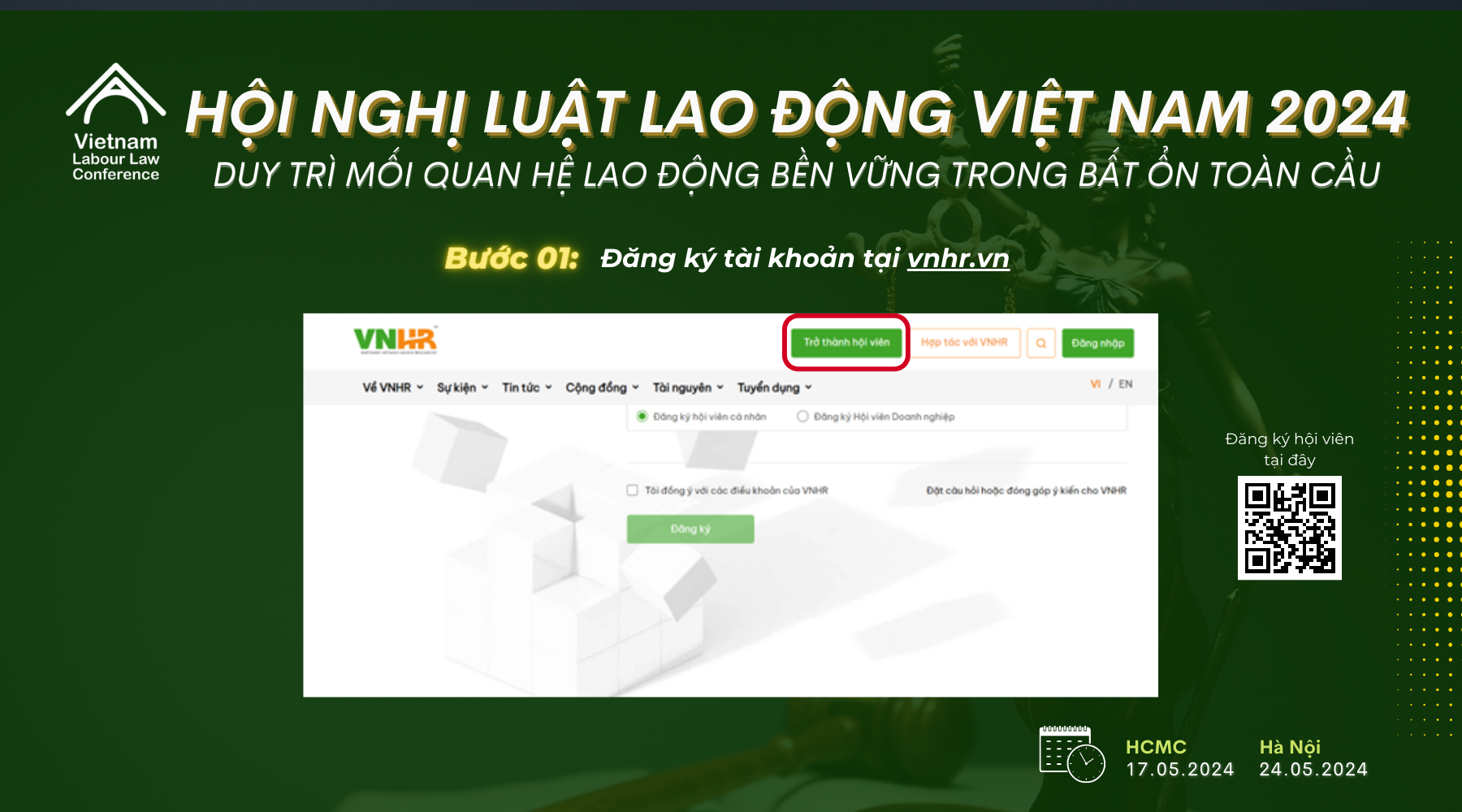
- Step 1: Register an account at vnhr.vn
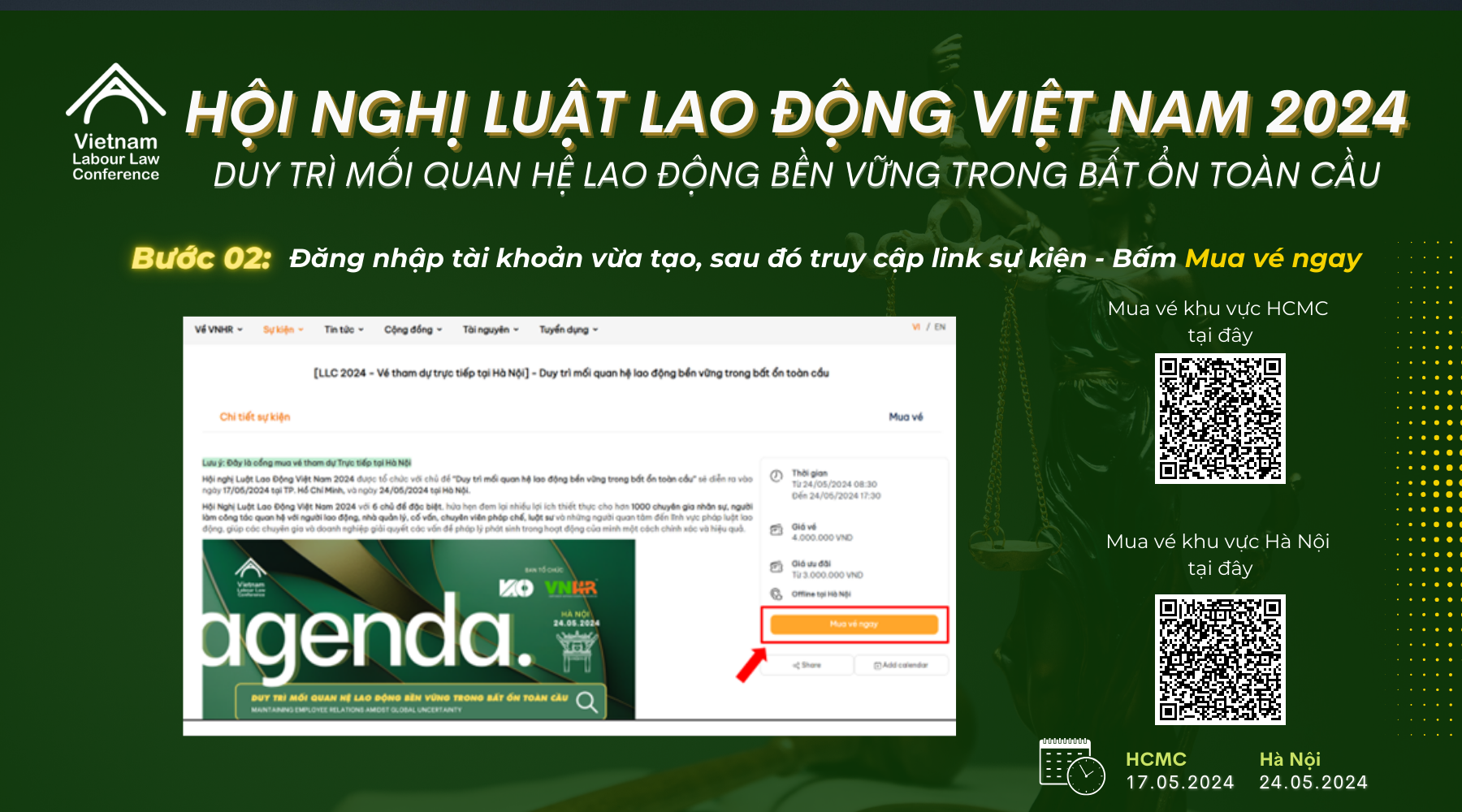
- Step 2: Log in to the account you just created, then access the event link > Click Buy ticket now
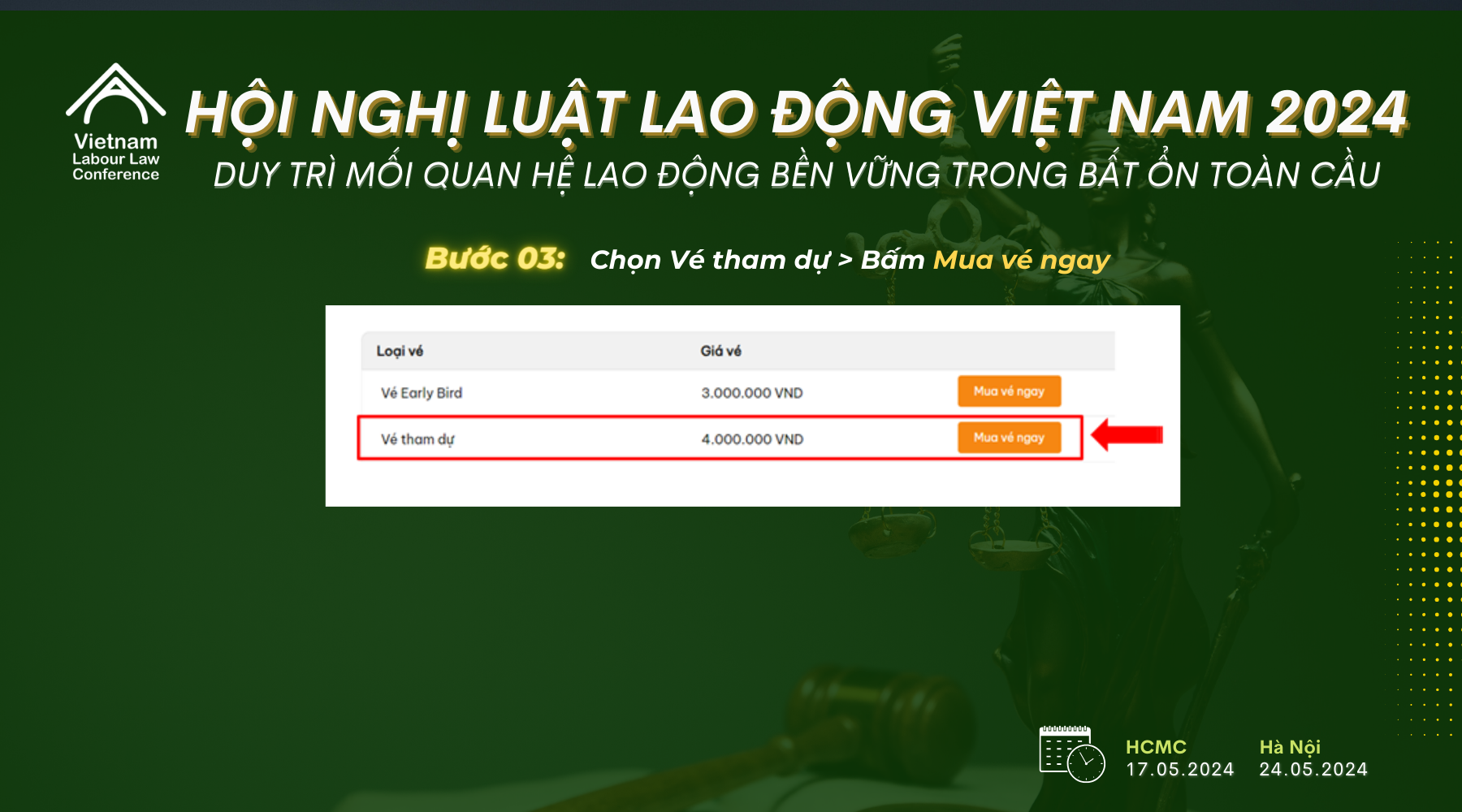
- Step 3: Select Attendance Ticket > Click Buy ticket now
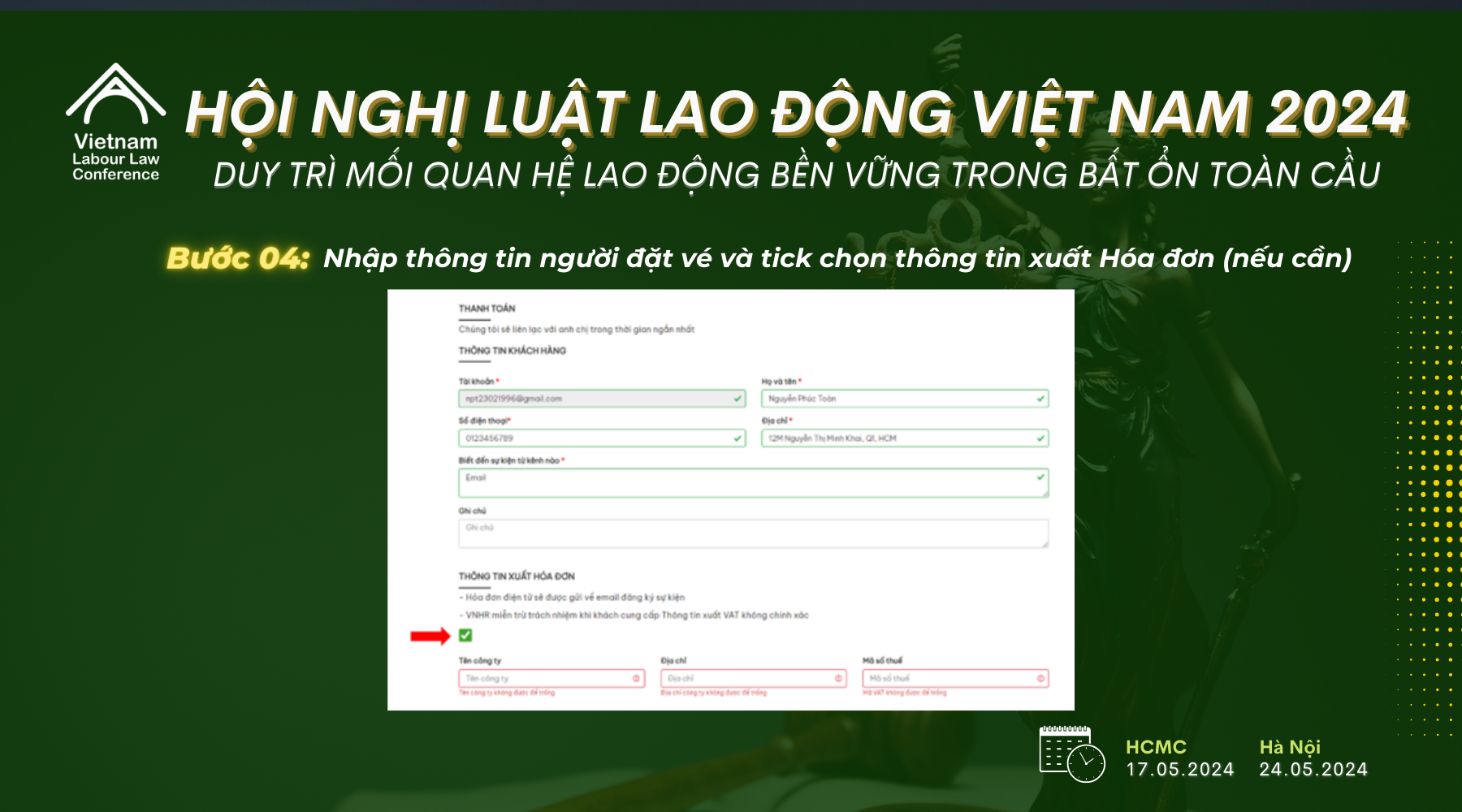
- Step 4: Enter the ticket buyer’s information and check the box for invoice details (if needed)
- Step 5: Enter attendee information > Click “ Enter discount code”
- Step 6: Enter the discount code
- Step 7: Select a Payment Method to complete the Order
Step 1: Register an account at vnhr.vn
- Select “Become a member”, then choose “Individual Member Registration” or “Corporate Member Registration”
- Fill in all the required information to create an account
Step 2: Log in to the account you just created, then access the event link > Click Buy ticket now
- Link to buy LLC tickets in HCMC: https://vnhr.vn/event/detail?slug=-llc-2024-ve-tham-du-truc-tiep-tai-ho-chi-minh-duy-tri-moi-quan-he-lao-dong-ben-vung-trong-bat-on-toan-cau
- Link to buy LLC tickets in Hanoi: https://vnhr.vn/event/detail?slug=-llc-2024-ve-tham-du-truc-tiep-tai-ha-noi-duy-tri-moi-quan-he-lao-dong-ben-vung-trong-bat-on-toan-cau
Step 3: Select Attendance Ticket > Click Buy ticket now
Step 4: Enter the ticket buyer’s information and check the box for invoice details (if needed)
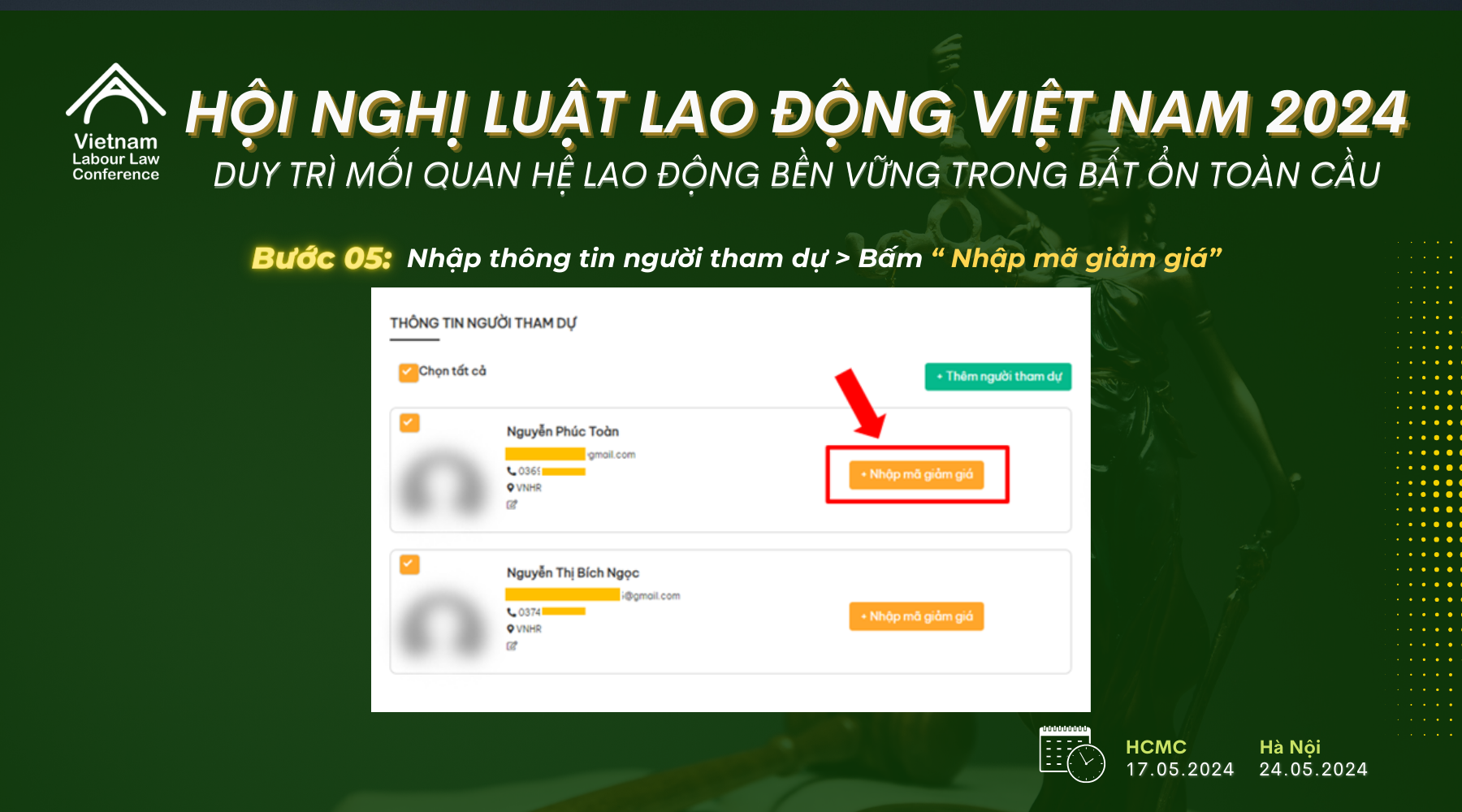
Step 5: Enter attendee information > Click “ Enter discount code”
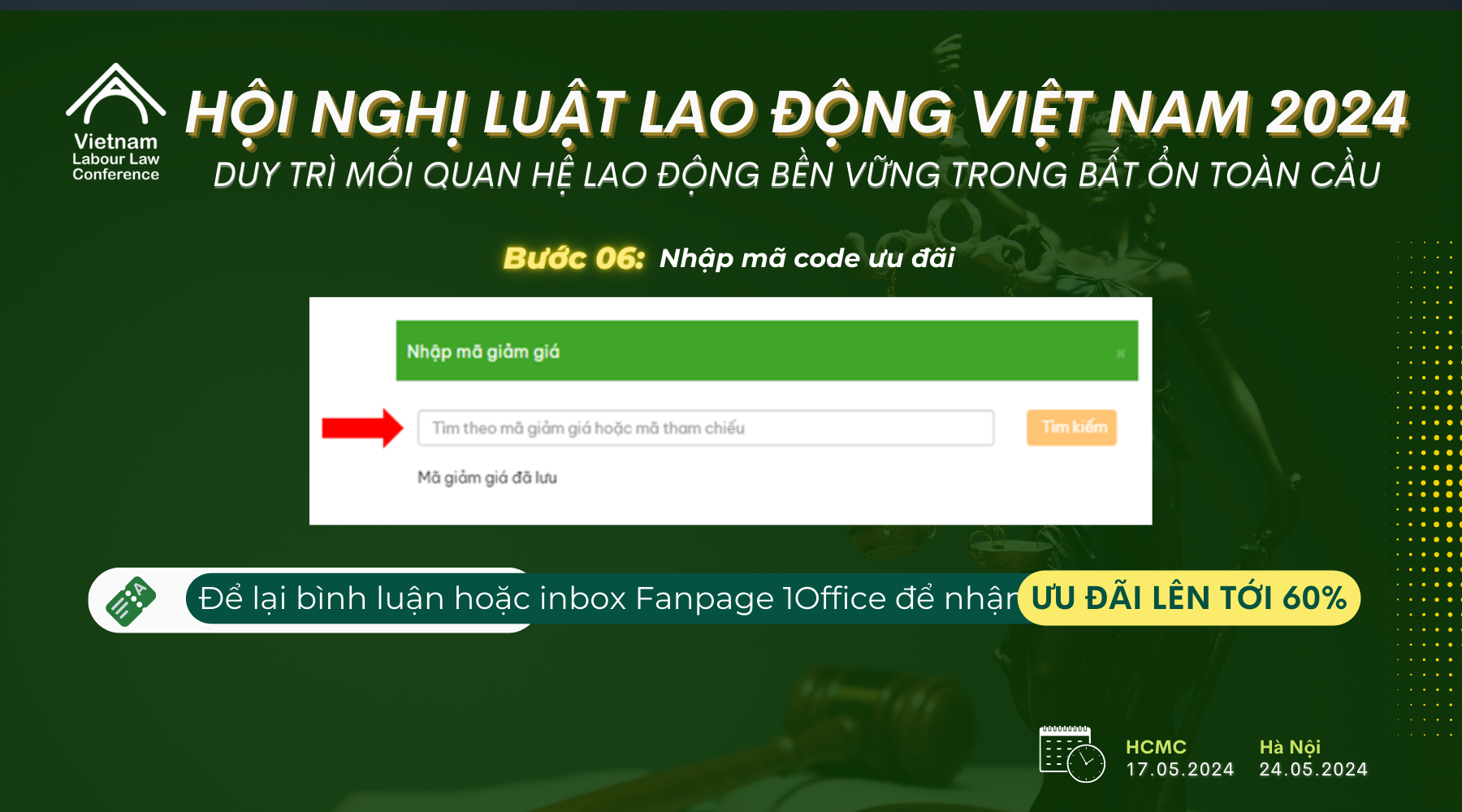
Step 6: Enter the discount code
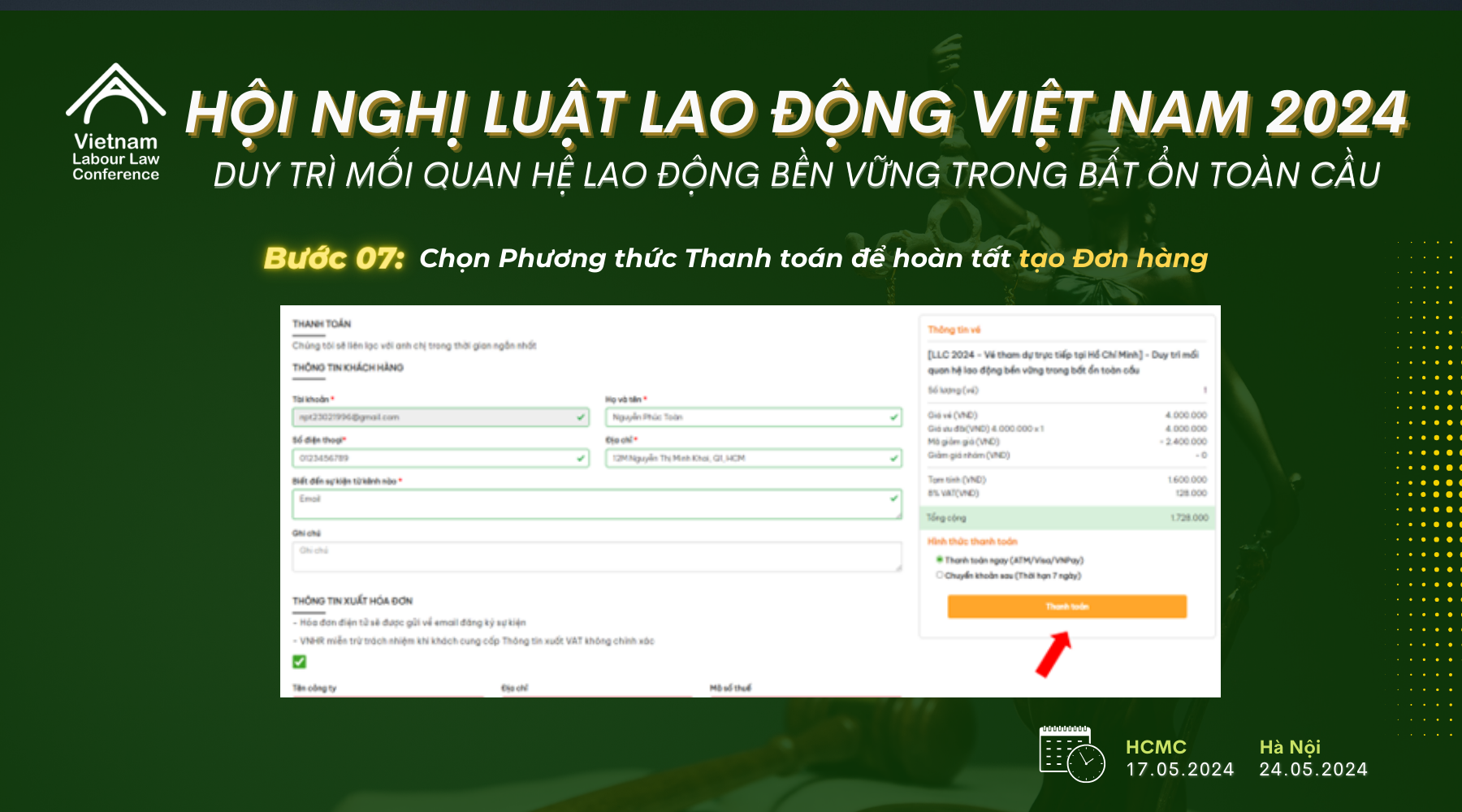
Step 7: Select a Payment Method to complete the Order
Note:
- Pay now (30-minute time limit, ATM/Visa/VNPay)
- Bank transfer later (7-day time limit, transfer details will be sent via email)
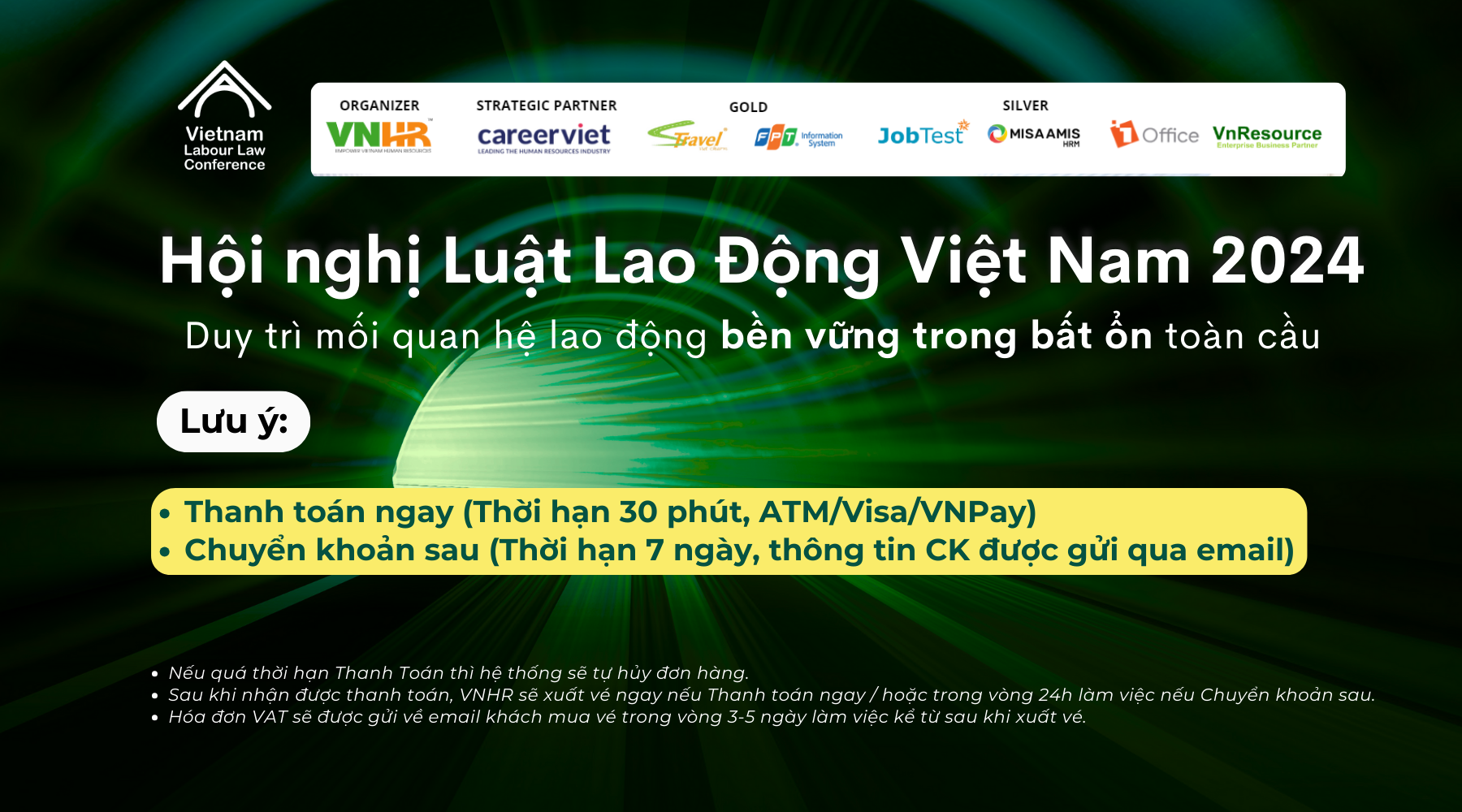
If the payment deadline is missed, the system will automatically cancel the order.
After payment is received, VNHR will issue the ticket immediately for Pay now / or within 24 business hours for Bank transfer later.
The VAT invoice will be sent to the ticket buyer’s email within 3-5 business days after the ticket is issued.
















