


[1OFFICE] ANNOUNCEMENT: SOFTWARE INTERFACE UPGRADE


Dear Valued Customers,

We are pleased to announce that the latest version of 1Office is ready for you to experience and explore!
In this update, the 1Office software will introduce a fresh interface with many significant features and improvements, aiming for optimization and the best user experience. Here are the most notable changes:
- New Interface: designed to be more eye-catching, modern, and user-friendly. The new version will update charts and diagrams, giving you an intuitive and comprehensive view of tasks and projects to enhance productivity and improve work efficiency.
- Personal Page (User Board): you can quickly access important functions, view all information related to your work on a single screen, and manage tasks from a multi-dimensional perspective.
- Object Detail Page: displayed in widget and split view formats, information is arranged logically and scientifically with a 2-column grid layout, formed by tabs and various small information-containing units (widgets). The screen can be arranged according to personal preference and needs, helping users grasp an object’s information in a single action.
We believe that with this version, users will immediately improve their performance and experience when handling and managing all online work on the 1Office platform. It is certain that during the update process, some shortcomings may arise that have not yet been resolved, such as: unfamiliarity with the new interface operations, some unreasonable interface details, etc. We hope for your understanding and patience. For any issues requiring support, please contact us via Hotline 19003313 or our Livechat and Support Ticket system.
Official update time for the new desktop interface: 5:00 PM, March 31, 2023
Additionally, in April, the software is expected to be further updated to improve interface bugs in this new version and also to update the new version for the mobile interface.
Here are the feature details:
1. Object Detail Page
On the object detail page, in the current version, details are arranged in a single column of information, and related information is moved to separate tabs. In this upgraded version, all information will be consolidated onto one screen, with the layout divided into a 2-column grid with the following logic:
- The left column takes up ⅔ of the screen and contains important information: Detailed Information, Related Information, Attachments, etc.
- The right column takes up ⅓ of the screen and contains supplementary information such as: Discussion, Activity History.
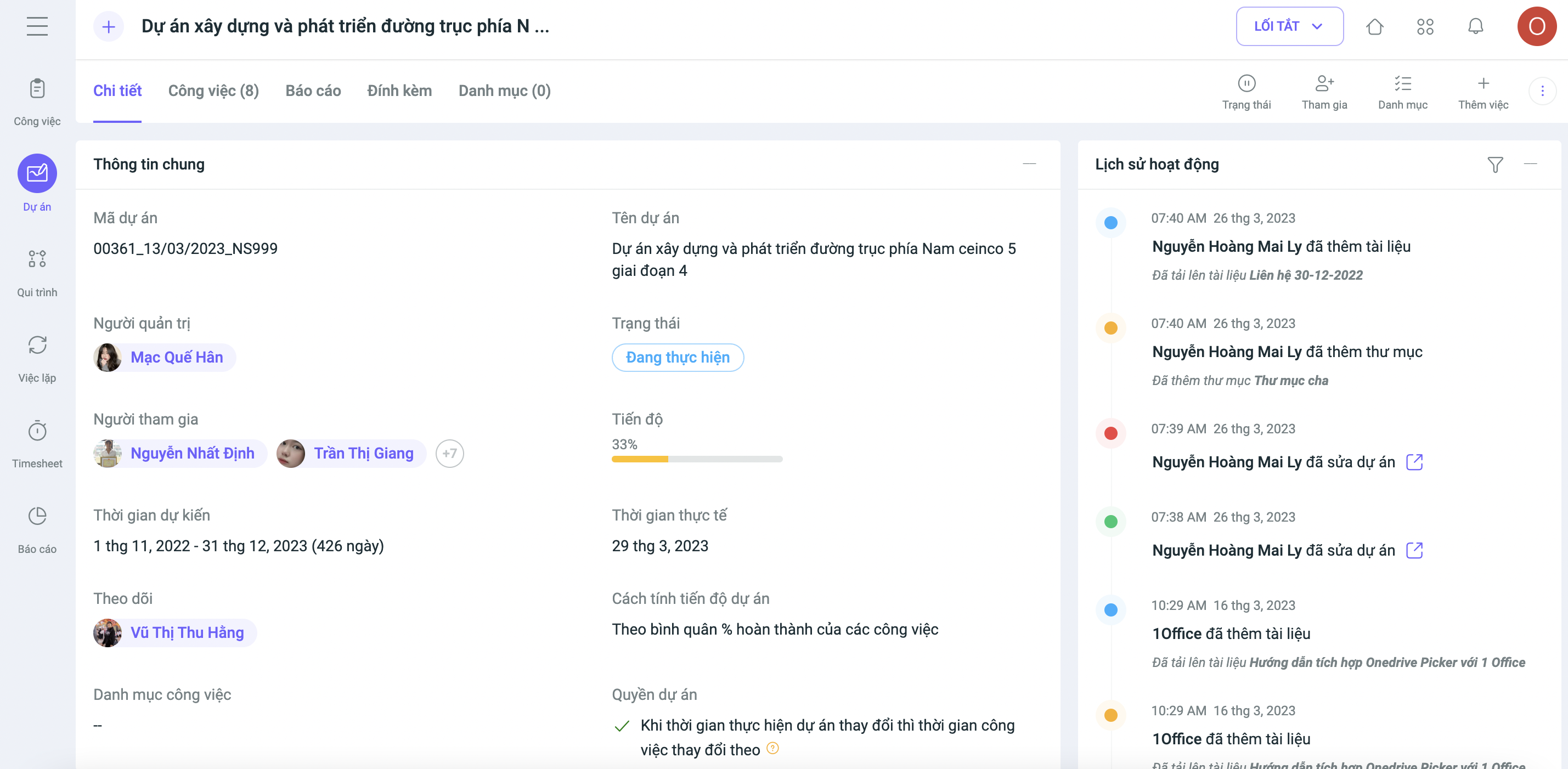
- Some object detail pages with extensive information that have been meticulously redesigned are called Visual Pages.
Examples: Employee Profiles, Work Projects, Recruitment, Candidates, Recruitment Campaigns.
- These Visual Pages are formed by tabs and various small information-containing units (Widgets). Notably, they can be arranged and edited using the “Arrange Layout” task located in the hidden action menu, allowing users to customize the screen layout to their own preferences and needs.
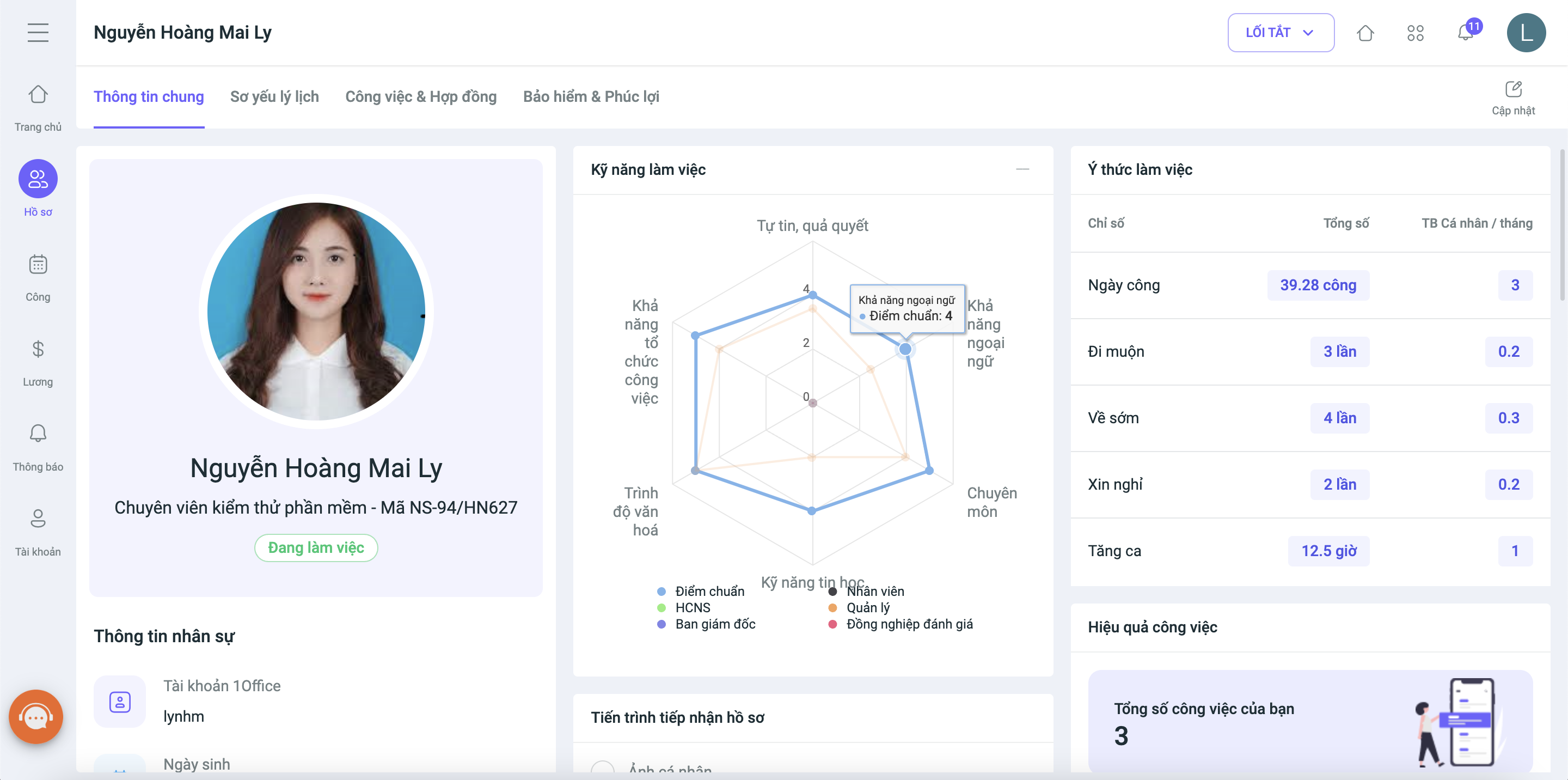
2. Personal Page:
The biggest change in this upgrade is the Personal Page. Designed with the end-user in mind, the personal page serves as each individual’s personal workspace. It includes the following information:
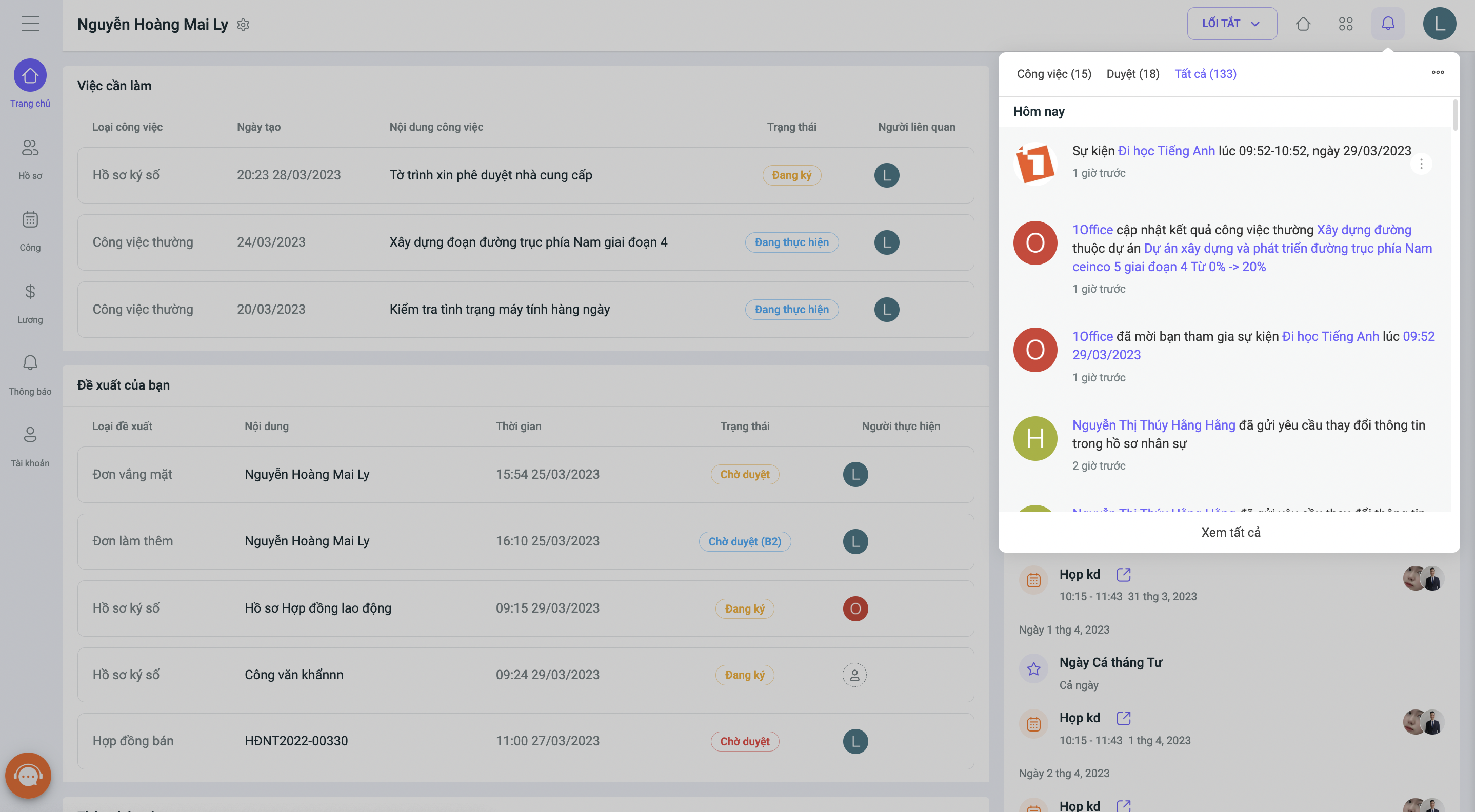
– Homepage: This is a Visual Page that will be the new software homepage. Users will access this page after logging in, replacing the previous social page. While in the current version users have to enter each module to handle tasks, the Personal Page (User Board) will consolidate all work from various modules, allowing users to handle everything on a single page, including the following default widgets:
- To-do: Tasks that need to be handled: Tasks, Process Tasks, Digital Signatures, Approvals, etc. This widget will replace the “Yours” menu across all modules.
- My Requests: The opposite of “To-do,” this contains tasks where the user is waiting for others to take action.
- Daily Timekeeping
- Calendar, Events
- Company Announcements
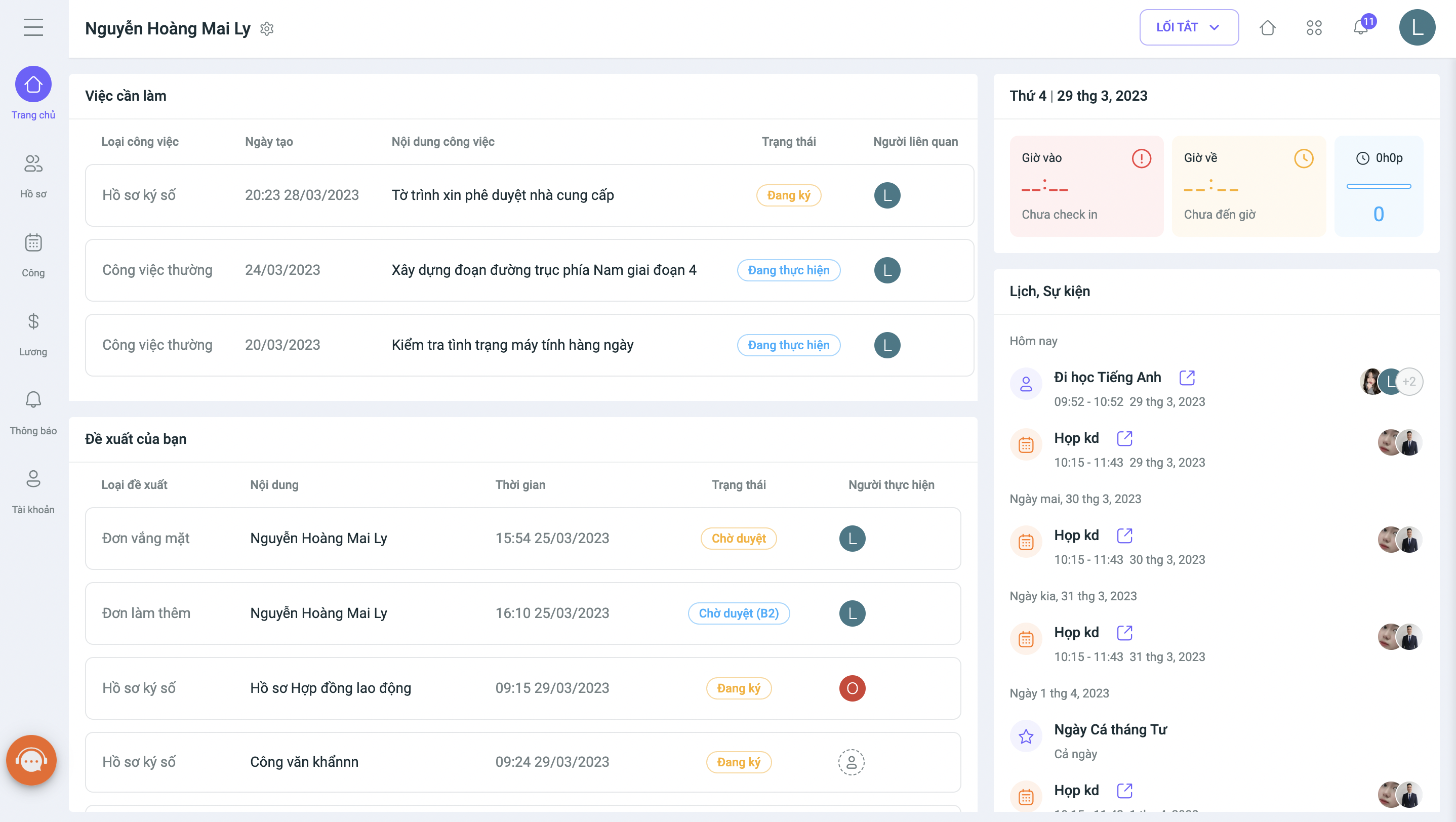
– Employee Profile
– Timesheet
– Payroll
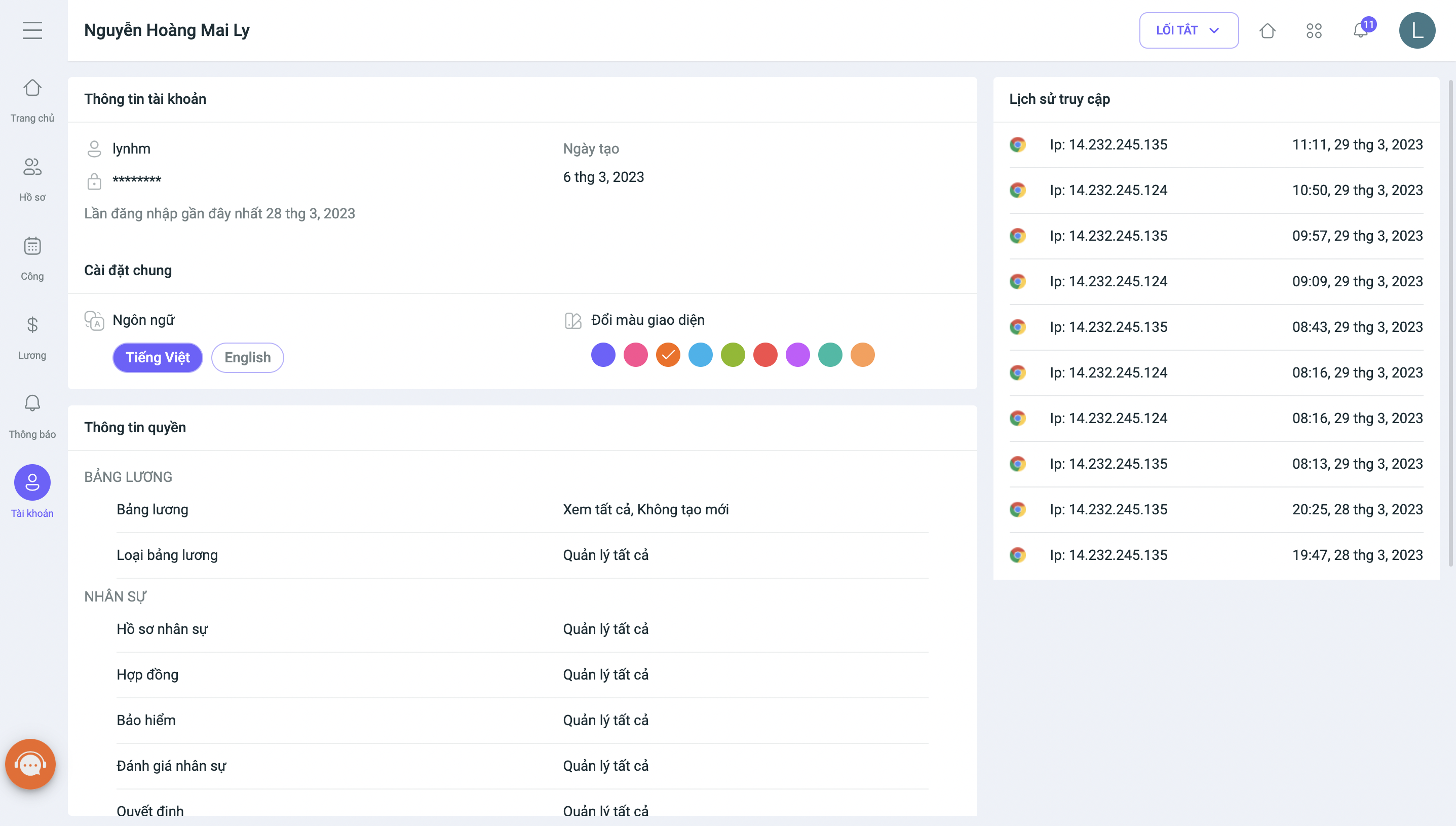
– Notifications: Moves the “General notification settings” and “Object-based notification settings” sections from the account page.
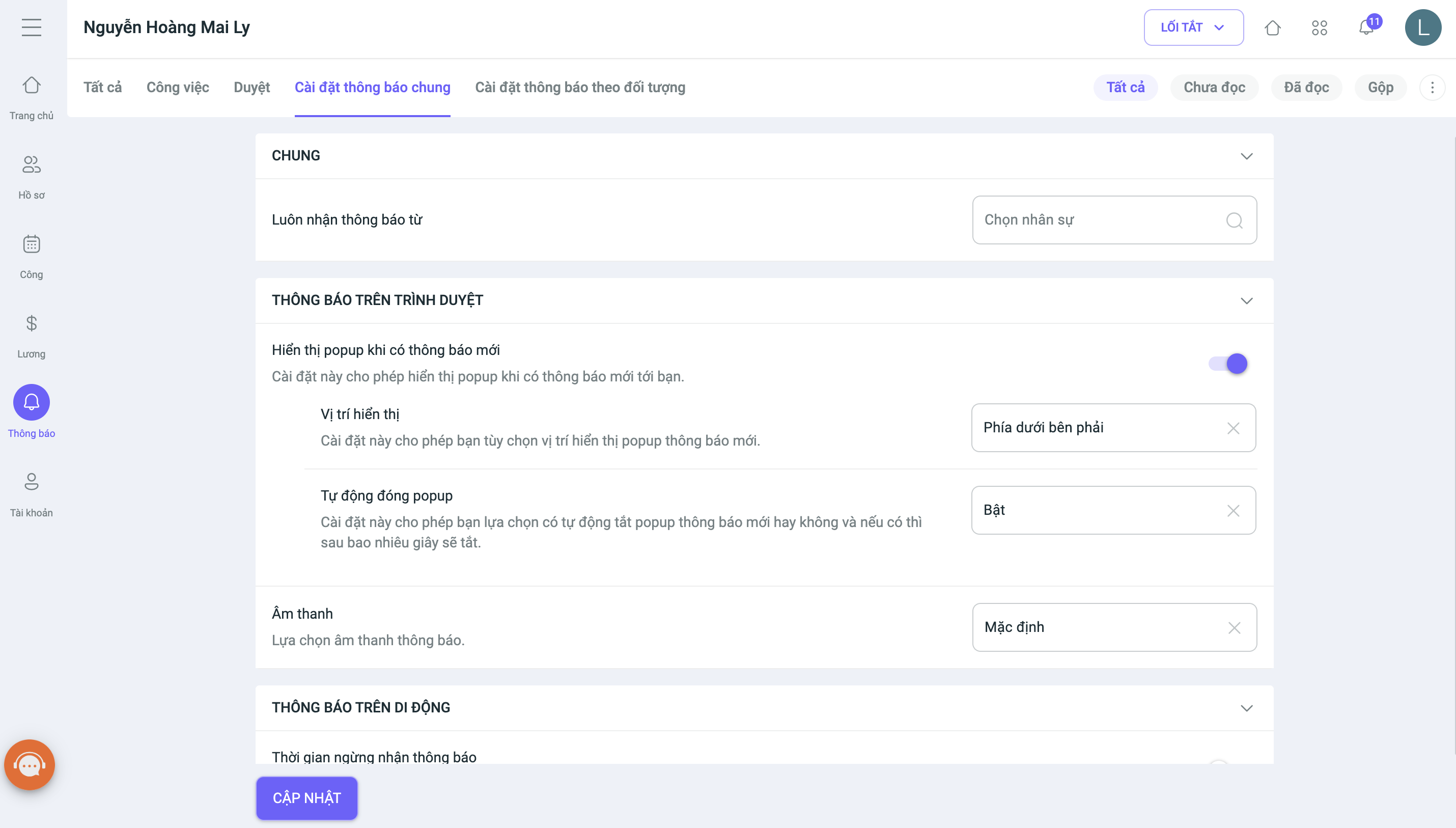
– Account: Retains only basic information related to the login account. The “General Settings” tab is moved to the Account Information section
3. Notifications
In addition, notification content is now updated with more comprehensive information, allowing users to easily and quickly take action directly without needing to view the item’s details.
4. Other changes:
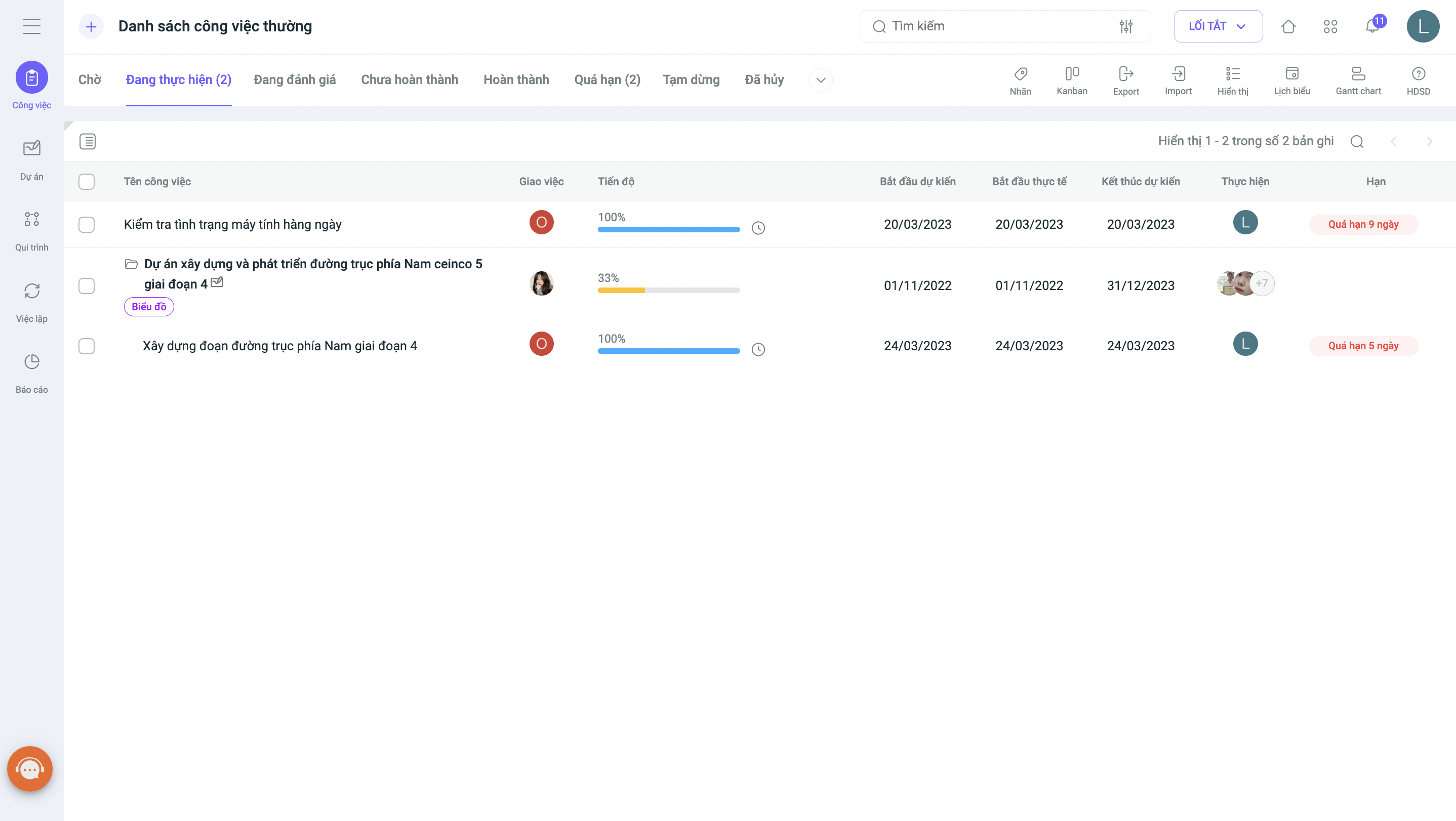
Additionally, the new interface changes the way information is displayed for several data types, such as: User, Time, Status, Progress, Table, and Attachment. This makes information on list and detail pages easier to recognize and distinguish.
Best regards,
The 1Office Product Development Team




