


 13/05/2026
  189 views
Dear Valued Customers,


First and foremost, 1Office would like to sincerely thank you for your trust and for using our services. With the desire to improve product quality and provide you with a better experience, we are constantly researching and developing new features. In this upgrade, 1Office is updating a new feature for Digital Signatures.
Upgrade Content:
1. Change the position of the Social module and add the Digital Signature module
- Replace the position of the Social module with the Digital Signature module
- The Social module has been moved to the 1Office logo
– Click the 1Office logo to access Social
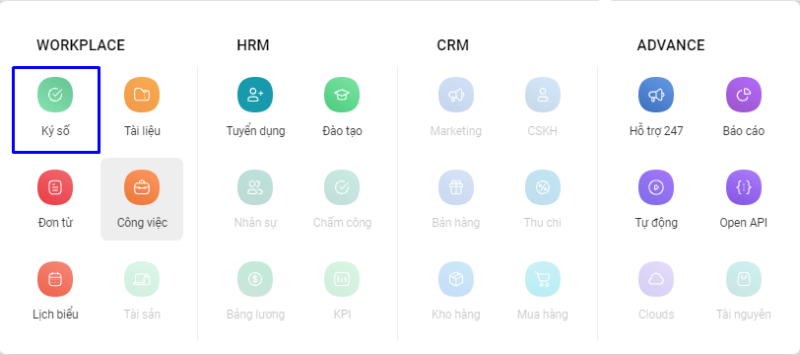
- Move the Digital Signature Module into the Digital Signature module
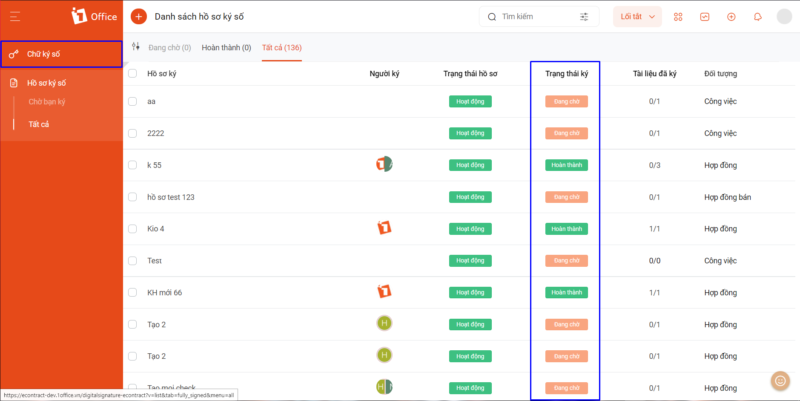
- Manage digital signature records: Record status, Signing status, Signed documents, etc.
Note: The signing status includes 2 statuses:
– Pending: 1 or more people in the digital signature record have not completed signing
– Completed: All required people in the digital signature record have completed signing
2. Create a digital signature record
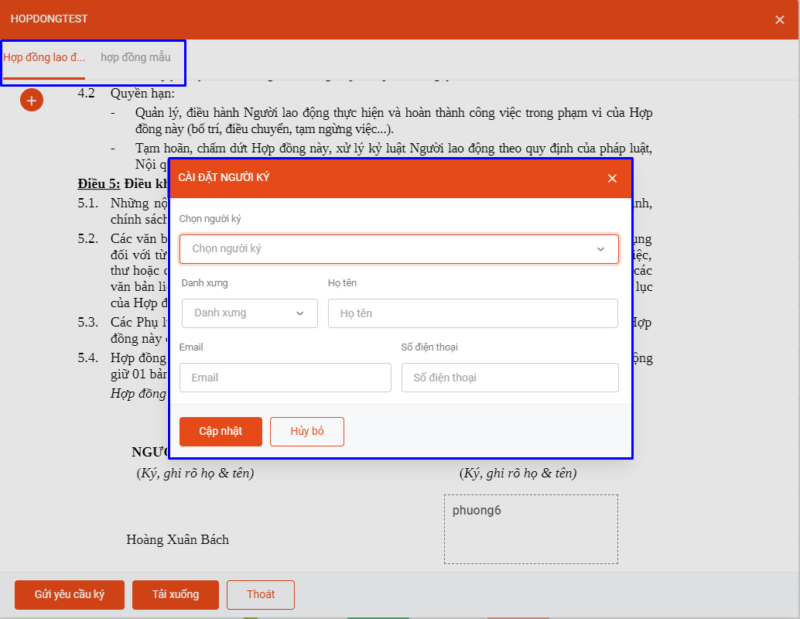
- Allows creating digital signature records in 3 modules: Work (Processes), Contracts (Labor Contracts), Sales (Sales Contracts)
- At the step of configuring the signer and signing position on the contract file
- Allows configuring multiple files at once: each file will correspond to 1 Tab
- Allows selecting the signer:
+ Internal: A user within the system
+ Customer: A person outside the system
+ Automatic by object: The signer will be automatically selected based on the object
Note: – For internal signers: a signing request notification will be sent to the user’s account. – For customer signers: a signing request notification will be sent to the customer’s email (including a link to the signing page).
3. Digital Signing
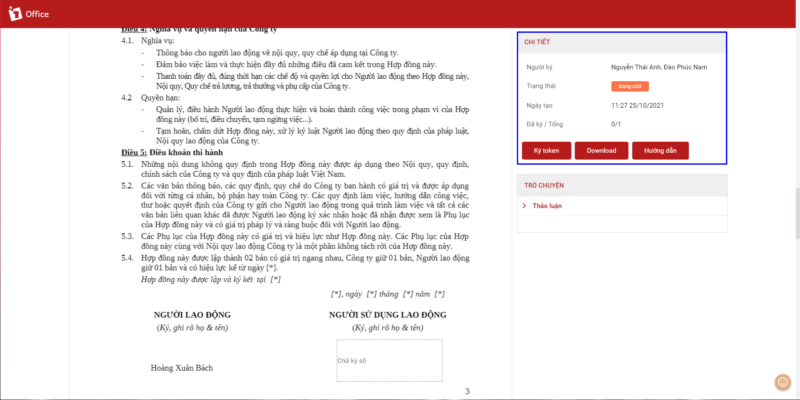
Allows digital signing with a USB Token
– For internal signers: A Token signing button has been added to the digital signature popup
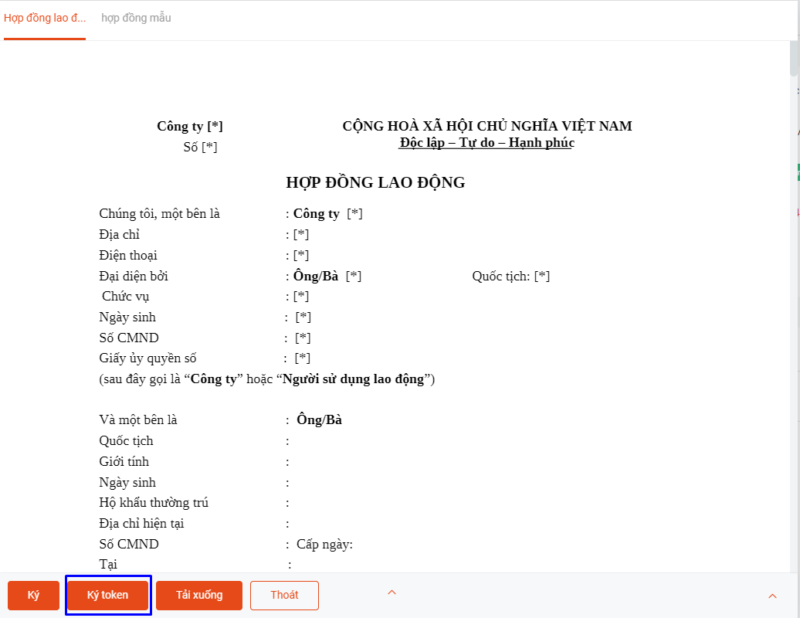
– For customer signers: click the link sent via email to perform digital signing with a USB Token
4. Other Upgrades
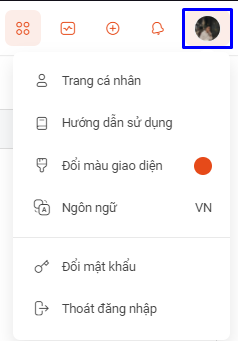
The user menu has been moved to the avatar in the top right corner of the screen (Click the avatar to use)
For any necessary support, please contact our hotline: 19003313.
We sincerely thank you!
Sincerely,
1Office Software Development Department.
















