


 13/05/2026
  3852 views
On the morning of May 20th, 1Office, in partnership with Nhan Hoa Software Co., Ltd., organized a seminar on “Introducing BPM – Business Process Management and Materials Management in Work Projects.” The event aimed to help businesses effectively manage their material management processes, preparing them for the wave of global integration and business digitalization.
Mr. Le Viet Thang, CEO and Founder of 1Office, attended the seminar. He introduced and shared how to operate two new features: BPM – Business Process Management and Materials Management in Work Projects. These features have been integrated and upgraded on the 1Office management platform for businesses in fields such as construction, manufacturing, fashion, cosmetics, and interior design.
Mr. Thang shared: “BPM – Business Process Management and Materials Management in Work Projects are two very important features for businesses, especially those in fields like construction design and execution, interior design, etc. While there are many different solutions and technologies on the market, process management on these platforms is often not comprehensive. Therefore, 1Office has invested significant effort in research based on the Vietnamese user experience and has quickly upgraded the software with these two features.”
1Office is a comprehensive business management platform that includes three main tools: Workplace, HRM, and CRM, along with a module that provides a toolkit for configuring business automation processes. Within the 1Office platform, the homepage serves as an internal network allowing users to communicate, post announcements, and convey corporate culture. The work module includes: regular task management (regular tasks are unexpected tasks that may or may not belong to a project); project task management; and process support (work processes are typically predefined by a business and involve links between different departments and divisions).
Project Management in Work
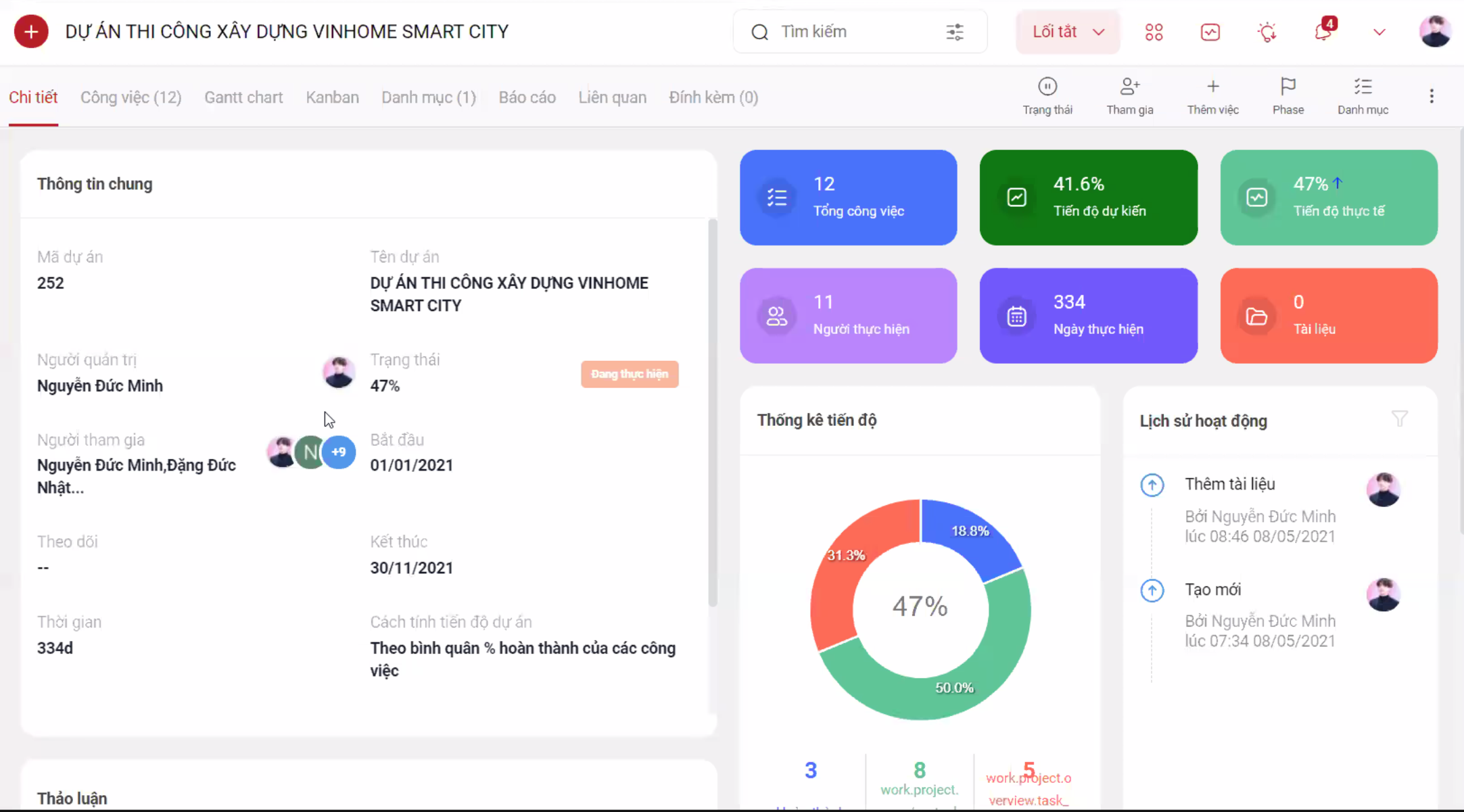
Project management created on the 1Office platform
Project management on 1Office is designed to help managers get an overview of how a project is progressing, track tasks from start to finish, monitor work progress, see the number of people involved, the number of days the project has been running, and its status (in progress, completed, or overdue). In other words, it records the entire activity history of all parties involved in and related to the project.
Essentially, a project requires managing four key components: Tasks, People, Money, and Goods. In the Vietnamese and global markets, the vast majority of software only manages work progress, such as task assignment, monitoring, reporting, and evaluation. Very few software solutions focus on managing Money and Goods. 1Office recognized that companies in electrical equipment, construction, and goods management in industries like pharmaceuticals, cosmetics, and fashion have a great need for materials management within projects. Therefore, 1Office needed to and has launched the “Materials Management in Work Projects” feature.
There are two common scenarios in the material management process: First, goods are imported directly to the warehouse. Second, goods are transferred directly to the construction site. Without a proper tool, difficulties arise, such as managing through Excel files, consolidating files from various sources, and not knowing which materials to purchase first… 1Office has developed a materials management feature that allows project department heads to create various material items.
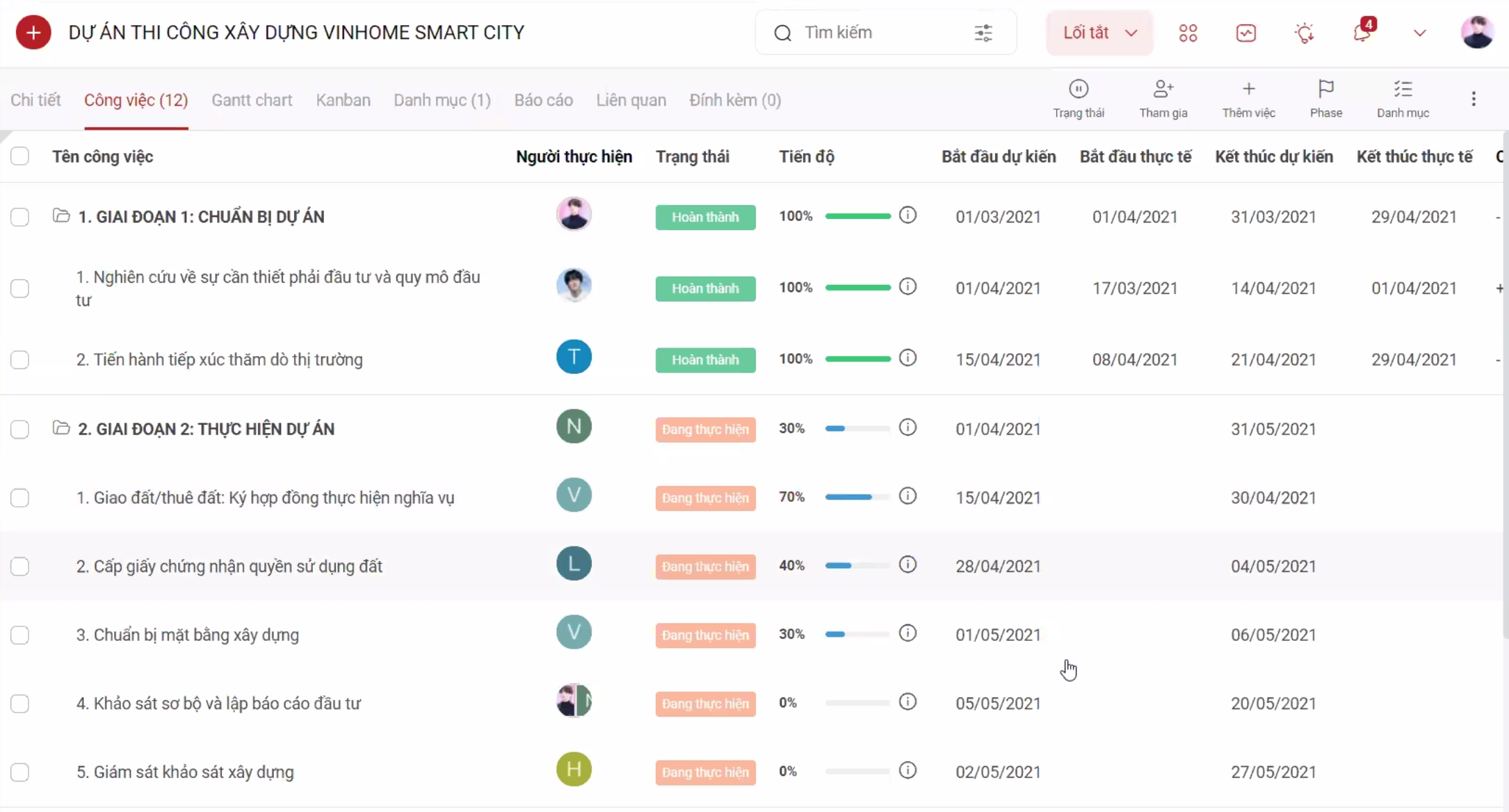
Proposals within a project are stored and reported in a comprehensive and complete process
For example: You can go to the purchasing section, where all the project’s proposal requests are listed. The purchasing department can go here to create purchase orders. Afterward, the department head can approve or reject them.
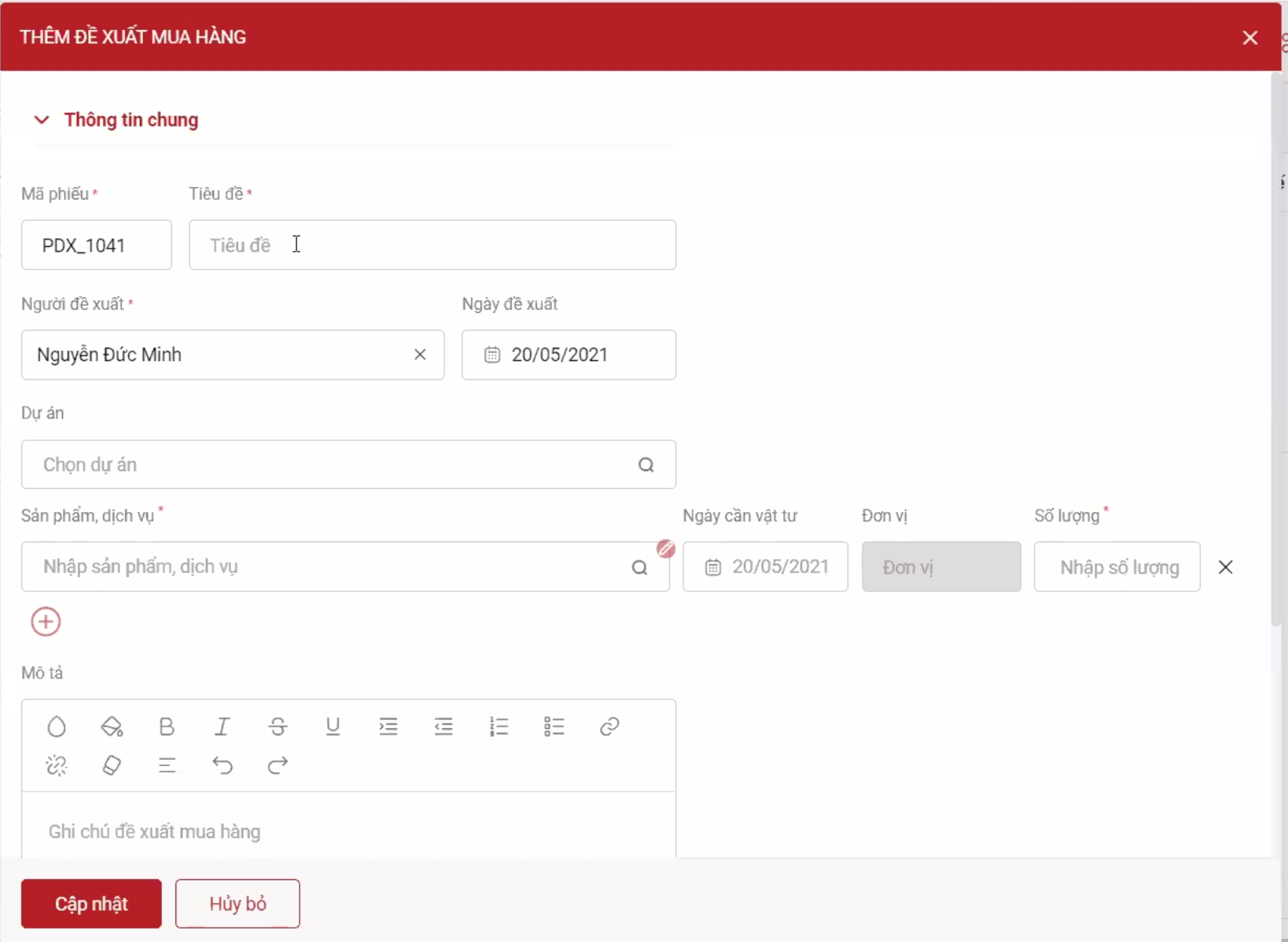
Creating purchase orders is integrated into the new feature and can be done directly within the project workflow
This way, the investing party will know whether the materials have been purchased, allowing managers to closely control and monitor all materials.
Additionally, the project feature allows you to tightly manage cash flow by creating project revenues and expenditures, and compiling and reporting specific figures. This enables you to know the profit and loss status to learn from experience or to have a quick and timely resolution plan when financial fluctuations occur.
Project Workflow Management
In the introduction of the new Project Workflow Management feature, Mr. Le Viet Thang stated: “When a task arises, just assign it to a process, and it will immediately follow the predefined flows.”
For example, a procurement process: Create a purchase proposal. If the Director or department head approves it, it will follow the process of quotation => accountant makes payment => purchase goods. If not approved, the process allows you to return to the first step to create a more suitable request.
However, it’s important to note that if new employees are not trained, they won’t know who to send requests to, who to assign permissions to, or how to evaluate departments… 1Office allows you to redesign the process to fit your business, assigning it to specific departments, personnel, and different roles.
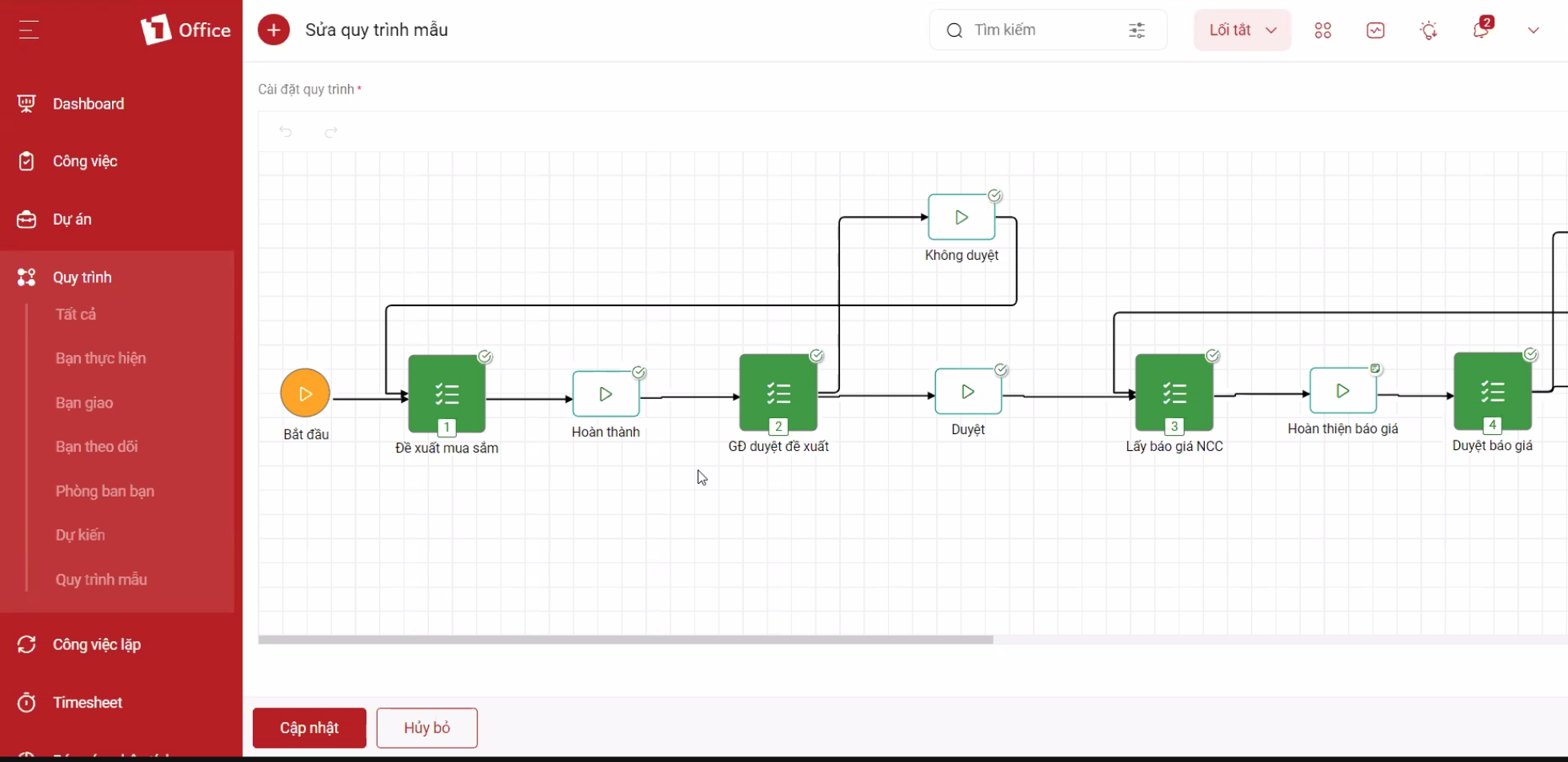
Sample project management process that allows for customization depending on the business
1Office has now integrated the “BPM – Business Process Management in Projects” feature. A workflow requires a form, and 1Office provides a tool to create and edit forms with drag-and-drop functionality directly within the process. You can create forms for advances, advance amounts, advance dates, reimbursement dates, etc. Therefore, you can transfer data simply, intelligently, specifically, and clearly on the system.
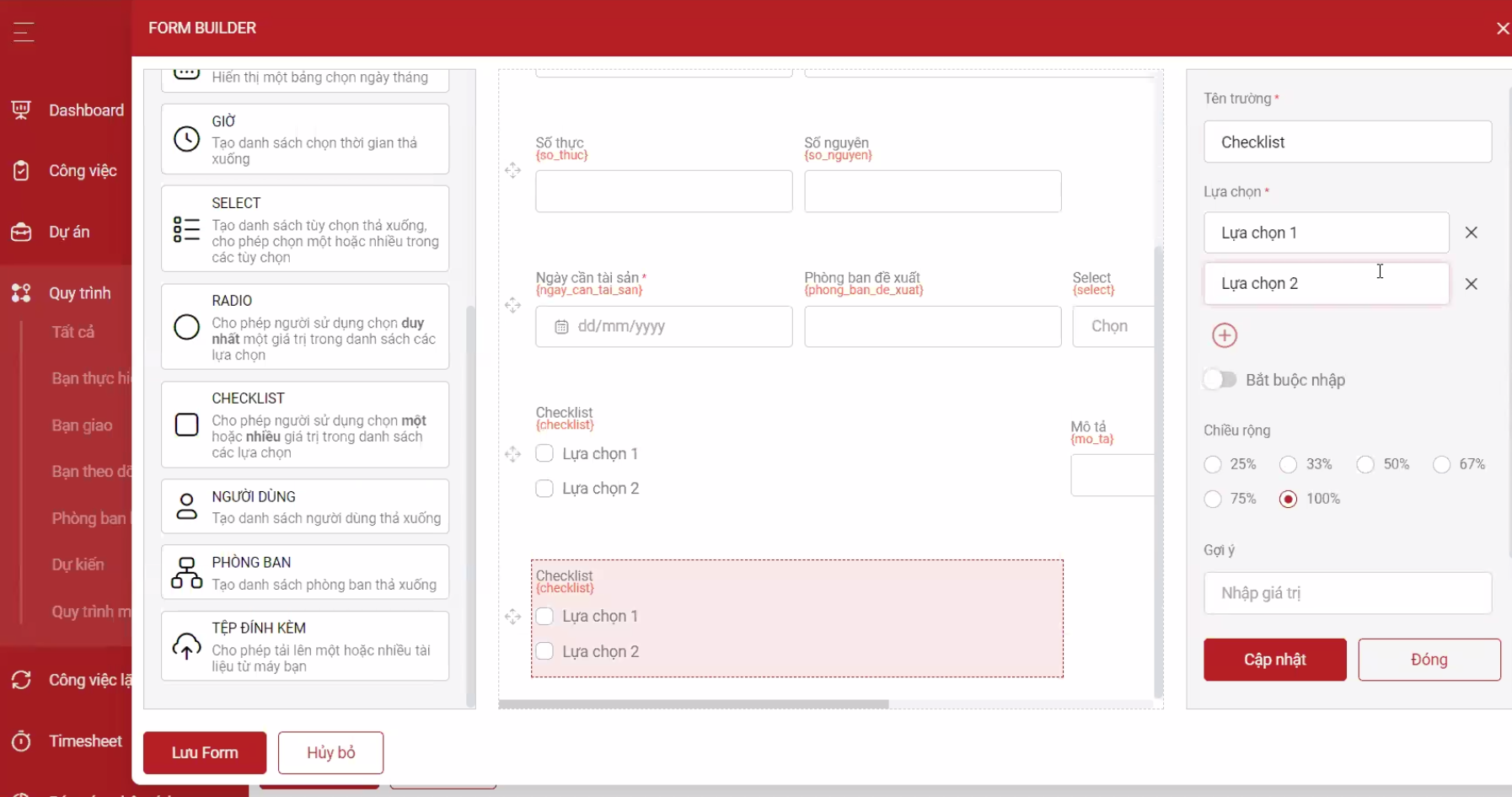
Creating customizable forms within the project process
This form has three functions: First, it digitizes data, helping to make information about products, goods, and supplies more transparent and clear. Second, it allows for reporting and summarizing all forms for the month. Third, keywords can be inserted into the form to be printed out as supporting documents.
Note: The accountant’s payment step. Typically, an accountant would create a payment voucher, then return to the process to mark the step as complete. This makes the operations somewhat complicated for the accountant and can sometimes cause confusion by requiring two tasks for one goal. Now, 1Office allows for the automatic creation of payment vouchers within the workflow. Once the request is approved, you can immediately proceed to the next step.
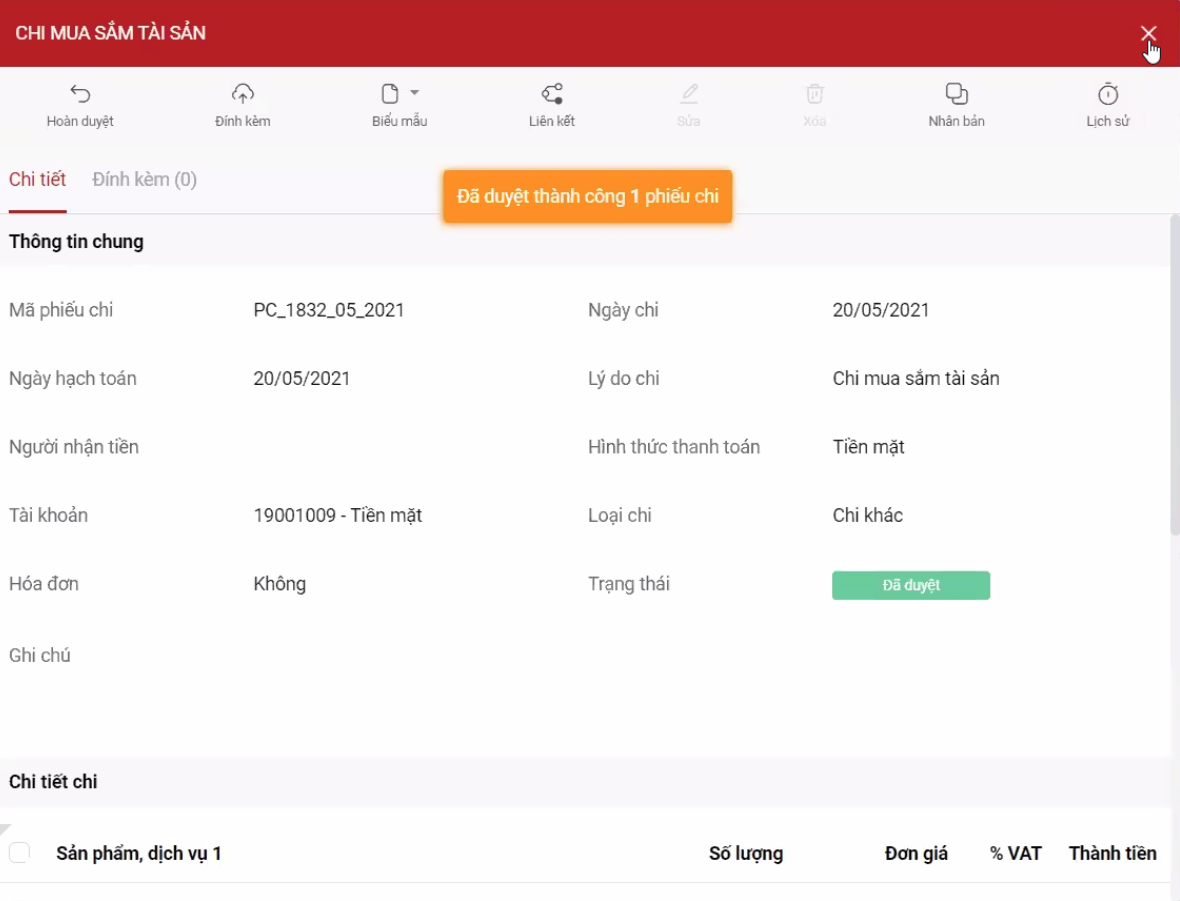
Completing the payment process for supplies within the project
These operations form a closed loop directly within the sales process or contract implementation; everything is automated and integrated solely within the business’s project process. This helps save a significant amount of time during work.
Note: Only users with assigned permissions can create a process, and any employee participating in the project can create tasks within the process.
During this webinar, many CEOs, Founders, and leaders from various businesses asked interesting questions about the program to learn about the new features as well as the 1Office total management platform. Many customers left praise after Mr. Le Viet Thang shared secrets to help businesses undergo digital transformation more easily, creating motivation for internal development so they can focus on market growth.
The webinar “Introducing BPM – Business Process Management and Supply Management in Projects” concluded successfully with enthusiastic sharing from 1Office CEO – Le Viet Thang, and the large participation of leaders and managers from businesses across the country.
















