


 13/05/2026
  217 views
To provide a better user experience, 1Office has upgraded the request form feature by adding a shift registration form, giving employees more flexibility in registering for suitable work shifts.
Adding a Shift Registration Form to the Request Form Feature
Depending on the nature of the work and the characteristics of certain industries, a number of employees are required to work around the clock. However, a single employee cannot perform well for 24 hours a day. Shift registration offers many practical benefits for businesses, such as: ensuring work efficiency and employee health, guaranteeing proper personnel allocation, saving costs, and allowing for flexible changes when a team member is sick, busy, or requests leave.
The shift registration form is used when an employee needs to change their shift for the day. This form is typically filled out according to a standard template and submitted directly to a superior for review and approval for an individual employee or a group of employees.
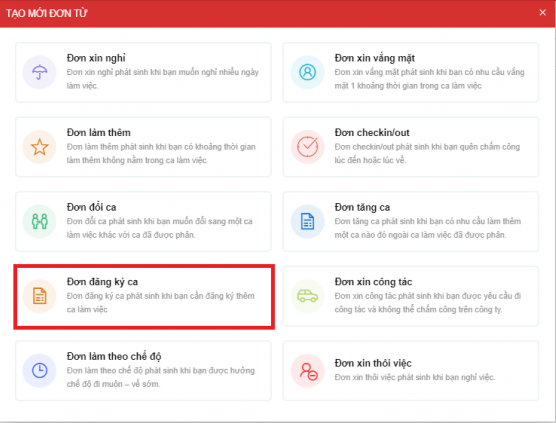 Adding a shift registration form on the 1Office system
However, to save users time and paperwork, 1Office has added a shift registration form. The system allows employees to easily create one directly on the platform, specifically:
1. Allows employees to easily toggle the shift registration form On/Off.
2. To register for a shift, employees will directly create a shift registration form and enter the following information:
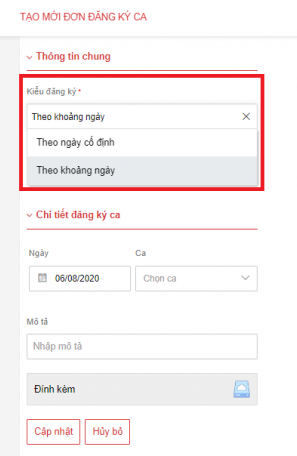 Employees can easily select the shift registration type from the available fields
– Enter registration information by date: The employee selects one of two options: by a fixed date / by a date range.
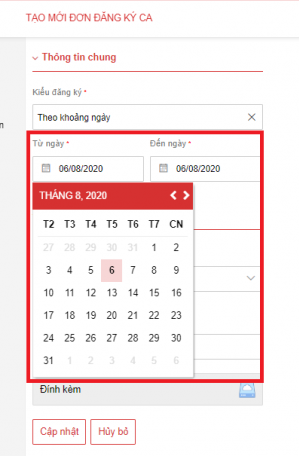 – If selecting by date range, the employee then chooses the shift registration time in the day/month/year field below.
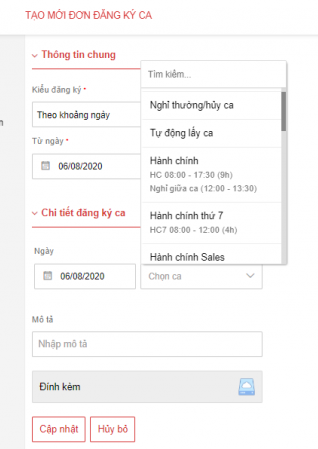 – The employee will proactively select the date and the registration created on the system.
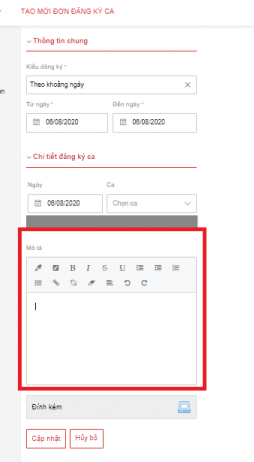 – The description section allows the employee to state the reason for their shift registration.
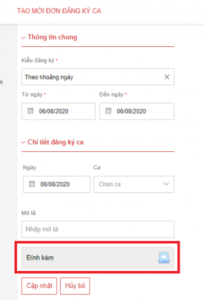 – The employee can attach photos or document files related to the work to be performed.
3. The approver of the shift registration form will manage the employee’s registered shifts through the shift registration table.
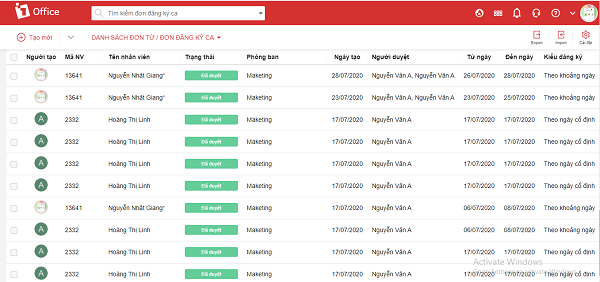 The shift registration form is automatically linked to the timekeeping sheet via a separate menu
4. The manager will directly approve the form and manage the employee’s work shifts through the timekeeping sheet using a separate menu called the shift registration table.
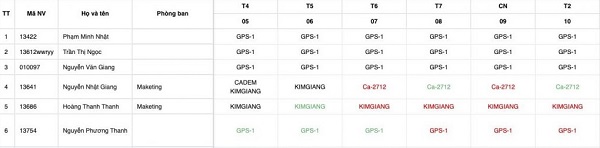 After being created by the employee, the shift registration form will be forwarded to the manager for approval
5. The shift registration table will include all approved and pending shifts, and the manager can approve shifts by day directly on this table.
The above is the new feature upgraded by 1Office in August 2020. We are not stopping at just adding request forms; we will continue to research, upgrade, and add many new features in the future. We hope to bring many new experiences to the customers who trust and use the 1Office application – the total solution for business management.
Related articles:
















