


 11/05/2026
  907 views
Easy sales management, automation, productivity optimization,… are the outstanding features that managers look for when searching for sales management software. Depending on the company size, business type, and specific needs, each business chooses a suitable solution for itself. If you are wondering how to choose an easy-to-use software with full features for your business, 1Office will help you get an overview, including the pros and cons of the software options in this article.
Mục lục
- 1. What is an easy-to-use sales management software?
- 2. What are the types of sales management software?
- 3. Why should you use sales management software?
- 4. TOP 15 best, easiest-to-use sales management software to buy
- 4.1. Domestic sales management software
- 1Office CRM Sales Management Software
- Getfly Sales Management Software
- Sapo Sales Management Software
- TrustSales Software – Online Sales Management
- KiotViet Sales Management Software
- Bizfly Sales Management Software
- Nhanh.vn Sales Management Software
- Haravan Sales Management Software
- Suno.vn sales management software
- 4.2. International Sales Management Software
- 4.1. Domestic sales management software
- 5. Criteria for choosing the right sales management software
- 6. Should you use domestic or foreign sales management software?
- 7. Guide to implementing sales management software for each industry
- Guide to implementing sales management software for the F&B industry to manage remotely and minimize errors during peak season
- Guide to implementing sales management software for the fashion industry to reduce errors and enhance the customer experience
- Guide to implementing sales management software for the distribution – agency industry to control receivables and increase revenue
- Guide to implementing sales management software for the service industry to increase customer satisfaction and save 50% of management time
1. What is an easy-to-use sales management software?
Sales management software is a type of application or system designed to help businesses manage every aspect of the sales process and inventory management. This software can track and manage inventory, process sales transactions, create invoices, manage customer information, and provide reports and data related to business operations.
An easy-to-use and highly convenient sales management software will automate manual processes such as creating purchase orders, confirming payment vouchers, etc., helping to save time for managers and staff, enhance employee work efficiency, and avoid “human” errors in business processes.
2. What are the types of sales management software?
Currently, there is a variety of sales management applications on the market. Below are the common ways to classify sales management software:
- Classification by target audience: Includes sales management applications for businesses (also known as CRM software); for individuals, and for small business units.
- Classification by characteristics: Includes software that supports offline and online sales.
- Classification by industry of use: Includes management software for the pharmaceutical industry, for distributors, and for the real estate industry.
3. Why should you use sales management software?
Each type of software will have features suitable for specific sales activities. However, in general, using sales management software will bring the following benefits to business units:
- Automate sales processes that were previously done manually.
- Support sales activities to enhance work productivity.
- Save time and costs in the sales management process.
- Minimize errors that arise during sales transactions.
4. TOP 15 best, easiest-to-use sales management software to buy
4.1. Domestic sales management software
1Office CRM Sales Management Software
1Office CRM sales management software is known as a module of the 1Office business management software. With a customer base of over 8000+ businesses and 500,000 users, 1Office, as a total business management software in general and 1Office CRM in particular, is one of the best and most widely used online sales management software in Vietnam today.
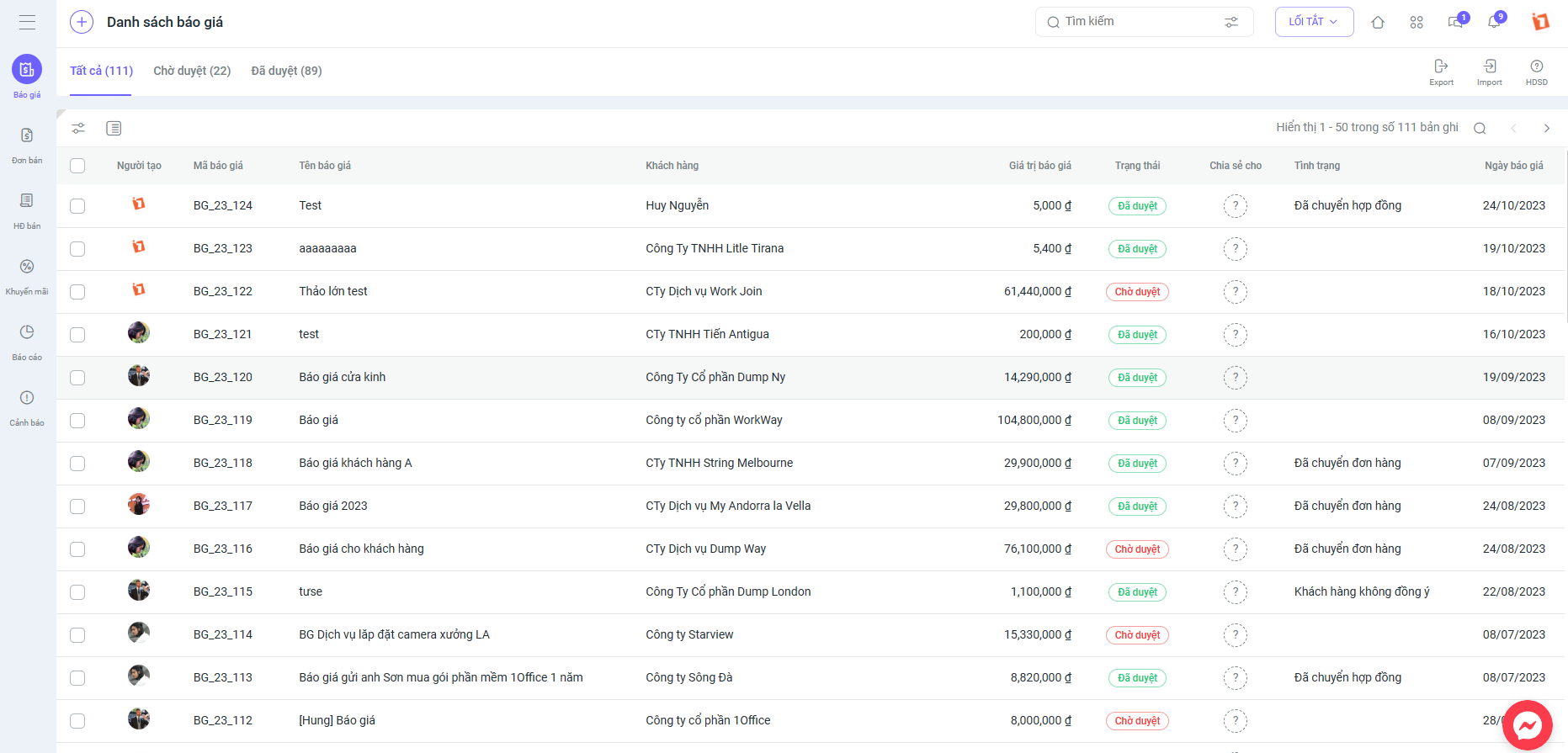
When using 1Office, your business will be equipped with a series of key features, including:
- Manage customer information on the software, with customer data always available on the system, making it easy for employees to look up and search.
- Each specific customer data entry will be linked to the employee in charge, making it easier than ever for managers to supervise work.
- Create order and contract information directly on the system.
- Integrate with smart features such as: sending emails, making phone calls or texting customers, and signing digitally right on the software. You can use the digital signature function to sign documents and contracts anytime, anywhere, quickly and easily.
| Advantages | Disadvantages |
|
|
Extremely reasonable cost: From 40,000/User/month
While 1Office CRM excels at optimizing sales processes and managing customer relationships, businesses often need more than just customer-centric tools to thrive. To achieve operational excellence and drive sustainable growth, optimizing internal workflows and team collaboration is crucial.
This is where 1Work, another powerful module of 1Office, comes into play. Designed to transform how businesses manage tasks and projects, 1Work offers a seamless solution to enhance efficiency and team collaboration. Key features include:
- Task and Project Management: Easily create, assign, and track tasks to ensure projects stay on schedule.
- Progress Tracking: Provides real-time insights into task completion and team performance through intuitive dashboards.
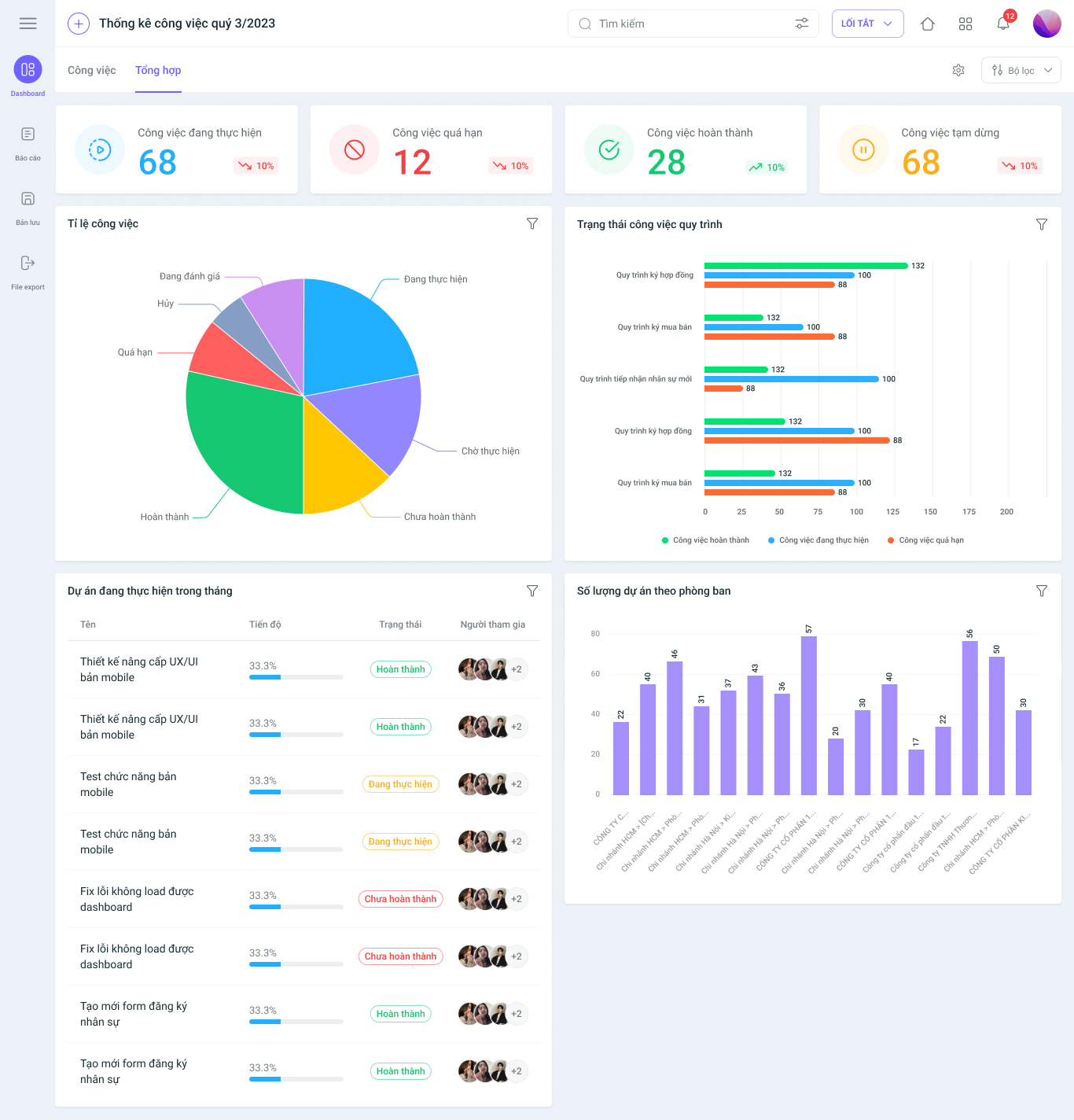
- Workflow Automation: Standardize repetitive processes to save time and minimize errors.
- Centralized Document Management: Securely store and share project-related files, enabling smooth team collaboration.
By integrating 1Work with 1Office CRM, businesses can not only manage customer relationships effectively but also ensure internal operations run like a well-oiled machine. Discover 1Work today to elevate your team’s productivity!
Register for a free trial to get a free Demo account from 1Office
Getfly Sales Management Software
Getfly CRM is a sales and customer care management software for small and medium-sized businesses, helping to automate processes and optimize performance.
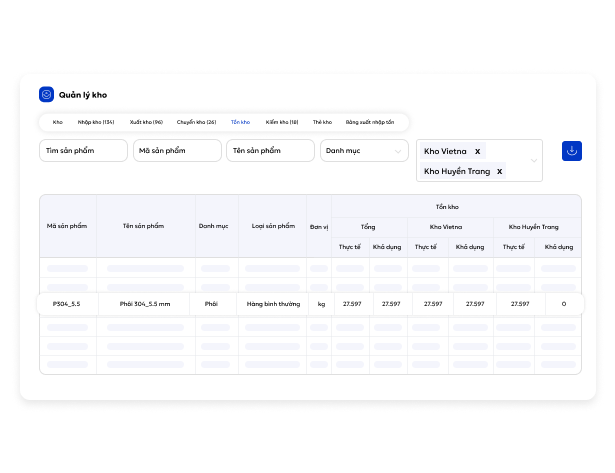
Key features of the Getfly software include:
- Manage customers, contracts, and marketing campaigns.
- Integrate multi-channel sales (Facebook, Email, SMS).
- Automate customer care and manage sales processes.
- Manage product catalogs and goods with inventory tracking (Import – Export – On-hand)
| Advantages | Disadvantages |
|
|
Software price:
- Basic package from 6,000,000 VND/year, advanced package from 72,000,000 VND/year.
Sapo Sales Management Software

Sapo business management software is one of the best applications available today, integrating many useful tools to support effective sales management. In particular, the software provides an optimal inventory management feature designed specifically for retail and chain store owners. It supports the entire process from goods receipt to sales, dispatch, and reporting, saving up to 80% of time and personnel costs, while also simplifying inventory management.
The software’s special features include:
- Effective customer and revenue management.
- Optimize order closing and manage best-selling products.
- Control posts and manage negative reports.
- Monitor and manage comments in messages.
- Detailed and accurate expense and debt management.
- Detailed daily, weekly, and monthly revenue reports.
- Track employee activities and revenue per work shift.
- Accurate and detailed inventory management for single stores and chain stores.
| Advantages | Limitations |
|
|
Sales support software pricing:
- 160,000 VND/month package: For small, newly established stores
- 249,000 VND/month package: For stores and store chains
- 599,000 VND/month package: For multi-channel retail stores
TrustSales Software – Online Sales Management
TrustSales is a sales management software that helps store owners easily manage their sales process, boost sales quickly, and do everything simply at a low cost. This software is particularly well-suited to support newly established stores and businesses.
Key features of TrustSales include:
- Integrates all comments, inboxes, and orders on a single screen.
- Supports professional customer responses.
- Automatically creates orders from comments containing a phone number to confirm the purchase.
- Effective order management.
- Integrates multiple sales channels.
- Easily manage shipping with multiple carriers.
- Visual reports providing detailed information on the store’s business performance.
| Pros | Cons |
|
|
TrustSales implementation package pricing:
- Personal Package (Standard): 200,000 VND/month.
- Startup Package (Pro): 400,000 VND/month.
- Business Package (Business): 800,000 VND/month.
- Premium Package: 1,500,000 VND/month.
KiotViet Sales Management Software
KiotViet is a prominent management software known for its simple yet professional operating process. It can be used on computers, phones, handheld POS devices, or directly at the checkout counter, offering convenience to users. This software supports order receiving, order transferring, inventory management, revenue and expenditure tracking, as well as customer data management simply and quickly.
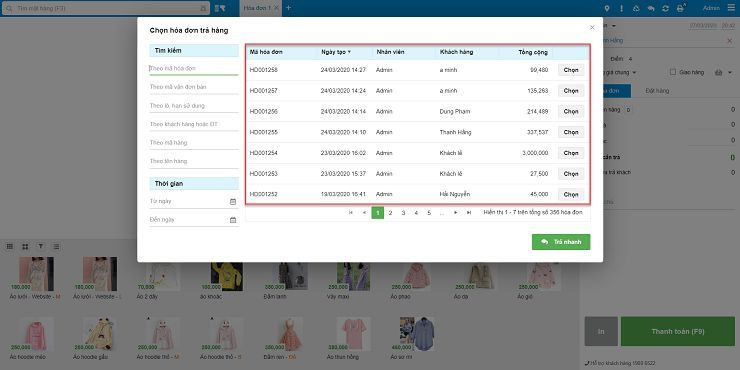
Notable features of KiotViet include:
- Track inventory levels with real-time updated metrics.
- Manage revenue, expenditures, and debts in a detailed and reliable manner.
- Provide detailed statistical reports on business performance through bar charts, pie charts, etc.
- Create various types of sales transactions (such as creating invoices, placing orders, processing returns, etc.) to increase work productivity by 30-50%.
- Manage goods simply and conveniently, allowing unlimited entry of product quantity, color, model, and material.
- Support comprehensive customer segmentation, create and manage promotional programs, and easily monitor business activities.
| Pros | Cons |
|
|
KiotViet sales management software pricing:
- Support package: 180,000 VND/month, for small business models with a maximum of 3 users.
- Professional package: 250,000 VND/month, for professional business models with unlimited users.
Bizfly Sales Management Software
Bizfly CRM is a customer and sales team management software that helps businesses optimize customer care processes and enhance sales efficiency. Developed by Bizfly Cloud, Bizfly CRM integrates many features to improve customer management, sales processes, and support multi-channel customer outreach.
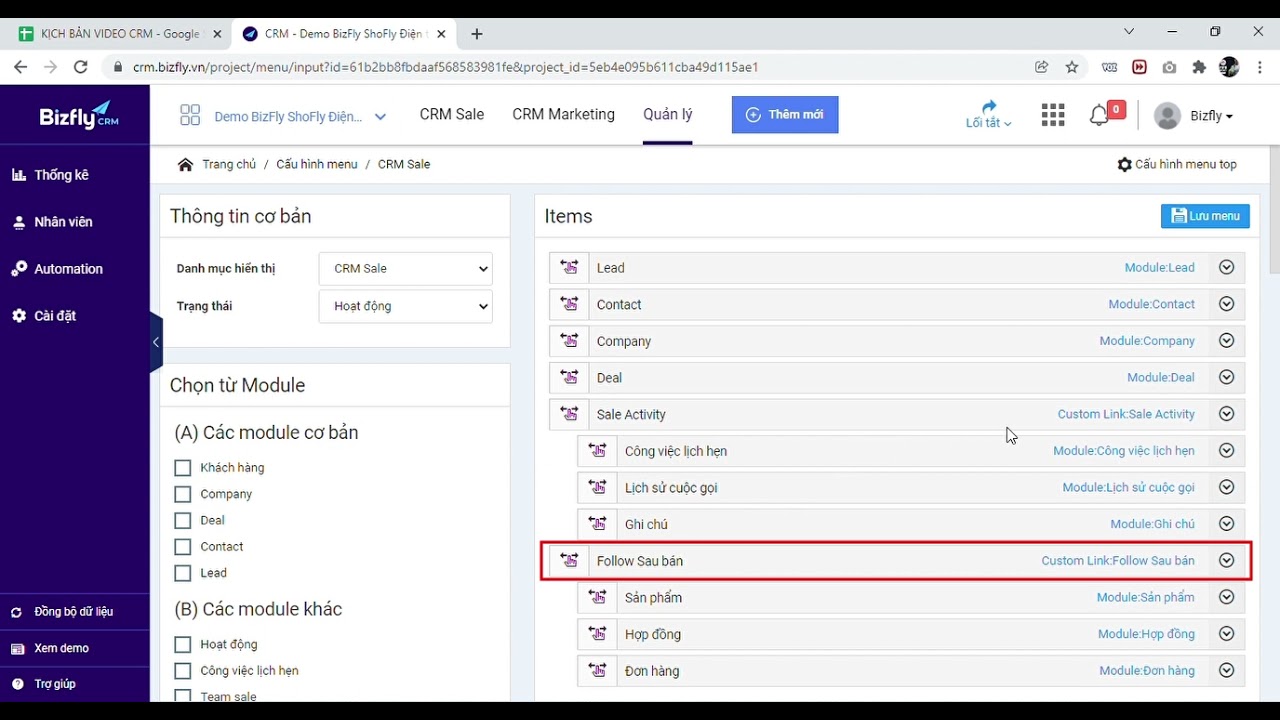
Notable features of Bizfly include:
- Customer segmentation and automatic sales assignment by customer groups for more effective interaction.
- Multi-channel management: Customer data from multiple sources is managed on a single platform.
- Smart reporting system: Detailed reports on customers, sales team activities, and business performance.
- CRM Call Center: Make calls and store call logs directly on the system, monitor call quality, and automatically transcribe content to text.
| Pros | Cons |
|
|
Bizfly sales management software pricing:
- Basic: 500,000 VND/month (for 15 users, stores 10,000 customers).
- Standard: 850,000 VND/month (for 40 users, stores 30,000 customers).
- Advanced: 1,250,000 VND/month (for 70 users, stores 50,000 customers).
- Vip: 2,450,000 VND/month (for 150 users, stores 100,000 customers).
Nhanh.vn Sales Management Software
Nhanh.vn sales management software, developed by VNP Group, is one of the comprehensive solutions in the retail sector. The software integrates four main functions: multi-channel sales management, Fanpage management, website building, and integration with shipping carriers.
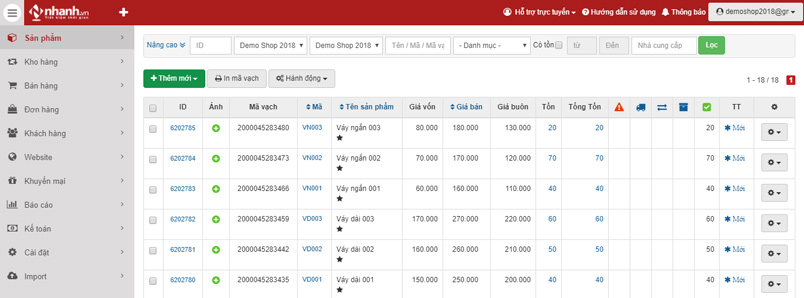
Notable features of Nhanh.vn include:
- Automatic payment, invoice printing, and invoice issuance
- Data synchronization from multi-channel sales (Social media and e-commerce platforms)
- Diverse payment methods: bank transfer, QR code scanning, e-wallets, credit cards, etc.
- Inventory and personnel management: Supports automation of inventory management processes and sales staff performance.
| Pros | Cons |
|
|
Nhanh.vn sales management software pricing:
- POS Basic Package: 150,000 VND/month/store
- POS Pro Package: 250,000 VND/month/store
- Omnichannel Package: 550,000 VND/month/store
Haravan Sales Management Software
The Haravan sales management platform allows store owners to easily set up marketing campaigns, sales websites, connect to e-commerce platforms, and automate the sales process from payment to shipping and inventory control.
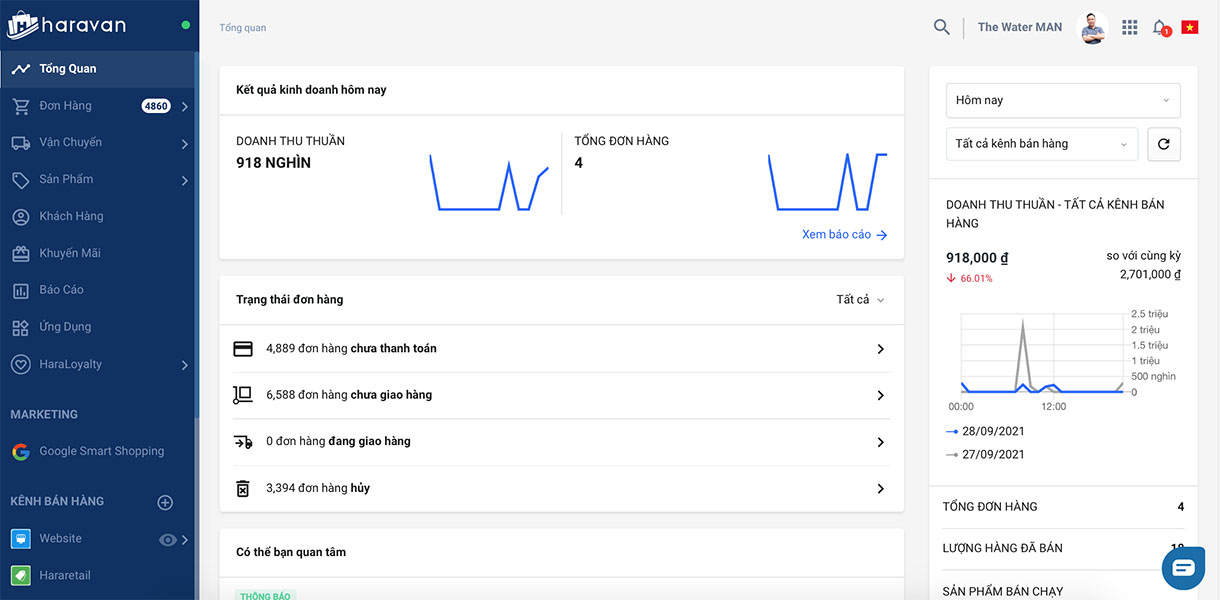
Notable features of Haravan include:
- Connects multi-channel sales, processes orders, handles shipping, and manages inventory.
- Integrates with 12 payment gateways, including e-wallets, international and domestic bank ATMs.
- Provides a detailed reporting system for revenue, performance, and purchase history.
- Easily monitor the sales system remotely and intelligently assign permissions to employees.
| Pros | Cons |
|
|
Pricing for Haravan sales management software:
- Standard Plan: 300,000 VND/month/store
- Omni Pro Plan: 680,000 VND/month/2 stores
- Omni Advanced Plan: 800,000 VND/month/2 stores
Suno.vn sales management software
Suno is a sales management software designed to be “super simple,” making it especially suitable for small and medium-sized stores and businesses. The software simplifies steps in the sales process, such as calculating payments, managing inventory, tracking revenue and expenses at each branch, and creating detailed business reports.
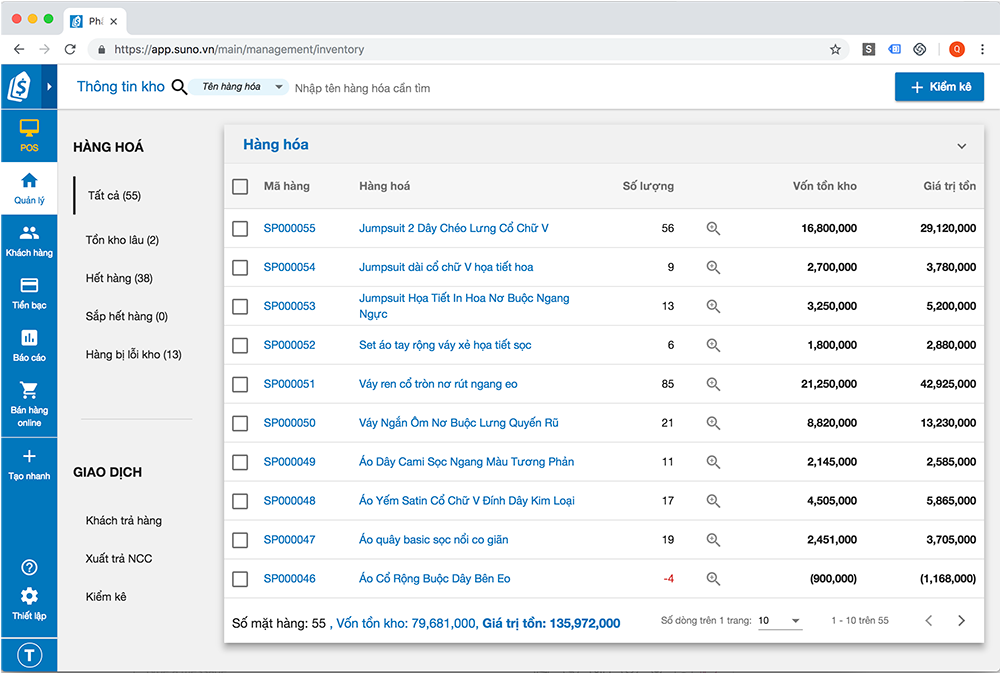
Notable features of Suno.vn include:
- Easy online selling: Supports the quick creation of a professional sales website
- Synchronize product and order data across multiple platforms and channels: websites, social media stores
- Connect with sales equipment: Allows integration with sales devices such as barcode scanners, receipt printers, and cash drawers, helping to optimize the in-store sales process.
- Visual and detailed reports: Easily inventory and track data, and monitor the sales system remotely.
| Advantages | Disadvantages |
|
|
Suno.vn sales management software pricing:
- From 220,000 VND/store/month
4.2. International Sales Management Software
Salesforce Sales Management Software
Salesforce is a cloud-based customer relationship management (CRM) software. The software allows businesses to find potential customers, close deals, and connect with and care for customers more effectively.
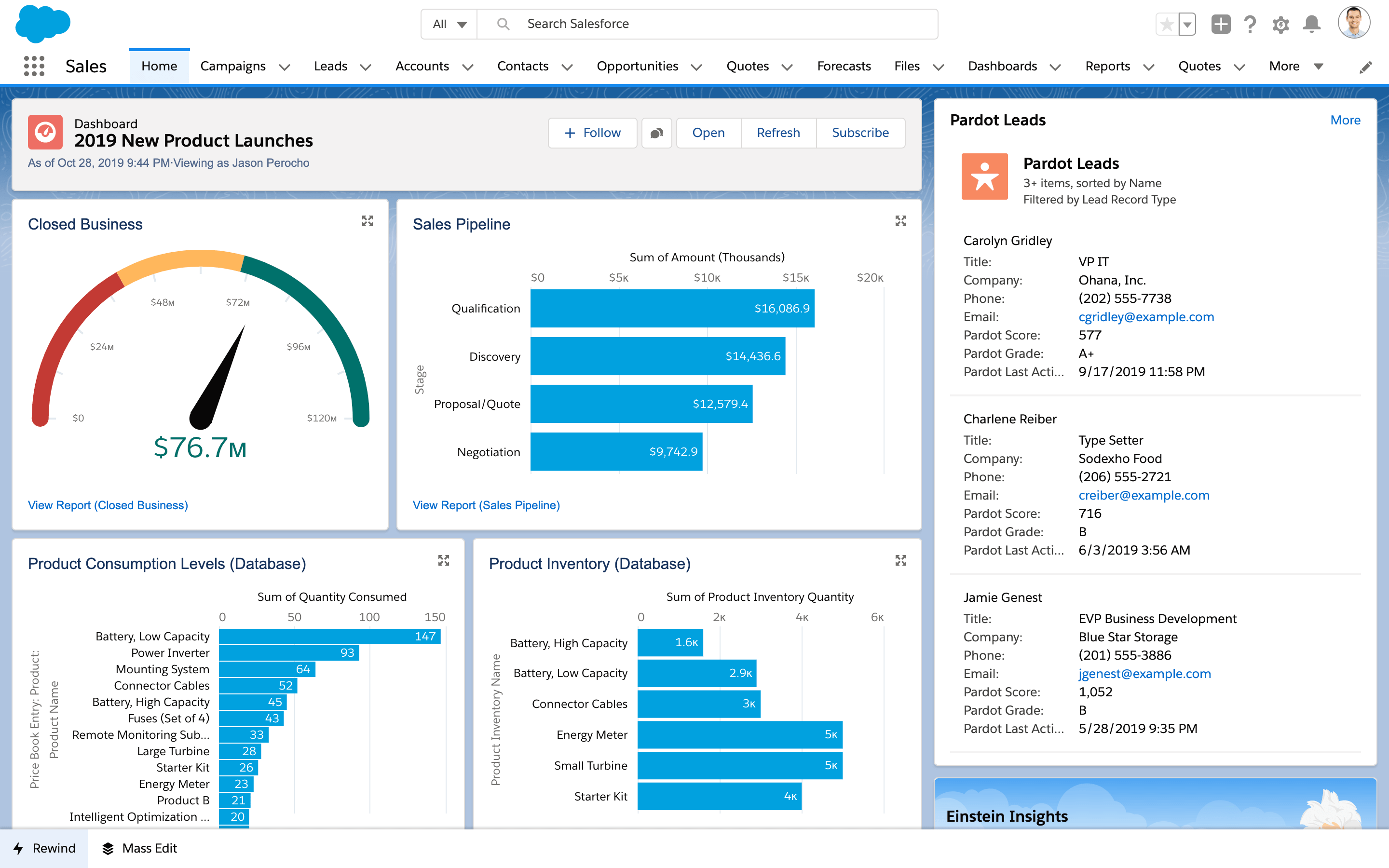
Notable features of Salesforce include:
- Automate sales processes, manage opportunities, and forecast sales
- Create and track marketing campaigns, personalize messages, and measure campaign effectiveness.
- Helps improve the shopping experience, manage requests, and provide better customer service
- Provides a multi-dimensional and detailed reporting system
| Advantages | Limitations |
|
|
Salesforce sales management software pricing:
- The cost of using Salesforce depends on the service packages and features the business chooses. Service packages can range from tens to hundreds of USD per user per month.
Zoho CRM Sales Management Software
As a cloud-based customer relationship management software, Zoho CRM allows businesses to manage sales processes, marketing, customer support, and related interactions. The software helps businesses collect and analyze customer data, thereby enhancing efficiency in maintaining and developing customer relationships.
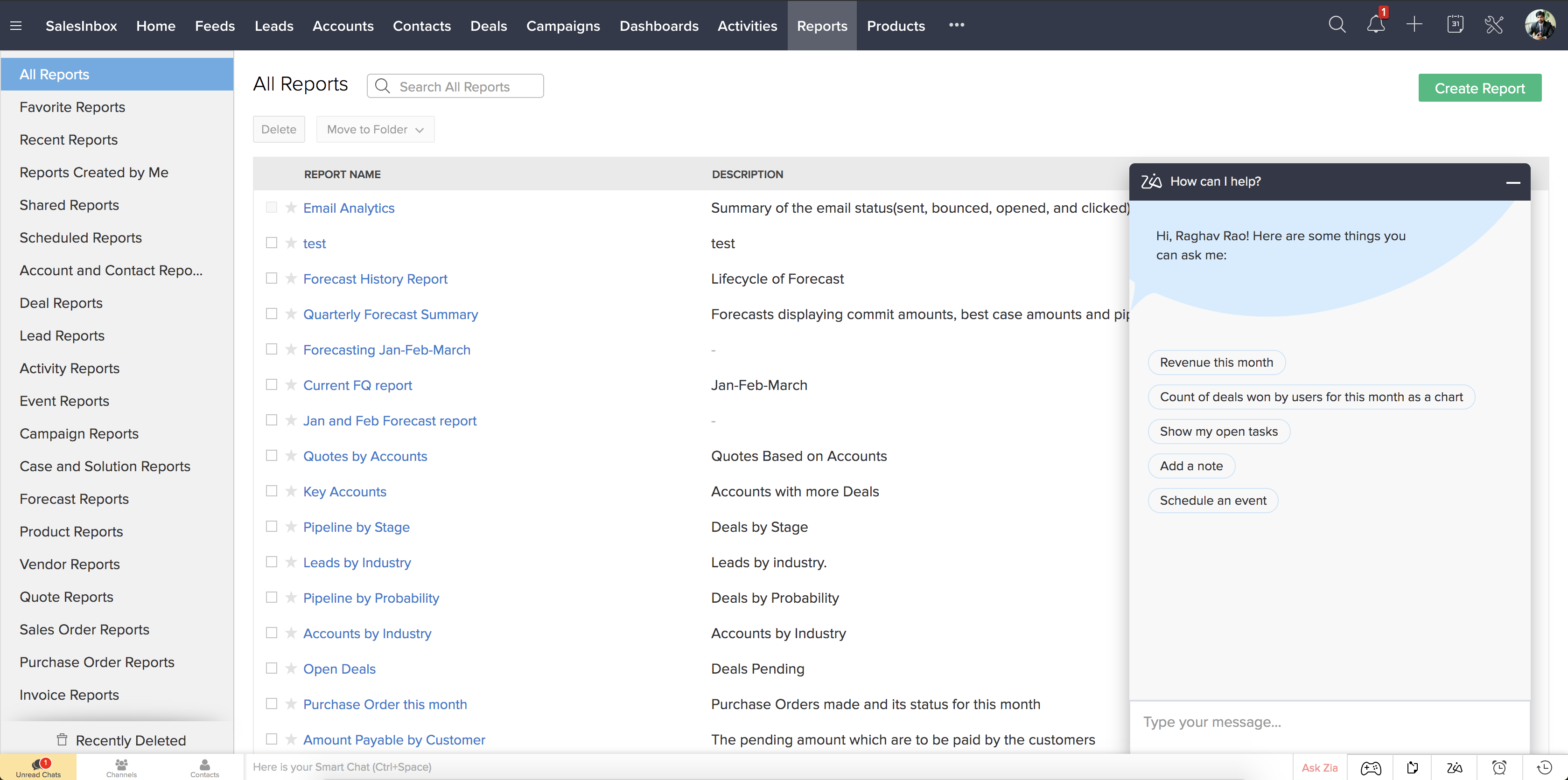
Notable features of Zoho CRM include:
- Relationship and lead management
- Sales process automation: sending emails
- Sales pipeline management, tracking the progress of deals
- Easily create and customize reports for analysis and decision-making
- Supports multi-channel sales integration: email, social media, website
- Allows customization of the interface and workflows according to the business’s needs
| Advantages | Limitations |
|
|
Zoho CRM sales management software pricing:
-
- Free Plan: Free for up to 3 users, with basic features.
- Standard Plan: 14 USD/user/month, includes contact management, sales automation, and email integration features.
- Professional Plan: 23 USD/user/month, with process management features, integration with other applications, and advanced analytics tools.
- Enterprise Plan: 40 USD/user/month, includes all premium features, including Zia AI, multi-channel management, and in-depth analytics.
- Ultimate Plan: 52 USD/user/month, offers all features plus priority support.
Clickup CRM sales management module
ClickUp CRM is a powerful tool that helps businesses manage their sales processes effectively. Although not a specialized CRM software, ClickUp can be customized to manage every aspect of the sales process, from tracking potential customers and managing deals to automating sales workflows.
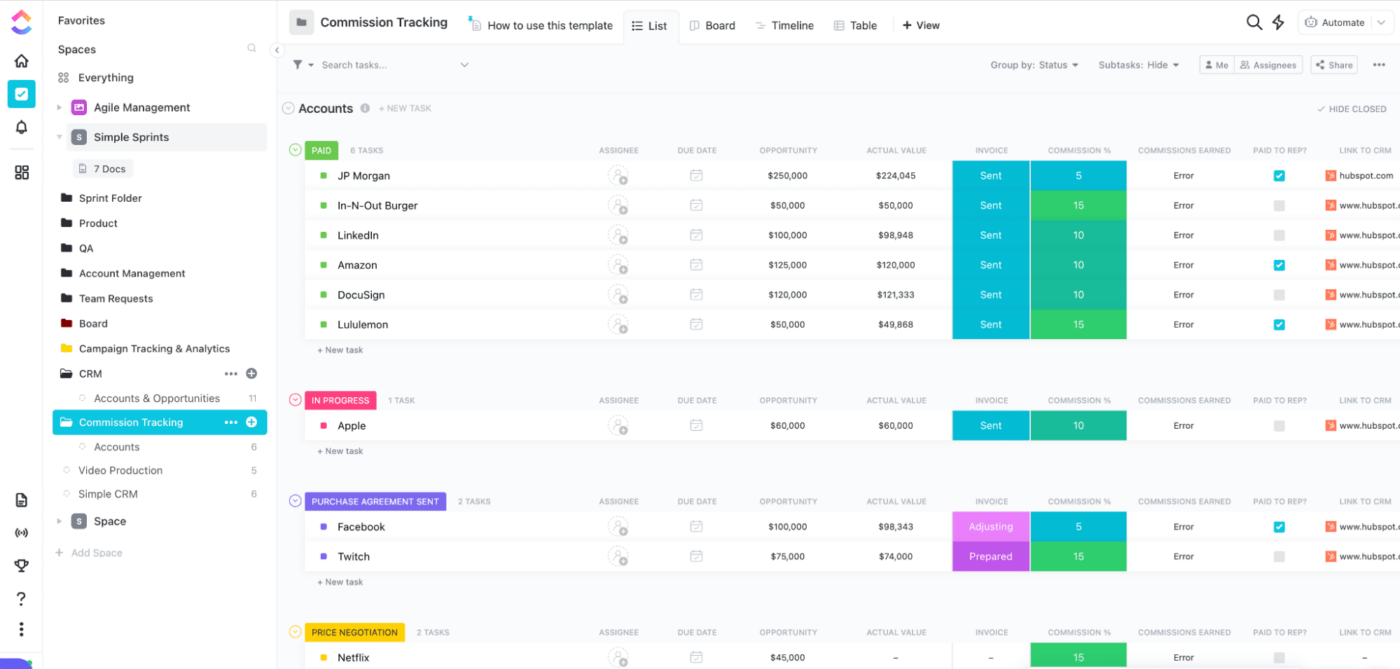
Notable features of Clickup CRM include:
- Manage potential customers and the sales pipeline by stage
- The software allows the sales team to manage individual deals and steps in the process
- Provides workflow automation features to minimize manual tasks. For example: changing the status of a potential customer, etc.
- Offers a multi-dimensional reporting system, allowing customization to track the number of deals, forecast revenue, sales performance, etc.
- .Document management, storing contracts, minutes, and important information
| Advantages | Limitations |
|
|
ClickUp CRM Sales Management Software Pricing:
- Free Forever Plan: For individuals at no cost, includes 100 MB of storage
- Unlimited Plan: Priced at $9 USD/user/month (or $5 USD if paid annually)
- Business Plan: $19 USD/user/month (or $12 USD if paid annually). Includes advanced features like workload management, custom data export, and Google single sign-on.
- Business Plus Plan: $29 USD/user/month (or $19 USD if paid annually), for larger companies with advanced team management tools such as custom roles, more automations, and priority support.
- Enterprise Plan: For large enterprises with complex needs, pricing is customized based on specific requirements. Includes enterprise-grade security features, white labeling, and live training.
Hubspot CRM Sales Management Software
Hubspot CRM is a customer relationship management software developed to help businesses manage interactions with potential and existing customers. The software provides powerful tools to track and manage the entire sales process, from lead generation to deal management and reporting.
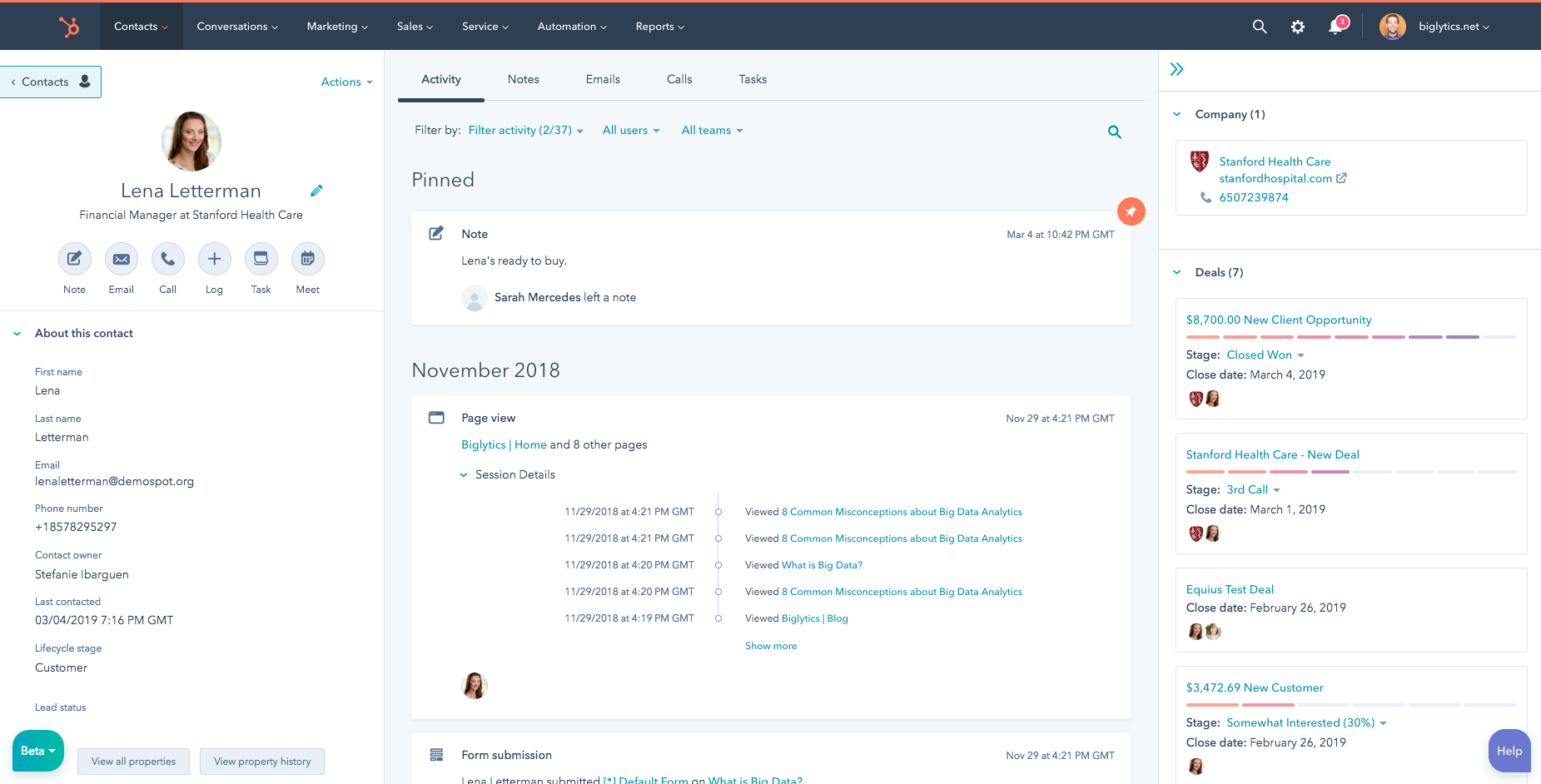
Notable features of Hubspot CRM include:
- Allows you to store, manage, and organize all interactions with potential customers
- Create, track, and manage sales deals through different stages of the pipeline
- Provides detailed reports on sales performance, including conversion rates, projected revenue, and the performance of each sales representative.
- Supports scheduling appointments for meetings with potential and existing customers, integrating directly with the sales staff’s personal calendars.
- Easily integrates with marketing tools (HubSpot Marketing Hub), customer service tools (HubSpot Service Hub), and many third-party applications like Gmail, Outlook, and social media platforms.
| Advantages | Disadvantages |
|
|
Hubspot CRM sales management software pricing:
- Free Plan: Provides basic features such as contact management, deals, appointments, and reporting
- Starter Plan: from 20 USD/month
- Professional Plan: from 500 USD/month
- Enterprise Plan: 1,200 USD/month
Pipedrive Sales Management Software
Pipedrive is a sales management software focused on managing the sales pipeline and helping sales teams improve their work efficiency. This software is designed to help businesses manage and track deals in the sales process, with an intuitive, easy-to-use interface.
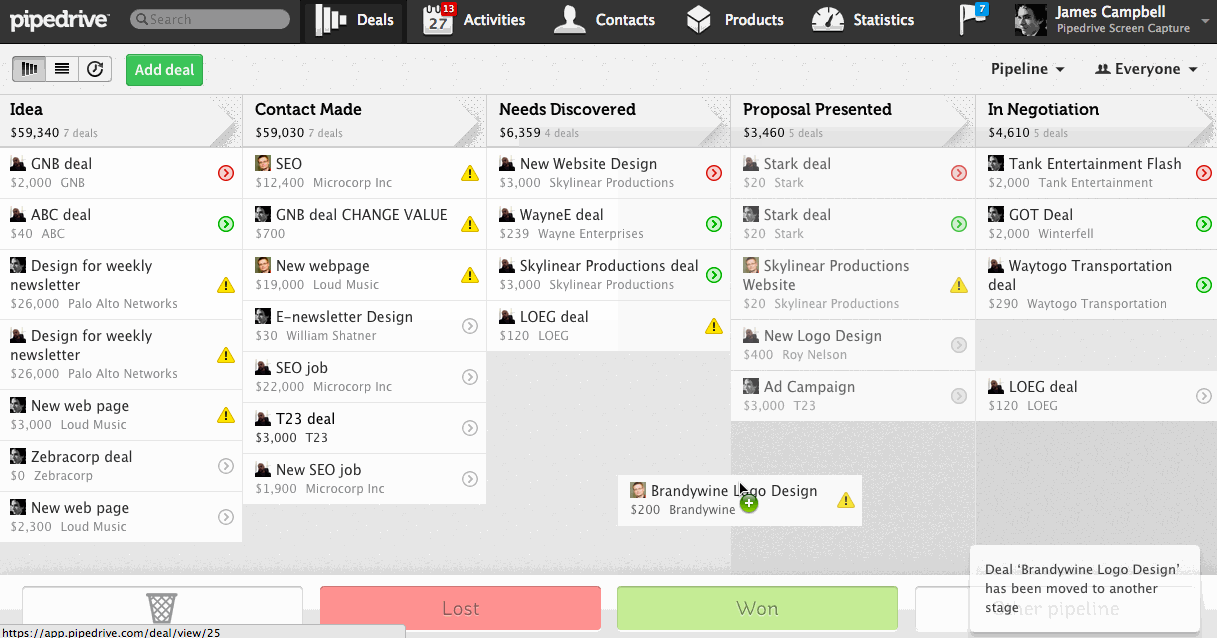
Notable features of Pipedrive include:
- Sales pipeline management, visualizing each stage in the sales process
- Allows for storing and managing contact information of potential and existing customers.
- Provides process automation tools such as automatic emails, reminder notifications, and automation of deal-related tasks, helping to save time and increase work efficiency.
| Advantages | Disadvantages |
|
|
Pipedrive sales management software pricing:
- Essential: $14.90/user/month
- Advanced: $27.90/user/month
- Professional: $49.90/user/month
- Enterprise: $99/user/month
SAP Sales Cloud Sales Management Software
SAP Sales Cloud is a cloud-based sales management software developed by SAP. As part of the SAP Customer Experience ecosystem, the software is designed to help businesses manage the entire sales process from start to finish, improve sales performance, and foster customer relationships.
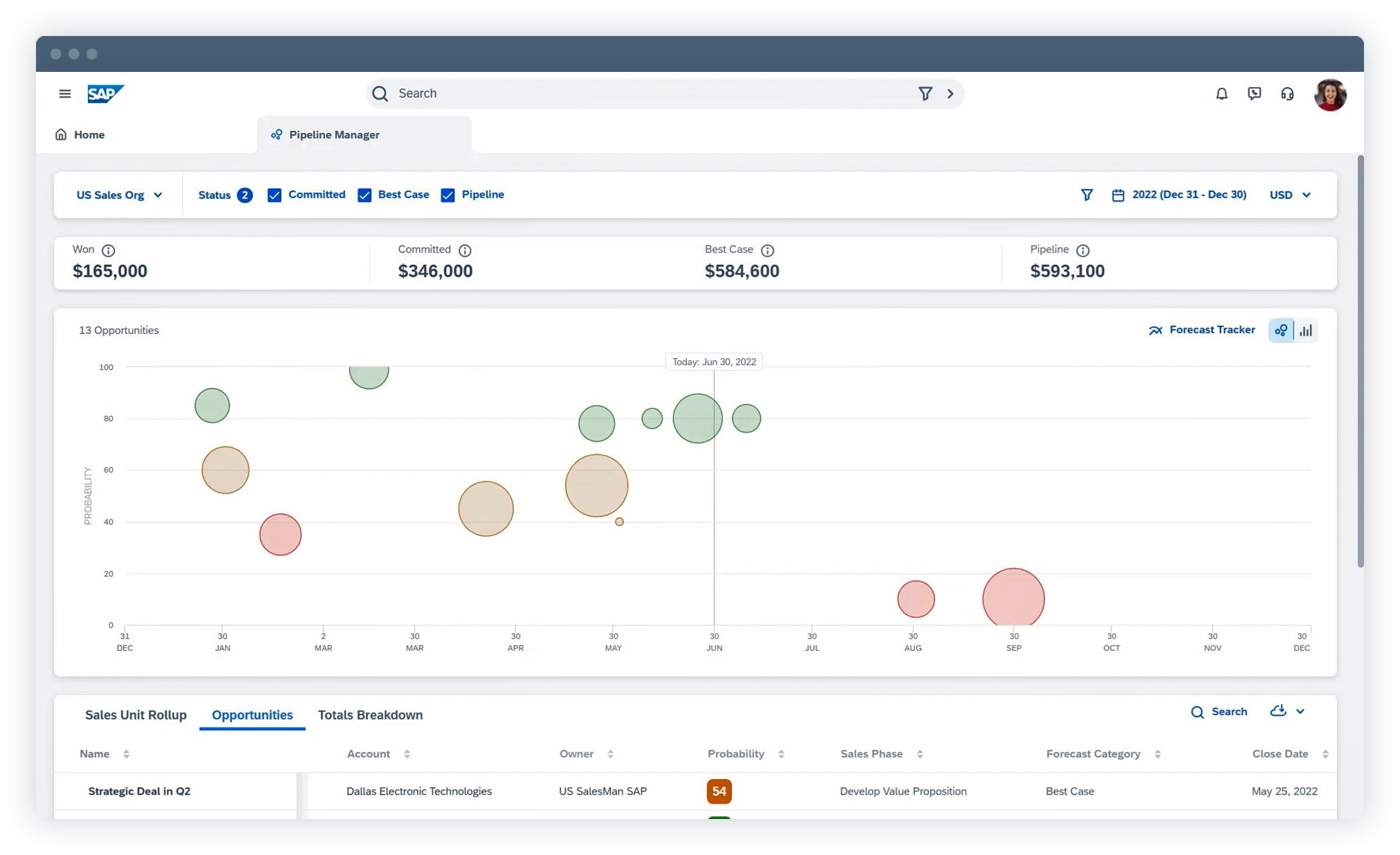
Notable features of SAP Sales Cloud include:
- Manage the entire sales process, from lead generation and opportunity management to closing deals and post-sales follow-up.
- Powerful integration capabilities with other SAP ERP and CRM systems, helping to synchronize data from the sales department with other departments such as finance, production, and inventory management.
- Revenue forecasting tools help managers estimate potential revenue from ongoing deals.
- Supports customer data analysis and integrates with many popular sales and marketing tools.
| Advantages | Disadvantages |
|
|
SAP Sales Cloud sales management software pricing:
- The cost can range from a few hundred to several thousand USD per month, depending on the number of users, the features used, and integration with other SAP systems.
5. Criteria for choosing the right sales management software
When comparing sales management software to choose the best one, businesses should consider the following 8 criteria:
- Comprehensive sales operations support: The features must meet basic requirements such as managing customer information, goods, orders, and inventory.
- Sales staff management: Provide KPI targets and track the performance of sales employees.
- Detailed setup and reporting capabilities: The software should be able to customize reports and analyze data according to user requirements.
- Intuitive, user-friendly interface: A simple interface helps users easily use and track information.
- Information security: Ensure the safety and security of customer data.
- Mobility and remote work: The software should support remote sales management via a mobile application.
- Data integration across marketing – sales – accounting: The ability to integrate data between departments for more effective work.
- Vietnamese language support: Prioritize software that supports Vietnamese and understands the needs of the Vietnamese market.
Specifically, the 1Office CRM software meets the above criteria by providing security certificates, mobile app accessibility, data integration between departments, and Vietnamese language support. Additionally, this software can link with other software in the 1Office ecosystem to enhance work efficiency.
6. Should you use domestic or foreign sales management software?
When choosing sales management software, businesses often hesitate between two options: domestic or foreign software. Below is an analysis of the pros and cons of each type to help you make a decision that suits your business:
Domestic software
Pros:
- Suitable for the domestic market’s specifics: Domestic software is often designed to comply with regulations and business practices in Vietnam. Therefore, users can easily integrate local payment methods and receive full Vietnamese language support.
- Prompt support and customer service: With headquarters in Vietnam, domestic software providers have an advantage in customer support, warranty, and bug fixing, which are often faster, thereby minimizing the time it takes to resolve issues during use.
- Reasonable cost: Domestic software typically has a lower usage cost compared to foreign software as it is not affected by exchange rates and international service fees.
Cons:
- Limited features: Some domestic software may have fewer features or less customization capability compared to major foreign software. This can be a challenge if the business scales up.
Foreign software
Pros:
- Diverse features: Foreign software often comes with advanced features, artificial intelligence (AI) integration, big data analytics, and detailed reporting, helping to optimize sales management.
- Scalability: Suitable for large enterprises that plan to expand their operations internationally, thanks to its flexibility and multinational integration capabilities.
Cons:
- High service fees: Due to costs related to licensing and support services, the price of foreign software is often much higher than that of domestic software.
- Limited support and customer service: Support from foreign providers can often be difficult, inconvenient, and delayed due to time zone and language differences.
- Not suitable for local specifics: Foreign software often does not fully meet the legal requirements, regulations, and business specifics of the Vietnamese market
If your business operates primarily in the Vietnamese market, domestic sales management software is a good choice with a reasonable cost. If your business is a multinational corporation or plans to expand internationally, foreign software with powerful features will be a more suitable option.
7. Guide to implementing sales management software for each industry
Guide to implementing sales management software for the F&B industry to manage remotely and minimize errors during peak season
The F&B industry always faces significant operational challenges, especially during peak times like holidays, Tet, or the tourist season. Manually controlling orders, invoices, and cash flow can easily lead to mistakes, losses, and long wait times for customers.
Sales management software for the F&B industry helps simplify this process by digitizing all operations, from the moment an employee takes an order until the dish is sent to the kitchen or bar. The owner, even when not at the store, can still track revenue, customer traffic, and best-selling dishes in real-time on their phone.
For effective implementation, restaurants or cafes should start by setting up an electronic menu directly on the system. Then, assign employee permissions for each shift to ensure clear responsibilities. At the same time, integrating with receipt printers and POS devices helps make the sales process faster and more accurate. Once employees are trained and familiar with entering orders directly into the software, the issue of mistaken or missed orders is almost eliminated.
The easily noticeable result is that the store operates smoothly even when order volume increases manifold, providing a more satisfying experience for customers and helping owners manage remotely with peace of mind.
Guide to implementing sales management software for the fashion industry to reduce errors and enhance the customer experience
The fashion industry is highly specific, with thousands of product codes differing in size, color, and style. Therefore, manual inventory control often leads to errors and can even directly affect the customer experience when they cannot find a suitable product.
Sales management software for the fashion industry helps standardize processes by managing each product in detail by code, size, and color. During implementation, businesses should synchronize product data from the warehouse to the system and then set up permissions for employees at each branch. This helps make the inventory process more transparent and minimizes losses.
One of the outstanding values that the software brings to the fashion industry is the ability to personalize the customer experience. Businesses can connect the system with SMS or email to send information about new products, promotions, or exclusive offers for specific customer groups. This not only makes customers feel cared for but also increases their return shopping rate.
When all sales and inventory data are tightly controlled, fashion businesses not only reduce operational errors but also provide a fast and convenient shopping experience, leading to greater customer satisfaction.
Guide to implementing sales management software for the distribution – agency industry to control receivables and increase revenue
For distribution or agency businesses, managing large volume orders, tracking receivables, and calculating discounts for each agency level is always a complex problem. Just a small error in record-keeping or manual management can cause significant losses.
Sales management software for the distribution – agency industry helps solve this problem by centrally managing all data on wholesale orders, quotes, contracts, and receivables. During implementation, businesses should input the list of agencies along with specific discount policies into the system. Integrating with accounting software will help synchronize receivables accurately, minimizing discrepancies between records and reality.
Another important feature is the ability to support sales staff directly in the field. Employees can use a mobile app to create orders, update receivables, and report directly, instead of having to wait to return to the office to compile information. This not only increases transaction transparency but also helps management monitor the business situation instantly.
When receivables are transparent and data is tightly controlled, distribution businesses can minimize losses and even increase revenue by 15–20% thanks to more efficient operational processes.
Guide to implementing sales management software for the service industry to increase customer satisfaction and save 50% of management time
Unlike product-based industries, service businesses focus more on the post-sale customer experience. However, without a centralized management tool, tracking appointments, warranties, or customer care often takes a lot of time and is easily overlooked.
Sales management software in the service industry is most effective when combined with a CRM system. Each customer has a detailed profile, including transaction history, care interactions, and applied promotions. During implementation, businesses should build a customer profile from their first use of the service and also set up automated care scenarios via email or text message.
Assigning employees to be in charge of specific customer groups is also a key factor in optimizing the experience. This way, each customer feels they are receiving personalized attention, from appointment reminders to new service introductions.
The result is that service businesses not only save up to 50% of management time by automating processes but also create outstanding satisfaction, contributing to increased upselling opportunities and long-term customer retention.
————————
Through the summary above, 1Office has compiled the TOP 15 easiest-to-use and most convenient sales management software that are widely used by businesses and business units. We hope the information in this article will help you choose the most suitable sales software for your business’s scale and needs.

















