


 12/05/2026
  168 views
Dear valued customers,
1Office sincerely thanks you for your trust and for using our services. To enhance product quality, we are constantly striving to research and develop new features to ensure that you are always served with the best product.
In November 2023, we upgraded the following features:
In the Evaluation module, new features have been added, including:
1. Added a new finalization feature
When evaluating personnel, users can perform the evaluation and finalize it directly on each employee’s scorecard.
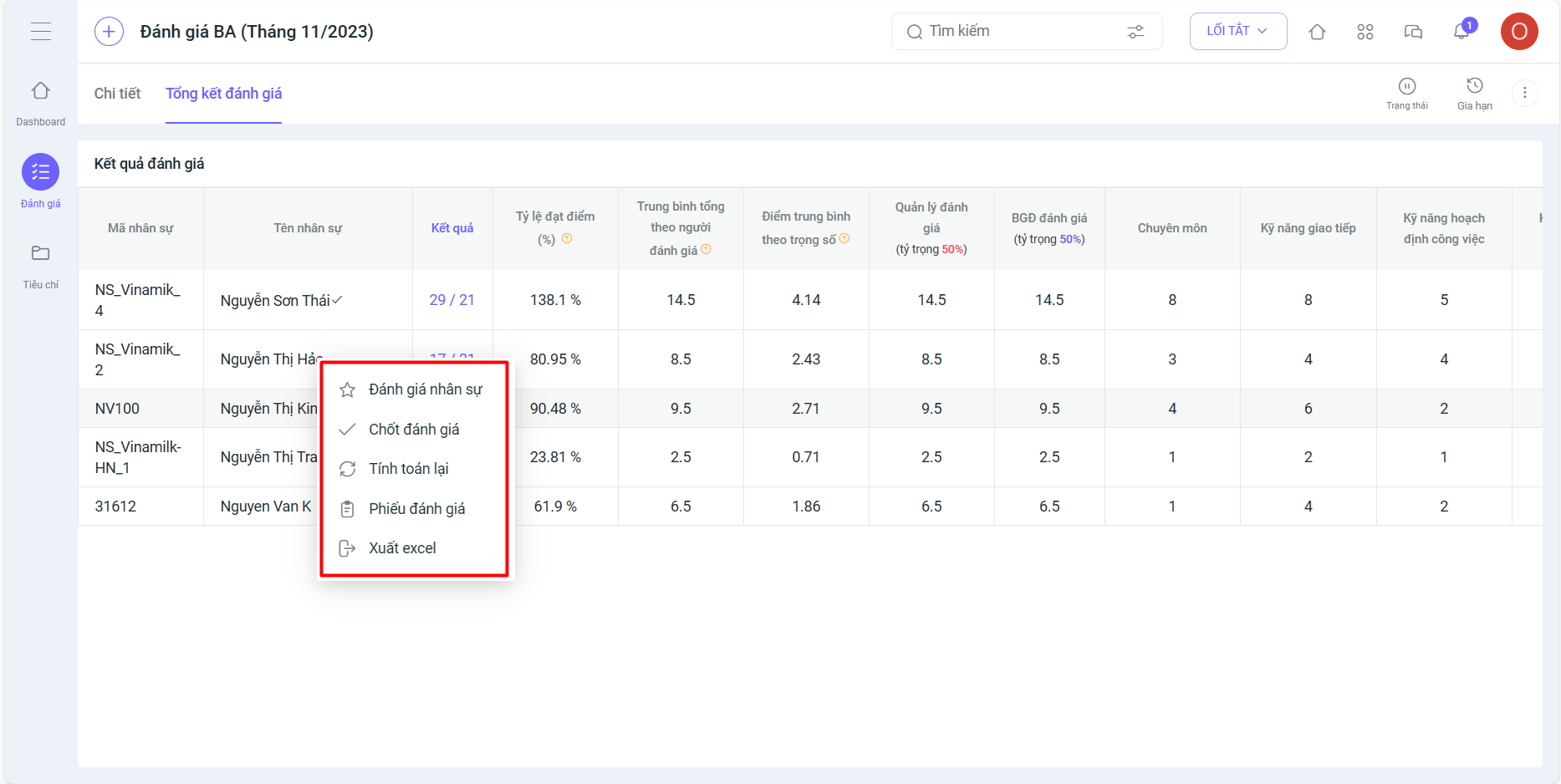
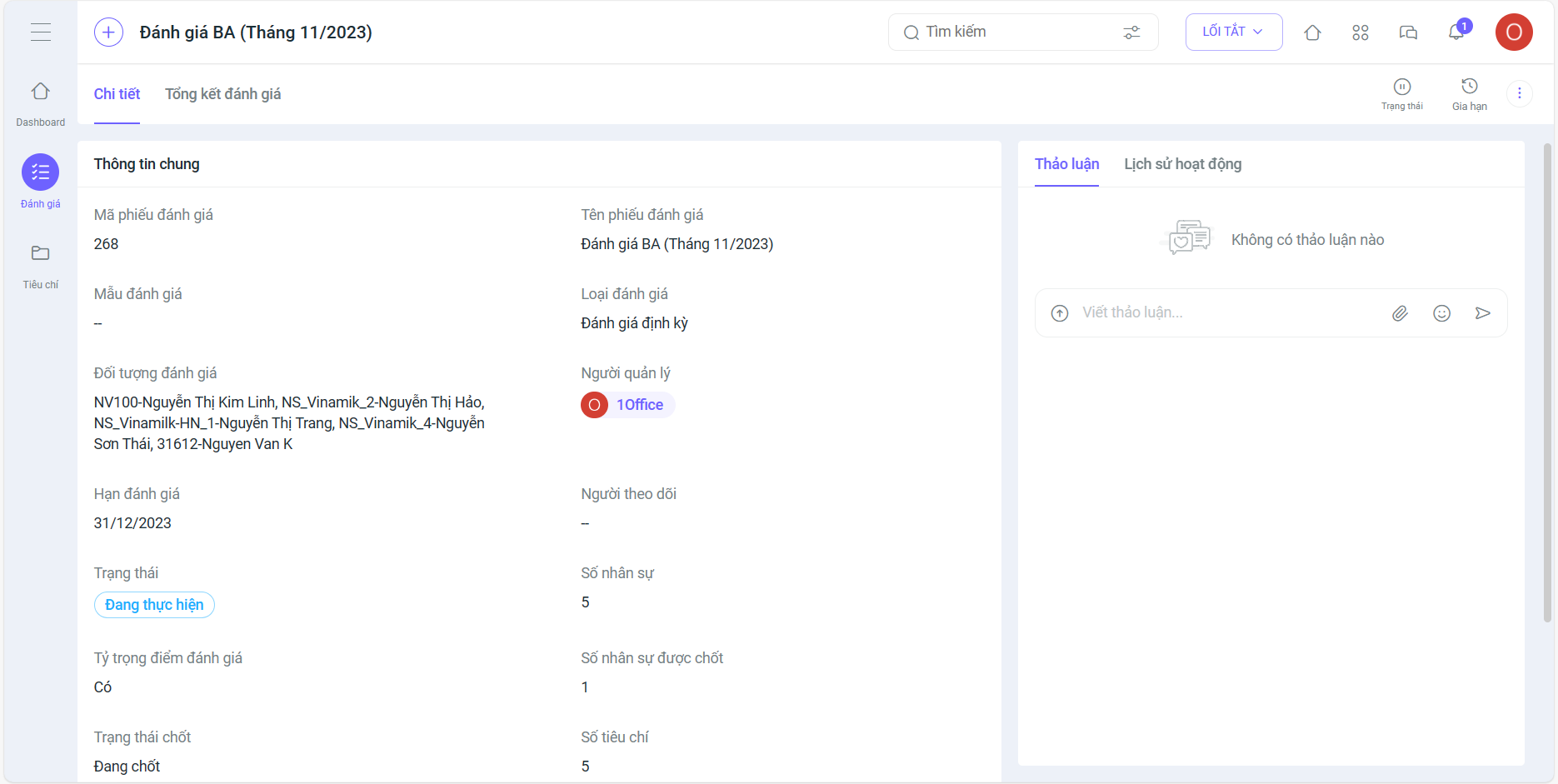
2. Changed the interface and layout of some screens in the evaluation details screen:
- Display the finalization status and the finalized personnel
- On the scoring screen: Added a scoring task for each employee
In other modules, new features have been added, including:
3. In the Task/Project module, added the following features:
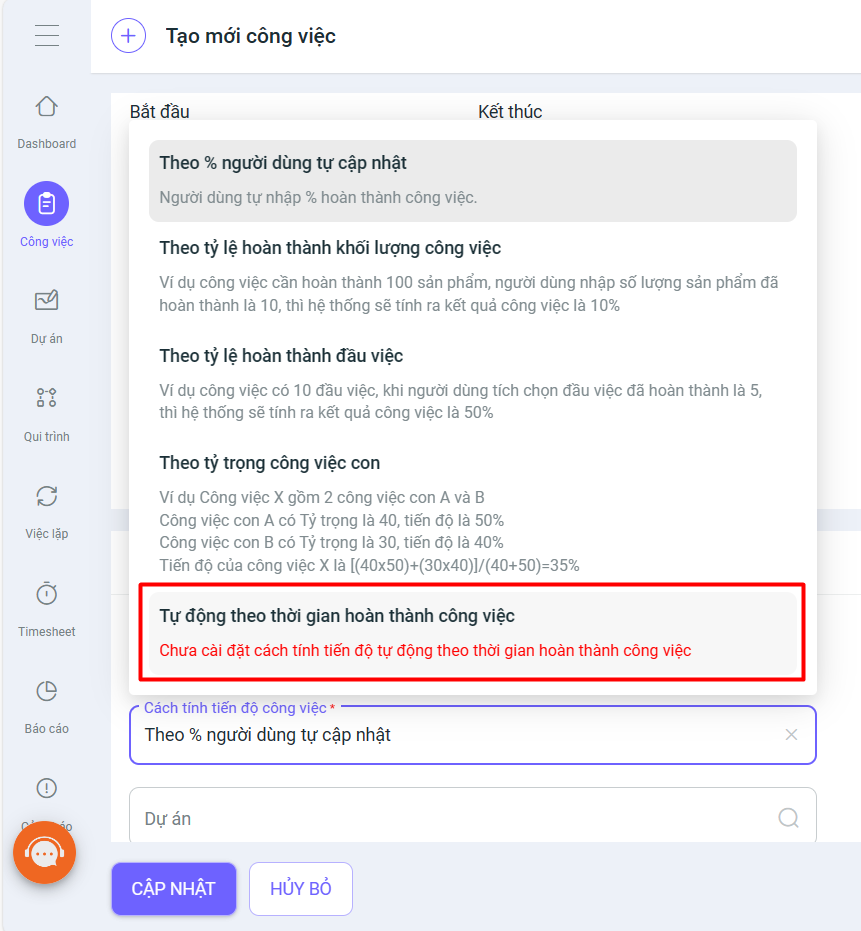
- Added automatic progress calculation based on the earliness/lateness of the completion date
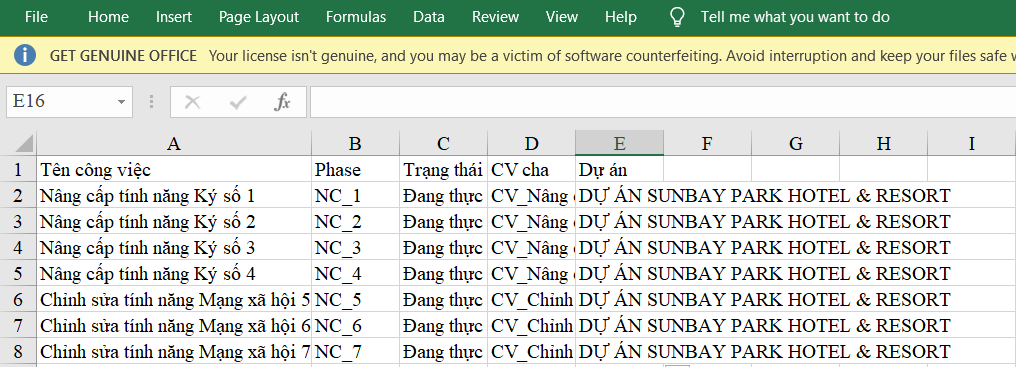
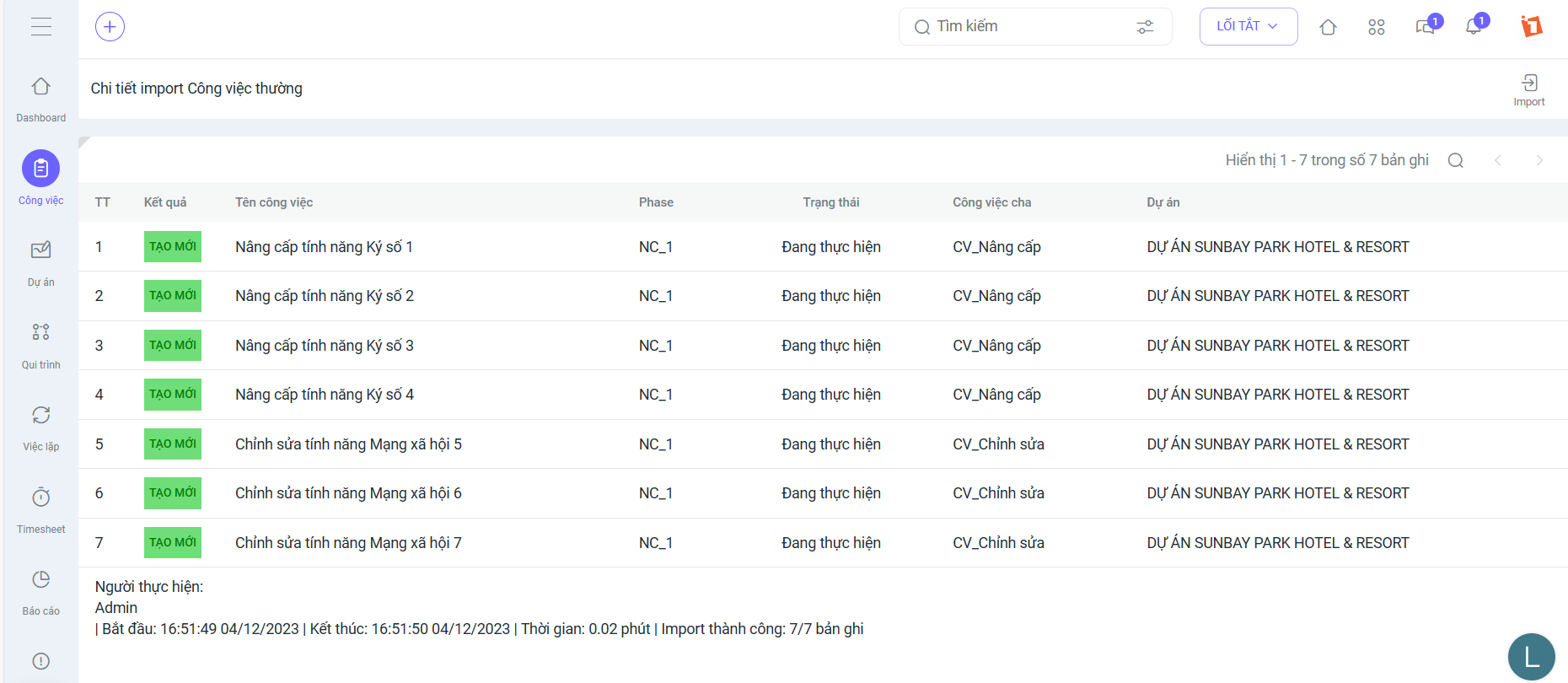
- Added a feature to set codes for regular tasks. This allows for importing multi-level tasks.
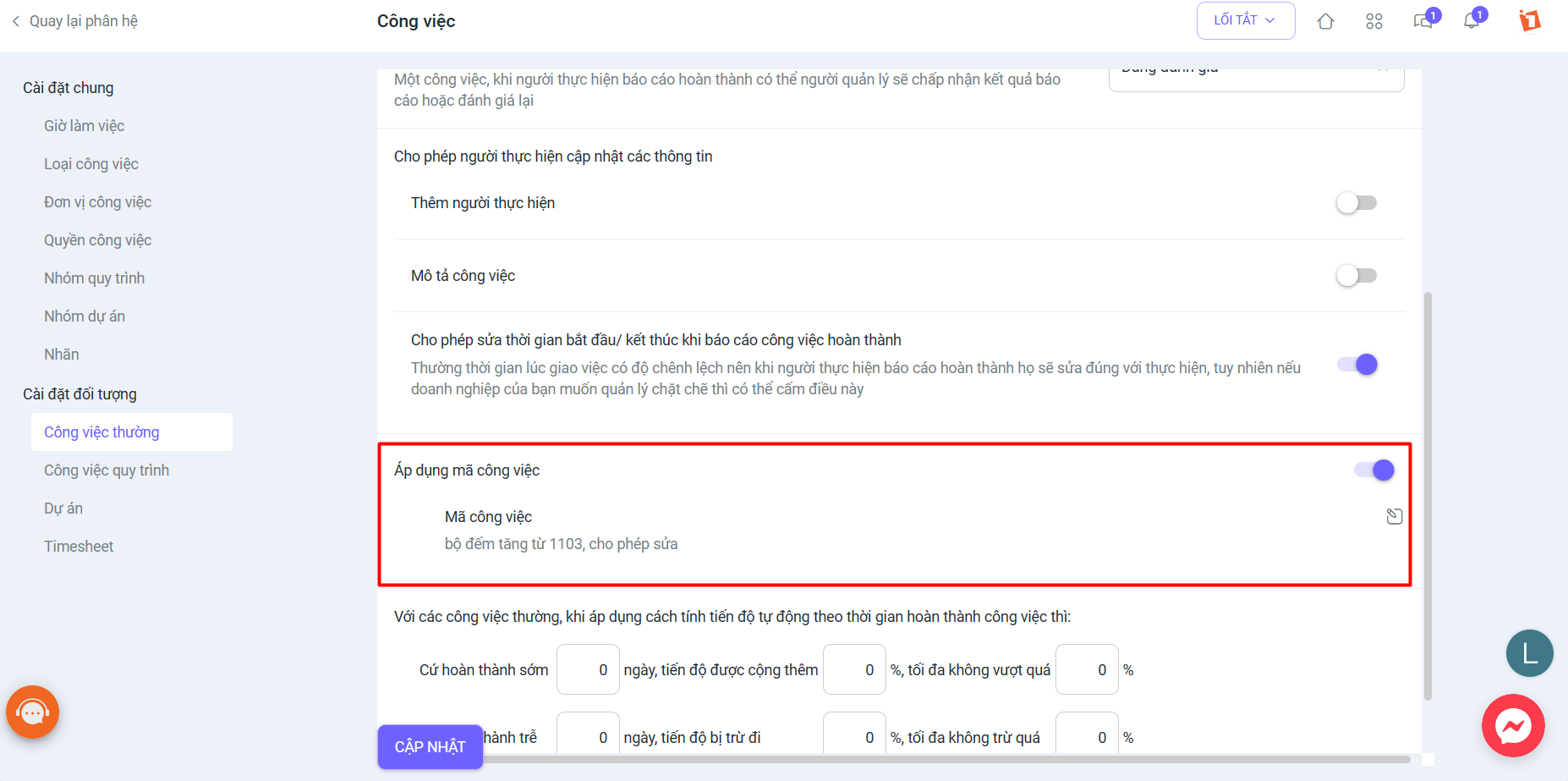
- In Projects, you can now import multi-level tasks from Excel (Parent, child, etc.)
- In the general task settings, added a field “do not allow uploading attachments when the task is completed”. When creating a new regular task or process, users will be able to select this setting.

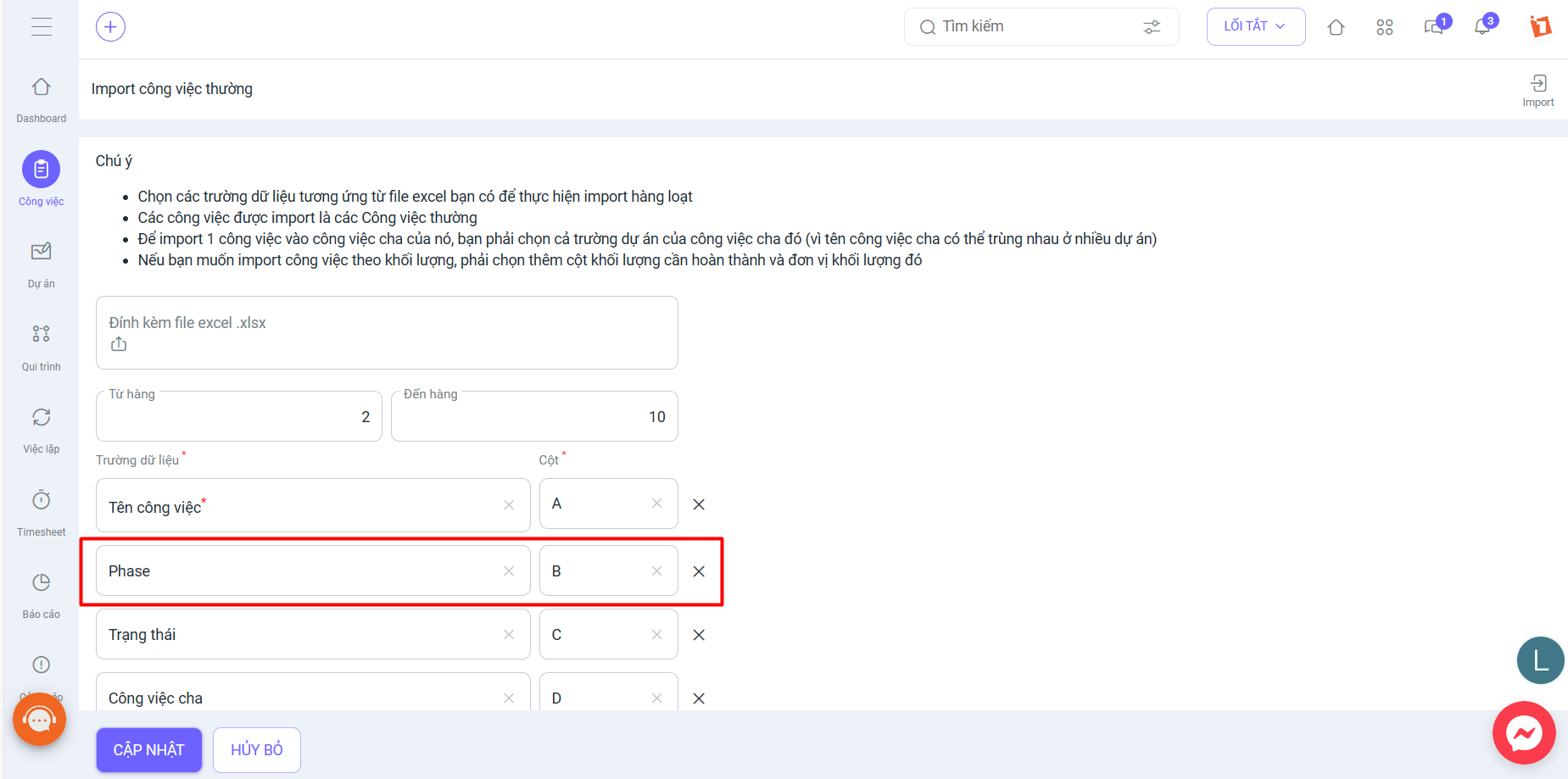
- Added a “Phase” field when importing regular tasks by Project
4. In the Automation (BPA) module, added the following features:
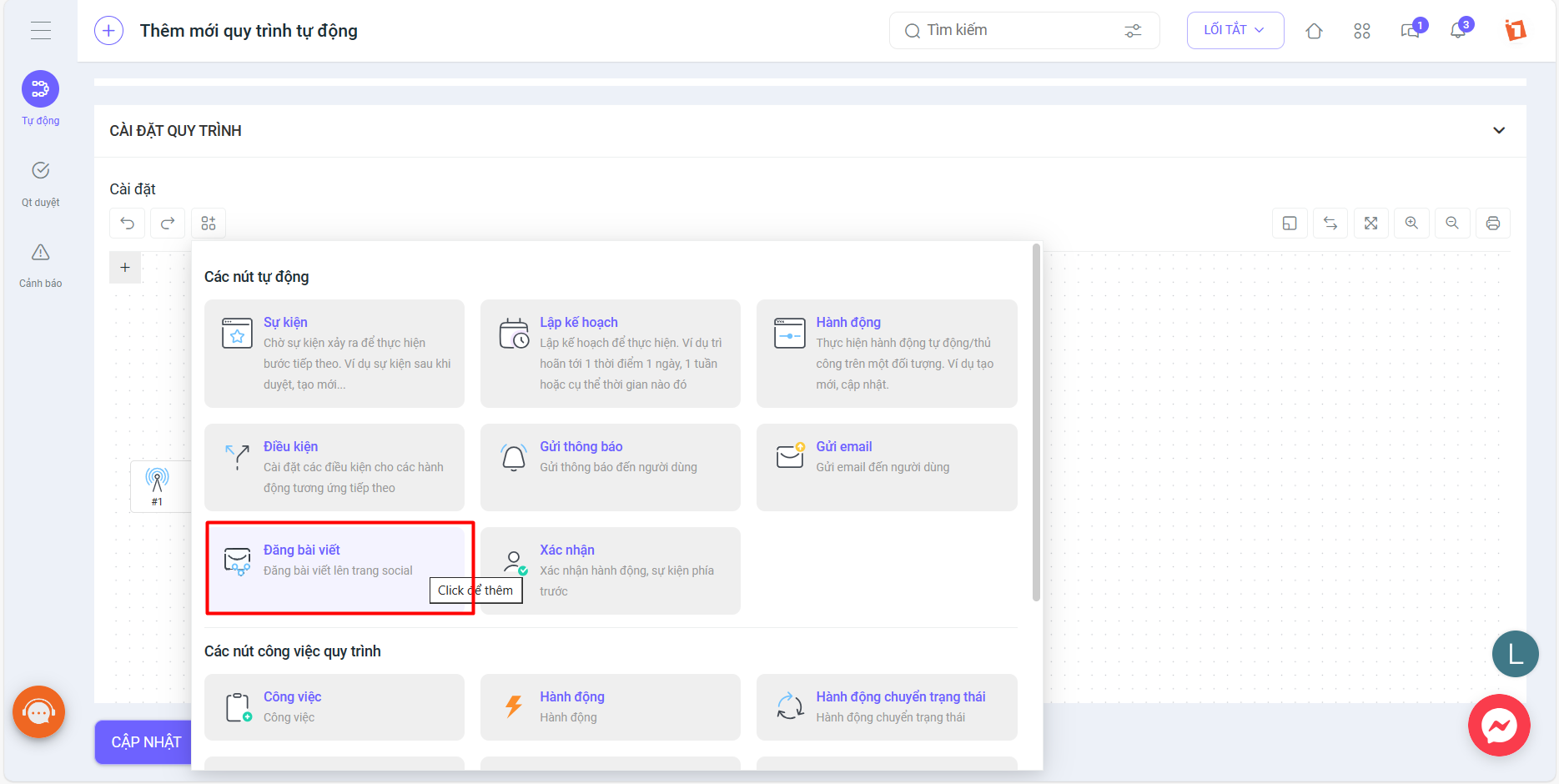
- Added a node to automatically post an article to the wall
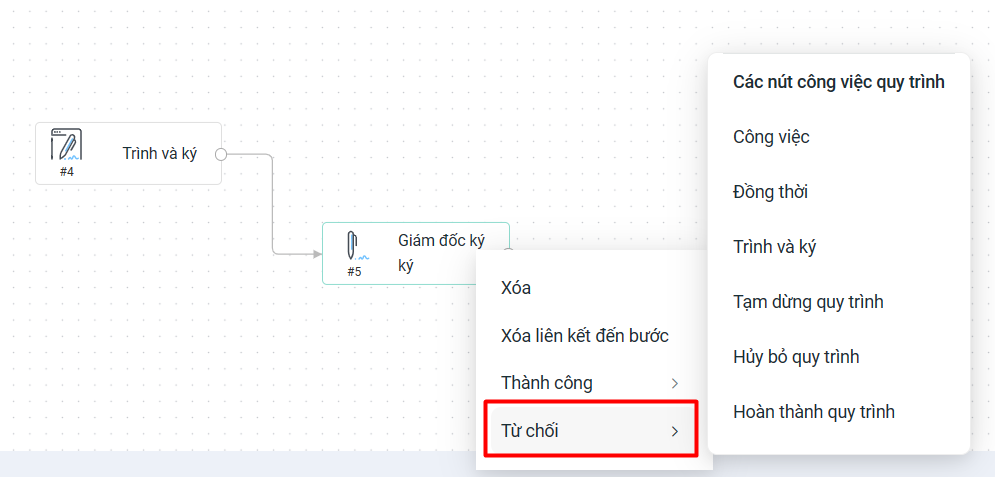
- Added a Decline to Sign node after the Sign node
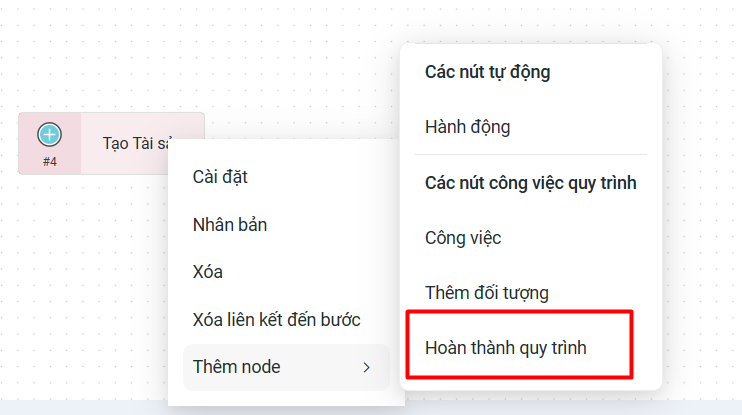
- Allow adding a Complete Process node immediately after the Add Object node
- Add the “Allow Process Creator” object (without Management permissions) to delete and edit process tasks when at the starting step. Once the process moves to the next step, deletion will no longer be possible.
- Each document for signing automatically generates a QR code containing information about the document and a link to it.
5. In the KPI/OKR module, the following features have been added:
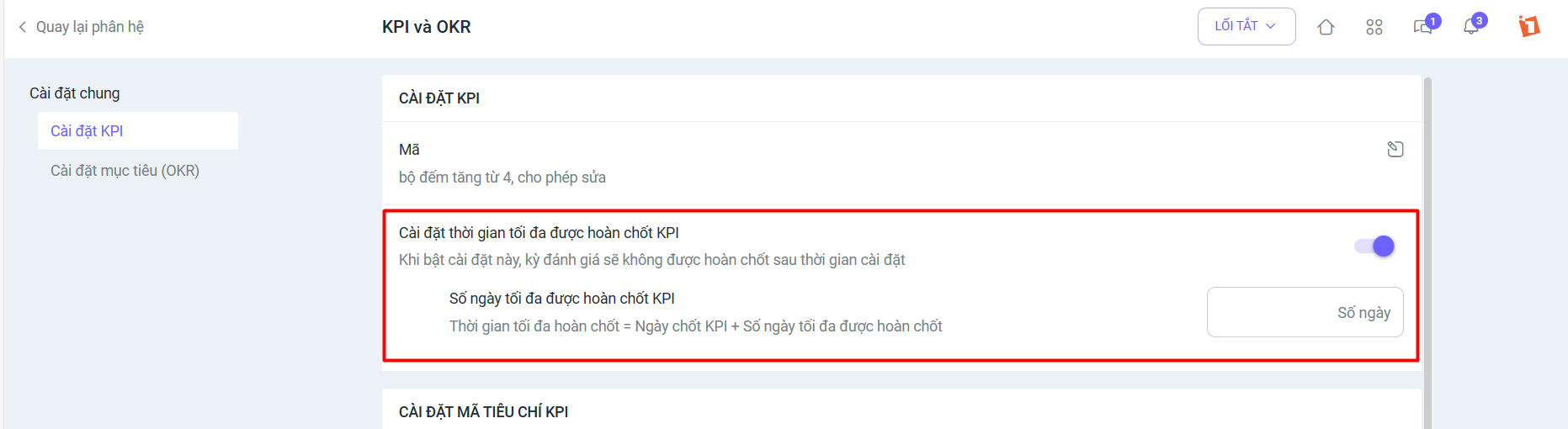
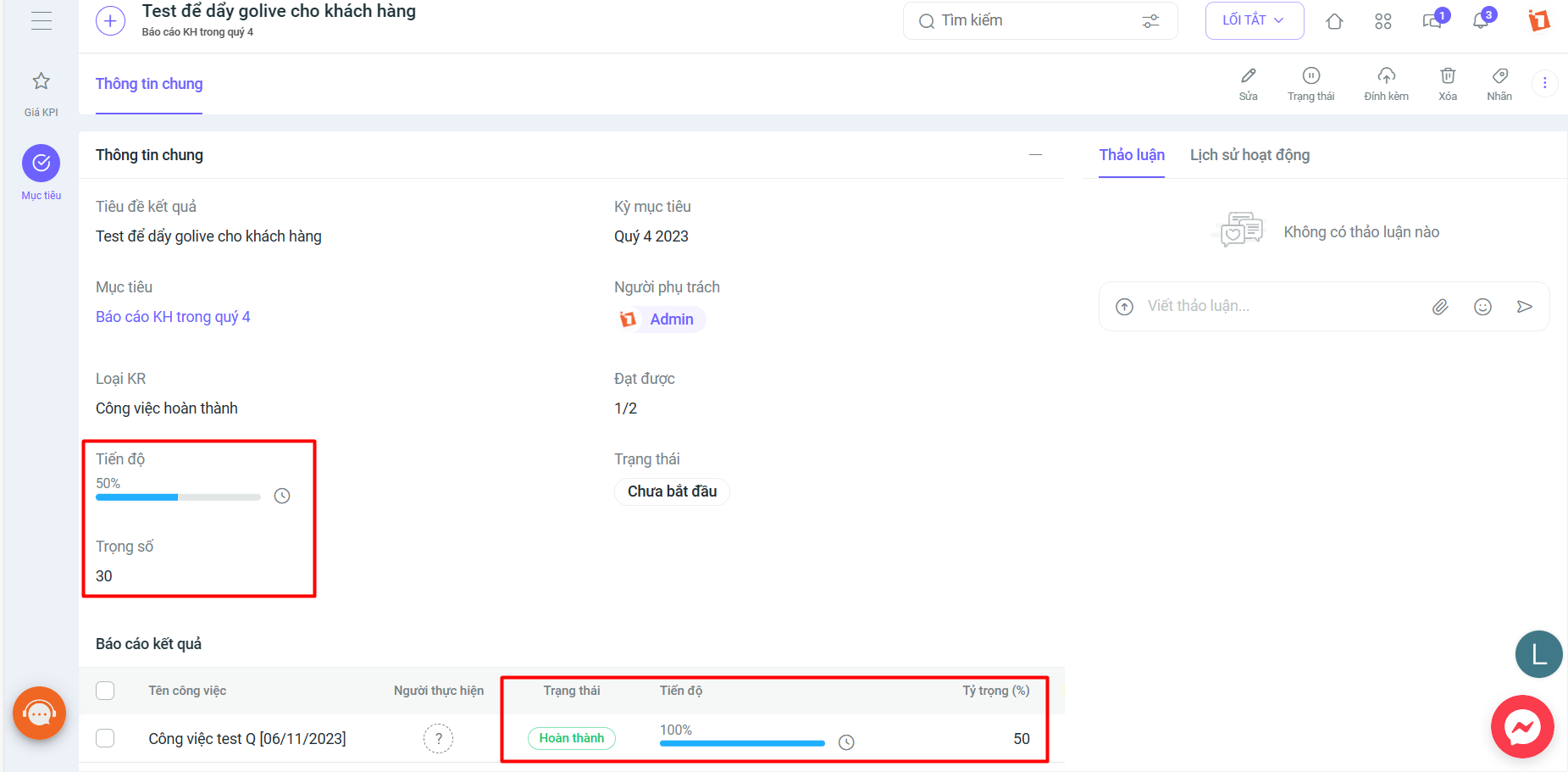
- KPI: Set a maximum time to finalize KPIs, display KPI evaluation results with the department and position of the evaluated person, and add calculation of criteria weight by criteria group.
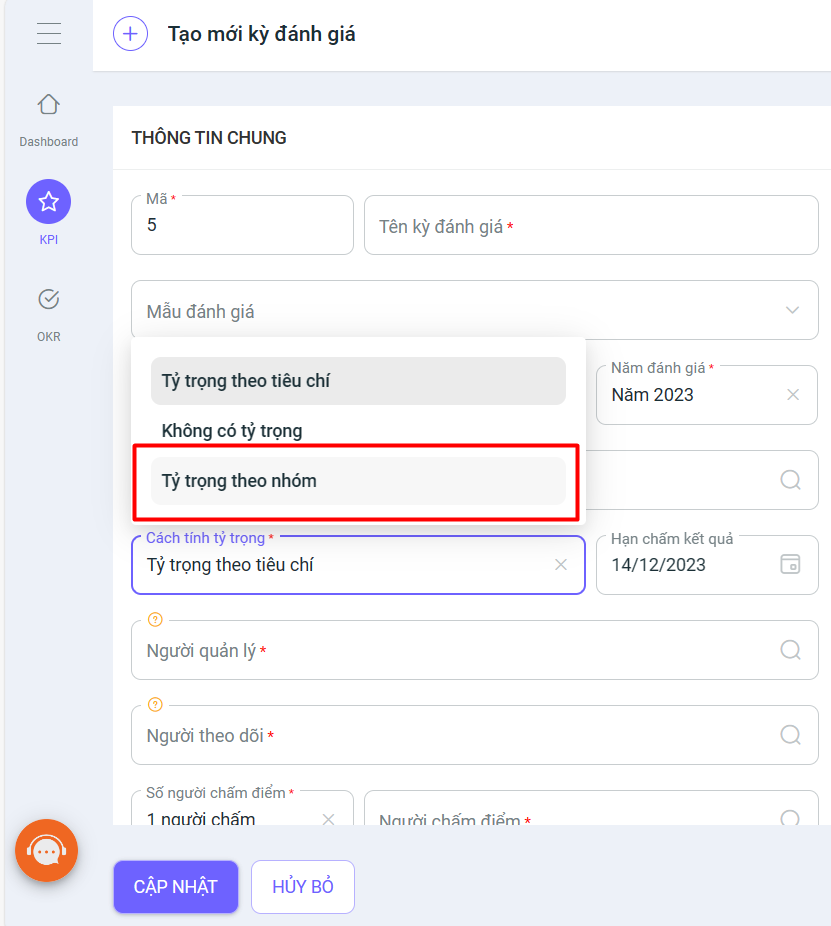
- OKR: Grant permission to select applicable departments based on Admin rights; add a “Distribute by task weight” field when creating a task list to be entered during the task setup process.
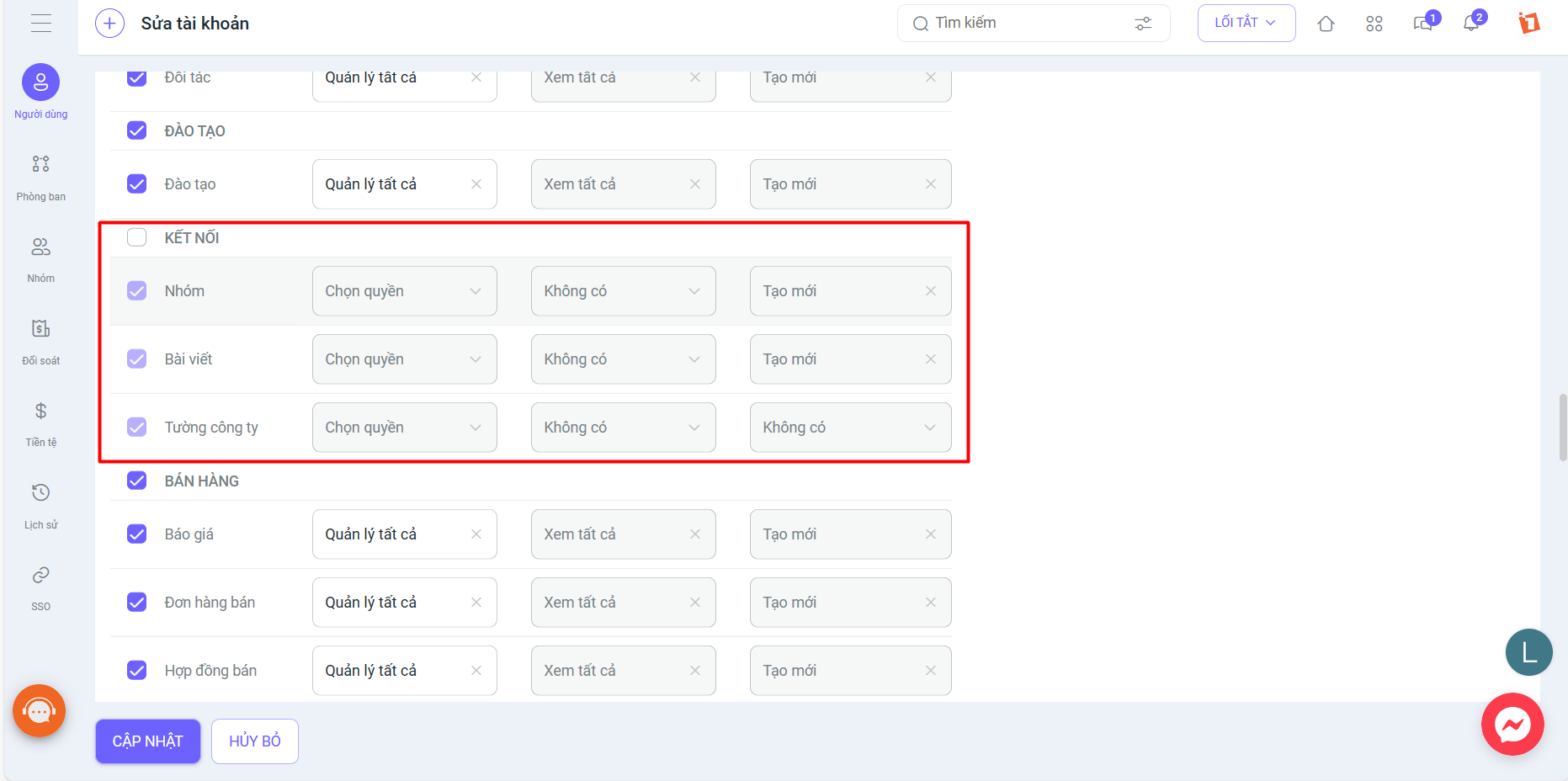
6. In System Settings, toggle Connection on/off to allow access to the Internal Network. Access permissions can be set individually for each category (Company Wall, Posts, Groups).
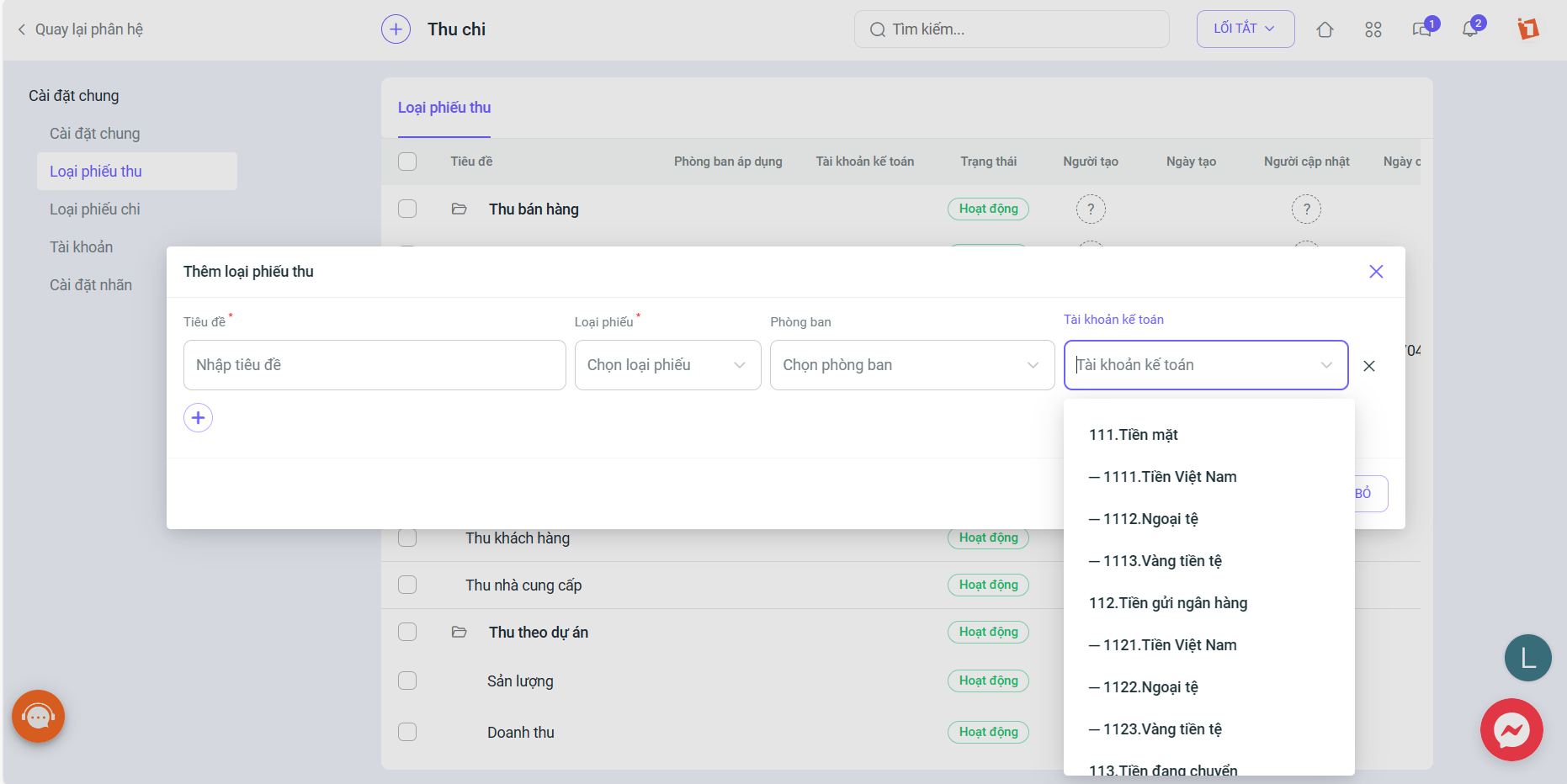
7. In the Cash Flow module, add accounting accounts in the settings for receipt/payment voucher types; set applicable objects for expense types.
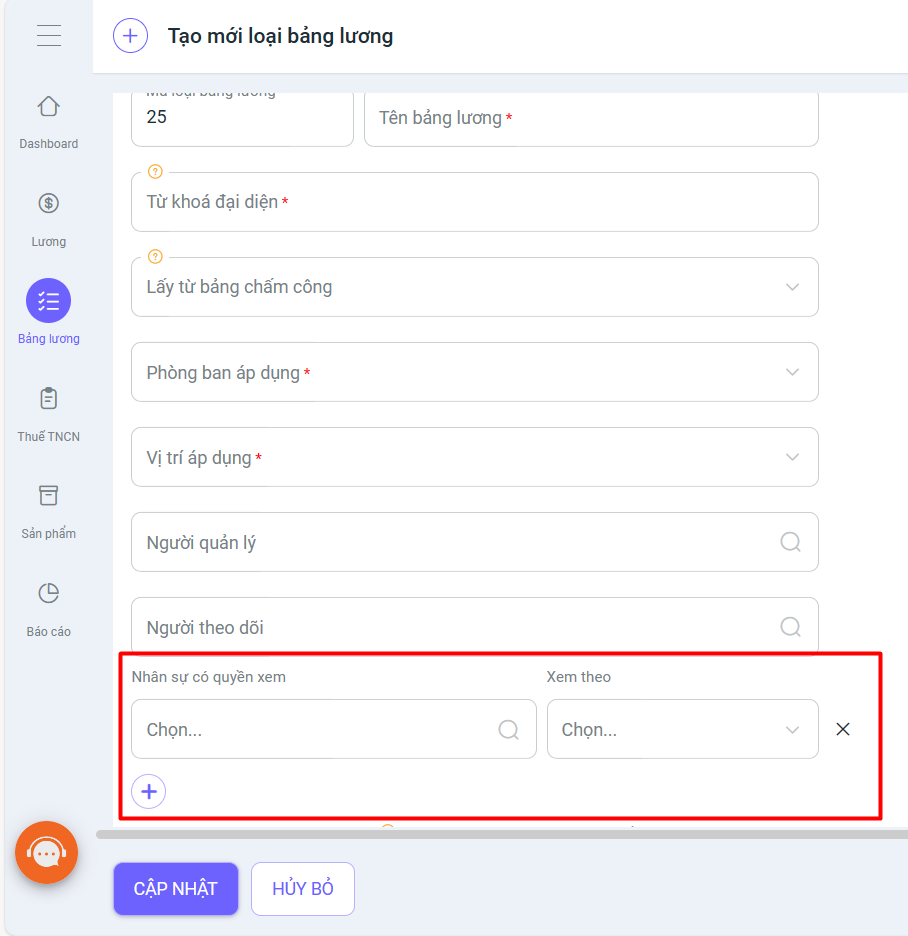
8. In the Payroll module, add view permissions by Department/Company/All for the payroll in System Settings so that employees can view it from their payslips.
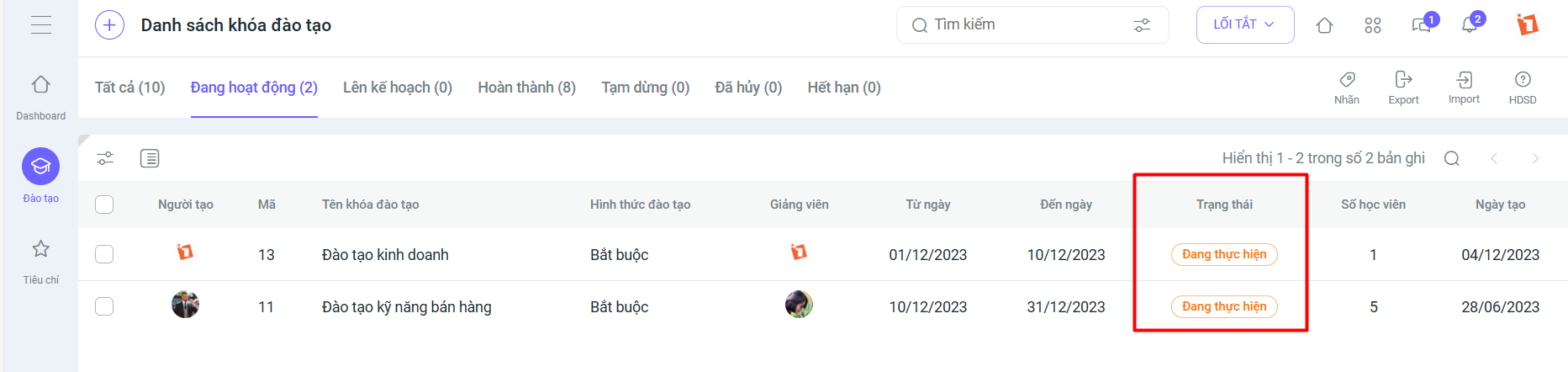
9. In the Training module, training course statuses have been added.
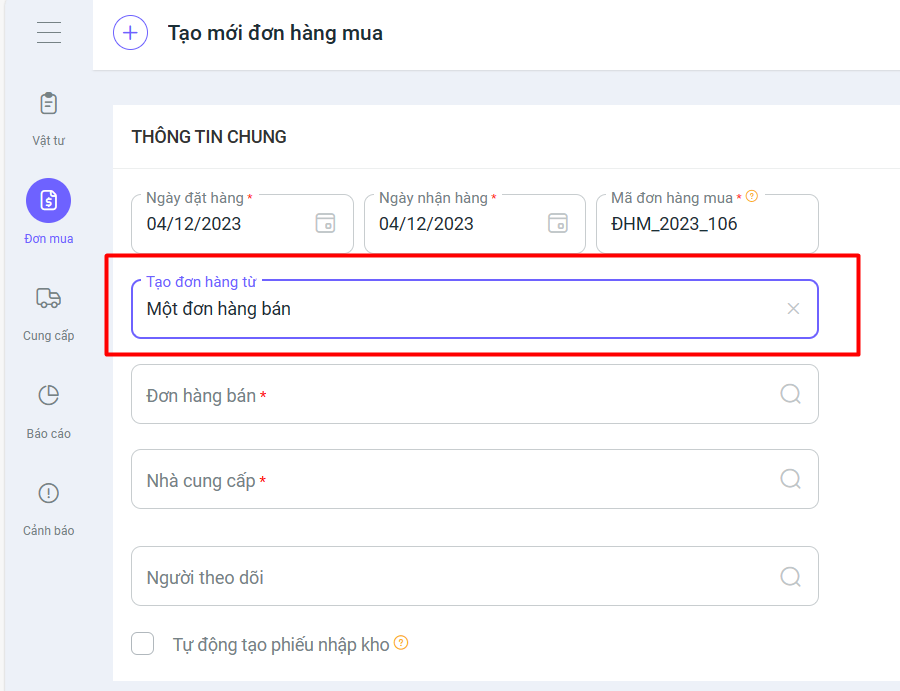
10. In the Purchase Order module, users can create a purchase order from a sales order.
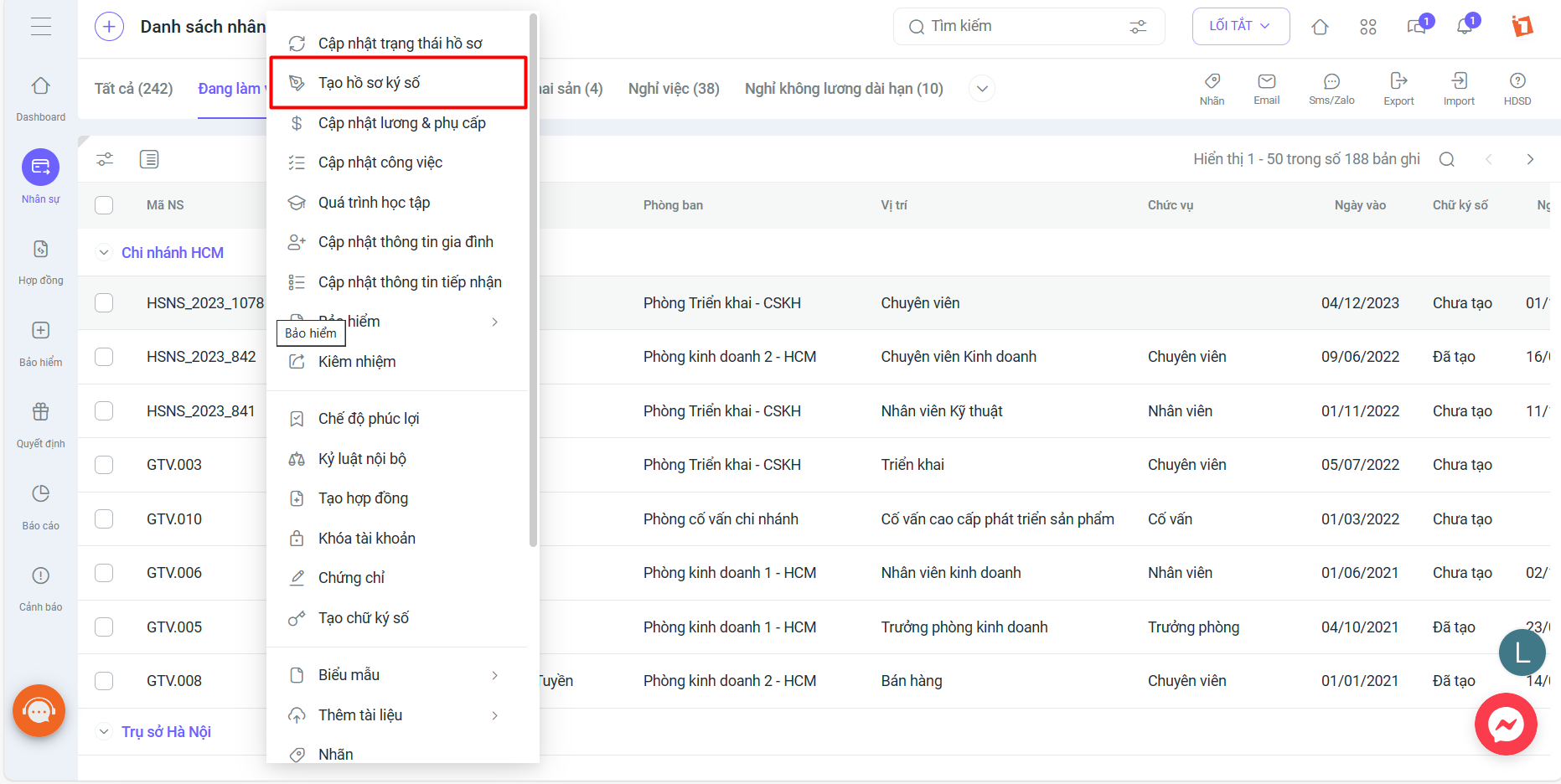
11. In Employee Profiles, an information field for Candidate Profile has been added to the Resume tab, and a feature to create a digital signature profile for each employee has been added.
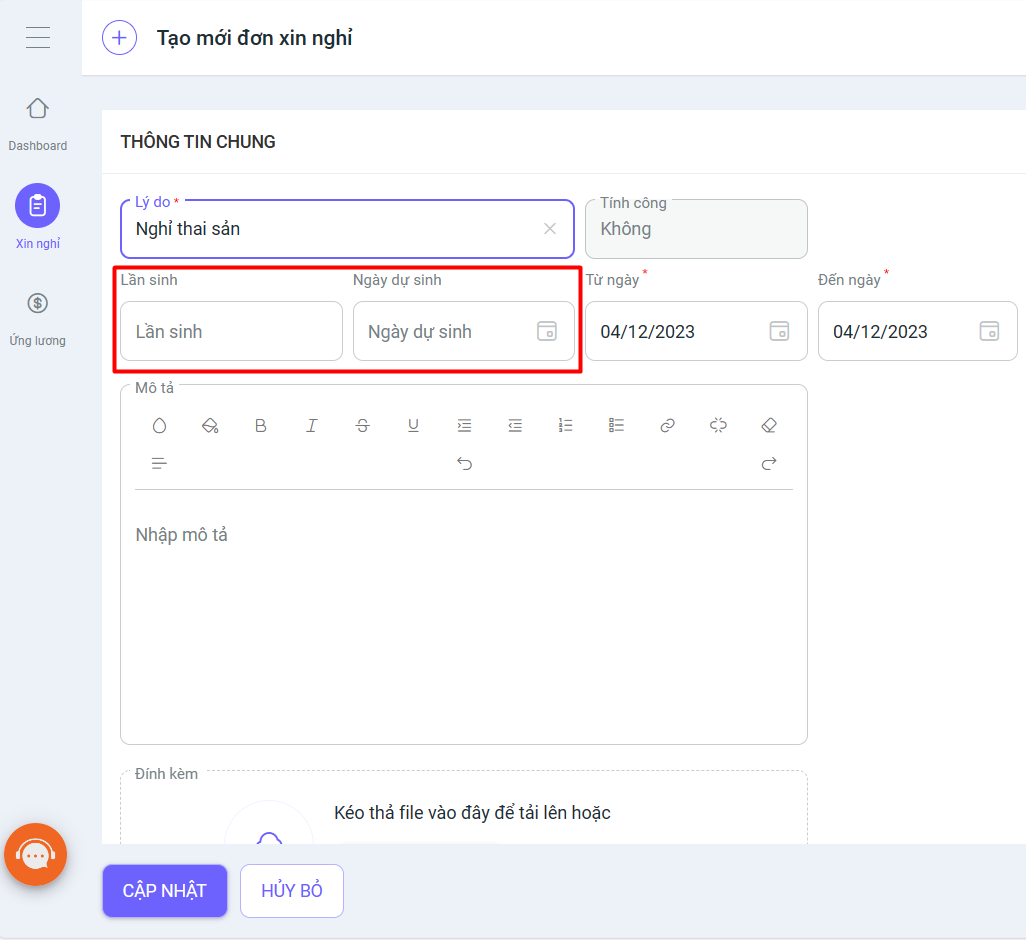
12. In the Requests module, the “Birth number” and “Expected due date” fields have been added when creating a maternity leave request, and the information will be updated to the Employee Profile.
We hope these new upgrades will bring you a better experience when using the 1Office software. If you have any comments, suggestions, or questions, please contact us through the following channels:
- Customer Support Hotline: 1900 3313
- Email: support@1office.vn
- Live chat on the Ticket software
We sincerely thank you for your continued trust and support of our services.
Sincerely,
The 1Office Product Development Team!
















