


 10/05/2026
  83213 views
How to calculate percentage discounts is essential knowledge for buying, selling, running promotions, or managing product prices. If calculated incorrectly, businesses might offer excessive discounts, impacting profits, or causing customers to misunderstand the offer. This article provides easy-to-understand formulas for calculating prices after single or multiple discounts and how to apply them in Excel/Google Sheets.
Mục lục
- 1. Overview of Calculating Percentage Discounts
- 2. The fastest and most accurate way to calculate percentage discounts
- 3. How to calculate discount percentages in Excel, Google Sheet
- 4. Other essential percentage calculations in business
- 5. What is the percentage discount for ‘Buy 2, Get 1 Free’?
1. Overview of Calculating Percentage Discounts
1.1 What is a percentage discount?
Similarly, a percentage discount can be understood as the amount by which the selling price of a product you want to buy has been reduced from its original price. The discount amount is usually rounded and followed by the percent symbol (%). Simply put, the new selling price of the product is reduced by a certain percentage of the original price.
1.2 When are percentage discounts used?
Percentage discounts are often applied by businesses and stores in special offers and promotional programs to show appreciation, encourage customers to buy specific products, or to reduce inventory. Therefore, information about the percentage discount plays a crucial role in the product purchasing process. Buyers can use the percentage discount or increase to calculate and get the best possible price.
Learn more:
- How to calculate percentage trade discounts for products – 3 factors businesses should consider when determining discounts
- Trade discount accounting: What is it? How is it accounted for?
2. The fastest and most accurate way to calculate percentage discounts

Discount programs are now an important part of many businesses’ strategies, offering several benefits such as:
- Attracting new customers while increasing customer loyalty
- Quickly clearing out inventory and reducing logistics costs
- Increasing sales or market share
- Creating a competitive advantage over similar products in the market
- Meeting sales KPIs
- Increasing brand awareness
To implement these programs, it is crucial to calculate the percentage discount accurately. Below are the 2 fastest and most accurate methods for calculating percentage discounts that businesses can use.
2.1 The first method for calculating percentage discounts
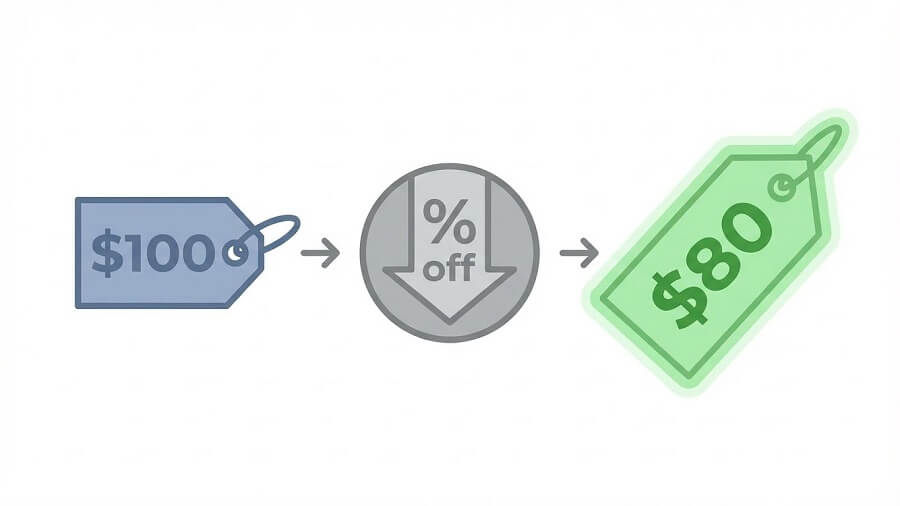
Price after discount = Original price x ((100 – discount percentage)/100)
Thus, to calculate the amount after deducting the percentage discount, you need to know the original price of the goods and the discount percentage.
Example: When you go shopping and the total payment is 1,000,000đ, but the store is running a promotion with a 20% discount for every order over 500,000đ. The fastest way to calculate the amount you have to pay is:
With a 20% discount, the percentage you need to pay is: 100% – 20% = 80% = 80/100 = 0.8
-> So the amount after the discount will be: 1,000,000đ x 0.8 = 800,000đ
Additionally, you can also use the formula above to calculate how much money you have saved.
Discount amount = original amount x 0.2 = 1,000,000đ x 0.2 = 200,000đ
Detailed discount calculation table for 5%, 10%, 20%, 30%, 40%, 50% (original price 1,000,000 VND)
| Discount Rate | Discount Amount | Discounted Price | Quick Calculation (multiplier) |
|---|---|---|---|
| 5% | 50,000 dong | 950,000 dong | × 0.95 |
| 10% | 100,000 dong | 900,000 dong | × 0.90 |
| 15% | 150,000 dong | 850,000 dong | × 0.85 |
| 20% | 200,000 dong | 800,000 dong | × 0.80 |
| 25% | 250,000 dong | 750,000 dong | × 0.75 |
| 30% | 300,000 dong | 700,000 dong | × 0.70 |
| 35% | 350,000 dong | 650,000 dong | × 0.65 |
| 40% | 400,000 dong | 600,000 dong | × 0.60 |
| 45% | 450,000 dong | 550,000 dong | × 0.55 |
| 50% | 500,000 dong | 500,000 dong | × 0.50 (half price) |
| 60% | 600,000 dong | 400,000 dong | × 0.40 |
| 70% | 700,000 dong | 300,000 dong | × 0.30 |
| 80% | 800,000 dong | 200,000 dong | × 0.20 |
| 90% | 900,000 dong | 100,000 dong | × 0.10 |
| 99% | 990,000 dong | 10,000 dong | × 0.01 |
- For round percentages (10%, 20%, 50%…): Easily calculate by multiplying the original price by the coefficient (0.9, 0.8, 0.5…).
- For odd percentages (15%, 25%, 35%…): Calculate a 10% discount first, then add/subtract the remaining percentage (e.g., 15% = 10% + 5%).
- On a phone/computer: Use the formula =Original_Price*(1-Rate/100) in Excel or Google Sheets.
2.2 Second Way to Calculate a Percentage Discount
Price after discount = Original price – (Original price x discount percentage)
To calculate the amount after applying the percentage discount, we need to know the original price of the goods and the discount percentage. The simple formula can be understood as follows: The price after the discount is calculated by subtracting the discounted amount from the original price. The discount amount can be determined by multiplying the original price by the discount percentage. This helps determine the final value you have to pay after applying the discount.
Continuing with the percentage subtraction example above, applying the second discount percentage formula, we have:
-> Price after discount = 1,000,000đ – 1,000,000đ x 0.2 = 800,000đ
2.3 Detailed Guide on How to Calculate Multiple Discounts (Successive Discounts)
In promotional programs, multiple discounts (successive discounts) often confuse buyers because the calculation method is different from a single discount. For example: “A 10% discount then an additional 20% discount” is not a total 30% discount, but a 20% discount on the price that has already been reduced by 10%. Below is the general formula and calculation method for common discount levels: 5%, 10%, 15%, 20%, 25%, 30%, 35%, 40%, 45%, 50%, 60%, 70%, 80%, 90%, 99%. Assume the original price is 1,000,000 VND.
General formula for calculating successive discounts
If the 1st discount is a%, and the 2nd is b%:
Final price = Price after 1st × (1 – b/100) = Original price × (1 – a/100) × (1 – b/100)
Total actual % discount = 100% – [(1 – a/100) × (1 – b/100) × 100%]
Calculation table for successive discounts (1st discount then an additional 2nd discount)
Assume the 1st discount is 10%, followed by these additional discount levels:
| Second Discount | Price After 1st Discount (after 10%) | Final Price | Total Effective Discount % |
|---|---|---|---|
| 5% | 900.000 | 855.000 | 14.5% |
| 10% | 900.000 | 810.000 | 19% |
| 15% | 900.000 | 765.000 | 23.5% |
| 20% | 900.000 | 720.000 | 28% |
| 25% | 900.000 | 675.000 | 32.5% |
| 30% | 900.000 | 630.000 | 37% |
| 35% | 900.000 | 585.000 | 41.5% |
| 40% | 900.000 | 540.000 | 46% |
| 45% | 900.000 | 495.000 | 50.5% |
| 50% | 900.000 | 450.000 | 55% |
| 60% | 900.000 | 360.000 | 64% |
| 70% | 900.000 | 270.000 | 73% |
| 80% | 900.000 | 180.000 | 82% |
| 90% | 900.000 | 90.000 | 91% |
| 99% | 900.000 | 9.000 | 99.1% |
Tips for quick calculation and avoiding mistakes
- Do not add percentages directly: A 10% discount + an additional 20% discount ≠ a 30% discount, but only a 28% total discount.
- Quick calculation using multipliers: Final Price = Original Price × (1 – a/100) × (1 – b/100).
- For multiple discounts: Multiply the coefficients consecutively (e.g., a 20% discount, then 30%, then 50% = ×0.8 ×0.7 ×0.5 = 0.28 → a 72% discount).
- On a computer/phone: Use the Excel/Google Sheets formula: =Original_Price*(1-a/100)*(1-b/100).
2.4 What Is a Capped Discount (Maximum Discount) and How to Calculate It
A capped discount (also known as a max discount or maximum discount) is a type of promotion where the discount amount does not exceed a certain threshold, even when multiple consecutive discounts are applied. This is often used to control promotional costs, avoid losses, or create an attractive offer while still maintaining profitability. For example: “Up to 50% off” means the maximum discount is only 50%, regardless of any additional percentage discounts.
Reference: What is Profit Margin in Business?
Formula for calculating with a discount cap
Assume original price = 1,000,000 VND, discount cap = 50% (meaning the lowest possible price is 500,000 VND).
- First discount: Apply the normal discount percentage.
- Additional discount: Only apply if the price after the first discount is still higher than the capped price.
- Final price = Max(Price after all discounts, Capped price).
Or:
Final price = Original price × (1 – Total actual discount %)
But not lower than the Capped price = Original price × (1 – Max discount %)
Example table for calculating a 50% capped discount
(Original price 1,000,000 VND, capped price = 500,000 VND)
| 1st Discount | Price After 1st Discount | 2nd Discount | Price Without Cap | Final Price (with 50% cap) | Total Actual Discount % |
|---|---|---|---|---|---|
| 10% | 900,000 | 20% | 720,000 | 720,000 | 28% |
| 30% | 700,000 | 30% | 490,000 | 500,000 (cap) | 50% (max) |
| 40% | 600,000 | 30% | 420,000 | 500,000 (cap) | 50% (max) |
| 50% | 500,000 | 20% | 400,000 | 500,000 (cap) | 50% (max) |
| 60% | 400,000 | Any | <500,000 | 500,000 (cap) | 50% (max) |
Tips for business application
- Set a price ceiling: In sales software (Haravan, KiotViet, Sapo), set a “max discount %” so employees cannot discount more than the allowed amount.
- Communication: Advertise “Up to 50% off” instead of “60% off + an additional 20%” to avoid misunderstanding.
- Quick calculation: Final price = Max(Consecutively discounted price, Price ceiling).
Understanding capped discounts helps businesses better control profits while creating attractive promotional programs without incurring losses. Applying it skillfully will increase sales while maintaining a stable profit margin!
3. How to calculate discount percentages in Excel, Google Sheet
Nowadays, calculating discount percentages has become easier through computer applications like Excel and Google Sheet. Using these tools not only helps businesses save effort but also minimizes the risk of errors when handling large data files. With automatic calculation capabilities, you can quickly and accurately determine the amount to be paid after applying the discount percentage. This brings convenience and efficiency to the process of managing and analyzing business information.
Method 1:
Amount after discount = Original price x ((100 – discount percentage)/100)
To calculate the price after the discount in the desired data cell, you just need to enter the simple formula: =A2*((100-B2)/100). Here, A2 is the cell containing the original price and B2 is the cell containing the discount percentage. Using this formula helps businesses easily and accurately determine the final value of the product after applying the discount. This is an effective and fast method using applications like Excel or Google Sheet, helping to optimize your calculation process.

Method 2:
Amount after discount = Original price – Original price x discount percentage
To use the formula in Excel and calculate the price after the discount, you just need to enter the following formula into the desired data cell: =A2-A2*B2/100. Here, A2 is the cell containing the original price and B2 is the cell containing the discount percentage. Entering this formula helps businesses easily calculate the final value of the product after applying the discount in Excel. This is a convenient and effective way to manage price and discount information while working with data in Excel.
> Read more: Upsell and Cross-sell: The art of increasing revenue for businesses
Method 3:
How to calculate conditional discounts in Excel: In Excel, you can apply a conditional discount formula to automatically calculate the amount a customer is discounted based on criteria such as order value, product group, or a fixed discount rate. This is particularly useful when managing sales or creating promotional spreadsheets.
- Basic formula: =IF(Condition, Original_Price * Discount_Rate, 0)
Condition: The criterion for applying the discount (e.g., original price > 500000).
Original Price: The cell containing the product’s original price.
Discount Rate: The discount level as a decimal (e.g., 10% is 0.1).
- Example 1: How to calculate a 10% discount for orders over 500,000 VND:
Assuming column A is the Original Price, and you want to apply a 10% discount if the price is > 500,000 VND: =IF(A2>500000, A2*0.1, 0)
The formula above will return the discounted amount. If you want to calculate the price after the discount, you can use: =IF(A2>500000, A2-A2*0.1, A2)
- Example 2: Discounting based on multiple conditions:
5% discount if the price is from 200,000 – 500,000 VND
10% discount if the price is from 500,001 – 1,000,000 VND
15% discount if the price is > 1,000,000 VND
Formula: =IF(A2>1000000, A2*0.15, IF(A2>500000, A2*0.1, IF(A2>=200000, A2*0.05, 0)))
- Optimization tip: It’s best to put the discount rate in a separate cell, so you only need to edit it once when changes are needed. You can combine this with VLOOKUP or XLOOKUP to look up a flexible discount table. Use currency formatting in Excel for a professional display.
4. Other essential percentage calculations in business
4.1 How to calculate the original price of a product when the discount percentage is known
When shopping during promotional events, you often see the post-discount price and the discount percentage (e.g., 20% off, price is now 800,000 VND). To calculate the original price (the initial price before the discount), you just need to apply a simple reverse formula.
General formula for calculating the original price
Original price = Price after discount ÷ (1 – Discount percentage / 100)
Original price = Price after discount × 100 ÷ (100 – Discount percentage)
Table for calculating original price with common discount levels
Assuming the price after discount is 800,000 VND, the table below calculates the corresponding original price for each discount level:
| Discount Rate | Quick Formula (multiplier) | Original Price (from 800,000 VND) | Brief Explanation |
|---|---|---|---|
| 5% | × 1.0526 | ≈ 842,105 VND | 800,000 ÷ 0.95 |
| 10% | × 1.1111 | ≈ 888,889 VND | 800,000 ÷ 0.90 |
| 15% | × 1.1765 | ≈ 941,176 VND | 800,000 ÷ 0.85 |
| 20% | × 1.25 | 1,000,000 VND | 800,000 ÷ 0.80 |
| 25% | × 1.3333 | ≈ 1,066,667 VND | 800,000 ÷ 0.75 |
| 30% | × 1.4286 | ≈ 1,142,857 VND | 800,000 ÷ 0.70 |
| 35% | × 1.5385 | ≈ 1,230,769 VND | 800,000 ÷ 0.65 |
| 40% | × 1.6667 | ≈ 1,333,333 VND | 800,000 ÷ 0.60 |
| 45% | × 1.8182 | ≈ 1,454,545 VND | 800,000 ÷ 0.55 |
| 50% | × 2 | 1,600,000 VND | 800,000 ÷ 0.50 |
| 60% | × 2.5 | 2,000,000 VND | 800,000 ÷ 0.40 |
| 70% | × 3.3333 | ≈ 2,666,667 VND | 800,000 ÷ 0.30 |
| 80% | × 5 | 4,000,000 VND | 800,000 ÷ 0.20 |
| 90% | × 10 | 8,000,000 VND | 800,000 ÷ 0.10 |
| 99% | × 100 | 80,000,000 VND | 800,000 ÷ 0.01 |
Tips for quick mental or phone calculations
- For round numbers (10%, 20%, 50%…): Multiply the discounted price by the inverse coefficient (1.11 for 10%, 1.25 for 20%, 2 for 50%).
- For odd numbers: Calculate the nearest approximation and then adjust (e.g., 15% ≈ 1.1765 ≈ 1.18).
- In Excel/Google Sheets: =Discounted_price / (1 – discount_rate/100).
4.2 How to calculate the percentage increase
The percentage increase (or price increase rate) is a crucial indicator in business, investment, and shopping, helping you determine how much the price of a product/service has increased compared to the old price. The formula is simple and easy to apply.
General formula for calculating percentage increase
Percentage increase (%) = [(New price – Old price) / Old price] × 100
- New price: The current price or the price after the increase.
- Old price: The initial price (original price).
- Positive result: Price increase; negative: Price decrease.
Illustrative examples with common increase levels
Assume the old price is 1,000,000 VND:
| Price increase | New price | Formula | Percentage increase |
|---|---|---|---|
| 1,050,000 VND | (1,050,000 – 1,000,000)/1,000,000 × 100 | 5% | |
| 1,100,000 VND | (1,100,000 – 1,000,000)/1,000,000 × 100 | 10% | |
| 1,150,000 VND | (1,150,000 – 1,000,000)/1,000,000 × 100 | 15% | |
| 1,200,000 VND | (1,200,000 – 1,000,000)/1,000,000 × 100 | 20% | |
| 1,250,000 VND | (1,250,000 – 1,000,000)/1,000,000 × 100 | 25% | |
| 1,300,000 VND | (1,300,000 – 1,000,000)/1,000,000 × 100 | 30% | |
| 1,350,000 VND | (1,350,000 – 1,000,000)/1,000,000 × 100 | 35% | |
| 1,400,000 VND | (1,400,000 – 1,000,000)/1,000,000 × 100 | 40% | |
| 1,450,000 VND | (1,450,000 – 1,000,000)/1,000,000 × 100 | 45% | |
| 1,500,000 VND | (1,500,000 – 1,000,000)/1,000,000 × 100 | 50% | |
| 1,600,000 VND | (1,600,000 – 1,000,000)/1,000,000 × 100 | 60% | |
| 1,700,000 VND | (1,700,000 – 1,000,000)/1,000,000 × 100 | 70% | |
| 1,800,000 VND | (1,800,000 – 1,000,000)/1,000,000 × 100 | 80% | |
| 1,900,000 VND | (1,900,000 – 1,000,000)/1,000,000 × 100 | 90% | |
| 1,990,000 VND | (1,990,000 – 1,000,000)/1,000,000 × 100 | 99% |
Quick calculation tips and practical applications
- Quick calculation: New price = Old price × (1 + Increase rate/100). Example: Increase 20% → New price = Old price × 1.2.
- Applications:
- Business: Assess inflation, adjust selling prices.
- Investment: Calculate the rate of return for stocks/real estate.
- Shopping: Compare old/new prices to know the actual increase.
In Excel/Google Sheets: =((New_price – Old_price)/Old_price)*100.
4.3 How to calculate growth percentage in business
Growth percentage (growth rate percentage) is the most important indicator for measuring a business’s development, helping to evaluate business performance over time (month, quarter, year). This indicator applies to revenue, profit, number of customers, market share, etc.
General formula for calculating growth percentage
Growth percentage (%) = [(Value of this period – Value of the previous period) / Value of the previous period] × 100
- Value of this period: Current revenue/profit/customers.
- Value of the previous period: Value of the comparison period (previous month, previous quarter, previous year).
- Positive result: Growth; negative: Decline.
Practical illustrative example
Suppose your business’s revenue is:
| Period | Revenue (million VND) | Formula | Growth percentage |
|---|---|---|---|
| November 2026 | 1.000 | – | – |
| December 2026 | 1.200 | (1.200 – 1.000)/1.000 × 100 | |
| January 2026 | 900 | (900 – 1.200)/1.200 × 100 | -25% |
| February 2026 | 1.500 | (1.500 – 900)/900 × 100 |
Common types of growth percentages in business
- Revenue growth: Measures sales effectiveness.
- Profit growth: Assesses profitability.
- Customer growth: Number of new or returning customers.
- Quarterly/Annual growth (YoY – Year over Year, QoQ – Quarter over Quarter): Compares the same period to eliminate seasonal factors.
Formula for calculating Compound Annual Growth Rate (CAGR)
When calculating multi-year growth:
Example: Revenue grows from 1 billion (2024) to 2 billion (2026):
CAGR = (2/1)^(1/2) – 1 × 100 = 41.42%
Quick calculation tips and Excel applications
- Quick calculation: New Value = Old Value × (1 + Growth Rate).
- On Excel/Google Sheets:
- Cell B2: Previous period’s value.
- Cell C2: Current period’s value.
- Cell D2: =((C2-B2)/B2)*100 → Format as %.
- Practical applications:
- Revenue forecasting: Use average growth to create plans.
- Evaluating marketing effectiveness: Compare before/after a campaign.
- Investor reporting: Demonstrate sustainable growth.
Understanding how to calculate growth percentage in business helps you accurately assess performance, detect issues early, and plan for sustainable development. Apply it regularly to keep your business on a strong growth trajectory!
5. What is the percentage discount for ‘Buy 2, Get 1 Free’?
A “Buy 2, Get 1 Free” promotion means the customer receives 3 products but only pays for 2 (of the same type and price). Essentially, this is a form of percentage discount on the total value of the goods received.
Quick way to calculate the discount %:
Discount Rate = Value of Free Item / Total Value Received × 100%
For “Buy 2, Get 1 Free”: discount rate = 1/3 × 100% = 33.33%.
Example:
Price of 1 product = 150,000 VND.
- Amount paid: 2 × 150,000 = 300,000 VND
- Items received: 3 products (worth 450,000 VND)
→ Savings of 150,000 VND, equivalent to 33.33%.
Remember: the general formula for Buy m, get n free (same price) ⇒ discount = n/(m+n) × 100%. Example: Buy 3, get 1 free = 1/4 = 25%, Buy 1, get 1 free = 1/2 = 50%.
<h2 data
















