


 12/05/2026
  100 views
Currently, there are many CRM solutions on the market that help businesses manage their business operations effectively. How to purchase a CRM software that is reputable, high-quality, and worth the cost is indeed a difficult problem for many business owners. In today’s article, 1Office will share with you the experience of choosing the most suitable, highest-quality customer relationship management software to help optimize operations and save costs for your business.
Mục lục
I. The Process of Choosing and Purchasing CRM Software for Your Business
Step 1: Identify Your Needs
CRM software is a solution developed to solve problems in a business’s operations. Therefore, it must first meet the exact needs of the business and be able to remove bottlenecks in the sales process and customer relationship management. Investing in a CRM software with a host of unnecessary features or buying a CRM that lacks the necessary tools to support sales activities are both wasteful expenditures.
Therefore, to choose a quality software that suits your business’s capabilities and situation, you must first clearly define your business goals and usage needs. To do this, managers need to consider the following factors:
- Does the business face difficulties in reaching and converting customers?
- Which department will be the end-user of the CRM software?
- What is the business growth orientation for the near future?
- Which activities does the business need to promote/invest in to increase business efficiency?
- What is the budget range for the CRM software?
By answering these questions, you will be able to determine which CRM system can solve your business’s problems and make an appropriate choice.
Step 2: Determine the Must-Have Features of the CRM Solution
Business management systems include many toolsets that support various operations within a company. However, in reality, not every feature is fully utilized when put into operation. Therefore, if possible, businesses should purchase CRM software that allows them to select specific feature packages or necessary toolsets to both meet their needs and maximize cost savings.
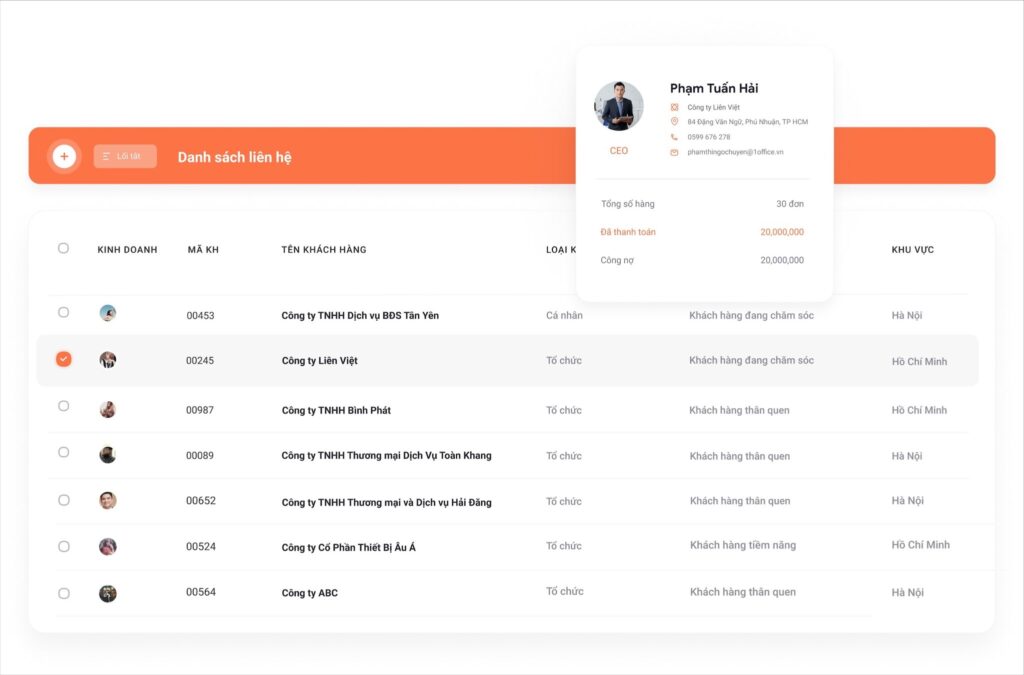
For example, a business with a large individual customer base, numbering in the thousands, will often prioritize CRM solutions with powerful contact management features that allow for filtering and classifying customer data. Meanwhile, businesses that want to invest in Marketing to increase customer reach and attract new customer segments will focus more on the product’s Marketing automation features.
EXPLORE THE PROFESSIONAL CRM FEATURES OF 1OFFICE
Step 3: Demo and Trial the Software
Before deciding to purchase CRM software, businesses should request a live demo of the software from the provider. A software demo helps businesses have a visual experience to understand how the platform operates and how it supports their actual business operations. Additionally, during the demo, the provider will answer any questions related to the software to give the customer the most comprehensive view.
The next step before making a final decision is to test the software’s practical applicability. Most providers will offer businesses a free trial of the software for about a month. This trial period allows users to test the platform’s user-friendliness and the actual effectiveness it brings to business operations and customer relationship management.
And finally, before reaching an agreement with the provider, ensure that your team approves of the features and user experience of the CRM solution you have chosen.
See more: TOP 10 Most Popular CRM Software for Businesses Today
II. A Compilation of 8+ Criteria to Consider When Buying CRM Software
1. Ability to Meet Business Operations Needs
A quality business management software needs to be equipped with all the necessary features to meet the business operations within the company.
A complete CRM system must have the following basic functions:
- Contact Management
- Customer Data Collection, Forecasting, and Analysis
- Marketing Automation
- Sales Process Automation
- Customer Care Support
2. Feasibility of the implementation process
When evaluating the feasibility of implementing CRM customer relationship management software, managers need to consider the following factors:
- Does the company’s infrastructure meet the requirements for system implementation?
- Will the end-users accept the system?
- Can the software integrate with the company’s existing applications?
3. Compatibility and synchronization across devices
Due to the flexible nature of work today, many businesses prioritize customer management software that can be accessed and used on any device (mobile phones, tablets, laptops, etc.), providing a digital workspace for staff anytime, anywhere.
For example, a CRM software is much more convenient when it allows superiors to sign and approve contracts and quotes on their phones while on the move or working remotely.
For this reason, On-Cloud CRM solutions are more commonly used than On-Premise packages due to their ability to synchronize data and their compatibility with various platforms and operating systems.
4. Integration and scalability capabilities
At each stage of development, a business will have more business needs. Therefore, the customer relationship management software must be capable of meeting and adapting to the company’s growth. This means the CRM system needs to have the ability to integrate with other applications and expand with advanced features to support the company’s operations.
A business management software with this advantage will allow the company to scale without any obstacles in terms of resources and performance.
5. Security capabilities
Customer data is one of a company’s most important assets. Therefore, the task of a business management system is to ensure customer information is stored as securely as possible to prevent any risk of data leakage.
When considering different CRM solutions, prioritize software with strong security features, including access control, data encryption, and other layered security protocols.
6. Ease of use
Overly complex software with cumbersome and confusing operations not only fails to boost sales but can also reduce the company’s operational efficiency. Therefore, ease of use is also one of the important criteria to consider when choosing CRM solutions, especially for businesses with a workforce that has limited technological proficiency.
The ease of use of a CRM software is evaluated based on the following factors:
- Do users have to perform many steps for a single task/process?
- Is the system’s interface minimalist and easy to view?
- Does it take a long time to train and guide staff on how to use the software?
7. Reputable provider
Currently, there are many customer management solutions of unknown origin and from unverified providers on the market. This software is often a free version that does not require any payment from the business but poses many risks of data leakage due to a lax and low-quality security system.
Therefore, research and choose to buy CRM software from reputable providers with a good reputation in the field to ensure product quality. Also, refer to the provider’s successful software implementation case studies and check CRM software reviews from previous customers to verify their reliability.
8. Support services from the provider
No service software can operate smoothly and align with a company’s processes without support from the provider. It is certain that when implementing CRM software, many unforeseen issues and deviations will arise, requiring timely solutions.
A provider with poor customer service, slow responses, or a lack of enthusiasm will cause the business to face deadlocks, operational stagnation, and the risk of missing out on many potential sales opportunities. Therefore, consider carefully when choosing a partner to implement the system.
See more: What is 1Office software? An overview of the 1Office.vn business management platform
III. Mistakes to Avoid When Choosing CRM Software
1. Not Consulting Users
Some companies only consult with executives when purchasing CRM software, ignoring feedback from the end-users—the staff who will directly use and operate the system. This can lead to dissatisfaction and resistance from employees who feel the software is unsuitable or creates difficulties in their work.
Therefore, consult with users before implementing the software and consider choosing a sales management system based on employee feedback.
2. Implementing CRM Without a Sales Strategy
CRM software is just a tool, not a solution to all business problems. It cannot help optimize operational processes and resolve bottlenecks in sales activities if the business itself lacks a clear usage strategy and a well-defined roadmap.
So, before considering a software purchase, businesses should have their target customer profiles and sales strategy ready. Then, use CRM tools to implement customer outreach plans and drive growth.
4. Believing a High Price Guarantees a Better Solution
Some people believe that simply investing in expensive software means they have the best toolset available. This is a misconception.
In reality, the best CRM software is the one that best fits your business. Many sales management software options with rich toolsets and in-depth features may not be suitable for the operational models of the retail, construction, or education industries. Meanwhile, there are much more affordable options standardized to serve specific sectors.
A common mistake many businesses make when buying CRM software is failing to account for hidden costs. These are fees that arise during the installation and maintenance of the software’s functions, which some providers may not mention. This can significantly inflate the total investment in the CRM software. Some hidden costs to be aware of include:
- Upgrade fees
- Fees for additional storage
- Integration fees
- Data migration fees
IV. 1Office – The Market’s Leading and Most Reputable CRM Solution Provider
1Office CRM is the most superior sales management system on the market today. With 7 years of experience in digital transformation consulting and implementing comprehensive enterprise management systems, 1Office is a platform that provides high-quality, professional CRM solutions, trusted by over 5,000 corporate clients.
Key Features
Marketing Campaign Management Support
- A simple tool to easily plan Email and SMS marketing campaigns.
- Provides detailed statistical reports for each campaign (Email, SMS) and evaluates the conversion effectiveness of each campaign.
Customer Data Management
- Digitize the entire list of potential customers with complete information fields describing each customer (organization – individual).
- Classify data by various statuses, assign labels/tags, and data sources. Easily create data filters based on multiple criteria for instant lookups.
Sales Process Automation
- Automate steps in the business’s sales process, such as: Quoting – Contract Approval – Issuing Invoices/Receipts.
Automated Customer Care
- An intelligent alert system ensures no customer care is missed. Reminders for missing information and customer birthdays.
- Build automated and personalized customer care scenarios for each customer segment.
This article from 1Office has provided you with valuable insights for purchasing CRM software and introduced the market’s most superior sales management software solution. For a free consultation and a demo of the 1Office sales management software, please contact us using the information below.
For more detailed information, please see:
- Hotline: 083 483 8888
- Fanpage: https://www.facebook.com/1officevn/
- Youtube: https://www.youtube.com/channel/UCeTIRNqxaTwk0_kcTw6SxmA
















