


 10/05/2026
  19916 views
A CRM system is one of the most superior tools to help businesses manage customer relationships, thereby boosting revenue and creating growth momentum. Applying CRM to sales management is a prerequisite if a business wants to enhance its competitive capabilities and gain an advantage in the race to win over customers. Join 1Office to learn what a CRM system is, its functions, and the process of building a methodical and professional CRM system for your business.
Mục lục
- 1. What is CRM?
- 2. The Growth Potential of CRM Systems
- 3. Which Departments Need to Use a CRM System?
- 4. What are the functions of a CRM?
- 5. 8 Steps to Build an Optimal CRM System for Your Business
- 6. Popular CRM Software Versions Today
- 7. Criteria for evaluating the effectiveness of a CRM system
- 8. Challenges of CRM implementation
- 9. 1Office CRM – The Most Superior CRM System Today
- 10. Frequently Asked Questions about CRM Systems
- 11. Conclusion
1. What is CRM?
CRM stands for Customer Relationship Management. It is a tool used to manage all of a company’s relationships and interactions with its customers.
The goal of CRM is simple: to improve business relationships, thereby creating growth momentum for the company. A CRM system helps businesses stay connected with customers in a timely manner, optimize business processes, and increase profits.
2. The Growth Potential of CRM Systems
The global CRM software market size is estimated to reach $128.97 billion by 2027. As businesses scale, the number of customers increases, and managers begin to look for a flexible solution to manage the growing data. Let’s consider the growth potential of CRM based on the following research:
- 91% of US businesses with more than 10 employees use CRM
- CRM can triple conversion rates
- Using CRM software can help boost sales by up to 29%
- CRM increases team productivity by 34%
Integrating a Customer Relationship Management system brings outstanding benefits to businesses in all fields. CRM software promotes business growth by:
- Tracking all sales and marketing activities.
- Automating processes related to sales and marketing.
- Monitoring employee productivity and ensuring they provide quality customer service.
- Establishing, handling, and improving customer interactions.
- Collecting and storing customer data to develop services that meet their exact needs, helping to enhance customer satisfaction.
3. Which Departments Need to Use a CRM System?
A Customer Relationship Management (CRM) system acts as a unified data hub, allowing all departments—from sales and marketing to after-sales service—to leverage and coordinate closely to optimize the customer experience journey.
The customer is at the center of all business activities. All operational processes of the departments are aimed at the ultimate goal of serving and optimizing the customer experience. Therefore, a CRM system can be used by many departments within an organization. However, the 3 core departments, which are also the groups that interact directly and frequently with the customer management system, are:
Sales – With the help of a CRM database, the sales department can easily collect and store customer data, automate sales, and tailor the company’s offers to fit customer needs.
Marketing – The Marketing department uses CRM software to plan advertising campaigns, set commercial goals, and work with sales managers. In addition, the customer data provided in the CRM is a resource for customer research.
Customer Care – When customers encounter problems, they always need fast and effective customer support. Storing all questions and complaints on the same system allows managers to address specific customer issues and provide solutions in just a few minutes.
| Read more: What is customer experience? Measurement metrics and optimization strategies |
4. What are the functions of a CRM?
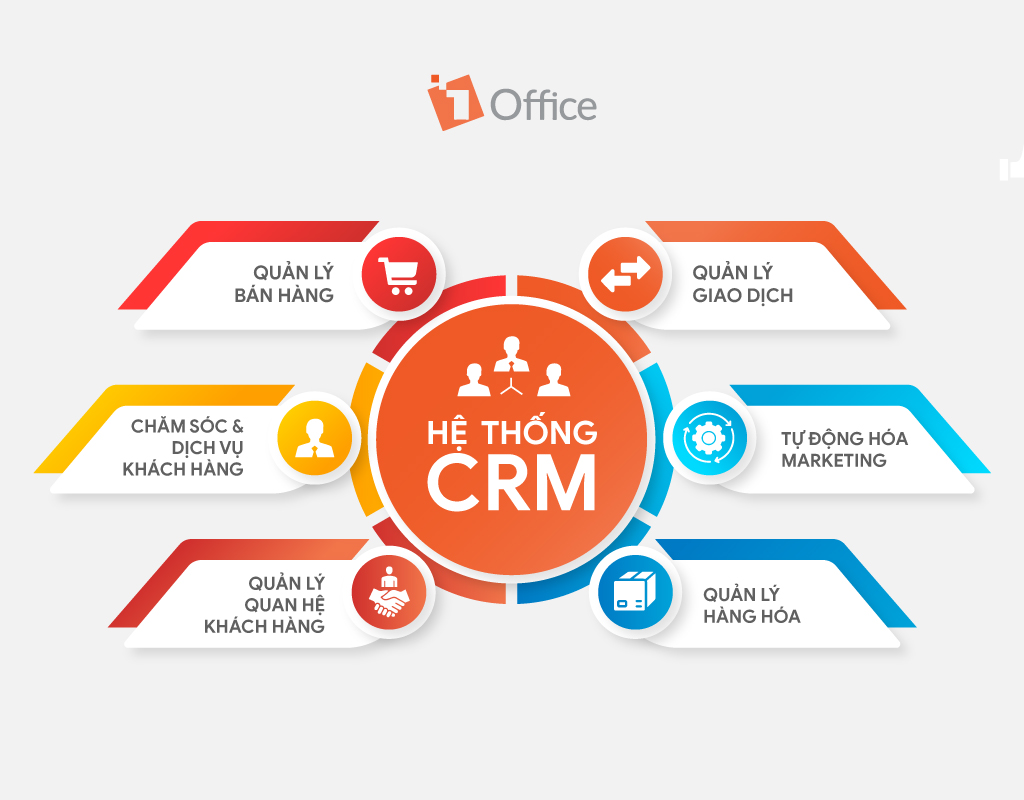
Considered a significant “boost” to a company’s operational processes, a CRM provides a working ecosystem for the business, where all departmental activities are linked and support each other to achieve business goals. Let’s explore the 6 functions of a CRM system and their roles in supporting business operations below:
4.1. Sales Management
A CRM system is a powerful assistant that supports a company’s sales operations. CRM optimizes most sales processes, helping businesses reduce costs and increase profits. CRM features that support business improvement include:
- Optimize the entire sales cycle – By establishing standards and automating order and quote processing, CRM eliminates repetitive tasks, helping the sales team achieve their goals faster.
- Customer data management – The CRM database provides a list of customer information and classifies them by purchasing cycle, helping the business understand which stage each customer is in to apply appropriate promotional measures.
- Measure sales performance – The sales management system allows for automatic report generation, providing comprehensive metrics to measure business performance such as revenue, profit, closing rate, etc., enabling detailed, visual tracking and evaluation of sales effectiveness.
- Sales planning – This feature helps managers create systematic and professional sales plans by analyzing a vast data repository with custom filters, supporting real-time data extraction at any stage.
- Connect with potential customers – Communicate and develop various customer outreach methods across multiple channels (Email, Google, Facebook, Call Center, etc.), maximizing the customer base for the business.
4.2. Customer Care & Service
The main purpose of a customer care management system is to optimize the customer experience. Therefore, CRM provides features that strongly support the customer care process, developing professional forms of customer care to ensure the highest quality customer service:
- Store customer care records – Includes information on transaction history, support requests, warranties, calls, and messages to clearly understand the status of each customer.
- Automate customer service – With auto features and automated messages, customer issues can be resolved quickly and promptly, 24/7, thereby increasing satisfaction levels and minimizing complaints.
4.3. Customer Relationship Management
- Customer segmentation – Divide & group customers into different segments based on their purchasing behavior and unique characteristics. This allows for appropriate care actions to enhance relationships and improve customer trust.
- Automated alerts – Special events like customer birthdays or upcoming contract expirations trigger alerts for the person in charge to take timely action.
4.4. Inventory Management
- Manage imports, exports, and inventory levels – Control the quantity of stock on hand, goods received, and goods sold to ensure there is always enough inventory to meet sales demands; data serves for purchase planning and evaluating product consumption efficiency.
- Manage inventory status – Provide detailed information for each type of product, including product code, quantity, warehouse location, person in charge, and status (ready for sale, being stocked, in transit, etc.).
- Manage purchasing and suppliers – Store purchase invoices and manage transactions with suppliers to tightly control the quality and quantity of goods.
4.5. Marketing Automation
- Marketing automation – Send emails, SMS, and notifications to customers according to a pre-set workflow, automatically sent to a selected customer segment at the same time.
- Evaluate marketing campaigns – Provide automated, visual reports on marketing performance indicators such as the number of leads generated, conversion rate, CTR, etc., to help track progress and assess campaign effectiveness.
| Reference: What is a Call to Action? How to write CTAs to triple your conversion rate |
4.6. Transaction Management
- Customer Debt – Track purchase history and information on paid debts, uncollected debts, and estimated revenue from customers
- Document Storage – Store all departmental documents such as contracts, invoices, quotes, etc., from customers to support debt management and accounting entries.
5. 8 Steps to Build an Optimal CRM System for Your Business
Step 1. Define Objectives
Any process begins with planning. Before building a CRM system for your business, it’s crucial to write down your business objectives and identify the challenges you want to solve.
For example: The goal of building a CRM system is to increase annual sales by 20% or reduce the customer return rate.
Well-defined objectives will help the CRM software development team create detailed technical specifications for the system and choose the most suitable technology.
Step 2. Establish User Roles
One of the advantages of a CRM system is that it helps establish stable communication relationships between employees and departments within the organization. However, each member will use the CRM software for different purposes and needs depending on their department-related tasks. That’s why you must identify the users of the CRM system in your business to develop appropriate tools and features.
For example: Marketers and sales managers use data analysis tools, while customer support team members need communication tools.
Step 3. Establish a Security System
A CRM database processes and stores a “massive” amount of information, so it’s crucial when building a CRM system to protect customer data from the risk of leaks and breaches.
Therefore, building security models within the CRM software is an urgent requirement that businesses must pay close attention to in order to protect their users and customers. This task requires a significant investment of time and money, but once a security “firewall” is built, the business will have a solid foundation to develop an optimal CRM system.
Step 4. Choose a Development Partner
The fastest way to build a professional CRM from scratch is to outsource to an IT provider with expertise in CRM system development. CRM solution providers will assist in implementing the CRM system from A to Z and customizing features to fit the characteristics and needs of the business. This will save you costs and manpower for research and software development.
Currently, there are many technology platforms on the market that provide customer management systems for B2B businesses. However, you need to research and thoroughly understand the solution packages of various providers to choose the most reputable and suitable one.
Step 5. Budget Planning
Building a CRM customer relationship management system is a major investment that helps a business “go the distance.” Therefore, the cost planning phase for CRM software must be carefully calculated.
After selecting and working with a software development partner, the business will be provided with a preliminary quote based on the list of required features and the scale of use.
This document will indicate the minimum and maximum time and cost that the business will pay for the entire CRM system. Based on the quote, you need to plan your budget and consider whether the proposed price is suitable for your business’s capabilities.
Step 6. Develop the CRM System
The issue of how to design the CRM system will be addressed at this stage. Specifically, the business needs to prepare design diagrams, data, and flowcharts. Then, software developers will rely on the provided documents to implement the CRM system. This process will go through the following steps:
- Infrastructure Setup – System setup and initialization
- CRM Data Installation
- Run demo and make adjustments
Note that during the installation phase, every piece of data and information must be handled carefully, as this information will be used throughout the business management process. A small discrepancy can affect the entire system.
Step 7. Go Live
After the platform is complete, the business will then deploy the CRM system to its users, who are the internal employees. During this stage, the business will need to train and guide staff on how to use the software. It is necessary to ensure that all employees understand the system’s features, its purpose, use cases, and can proficiently perform operations on the software.
Additionally, the business also needs to collect user feedback to evaluate whether the CRM system is operating effectively and smoothly. Survey employees and monitor work performance results to identify any shortcomings in the operation process and implement timely corrective solutions.
Step 8. Maintenance and Improvement
The final step in the CRM system building process is Maintenance & Improvement. CRM software requires continuous maintenance due to its complex nature. During the application of the CRM system in business operations, it is important to study user behavior on the features. From there, add new functions or updates and make improvements to optimize the user experience and fully realize the potential of the CRM system.
6. Popular CRM Software Versions Today
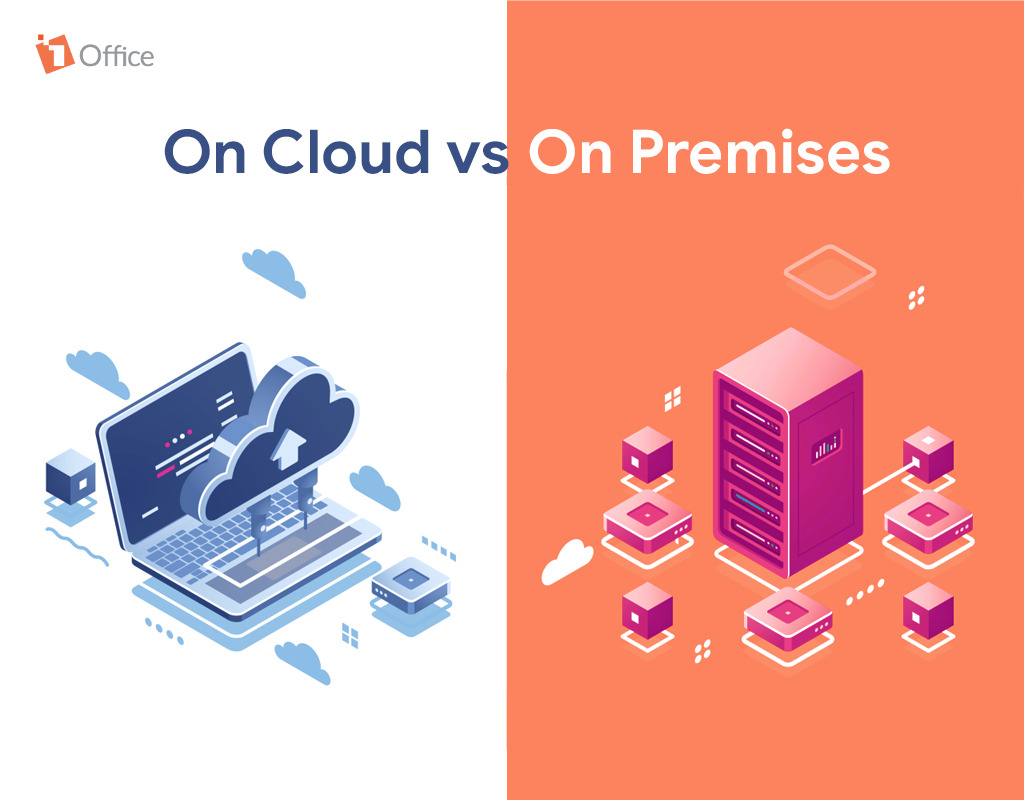
There are many CRM systems on the market offered in different versions to suit the needs and characteristics of each business. Currently, the two most considered CRM versions for businesses when implementing a customer management system are on-premise CRM and cloud-based CRM.
On-Premises CRM System
CRM software is installed directly on the company’s own servers. To build a CRM system, the business must make a significant investment in infrastructure, setting up a server system powerful enough to run the software. The business is solely responsible for all security, upgrades, and software improvements.
Cloud-Based CRM System (On-Cloud)
The CRM database is stored on a cloud computing platform. The CRM service provider is typically responsible for building, deploying, as well as upgrading and maintaining the software. The business only needs to present its system development plan to the provider, and the provider will configure the CRM system according to the features the business requires.
Comparing On-Premises vs. On-Cloud CRM
| On Premises | On Cloud | |
| Advantages |
|
|
| Disadvantages |
|
|
Additionally, businesses can choose to implement CRM using the following two methods:
CRM software tailored to specific industries and sectors
Today, many providers personalize their CRM systems according to the characteristics of each industry to meet the specific requirements of different sectors. Specialized CRM software is commonly used in industries such as F&B, healthcare, real estate, construction, etc.
Comprehensive CRM solutions
Most comprehensive CRM solutions are deployed on a cloud platform due to their flexibility in updating and adding features. This CRM software provides a complete and comprehensive toolset that serves all industries and sectors. Businesses can select the necessary features that suit their needs for CRM implementation.
7. Criteria for evaluating the effectiveness of a CRM system
Implementing a CRM system in a business goes beyond just installing the software; it also requires evaluating its actual effectiveness through KPIs (Key Performance Indicators). These metrics are crucial for helping business leaders understand customer management efficiency, sales productivity, customer satisfaction levels, and the profitability of CRM campaigns. Some important KPIs that businesses should track include:
-
Customer retention rate: this metric reflects a business’s ability to maintain long-term relationships with existing customers. An effective CRM helps businesses increase their retention rate through personalized care, loyalty programs, and quick responses to emerging issues.
For example, if there were 1,000 customers at the beginning of a period and 900 of them are still using the service at the end, the retention rate is 90%.
-
Lead-to-customer conversion rate: measures the ability to turn sales opportunities (leads) into actual customers. A CRM helps automate lead classification, send timely messages, and track the customer journey, thereby increasing the conversion rate.
-
Average customer request resolution time: measures the response speed of the customer care team to requests, inquiries, or complaints. A fast response time improves the customer experience, increases satisfaction, and reduces the risk of customer churn. A CRM with integrated automatic assignment and reminder features helps shorten resolution time.
-
Revenue per customer: this metric measures the economic value a business gains from each customer, reflecting the effectiveness of sales, care, and upsell/cross-sell strategies. A CRM helps track transaction history and customer preferences and provides suitable product recommendations to maximize revenue.
Additionally, businesses can establish other extended KPIs such as automated response rate, average number of customer interactions, and first-contact resolution rate to comprehensively evaluate the CRM system’s effectiveness. Tracking and analyzing these metrics not only helps improve the customer experience but also optimizes business processes, increasing sales and profits.
8. Challenges of CRM implementation
Although CRM offers many outstanding benefits, implementing and operating a CRM system within a business often faces several practical challenges. If not identified and addressed correctly, the CRM system may struggle to be effective, and could even lead to a waste of resources and costs. Some common challenges include:
-
Resistance to change from employees: When implementing a CRM, employees often find it difficult to change old work habits, leading to resistance or limited use of the system.
Solution: Businesses should organize detailed training sessions, provide role-specific user guides, share success stories from pioneering departments, and create incentives for using the CRM. A culture of change needs to be inspired by leadership so that all employees see the direct benefits.
-
Unsynchronized and non-standardized customer data: Data scattered across sales, marketing, and customer care departments can lead to incorrect, duplicate, or missing information, reducing the effectiveness of the CRM.
Solution: Establish a data standardization process and integrate the CRM system with other software such as ERP, POS, and marketing automation systems. At the same time, periodically check and clean the data to ensure its accuracy and reliability.
-
High implementation costs: CRM requires investment in software, infrastructure, personnel training, and system maintenance. If a business does not plan its budget carefully, the costs can exceed its ability to pay.
Solution: Create a detailed budget plan for each implementation phase, choose a CRM solution suitable for the business’s scale (Cloud CRM or On-Premise), and prioritize essential features before expanding.
-
Difficulty tracking effectiveness and measuring ROI: Without clear KPIs or regular reports, it’s difficult for businesses to assess the true effectiveness of the CRM.
Solution: Establish KPIs from the beginning, use a visual dashboard to track progress and effectiveness, and provide regular reports to help leadership understand implementation results and make improvement decisions.
Additionally, businesses may face challenges with system integration with existing software, customer data security, and ensuring the CRM is suitable for their specific industry. Early identification of these challenges and building a well-structured implementation strategy, combined with training and technical support, will help the CRM system operate effectively, enhance the customer experience, increase sales, and optimize customer relationship management.
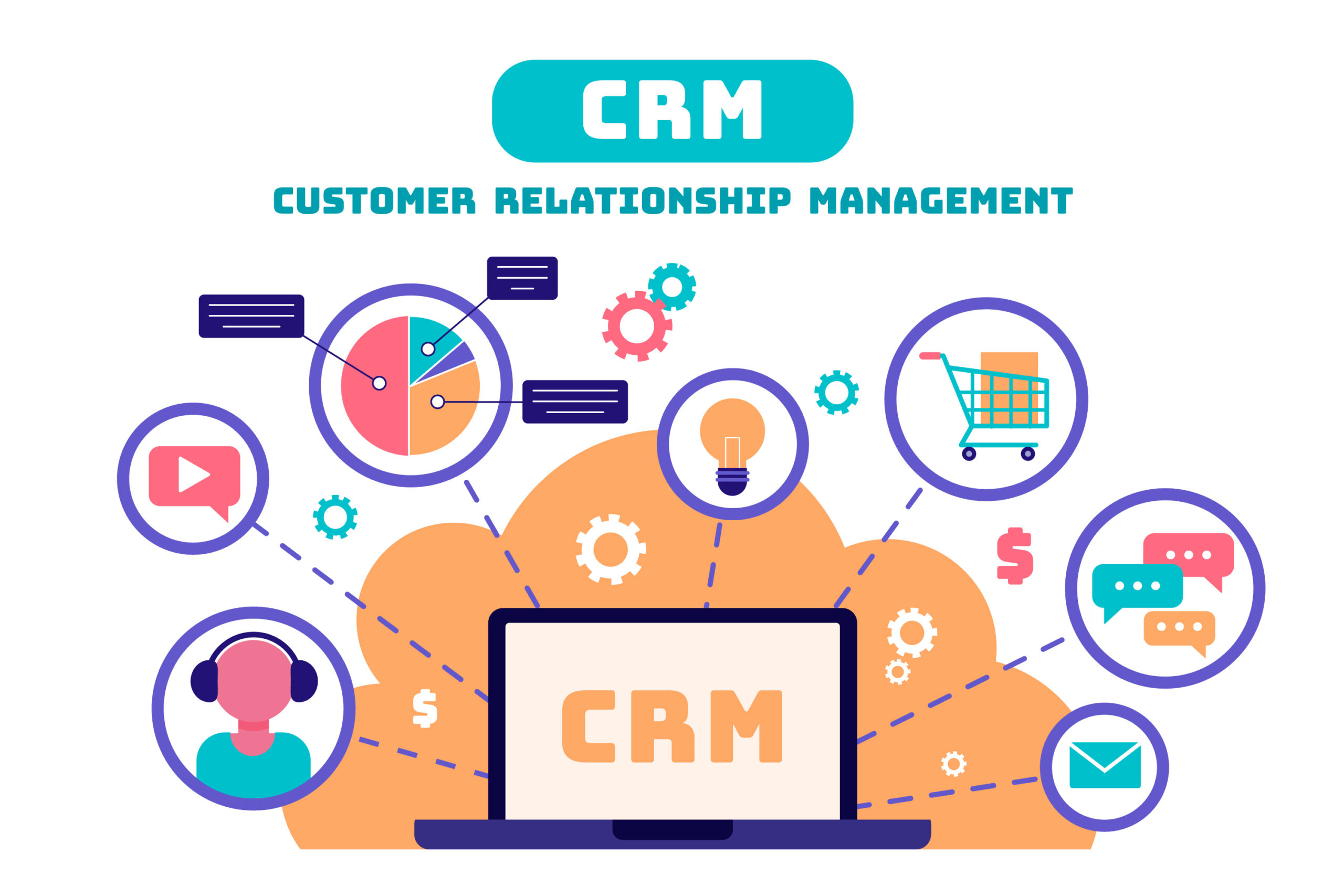
9. 1Office CRM – The Most Superior CRM System Today
In the race for digital transformation, businesses that fail to promptly apply a CRM system to their business and customer care processes risk being left behind. There are many CRM systems on the market today that help businesses optimize their operations.
1Office CRM is the most superior customer relationship management system for businesses. With 7 years of experience implementing customer care management systems, 1Office is a platform that provides high-quality, professional CRM solutions, trusted by over 5,000 corporate clients.
Functions of 1Office CRM
Marketing Campaign Management
- Automatically update data from Marketing channels (Facebook, Google, etc.) to the system for tracking, building, and managing marketing campaigns.
- Resource library provides email samples, templates, auto-calls, etc., to support the implementation of professional marketing activities.
- Automatic and visual reports on performance metrics from marketing campaigns.
Customer Care
- Store and classify customer information by groups: potential, in consultation, contract signed, etc.
- Allows for the automatic creation of customer care script frameworks for each channel and different customer segments.
- Features that allow direct customer care on the software, such as: sending emails, making calls, messaging customers, signing and approving quotes, closing contracts, etc.
- Automatically reminds the responsible employee with alerts such as: care alerts, customer birthday reminders to take appropriate customer care actions.
Sales Activity Management
- Create order and contract information online on the system with simple steps.
- Store necessary data for the sales process such as: orders, contracts, inventory, etc.
- Visually report detailed information on orders as well as business results in real-time.
10. Frequently Asked Questions about CRM Systems
Do small businesses or startups need to use a CRM?
Yes. CRM helps small businesses build a structured customer database from the very beginning, prevent data loss when employees leave, and create a professional sales process for faster growth.
What is the biggest difference between a CRM and Excel for customer management?
Excel is just a static spreadsheet, prone to errors, and difficult to share. CRM is a dynamic system that allows for process automation, care schedule reminders, direct calling, and provides in-depth analytical reports in real-time.
Is data on a Cloud CRM truly secure against cyberattacks?
Yes. Reputable Cloud CRM providers like 1Office use international-standard data center infrastructure, end-to-end data encryption, and have automatic backup mechanisms, which are often more secure than self-hosting an on-premise server.
How long does it take for a business to become proficient in operating a CRM system?
It usually takes 2 to 4 weeks. This timeframe includes data standardization, system parameter setup, and training staff on practical operations within the business and Marketing modules.
Can CRM be integrated with other accounting or sales software?
Yes. Modern CRM systems support API gateways to synchronize data with accounting software, warehouse management systems, or e-commerce platforms, ensuring seamless data flow throughout the entire enterprise management system.
11. Conclusion
This article from 1Office has provided readers with insights into the functions of a CRM system and the process of building an effective customer relationship management system. It also introduces you to the most outstanding CRM software available today. For a free consultation and a demo of the 1Office sales management software, please contact us using the information below.
For more details, please see:
- Hotline: 083 483 8888
- Fanpage: https://www.facebook.com/1officevn/
- Youtube: https://www.youtube.com/channel/UCeTIRNqxaTwk0_kcTw6SxmA
















