


 13/05/2026
  596 views
The more a business grows, the larger the volume of records it needs to store. So, have you ever looked for a tool that can help your organization store and process that pile of documents? In this article, let’s explore the 7 most popular document management software on the market.
Mục lục
I. What is document management software?
1. What is DMS?
A Document Management System (DMS) is a system built to manage the records, vouchers, and documents of an entire organization using a computer system or software for storage.
2. What is EDMS?
While searching for suitable software for your business, you will encounter acronyms like EDMS – Electronic Document Management System, which is document management software.
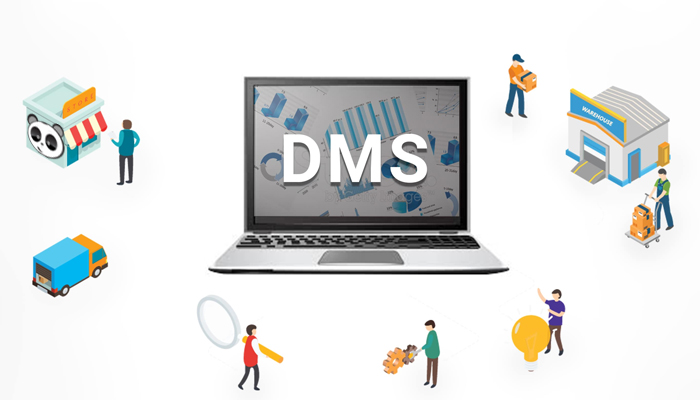
Arguably, some organizations require advanced functions to manage documents and need to provide access to dozens of employees. An Enterprise Document Management System (EDMS) is equipped with advanced features and capabilities to enable the management of a large document library.
Now that you understand what document management software is, let’s explore the essential features of a complete software solution that can support your business operations in the next section.
II. Essential Features of Document Management Software
To evaluate and select the right document management software, you can refer to some of the key features we have listed below to guide your selection and use:
- Storage
- Security and access control
- Version control
- Software cost
- Data processing capabilities of the software
- Tools for reporting on operational performance,…
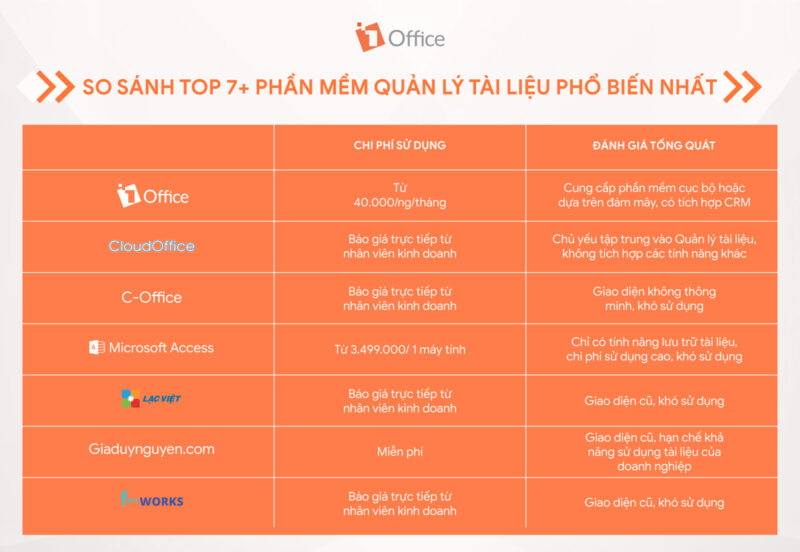
– Price: This is a key factor that reflects the features and ability to handle complex business issues. Although cheaper software may seem more attractive, make sure to choose software that fully meets your needs.
– More complex software offers more features, but it can also lead to freezing or glitches if your device cannot run it. Be sure to check if your device meets the minimum requirements to run more powerful software.
III. Review of the 5 Most Popular Document Management Software for Businesses Today
In this section, let’s explore the 5 most popular document management software on the market, focusing on their main functions and usage costs.
1. 1Office – Comprehensive Enterprise Management Software
As a comprehensive enterprise management software built on a cloud management model. Additionally, being built on 4 main modules: 1Work, 1CRM, 1HRM, and Advance, it enhances the business’s data storage capabilities more than ever before.
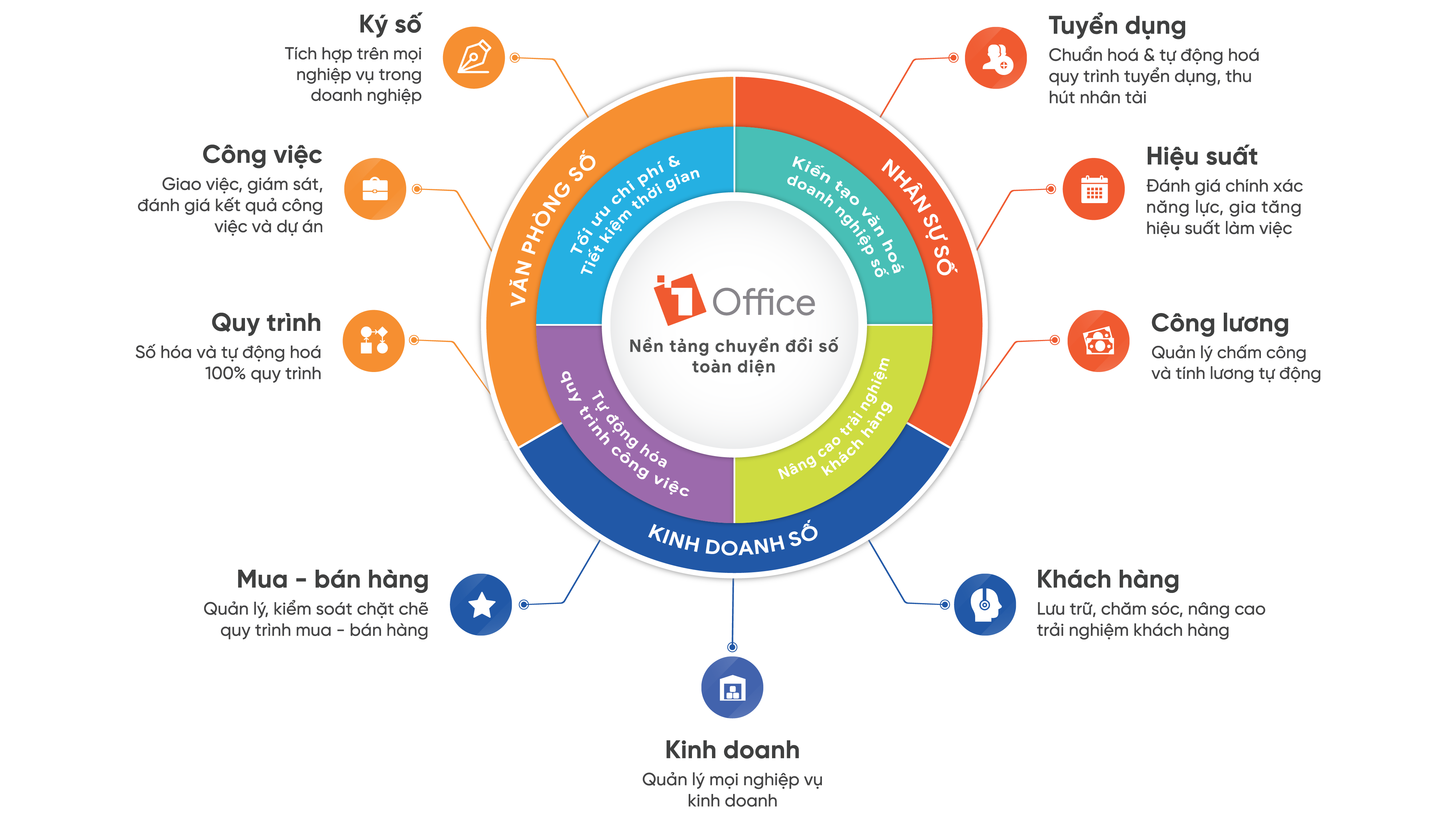
Main functions: Within each module, data storage is also divided into multiple segments and by department within the organization, making it easier for employees to search for and use documents and materials. Furthermore, this specific division also helps managers control the document resources within the business.
1WORK – COMPREHENSIVE WORK AND PROJECT MANAGEMENT TOOLKIT
- Manage project progress, human resources, and cash flow
- Assign tasks, monitor, accept & evaluate results
- Manage official letters, internal documents, materials, contracts, and departmental schedules
- Build & communicate corporate culture
- Digitize and automate 100% of execution and approval processes with BPA
1HRM – TOOLKIT TO MAXIMIZE THE EFFICIENCY OF HUMAN RESOURCE MANAGEMENT:
- Build and manage recruitment processes, personnel records, and labor contracts
- Manage timekeeping, calculate salaries and bonuses, and declare social insurance
- Manage and digitize forms, asset information, personnel training, and set up approval processes
- System for periodic employee evaluation, managing KPI & OKR objectives
1CRM – A TOOLKIT FOR MANAGING ALL BUSINESS OPERATIONS AND CUSTOMER CARE:
- Manage activities, measure, and optimize conversion rates and Marketing costs
- Manage, track, and report sales and commissions for each employee
- Manage and monitor the purchasing process, propose new material purchases
- Manage inventory (exports, imports, stock levels) and visually control the entire warehouse
- Track and generate statistical reports on all company revenues/expenditures
2. Cloudoffice
CloudOffice is a comprehensive work management software, especially for corporate document management. It is built with the goal of improving the efficiency of administrative tasks and paperwork. Additionally, it supports work operations anytime, anywhere.
Some of the software’s main features:
- Classify document models and data by different topics: Divides documents into 2 main sections: reference documents and documents that need processing.
- Directly comment on documents right within the system
- Approve document processing directly on the software.
- Supports data statistics and reporting
Usage cost: Contact staff for a price quote.
3. C-Office Document Storage Software
As an electronic data management software, C-Office can digitize document management tasks, operational direction, and automate office business processes. When using C-Office, you can utilize several main functions such as:
- Task management and reminders: includes all operational tasks through the official dispatch management application, task assignment management, and tasks related to projects, contracts, etc.
- Manage all digitized and stored document records on the system, grant permissions for personnel to manage, update, exploit, search, etc.
- Manage the document library repository, manage official dispatches, etc.
- Send reminders, notifications, and alerts via Email to all employees on the system.
Cost: Register for a software trial to receive a direct price consultation from a sales representative.
4. Microsoft Access Records Management Software
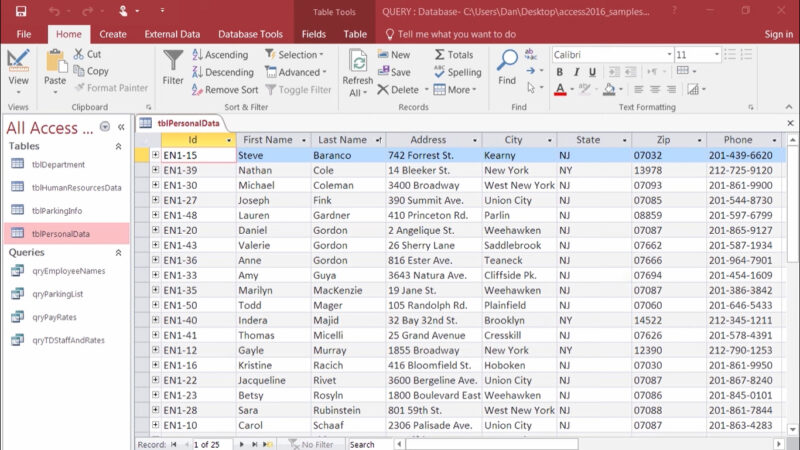
It is part of the Microsoft Office application suite and is widely used on Windows operating systems.
Main functions:
- Store company information and data
- Provide results and export information
- Establish relationships between information tables
- Create data entry forms, change and edit data quickly and efficiently
Usage cost: From 3,499,000 / computer
5. DMS Lạc Việt
Aimed at managing, retrieving, and processing archived records, the application consists of many modules corresponding to the main tasks of an archiving unit, including collection, preservation, arrangement, exploitation, lookup, summary reporting, and statistics, etc.
When using this software, you get several main features such as:
- Provides two search functions: Quick search and advanced search. Search results can be exported to an Excel file for reuse in operational activities.
- Records are managed in different sections
- User permissions can be assigned to specific data items, down to individual document components of an archived record.
- Supports online registration, borrowing, or extending the usage period of document records quickly and conveniently.
Limitation: Outdated interface, difficult to use
Usage cost: Direct cost consultation available upon contacting a sales specialist
6. Giaduynguyen.com
As this software has been around for a long time, its interface is quite outdated, limiting the company’s ability to use documents. When using this software to manage documents and records, you will receive benefits such as:
- Collect and classify the organization’s document sources
- High security due to its old interface and commands
- Saves operational costs
Cost: Free
7. Facework Document and Record Management Software
Faceworks is an intelligent project management solution that helps businesses manage project information effectively and consolidates all data related to the company’s project statistics.
When using this software, you will have access to features such as:
- Plan project implementation and investment plans
- Manage project information, sort projects based on various criteria such as date, alphabetical order, etc.
- Unlimited document storage
- Easily add, edit, and delete attached documents, with convenient access to view document information
Cost: Free trial
| Learn more: Top 7+ Best Sales Management Software in 2022 |
IV. Frequently Asked Questions about Document Management Software
- What are the three main benefits of a data management system?
- Reduced storage space.
- Easier retrieval.
- Enhanced security.
- Is all document management software cloud-based?
No. Document management can be handled in different ways depending on the software you choose.
- Is document management software secure enough to protect my business files from cyber threats?
The advantage of digital document management is that it allows you to restrict access to your documents. All document management software has built-in security features to protect you from the risk of data breaches.
The article above has provided readers with the most comprehensive and accurate overview of the topic we have discussed. 1Office hopes that the information we provide will be helpful to our readers.
For more details, please visit:
Fanpage: https://www.facebook.com/1officevn/
Youtube: https://www.youtube.com/channel/UCeTIRNqxaTwk0_kcTw6SxmA

















