


 13/05/2026
  316 views
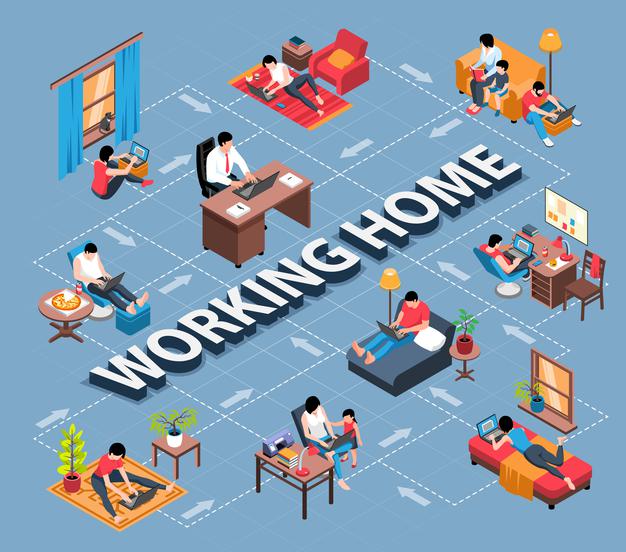
With the resurgence of the Covid-19 pandemic, the trend of working from home and working online has become the “new normal” that many businesses and organizations have quickly adapted to. However, this trend also creates many challenges for managers. According to a recent study by the Society for Human Resource Management (SHRM), nearly 3/4 (71%) of leaders find it difficult to adapt to managing remote employees.
So how can you manage your employees? With the development of technology, all work-related information and resources can be accessed by everyone from anywhere, along with the emergence of software that supports management, thereby improving the engagement and productivity of remote employees.
Mục lục
What are the challenges for businesses when working remotely?
The challenges for businesses when working remotely lie in the breakdown of direct interaction, difficulties in monitoring actual performance, and the risk of leakage or shortage of shared information, affecting engagement and work progress.
Here are the specific difficulties that organizations often face:
Lack of direct interaction
Both managers and employees often express concerns about the lack of direct interaction. Workplace communication plays a crucial role in work. It not only helps individuals exchange information and resolve work issues quickly and accurately. On the other hand, communicating with colleagues also helps relieve stress and pressure. In the long run, it can even lead to a loss of connection and a lack of employee engagement.
Research shows that remote employees tend to be less diligent and less productive due to a lack of direct supervision, communication, and necessary support information. Many employees “struggle” with the lack of communication and support from their managers. In some cases, employees feel that remote managers do not meet their needs, resulting in ineffective support.

Inability to ensure employee performance
Not many organizations in Vietnam have built a remote work culture. Therefore, ensuring employee performance is always a headache for business owners.
Without supporting tools, managers can only receive remote reports via text messages or email; during online meetings, it’s very difficult to monitor and accurately know the proactiveness and honesty of employees working from home. Without close daily and hourly supervision, work can easily be delayed, stagnate, and become inefficient. Remote management remains a concern for business owners.
Read more: What is Project Progress Management? 6 Steps for Effective Progress Management
Reduced access to information / data
Among team members, there is something called “mutual knowledge” (shared knowledge). Creativity and work improvements can stem from instances of knowledge sharing and mutual learning among employees.
However, working from different locations makes it very difficult for people to share this knowledge with each other – sometimes including hot tips or the latest market updates. Those new to remote work need more time and effort to get information from colleagues. Even getting answers to seemingly simple questions can be a major obstacle for employees working from home.
The transmission of information throughout the organization can hardly be guaranteed to be cohesive, and it directly affects creativity and innovation. As a result, work coordination cannot be seamless, and achieving the organization’s development goals becomes difficult.

Prone to distraction and lack of focus
Working remotely is not a suitable option for some people with poor concentration skills, especially those with young children. They are easily distracted or lose focus due to feeding their children, taking care of the family, cooking, or cleaning.
Even if they have arranged a scientific schedule and have a separate workspace, maintaining productivity during work hours can be a real challenge when there are so many distractions around – surrounded by personal belongings and reminders of household chores, it’s hard to concentrate.
Therefore, it’s undeniable that letting employees work from home can cause the aforementioned issues, leading to backlogged work and an inability to meet deadlines.

Read more: Manage time and work effectively with 1Office
How can leaders support their employees?
To support employees effectively, leaders need to shift their focus from controlling time to managing results, while also providing a system of supporting tools and maintaining emotional connections to ensure the team is always promptly re-energized.
Focus on managing work, not time: Each employee has different peak productivity times; results are the most reliable indicator for remote work. Overall evaluation can only be based on the results employees achieve, so it’s necessary to set goals and requirements as clearly as possible. Managers need work management skills to break down tasks into specific details—what needs to be done, who will do it, and when it should be completed—and then monitor and follow up to help the team complete work on schedule.
Establish daily work check-in methods: This could be in the form of a direct 1:1 call if your employees work independently, or a quick team meeting at the start of the day if they work in a group. The important thing is that this must be done regularly and consistently to help all members understand that they will always receive timely support. Cloud-based applications will allow employees and managers to access data, track progress, and report online. Regular video conferences also help teams become more cohesive.
Provide appropriate work tools: There are many types of tools and software that can support communication for remote teams and make your work easier, such as Google Hangouts (chat), Google Meet (video meetings), and scheduling tools (Calendly). However, not every tool is suitable for your team. You should consider trials and research options to find the tool that best fits your business’s needs. Additionally, you should train employees on the chosen tools to ensure everyone uses them consistently and to their fullest potential.
Promote a culture of communication: A thoughtful boss will build connections by showing care and sharing both work-related and casual stories with employees, helping team members feel relaxed and comfortable.
Provide mental, emotional, and motivational support: Promptly listen to the stress, difficulties, and frustrations of team members and empathize with them. If a new employee is working remotely and is clearly struggling but not communicating their stress or anxiety, reach out to them. Even a general question like “How’s remote work going for you?” can elicit important information that a manager might not otherwise hear. Research also shows that an effective leader takes a two-pronged approach: acknowledging the stress and anxiety employees may feel, while also affirming confidence in them. Implement EQ communication (emotional intelligence communication) practices to empathize and connect with employees.

1Office – The Secure and Effective Remote Work Solution
As business owners, CEOs and managers have often felt the pain of being unable to track and monitor work, lacking solutions to foster colleague engagement, and consequently losing talented employees. But things are different now. With the WORKPLACE feature from 1Office, businesses can easily resolve all bottlenecks in managing and evaluating work performance.
A comprehensive business management toolkit
1Office allows all relevant departments in a workflow to be connected on a single platform, making control and reporting easy.
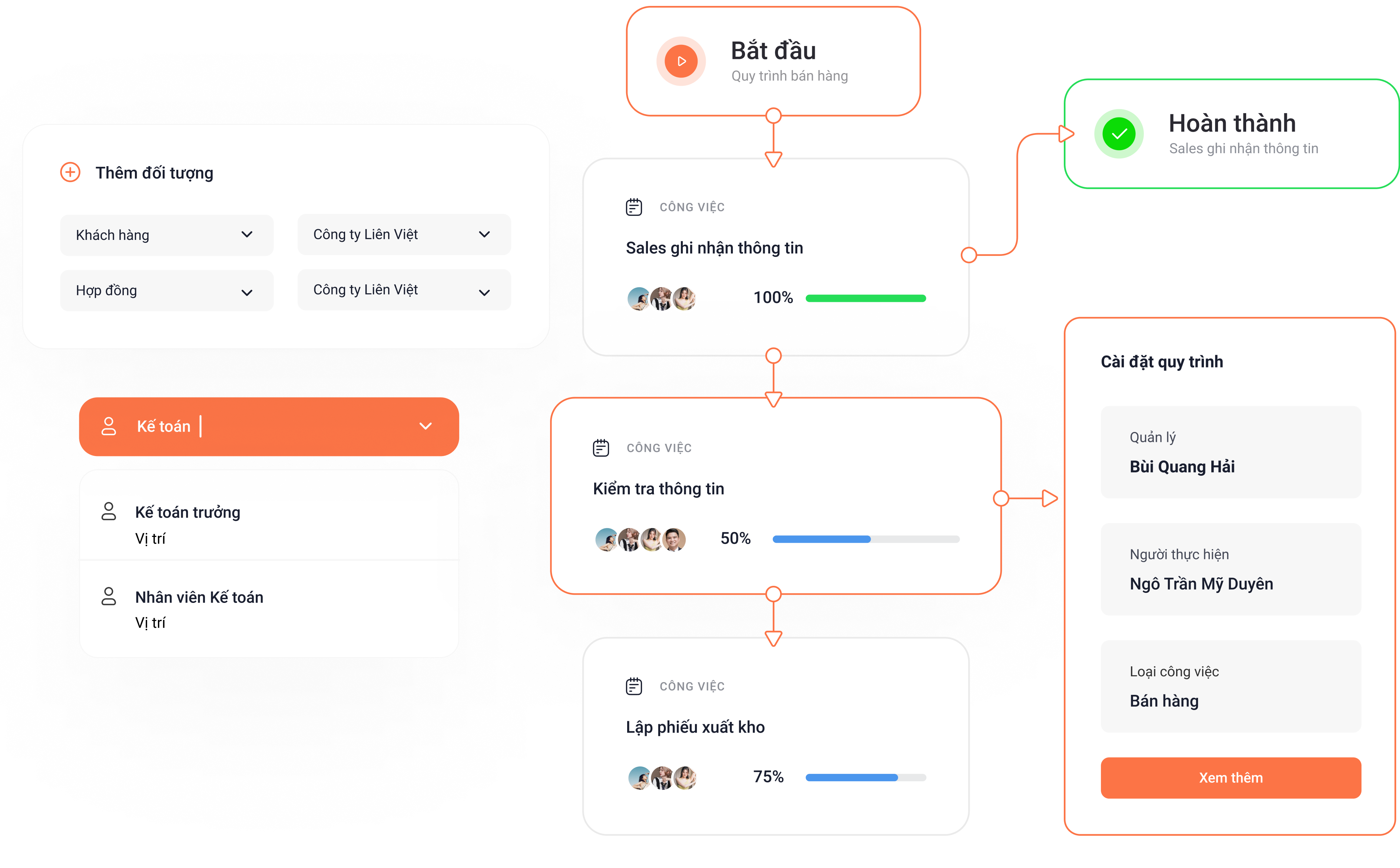
1Office allows businesses to digitize all processes on a single platform. When a task is created, the system assigns it directly to the department manager. The manager then assigns the task to a specific employee in the team. This feature ensures that work is always assigned to the right person and on schedule, and managers can easily track and evaluate work performance.
Manage work progress with the Dashboard screen
Automatically updates reports based on progress and tasks, allowing managers to grasp the detailed status of work.
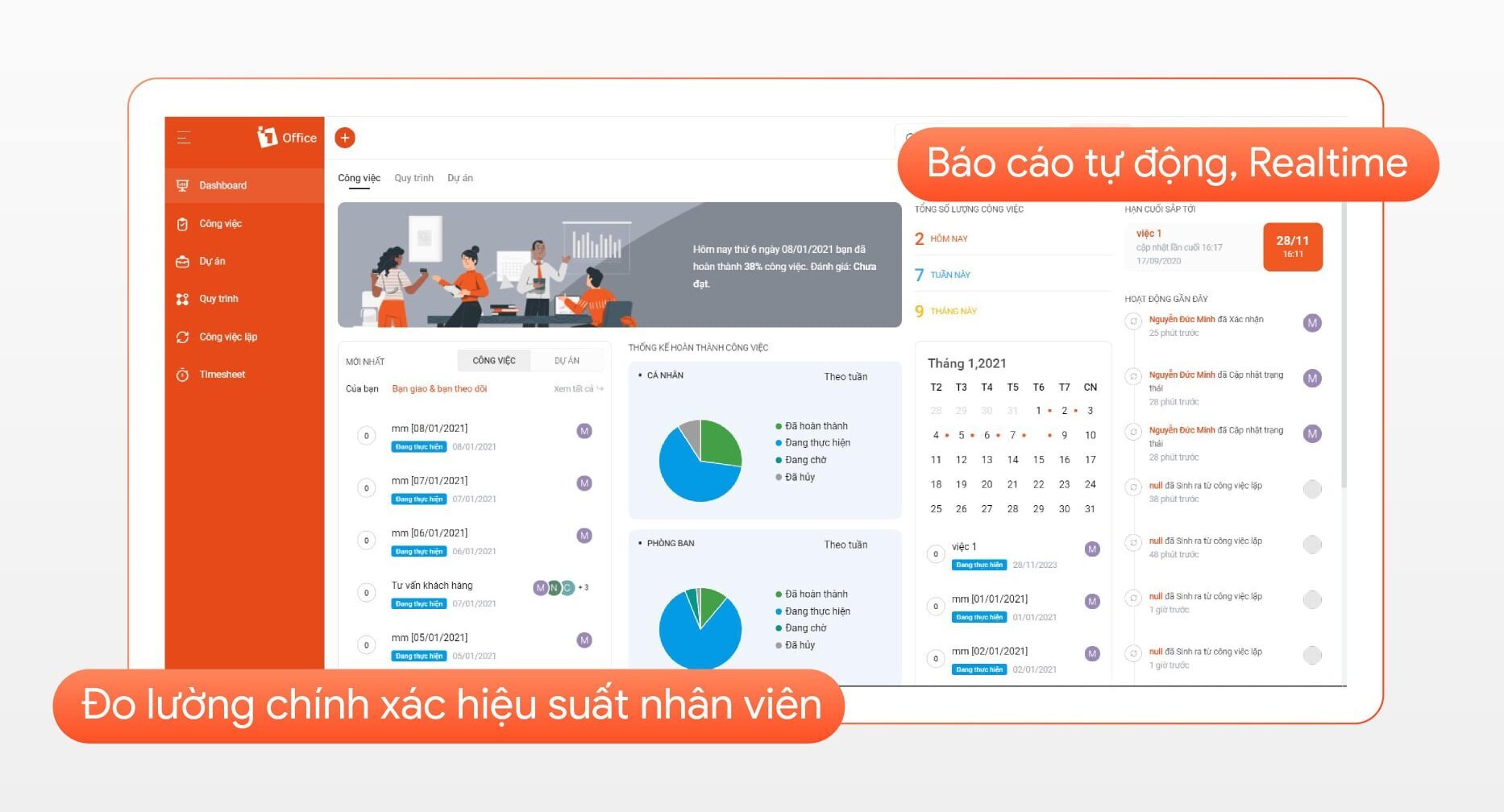
- A summary screen in Widget format, including charts and lists
- Each individual can edit and set up their own Dashboard screen
- Major modules like Work, HR, and Customer Care each have their own dashboard screen
- Flexible, customizable, with unlimited scalability
Visual reports allow for creating diverse alerts
Users can view tasks and projects in two different formats: Gantt Chart or Kanban view. These are highly scientific and visual, helping managers easily track work.
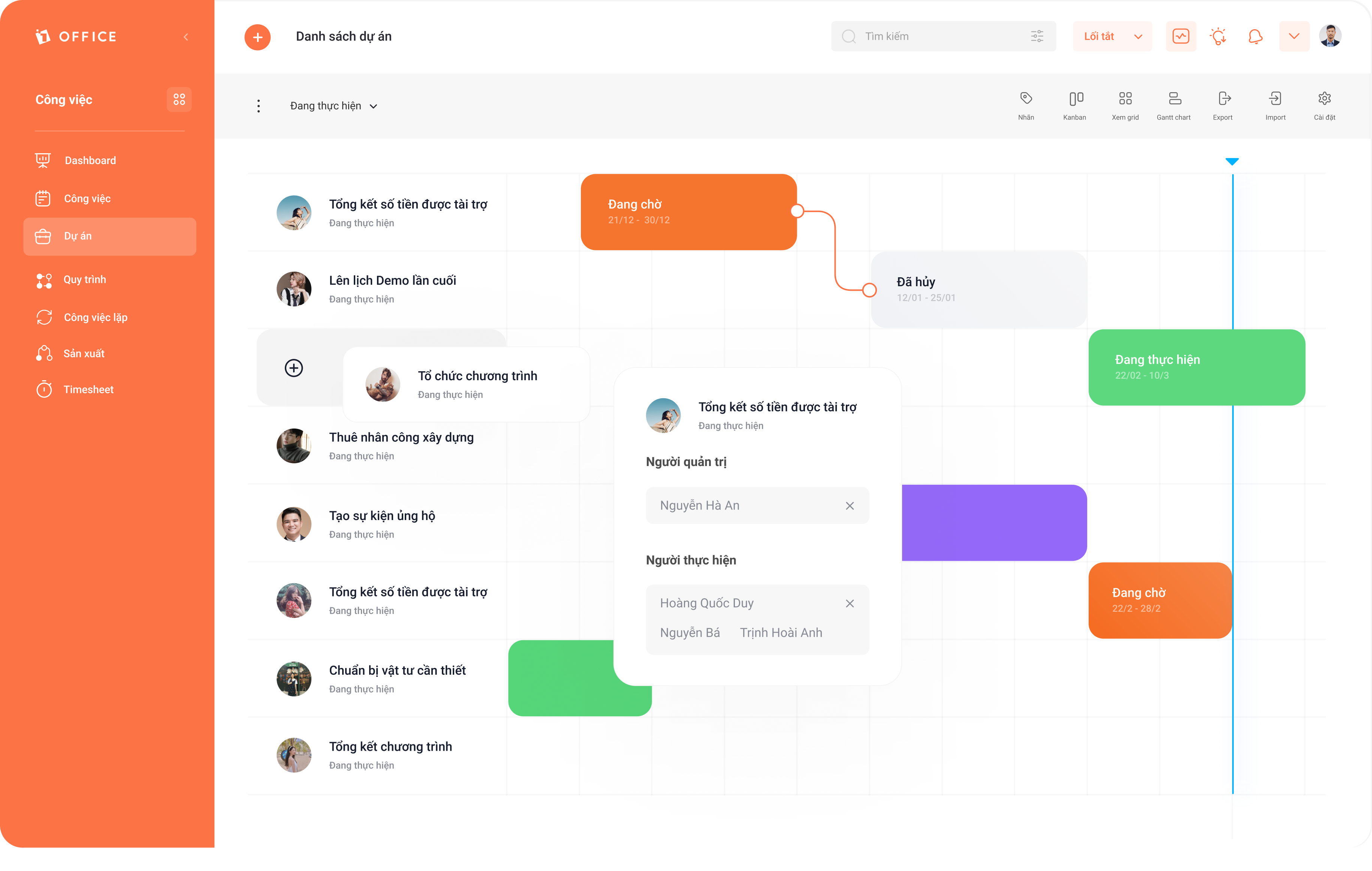
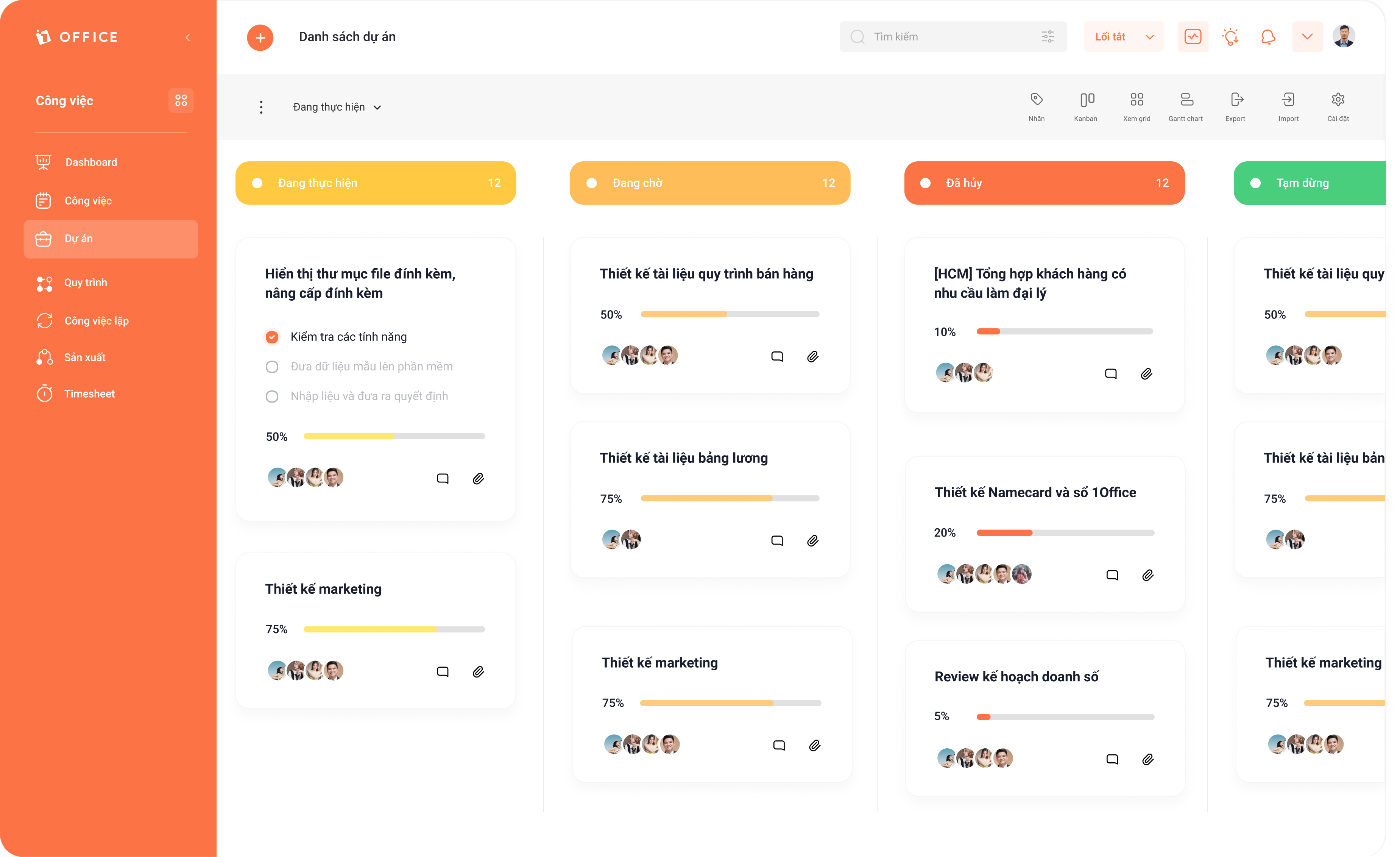
Additionally, automatic alerts are set up to ensure work progress and performance. When a task is behind schedule, the system will issue an alert, helping managers easily control the progress of each team member. At the same time, these alerts will help employees automatically adjust their own pace and productivity.
An effective internal communication channel for businesses
1Office provides a comprehensive business management solution that includes a digital toolkit offering an internal communication channel to promote and develop corporate culture, engage, and inspire employees.
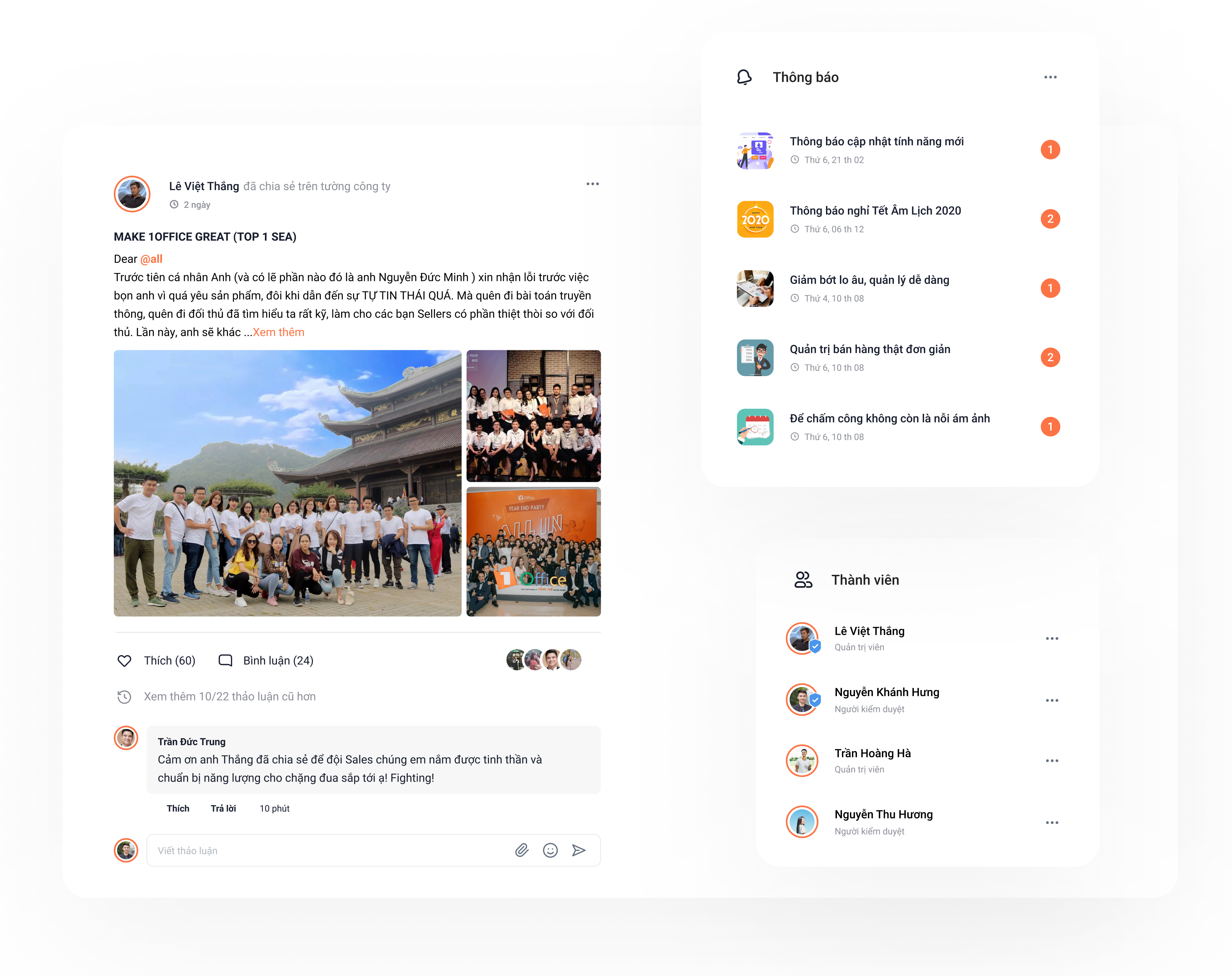
The corporate intranet allows users to easily connect with colleagues and interact with each other in the comments section by reacting with icons, mentioning names, or attaching files to their comments.
Frequently Asked Questions about Remote Work Management
How can data security be ensured when employees access the system from their home networks?
Businesses should set up a Virtual Private Network (VPN), require two-factor authentication (2FA), and use centralized management platforms like 1Office to control access rights and prevent leaks of important information.
What should leaders do when employees show signs of burnout from working overtime at home?
It’s necessary to establish clear rules about “disconnecting” time, encourage employees not to reply to messages after work hours, and organize psychological counseling sessions or online recreational activities to promote work-life balance.
What methods can be used to assess employee integrity without making them feel overly monitored?
Instead of using screen monitoring software, use a work management system based on Objectives and Key Results (OKR) or Key Performance Indicators (KPI). The final work result is the most accurate measure of an employee’s self-discipline.
What legal procedures do businesses need to prepare when transitioning to long-term remote work?
An addendum to the employment contract should be signed to clarify terms regarding the place of work, working hours, allowances (internet, electricity, equipment), and regulations on information security in an online environment.
How can new employees be onboarded effectively without face-to-face meetings?
Build a digital library of instructional materials, assign a “mentor” for 1:1 support via video call, and establish a specific weekly online training roadmap to help new hires integrate quickly.
Conclusion
Overall, the remote work model requires each business to redefine its operational goals and perfect its digital technology platform. If you are facing difficulties in business management, sign up for a trial to receive a consultation, and 1Office will help you resolve your challenges quickly.
Let 1Office be the tool that helps your business enhance connectivity and work more effectively from anywhere!
Related articles:
















