


 13/05/2026
  182 views
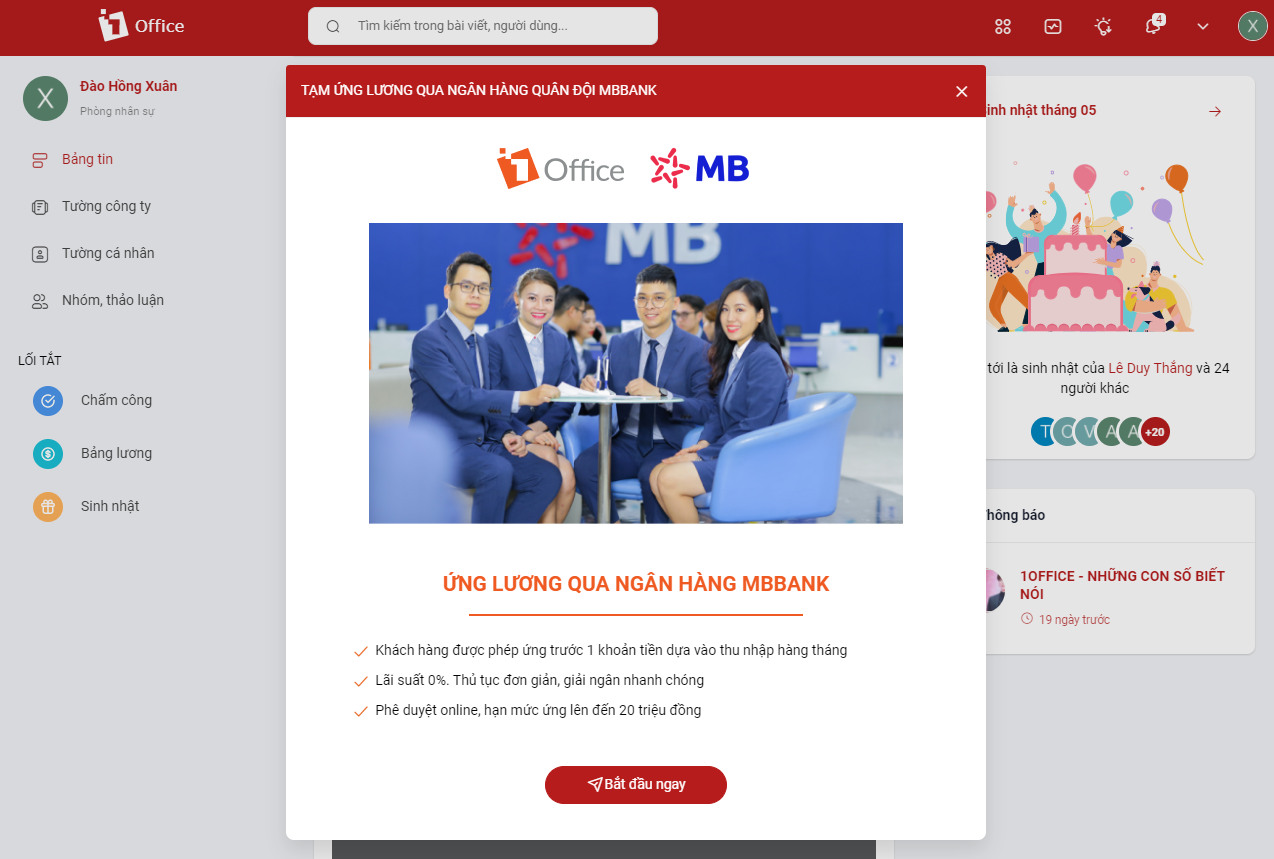
1Office would like to thank our valued customers for your trust and for using our services. With the desire to improve product quality and provide a better experience, we are pleased to announce the addition of the Salary Advance via MB Bank feature in the 1Office software.
Salary Advance via MB Bank on the 1Office software is a feature that allows customers to advance a sum of money based on their monthly income recorded in the 1Office software. The bank will use the customer’s salary data on the system to assess their financial capacity and determine a reasonable credit limit and loan term.
Mục lục
Benefits
- Customers can advance a minimum amount of 2,000,000 VND and a maximum not exceeding 20,000,000 VND for a specified period (as agreed between MB Bank and the Customer in the Loan Agreement)
- Preferential interest rate: 0%/year. Simple and fast procedure.
- Low fee: from 50,000 VND to 200,000 VND (excluding VAT) corresponding to the advance amount.
- Fast and secure online application approval without paperwork or collateral.
Conditions
- Customer has a National ID/Citizen ID card on the 1Office system.
- Customer has an MB Bank account on the 1Office system.
- Requires information of at least 2 relatives on the 1Office system.
- Agree to the terms and conditions of the Product Rules and Loan Agreement of MB Bank.
- Have signed and authenticated the Online Loan form at an MBBANK transaction counter.
Guide to Requesting a Salary Advance via MB Bank on the 1Office Software
There are 2 ways to request a salary advance via MB Bank on the 1Office software:
Method 1: Request an advance on your company’s web portal
- Step 1: Open your company’s web portal link, and log in with your 1Office username and password.
- Step 2: On the social screen, click the downward-facing arrow (to the left of your avatar) > select Salary Advance via MBBANK > select Start Now
- Step 3: Accurately and completely fill in the information required by the system, such as: Proposed advance amount, Payday, Email, National ID/Citizen ID, etc.
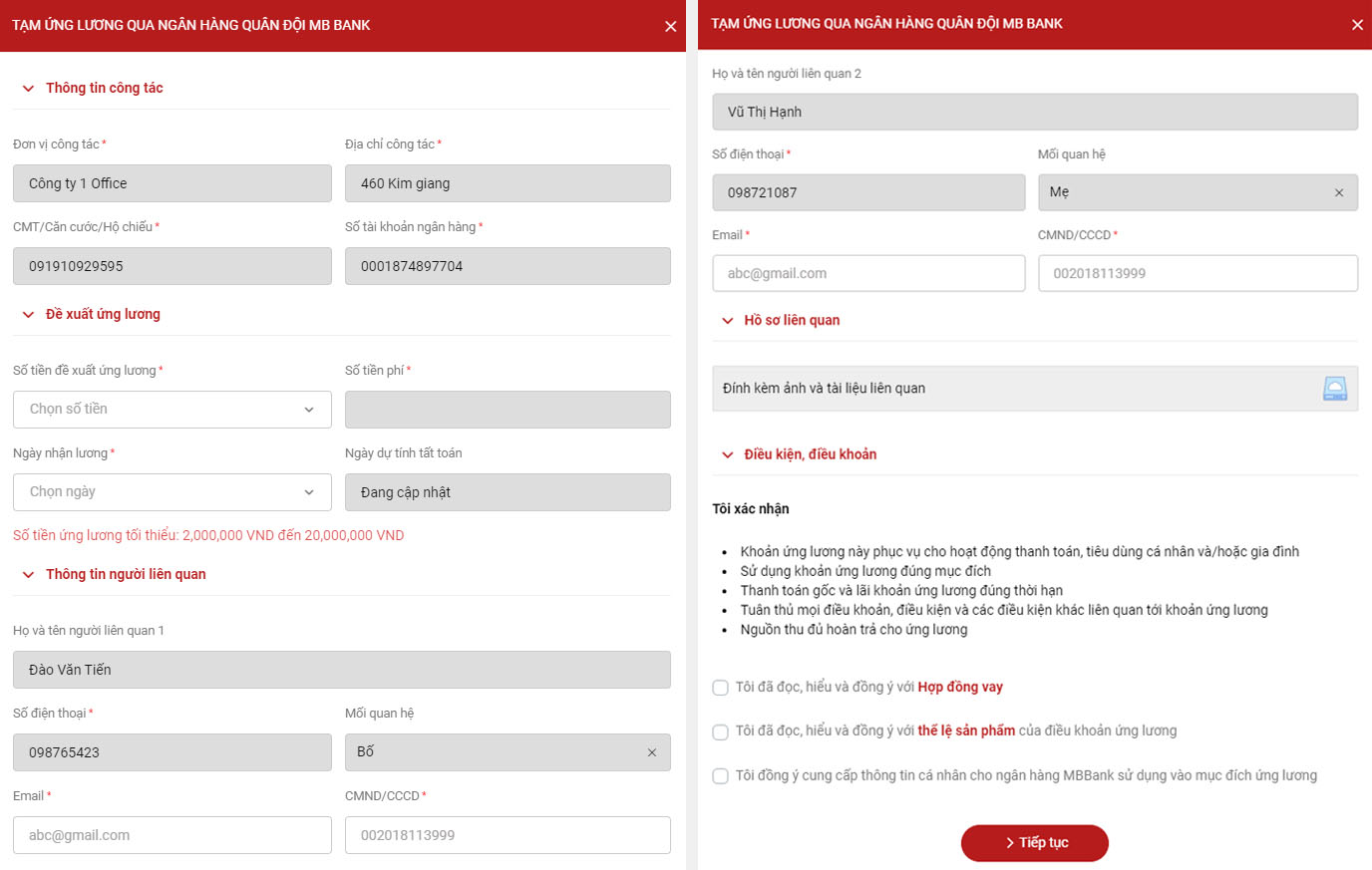
- Step 4: After filling in all the information, you must agree to the Terms and Conditions and select Continue
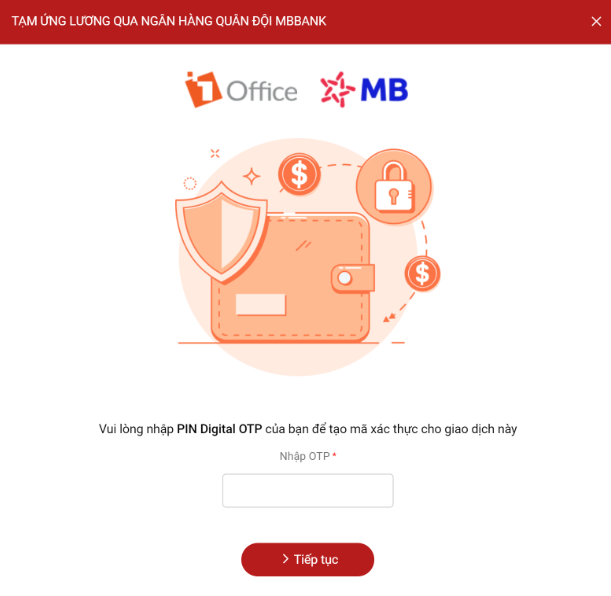
- Step 5: The system will send an OTP code to your phone number. Enter this code accurately and select Continue to complete the activation of the salary advance via MB Bank.
Method 2: Request an advance on the 1Office APP
- Step 1: Download the 1Office App, log in using your company’s link > enter your 1Office username and password.
- Step 2: On the social screen, tap the task icon with 3 horizontal lines in the top-left corner (the icon to the left of the bell) > select Salary Advance via MBBANK > select Start Now
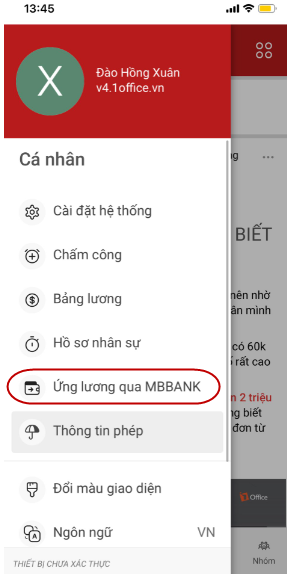
- Step 3: Follow the same steps as Step 3, Step 4, and Step 5 in Method 1: Request an advance on your company’s web portal
View Advance History
- For customers who have used the salary advance via MB Bank on the 1Office system, you can review the history of successful or failed transactions on the 1Office software if needed.
This is the new feature launched by 1Office. We will continue to research, upgrade, and add more new features in the future.
1Office hopes to bring a modern experience and provide many useful features to customers who trust and use the 1Office application – The comprehensive business management solution.
















