


 12/05/2026
  157 views
Dear Valued Customers,
1Office sincerely thanks our valued customers for your continued trust, support, and use of our product over the past time. With the vision and mission of providing customers with the best quality products to contribute to the digital transformation of businesses, 1Office has been and is constantly striving to improve quality and develop new features for the product.
In December 2023, we have upgraded the following features:
WORKPLACE MODULE
1. Digital Signature
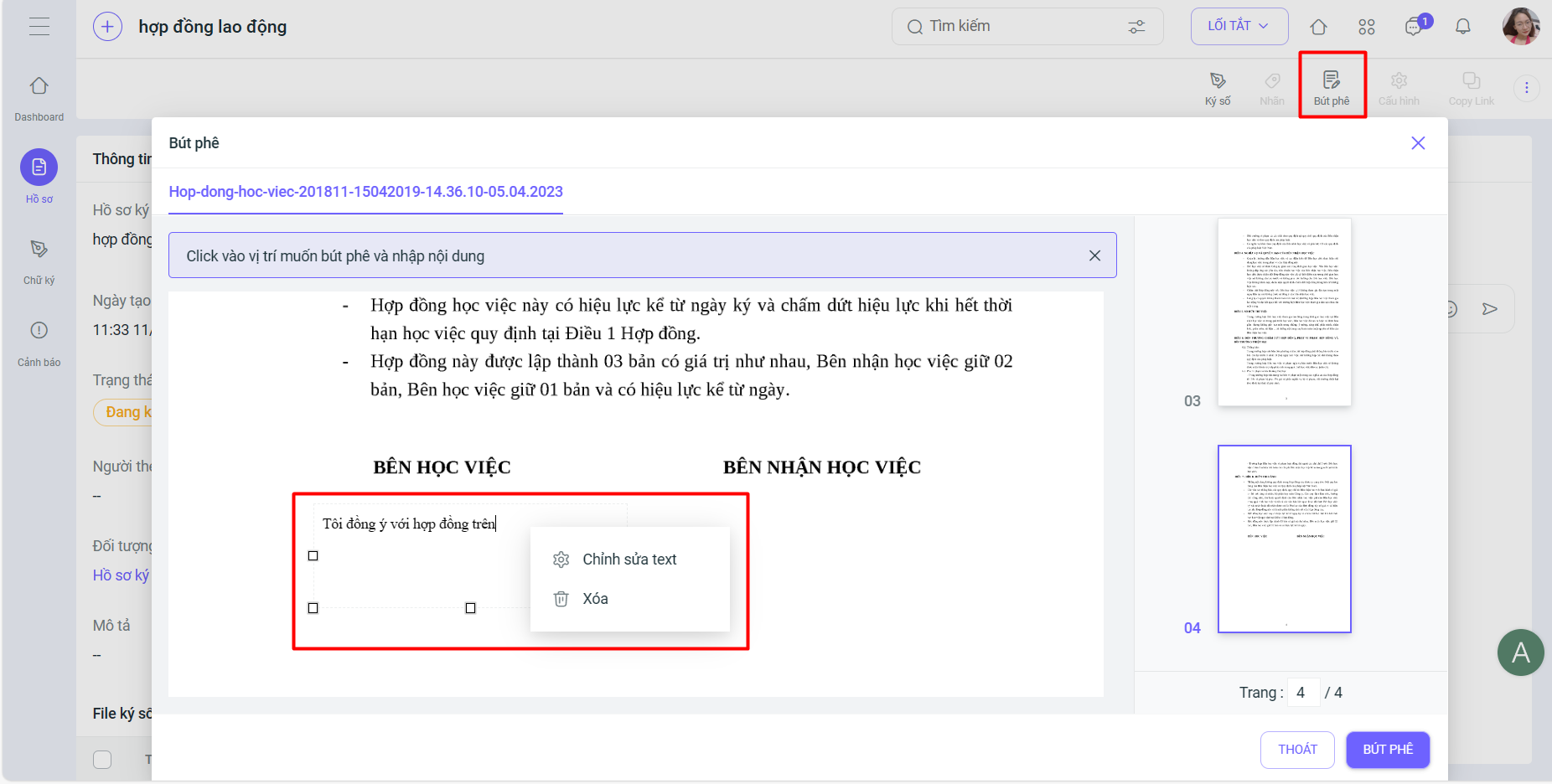
- Added the [Annotation] feature in the Digital Signature Profile
Annotation is a feature that allows users to add notes, comments, or directive opinions directly to electronic documents.
Note: This feature has been added to the Signature Profile List screen, Profile Details, and Profile Signing Form. The Annotation Permission is configured similarly to the Signing Permission.
- How to create an annotation on the signing form:
Step 1: Right-click to select the annotation input areaStep 2: Enter your comments and click Update. The annotation will be saved to the signed file.
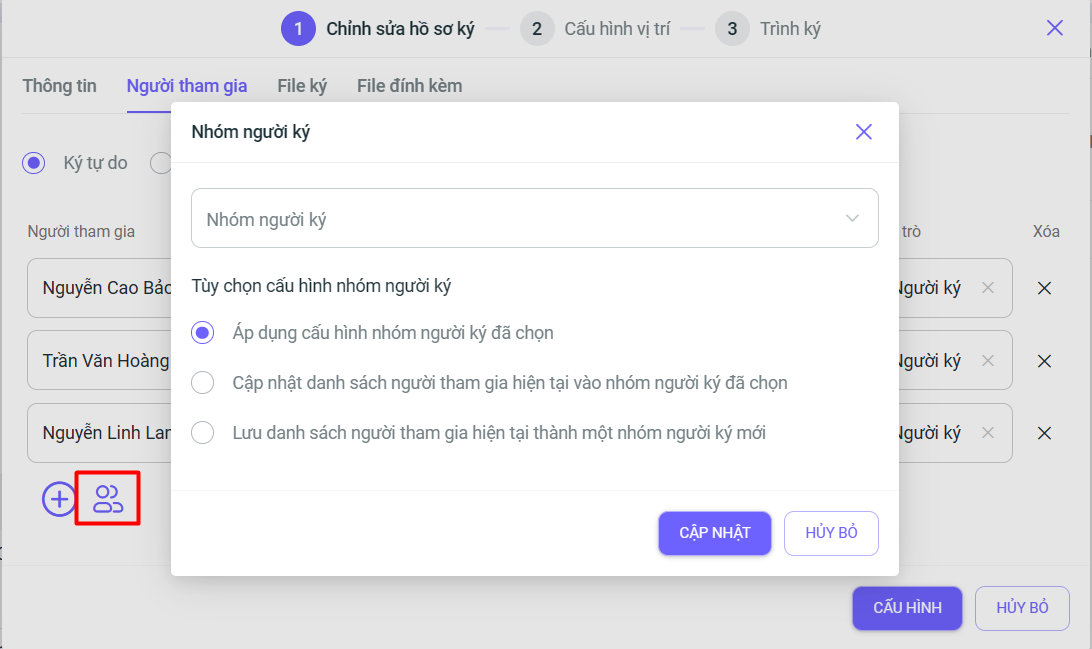
- Added the feature to configure signer groups
- On the Mobile version, the UI/UX has been upgraded to help users perform digital signatures more smoothly and easily.
2. Tasks
- Added the [Add Event] feature for parent tasks and sub-tasks in process tasks.
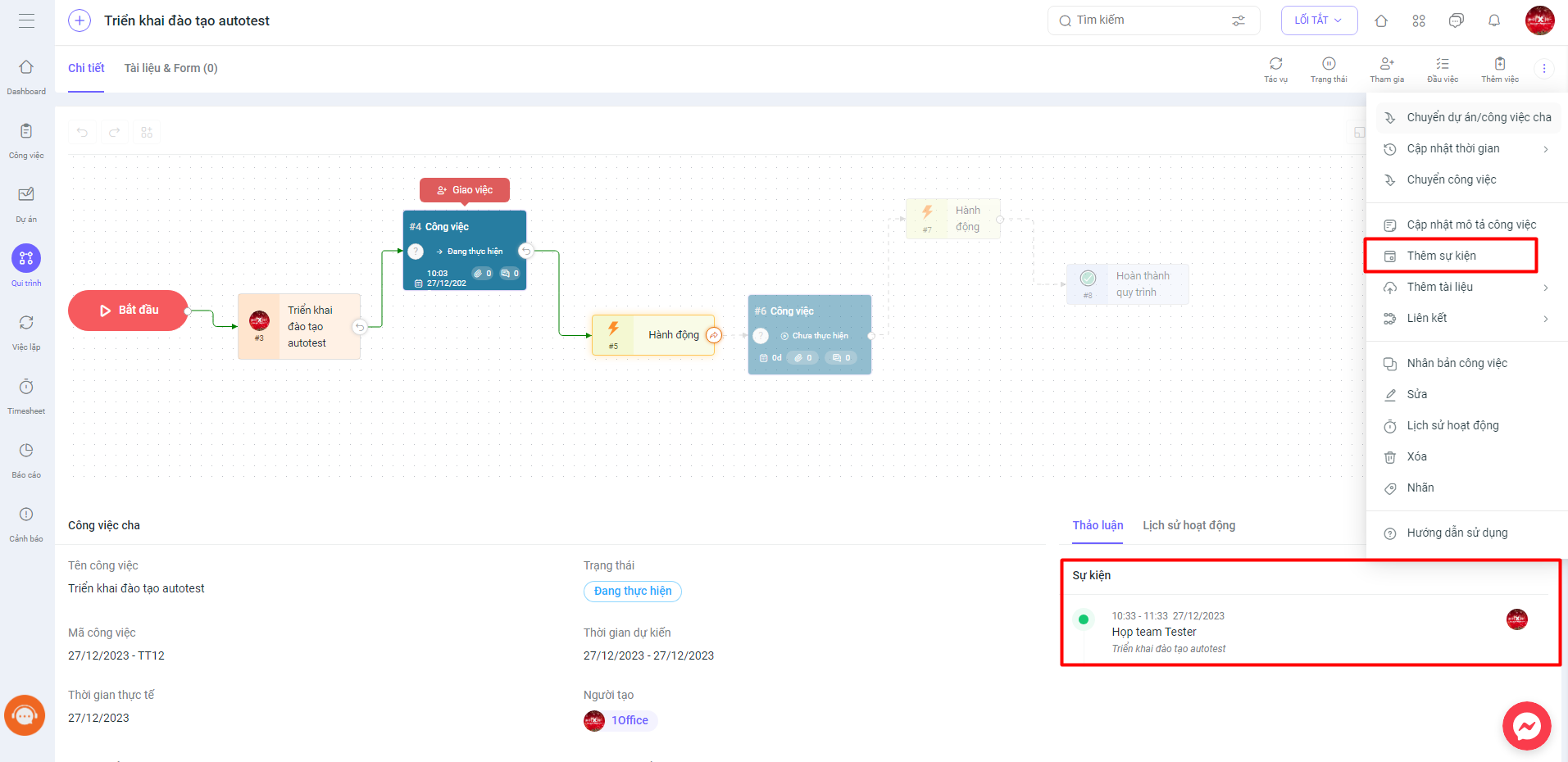
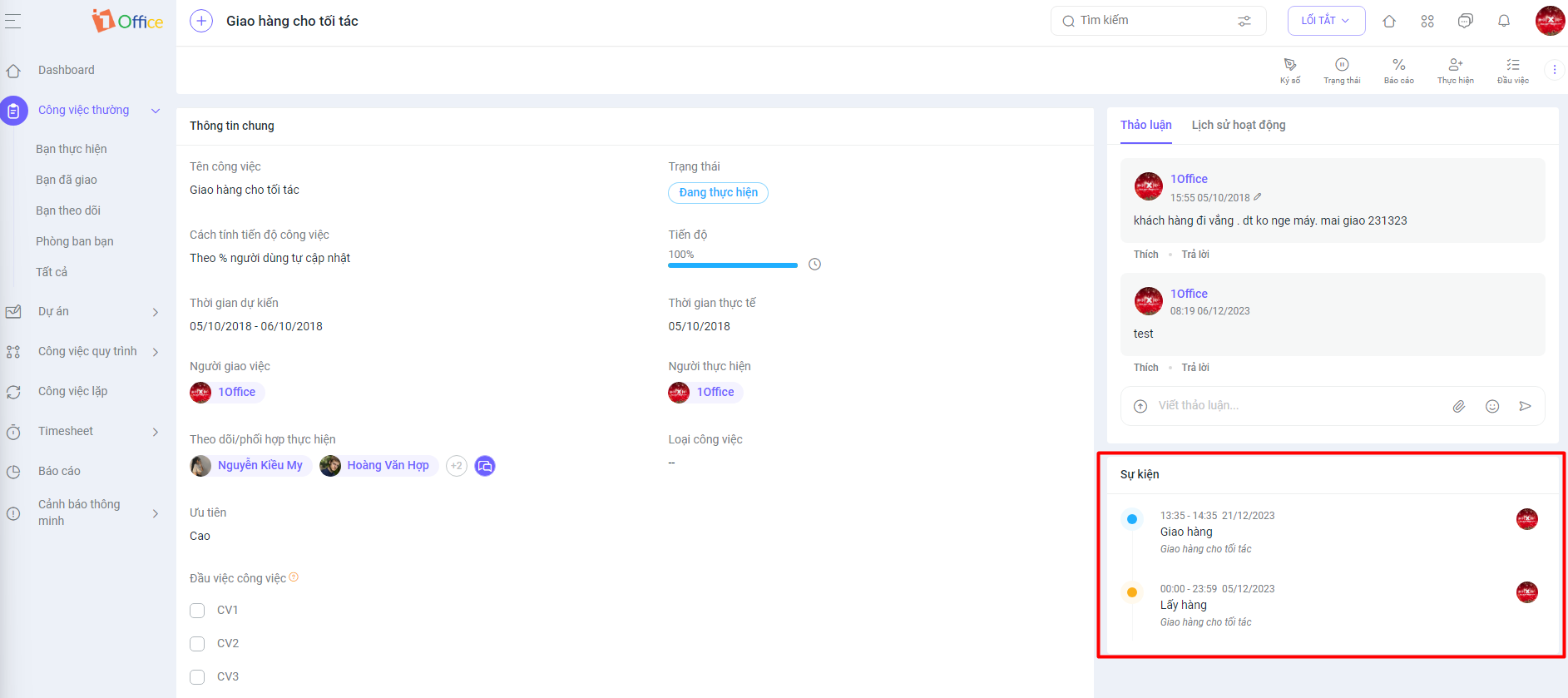
When creating a new event for a task, an event widget will appear in the task details and will be automatically synced to the calendar module. This helps users manage and track events associated with tasks more easily.
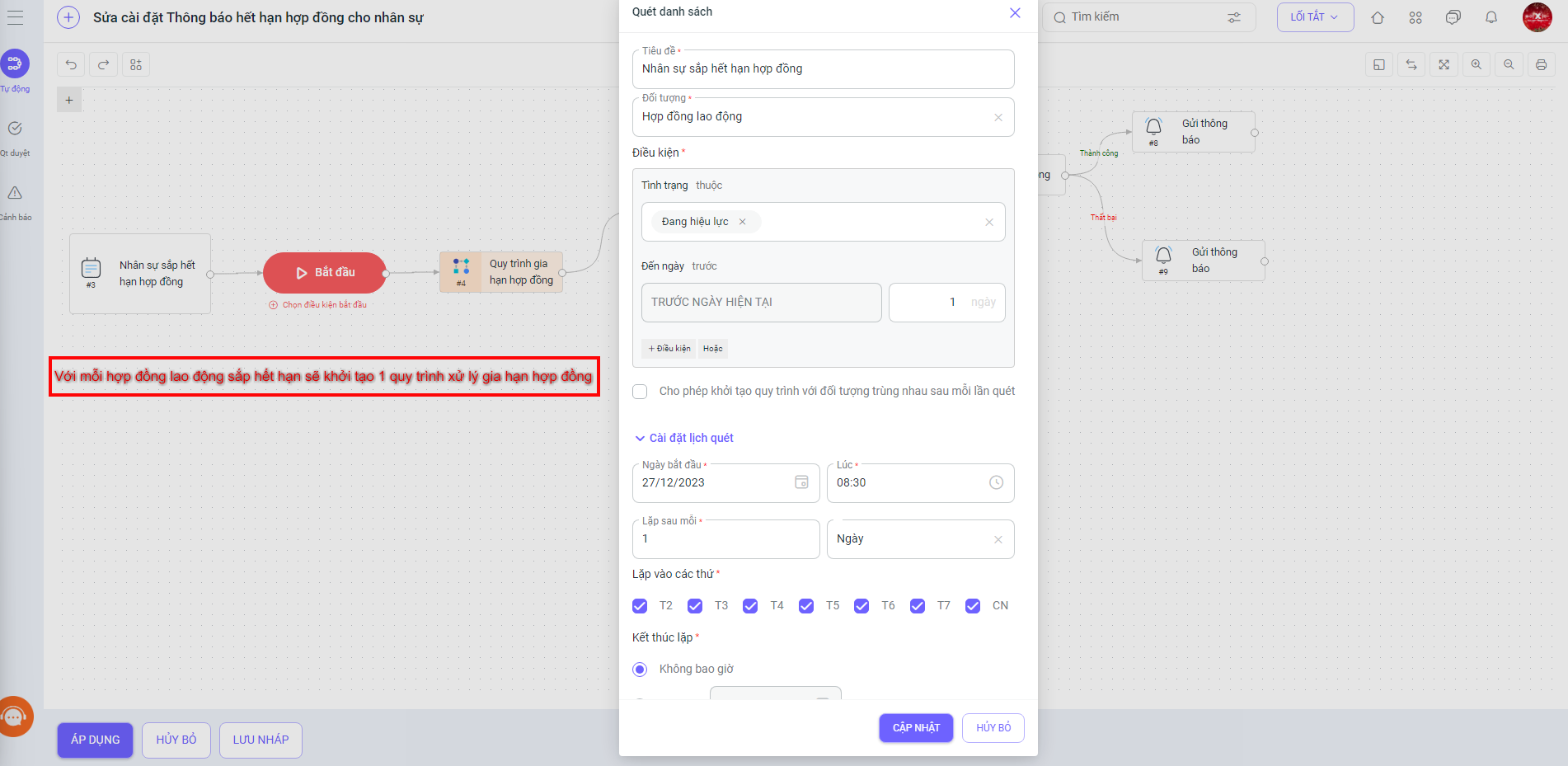
- Added a condition to start a BPA, defined as “Scan List”.
In many situations, users want to scan a list of objects, and for each record found, a separate BPA process will be initiated. For example, it might be necessary to scan the list of employees with expiring contracts every day. For each employee found, a separate BPA process will be applied to handle their contract renewal.Note: With a large number of records in the list, creating too many processes can cause performance issues. To address this, customers need to carefully define and check the conditions for scanning the list.
3. Documents
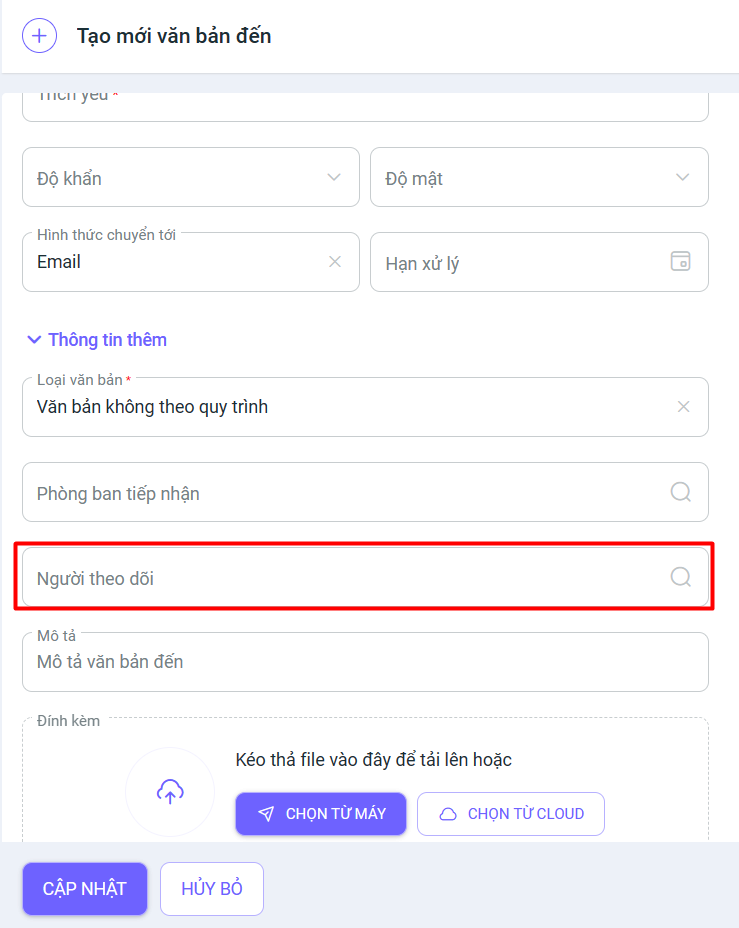
- Added a “Followers” field for all document types.
HRM MODULE
1. Timekeeping
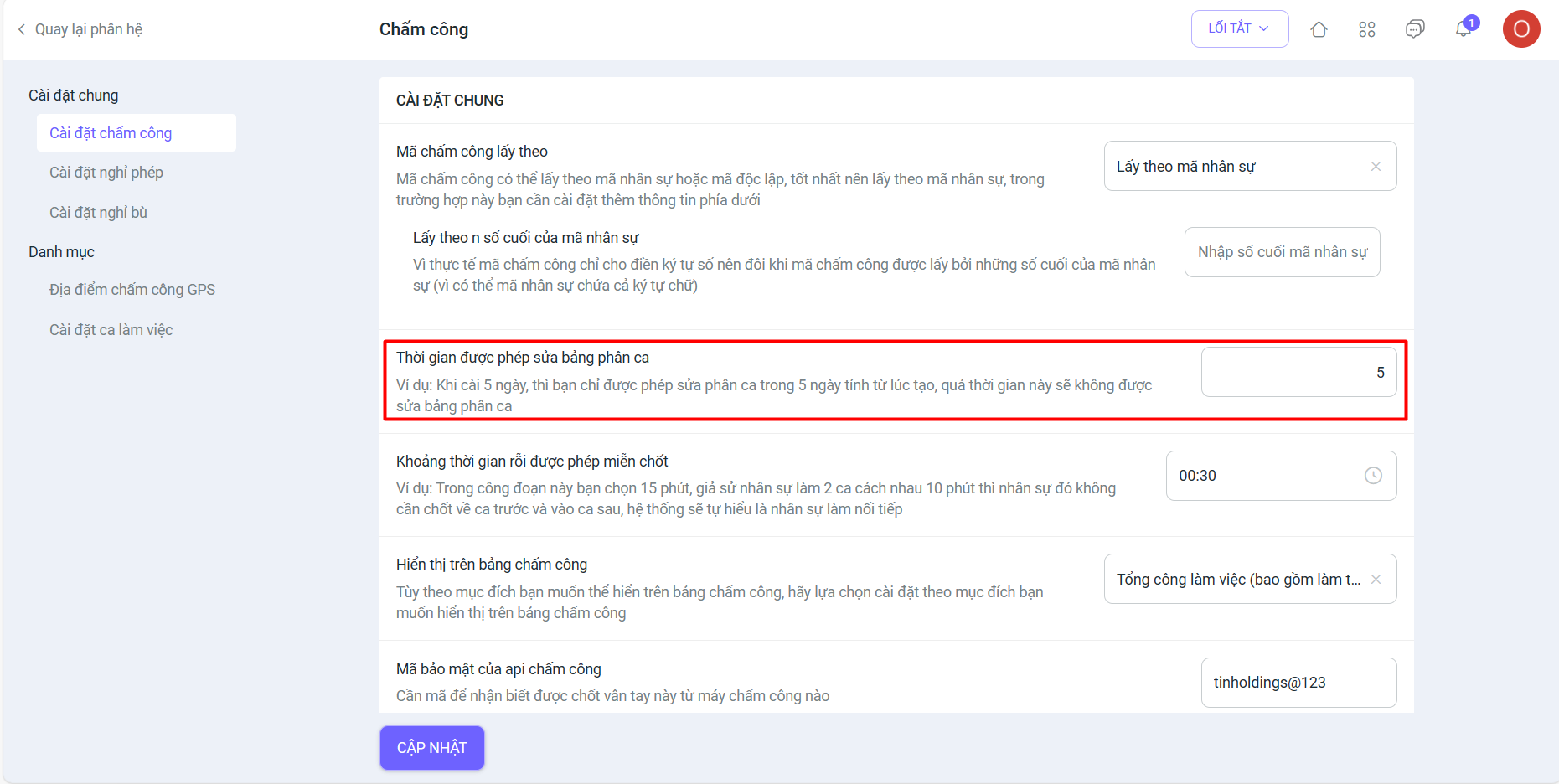
- Added a feature in Timekeeping Settings to configure the allowed time for editing the shift schedule (if the set time is exceeded, users will not be allowed to edit the shift schedule).
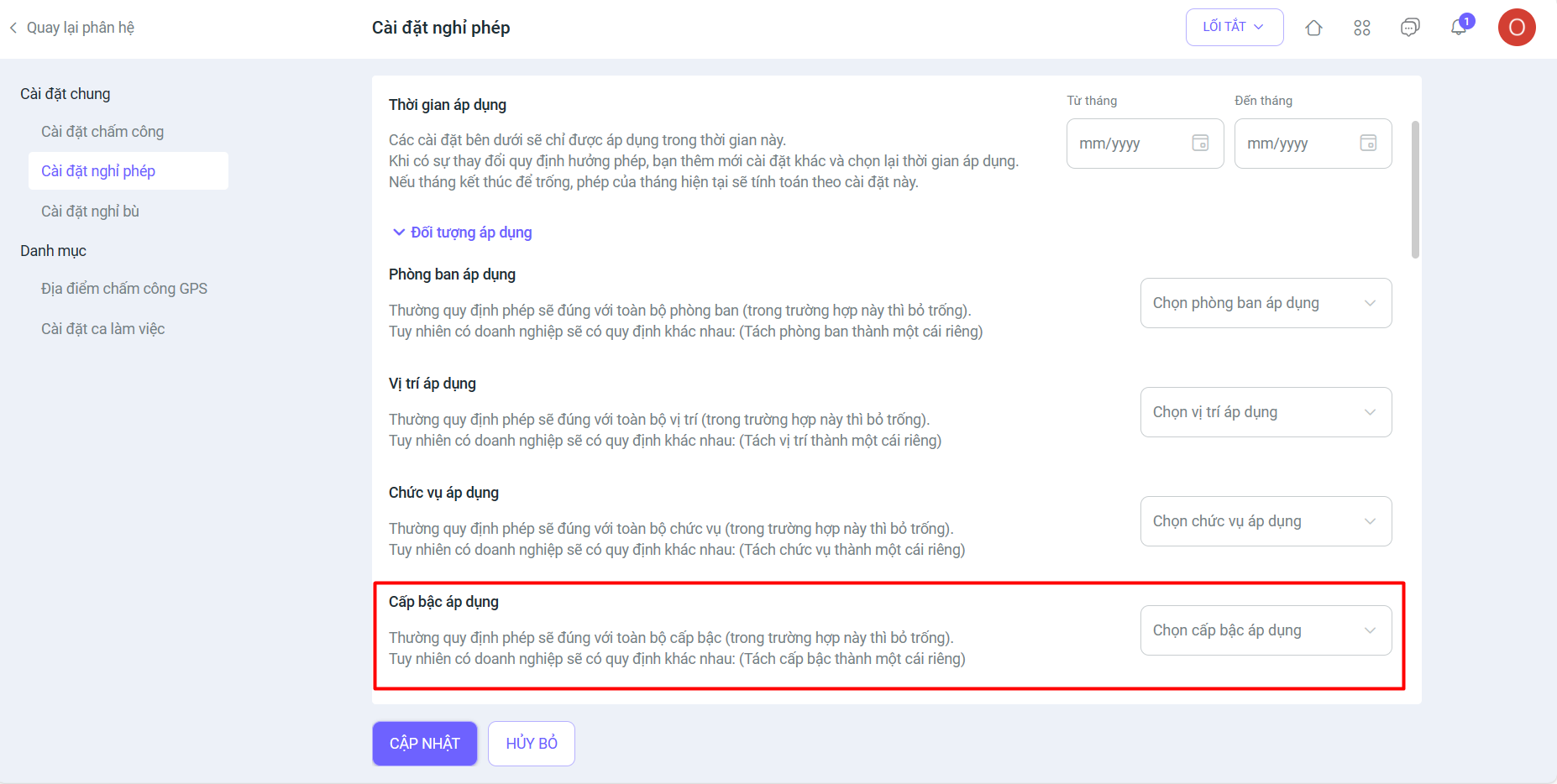
- Added the [Applicable Level] field in Leave Settings.
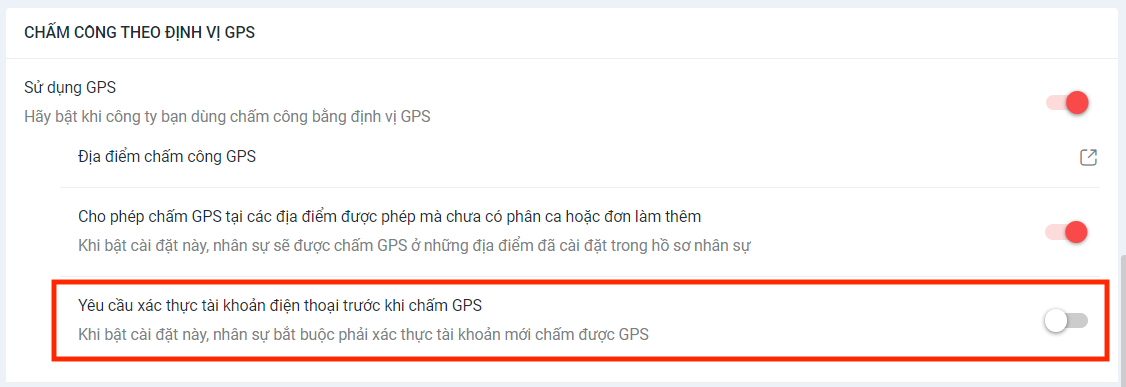
- At GPS check-in locations, added a new setting “Require phone account verification before GPS check-in”. When this setting is enabled, employees must verify their account before they can check in using GPS.
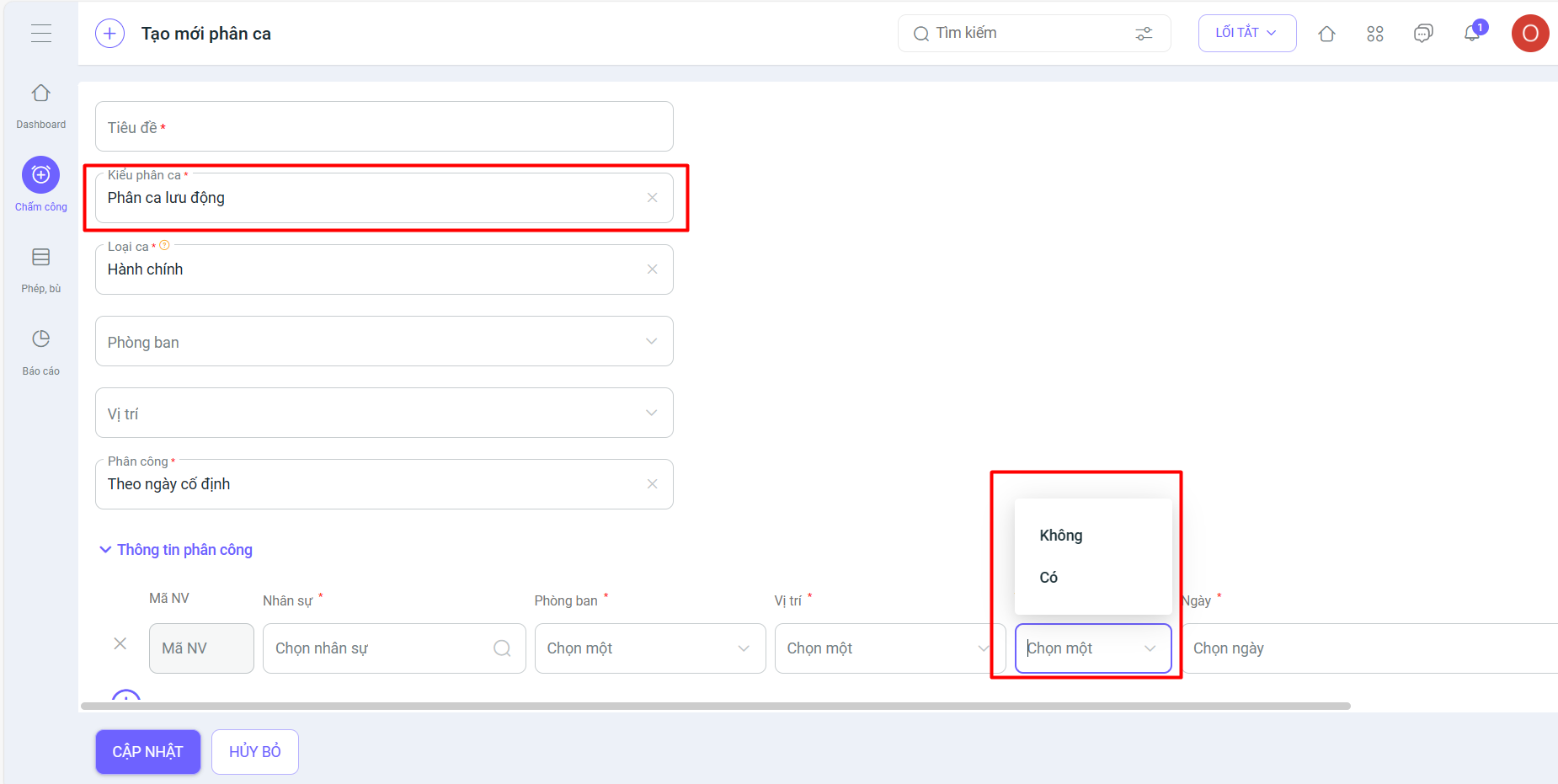
- Create new flexible shift assignment: allows users to select Auto check-in (Yes/No).
2. Recruitment
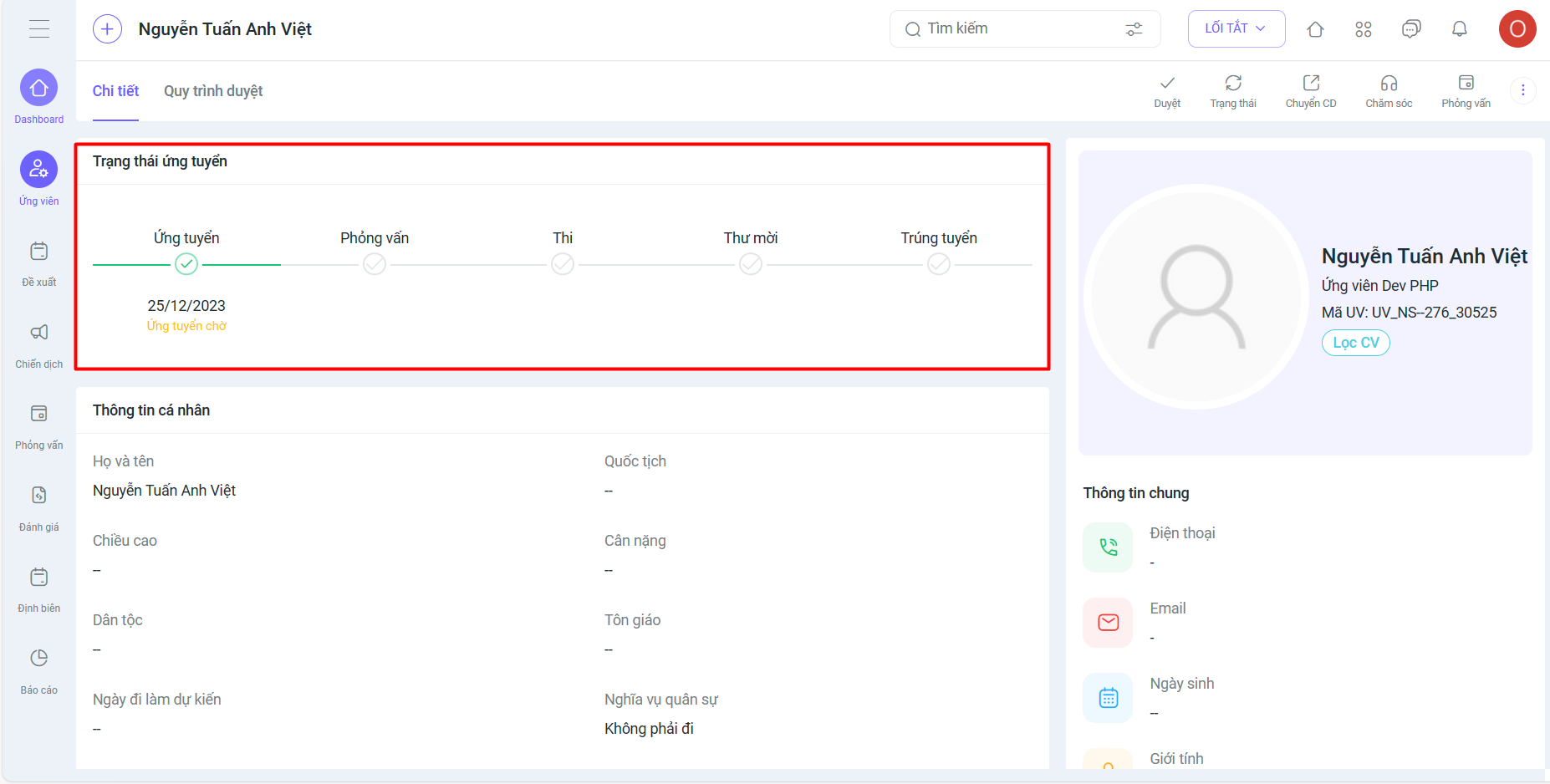
- Updated the interface on the Candidate Profile screen, including:
- Candidate status changed: 2 statuses (removed the “Available” status)
- Not applied: The candidate does not belong to any active campaign.
- Applying: The candidate belongs to an active campaign (even if they have failed in the recruitment campaign).
- The timeline is displayed on the profile screen of an applying candidate (displayed with milestones, e.g., Interview (Passed)).
- Candidate status changed: 2 statuses (removed the “Available” status)
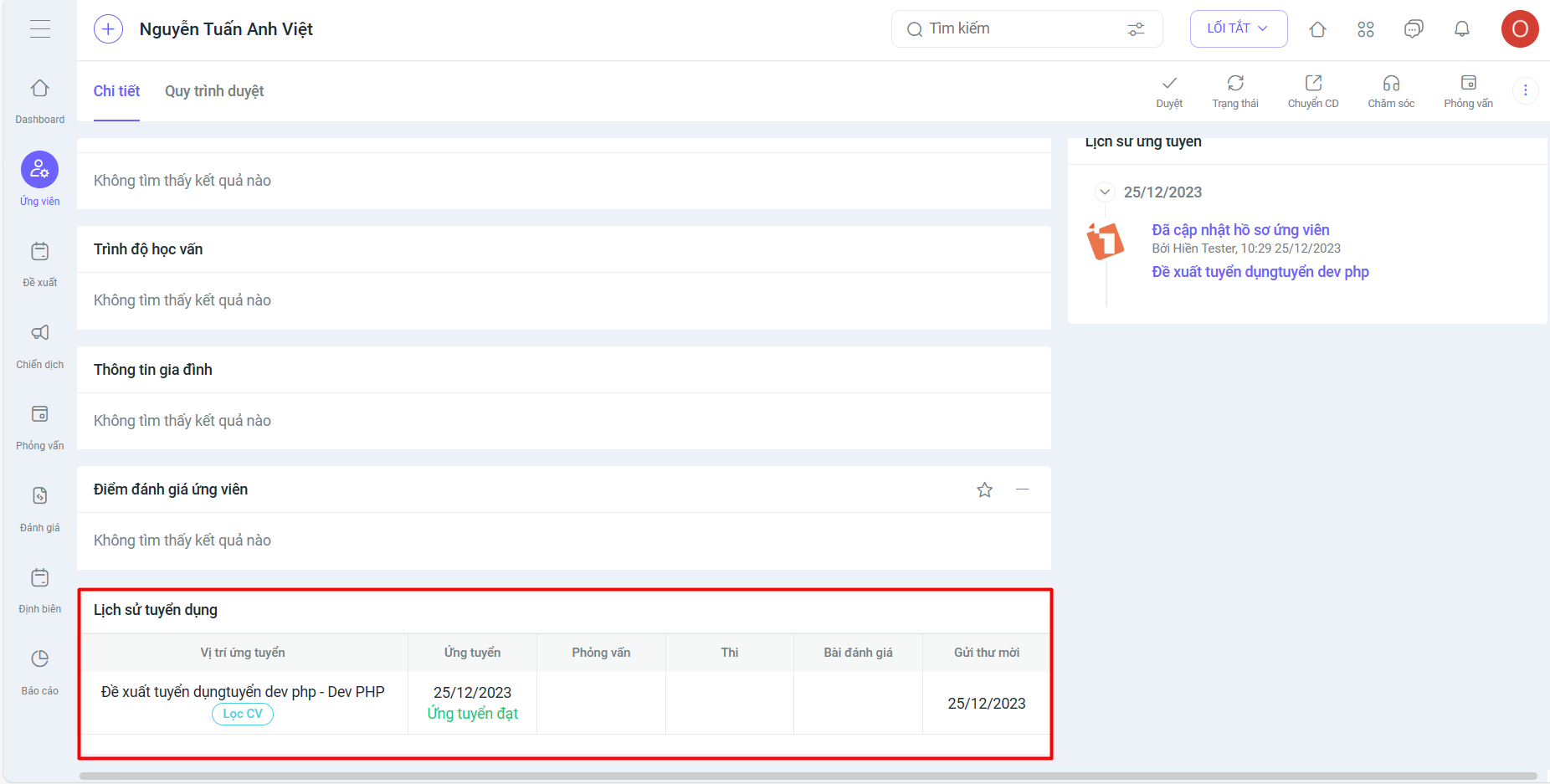
- Recruitment history (Table format) now includes additional data fields: No., Position, Application Date (with status – e.g., 10/1/2023 (Passed))
- Campaign: Campaign status includes 3 statuses: In Progress, Completed, Canceled
- Create new menu: Interview schedule moved to Campaign
- Right-click actions for candidate profiles
- Recruitment evaluation (Statistics table)
- Added status: Agree or Disagree
- Added Proposed salary
- Added Notes
3. KPI/OKR
- Scoring for employees is not allowed when the evaluation period has passed its deadline.
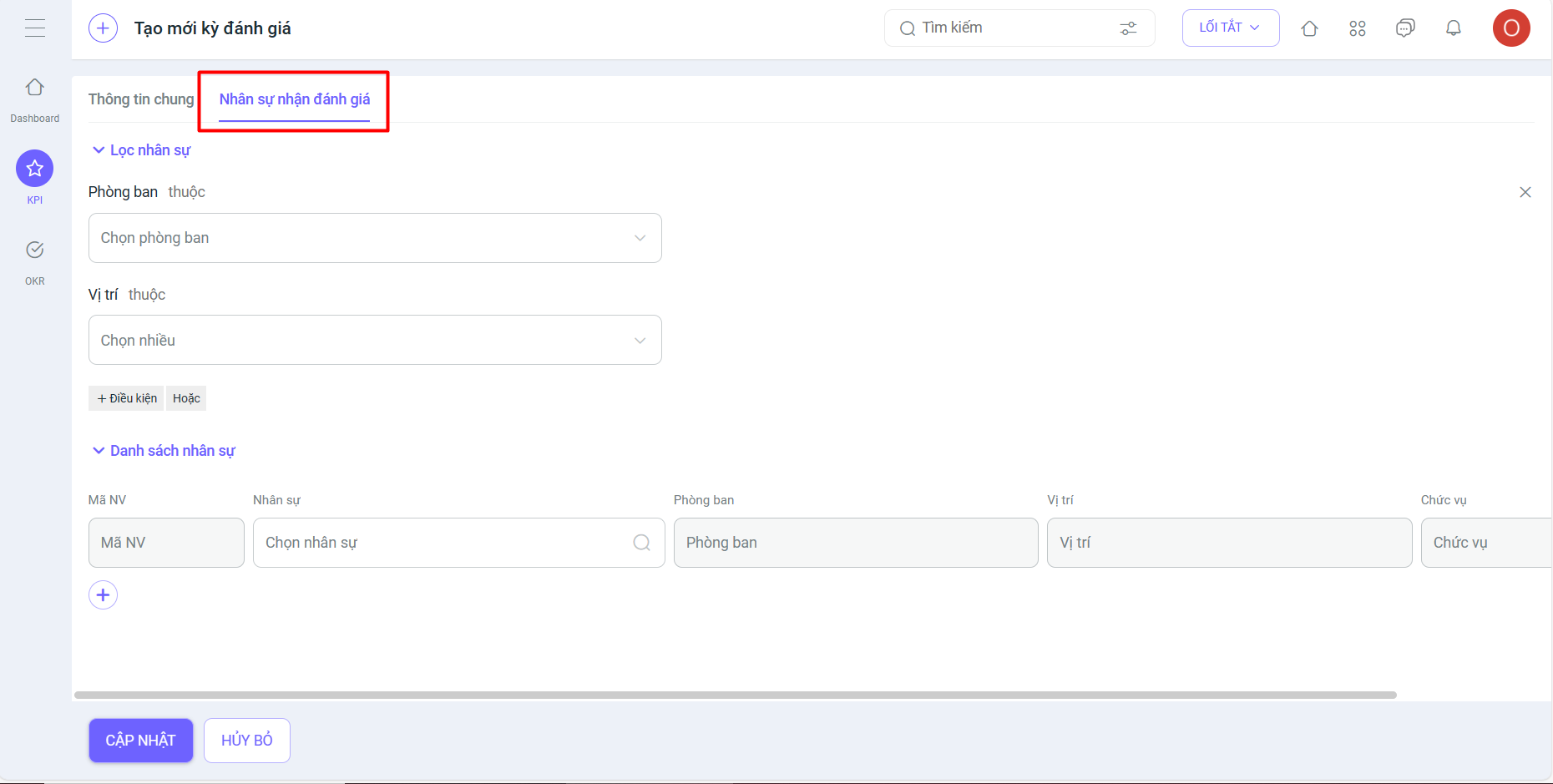
- Upgraded the “Employees to be evaluated” feature when creating new Evaluation Templates and Evaluation Periods: Helps users filter the list of employees to be evaluated more easily and flexibly.
- Added an “Employees to be evaluated” tab.
- Added more multi-dimensional and in-depth filters.
- Lists employees in real-time when filtering. Can easily add and remove employees directly on the creation screen [Old filter] => [New feature].
CRM MODULE
1. Sales
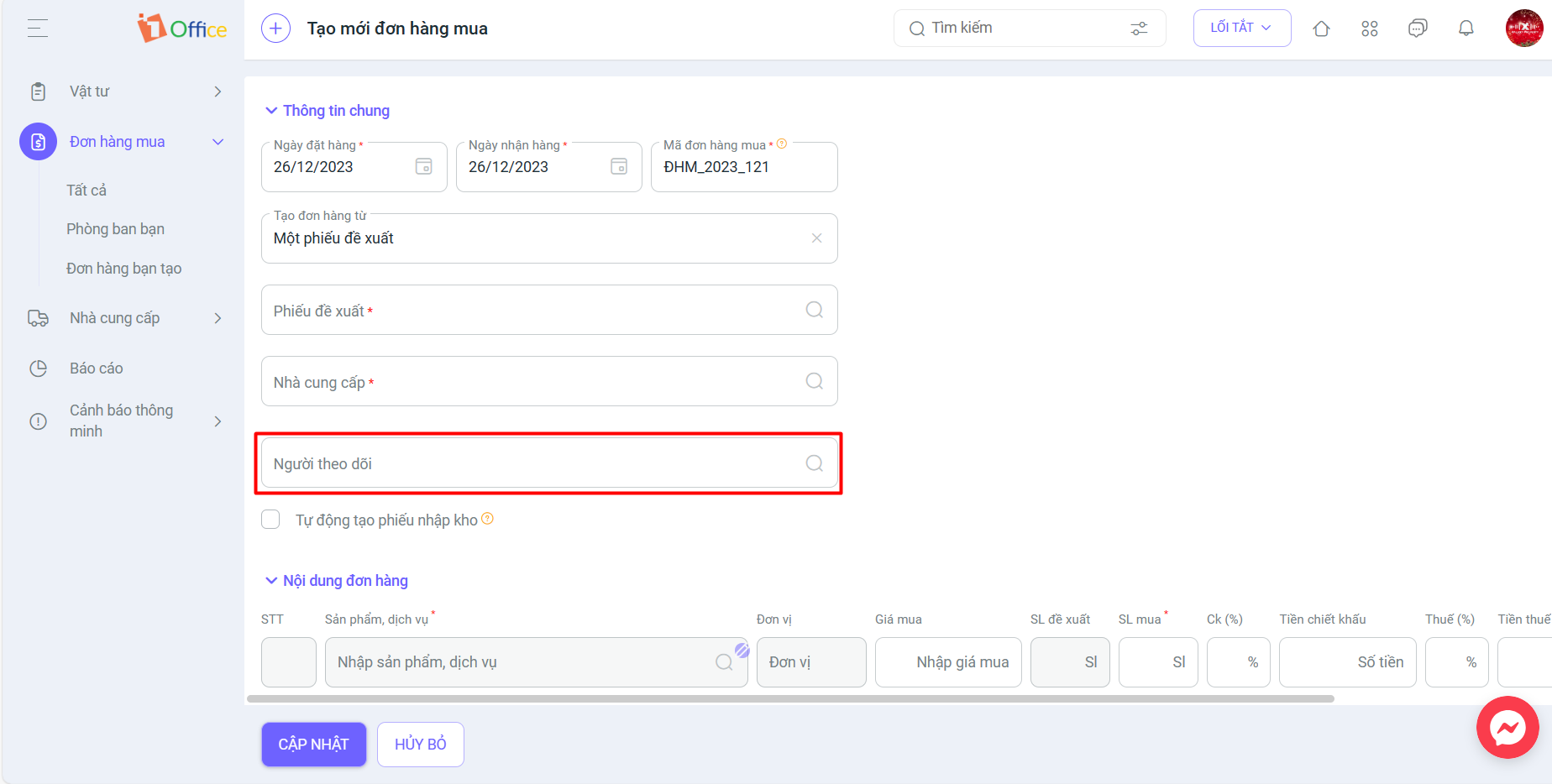
- Added a Follower field to Purchase Orders.
ADVANCE MODULE
1. Open API
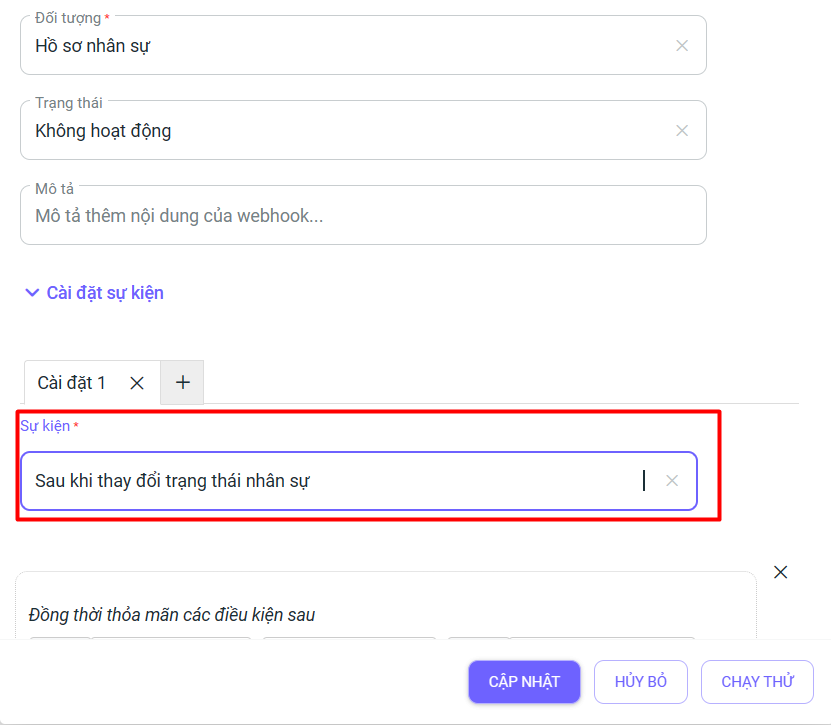
- Webhook: Added an event for changes in employee work status to the webhook.
Note:
The feature update process is performed periodically and will not affect customer data. After this period, the system will resume normal operations. We kindly ask our valued customers to take note of the update schedule to avoid any disruption to your business operations. For any detailed information or support, please contact us via:
- Customer Support Hotline: 1900 3313
- Email: support@1office.vn
- Live chat on the software
- Ticket
Best regards,
The 1Office Product Development Team.
















