


 12/05/2026
  174 views
Dear valued customers,
1Office would like to sincerely thank you for your trust and for using our services. To enhance product quality, we are constantly striving to research and develop new features to ensure that you are always served with the best possible product.
In 02/2024, we have upgraded the following features:
In the Automated Workflow module, new features have been added, including:
1. Upgraded the Create Digital Signature Profile node:
- Added an option: “Automatically create signing profile” with a condition note: “When the signing position is assigned to only one person and a signing file has been pre-configured”
- When selecting the signer as the approver: the approver is taken from the Successful Approval Event or is the person who clicks the approval node
- Signing file: You can select the signing file as the form of the object in the “Create new object” node and the event node
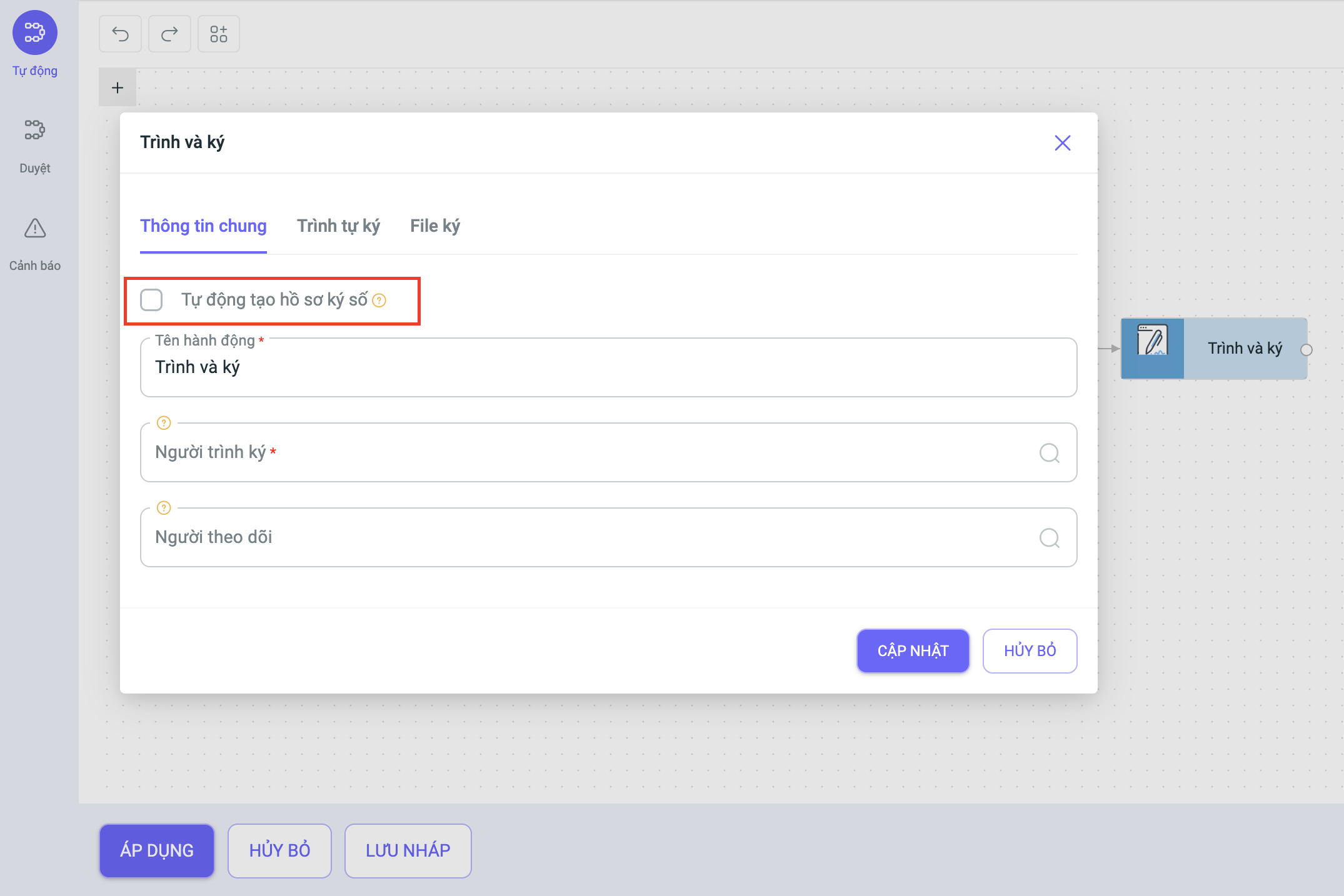
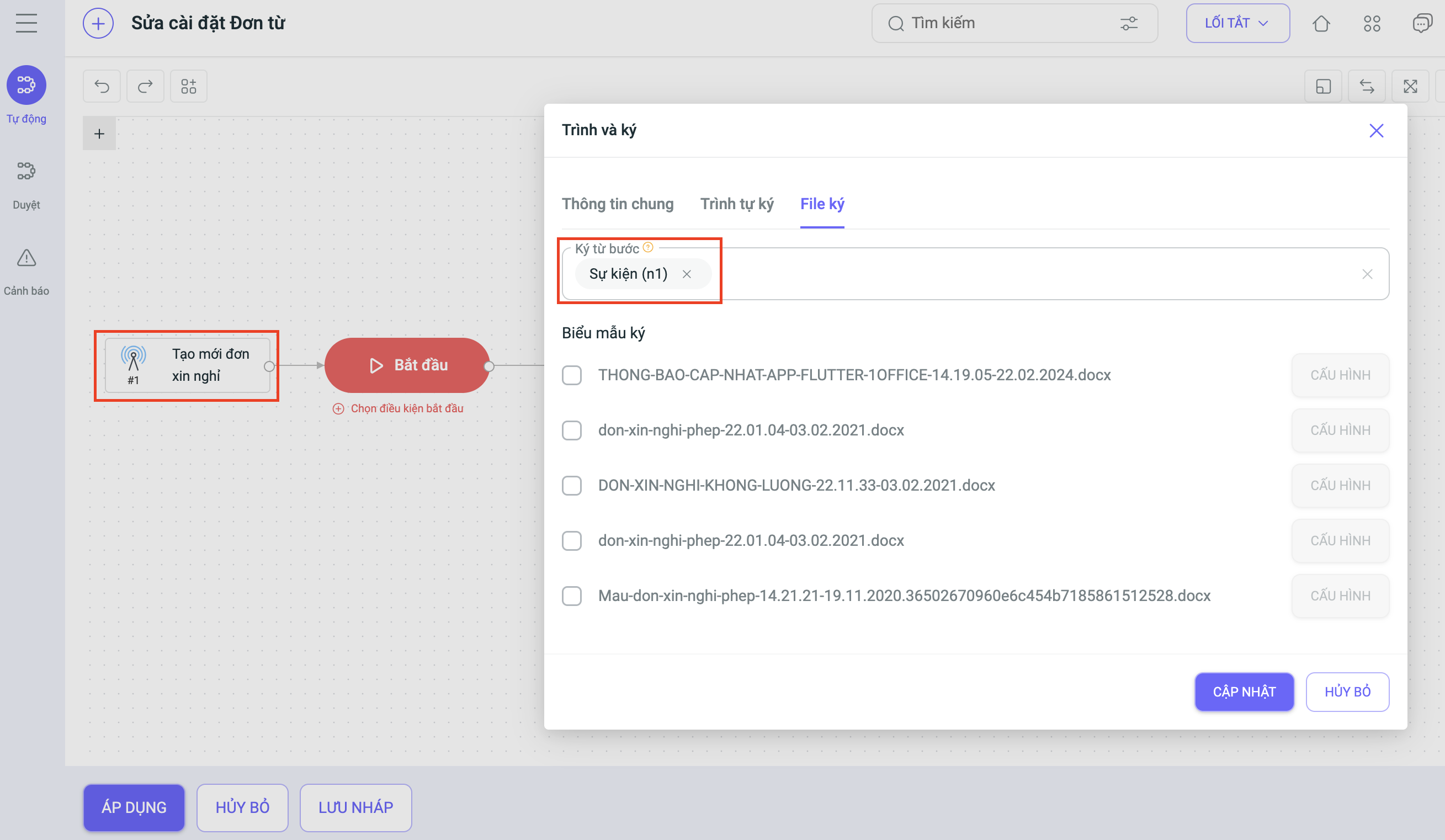
When running to this node:
- If conditions are met: If each signing position finds only one signer and the signing file is fully configured, a signing profile will be automatically created according to the option. The automatically created profile name follows the structure “Approve object {Object Name} in workflow {Workflow Name – Workflow Code}”
- If conditions are not met, the node will still run manually.
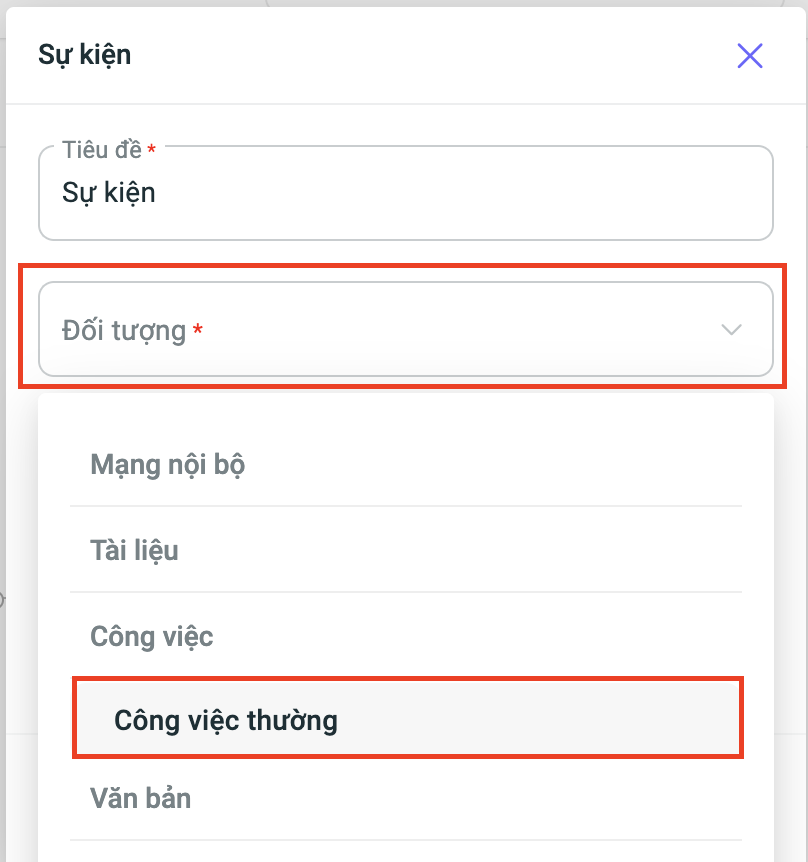
2. At the Event node, added the Regular Task object
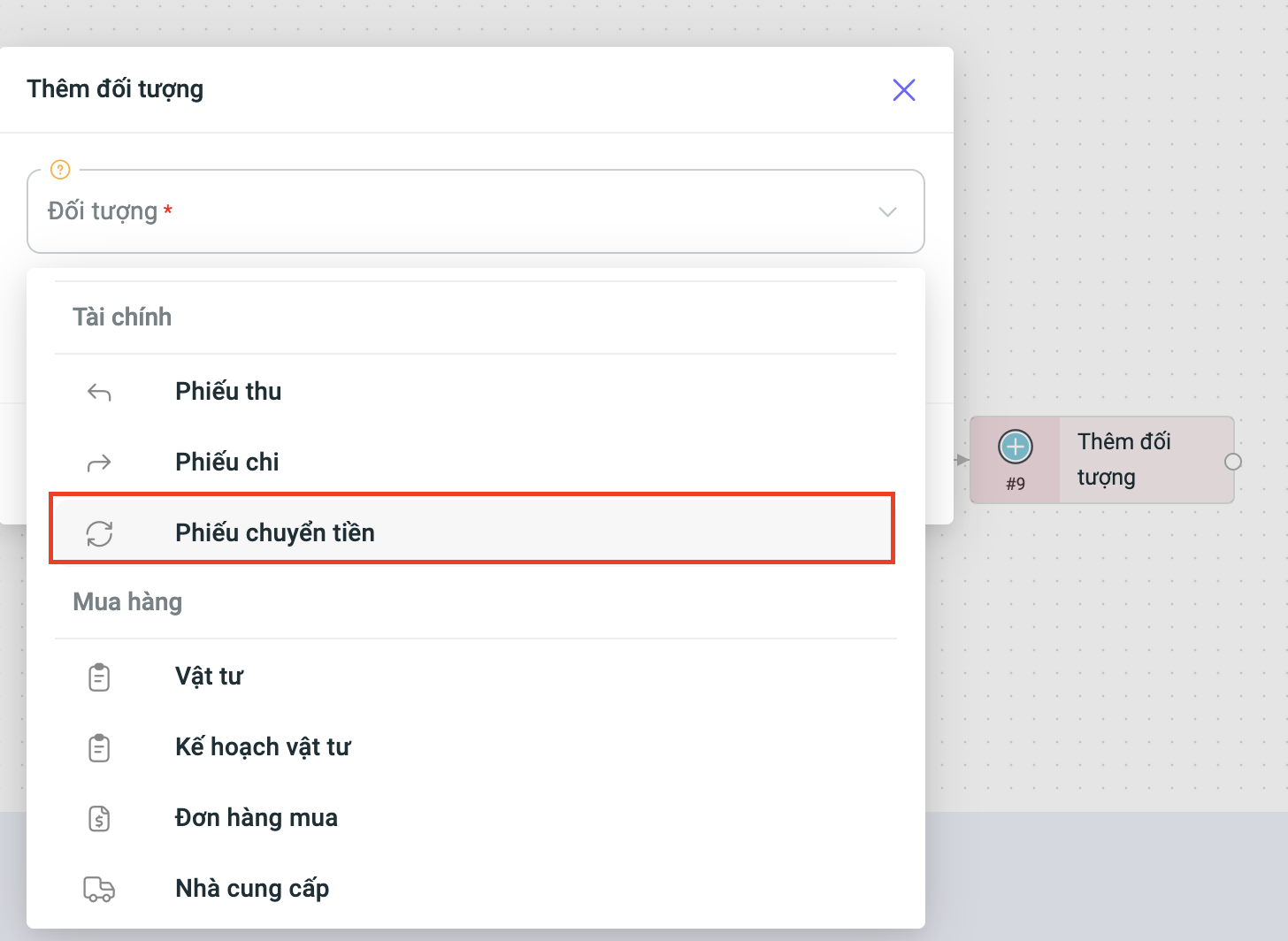
3. At the Add Object node, added the Money Transfer Slip object
In other modules, new features have been added, including:
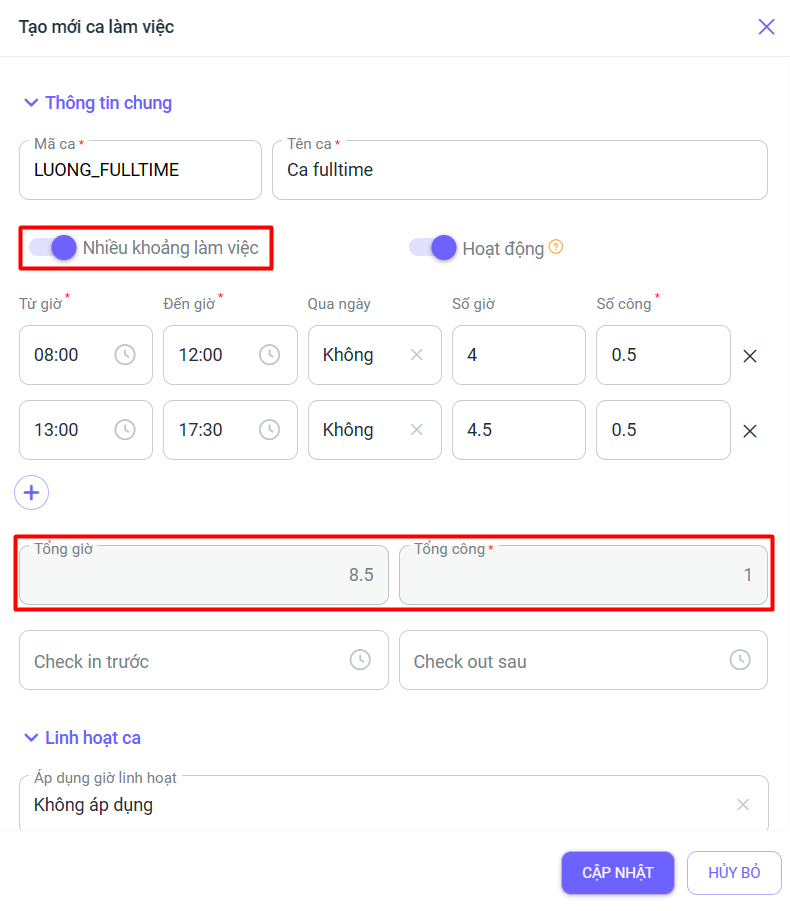
4. In the Timekeeping module, users can add total hours and total workdays for work intervals in the multi-interval shift settings:
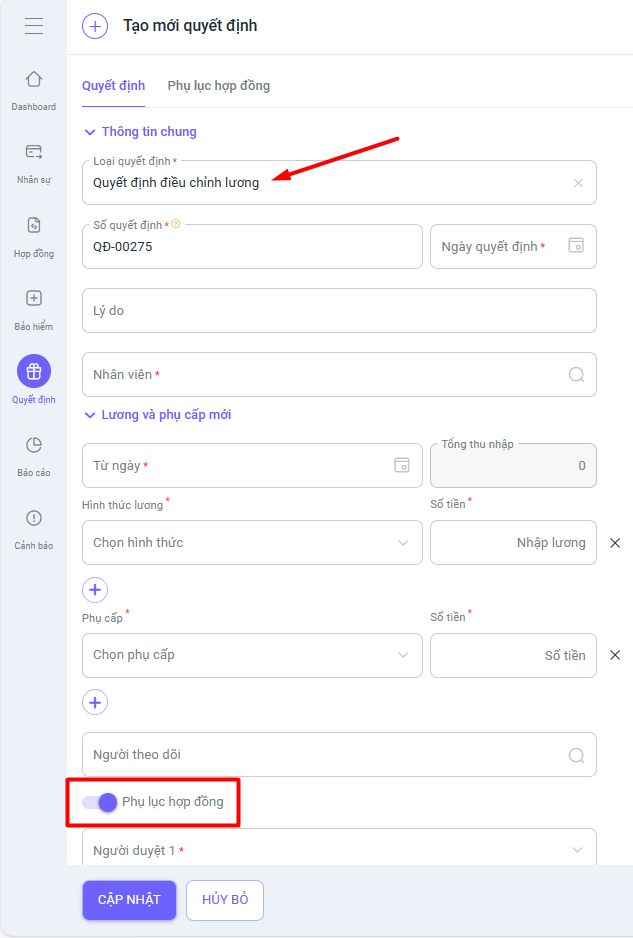
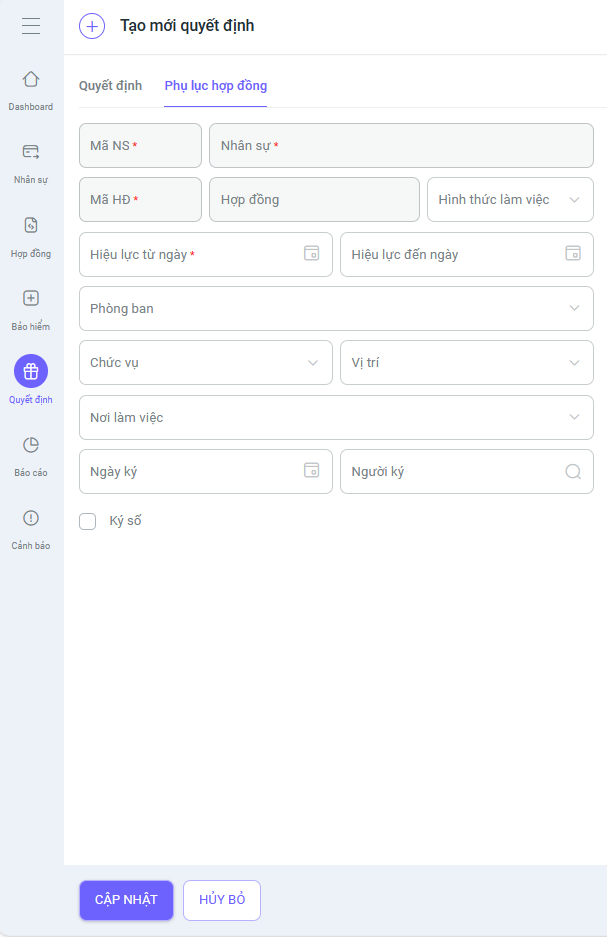
5. In the HR module, when creating a new salary adjustment decision, clicking on Add Contract Appendix will display a Contract Appendix tab. After creating and approving the decision, a contract appendix will be generated from that salary adjustment decision.
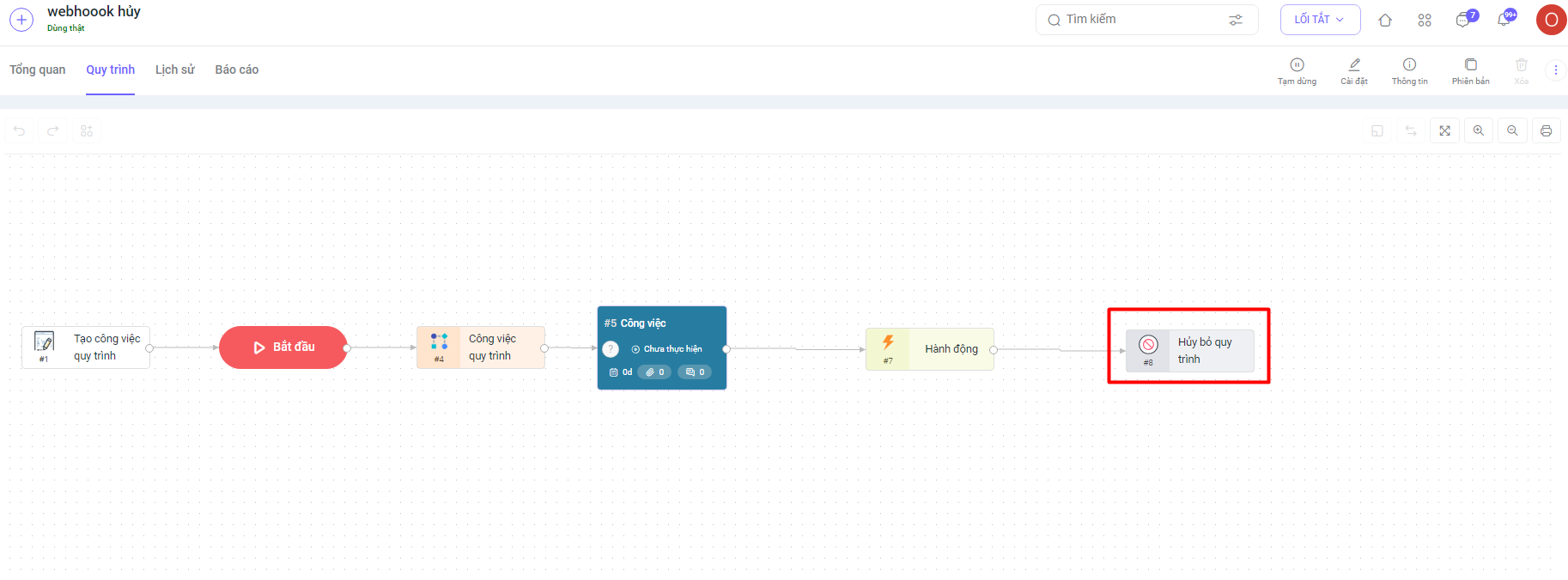
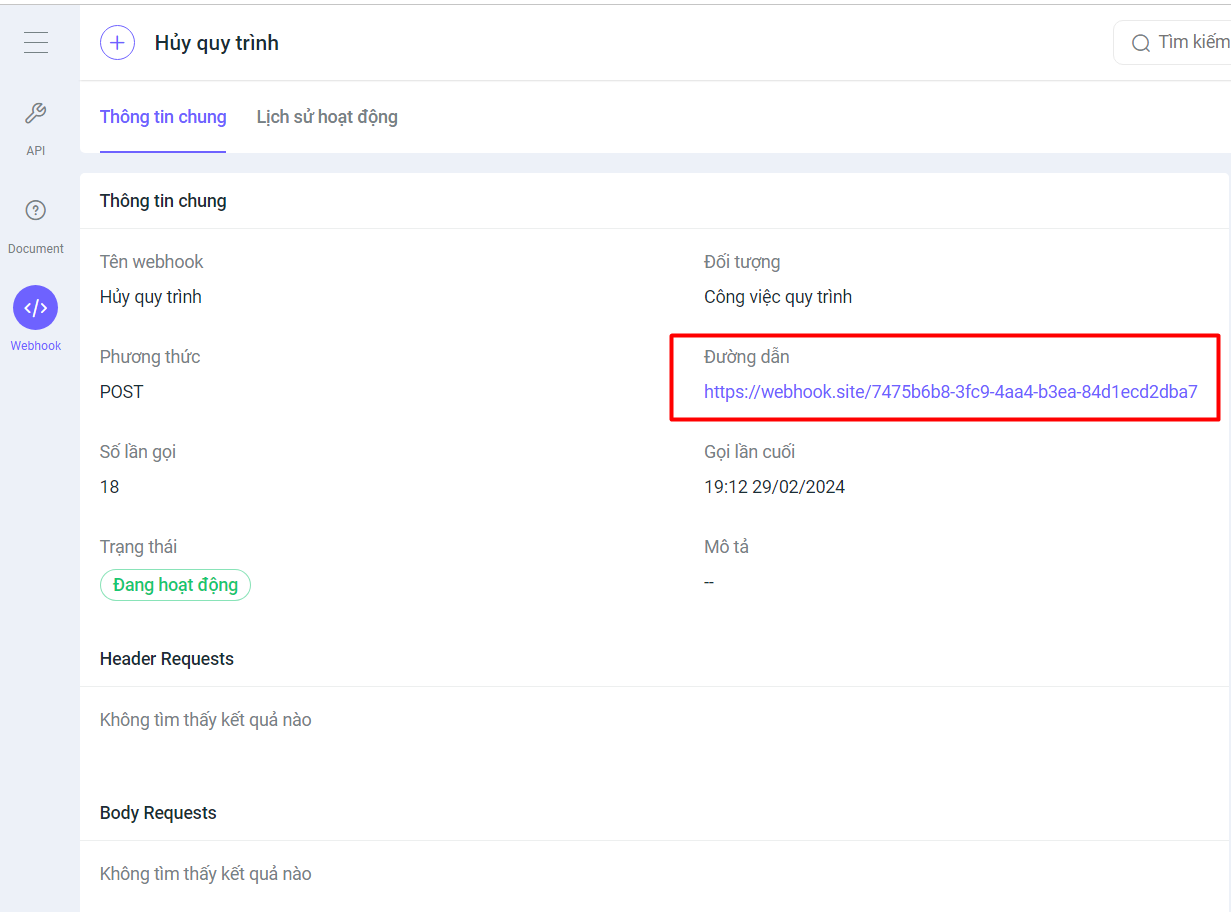
6. In the Workflow Task module, added a webhook for the “Cancel Workflow” event. When a workflow task is canceled, the system will automatically send the data of that workflow to the URL the user has set up in the webhook.
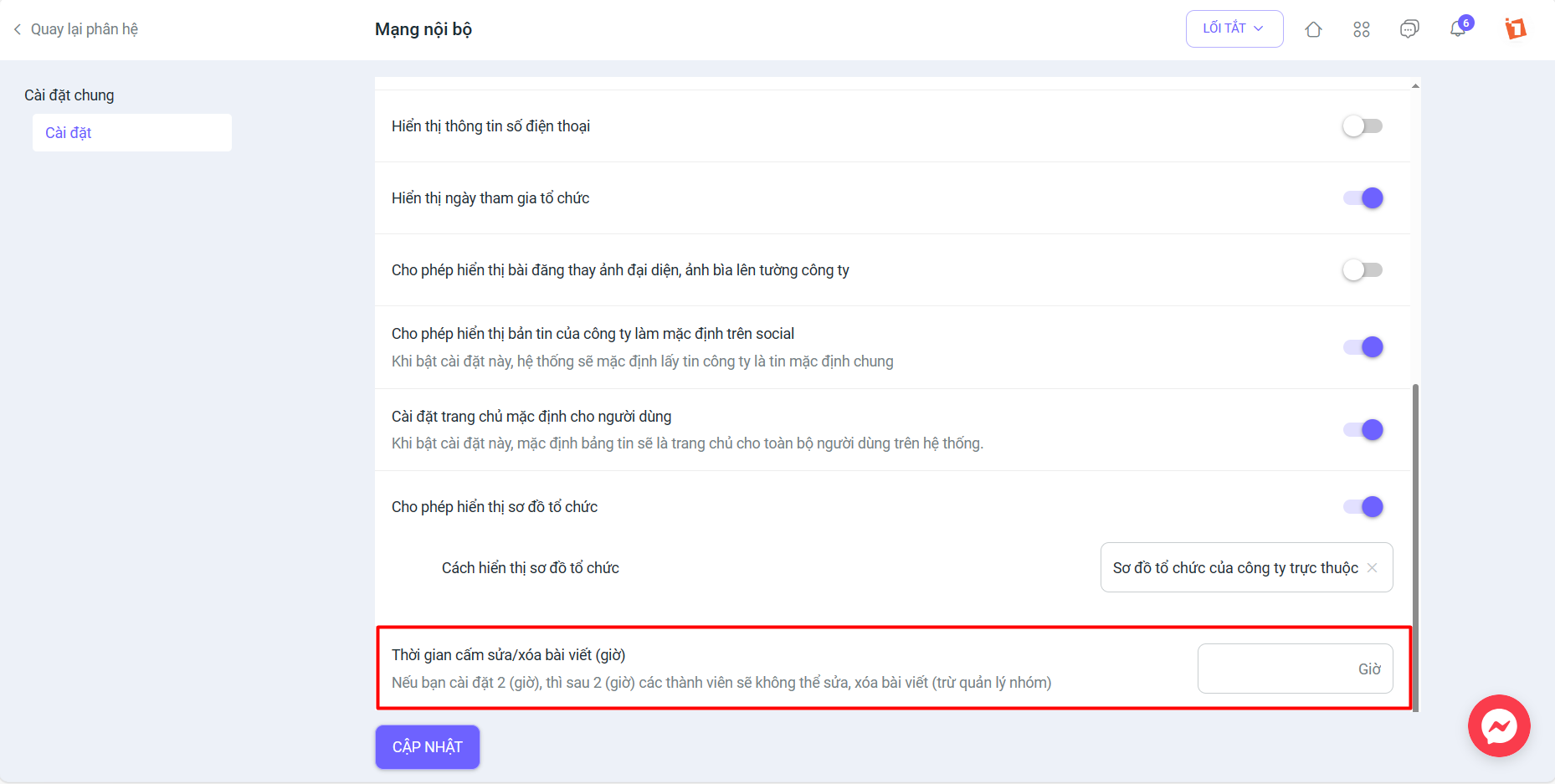
7. In the Internal Network, users are allowed to set a time restriction for editing/deleting posts in groups/discussions by accessing System Settings >> Social Network
We hope these new upgrades will bring you a better experience when using the 1Office software. If you have any comments, suggestions, or questions, please contact us through the following channels:
- Customer Service Hotline: 1900 3313
- Email: support@1office.vn
- Live chat on the Ticket software
Thank you sincerely for your continued trust and support of our services.
Sincerely,
The 1Office Product Development Team!
















