


 11/05/2026
  464 views
In the modern work environment, effectively managing personal and professional information is an essential requirement for managers and business leaders. Note-taking apps not only help quickly store ideas and important data but also assist in organizing, categorizing, and synchronizing information across multiple devices. The following article by 1Office will compile the Top 10+ best note-taking software available today, suitable for a wide range of needs from simple note-taking to in-depth task management.
Mục lục
- 1. What is note-taking software? Why should you use it?
- 2. Criteria for choosing the right note-taking software
- 3. Top 10 best note-taking software for busy people today
- 3.1. Notion – Versatile note-taking software with flexible project management
- 3.2. Evernote – Note-taking software with powerful search and storage
- 3.3. Microsoft OneNote – Digital notebook software
- 3.4. Google Keep – A fast, simple, and convenient note-taking solution
- 3.5. Todoist – Software combining notes and task management
- 3.6. Simplenote – A high-speed, text-only note-taking platform
- 3.7. Joplin – Open-source software with high security support
- 3.8. Zoho Notebook – Multimedia note-taking software
- 3.9. Obsidian – Note-taking software for linked, systematic thinking
- 3.10. Standard Notes – Note-taking software for maximum security and a simplified experience
- 4. 1Office – Effective work and reminder management software
- 5. Conclusion
1. What is note-taking software? Why should you use it?

Note-taking software (note-taking app) is a tool that helps users record, store, and manage information quickly and conveniently on electronic devices such as phones, tablets, laptops, or web platforms. Not just a replacement for traditional notebooks, modern note-taking software also integrates many advanced features such as multi-platform data synchronization, document attachments, note categorization, smart search, and real-time sharing and collaboration.
For leadership and management teams, note-taking software plays a crucial role in:
- Quickly jotting down ideas, plans, and directives during meetings or on the go
- Systematically tracking personal and team tasks
- Storing data securely, accessible anytime, anywhere
- Improving information organization, thereby enhancing work efficiency and decision-making
Choosing the right note-taking software that fits your needs will help leaders save time, optimize management, and improve business operational efficiency.
2. Criteria for choosing the right note-taking software
Choosing note-taking software is not simply based on interface or popularity; it requires considering factors that optimize work and suit the working style of individuals or organizations. Below are important criteria that managers and leaders should consider.
2.1. Essential core features
- Multi-platform synchronization: Supports flexible access and editing of notes on phones, tablets, and desktops.
- Intuitive, user-friendly interface: Facilitates quick and convenient note-taking, whether in the office or on the move.
- Effective search and categorization: Supports tagging, creating folders, and grouping notes for scientific information management.
- Sharing and team collaboration: Allows sharing notes with colleagues, setting editing permissions, and tracking changes in real-time.
- Data security: Content encryption, two-factor authentication, and regular data backups to ensure information safety.
2.2. Suitability for work and organizational needs
- Integration with the work ecosystem: Ideal if the software can connect with Google Workspace, Microsoft 365, Slack, Trello, etc.
- Scalability and upgradeability: Allows usage to scale from individuals to small teams, and then expand to entire departments or the whole enterprise.
- Reasonable cost: Consider the balance between free and paid versions, ensuring cost-effectiveness relative to the value provided.
- Support and regular updates: Ensures the software is continuously updated and has a fast, reliable technical support team.
See also:
3. Top 10 best note-taking software for busy people today
3.1. Notion – Versatile note-taking software with flexible project management
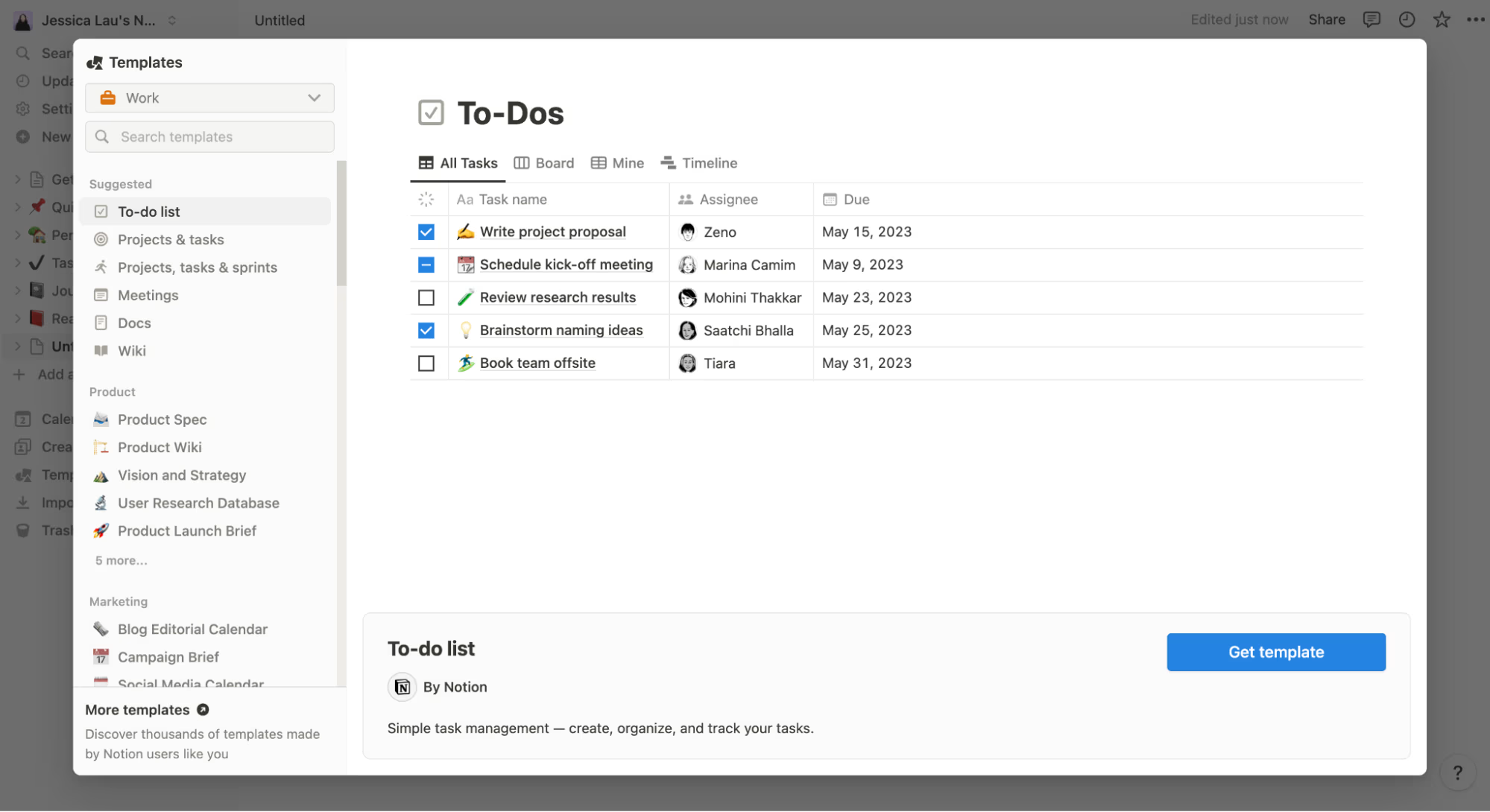
Key features:
- Notes in text, table, list, and calendar formats; file embedding, cross-linking
- Supports project management and team task management
- Real-time sharing and collaboration
Pros:
- Modern, highly customizable interface
- Integrates multiple content formats in a single workspace
- Supports many pre-built templates
Cons:
- Steep initial learning curve
- Can be overly complex for users who only need simple note-taking
3.2. Evernote – Note-taking software with powerful search and storage
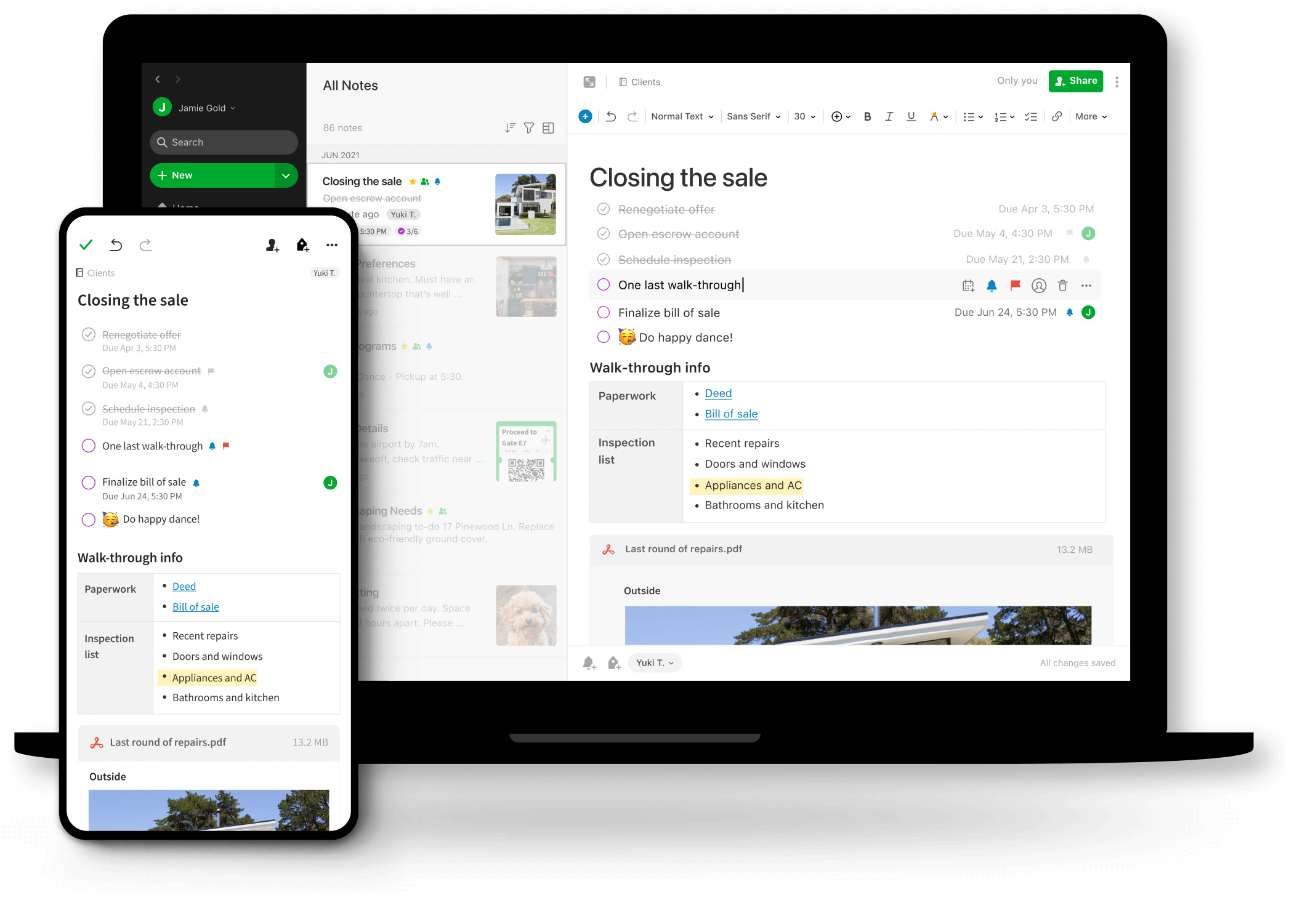
Key features:
- Text, image, audio, and attachment notes
- Smart search, supports handwriting
- Multi-device sync
Pros:
- Powerful note organization features (notebooks, tags, starring)
- Quickly search and extract content
Cons:
- Limited free plan, paid version is quite expensive
- Interface is sometimes not optimized for mobile devices
3.3. Microsoft OneNote – Digital notebook software
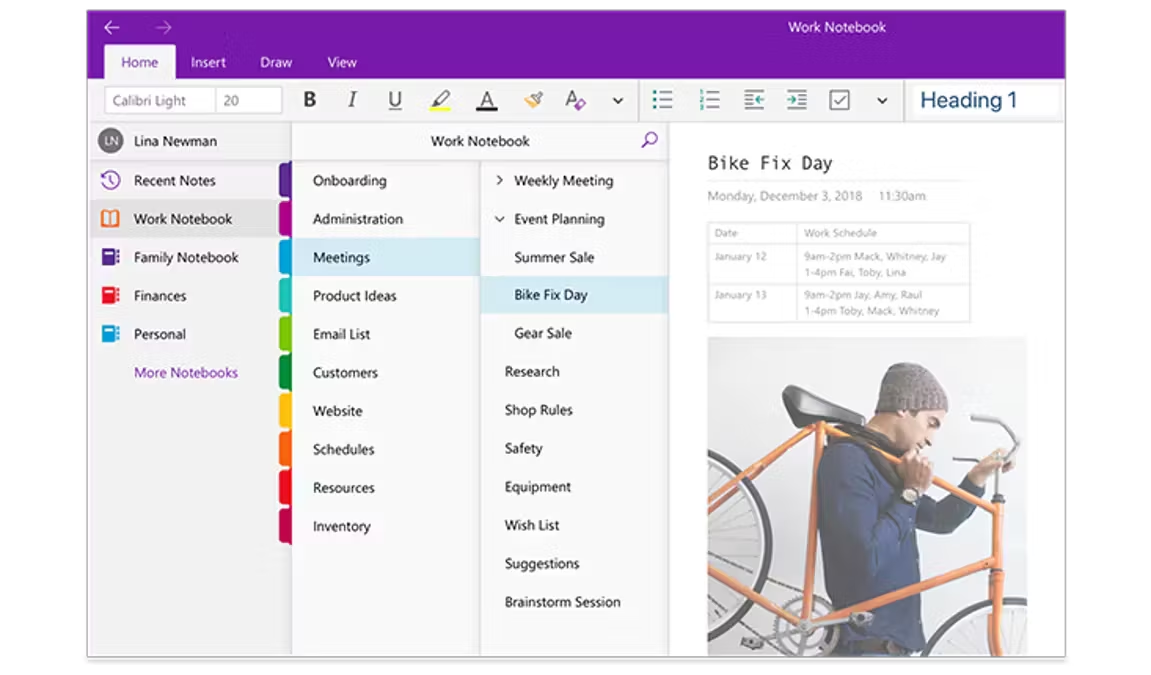
Key features:
- Notebook-style notes with pages and tabs
- Supports handwriting, drawing, audio recording, and file attachments
- Strong integration with Microsoft 365
Pros:
- Free, unlimited notes
- Suitable for office and educational users
Cons:
- Interface can be complex for new users
- Some advanced features require a Microsoft account
3.4. Google Keep – A fast, simple, and convenient note-taking solution
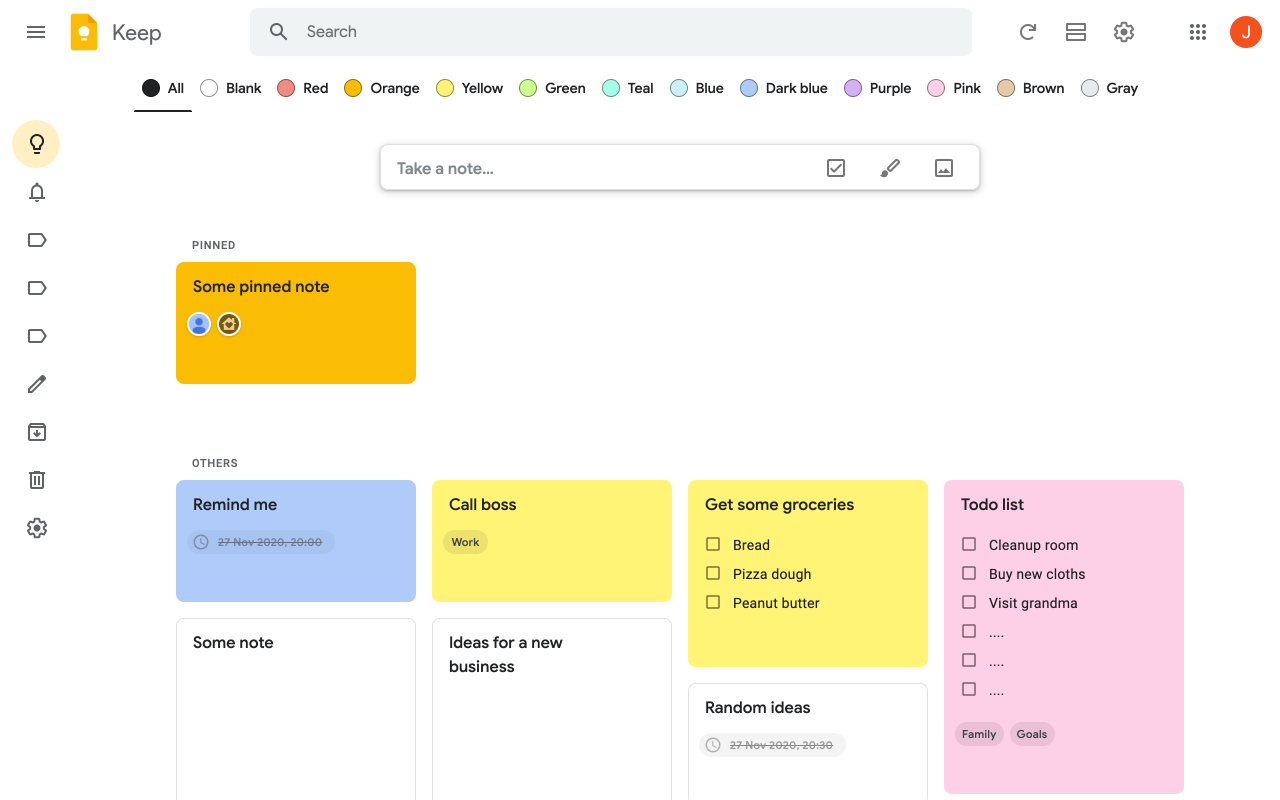
Key features:
- Card-style notes, supports checklists, images, and audio recordings
- Syncs with Google Drive
- Labels, color-coding, and reminders
Pros:
- User-friendly interface, extremely easy to use
- Seamless integration with the Google ecosystem
Cons:
- Limited organizational features (no folders)
- Not suitable for in-depth note management
3.5. Todoist – Software combining notes and task management
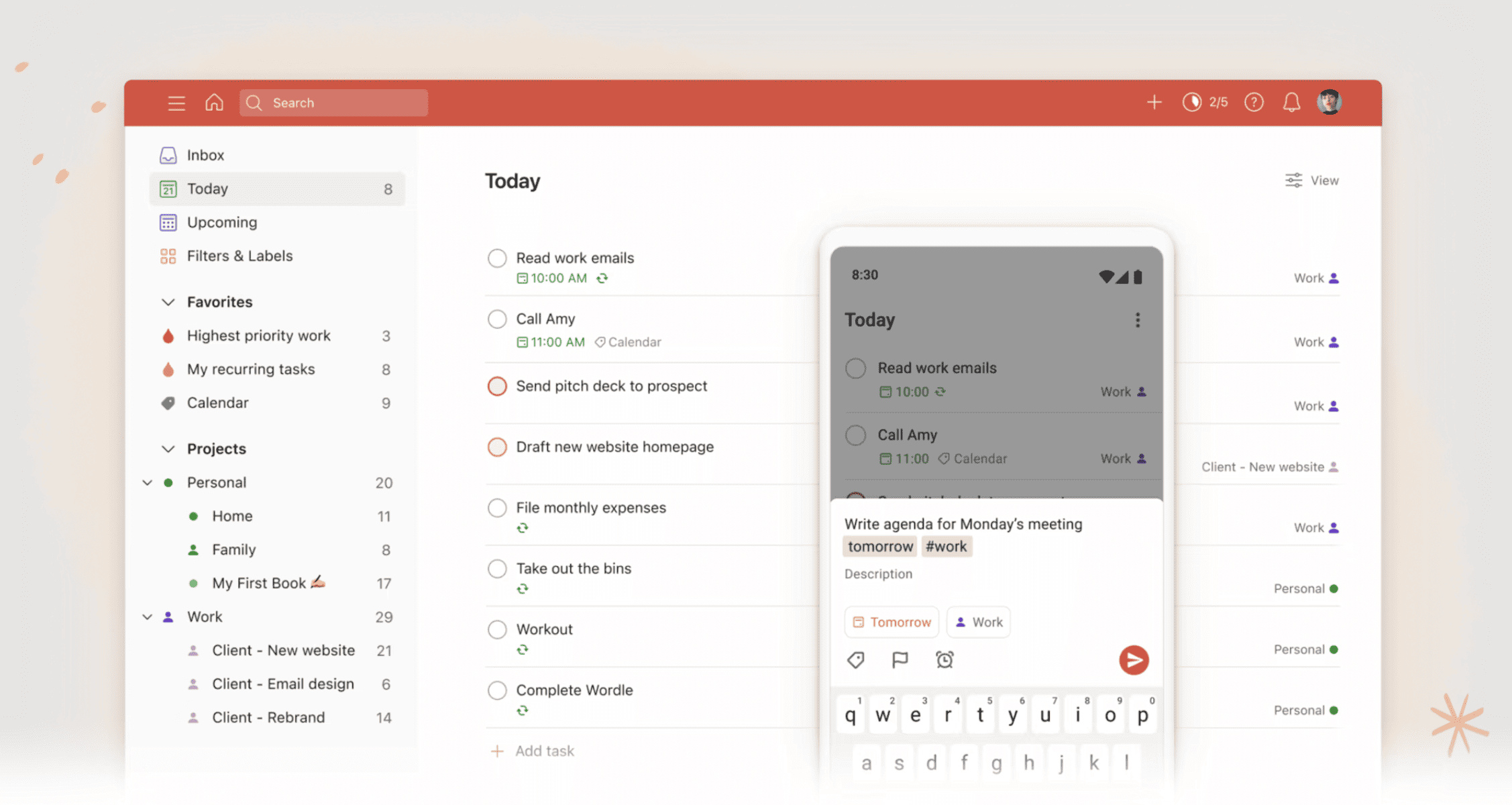
Key features:
- Notes combined with planning and task management
- Assign tasks, set deadlines, set reminders by date/time
- Integrates with Google Calendar, Zapier, etc.
Pros:
- Simple interface, easy to use
- Suitable for busy people who need to combine notes and reminders
Cons:
- Does not support complex notes (tables, images, files)
- Some important features are only available in the paid version
3.6. Simplenote – A high-speed, text-only note-taking platform
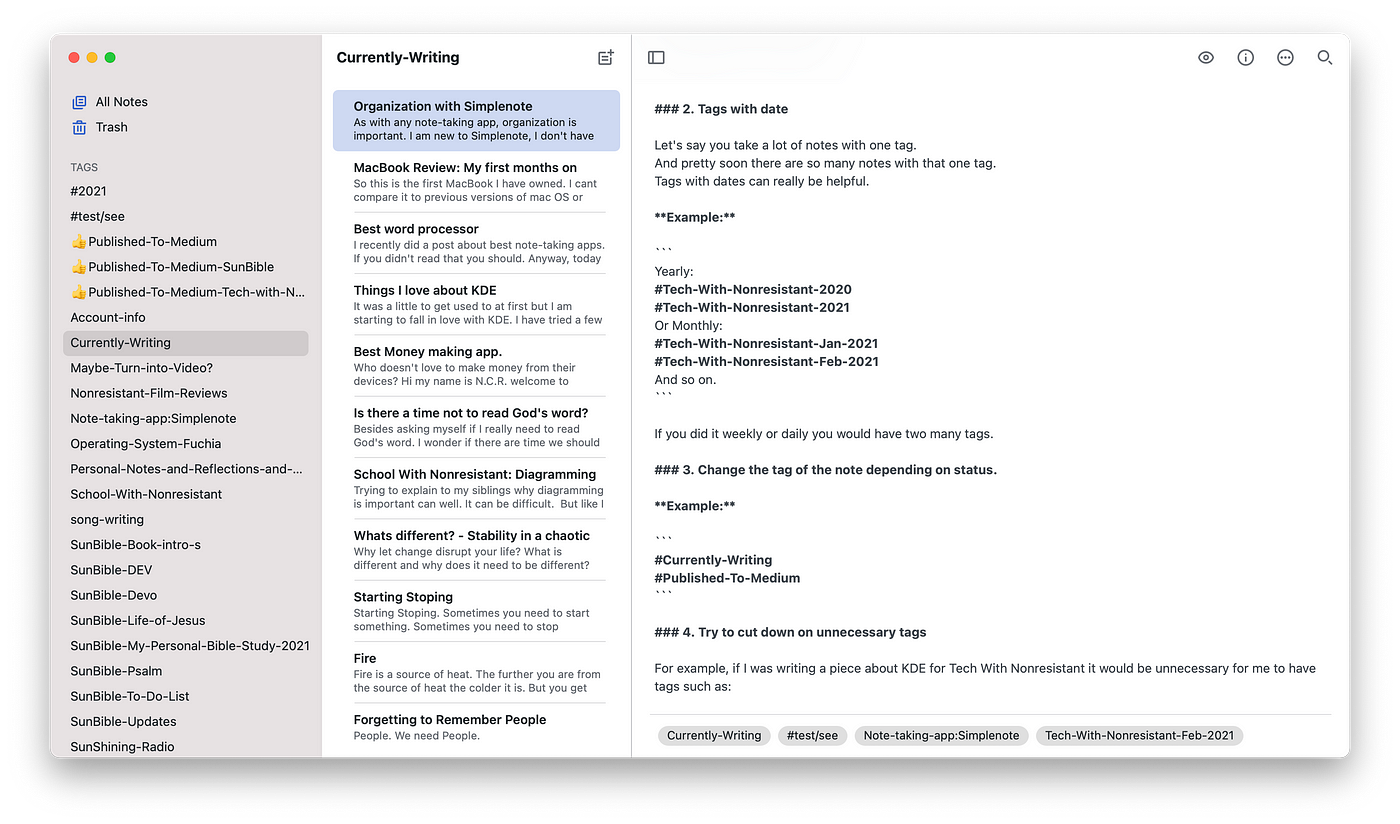
Key features:
- Plain text notes, supports Markdown
- Fast sync across multiple devices
- Supports tags and quick search
Pros:
- Lightweight, smooth, fast response time
- Completely free
Cons:
- Does not support file attachments, images, or audio recordings
- Not suitable for complex information organization needs
3.7. Joplin – Open-source software with high security support
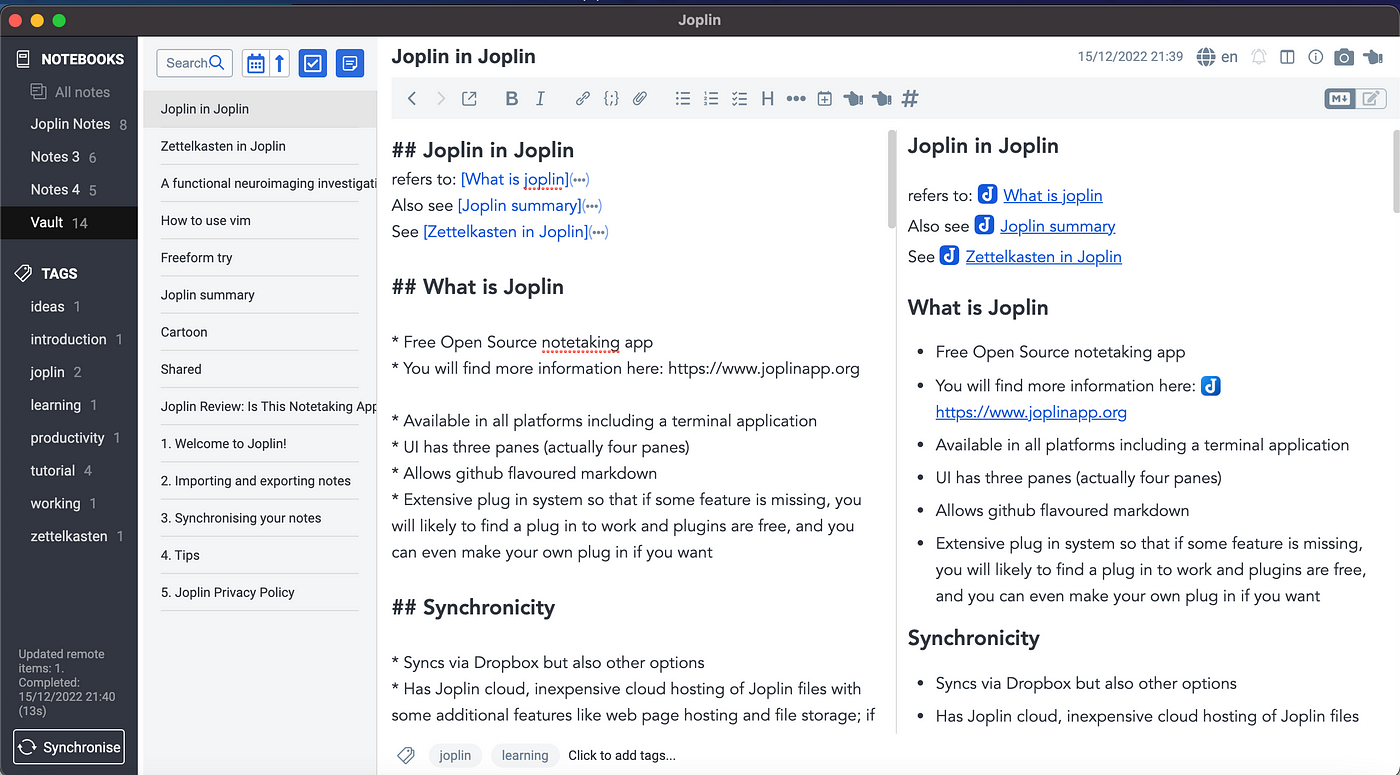
Key features:
- Notes, to-do lists, Markdown support
- End-to-End Encryption
- Sync via Dropbox, OneDrive, WebDAV
Pros:
- Good security, not dependent on third-party platforms
- Open-source, flexible customization
Cons:
- Interface is not user-friendly for general users
- Requires technical skills for optimal setup
3.8. Zoho Notebook – Multimedia note-taking software
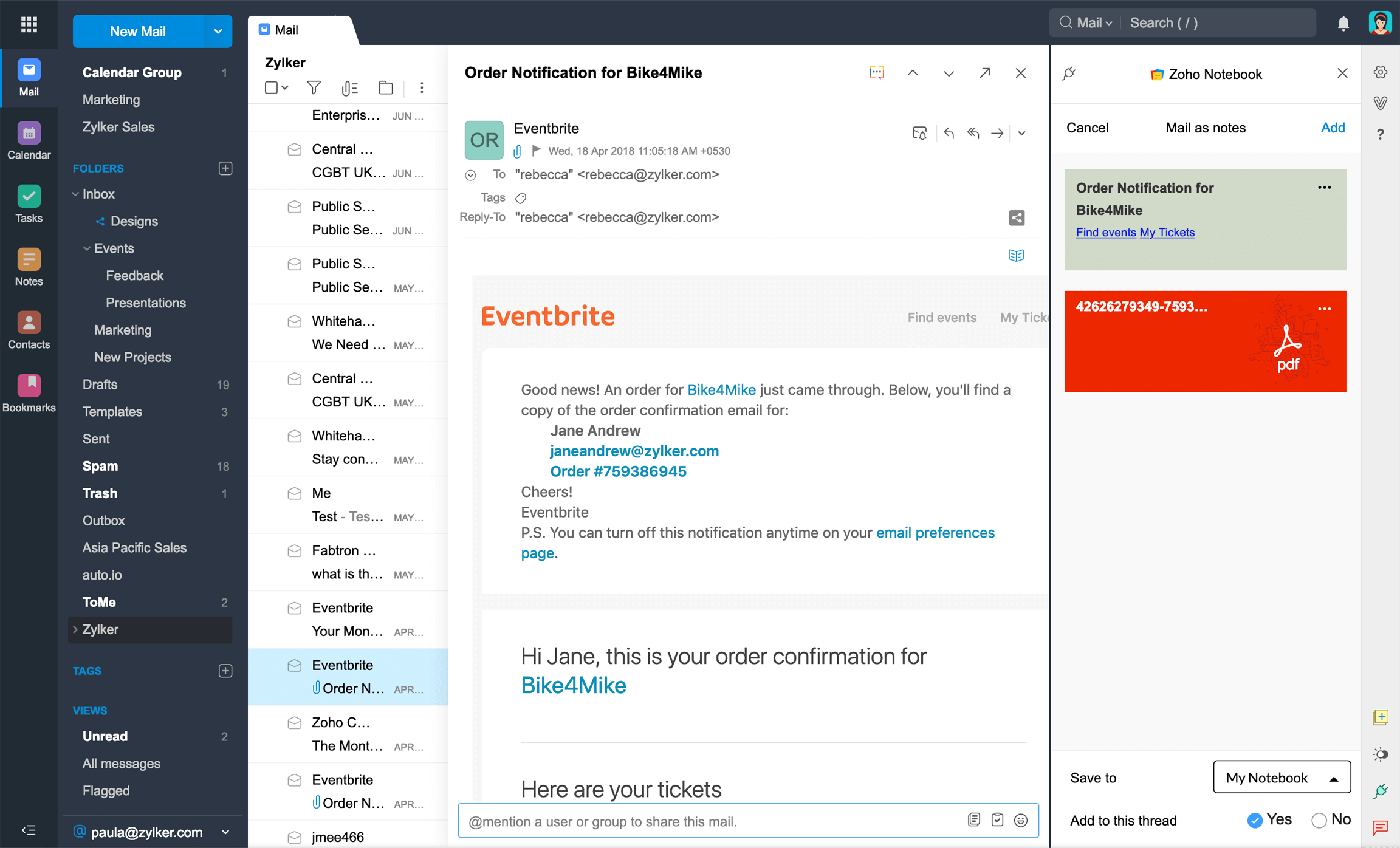
Key features:
- Text, image, audio, and to-do list notes
- Visual notebook-style interface
- Free synchronization across multiple devices
Pros:
- Visual, easy to use, suitable for personal and creative note-taking
- Supports quick drag-and-drop operations
Cons:
- Limited collaboration features
- Not suitable for in-depth note management or businesses
3.9. Obsidian – Note-taking software for linked, systematic thinking
Key features:
- Markdown notes, create cross-links between notes
- Supports graph view mind maps
- Rich plugins, highly customizable
Pros:
- Suitable for systematic thinking and in-depth research
- Can be stored completely locally, good security
Cons:
- Requires a relatively long time to get used to
- Not suitable for users who only need quick notes
3.10. Standard Notes – Note-taking software for maximum security and a simplified experience
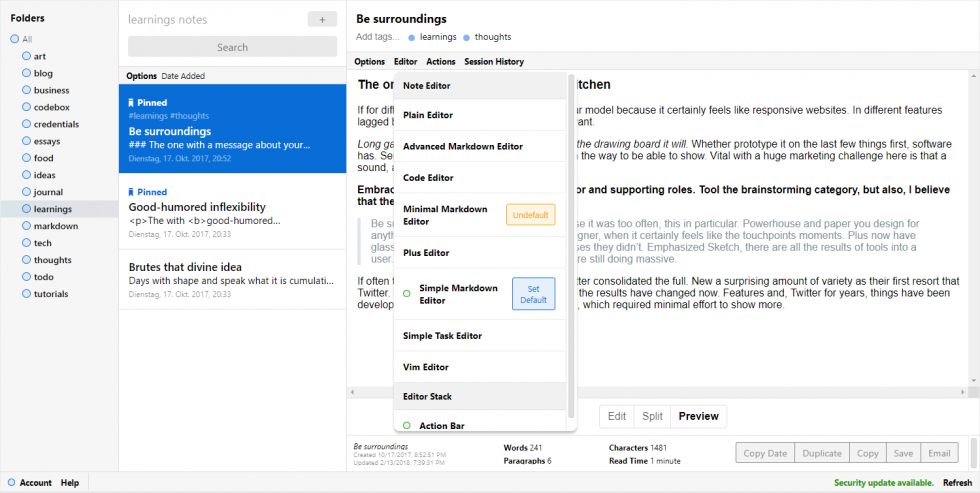
Key features:
- Simple text notes, end-to-end encryption by default
- Supports synchronization and extensions via paid plans
Pros:
- High security, prioritizes privacy
- Minimalist interface, focuses on content
Cons:
- Basic features without upgrading to an extended plan
- Monotonous interface, not intuitive for general users
4. 1Office – Effective work and reminder management software
Besides personal note-taking software, many businesses now prioritize choosing a comprehensive management platform to synchronize all work activities, from planning to execution monitoring. Among them, 1Office with its 1Work module stands out as a comprehensive solution, supporting effective real-time work management.
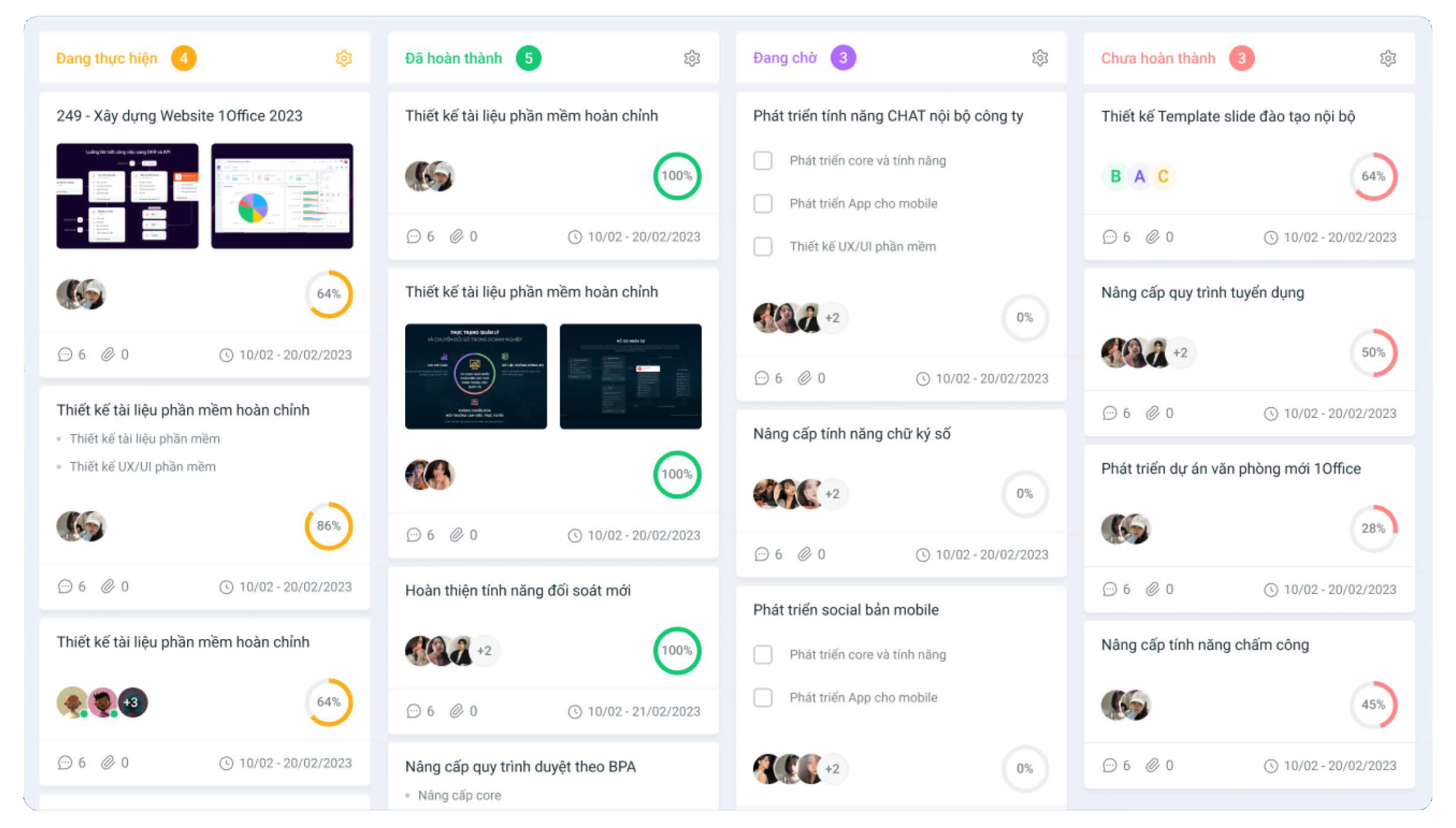
Outstanding features of 1Work:
- Smart planning and scheduling: Create personal and group work schedules, set deadlines, and integrate with email and external calendars to avoid overlapping meetings and work schedules.
- Transparent task assignment, allocation, and progress tracking: Divide tasks by department or project; track task status (assigned, in progress, overdue, completed) in real-time.
- Automatic reminders and alerts: The system sends deadline notifications, meeting reminders, and alerts for pending tasks, helping leaders not to miss important items.
- Real-time work performance reports: Integrated charts and reports on performance by individual, department, and project progress based on actual time and workload, supporting fast and accurate decision-making.
- Synchronization with HR management and business operations systems: As part of the comprehensive 1Office management platform, it helps businesses connect work management, HR, documents, and KPIs on a single system.
Why is 1Office suitable for leaders and managers?
- Save time monitoring work thanks to automated processes
- Easily grasp the overall progress and productivity of each department
- Optimize operational efficiency with centralized, transparent data
- Reduce information loss and enhance coordination between departments
1Office – 1Work is an especially suitable solution for businesses seeking a platform that not only helps with note-taking and reminders but is also integrated with overall and professional business operations.
5. Conclusion
Choosing the right note-taking software not only helps individuals quickly record information but also plays a crucial role in organizing thoughts, managing tasks, and optimizing work performance. For busy individuals like leaders and managers, tools such as Notion, Evernote, Microsoft OneNote, or a comprehensive management solution like 1Office – 1Work will become a powerful “digital assistant,” helping to organize work scientifically, provide timely reminders, and make more accurate decisions.
Clearly define your usage needs, consider criteria such as features, synchronization capabilities, security, and system integration, and then choose the tool that best suits your or your organization’s working style. A good note-taking software is not just a place to store information, but also a platform that supports you in operating and developing your business effectively in the digital age.
















