


 11/05/2026
  768 views
ERP software is becoming an indispensable tool for businesses to optimize operations, manage synchronously, and achieve sustainable growth in the digital age. However, many people still confuse ERP with other management software or wonder which solution is right for their business. In this article, you will understand what ERP is, how ERP software works, its real benefits, and especially the top ERP software available today, along with guidance on how to choose and implement it effectively. If you are looking for a solution to help your business run smoothly, save costs, and have comprehensive data control – don’t miss this article!
Mục lục
- 1. What is ERP software?
- 2. Key ERP terms you need to know
- 3. Which businesses is ERP software for?
- 4. Common ERP Modules Used in Businesses
- 5. Benefits of ERP Software for Business Operations
- 6. ERP Software Classification
- 7. Top 10 Popular ERP Software Today
- 8. Criteria for choosing the right ERP software
- 9. An effective ERP software implementation roadmap
- 11. Examples of ERP in Various Business Sectors
- 12. 1Office – The Comprehensive AI and Low-Code Platform for Businesses
- 13. Conclusion
1. What is ERP software?
ERP (Enterprise Resource Planning) software is a system that helps businesses manage all operational activities such as accounting, human resources, sales, logistics, production, and more on a single platform. Instead of using multiple separate software, ERP helps synchronize data, automate processes, and increase overall work efficiency.
Initially, ERP primarily served large corporations due to its cost and complexity. However, with the development of cloud computing technology and the SaaS (Software as a Service) model, ERP software has now become more accessible to small and medium-sized enterprises as well.
In other words, ERP is not just software – it is a comprehensive management solution that helps businesses operate systematically, transparently, and have the ability to scale sustainably in the future.
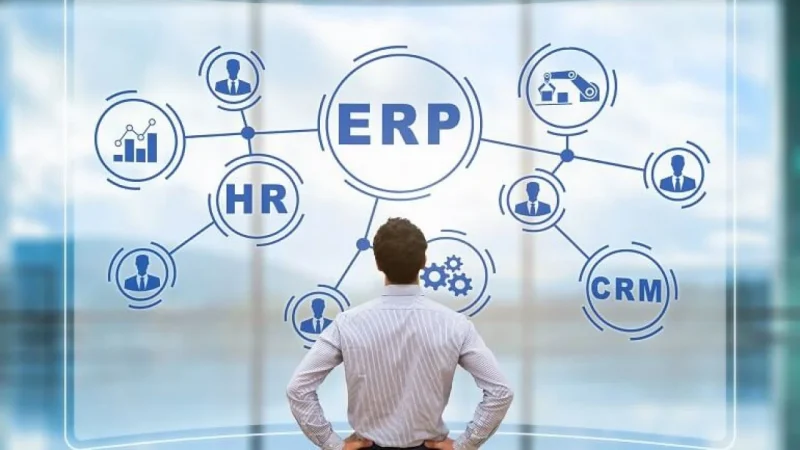
An ERP system allows businesses to identify waste, eliminate inefficiencies, improve customer relationships, and facilitate real-time collaboration.
2. Key ERP terms you need to know
There are many terms to learn about ERP software, however, you need to understand the following key terms before implementing an enterprise resource planning system for your business.
- Enterprise Resource Planning: Refers to the automated tools for managing business processes within an organization.
- On-premise ERP: This is software installed on your company’s servers, and your business’s IT department will directly manage the system.
- Cloud ERP: Data is managed on a cloud-based data platform.
- Supply Chain Management: Refers to the flow of products and services from production to the consumer.
- Third-party service provider: These are providers of services and management solutions that are integrated with the business’s ERP software.
- Mobile solution: The ability to access ERP data on mobile devices anytime, anywhere.
- ERP solution deployment options: The requirements for ERP modules and features.
- Organizational structure: The structure of functional departments and divisions.
- Customer Relationship Management (CRM): A tool that helps businesses interact with customers.
3. Which businesses is ERP software for?
Many people believe that ERP software is only suitable for large corporations with big budgets and complex processes. However, reality shows that ERP is becoming an optimal choice for many types of businesses, from small to large, especially in the increasingly urgent context of digital transformation.
A business should implement ERP software when:
- Data is scattered across multiple systems (accounting, HR, sales, etc.), making it difficult to consolidate and make decisions.
- Operational processes are fragmented and manual, leading to errors, duplication, or delays.
- The business is growing and scaling up, requiring a synchronized management system that can expand over time.
- Managers lack a comprehensive view of performance, costs, and operational efficiency.
- Increased competition requires the business to be leaner, more automated, and make faster decisions.
Whether you are a startup, SME, or a large enterprise, if you want better control and sustainable development, investing in ERP software is a strategic step that should be considered early.
4. Common ERP Modules Used in Businesses
An Enterprise Resource Planning (ERP) system consists of various modules. Each module supports a specific business process and provides employees in that department with the transactions and detailed information they need to do their jobs. Every module connects to the ERP system to provide a single, accurate, and continuously updated source of data that can be shared across departments. Some of the most commonly used modules in business management software include:
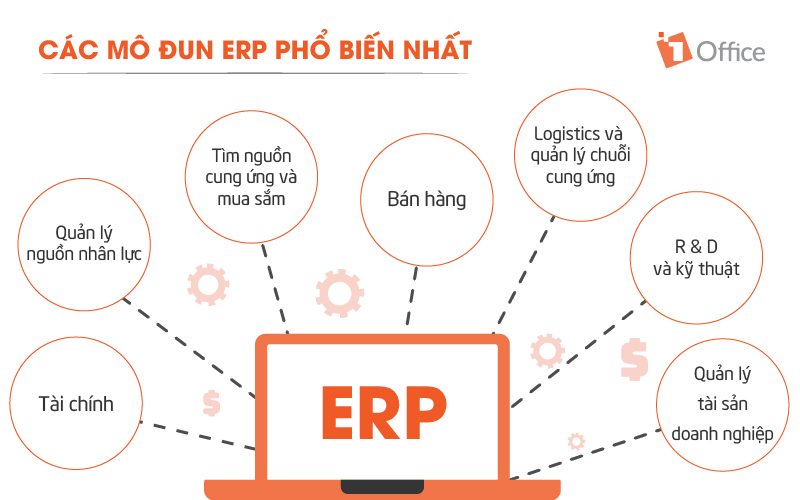
4.1. Finance
This can be considered the backbone, the most crucial feature of most ERP systems. Besides managing general ledgers and automating key financial tasks, it also helps businesses track accounts payable (AP) and accounts receivable (AR), generate financial reports, minimize financial risks, and more.
4.2. Human Resource Management (HRM):
Most ERP systems include an HR module that provides features like automated timekeeping and payroll processing. Add-ons, or entire suites related to human resource management, can connect to the ERP and provide more robust HR functionality—everything from workforce analytics to employee experience management.
4.3. Procurement
This module helps centralize and automate purchasing, including requests for quotes, contract creation, and approvals. It can minimize over-purchasing, improve supplier negotiations with AI-powered analytics, and even connect seamlessly with suppliers.
4.4. Sales Management (CRM)
The CRM module in ERP software helps track communications with prospects and existing customers. A CRM system helps employees use data-driven insights to increase sales and target potential customers with promotions and relevant Cross sale and Upsale opportunities. The sales management system includes functionality for the order-to-cash process, order management, contracts, billing, sales performance management, and sales force support.
4.5. Manufacturing
The primary function of the manufacturing management module is to standardize complex production processes and ensure production aligns with business demand. This ERP module typically includes functionality for material requirements planning (MRP), production scheduling, manufacturing execution, quality management, and more.
4.6. Logistics and Supply Chain Management
Track the movement of goods and supplies throughout an organization’s entire supply chain. The supply chain management module provides tools for real-time inventory management, warehousing operations, transportation, and logistics—and can help increase supply chain visibility and resilience.
4.7. R&D and Engineering
The product research module provides tools for product design and development, product lifecycle management, and more, so companies can create new innovations quickly and cost-effectively.
4.8. Enterprise Asset Management
Helps asset-intensive businesses minimize downtime and keep their machinery and equipment running at peak performance. This module includes functionality for predictive maintenance, scheduling, asset operations and planning, environment, health, and safety (EHS), and more.
5. Benefits of ERP Software for Business Operations
Implementing ERP software brings many practical benefits to a business’s operations, administration, and development. More than just a management support tool, ERP helps businesses optimize resources, increase productivity, and make more accurate decisions.
Unified Data and Processes
ERP connects all departments on a single, unified platform. All data is stored and updated centrally, preventing discrepancies, loss, and duplication of information between departments.
Increased Work Efficiency
Automating tasks such as accounting, HR, logistics, and sales reduces manual work, saves time, and enhances work efficiency for the entire team.
Supports Fast and Accurate Decision-Making
The ERP system provides comprehensive reports and real-time data analysis, giving managers a holistic view to make timely and more accurate decisions.
Reduced Operating Costs
By optimizing processes and minimizing errors, ERP helps businesses cut unnecessary costs, thereby increasing profits and financial efficiency.
Flexible Scalability with Business Growth
ERP is scalable to meet development needs. Businesses can add new modules without having to overhaul the entire system.
| Learn more: What is a Human Resource Management System? Criteria for choosing an effective HRMS |
6. ERP Software Classification
6.1. By Deployment Model
On-Premise ERP
This is software installed and operated on a company’s internal server system. The company manages its own infrastructure, data, and security.
- Pros: High security, flexible customization for specific workflows.
- Cons: High initial investment cost, requires an IT team for operation, long implementation time.
Cloud ERP
ERP software is hosted on the provider’s cloud platform. Businesses access it via the internet without needing to invest in infrastructure.
- Pros: Fast implementation, lower costs, easy to upgrade and maintain.
- Cons: Dependent on the provider, security concerns if the wrong partner is chosen.
6.2. By Business Size
ERP for Large Enterprises (Enterprise ERP)
ERP systems with a full range of advanced features, high customizability, suitable for complex processes and a large number of users.
- Examples: SAP, Oracle NetSuite, Microsoft Dynamics 365, etc.
ERP for Small and Medium Enterprises (SME ERP)
ERP software with a simpler design, reasonable costs, and can be scaled according to development stages.
- Examples: FAST, Odoo, Bravo, etc.
6.3. By Source Code
Open-Source ERP
Allows businesses to customize and develop additional features as needed.
- Pros: Flexible, saves on licensing costs.
- Cons: Requires a skilled technical team for implementation and maintenance.
- Examples: Odoo, ERPNext, etc.
Commercial ERP
Developed by professional software companies, comes with consulting, implementation, and technical support services.
- Pros: User-friendly interface, easy to use, good support.
- Cons: Higher cost, difficult to customize deeply.
Read now: TOP 10 Best Free ERP Software Today – Detailed Review of Pros and Cons
7. Top 10 Popular ERP Software Today
7.1. International ERP Software
7.1.1. SAP ERP
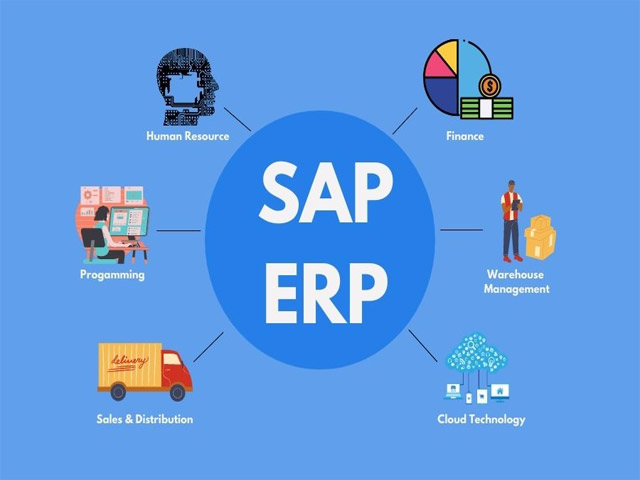
Model: On-premise and Cloud (SAP S/4HANA Cloud)
Features: Financial management, supply chain, manufacturing, sales, human resources, advanced data analytics.
Pros:
- Suitable for large, multinational corporations.
- Robust ecosystem of products and support services.
- Integrates AI, IoT, and machine learning.
Cons:
- Very high implementation and maintenance costs.
- Complex implementation, requires a strong IT team.
7.1.2. Oracle NetSuite
Model: Cloud ERP (SaaS)
Features: Financial management, order management, logistics, CRM, e-commerce.
Pros:
- Suitable for fast-growing businesses with international operations
- Modern, user-friendly interface.
- Real-time analytics and reporting.
Cons:
- Relatively high annual subscription cost.
- Less suitable for businesses with highly specific workflows.
7.1.3. Microsoft Dynamics 365
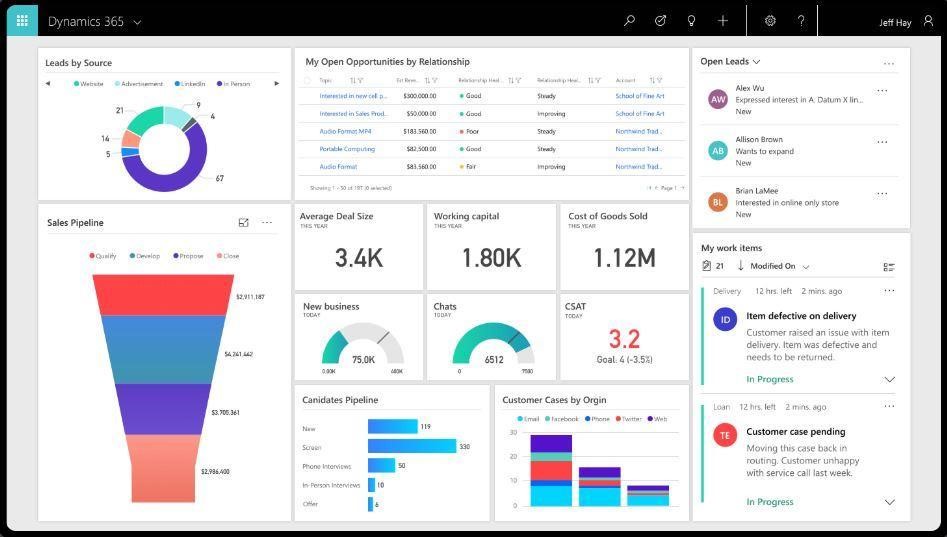
Model: Cloud ERP with CRM integration
Features: Finance, sales, customer service, supply chain, HRM.
Pros:
- Easy to integrate with the Microsoft ecosystem (Excel, Teams, Power BI…)
- Flexible in terms of modules and cost.
- Suitable for both medium and large enterprises.
Cons:
- Requires a knowledgeable implementation partner for effective utilization.
- Some modules are not fully localized for Vietnam.
7.1.4. Odoo
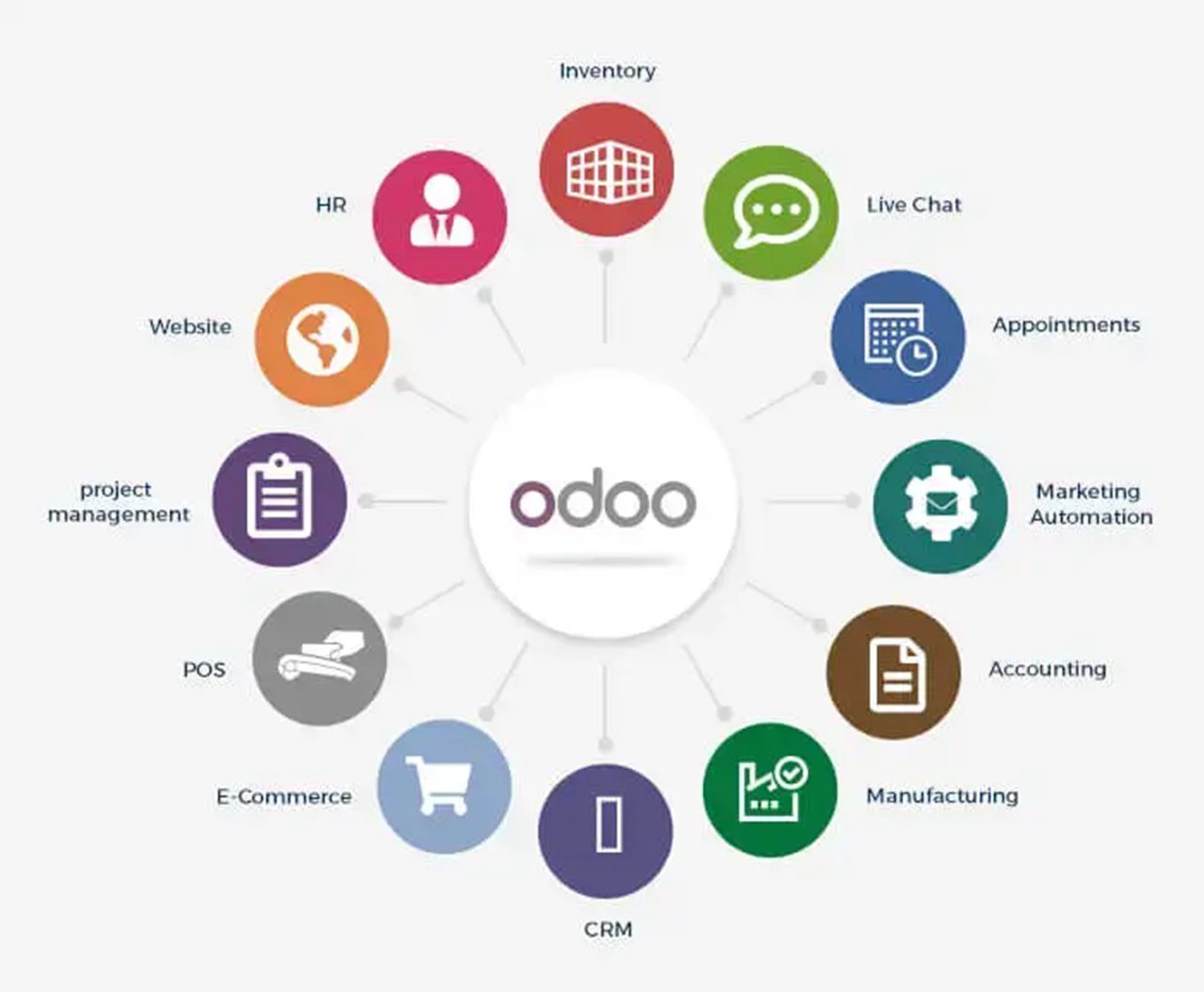
Model: Open-source / SaaS
Features: Sales management, accounting, inventory, manufacturing, HR, website…
Pros:
- Flexible, easy to customize, large developer community.
- Low implementation cost if you have a technical team.
- Has a free version with limited modules.
Cons:
- Requires in-house IT capabilities for deep customization.
- Slow processing speed if the infrastructure is not optimized.
7.1.5. SAP Business One
Model: On-premise and Cloud
Features: Accounting management, purchasing, sales, inventory, CRM for small and medium-sized enterprises.
Pros:
- Inherits technology from SAP, secure and stable.
- Suitable for businesses wanting to start with an international standard ERP.
Cons:
- Fewer modules compared to SAP ERP.
- Cost is still high compared to domestic software.
7.2. Vietnamese ERP Software
7.2.1. FAST Business (ERP)
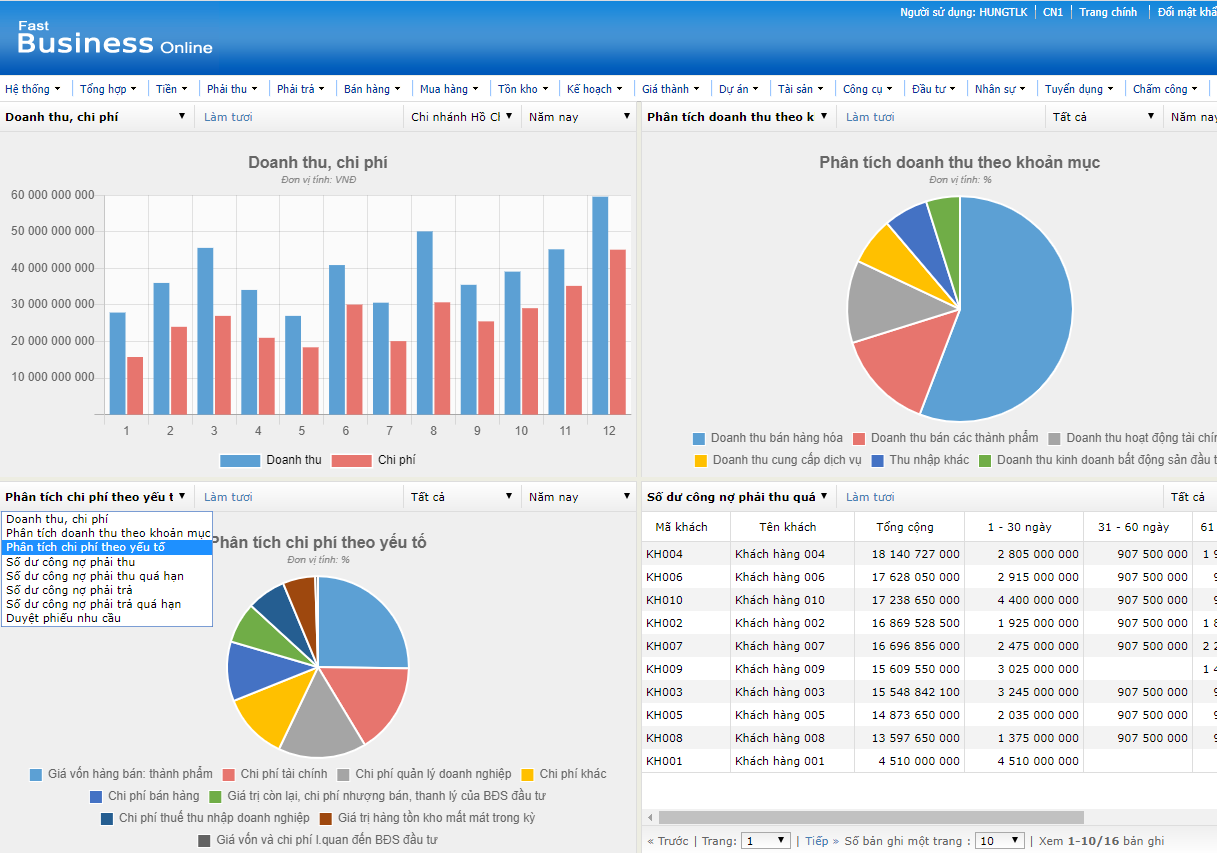
Model: On-premise and Cloud
Features: Financial accounting management, HR, sales, purchasing, inventory, manufacturing.
Pros:
- Purely Vietnamese interface, easy to use.
- Suitable for medium and large Vietnamese enterprises.
- Good consulting and technical support services.
Cons:
- The interface is not modern.
- Lacks some advanced features like AI, advanced data analytics.
7.2.2. Bravo ERP
Model: On-premise
Features: Financial – accounting management, manufacturing, HR, logistics, integrated dynamic reporting dashboard.
Pros:
- Highly customizable according to industry and specific requirements.
- Powerful, in-depth reporting system.
Cons:
- Long implementation time, high customization costs.
- Lacks a Cloud option.
7.2.3. AMIS.VN (MISA)
Model: Cloud (SaaS)
Features: Accounting, HR, work, sales, CRM, overall management.
Pros:
- Easy to implement, low cost.
- User-friendly interface, suitable for small and medium-sized enterprises.
Cons:
- Limited in customization and scalability.
- Not truly optimized for businesses with specific workflows.
7.2.4. Vtranet ERP
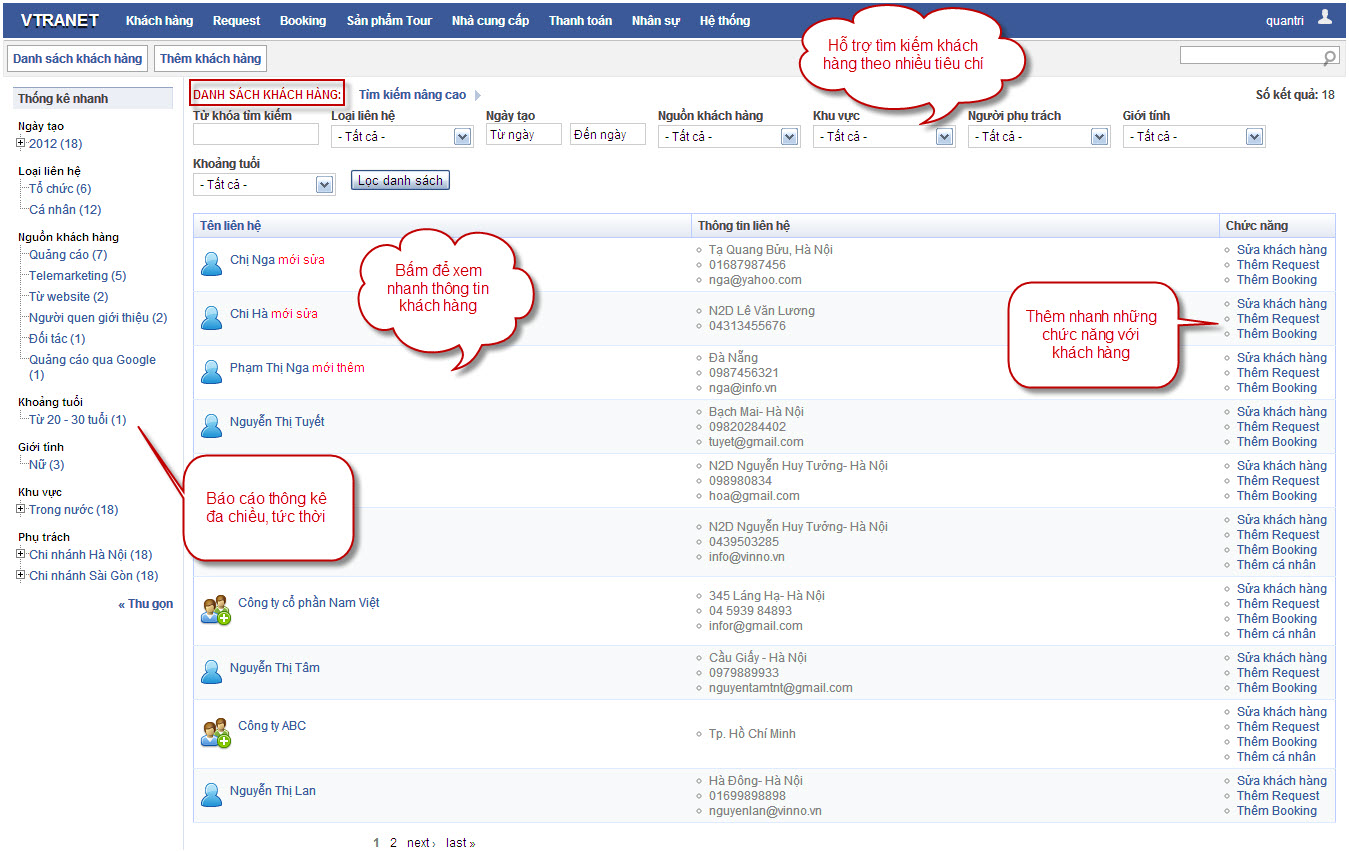
Model: Cloud
Features: Inventory management, sales, finance, work, HR.
Pros:
- Suitable for small and micro-enterprises.
- Easy-to-use interface, fast implementation.
7.2.5. ERPOnline (Vietnamese version of Odoo)
Model: Cloud / Open source
Features: Accounting, sales, inventory, manufacturing, projects, HR.
Pros:
- Flexible, inherits the power of Odoo.
- Suitable for businesses with an in-house technical team that wants to self-deploy.
Cons:
- Technical support depends on the implementation partner.
- Deep customization requires significant time and resources.
8. Criteria for choosing the right ERP software
8.1. Compatibility with industry and business processes
The ERP must meet the specific business processes of the company. Some software is designed specifically for manufacturing, retail, or construction, while others are better suited for service commerce or technology.
8.2. Customization and scalability capabilities
Businesses should prioritize software that can be scaled or customized to their specific needs and future growth, avoiding the need to replace the entire system after a few years.
8.3. User-friendly and easy-to-use interface
Software with a good UI/UX helps employees quickly get accustomed to it, reducing training time and increasing work efficiency.
8.4. Suitable deployment model
Consider between Cloud and On-premise ERP based on budget, infrastructure capacity, and the sensitivity of business data.
8.5. Technical support and updates
Choose a provider with a good support team that regularly updates and upgrades the software to ensure the system is always stable, secure, and up-to-date with trends.
8.6. Investment and maintenance costs
Consider all costs: software license, implementation fees, annual maintenance fees, and staff training costs to get an accurate financial overview.
8.7. Provider’s reputation and experience
You should choose providers with practical implementation experience, especially on projects similar to your business. Reviewing feedback from previous customers is also a way to verify reliability.
9. An effective ERP software implementation roadmap
9.1. Assess the current state and identify needs
- Review all current processes to identify weaknesses and bottlenecks.
- Clearly define the goals of the ERP implementation (e.g., reduce order processing time, standardize data…).
- Analyze the needs of each department.
9.2. Select the right software and provider
- Based on the criteria identified in section 10.
- Prioritize providers with implementation experience in the same industry.
9.3. System analysis and design
- Analyze business processes in detail.
- Design a suitable ERP model: modules, data flows, user permissions…
- Identify any specific customization requirements.
9.4. Technical implementation and testing
- Install the software and configure the system.
- Perform data migration (if there is a legacy system).
- Test the system: check features, processes, and data.
9.5. Training and handover
- Train users according to their roles (accounting, warehouse, production…).
- Provide guidance on usage and handling common situations.
9.6. Pilot run and improvement
- Conduct a pilot run in a real environment but with a limited scope.
- Gather user feedback and improve the system.
9.7. Go-live and post-implementation support
- Officially launch the system for full use.
- Monitor closely for the first 1–3 months to handle any arising issues.
- Have a clear maintenance and technical support policy.
| >> Read more: A Systematic ERP Implementation Process to Optimize Costs for Businesses |
10. Challenges of ERP Implementation
Internal Resistance
- Employees are reluctant to change, fear job loss, or are unwilling to learn a new system.
- Lack of cooperation between departments causes project delays.
Lack of a Competent Project Manager
- ERP requires someone who understands both business processes and project management skills.
- Without a good coordinator, the project can easily go off track, be prolonged, or fail.
Unclean and Unstandardized Input Data
- Many businesses lack a centralized data system, leading to discrepancies and duplication when entering data into the ERP.
- Data standardization requires time and coordination from multiple departments.
Unrealistic Expectations
- Businesses expect ERP to solve all problems instantly, whereas the system needs time to stabilize and adapt.
- Overly high expectations lead to disappointment, affecting morale and implementation commitment.
Costs Exceeding Budget
- Costs arising from customization, training, maintenance, etc., can drive up the total cost if not controlled from the beginning.
Choosing the Wrong Software or Vendor
- Unsuitable software leads to “forcing” processes to fit the software, causing operational difficulties.
- An incompetent vendor can cause prolonged implementation and ineffective support.
11. Examples of ERP in Various Business Sectors
After learning about the general concept of ERP, its functions, and the benefits that a comprehensive enterprise management platform brings, let’s look at some real-world examples of ERP implementation in large enterprises:
- Men’s makeup product manufacturer Fulton & Roark successfully implemented ERP planning to better track inventory and financial data. The North Carolina company, like many other businesses, had been using spreadsheets to track inventory and accounting software to record financial data.
- ERP accounting software: examples of features include accounts payable, accounts receivable, financial planning, and resource management. Accountants, purchasing managers, and other financial professionals can use an ERP system to assess the company’s financial health. These professionals can collaborate with supply chain experts and others to ensure efficiency. Typically, accountants view these functions separately from accounting activities. However, companies can save time and make decisions more easily when financial data is available alongside inventory and production information.
- Discrete, batch, and continuous process manufacturers all rely on ERP and supply chain systems to meet product quality goals, manage asset utilization, control overtime costs, handle customer returns, and more. Manufacturers can also control inventory from end to end by tracking warehouse movements, identifying underperforming and top-performing products, and managing procurement more effectively.
- Retail has undergone a significant transformation as e-commerce has merged with other sales channels as well as traditional operations. The ability to provide self-service options for identifying, configuring, purchasing, and shipping products depends on integrated data. Modern ERP systems also help retailers reduce cart abandonment, improve website conversions, increase average order value, and boost customer lifetime value.
12. 1Office – The Comprehensive AI and Low-Code Platform for Businesses
SaaS (Software as a Service) offers many benefits compared to traditional ERP systems. With the SaaS model, businesses do not need to make large investments in hardware or software maintenance; they only pay a subscription fee, which helps save costs. SaaS is also easy to implement and maintain, with automatic updates and AI and Low-Code integration, helping to automate processes and optimize work performance. Additionally, SaaS allows access from anywhere and on any device, providing greater flexibility and agility than traditional ERP, helping businesses easily adapt and expand without worrying about infrastructure.
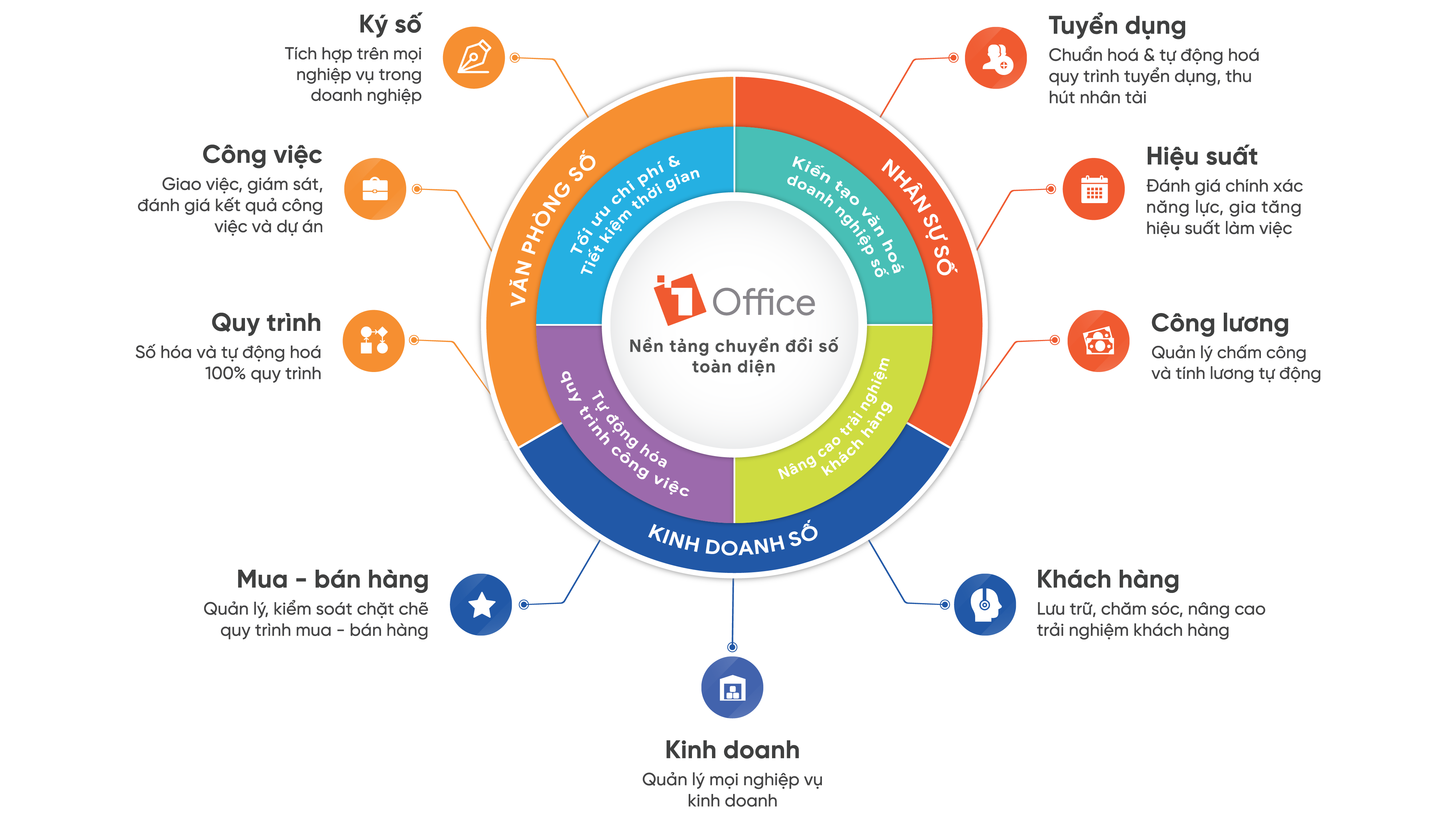
1Office is proud to be an enterprise management solution designed to suit Vietnamese businesses. With a wide range of features, AI and Low-code integration, and easy customization, the 1Office enterprise management software can meet the needs of businesses in all sectors and of all sizes, especially medium to large enterprises:
1WORK – Work Management
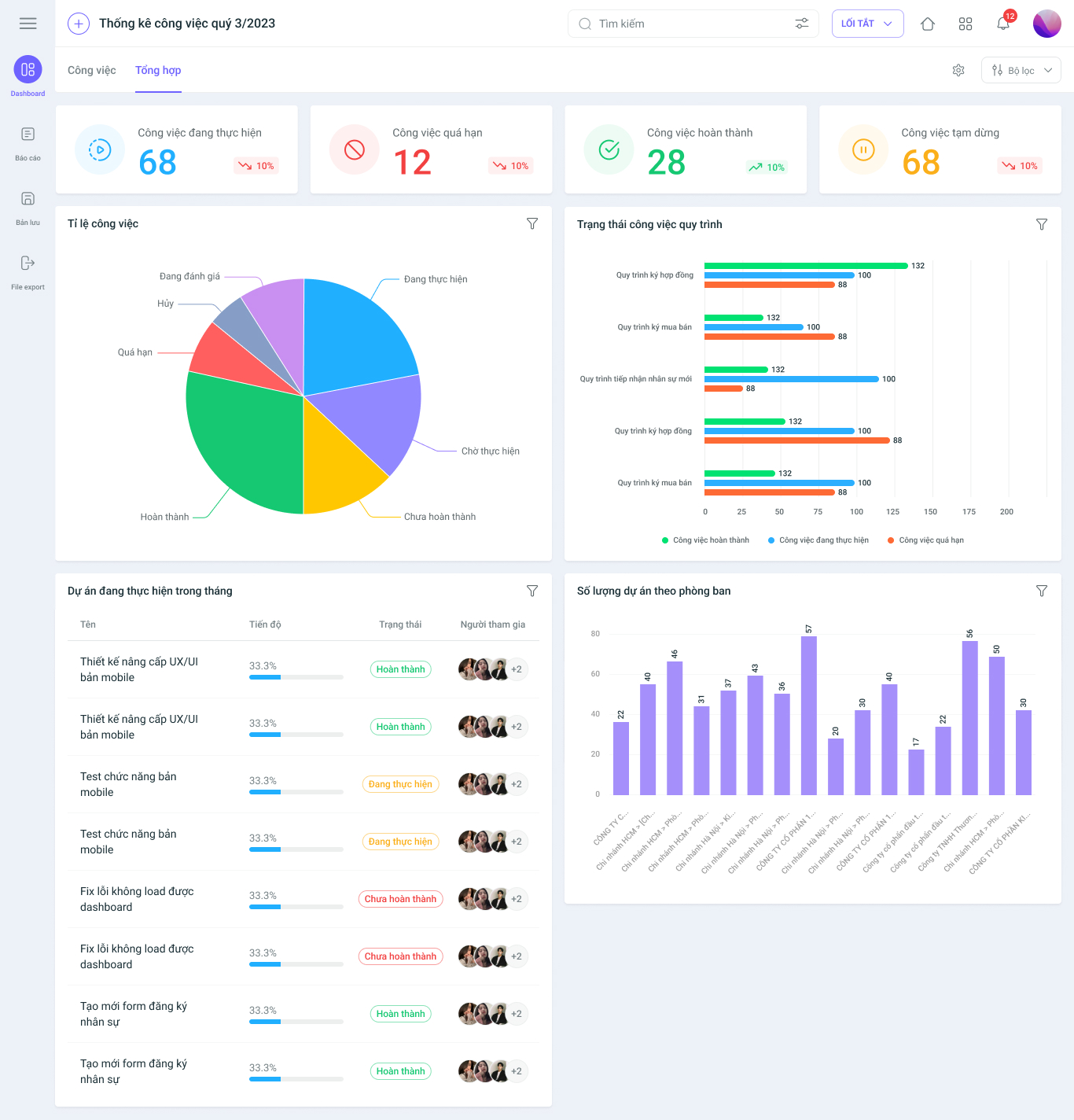
1WORK helps optimize work and project processes with outstanding features:
- Work Progress Management: Track every task, timeline, and project milestone in detail.
- Automatic Alerts: AI helps predict risks and sends alerts when tasks are overdue.
- Workload Management: Allocate tasks to employees, avoiding overload or underutilization.
- Visual Dashboard: Get an overview of work progress and personnel performance, making project management easier.
- Flexible Management Models: Supports project management methodologies like Waterfall and Agile.
1HRM – Human Resource Management
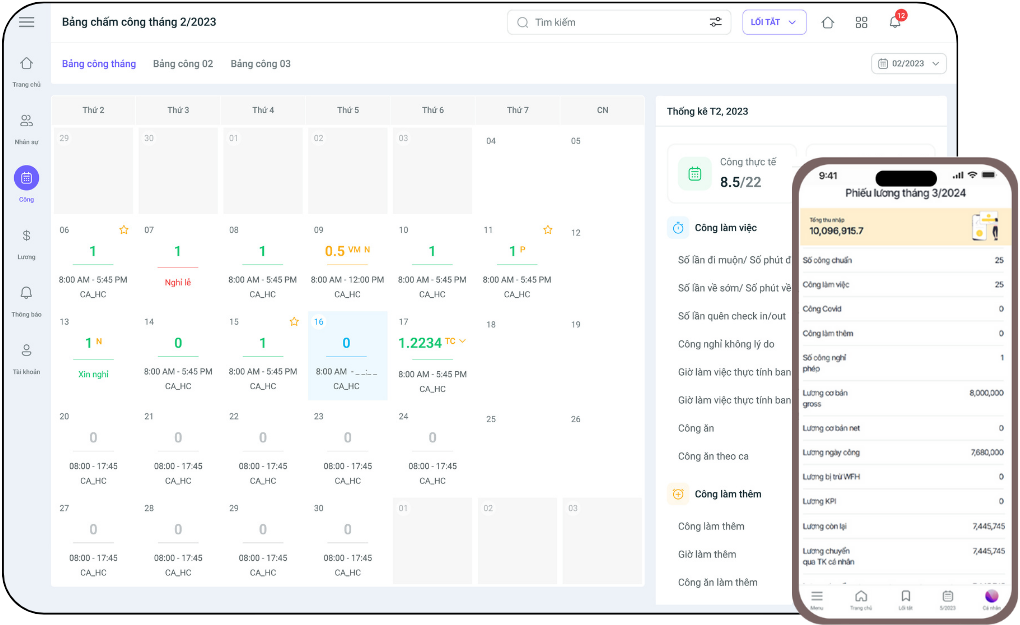
1HRM helps businesses manage human resources more effectively with features such as:
- Centralized employee profile management: Store and update employee information easily and accurately.
- AI integration in recruitment: AI automatically screens candidate profiles, assesses skills, and evaluates suitability for the position.
- Employee Performance Management (Employee Analytics): AI tracks employee performance and predicts turnover risks.
- Digital contract signing: Manage labor contracts online, supporting digital signatures to reduce processing time.
- Automated timekeeping and payroll: Automatically track attendance, calculate salaries and insurance contributions, minimizing errors.
- Reporting and analytics: Provide statistical data on personnel, labor productivity, and contract status.
1CRM – Sales and Customer Care Management
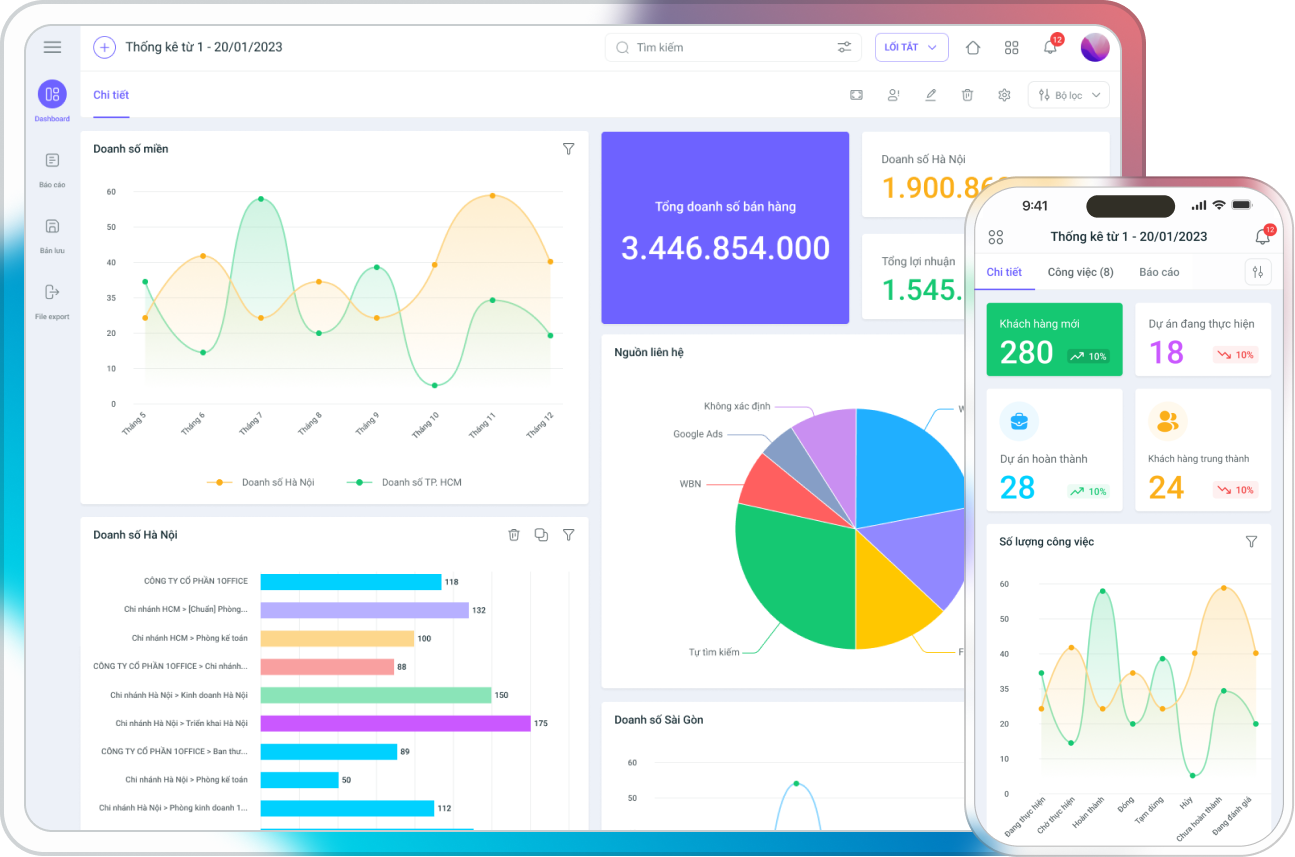
1CRM helps improve sales and customer care efficiency with the following features:
- Customer information management: Store detailed information about customers, orders, and transaction history.
- Sales process automation: Automatically classify customers, create quotes, and track sales progress.
- Automated customer care: The system sends appointment reminders, emails, and automated notifications.
- AI integration: AI assists in revenue forecasting, customer behavior analysis, and optimizing customer care and marketing strategies.
- Revenue and sales performance reporting: Provide detailed reports on revenue, conversion rates, and marketing campaign effectiveness.
1BPA – Process Automation
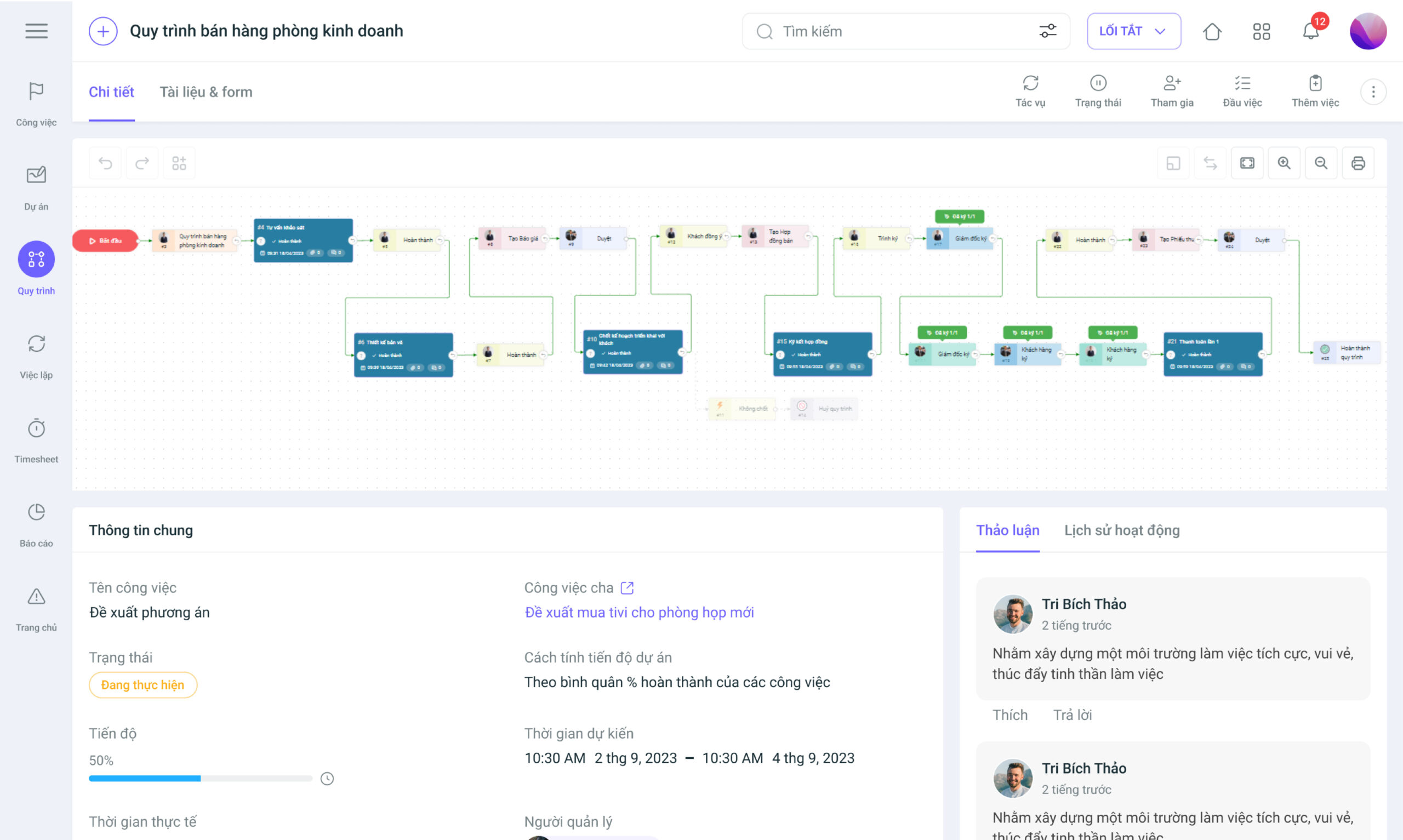
1BPA helps businesses automate work processes with outstanding features:
- Workflow Designer: Build visual workflows with easy drag-and-drop functionality, no coding required.
- Process management and monitoring: Track process progress, ensuring steps are completed on time.
- AI and Low-Code integration: AI assists in monitoring and suggesting process optimizations. Low-Code helps businesses customize processes without needing IT experts.
- Integration with other systems: Connect with CRM, HRM, and ERP to synchronize data across systems.
- Process reporting and analysis with AI: Provide detailed reports on process performance, suggest data-driven decisions for CEOs, and help continuously improve work efficiency.
13. Conclusion
ERP software is not just a management tool but also a lever that helps businesses achieve comprehensive digital transformation, enhance productivity, and optimize operations. However, to successfully implement an ERP system, businesses need to clearly understand their needs, choose the right software, have a well-structured implementation strategy, and gain consensus from leadership to staff.
In this article, 1Office has provided the most comprehensive information on Enterprise Resource Planning systems, including: What is ERP? The features and complete structure an ERP system must have, and more. If you have any further questions, please contact us for a free consultation. Thank you!
For more information:
- Hotline: 083 483 8888
- Fanpage: https://www.facebook.com/1officevn/
- Youtube: https://www.youtube.com/channel/UCeTIRNqxaTwk0_kcTw6SxmA
















