


 12/05/2026
  148 views
The wave of digital technology has reached every corner of social life, with every individual and business now applying technology to improve productivity and manage work effectively. Work schedule management apps have also gradually replaced traditional calendars and notebooks due to their convenience, flexibility, and useful features. So, how can you choose an effective and optimal work schedule management application for your entire business? 1Office will introduce you to the TOP 8 best employee work schedule management apps on the market today, complete with detailed reviews.
>> See more related articles:
- Review of the TOP 8+ most popular and effective timekeeping software on mobile phones
- 6+ Tips for using work management tools effectively to triple your productivity
Mục lục
- 1. The 8 Best Work Schedule Management Apps for Employees Today
- 1.1. 1Office Work Scheduling App
- 1.2. Asana Work Time Management Software
- 1.3. fTodolist Work Schedule Management Software
- 1.4. GTasks Work Scheduling App
- 1.5. Tictop Work Schedule App
- 1.6. Tick Tick Personal Work Schedule Management App
- 1.7. Hitask Schedule and Task Management Software
- 1.8. Todoist Work Scheduling App
- 2. Criteria for choosing an effective work schedule management app for employees
1. The 8 Best Work Schedule Management Apps for Employees Today
1.1. 1Office Work Scheduling App
1Office’s schedule management solution – for employee tasks, possesses the most powerful and optimized toolset available today, helping organizations and businesses optimize workflows and effectively control progress.
The 1Office work management solution provides mutual benefits for both managers and employees, specifically:
For employees
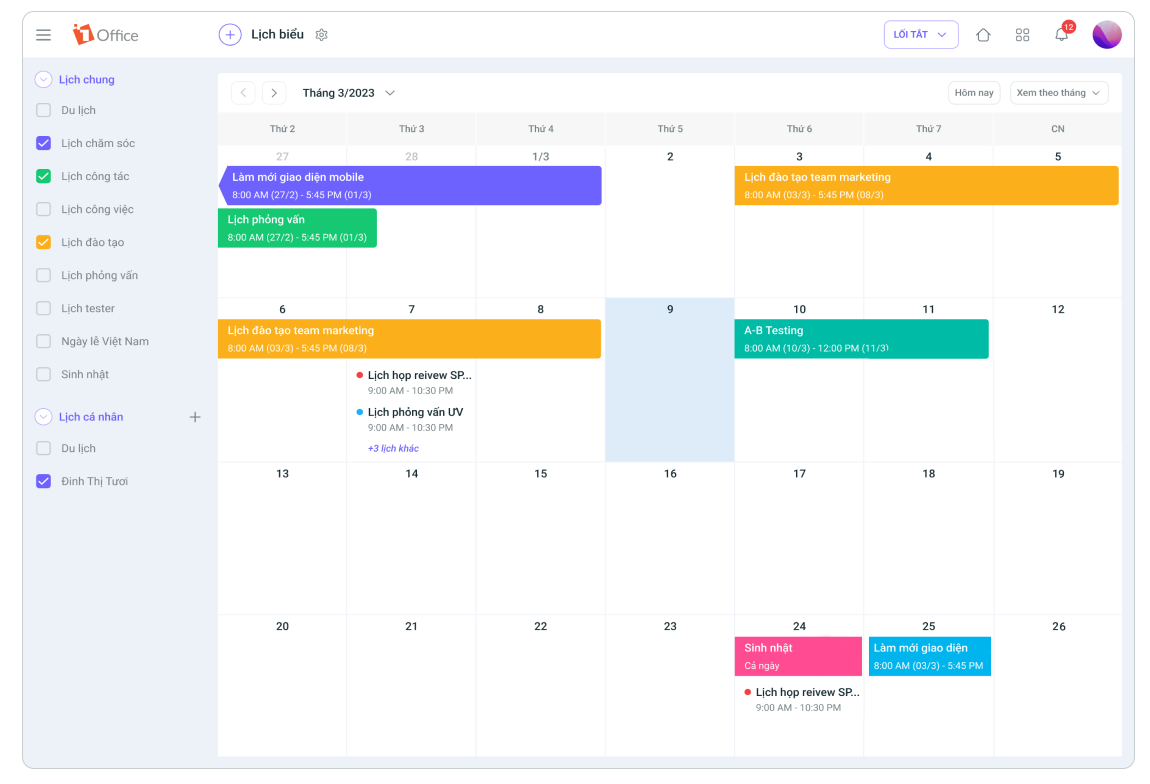
- Allows employees to manage their entire personal schedule, events, and work/department schedules on the system. Based on the visual work schedule, employees can easily visualize which tasks need to be done during the day and in what time frame.
- Automatically synchronizes data from other modules into an individual’s work schedule.
- Displays the work schedule in various formats: by day/week/month, by meeting room, in a list format, or by event.
- Smart, customizable reminder system that alerts users to upcoming or overdue events.
For managers
- Supports easy planning, task assignment, and instant discussion with employees directly on the task.
- Monitor progress anytime, anywhere. With just one click, you can view the entire daily work schedule of your staff without waiting for reports.
- Instantly grasp the overall progress of the entire project and the proportion by status, allowing for timely adjustments to accelerate progress.
Review
1Office’s module for managing and arranging employee work schedules is directly linked to other modules within the comprehensive business management solution suite, thus inheriting outstanding advantages that standalone work management software cannot offer:
- Set up unlimited automatic work alerts.
- Automatic reporting system supports building any report template.
- Tightly links work data with KPIs to accurately evaluate employee performance.
- Simple, user-friendly interface that supports appropriate resource and time allocation.
- Easily categorize tasks with the feature to select event colors from a diverse, eye-catching color palette.
- Customizable display options by date, event, etc., suitable for all users.
Pricing
1Office offers a variety of solution packages to meet the needs of all business sizes, with costs starting from only 40,000 VND/user/month. Before implementing the 1Office software, businesses are offered a trial to directly experience the features in their purchased solution package.
See the detailed price list for the 1Office schedule management feature package here

Target Users
1Office’s work schedule arrangement app provides a comprehensive work and schedule management solution for both managers and employees. With the capacity to handle millions of tasks on a single system, 1Office helps digitize and operate the entire organization smoothly and efficiently, meeting both deadlines and work quality standards.
Read more: How to build an effective work management system that increases productivity by 200%
1.2. Asana Work Time Management Software
Asana is a work schedule management software that helps users create scientific and effective work plans and schedules.
Key features
- Create detailed work plans, set deadlines and classification labels for each task, and assign responsible personnel
- Visually track task execution time with a schedule screen and timeline to promptly capture the project status
- Team calendar allows project members to track the team’s overall progress
Evaluation
| Pros | Cons |
|
|
Target Users
Suitable for individuals, project teams, and business organizations that need to manage work schedules systematically and professionally.
Pricing
Asana offers a free version with the most basic features and 4 options suitable for teams and businesses of all sizes, with prices starting from 10.99 USD/user/month.
1.3. fTodolist Work Schedule Management Software
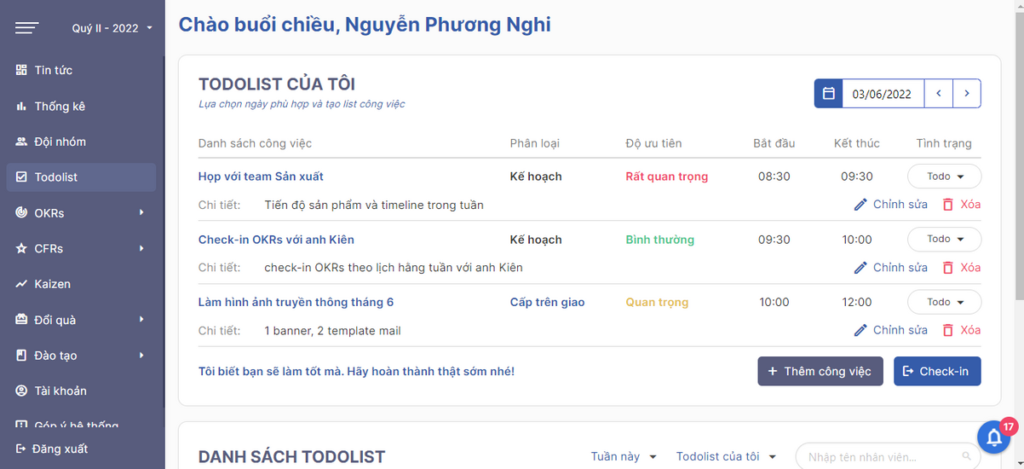
fTodolist is a work schedule management software provided by Fastdo. The fTodolist work scheduling app allows users to create daily to-do lists and to control and organize tasks according to a work management process in a scientific manner.
Key Features
- Create daily/weekly/monthly work schedules with complete information fields such as priority level, execution time, etc.
- Track employees’ entire work schedules, monitor the work progress of personnel, and measure the percentage of work completion.
- Generate statistics and report work results by individual, team, and department.
- Feature to accumulate reward points when personnel complete tasks, serving as a basis for commendation.
| Pros | Cons |
|
|
Target Users
The fTodolist work schedule management application is developed to be suitable for both employees and managers, helping to manage time and increase operational productivity for the organization.
Pricing
Fastdo’s work schedule management software offers 3 pricing tiers for monthly subscriptions:
- 3 months: 25,000 VND/user/month
- 6 months: 21,250 VND/user/month
- 12 months: 17,500 VND/user/month
Enhance team performance with:
>> Top 9 best free team task management software
1.4. GTasks Work Scheduling App
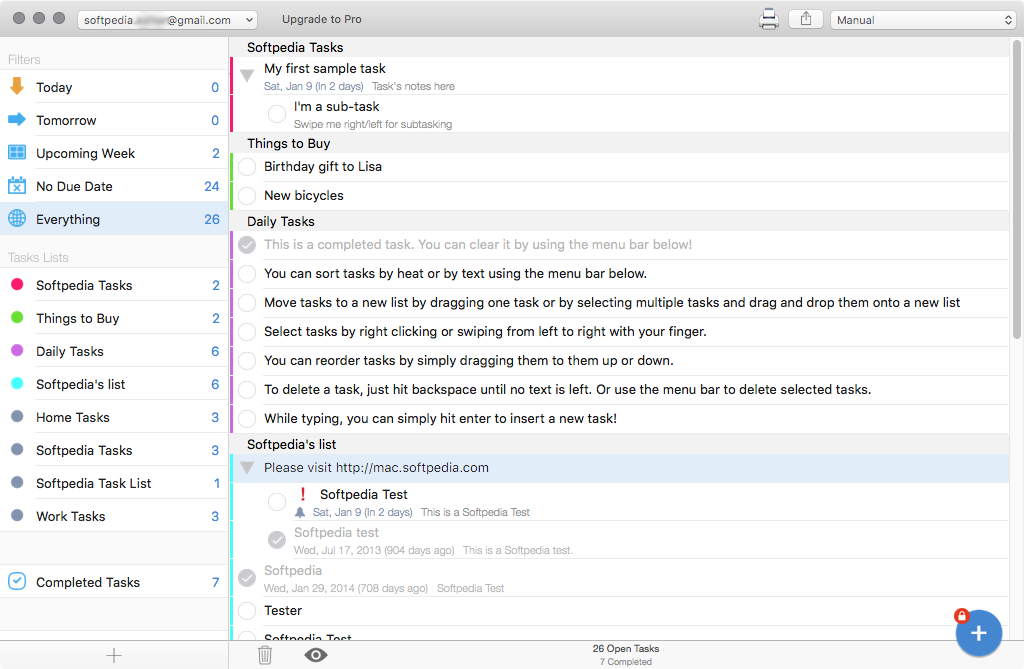
GTasks is a simple, easy-to-use work schedule management app developed by Google. GTasks is highly rated by users for its utility and ability to synchronize work data across linked devices and applications.
Key Features
- Organize daily tasks in a scientific list or to-do list format, with tags to mark important and high-priority tasks
- Arrange and track work schedules in a calendar view
- Set up reminder alerts for upcoming deadlines
| Pros | Cons |
|
|
Target Users
GTasks is a personal work schedule management app suitable for employees who want to organize their work schedules systematically. However, for teams, GTasks alone may not fully meet the demands of managing tasks and schedules.
Pricing
GTasks offers a free version that can be easily downloaded on various devices. The GTasks Pro version is priced at $4.99.
1.5. Tictop Work Schedule App
Tictop is a professional work and time scheduling app that helps organize and track work schedules systematically and effectively. Tictop helps individuals and businesses optimize workflows and closely monitor work progress and timelines to achieve the best performance.
Key Features
- Create daily work schedules: Make a list of tasks to be done, set goals, and define the workload to be completed for the day.
- Manage work time: Allows for systematic time arrangement based on the Eisenhower method – prioritizing important tasks.
- Team task management: Allocate tasks and completion times for each team member, supporting progress tracking for the entire team’s tasks and projects. Sync team tasks to individual work schedules.
- Work support tools: Document management, internal communication (chat, meetings, etc.)
Review
| Pros | Cons |
|
|
Target Users
Offering two solution packages, Basic and Pro, Tictop meets the work scheduling needs of both managers and employees, for teams ranging from project groups to small and medium-sized enterprises.
Cost: Contact supplier
1.6. Tick Tick Personal Work Schedule Management App
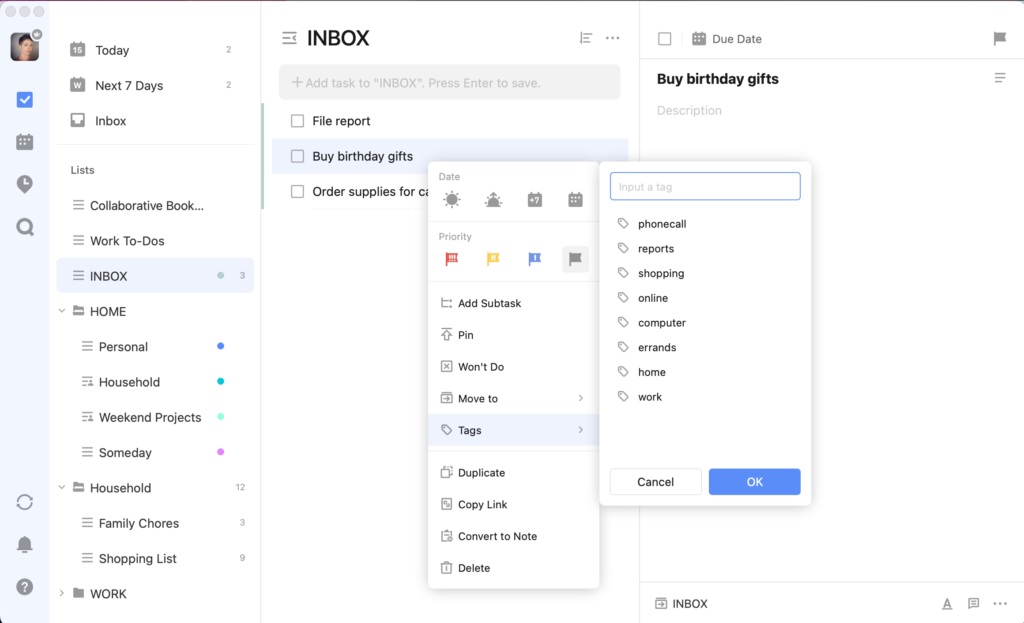
Tick Tick is a popular schedule management application that helps users track progress and build effective work habits.
Key Features
- Create to-do lists with specific deadlines, mark completed tasks, and remove them from the list.
- Manage work schedules by adding notes and important events such as internal meetings, client appointments, and tasks to be completed during the day.
- The Pomodoro Timer feature helps users master their time by breaking down work into short 25-minute sessions to focus on tasks.
- Share project and work plans via email or messaging apps
| Pros | Cons |
|
|
Target Users
Tick Tick is suitable for managing schedules and tracking personal habits.
Pricing: Tick Tick is a free work schedule management software that can be downloaded directly to mobile devices
>> See more: 6+ Tips for Using Work Management Tools Effectively to Triple Your Productivity
1.7. Hitask Schedule and Task Management Software
Hitask is a powerful schedule and task management software with a smart, user-friendly toolkit and an intuitive interface.
Key Features
- Assign tasks and create detailed schedules for projects and events
- Track daily to-do lists and set deadlines and reminders for each task
- Generate project and task progress reports, with statistics on how many tasks have been completed and in what timeframe
- Categorize tasks by project, priority, and color
| Pros | Cons |
|
|
Target Users
The Hitask work schedule app is suitable for managing personal and team work with less than 200 tasks.
Pricing
- Hitask offers a free version with basic features for managing scheduled tasks.
- For advanced features like document sharing, reporting, and unlimited storage, users will need to purchase the premium version, which starts at $49 USD/year or $5 USD/month per user.
1.8. Todoist Work Scheduling App
Todoist is a highly-rated work schedule management software for employees, praised for its utility and practical application. It helps users take control of their time and daily work schedules, boosting productivity and ensuring tasks are always completed on time.
Key Features
- Ability to organize tasks systematically, allowing users to track work sequences by priority, deadline, importance, etc.
- Easy team collaboration by sharing plans, assigning tasks, and holding discussions directly within the app.
- Allows setting up recurring tasks on fixed days of the week/month.
| Pros | Cons |
|
|
Target Users
Todoist is best suited for individuals or small teams who want to manage personal work schedules and track team progress.
Pricing
Todoist offers 2 versions: a free version with basic features and a Premium version starting from 100,000 VND/month and 850,000 VND/year, which allows users to access more advanced tools.
2. Criteria for choosing an effective work schedule management app for employees
Currently, there are many work schedule management applications on the market offering a variety of features, from free to paid. However, to select a scheduling app that fully meets the needs of everyone from employees to management levels, businesses should consider choosing an application that meets the following requirements:
- Pricing that is suitable for the business’s scale and usage needs
- Multi-platform support, compatible with all operating systems, and capable of synchronizing data across all devices
- Ability to manage team work schedules and track project progress
- Features task reminders and alerts to help managers and employees avoid forgetting or missing tasks
In the article above, 1Office has introduced readers to the 8 best work scheduling apps of 2022 with detailed reviews. For a more detailed consultation on the comprehensive work management software 1Office, you can contact us via:
- Hotline: 083 483 8888
- 1Office Fanpage: https://www.facebook.com/1officevn
- Youtube Channel: https://www.youtube.com/c/1OfficeNềntảngquảnlýtổngthểDoanhNghiệp
















