


 12/05/2026
  407 views
A standard employee record management process helps HR save time, increase productivity, and ensure legal compliance for the business. Systematically organizing and managing employee records facilitates crucial HR activities such as recruitment, training, and employee evaluation. So, what constitutes an accurate and effective employee record management process for a business? 1Office will answer all these questions in the article below.
Mục lục
- 1. What do employee records include? Some regulations on record management
- 2. An Effective Employee Record Management Process for Businesses
- 3. 3 Common Ways to Store and Maintain Employee Records
- 4. Should You Manage Employee Records with Excel?
- 5. 1Office: A professional records management solution for every business
1. What do employee records include? Some regulations on record management
Employee records play a crucial role in storing, retrieving, and managing employee-related information within an organization. They provide a vital database for HR activities such as recruitment, performance evaluation, employee development, payroll management, and other personnel-related matters. Accurate and organized management of employee records ensures efficiency and compliance with legal regulations related to human resource management.
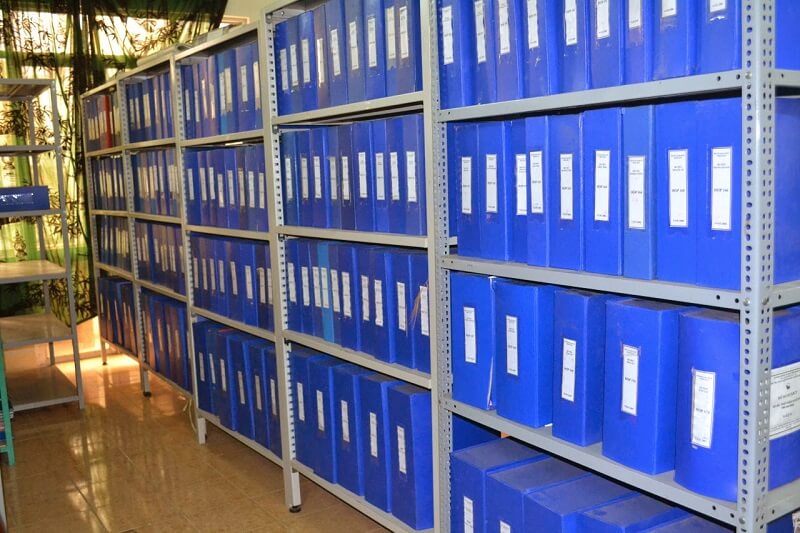
1.1 What content do employee records include?
An employee record is a collection of documents and information related to an employee within an organization. The main components of an employee record typically include:
- Personal information: Includes name, address, phone number, date of birth, nationality, and other personal details about the employee.
- Recruitment file: Includes information about the employee’s recruitment process, such as the application form, resume/CV, diplomas, identification documents, letters of recommendation, and interview results.
- Employment contract: Includes contracts, agreements, and terms regarding the employee’s job and benefits.
- Work history: Includes information about the work process, job position, department, start date, advancements, and promotions.
- Salary and allowances: Includes information on salary levels, allowances, bonuses, tax deductions, and other payroll-related records.
- Training and development: Includes information on training courses, certifications, personal development programs, and employee skills.
- Discipline and feedback: Includes documents related to disciplinary actions, warnings, performance reviews, and feedback from management.
>> DOWNLOAD 6 FREE professional employee record management Excel files
1.2 Some regulations on employee record management
According to the provisions of Clause 4, Article 9 of Circular 11/2012/TT-BNV and Article 31 of Decree 30/2020/NĐ-CP, the storage and preservation of employee records are carried out as follows:
- The original records of civil servants, falling within the scope of historical archives, must be preserved permanently.
- Units and individuals within the organization or agency are responsible for transferring records and documents with a retention period of 5 years or more to the agency’s archives.
This ensures that employee records are stored in accordance with regulations and that the integrity of the information is maintained throughout the management process.
| >> Read more: What is an Applicant Tracking System? The role and operation of ATS |
2. An Effective Employee Record Management Process for Businesses
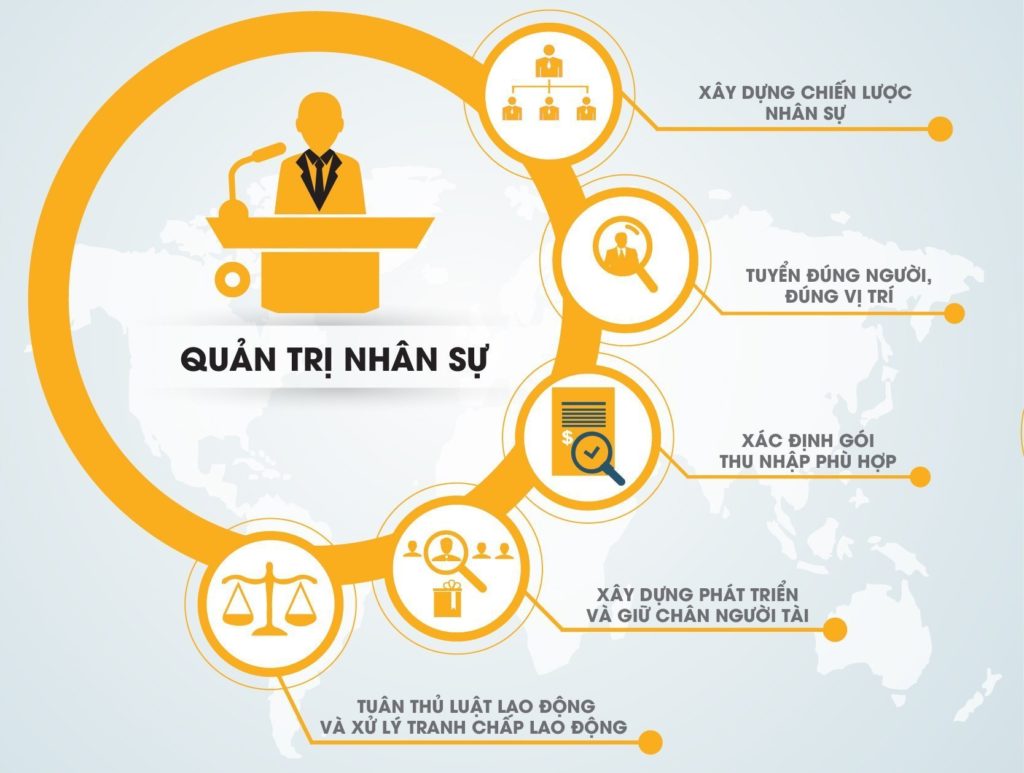
Effective storage and management of employee records help businesses enhance information retrieval, protect personal data, and comply with relevant legal regulations. Here are the 4 standard steps for managing employee records:
Step 1: Classify Employee Records Before Storage
Before storing employee records, it’s necessary to classify them based on criteria such as record type, job type, job title, or any other criteria suitable for the business. This helps create organization and facilitates easy searching and access to necessary information when needed. Here are some ways to classify records:
- By record type: Employee records can be classified by main information types such as application records, recruitment records, work records, disciplinary records, training records, promotion records, and termination records.
- By job title or position: Employee records can be grouped by job titles or positions such as manager, administrative staff, or technical staff.
- By department or unit: Employee records can be classified by departments or units within the business, such as the HR department, accounting department, or technical department.
- By time: Employee records can be grouped by time, for example, records of current employees, records of employees who left in the current year, and records of employees who left in previous years.
- By name: Employee records can be classified by employee name, in alphabetical order, or by different name groups.
Step 2: Choose a Storage Location for Records
After classification, you need to choose a suitable storage location for employee records. This could be a physical storage facility in the office with good preservation conditions that ensures the safety of the records. If the business uses electronic records, it’s necessary to choose a suitable electronic storage system and ensure information security.
When choosing a storage location, consider factors such as safety, convenience, ease of access, and security. Depending on the scale and requirements of the business, one or a combination of storage methods can be applied to ensure effective employee record management.
Step 3: Proceed with Storing Employee Records
After classifying and choosing a storage location, proceed to store the employee records according to established standards.
- For paper records, ensure they are arranged in order, clearly labeled, and preserved to prevent damage from deterioration and weather.
- For electronic records, they should be stored on a server system or secure electronic storage platforms with regular backups.
Additionally, businesses can use software to store all of an employee’s information, including resumes, work details, contract information, insurance details, salary and bonus information, work history, insurance payment history, leave information and history, and more.
With the effective HR Management Software 1Office HRM, this information is entered directly or automatically updated from other modules to serve the payroll calculation process for employees in the business.
Step 4: Regularly Review and Update Employee Records
To ensure the accuracy and completeness of employee records, it is necessary to review and update them regularly.
- Review records to ensure that information is updated and accurate, and remove any information that is no longer necessary or valid.
- Update records when there are changes in personal information, job position upgrades, or other important personnel-related events.
By implementing these steps in the employee record management process, businesses can ensure that records are stored in an organized, easily accessible, and secure manner. This helps increase HR management efficiency and meet legal requirements related to the preservation and storage of employee records.
| >> Learn more: 5+ Solutions to Enhance HR Management Efficiency in the Digital Age |
3. 3 Common Ways to Store and Maintain Employee Records

- Traditional record storage:
With this method, businesses can use specialized filing cabinets, lidded document boxes, or suitable folders for storage. This is a traditional and common method that helps classify and store employee records based on various criteria such as name, employee ID, or other criteria in separate compartments/boxes/folders.
- Storage on Excel:
This is a method of using spreadsheets to store and manage record information. For each employee, information such as employee ID, full name, date of birth, job position, employment contract, leave, and other details are entered into the cells of the spreadsheet. However, storing records on Excel can be limiting for large-scale and complex management, especially as the number of employees and the amount of information increases.
- Storage using software:
With the advancement of technology, many businesses are switching to storing employee records electronically using HR management software. This software helps to organize, classify, search, and secure employee records effectively. HR information is stored and managed on computers, which saves physical space and makes it easy to access, modify, and share information.
4. Should You Manage Employee Records with Excel?
|
Advantages |
Disadvantages |
|
– Easy to use and manage employee records on Excel without needing in-depth IT knowledge. – Flexibly customize spreadsheets and charts to meet the specific needs of the business, allowing for flexible and desired management and classification of personnel information. – Highly compatible, easy to share and transmit via email or store on cloud services, facilitating remote data access and work coordination among team members. |
– Excel is suitable for managing employee records in small or medium-sized businesses. However, as the organization grows and the number of employees increases, using Excel can become difficult and inefficient. – Prone to errors and mistakes during data entry or incorrect operations, which can affect the accuracy and reliability of HR data. – Excel has limited features compared to specialized HR management software. Complex features such as timekeeping tracking, training management, or building in-depth analytical reports can be difficult to implement in Excel. |
Therefore, managing personnel records with Excel may be suitable for small organizations with simple requirements. However, for larger businesses with more complex management needs, it is advisable to consider using professional HR management software to ensure higher efficiency and reliability.
5. 1Office: A professional records management solution for every business
1Office’s HRM software is a multi-functional and comprehensive personnel records management solution trusted by many businesses. The tool helps businesses digitize and store all data related to personnel records, labor contracts, insurance information, leave management, and compensatory time off for easy retrieval.
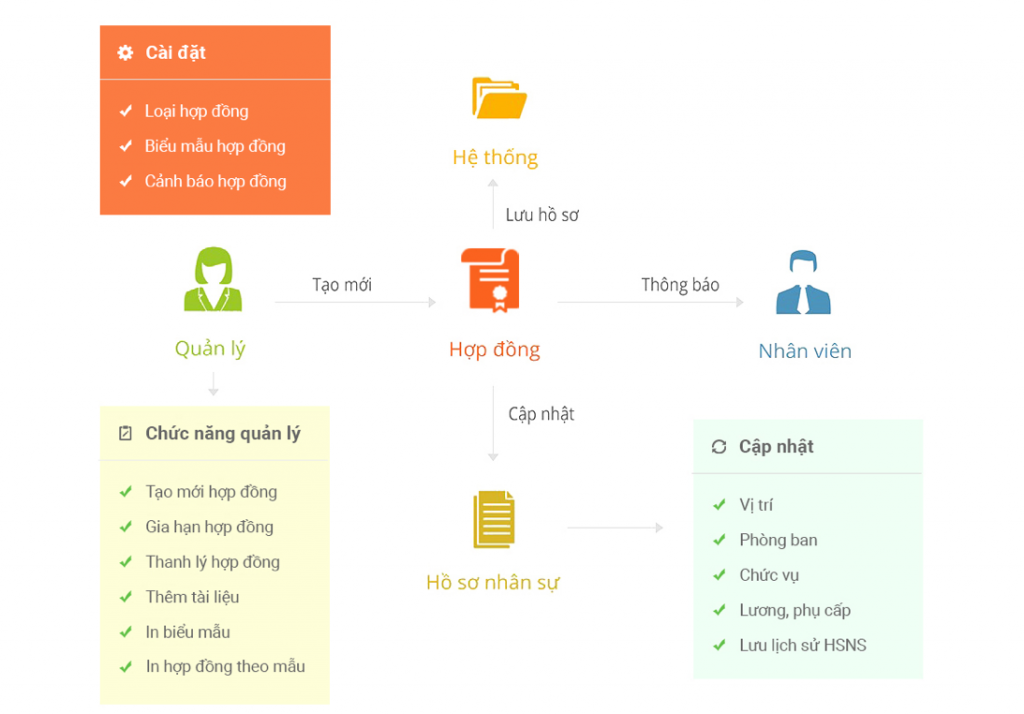
- Personnel information management: Personnel records are stored and secured centrally right on the software. Additionally, the automatic alert feature helps employees know the status of their records and any missing procedures that need to be added to the system.
- Contract information management: The software helps digitize and classify contracts such as official contracts, apprenticeship contracts, probationary contracts, internships, and seasonal contracts.
- Insurance information management: Allows businesses to configure insurance parameters according to contribution rates, base contribution levels, and cut-off dates for insurance increases or decreases.
- Leave and compensatory time off management: Helps manage total remaining leave, used leave, expired leave, advanced leave, accumulated leave, etc. The system will automatically calculate leave days, compensatory time, and add them to the employee’s time bank for use within the allowed accumulation period.
In addition, the 1Office HRM software provides tools to create reports, statistics, and performance evaluations, helping managers get a comprehensive view of the personnel situation and make strategic decisions.
With 1Office HRM, businesses can completely enhance efficiency and simplify the personnel records management process. This helps save time, increase the accuracy and reliability of HR data, and improve the organization’s operational effectiveness. Contact 1Office now to get a consultation on the most effective personnel records management process for your business.
Contact information:
- Hotline: 083 483 8888
- Facebook: https://www.facebook.com/1officevn/
- Youtube: https://www.youtube.com/@1office-chuyendoisodn
















