12/05/2026
  768 views
Are you looking for an effective task management platform for yourself, your team, or your business? In the article below, 1Office will explore the Top 7 mobile task management apps most used by businesses for managing individual and team tasks.
Mục lục
- 1. What is a task management app?
- 2. Benefits of a mobile task management app
- 3. Top 7 Best Task Management Apps for iPhone/Android Today
- 3.1. 1Office mobile task management app
- 3.2. iPhone Clear work planning app
- 3.3. Work progress management application Google Keep
- 3.4. Monday.com – An effective mobile task management app
- 3.5. Microsoft Project task management app
- 3.6. TickTick mobile task management software
- 3.7. Notion workflow management software
- 4. Criteria for evaluating a good task management app
1. What is a task management app?
This is a type of task management software for individuals or teams on mobile devices and computers. These task management apps help individuals/teams/businesses easily manage tasks, assign work, and track project progress anytime, anywhere.
2. Benefits of a mobile task management app
In general, the benefits of using a task management application can be viewed from two perspectives.
For employees, the software helps them:
- See all of their tasks, ensuring nothing is missed.
- Know which tasks to prioritize.
- Calculate and arrange their work time effectively.
- Collaborate with teammates to complete tasks with the best quality.
For managers, a task management software offers the following benefits:
- Get an overview of the work and projects of all departments.
- Make decisions and handle emerging issues promptly.
- Arrange and allocate resources (personnel + time) effectively.
- Ensure all tasks and projects are completed on time with the best quality.
Basically, all the task management applications above offer benefits to users. However, each task reminder app has outstanding advantages suitable for different types of work. Therefore, you should consider carefully before using one. Additionally, you can learn more about task management solutions and the best mobile task management apps in the content below.
>> See more: Standard and Latest Work Plan Template in Excel
3. Top 7 Best Task Management Apps for iPhone/Android Today
3.1. 1Office mobile task management app
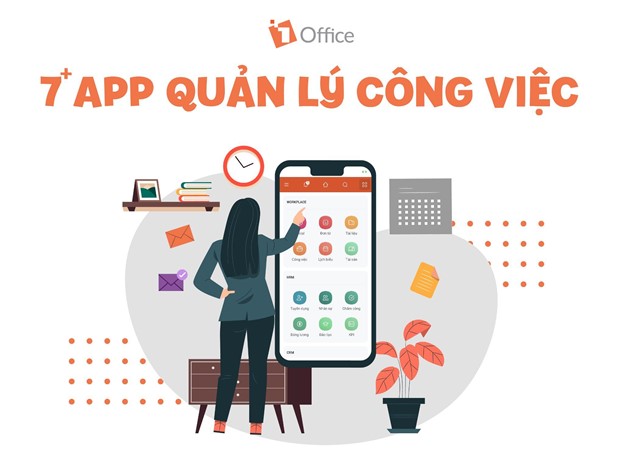
1Office is a comprehensive business management software that can be used on both mobile phones and computers. It is a powerful toolset that helps businesses improve work efficiency and is trusted by over 500,000 users and 6,000 businesses in Vietnam. The 1Office task management app has outstanding features, including:
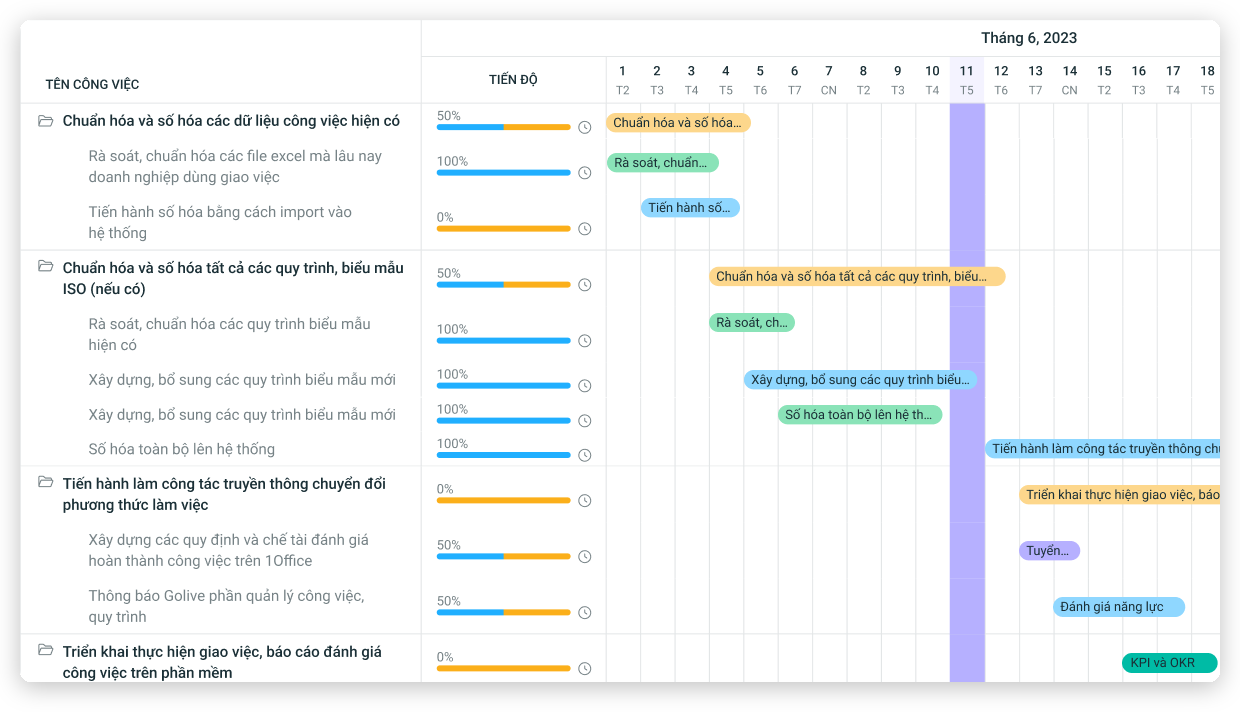
- Users can easily plan and organize the implementation of tasks/projects quickly; assign tasks and designate responsible individuals for each work item
- Documents are stored centrally, easy to retrieve, preventing loss, omissions, and discrepancies between versions
- Smart task reminder and alert system helps prevent forgetting or missing tasks
- Automated, intuitive, and multi-dimensional reporting system for progress and workload
- 1Office’s task management processes can be flexibly customized to the needs of the business, even by functional departments, thus easily meeting the requirements of any business model, from construction and IT projects to manufacturing, F&B, and more.
- Individuals and managers can track and manage work progress through views like Gantt and Kanban. You can easily drag and drop statuses such as In Progress, Completed, etc., to frequently monitor detailed work progress. Additionally, the system provides automatic reminders to help you meet deadlines.
- Despite its powerful set of features, the 1Office task management app has a very simple, easy-to-use interface, providing a smooth user experience in all operations.
- The task management app is stable on both iPhone and Android
1Office is the optimal solution that helps businesses resolve all outstanding issues in their operational processes. Moreover, the software helps businesses create their own ecosystem with unified, synchronized information, data, and extremely high security.
To receive more consulting information about the 1Office business management software, please leave your contact details. The 1Office team of experts will contact and advise you as soon as possible.
Get a free consultation & Demo
3.2. iPhone Clear work planning app
One of the most popular mobile work management apps today is iPhone Clear. This application has a full range of functions from organizing tasks, managing work progress, and reminding users to avoid missing any tasks that need to be completed.
Because it possesses professional management features as well as a user-friendly interface, the iPhone Clear app is still one of the most used work progress management software despite its relatively high cost.
Key features:
- User-friendly interface
- Work items are displayed visually by color
See more: Review of 8+ Apps for Managing Work Schedules on Your Phone, Effective Online Scheduling
3.3. Work progress management application Google Keep
The Google Keep work tracking and progress planning app is developed by Google. The application allows users to create simple notes and checklists with extremely simple steps. Users can use the free work management app Google Keep on their phone or desktop.
Key features
- Can be used on mobile and computer platforms.
- Allows creating work notes by voice.
- Feature to set reminders based on specific locations.
| >> Read more: Top 7 Best Personal Task Management Applications |
3.4. Monday.com – An effective mobile task management app
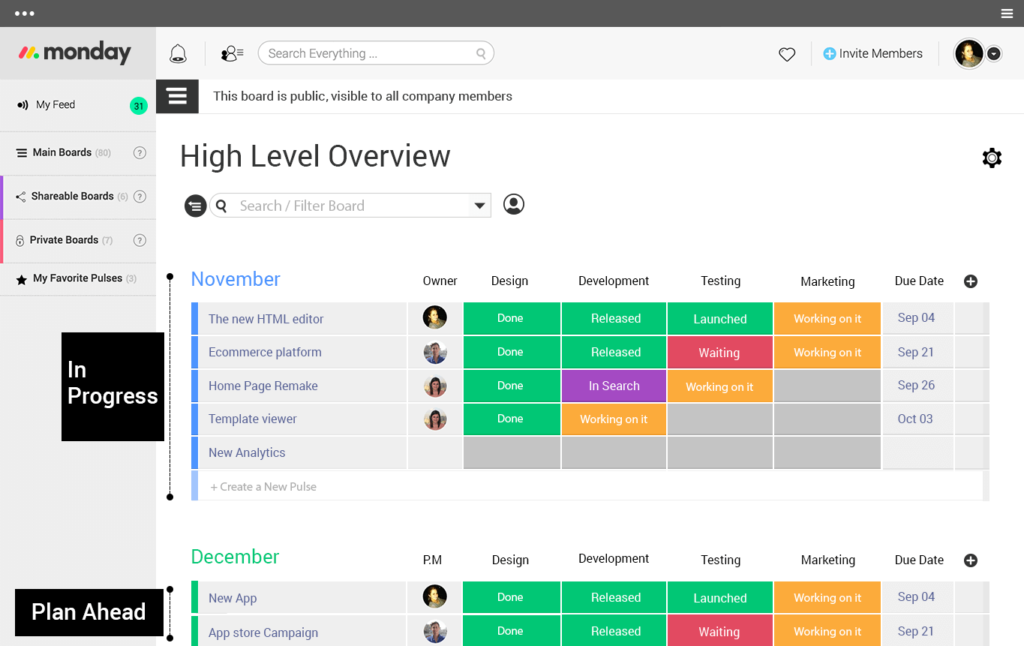
Monday.com is a task management tool for departments, including remote team members. The Monday task management application can consolidate all information on a single platform, giving managers a comprehensive overview to easily make important decisions.
The cost of using the monday.com task management app has 4 different tiers based on the diversity and depth of features, including: Basic ($8/user/month), Standard ($10/user/month), Pro ($16/user/month), and Enterprise (contact the provider for a quote).
However, this price is quite high, and small and medium-sized enterprises should consider their financial situation before subscribing.
3.5. Microsoft Project task management app
This is a Microsoft application that helps businesses standardize workflows and manage progress with many features such as:
- Assigning and receiving tasks, supporting remote work on internet-connected devices, with a mobile version
- Provides both Cloud-based and on-premise solutions
- Features for evaluating project effectiveness…
Businesses can handle tasks such as planning, resource allocation, progress tracking, etc. To use this app, businesses can choose between two deployment models: cloud-based or on-premise.
- For the cloud-based solution, you can choose monthly plans: Essentials at $7/user, Professional at $30/user, and Premium at $55/user/month.
- For on-premise solutions, you need to pay up to $589.99 for the Standard plan and double that amount for the Professional plan, while also paying recurring support and maintenance fees to the provider.
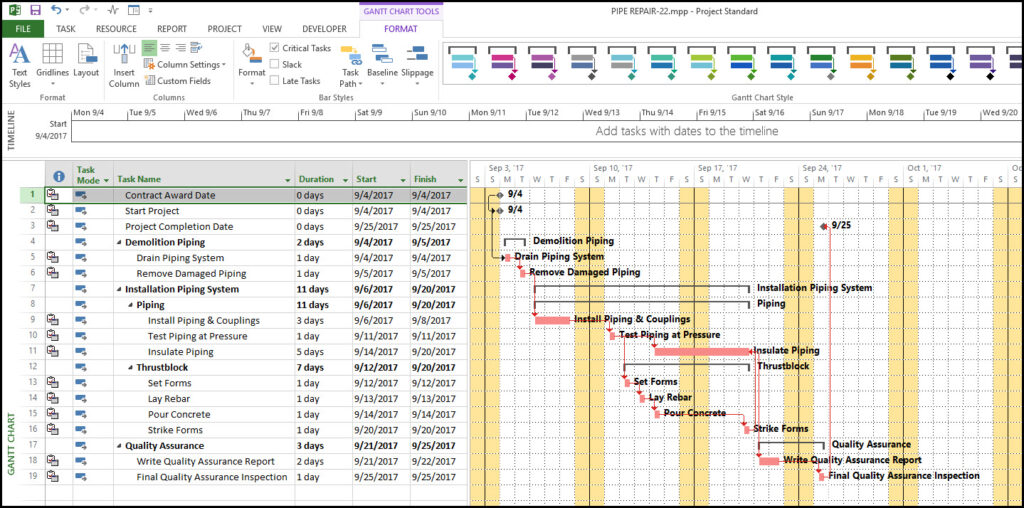
>>> Link to download the Microsoft Project task management software app Here.
3.6. TickTick mobile task management software
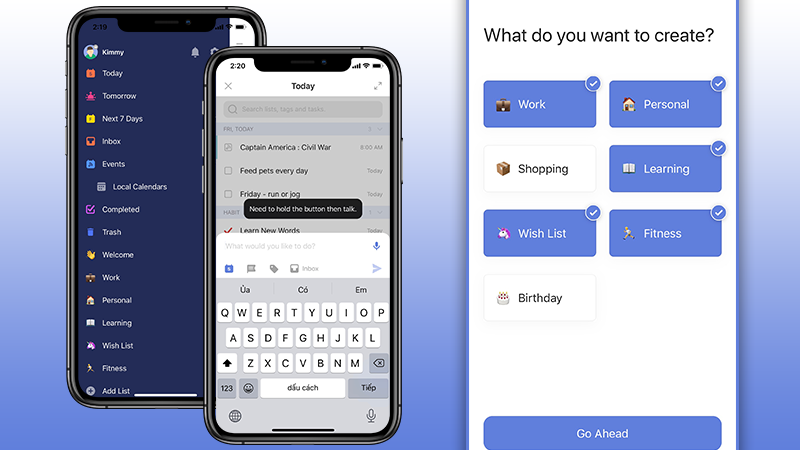
TickTick is a task reminder app where you can quickly categorize tasks by deadline, tag, and project while entering new data. The app helps users easily customize the application to their personal workflow with powerful and flexible features like project groups, task labeling, and priority marking.
The free version of the TickTick app is considered relatively limited in terms of features and task storage capacity. In general, to use the application effectively, users should pay for the Premium version (about 65,000 VND/User/month).
3.7. Notion workflow management software
Notion is one of the mobile task management software that has become quite well-known recently. Notion attracts young people and workgroups with its eye-catching interface and clear workflow organization. The software helps users track and organize notes, monitor work progress, create lists, and also serves as a reminder. If you upgrade to the Personal plan, you will have to pay $4/month (~100,000 VND).
Although Notion is used by many young people, this software is more popular with individuals than businesses. When using the mobile app, you may experience very slow drafting. Therefore, you should consider this before using it.
The competition among businesses in today’s technology-driven era is extremely fierce. The emergence of task management apps provides businesses with a significant advantage in speed and productivity, serving as a powerful assistant for modern managers. Therefore, you need to consider carefully before choosing the most effective and suitable task management app to avoid wasting time on information and data transfer and to ensure it truly benefits your business.
4. Criteria for evaluating a good task management app
When choosing a task management app, users are often overwhelmed by the sheer number of options. From an expert’s perspective on personal productivity and project management, a good application should meet the following criteria:
4.1. Intuitive interface, fast operations
-
Clear, uncluttered layout.
-
Easily create new tasks in just 1–2 steps.
-
Multiple view modes: list, Kanban board, timeline.
-
New users can get familiar with it in just a few minutes.
A simple interface helps reduce operation time and increases the likelihood of maintaining work management habits.
4.2. High processing speed and stability
-
The app opens quickly and operates smoothly, even with large amounts of data.
-
No lag or freezing when switching tabs or updating tasks.
-
Automatically saves changes instantly.
A slow or frequently crashing app will cause users to give up and lose interest in long-term use.
4.3. Comprehensive and useful core features
Essential foundational features include:
-
Create tasks, categorize, add labels, and prioritize.
-
Reminders and recurring tasks.
-
Checklists for smaller tasks.
-
Calendar view for a daily/weekly/monthly overview.
Depending on your needs, the app may also include:
-
Kanban board.
-
Multi-person project management.
-
Progress tracking.
-
Attach files, images, and documents.
4.4. Multi-platform synchronization capability
-
Synchronize data between phones, computers, and tablets.
-
Real-time data updates.
-
Supports iOS, Android, and Web App.
Helps you manage work flexibly: create notes on your phone, review them on your laptop.
4.5. Security and privacy
-
Features data encryption.
-
Clear privacy policy.
-
Secure cloud storage.
-
Permission settings available for teamwork.
Work contains a lot of important information. An insecure application can lead to data leaks or loss.

Choosing a suitable work management app for your phone can help you optimize time, maintain discipline, and enhance daily productivity. Each application in the list of 7+ apps above has its own strengths – from minimalist, easy-to-use for individuals to complex project management capabilities for teams. The important thing is to clearly define your needs: whether you need quick reminders, progress tracking, teamwork, or multi-department project management… to choose the right application that brings the most value.
For more detailed information, please see:
- Hotline: 483 8888
- Fanpage: https://www.facebook.com/1officevn/
- Youtube: https://www.youtube.com/channel/UCeTIRNqxaTwk0_kcTw6SxmA