


 11/05/2026
  910 views
Managing and tracking work progress plays a core role for every business. However, what should be done when the workload is constantly increasing and manual management and reporting methods can no longer meet the business’s needs? The top 10 work reporting software shared below will help businesses get the most comprehensive overview and find an effective and suitable work management reporting solution.
I. What is work reporting software?
Work reporting software is a tool that helps display work-related data reports through various forms such as tables, graphs, and visual images. This helps users easily recognize work progress and efficiency at a glance.
With the rapid development of technology, today’s work reporting software not only displays accurate and diverse visual data but also offers other superior features such as collecting business data and displaying it in vivid, easy-to-understand, and concise graphs.
II. Why should you use work reporting software?
Work reporting software is an optimal solution that helps businesses digitize all data, automate the report consolidation process, and provide a visual overview of performance to make accurate decisions based on real data.
With the advent of daily work report management software, everything has become easier because:
- When work reporting software is installed, users can access and use it on computers, phones, or any device with an internet connection, anytime, anywhere, providing maximum convenience.
- Easily track work progress through graphs and report templates displayed on the software. Once linked, the software will collect data from multiple sources and consolidate it into report forms.
- The data display interface of work progress reporting software is visually dynamic and can be saved in various formats, making it easy to convey a large amount of information to users.
- The software allows users to identify gaps in their work, promptly handle emerging issues, and collect data to make the most optimal decisions.
- Helps businesses save time and costs because daily and monthly work performance reporting software allows users to create reports with just a few clicks on the system.
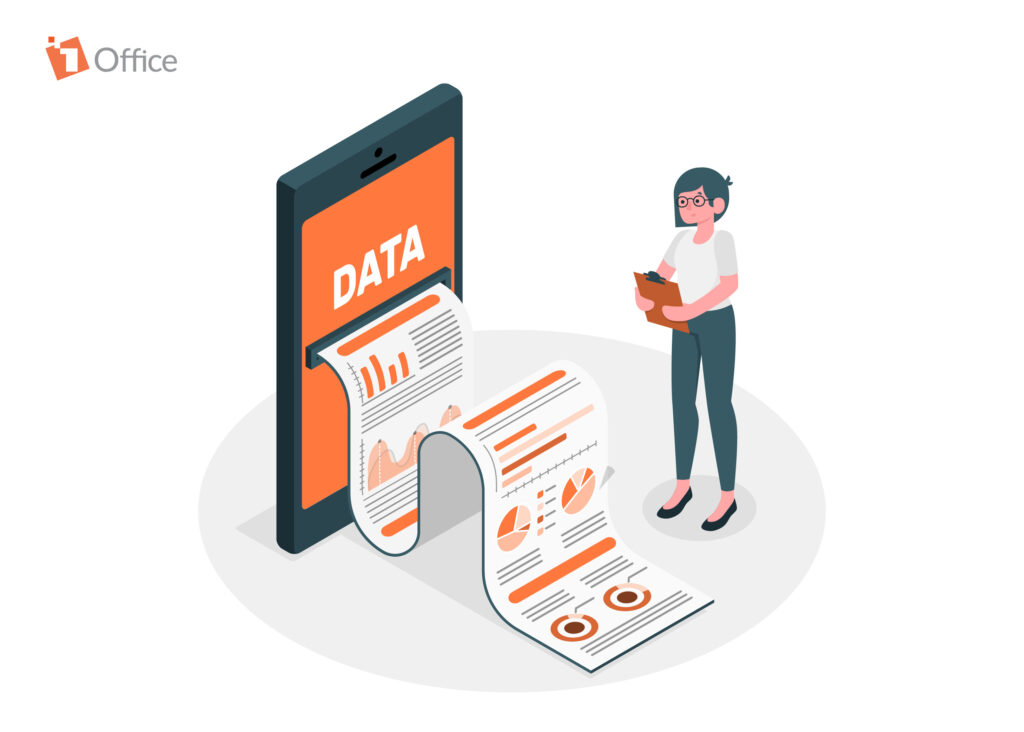
In addition to using modern work reporting platforms, many businesses today still effectively maintain the use of work result report templates. Businesses can also combine the use of work report management software with report templates to enhance the efficiency of work and project management.
See more: The secret to building an effective work management system to increase productivity by 200%
III. Comparison Table: Traditional Work Reporting vs. Software-Based Reporting
| Criteria | Traditional Reporting (Word/Excel/Email) | Software-based Reporting |
|---|---|---|
| Execution Speed | Manual data entry, takes hours or days to compile | Automatic updates, export reports in minutes |
| Accuracy | Prone to errors from copy-pasting and data compilation | Data is synced directly from the system, minimizing errors |
| Progress Tracking | Managers can only view periodic reports (weekly/monthly) | Real-time tracking, continuous updates |
| Transparency & Accountability | Difficult to track who does what, fragmented data | Action logs, clear user permissions |
| Storage & Retrieval | Easy to lose, difficult to find old reports | Centralized storage, quick search by keyword/time |
| Data Analysis Capability | Manual analysis, limited visual charts | Automated analysis with dashboards and diverse charts |
| Flexibility | Sending files via email, difficult to collaborate | Share directly on the system, easy multi-person collaboration |
| Security | Files can be edited or leaked when sent via email | Secured by user permissions, data encryption on the cloud |
IV. Common Mistakes When Creating Work Reports
Work reports are an important tool that helps managers track progress, evaluate performance, and make timely decisions. However, many employees still make common mistakes, causing reports to lack practical value or not be highly regarded by superiors:
- Overly long and rambling reports
Instead of focusing on key results, many employees have a habit of listing every small task in detail. This makes the report cumbersome, and the reader wastes a lot of time without grasping the main points. An effective report should focus on KPIs, outstanding results, and important issues. - Lack of specific data
A report that only states “the work was completed well” is not enough. The reader needs clear evidence such as: completion rate (%), number of tasks handled, revenue achieved, number of customers reached, etc. Data makes the report more persuasive and easier to evaluate. - No comparison with initial goals
A work report should not only record results but also compare them against the set goals, plans, or KPIs. For example: “Sales reached 850 million, equivalent to 85% of the September KPI.” This comparison shows the actual level of effectiveness and guides the next course of action. - Lack of illustrative images/charts
A text-only report can be boring and difficult to visualize. Adding bar charts, comparison tables, or a visual dashboard will help the reader quickly grasp the situation and increase the report’s professionalism. - Infrequent updates
Many employees only report weekly or monthly, leading to delayed information, making it difficult to detect and promptly address emerging issues. Reports should have an appropriate frequency: important tasks should be updated daily or over short periods. - No suggestions or improvement solutions
A report that only records results without proposing actions lacks practical application. The “next step” or “improvement solutions” section is crucial for the report to become a guiding tool, not just an archival document.

III. Top 10 Best Work Reporting Software Today
1. 1Office Work Reporting Software
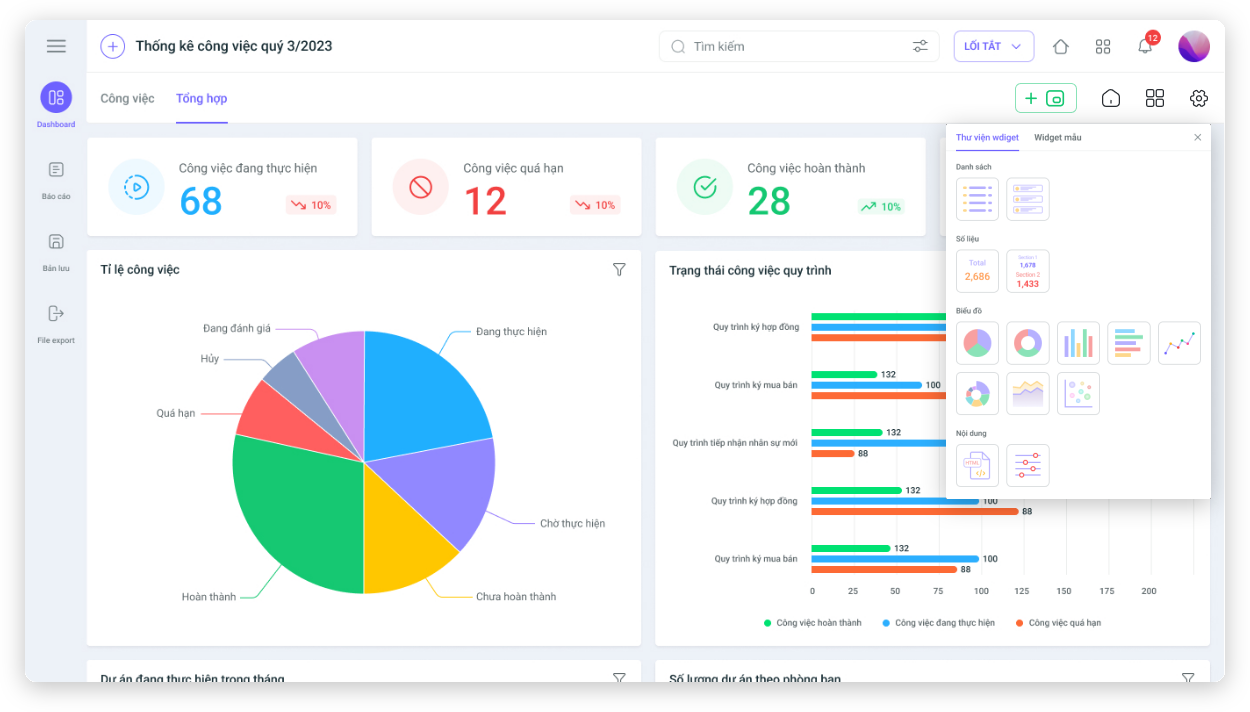
1Office is one of the pioneers in providing comprehensive business management software that helps automate all operational processes within organizations. The work management module of 1Office is developed with many modern features, operating on a highly secure Cloud platform to help businesses manage work effectively. 1Office allows users to plan, track, and report on specific work progress to operate tasks easily and achieve high efficiency.
Advantages:
- Automatically updates reports according to progress so managers can grasp the detailed work situation
- Real-time, visual, and multi-dimensional reports in screen formats: Dashboard, dynamic reports, etc.
- Intuitive and user-friendly interface where users can view work in two different formats: Gantt Chart and Kanban.
1Office Work Reporting Software Pricing
Currently, 1Office software applies different pricing levels for each package. The software’s features are also diversely integrated into progressively priced packages, making it easy for businesses to choose according to their needs. You can refer to the Latest Work Management Software Price List from 1Office for more useful information in selecting a software solution that suits your needs.
Get a free consultation and software demo
2. Datapine Software
Datapine is a prominent work reporting tool featuring a fast data connector and a large number of pre-built sample dashboards for users.
Advantages:
- Helps businesses track KPIs effectively and quickly
- Can integrate various data sources for reporting purposes
- The software system allows choosing from over 80 professional report templates for different industries and business functions.
Disadvantages:
Due to its strong focus on KPI-based analysis and evaluation, Datapine cannot fully assess an employee’s overall work performance.
Pricing:
Datapine offers two main feature packages priced at 412 Euro/month and 20,342 Euro/month, respectively.
| Read more: TOP 12 Most Effective Employee KPI Evaluation Software Today |
3. Pro Workflow Daily Work Reporting Software
Pro Workflow was launched in 2022 and is known as a project management and progress tracking solution based on its ability to quickly and accurately draw charts from user-inputted data.
This software’s interface is quite user-friendly and clearly organized with a graphical summary of current statistics for active, completed, or upcoming work.
Pros:
- Provides complete and detailed information on workload, performance, projects, tasks, and time
- Customizable reports, allowing users to create their own reports and share them with other team members.
Cons:
The software has many features and is not geared towards small-scale businesses.
Pricing:
The software price ranges from $20 – $30/month/user.
4. Wunderlist Business Software
This is a work management and reporting application with basic features such as creating lists, adding team members, and assigning tasks.
When using Wunderlist Business work report management software, managers can assign tasks based on the personnel list, and the software will then analyze and display the data visually and accurately.
Pros:
- Low cost (only $4.99/user/month)
- Features for assigning tasks, commenting on work, and adding files and vivid images
- Simple task management, easy to access and use
- Sends notifications to remind users of ongoing tasks
Cons:
As mentioned above, because this software focuses on simple tasks, it is only suitable for small businesses with 30-100 employees.
5. Bitrix 24 Software
Using Bitrix 24 software with its work result reporting feature, users can easily coordinate and direct personnel. Additionally, Bitrix 24 allows users to manage personnel and tasks using a registration list.
Pros:
- High connectivity with all countries
- Provides users with direct calling and conversation recording features
Pricing for Bitrix 24 work management software:
- Free plan: allows the use of some free features, meeting the needs of small and medium-sized businesses.
- VND 2 million/month plan: Full features for analysis, reporting, and platform interaction
- Self-Hosted plan: Suitable for large-scale enterprises, allowing businesses to customize features to fit their needs.
6. Free Work Reporting Software Google Data Studio
Google Data Studio is a free work management and reporting software from Google. Users can analyze data and create professional report templates easily. In particular, the data visualization capability of this free work performance reporting software is very high.
Pros:
- The interface is easy to access and operate
- Allows for easy and fast connection and aggregation of data sources
- Easily share reports via a link
Cons:
Because this is a free work performance reporting software, it has some feature limitations and is not as versatile as other paid software.
7. Power BI (Office 365)
Power BI is known as the best work reporting platform for scaling organizations. It is a data visualization tool built by Microsoft.
Pros:
- Collects data from multiple channels and transforms it into compelling visuals
- Excellent data processing capabilities, making it an ideal choice for many large enterprises
Cons:
The software only supports Office 365
Pricing: The software has feature packages with prices ranging from 99.99 Euro – 999.49 Euro/year

8. Trello Work Report Management Software
Trello is a work performance reporting software that helps businesses manage all tasks and project progress. Its high data analysis and interaction capabilities make Trello one of the most popular software choices for many businesses today.
Pros:
- User-friendly interface, easy to operate
- Allows users to experience a basic free feature package
- Offers more intelligent and complex features at a preferential rate.
Cons:
- Users cannot chat on Trello
- Difficult to track employee work efficiency
- Ineffective for time management
Pricing: In addition to the free trial package, Trello also offers customers subscription plans from Standard to Enterprise with prices ranging from $5 – $17.50.
9. Monday.com Daily Work Reporting Software
Monday.com work report management software provides users with an effective work quality management system, featuring a large number of integrated report templates to choose from based on your needs.
Pros:
- Digitizes the business’s work operation processes
- Reports aggregated data in various formats, making it easy for users to track
- Divides work statuses by color
- High security with customizable access permissions
Cons:
The cost is quite high, not suitable for small businesses
Pricing:
Monday.com offers a free trial with simple work reporting features. Additionally, paid plans range from $24 – $48/month.
10. Thoughtspot Software
ThoughtSpot is a business analytics reporting tool driven by artificial intelligence. The software can connect to cloud databases and provide real-time business analytics reports.
Pros:
- User-friendly software interface
- Easy-to-use features help users of all levels, even those with little knowledge of data analysis, can use it
Cons:
Limited features, not suitable for large enterprises
Pricing:
Thoughtspot software pricing is divided into different packages, ranging from $95 – $2500/month.
Above is a compilation of the 10 best work performance management software available today. However, in addition to choosing the most suitable work report management software, businesses also need to equip themselves with a scientific and reasonable process for tracking progress and evaluating work performance to enhance work management efficiency.
However, faced with so many choices, many businesses may find it difficult to select the right software. Let’s look at the criteria for comparing daily work report management software to find the optimal choice.
IV. Criteria for Comparing Work Performance Reporting Software
1. User Interface
For small businesses or organizations, a simple and friendly interface plays a crucial role as it can help users perform tasks optimally. Daily work management software with simple, easy-to-use interfaces include Thoughtspot or Trello, which have clear layouts that make it easy for users to navigate.
2. Software Features
The main feature of work reporting software is to analyze data and display work results in various chart formats. However, some software is equipped with only these basic features, while others possess more advanced reporting, interaction, or in-depth work management features. The choice of software with a particular feature set depends on the needs of each business.
For example:
If your business has a staff size of 70, falling within the 30-100 range, it would be suitable to use software with simple features for data analysis and work reporting, such as Thoughtspot.
However, for a large corporation with over 1000 employees, a heavy workload, and the need for constant monitoring, the requirements for work performance reporting software will be greater. Specifically, the work report management software needs more complex features such as allowing interaction, tracking work anytime, anywhere, quick access, and detailed, accurate, and fast report dashboards.
3. Software Price
The prices of work report management software are as diverse as the features they offer. Some software offers a free trial but without a full feature set. More complex work management tools will have a higher price and are suitable for large businesses and organizations with a need for frequent, accurate, and fast work reporting.
V. Frequently Asked Questions about Work Reporting Software
Does using reporting software put pressure on employees from being monitored?
No, not if the business focuses on the goal of support. The software helps to objectively recognize employees’ efforts, reduces manual reporting meetings, and helps managers provide timely support when work hits a bottleneck.
Can the software automatically generate reports without data entry?
The software automatically aggregates data from ongoing tasks to generate reports. However, employees still need to update the status of their work (Completed, In Progress, etc.) to ensure the output data is accurate.
Should small businesses invest in professional reporting software?
Yes, they should. Establishing the habit of working on a system from an early stage helps small businesses operate scientifically, save on personnel costs for data aggregation, and easily scale up without information chaos.
Is report data on the software more secure than sending Excel files via email?
Much more secure. Software like 1Office uses multi-layer encryption and strict access permissions, preventing data leaks or unauthorized data modification compared to separate files.
How do I choose the most suitable reporting software?
Choose software with flexible process customization and an intuitive interface. A solution like 1Office 1Work is an optimal choice thanks to its feature of automating multi-dimensional reports in real-time, helping managers make decisions quickly.
VI. Conclusion
Thus, with the insights on the top 10 work reporting software and the criteria for selecting suitable work report management software as mentioned above, 1Office hopes to have provided managers with the most comprehensive overview of using work reporting software. From there, businesses can make informed decisions when choosing a work management tool for their company.
For more detailed information, please contact:
- Hotline: 083 483 8888
- Fanpage: https://www.facebook.com/1officevn/
- Youtube: https://www.youtube.com/channel/UCeTIRNqxaTwk0_kcTw6SxmA