


 10/05/2026
  108 views
Choosing HRM software for the information technology industry is becoming increasingly important for effective human resource management and productivity enhancement. IT businesses need solutions to automate recruitment, timekeeping, payroll, and performance evaluation. In this article, 1Office will compile a list of the Top 17+ HRM software for the IT industry trusted by many businesses.
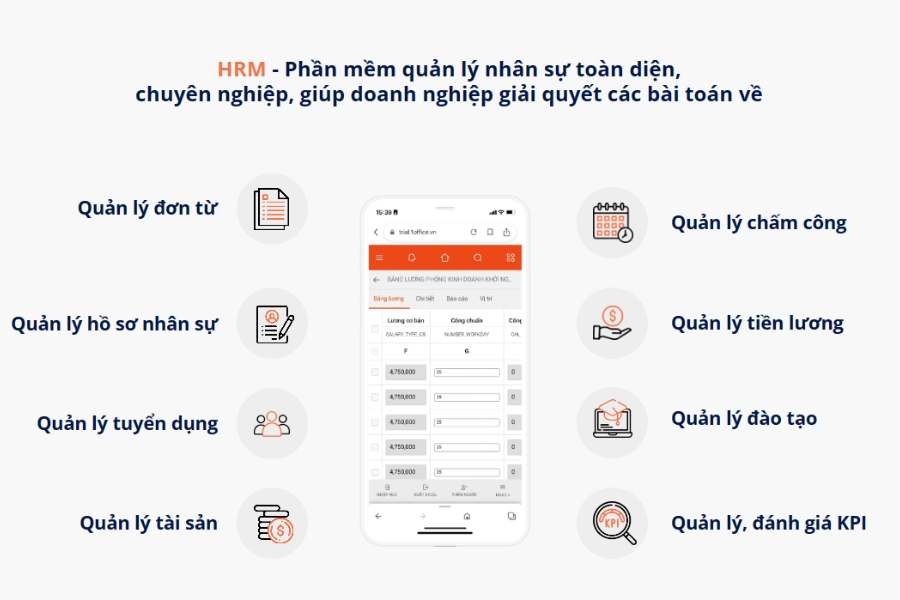
| HRM software is a comprehensive human resource management tool that helps businesses automate processes such as profile management, recruitment, timekeeping, payroll, training, evaluation, and benefits. Additionally, HRM centralizes secure data on a digital platform, providing multi-dimensional reports on performance, personnel fluctuations, and compensation, helping businesses make effective strategic decisions. |
Mục lục
- 1. Top 17+ HRM Software for the Information Technology Industry
- 1.1. TOP 10+ HRM Software for the Information Technology Industry – Domestic
- 1.1.1 HRM Software for the Information Technology Industry: 1Office
- 1.1.2. Lotus Pro HR Software
- 1.1.3. HR-Manager Human Resource Management Software
- 1.1.4. DigiiHR HR software
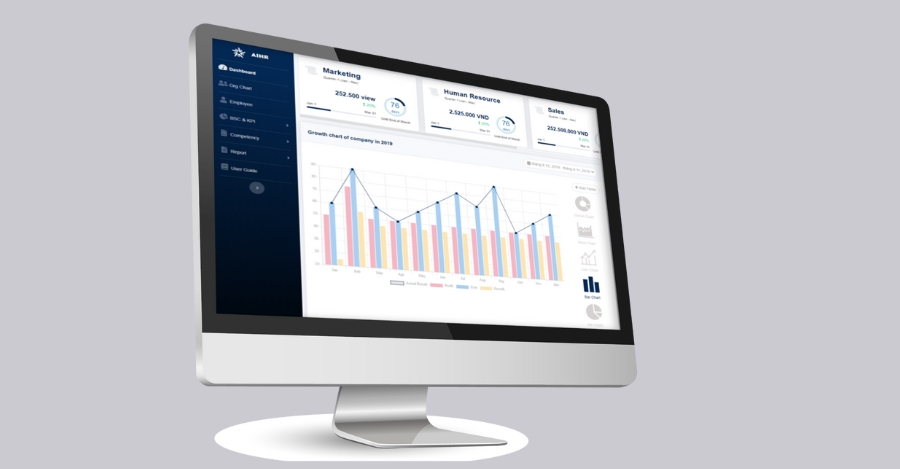
- 1.1.5. AiHR HR Software
- 1.1.6. Base HRM+ HR Management Software
- 1.1.7. MISA AMIS HRM human resource management software
- 1.1.8. Fast HR Software
- 1.1.9. Tanca HR Software
- 1.1.10. IHCM HR Software
- 1.2. TOP 7+ HRM Software for the Information Technology Industry – International
- 2. Benefits of Using HRM Software for the Information Technology Industry
- 3. Criteria for Choosing HRM Software for the Information Technology Industry
- 4. Implementation Process for HR Management Software in the Information Technology Industry
- 5. Frequently Asked Questions about HRM Software for the Information Technology Industry
1. Top 17+ HRM Software for the Information Technology Industry
Below is a list of leading HRM software, highly rated for their human resource management capabilities and process optimization in the information technology industry:
1.1. TOP 10+ HRM Software for the Information Technology Industry – Domestic
1.1.1 HRM Software for the Information Technology Industry: 1Office
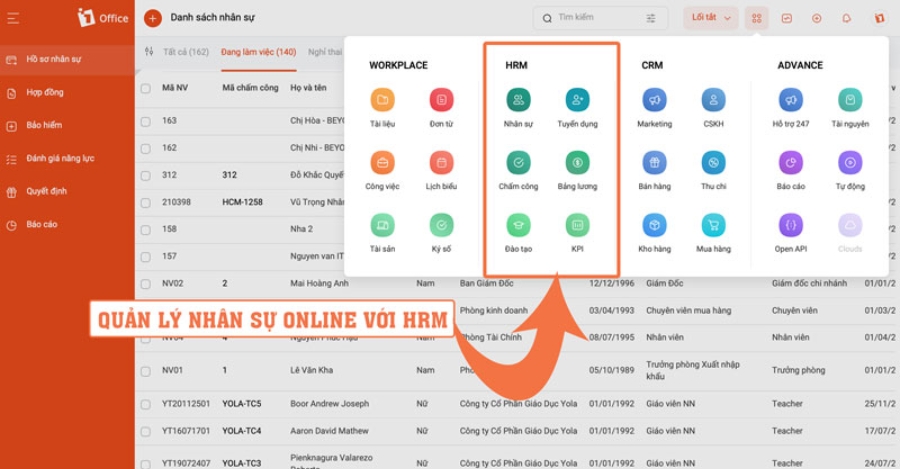
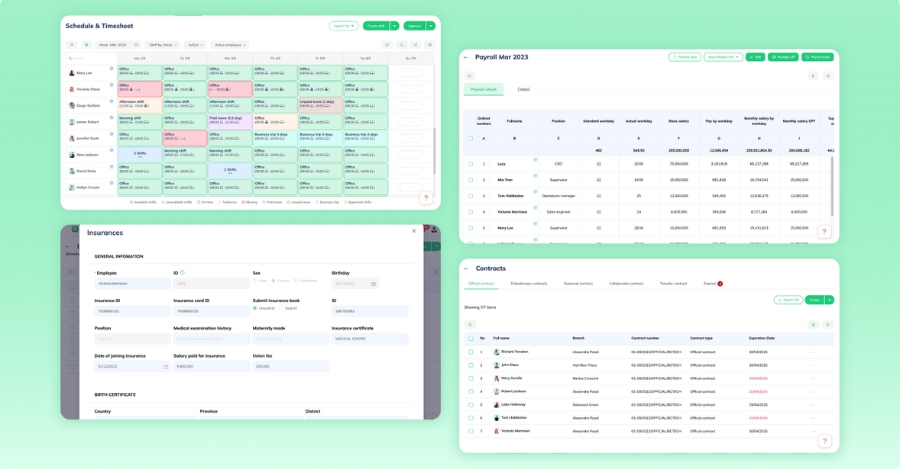
1Office HRM software for the information technology industry, developed by 1Office Joint Stock Company, provides a comprehensive human resource management solution on a cloud-based platform with a friendly, easy-to-use interface. 1Office HRM helps Vietnamese businesses manage profiles, contracts, timekeeping, payroll, performance evaluation, training, and multi-dimensional reporting.
Key features of 1Office:
- Human Resource Management: 1HRM stores all employee information, contracts, salaries, positions, insurance, and leave on a single platform, making it more effective to manage large teams than traditional methods.
- Recruitment Management: Automates the entire process from proposal to onboarding. Utilizes AI for CV screening, the ASK competency assessment framework, and an analytics dashboard to help select the right person for the right position. The system centralizes profile collection and management, integrates with recruitment platforms (LinkedIn, TopCV, VietnamWorks…), and links with employee records to ensure seamless data flow. It supports interview scheduling, automatic reminders, and recruitment budget tracking, helping businesses optimize resources and improve hiring quality.
- Automated Timekeeping & Payroll: The software allows connection with time clocks or remote timekeeping via GPS, automatically assigns work shifts, manages leave and compensatory time off, and calculates salaries based on pre-set formulas. This makes the operational process faster, more accurate, and significantly reduces manual errors.
- Comprehensive Performance Evaluation with KPIs & OKRs: The system features an intuitive dashboard, dynamic reports, and smart filters to track and evaluate the performance of employees and departments, allowing for the adjustment of evaluation criteria to suit each unit.
Pros and Cons of 1Office Human Resource Management Software:
| Advantages | Disadvantages |
|
|
| >>> Read more: 1Office Review: A detailed review of the 1Office business management software |
1Office HRM software cost for the information technology industry:
- Starting price from 5,000,000 VND for businesses with under 50 employees, increasing with the number of users.
- Businesses can register for a consultation and a free demo to understand the features and choose the right solution before implementation.
| >>> See more: Latest 1Office HR Management Software Price List |
1.1.2. Lotus Pro HR Software
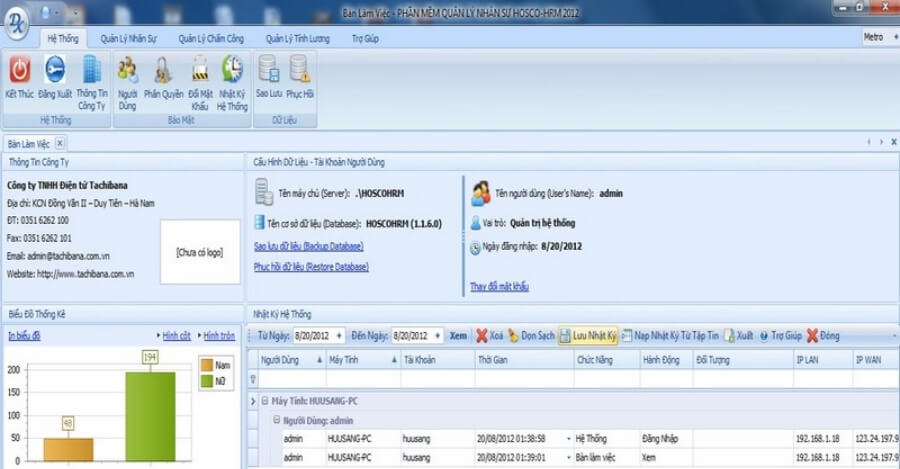
Lotus Pro is HR management software for the information technology sector, developed by Hosco Joint Stock Company. This HRM software is flexibly designed, supports multiple platforms, and is aimed at medium-sized, large enterprises, or corporations looking for comprehensive and modern human resource management.
Key features of Lotus Pro:
- Systematically and professionally manage profiles and organizational information.
- Flexible decentralization and permission assignment, easily customizable to fit the specific structure and needs of each business.
- Integrates with the HOSCO ecosystem and timekeeping machines, supporting automated payroll calculation.
Pros and Cons of Lotus Pro HRM Software
| Pros | Cons |
|
|
HRM Lotus Pro software cost:
- Businesses need to contact the provider directly for a detailed quote.
- The software offers a free trial for a limited time.
1.1.3. HR-Manager Human Resource Management Software
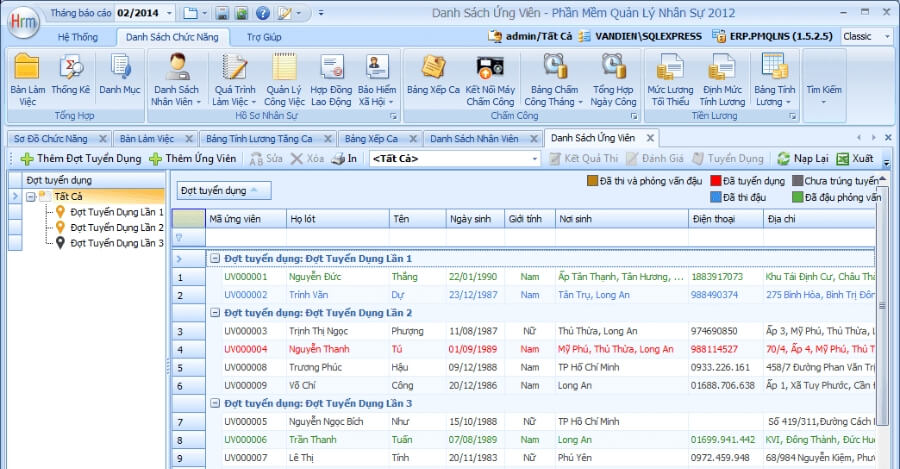
HR-Manager, developed by Lac Viet Company, is an optimal HR management solution for medium and large enterprises, helping to automate processes from recruitment and training to performance evaluation and offboarding, suitable for organizations requiring in-depth HR management.
Key features:
- Centralized employee profiles: Manage complete personal information, contracts, rewards/discipline, insurance, and taxes, with easy lookup when needed.
- Automated timekeeping and payroll: Links data from time clocks, calculates salaries and insurance accurately, reducing manual processing time.
- Transparent performance evaluation: Supports tracking of KPIs, OKRs, and 360° reviews to enhance employee work efficiency.
- Customizable internal workflows: Allows businesses to flexibly adjust processes such as leave approval, salary increases, and contract signing.
Pros and cons of HR-Manager Software:
| Pros | Cons |
|
|
HR-Manager software cost:
- Basic package: Approximately 30,000 – 50,000 VND/user/month.
- Advanced package: Approximately 50,000 – 80,000 VND/user/month.
- Comprehensive package: Approximately 100,000 VND/user/month.
1.1.4. DigiiHR HR software
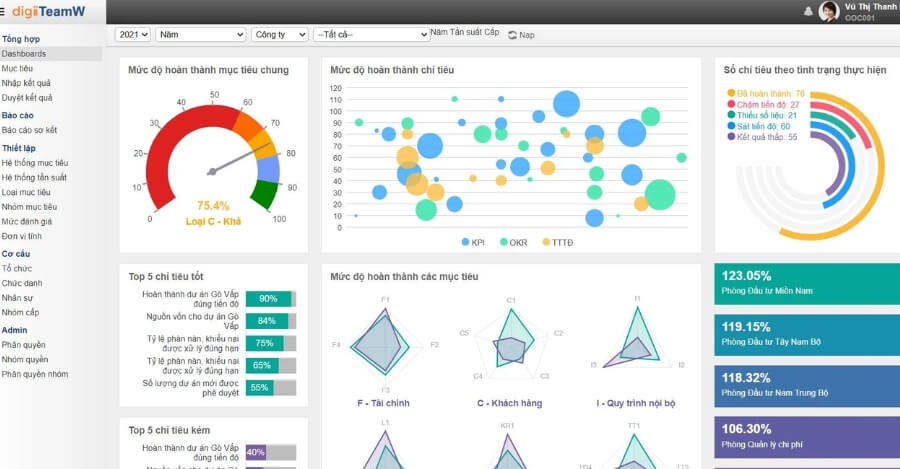
DigiiHR is an HR management solution developed by OCD Management Consulting Joint Stock Company (OOC), designed specifically for medium and large-sized enterprises. This solution helps automate HR processes on a cloud platform, including timekeeping, payroll, competency assessment, KPIs, and flexible workforce planning.
Key features of DigiiHR HRM software for the information technology industry:
- Centralized management of employee profiles, contracts, and work history.
- Automated timekeeping, payroll, bonuses, insurance, and leave management.
- Set up, track KPIs, and accurately evaluate employee performance.
- Provides visual reports to help monitor the HR situation by department or work cycle.
Pros and cons of DigiiHR HRM software
| Pros | Cons |
|
|
DigiiHR HRM Software Pricing:
- The basic package costs from 3 – 5 million VND/year, depending on the number of employees and feature configuration.
- Businesses can try a free demo, then contact the provider directly for consultation and a specific quote.
1.1.5. AiHR HR Software
AiHR is an HRM software for the IT industry developed by JobTest. It helps businesses automate HR management, improve operational efficiency, and make quick decisions. The software is suitable for medium and large enterprises, especially those undergoing digital transformation.
Key Features of AiHR
- Measure and manage employee performance through KPI, OKR, and BSC with the 9-Box Magic assessment tool.
- Track organizational structure and employee competencies, helping to manage resource allocation effectively.
- Uses AI to analyze profiles, select suitable candidates, and support smart recruitment.
- Forecasts HR needs and creates development plans based on actual data.
Pros and Cons of AiHR HRM Software
| Pros | Cons |
|
|
AiHR HRM Software Cost
- Basic Package: Approximately 48,000 VND/user/month (1 administrator, 100 users).
- Standard Package: Approximately 58,000 VND/user/month (3 administrators, 200 users).
- Premium Package: Approximately 68,000 VND/user/month (5 administrators, 300 users).
- Enterprise Package: Flexible pricing, businesses should contact directly for a detailed quote.
- Businesses can try it for free before deciding to purchase to evaluate its features and suitability for their needs.
1.1.6. Base HRM+ HR Management Software
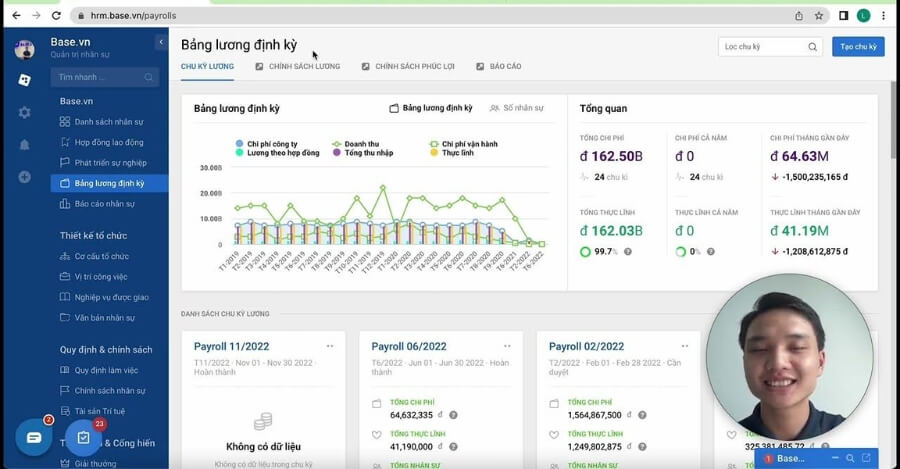
Base HRM+ is a comprehensive HR management solution developed by Base.vn (a Vietnamese tech startup), designed with flexible, easily expandable modules. The software is suitable for medium and large enterprises looking to digitize and optimize their entire HR process.
Key features of Base HRM+:
- Performance Management: Track work progress, evaluate KPIs and OKRs for individuals, departments, or projects, helping to comprehensively control work efficiency.
- Personnel Records Management: Centrally store and manage all employee information, including contracts, departments, positions, and work history.
- Timekeeping & Payroll: Supports timekeeping via GPS or Wi-Fi, automatically synchronizing data with the payroll system to ensure accuracy and transparency.
- Visual HR Reporting: Provides real-time data through a dynamic reporting system, helping leaders make fast and accurate decisions.
Pros and Cons of Base HRM+ HR Software
| Pros | Cons |
|
|
Base HRM+ HRM software pricing
- Starter Package: Starts from 450,000 VND/month for up to 30 users.
- Expansion Package: Flexible pricing, adjusted based on the number of employees and deployed modules.
- Free Trial: Businesses can experience a free 14-day trial before deciding to subscribe.
1.1.7. MISA AMIS HRM human resource management software
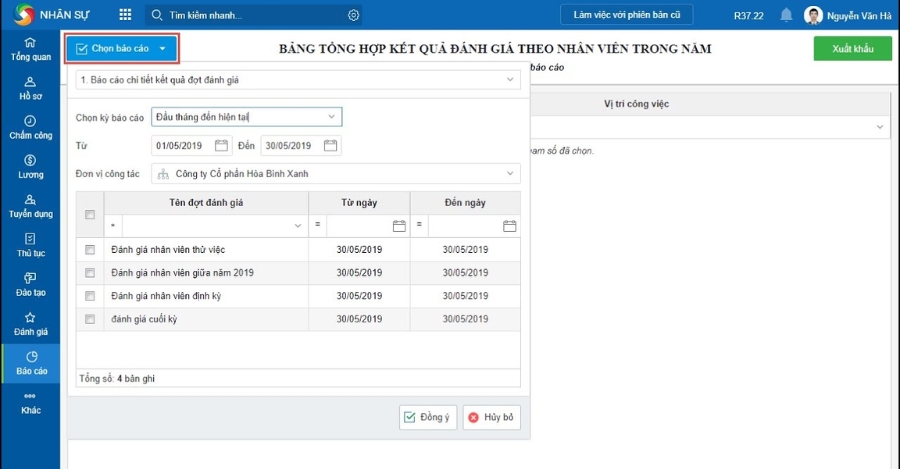
MISA AMIS HRM is a human resource management solution developed by MISA, a Vietnamese technology company with over 30 years of experience. The software is suitable for all types of businesses, from startups to corporations, helping to digitize and automate HR processes.
Key features of MISA AMIS HRM:
- Complete employee lifecycle management: Includes processes from recruitment, training, and evaluation to offboarding.
- Smart timekeeping: Supports multiple methods such as fingerprint, facial recognition, GPS, QR code, and connects with existing devices.
- Performance & KPI evaluation: Allows for setting clear goals and continuously tracking work progress in real-time, helping to evaluate work efficiency objectively and promptly.
Pros and cons of MISA AMIS HRM software
| Pros | Cons |
|
|
MISA AMIS HRM implementation cost:
- Basic package: Starts from around 5,100,000 VND/year for 30 users.
- Advanced package: Customized based on the number of employees and required modules.
- Trial: Businesses can experience a free trial for 15-30 days before deciding to subscribe.
1.1.8. Fast HR Software
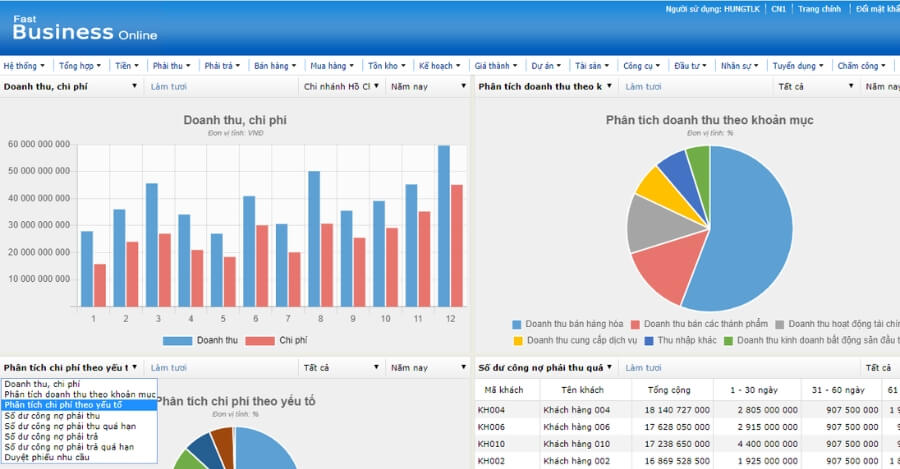
Fast HRM Online is an HRM software for the information technology industry developed by Fast Joint Stock Company, suitable for medium and large enterprises. This solution helps automate HR processes, manage detailed employee records, and provide a convenient multi-platform experience for both managers and employees.
Key features of Fast HRM Online:
- Comprehensive HR management: Fully integrates tasks such as record management, timekeeping, payroll, recruitment, insurance, and personal income tax, helping businesses operate HR effectively on a single system.
- Connects with various timekeeping devices: Ensures accurate and real-time data updates.
- Employee self-service: Allows online timekeeping, payslip lookup, and leave requests.
- Flexible customization: Supports data import from Excel, approvals via email/SMS, and adjustments to fit specific business needs.
Pros and cons of Fast HRM software
| Pros | Cons |
|
|
Fast HRM Online software cost:
- Starting price for a license: 10,000 USD, with an additional 200 USD for each user account.
- Businesses can experience a demo and receive a free consultation before deciding to implement.
1.1.9. Tanca HR Software
Tanca is an HRM software for the information technology industry developed by Green Mobile Application Joint Stock Company. This solution is suitable for all businesses, especially those with flexible working models or multiple branches.
Key features of Tanca:
- Smart timekeeping via GPS, Wi-Fi, facial recognition, or AI camera.
- Flexible daily payroll calculation, automatic payroll generation, and direct payslip delivery to phones.
- Automatically processes requests for leave, business trips, payments, etc., reducing paperwork by up to 90%.
- Performance evaluation linked to salary and bonuses based on specific KPIs.
- Manages work shifts and tracks remote employee locations, displayed on a real-time map.
Pros and cons of Tanca HRM software
| Pros | Cons |
|
|
Tanca HRM software cost
- Businesses with fewer than 25 employees can use it for free with some limited features.
- Paid plans include: Basic – $49, Standard – $99, Professional – $199, Enterprise – $299.
- Offers a 31-day free trial to experience the software before official registration.
1.1.10. IHCM HR Software
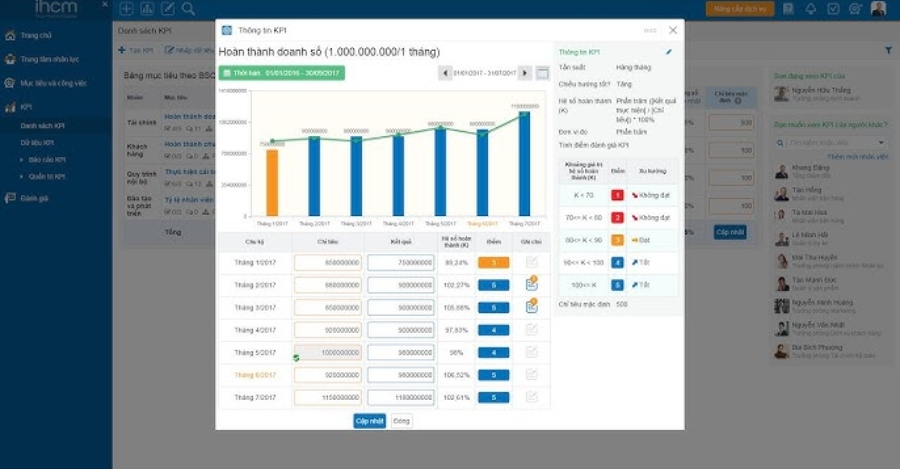
IHCM is an HRM software for the information technology industry, developed by Hyperlogy and operated on a cloud platform with ISO 27001 security standards. This solution is suitable for medium and large enterprises looking to digitize HR processes, manage objectives, and optimize team development efficiency.
Key features of IHCM:
- Comprehensive HR management: Centralized storage of profiles, contracts, insurance, and rewards on a cloud platform.
- Project tracking and team collaboration: Assign tasks, monitor progress, and coordinate work in real-time.
- Visual reporting: Provides data analysis on personnel and performance, helping managers make quick decisions.
Pros and cons of IHCM HR Software
| Pros | Cons |
|
|
IHCM HRM Software Cost
- Businesses with 1-60 employees: 1,500,000 VND/month
- Businesses with 61-90 employees: 3,000,000 VND/month
- Over 90 employees: Contact the provider for a detailed quote and consultation.
- There is currently no information about a free trial from IHCM.
1.2. TOP 7+ HRM Software for the Information Technology Industry – International
1.2.1. CakeHR HR Software
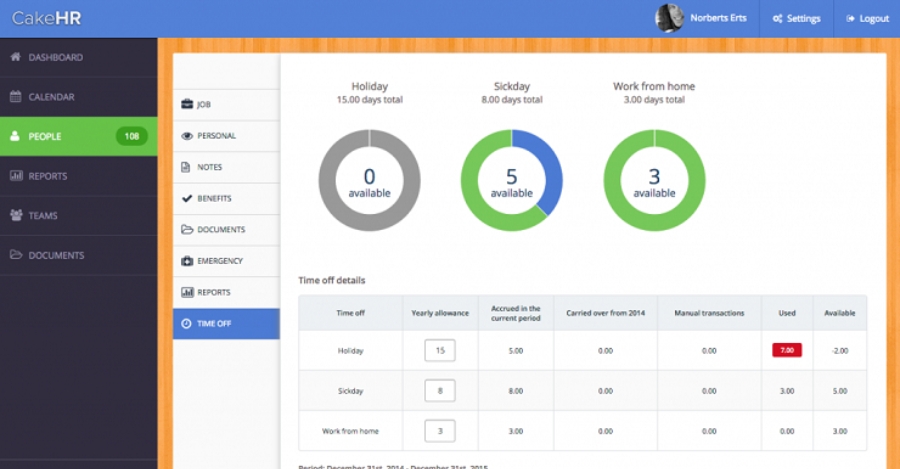
CakeHR is a SaaS-based human resource management software developed by HR Bakery (UK). It helps businesses automate processes from recruitment, timekeeping, and performance evaluation to employee profile management on a cloud platform. The software is particularly suitable for small and medium-sized enterprises that want flexible, modern, and easy-to-operate remote HR management.
Key features of CakeHR:
- Automated timekeeping & payroll: Connects directly to time clocks, reducing errors and saving processing time.
- Anonymous surveys: Collect employee feedback to improve company culture and work environment.
- HR profile management: Store and update information, and automatically send contract expiration reminders.
- Performance evaluation & OKRs: Track the progress and work efficiency of individuals/teams based on set goals.
Pros and cons of CakeHR HRM software
| Pros | Cons |
|
|
CakeHR HRM Software Pricing
- The software starts at around $4/user/month for the basic package, and goes up to $16/user/month for the full-featured package.
- Businesses can enjoy a 14-day free trial before deciding to subscribe officially.
1.2.2. Odoo HR Software
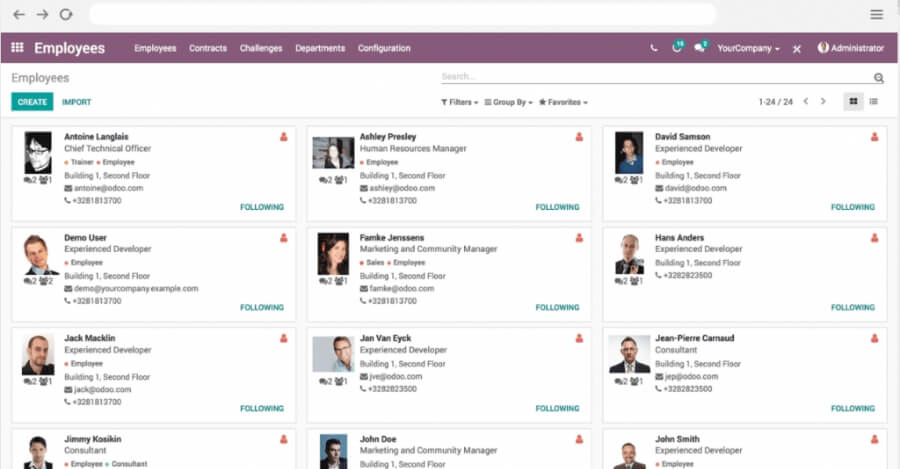
Odoo HRM is an HRM software for the IT industry, part of the Odoo ERP ecosystem (Belgium). It helps businesses automate all HR operations, from recruitment, timekeeping, and payroll to performance evaluation. This solution is flexible, easily customizable, and suitable for all business sizes, especially for companies looking to seamlessly integrate HR with financial, sales, and operational activities.
Key Features of Odoo HRM
- Employee Management: Centralized storage of contract information, skills, job positions, and insurance.
- Timekeeping & Leave: Track leave schedules and connect with time clocks for automatic work hour calculation.
- Payroll: Automatically calculate salaries, allowances, insurance, and taxes, reducing errors from manual processing.
- Performance Evaluation: Track KPIs, rewards, and transparently assess employee capabilities.
- Expense Management: Control personal and business travel expenses of employees.
- Reporting & Analytics: Generate visual reports, helping leaders make quick and accurate decisions.
Pros and Cons of Odoo HRM Software
| Pros | Cons |
|
|
Odoo HRM Software Cost
- Standard Plan: Approximately 7.35 USD/user/month (first year).
- Custom Plan: Approximately 10.9 USD/user/month (first year).
- One App Free Plan: Free for 1 app, unlimited users.
1.2.3. BambooHR HRM Software
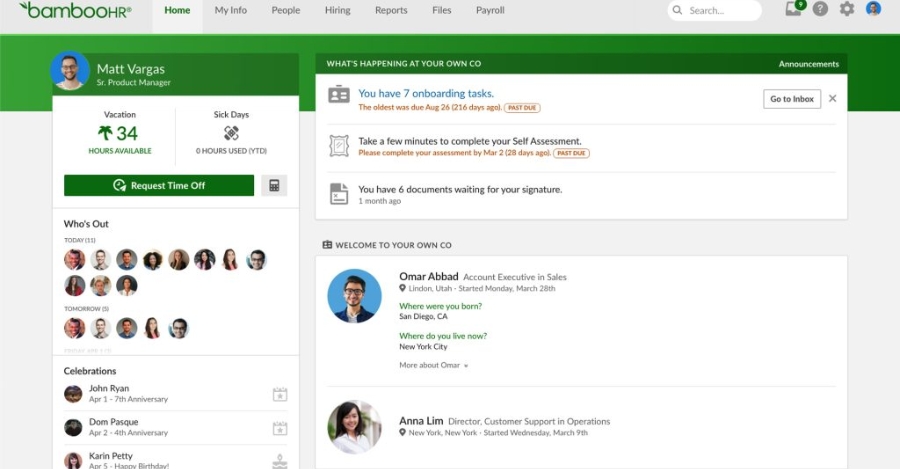
BambooHR is an HRM software for the information technology industry, founded in the US in 2008, targeting small and medium-sized enterprises with 25-300 employees. This solution helps automate HR processes such as recruitment, timekeeping, compensation and benefits management, and performance evaluation.
Key features of BambooHR:
- Centralized HR data management, easy to look up and analyze.
- Supports recruitment and onboarding processes, helping new employees adapt quickly.
- Automates timekeeping, payroll, and benefits management, minimizing errors and saving time.
- Tracks work performance and employee satisfaction, helping to optimize HR management strategies.
Pros and Cons of BambooHR HRM software for the information technology industry:
| Advantages | Disadvantages |
|
|
BambooHR HRM Software Pricing
- BambooHR offers two packages: Core with basic features and the extended Pro, which includes performance management and employee networking.
- Small businesses with fewer than 25 employees pay a monthly fee, while those with 25 or more are charged on a per-employee, per-month basis.
- Specific pricing is provided upon direct contact for a quote.
- The software also offers a free trial before purchase.
1.2.4. Cloud HR Software
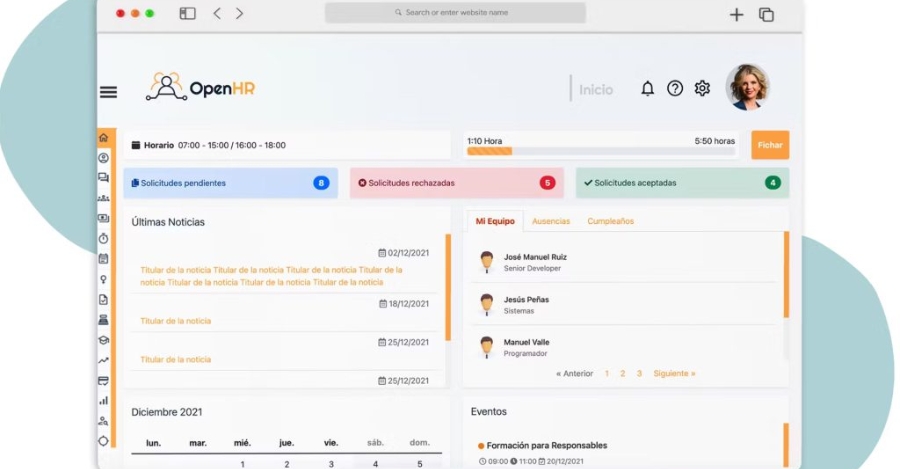
Cloud HR is a cloud-based human resource management software developed by Macconsult, suitable for medium and large enterprises. This solution helps digitize HR processes, centralize management, and optimize operational efficiency.
Key features of Cloud HR:
- Personnel record management: Securely store employee data and access it flexibly from any device.
- Automated payroll generation: Supports automatic salary calculation, ensuring accuracy and tax compliance.
- Personnel development: Build competency frameworks, track development roadmaps, and manage talent effectively.
Pros and Cons of Cloud HR Software
| Pros | Cons |
|
|
Pricing for OpenHR HRM software for the IT industry:
- Pricing is not publicly available; businesses need to contact the provider directly for a quote and personalized consultation.
- Information about a free trial is not currently available.
1.2.5. HR Management with Zoho People
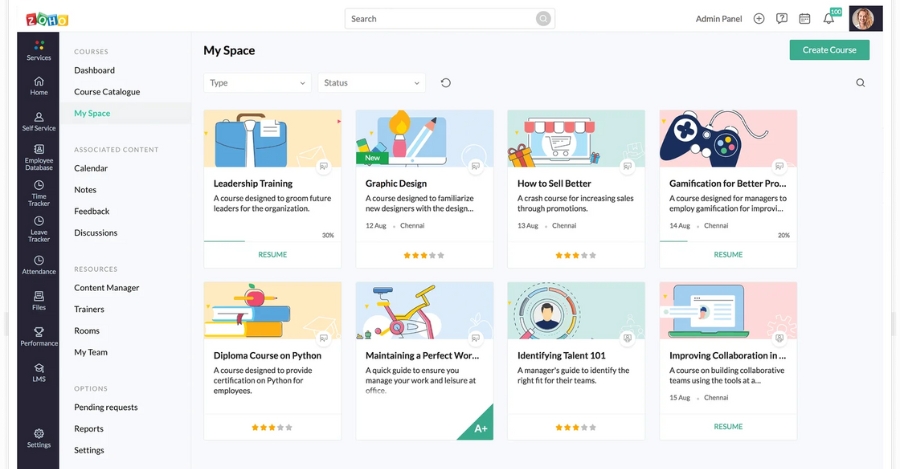
Zoho People is an HRM software for the IT industry, part of the Zoho ecosystem (India). This solution is cloud-based, ideal for businesses with flexible or remote work models.
Key features:
- Manage employee information, leave schedules, and training programs centrally on a single system.
- Smart timekeeping via GPS, mobile phone, or facial recognition technology.
- Track and evaluate employee performance based on KPIs, goals, and work cycles.
Pros and Cons of Zoho People Software
| Pros | Cons |
|
|
Zoho People HRM Software Pricing
- Free Plan: Free for up to 5 users.
- Essential HR Plan: Starts at $1/user/month.
- Professional Plan: Starts at $2/user/month.
- Enterprise Plan: Starts at $5/user/month.
1.1.6. Bitrix24 Software
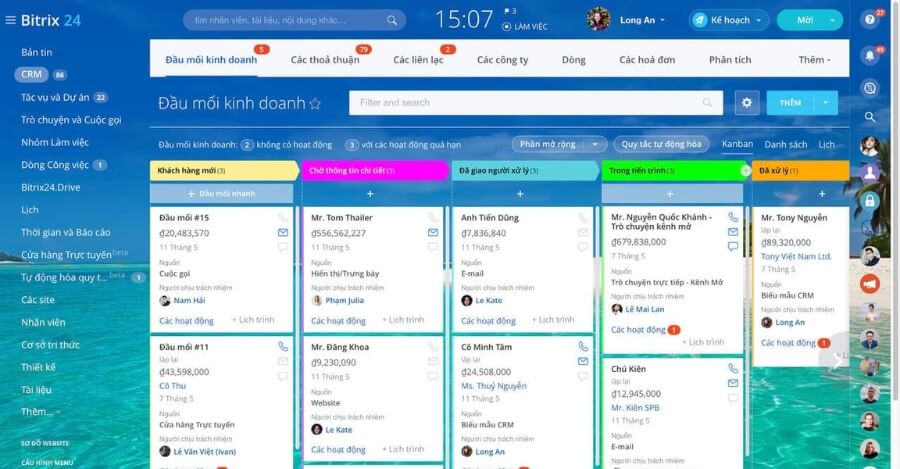
Bitrix24 is a human resource and business management software developed by Bitrix, Inc. (USA), inherited from the Russian Bitrix Intranet Portal platform, and launched in 2012. This software is currently used by over 7 million businesses worldwide. The solution is suitable for businesses of all sizes, especially remote teams or those looking to centralize human resource management and internal communication on a single system.
Key features of Bitrix24:
- Centralized storage and management of employee information, work schedules, and leave types.
- Automates request approvals, timekeeping, and payroll processing.
- Seamless integration with CRM, project management, file storage, voice calls, and online meetings.
Pros and Cons of Bitrix24 HRM Software
| Advantages | Disadvantages |
|
|
Bitrix24 HRM Software Pricing
- Basic Plan (for 5 users): starts from $49/month.
- Standard Plan (for 50 users): from $99/month.
- Professional Plan (for 100 users): from $199/month.
- The software offers a free trial with 5GB of storage and an unlimited number of users.
1.2.7. Paycor HR Software
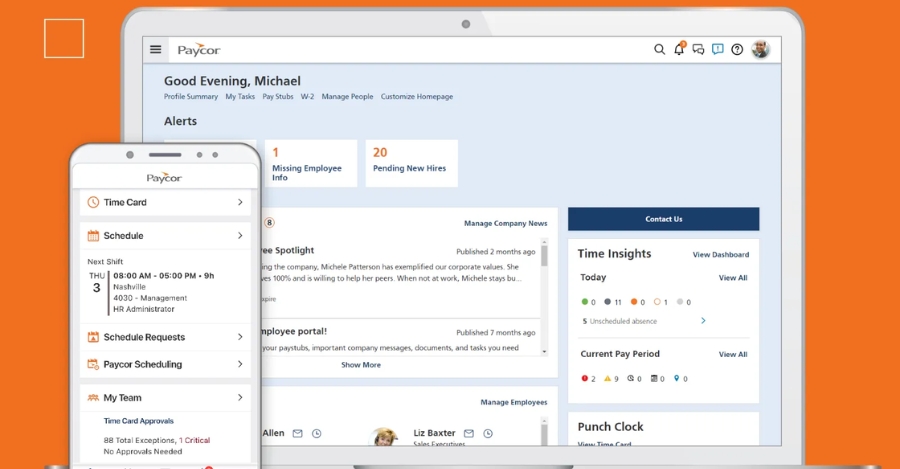
Paycor is an HRM software developed by Paycor, Inc. (USA), suitable for small and medium-sized enterprises in the IT industry. The software helps automate HR tasks, optimize profile management, and enhance operational efficiency.
Key Features of Paycor HRM
- Centralized management of employee profiles, benefits, and performance on a single platform.
- Flexibly track work hours, leave, and timekeeping via mobile devices.
- Automated payroll calculation, ensuring tax compliance and providing timely reports.
- Intuitive dashboard that allows for customizable reports to effectively monitor HR and finances.
Pros and Cons of Paycor HRM Software
| Pros | Cons |
|
|
Paycor HRM Software Cost:
- The cost of Paycor HRM software is not publicly disclosed.
- Businesses need to contact the provider directly for detailed pricing and suitable solutions.
2. Benefits of Using HRM Software for the Information Technology Industry
Using HRM software in the information technology industry brings many practical benefits to businesses:
- Increase HR productivity and efficiency: Automate administrative tasks such as project-based timekeeping, and calculating salaries based on actual hours worked or code output. This allows the HR team to focus on analyzing technical capabilities and developing career paths for programmers and IT specialists.
- Track KPIs and project performance more accurately: Link data between HRM and project management tools (Jira, Trello, Asana, etc.) to track bug resolution speed, sprint progress, number of commits/code reviews, or contribution levels to the product. This helps managers evaluate employee performance based on actual data rather than intuition.
- Save operational costs: Optimize approval processes, shift/remote timekeeping, and manage a flexible workforce (on-site, hybrid, remote). Significantly reduce indirect personnel costs and improve payroll budget control.
- Enhance management efficiency and information transparency: A real-time data dashboard helps leaders understand project status and the productivity of each dev or QA team, enabling more accurate decisions on personnel and team development roadmaps.
- Secure and compliant HR data: All employee information, contracts, and compensation are encrypted and stored securely on a cloud computing platform, meeting the security standards for technology companies.

3. Criteria for Choosing HRM Software for the Information Technology Industry
Finding the right HRM software is a challenge for many IT companies. To choose the right solution, you should consider the following important criteria:
- Manage personnel by project and professional skills: The system should allow tracking of personnel by project, role (dev, QA, BA, PM, etc.), and professional competence (tech stack, experience, certifications) to support flexible resource allocation.
- Integrate with work and project management tools: Prioritize software that can connect with Jira, Trello, Asana, or GitLab to synchronize data on sprint progress, bugs, and code commits, thereby accurately reflecting individual KPIs and work performance.
- Support flexible work models (hybrid/remote): It should have features like GPS timekeeping or online check-in, and calculate salaries based on actual hours worked, ensuring effective management of remote or multi-office teams.
- Automate and ensure transparency in HR processes: Automate timekeeping, payroll, profile management, leave, and periodic reviews; while also allowing employees to proactively look up personal information, payslips, and KPIs directly on the system.
- Track and evaluate performance based on real data: The software should support setting KPIs or OKRs linked to actual metrics such as bug resolution speed, sprint progress, task completion rates, and code contribution levels, facilitating fair and transparent evaluations.
- High-level data security: The technology industry has special requirements for securing personnel information, source code, and contracts. Therefore, HRM software for the IT industry must have detailed permission mechanisms, data encryption, and regular backups to ensure information security.
- Scalability and flexible customization: The software should allow for module expansion and customization of reports, KPIs, or workflows according to the tech company’s Agile/Scrum model.

4. Implementation Process for HR Management Software in the Information Technology Industry
To implement HRM software for the information technology industry, businesses need to follow a structured process from planning, design, customization, and testing to training and operation.
- Step 1 – Planning: Clearly define the needs of the IT business, including employee management, project tracking, and performance evaluation. Select HRM software suitable for a high-tech environment and establish an implementation team consisting of HR, IT, and senior management to oversee the entire project.
- Step 2 – System Design: Gather requirements from IT departments such as developers and testers to ensure the software meets actual needs. The system is customized for seamless integration with existing project management and software development tools like Jira or Git. Concurrently, design the human resource management process, including tasks such as recruitment, timekeeping, KPI evaluation, and training.
- Step 3 – Development and Integration: Develop or customize necessary modules, such as flexible work hour management, new skill training, or benefits management. Ensure personnel data is secured according to international standards (GDPR, ISO 27001) and integrate APIs with internal systems.
- Step 4 – Testing and Validation: Conduct comprehensive testing with simulated IT employee data. Perform performance testing under high loads and collect feedback from pilot users to fix bugs, ensuring the software operates stably before official deployment.
- Step 5 – Deployment and Training: Implement in phases, starting with a pilot group before a full-scale rollout. Train IT staff on how to use the software, focusing on features like timekeeping, performance reporting, and project management. Support data migration from the old system to the new platform.
- Step 6 – Operation and Optimization: Monitor post-deployment activities, tracking key metrics like usage rates and task processing times. Regularly update the software to incorporate new HRM trends, such as AI in competency assessment and workforce forecasting, while also evaluating ROI for continuous process improvement.

5. Frequently Asked Questions about HRM Software for the Information Technology Industry
Question 1: Is human resource management software for the IT industry expensive?
The cost of HRM software is quite flexible, depending on the number of employees, features, and included support services. Small businesses or startups can begin with a trial version or a basic free plan to experience and evaluate it before making a long-term investment decision.
Question 2: Is personnel data secure when using the software?
Reputable HRM software today is typically equipped with high-level security mechanisms, including data encryption, access control, regular backups, and storage on reliable cloud platforms. However, businesses should choose a provider with a transparent security policy and timely technical support to ensure data is always secure.
Question 3: What are the differences between HRIS, HRMS, HCM, and Cloud HR?
To choose the right human resource management software, businesses need to understand the differences between HRIS, HRMS, HCM, and Cloud HR systems in terms of functionality, management scope, and practical application. The specifics are as follows:
- HRIS (Human Resource Information System): Primarily focuses on storing and managing personnel data, records, work history, timekeeping, and training. It helps small and medium-sized businesses quickly look up and manage employee information, reducing manual data entry time.
- HRMS (Human Resource Management System): An evolution of HRIS, adding features for payroll management, benefits, and performance evaluation. Suitable for businesses that want to automate the entire human resource management process, from payroll to KPI assessment.
- HCM (Human Capital Management): Encompasses HRIS and HRMS but focuses on strategic personnel development, employee experience, and talent management. Suitable for businesses aiming to enhance long-term human resource development efficiency and optimize the work experience.
- Cloud HR: An HR version that operates on a cloud platform, allowing remote access, high data security, and easy integration with other software. Ideal for businesses with multiple branches or remote work models, reducing IT infrastructure costs.
Question 4: Which businesses should use Cloud HR?
IT businesses with multiple branches, remote employees, or those wanting to synchronize personnel data with sales, warehouse, or accounting systems should consider using Cloud HR. This solution enables flexible personnel management, high data security, and access to information anytime, anywhere.
Question 5: What are the benefits of AI-integrated HRM software for an IT company?
HRM software with AI integration offers many benefits for IT businesses. It automates HR processes like recruitment, timekeeping, payroll, and performance evaluation, while also analyzing data to predict workforce needs and support strategic decisions.
Additionally, AI improves the employee experience through flexible work schedule management, automated feedback, and training program suggestions, helping to save time, reduce errors, and optimize operational efficiency.
Question 6: How to choose the right HRM software for the information technology industry?
When selecting HRM software for the IT industry, you first need to determine the company’s size, human resource management requirements, and current budget. At the same time, you should prioritize essential features such as timekeeping management, payroll, KPI tracking, employee training and development, as well as the ability to integrate seamlessly with existing IT tools and systems to optimize processes and enhance work efficiency.
Question 7: What are the popular HRM software for the IT industry in Vietnam today?
Currently, in Vietnam, some HRM software chosen by many IT businesses include 1Office (1HRM), Lạc Việt SureHCS HRM, AMIS HRM (MISA), Fast HRM Online, etc. These solutions help businesses optimize productivity, enhance operational efficiency, and improve the employee experience in a flexible IT environment.
Conclusion
Choosing the right HRM software for the information technology industry helps businesses optimize personnel management, enhance performance, and retain talent. The list of Top 17+ software above will help you consider a suitable solution.
If your business is looking for an HRM software solution for the information technology industry, please leave your contact information HERE. The team of expert consultants at 1Office will quickly connect with you and provide detailed support.
















