


 10/05/2026
  15496 views
When information, ideas, and tasks constantly appear throughout the day, taking scattered notes on paper, in messages, or across various apps makes it easy to miss important content. Online note-taking apps help centralize and store notes, sync them across multiple devices, and make them easy to find when needed. The article below compiles a list of easy-to-use online note-taking apps suitable for studying, personal work, and team collaboration.
Mục lục
- 1. 5 benefits of online note-taking apps in work management
- 2. Who should use online note-taking apps?
- 3. 10+ most popular online note-taking applications today
- 4. Evaluating the quality of 10+ online note-taking apps for work management
- 5. What are the criteria for choosing an online note-taking app?
- 6. Manage work scientifically and effectively with 1Office
- 7. Frequently Asked Questions
1. 5 benefits of online note-taking apps in work management
A “lifesaver” for the forgetful
Have you ever had a great idea pop into your head, only to forget it in an instant? Studies have shown that the brain’s ability to remember improves by up to 85% when ideas are expressed through images and words. With powerful editing features, online note-taking apps are excellent tools that help employees unleash their creativity and develop great ideas anytime, anywhere.
Scientific and effective work planning
Another undeniable benefit of note-taking apps is that they are powerful assistants in planning and tracking work progress. Most online note-taking applications today have features for drafting and recording work information in the form of to-do lists, schedules, or timelines, helping users easily allocate time for tasks in a reasonable and scientific manner.
Additionally, the feature of tagging tasks in notes helps users easily classify and arrange work by priority, such as urgent, normal, or can be done later.
An information and data repository
Online note-taking software acts as a huge digital library, helping to store and retrieve any information when needed so that employees don’t have to face information overload or forget important facts. Note files are classified and organized into various categories, helping to organize information scientifically and save time searching for documents.

Team collaboration and idea sharing
Online note-taking apps provide a professional workspace that helps teams collaborate, co-create, and work together. Those with access permissions can edit notes and communicate, discuss, and record discussion points directly on the note itself.
2X work performance
A McKinsey survey showed that people who use note-taking apps to organize and carry out their work are 200% more productive than those who only take notes manually or don’t take notes at all. Building a habit of taking work notes through online apps not only helps improve memory and enhance creativity but also develops logical thinking for employees. As a result, work performance and quality also improve exponentially.
2. Who should use online note-taking apps?
- Employees – This is the most common user group for online note-taking apps because this software is essentially developed to help users manage their work proactively and productively. These tools help individuals plan, organize, and execute work directly on a flexible online platform, anytime, anywhere.
- Teams – As mentioned above, an online note-taking app is a miniature office that helps departments and teams collaborate and work together to brainstorm, plan, assign tasks to each member, and review work results.
- Managers – Online note-taking applications help managers easily assign tasks and monitor the work progress of team members. In addition, many online note-taking apps have integrated automatic reminder features to urge employees to work, meet deadlines on time, and ensure work progress.
3. 10+ most popular online note-taking applications today
Evernote
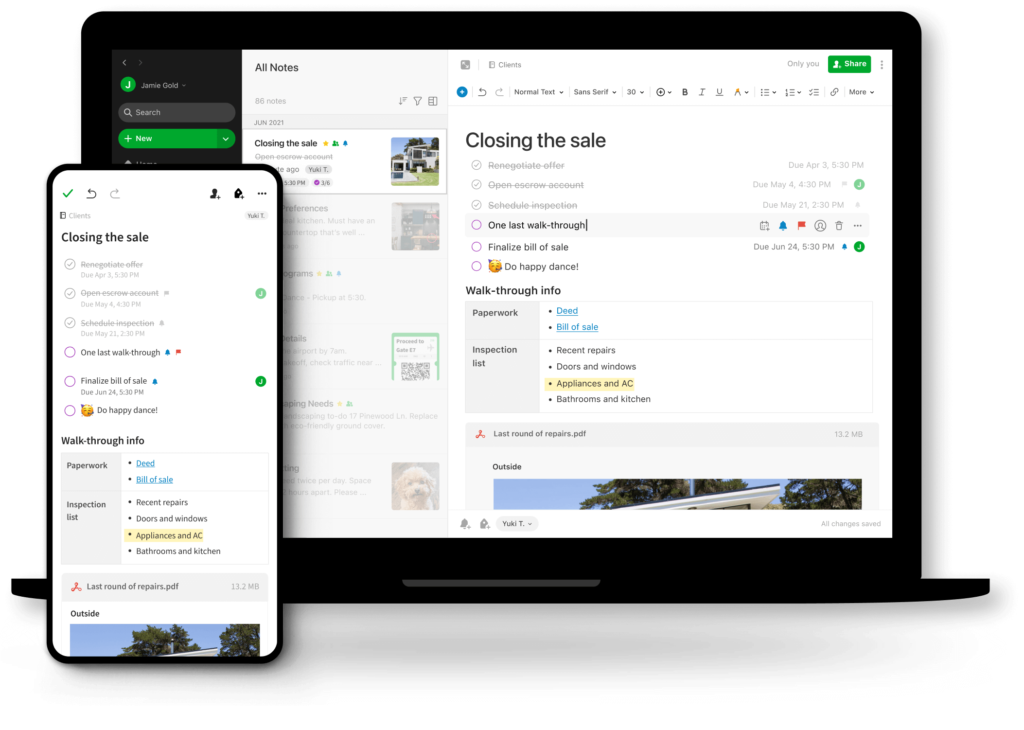
Evernote is one of the world’s most popular online note-taking software with over 200 million users. Evernote provides an effective workspace, allowing users to freely create and organize ideas anytime, anywhere, from daily tasks to weekly and monthly plans.
Key features
- Organize and classify notes scientifically with tags, categories, and keywords
- Provides note templates by topic (meeting minutes, planning, project progress tracking, etc.) to save time
- Assign tasks easily by creating them directly within a note, complete with an assignee, due date, and automatic reminders
- Integrates a calendar into notes, making it easy to allocate time and track work progress
| Pros | Cons |
|
|
Suitable for: planning, brainstorming, tracking work progress
ClickUp Docs
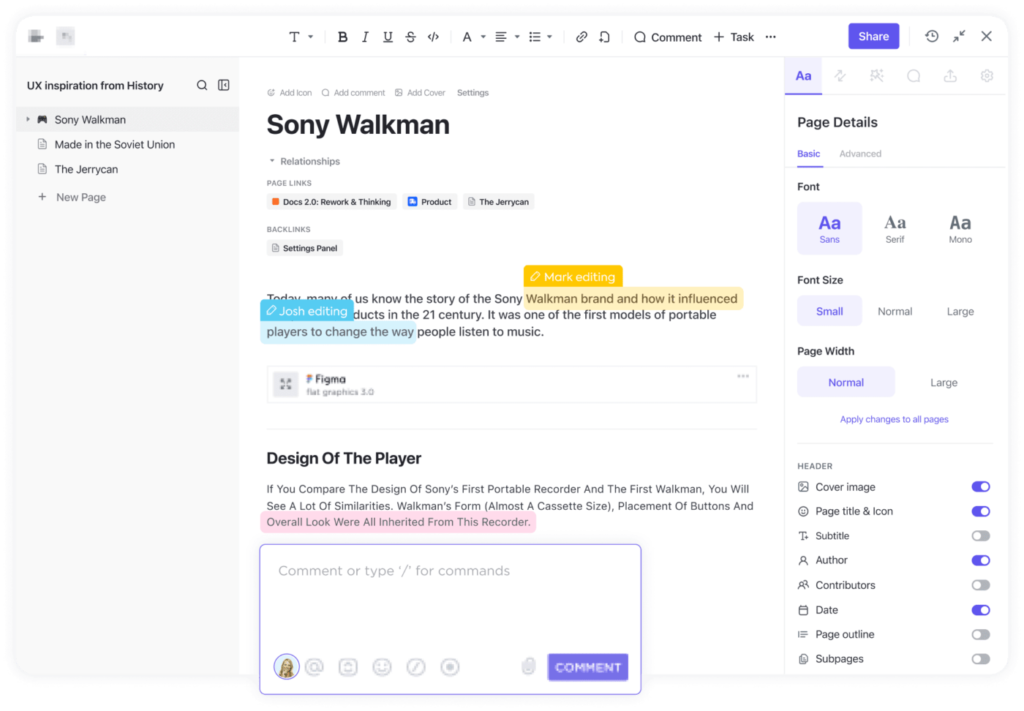
ClickUp Docs is an all-in-one online note-taking and work management solution developed by ClickUp – one of the tech unicorns in the US market. With its powerful and diverse features, ClickUp can help organize and manage work effectively, from complex projects to daily note-taking needs.
Key Features
- Collaborate and edit notes simultaneously in real-time by tagging relevant people
- Supports note-taking for various types of documents and texts such as meeting minutes, agendas, reports, etc.
- Control who can access and edit notes, ensuring data does not overlap
- Categorize and organize documents scientifically, making them easy to access and search.
| Pros | Cons |
|
|
Suitable for: planning, brainstorming, drafting documents, tracking work progress
OneNote
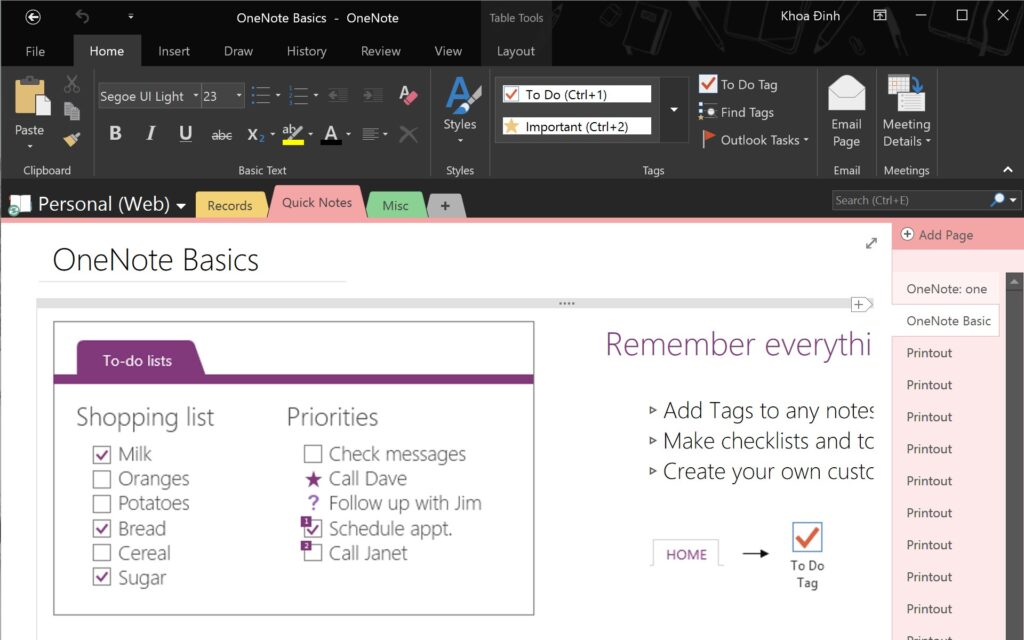
Tech giant Microsoft is also in the game with its development of the OneNote online note-taking application, enriching its suite of work management tools. Likened to a digital notebook, OneNote can meet all user note-taking needs with its diverse and useful set of features.
Key features
- Supports note-taking in all forms: typing text, drawing sketches, and voice notes, helping to maximize creativity
- The sharing feature allows multiple users to access and edit notes, helping teams co-create ideas and collaborate effectively
- Organize ideas and tasks scientifically by categorizing them into smaller sections
| Pros | Cons |
|
|
Suitable for: taking work notes and drafting documents
Google Keep
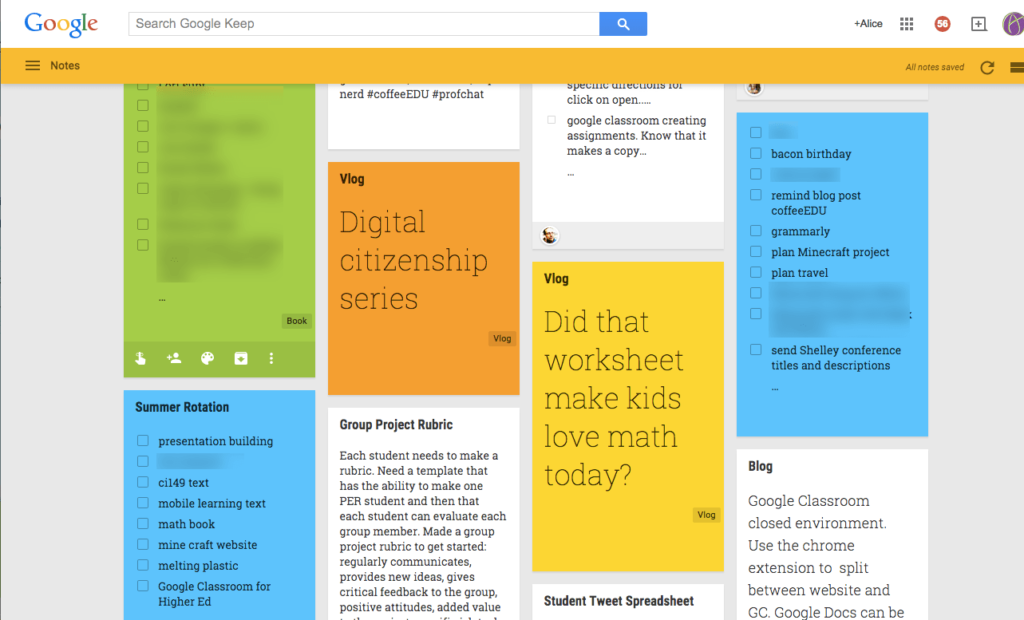
Google Keep is a familiar name, often favored by office workers as a powerful assistant for managing and organizing work. As an online note-taking app developed by the tech giant Google, Google Keep provides a fairly diverse set of tools to help users take work notes professionally and quickly.
Key features
- Compose and edit notes anytime, anywhere in various formats such as text, images, and audio
- Set recurring reminders to minimize the chance of forgetting tasks
- Add collaborators to notes or share documents via Gmail, Drive
- Scan images into text, saving time on manual data entry
- Quickly search for notes with label filters
| Pros | Cons |
|
|
Suitable for: taking work notes and drafting documents
Workflowy
Workflowy is a professional, easy-to-use note-taking and task management application. Workflowy helps users organize and develop work ideas scientifically and effectively in a tree diagram format.
Key features
- Organize tasks scientifically in a tree diagram with parent and child folders, helping users visually track the tasks that need to be done
- Share notes and grant permissions to anyone to view or edit them
- Zoom-in feature on main tasks helps increase focus
- Easily search for notes with keywords or tags
| Pros | Cons |
|
|
Suitable for: taking work notes and drafting documents
Notion
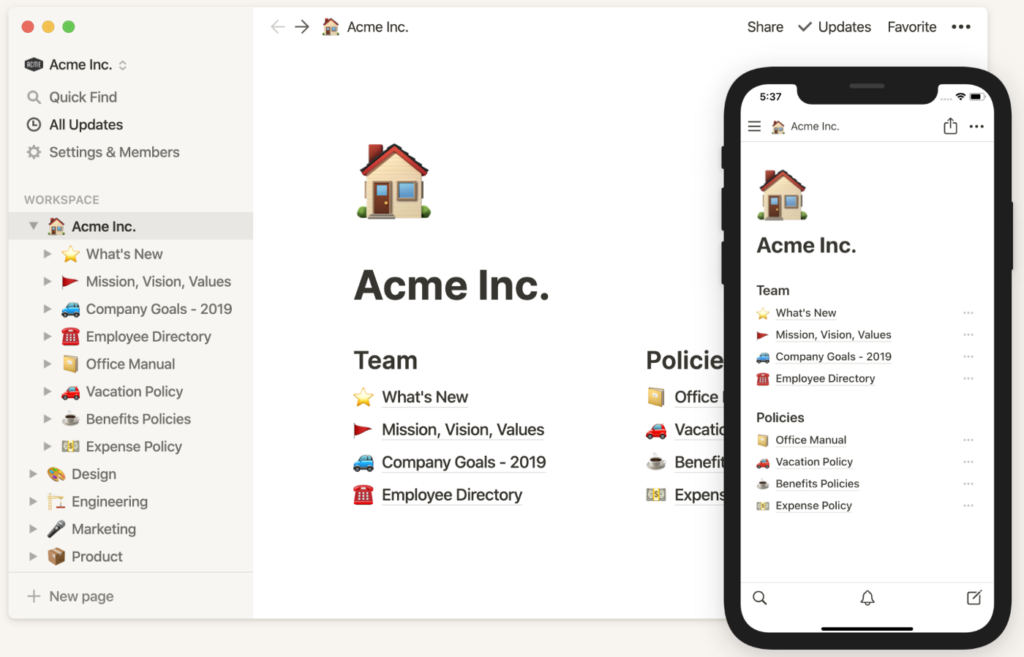
Notion is an online note-taking app that once “took the office world by storm,” especially with Gen Z, due to its youthful, unique style that fits today’s dynamic and creative work culture. Aiming to provide an all-in-one workspace for users, Notion is designed as a digital library to help employees organize, arrange, and execute all work tasks effectively.
Key Features
- Displays notes in a hierarchical structure, with pages nested within parent pages, making it easy to organize and arrange work content logically
- Option to display tasks as a calendar, timeline, or to-do list, helping users easily organize and track work progress effectively
- Automatic task reminder alerts based on a preset schedule
- Add labels and create filters based on the characteristics and status of notes
- Flexibly customize the workspace with a personal touch, helping to foster creativity and inspire work
| Pros | Cons |
|
|
Suitable for: planning, brainstorming, drafting documents, taking work notes
Zoho
Zoho is a handy online note-taking application that helps users draft and store documents and automatically take notes on any device in various formats. Likened to a compact, pocket-sized online notebook, Zoho provides all the necessary features for effective note-taking and work processing.
Key features
- Supports multiple document formats such as images, videos, audio recordings, etc.
- Syncs notes across all devices, no manual backup required
- Easily manage notes with dedicated category tags
- Secure notes with password settings and Touch ID
| Pros | Cons |
|
|
Suitable for: online note-taking, drafting and storing documents
Padlet
Padlet is one of the popular online note-taking applications used in organizations and teams, featuring powerful collaboration and content co-creation capabilities.
Key Features
- Mind mapping tool helps organize information and take notes systematically and methodically
- Displays notes in various formats such as Timeline, Canvas, grid, etc., offering flexibility based on usage purpose
- Supports all types of document formats such as videos, images, text, and documents
- Control user access and editing permissions
|
Advantages |
Limitations |
|
|
Suitable for: work note-taking, team collaboration
Squid Notes
Squid Notes is an application for those who want the authentic feel of handwritten notes. Squid Notes uses the user’s handwriting to create personalized notes.
Key features
- Share notes in various formats
- Import image and PDF files into notes
- Edit images and documents directly in notes
| Pros | Cons |
|
|
Suitable for: taking work notes, brainstorming ideas
Simple Note
Simple Note is a simple, secure, and easy-to-use note-taking application that helps users take notes and draft documents quickly and efficiently.
Key features
- Sync note data across all devices
- Store every version history of your notes
- Add tags to find notes quickly with the instant search feature.
- Share to-do lists or publish notes publicly
| Pros | Cons |
|
|
Suitable for: taking work notes, brainstorming ideas
4. Evaluating the quality of 10+ online note-taking apps for work management
| Collaboration | Task Assignment & Reminders | Note-taking & Drafting | Planning | |
| EverNote | x | x | x | |
| ClickUp Docs | x | x | x | |
| OneNote | x | x | x | |
| Google Keep | x | x | x | |
| Workflowy | x | x | ||
| Notion | x | x | x | |
| Padlet | x | x | ||
| Squid Notes | x | x | ||
| Simple Note | x | x | ||
| Zoho | x | x |
5. What are the criteria for choosing an online note-taking app?
Choosing the right online note-taking application not only helps you store information quickly but also determines your daily work efficiency. A good app needs to balance convenience, security, and collaboration capabilities. Below are the key factors to help you make the most suitable choice.
Clearly define your usage goals
Before downloading or signing up for any application, you should clearly define your purpose for using it:
-
Personal: If you only need it for quick notes, saving to-do lists, or personal planning, choose an app with a minimalist interface and fast operations like Google Keep or Simple Note.
-
Teamwork: If you work in a team or company, choose an app with features for sharing, setting permissions, and commenting directly on notes, such as Notion, ClickUp Docs, or EverNote.
-
Project management: For project managers or coordinators, it’s best to choose a tool that can link notes to tasks, timelines, and KPIs for easy progress tracking.
Prioritize a user-friendly, easy-to-use interface
A good note-taking app should be simple and intuitive, allowing users to perform actions quickly in just a few seconds.
-
A clean interface with options for colors, labels, or tags to help categorize notes easily.
-
Support for multiple platforms (web, mobile, desktop) so you can take notes anytime, anywhere.
-
A smart search feature to help you look up old information without wasting time.
Check data synchronization and storage capabilities
One of the most important factors when choosing an app is its real-time synchronization capability.
-
The application should automatically update when a user changes a note on any device.
-
Support for regular backups and cloud storage to prevent data loss.
-
Some apps also allow you to export notes as PDF, DOC, or Markdown files, which is convenient for sharing.
Ensure information safety and security
When taking notes related to work, projects, client documents, or strategic ideas, security is a top priority.
-
Choose an application with end-to-end data encryption to prevent unauthorized access.
-
Support for two-factor authentication (2FA) or logging in via a corporate account.
-
Check the privacy policy to ensure your data is not shared with third parties.
Consider cost and scalability
Most note-taking apps have both a free version and an upgraded (Premium) version.
-
If you’re using it for personal purposes, the free version may be sufficient.
-
However, for businesses or teams, you should consider investing in a paid version to expand storage, add collaboration features, and get higher security.
-
Some platforms like 1Office, ClickUp, or Notion also have built-in note-taking tools integrated into their work management systems, helping to save costs and centralize management.
Try before making a long-term commitment
Before committing to an application, try out at least 2–3 different apps. This will help you compare their speed, operations, stability, and suitability for your work habits. After the trial period, you will be able to easily choose the application that best fits your actual needs.
6. Manage work scientifically and effectively with 1Office
In reality, online note-taking software is just one of many tools that help employees work effectively. To thoroughly solve the efficiency problem, managers need comprehensive management solutions that optimize workflows and boost productivity.
1Office is the most specialized work management platform on the market today for businesses. 1Office acts as the key to boosting productivity and helps employees and managers organize work systematically according to processes, with outstanding features such as:
- Plan work in detail with parent tasks, sub-tasks, deadlines, and performance criteria
- Assign tasks directly to individuals and departments. Tasks are automatically updated in the personnel schedule and include an automatic reminder alert feature
- Manage and closely monitor work progress with Kanban boards and Gantt charts
- Accurately evaluate employee performance with visual dashboard reports that automatically update work completion percentages in real-time
The above article from 1Office has given readers a comprehensive overview of the most popular online note-taking software today. It also presents a comprehensive work management technology solution as an alternative to note-taking apps. For a free consultation and a trial of the 1Office software, please contact us using the information below.
7. Frequently Asked Questions
Can online note-taking apps be used offline?
Many apps today still allow you to take notes offline and will automatically sync when an internet connection is restored. However, this capability varies between applications, so users should check beforehand if they frequently work without an internet connection.
Should I choose a note-taking app or work management software?
If your main need is to quickly jot down ideas, save personal information, or create simple checklists, a note-taking app is a suitable choice. However, when a business needs to assign tasks, track progress, set deadline reminders, and coordinate multiple people on a single system, work management software is more effective. 1Office work management software is a solution worth considering as it helps businesses track work progress, uses AI to break down tasks, suggests suitable personnel for task assignments, and optimizes overall operations.
Which note-taking app is suitable for office workers?
Office workers should typically choose an app that allows for quick note-taking, systematic organization, good search functionality, and synchronization across multiple devices. If you need to take meeting minutes, create plans, and track tasks, options like Evernote, OneNote, Notion, or ClickUp Docs would be suitable.
Which note-taking app is suitable for students?
Note-taking software like Google Keep, OneNote, or Simplenote is more suitable for basic learning needs thanks to their quick operations, ease of use, and convenience for daily note-taking.
Do online note-taking apps support saving files and images?
Yes, but it depends on the application. Many online note-taking apps today, such as Evernote, ClickUp Docs, or OneNote, support attaching and storing various types of content like text, images, and even audio, making it easy for users to take notes and look them up when needed.
For more details, please visit:
- Hotline: 083 483 8888
- Fanpage: https://www.facebook.com/1officevn/
- Youtube: https://www.youtube.com/channel/UCeTIRNqxaTwk0_kcTw6SxmA

















