


 11/05/2026
  297 views
What is Low Code and why is it becoming a software development trend in the digital age? This technology allows users to create powerful applications without writing complex code, through an intuitive drag-and-drop interface. This not only helps businesses save time and costs but also enhances flexibility and efficiency in software development. Low Code is opening up opportunities for organizations, especially medium and large enterprises, to quickly deploy technology solutions without needing a large team of developers. Join 1Office to explore the practical applications and benefits of Low Code in optimizing workflows and accelerating digital transformation!
Mục lục
- 1. What is Low Code?
- 2. Components of Low Code
- 3. Applications of Low Code in Business and Process Management
- 4. Advantages and Disadvantages of Low Code Platforms
- 5. Comparing Low Code with No Code and High Code (Traditional Development)
- 6. Will Programmers Be Replaced by Low Code?
- 7. The Future of Low Code
- 8. Popular Low Code Platforms Today
- 9. Conclusion
1. What is Low Code?
Low Code is a software development method that allows users to create applications without writing much code. Instead of relying on in-depth programming skills, developers can use an intuitive drag-and-drop interface to build applications, which helps shorten development time and reduce dependency on professional programmers. Low Code platforms provide ready-made tools and components, helping users design and deploy applications without a deep understanding of complex programming languages.

Low Code is not an entirely new concept, but it has truly become a trend in recent years thanks to the rapid development of cloud computing technology and the growing demand for fast, cost-effective software solutions. The concept began to emerge in the early 2000s, when software companies like OutSystems, Mendix, and Appian pioneered the development of the first Low Code platforms. However, it wasn’t until the 2010s, when cloud and automation technologies became widespread, that Low Code truly gained attention and was widely adopted across many industries.
These platforms have helped businesses easily develop applications without investing in large teams of programmers. With the development of modern Low Code tools, users can not only create simple applications but also develop complex software to meet the management and operational needs of a business.
2. Components of Low Code

Low Code platforms are built from various components, each playing a crucial role in helping users create applications without writing complex code:
2.1. Drag-and-Drop Interface
The drag-and-drop interface is one of the most prominent and user-friendly features in Low Code platforms. Users can drag user interface (UI) components like buttons, text fields, dashboards, and other elements into position on the screen without writing code. This makes interface design quick and easy, even for those without a programming background.
2.2. Pre-built Templates and Components
Low Code platforms often provide a library of pre-built templates and components that users can easily integrate into their applications. These templates include user interfaces, workflows, and common applications that are pre-designed, allowing users to customize them without starting from scratch. These components help reduce development time and increase flexibility in creating applications.
2.3. Business Logic and Automation
A key part of Low Code platforms is the ability to handle business logic and automation. These tools allow users to easily build automation workflows without writing complex code. Through visual tools, users can set up processes such as data validation, automated emails, or event handling when users interact with the application.
2.4. Integrations and Connectors
Low Code platforms support integration with many external systems such as databases, web services, ERP and CRM systems, and other business tools. Through connectors or APIs, users can easily connect their Low Code applications to these services to synchronize data, improve workflows, and expand application capabilities.
2.5. Monitoring and Testing Tools
An essential component of a Low Code platform is its monitoring and testing tools. These tools help users monitor the performance and stability of the application, check for potential errors, and ensure that the application meets user requirements. Low Code platforms provide visual tools to test applications and optimize the development process.
2.6. Development and Deployment Tools
Although Low Code platforms are primarily aimed at non-programmers, they still require some tools to support application development and deployment. These tools allow users to configure development, testing, and production environments, thereby simplifying the deployment process and minimizing risks.
2.7. Security and Access Control
For any application, security is a critical factor. Low Code platforms often integrate robust security features such as data encryption, user authentication, and access control to ensure that business data is always protected. Users can configure access permissions for each user role within the organization to manage access levels and protect sensitive information.
3. Applications of Low Code in Business and Process Management
Low Code is not just a theoretical tool; it is being widely applied in many fields, helping businesses optimize their software development processes and digital transformation.
Low Code has helped many businesses accelerate their software development process and optimize management tasks. Instead of relying on large teams of developers, companies can use Low Code platforms to quickly build management applications, reporting systems, and project management tools.
Businesses can create applications to manage internal processes, monitor employee work efficiency, or track financial indicators without spending significant time and development costs.
Small businesses and startups benefit the most from Low Code. Software development requires significant time and cost, but with Low Code, small businesses can easily create applications for their business needs without a complex software development team.
Low Code helps startups quickly bring products to market without relying on developers, thereby saving time and costs. Furthermore, Low Code platforms also support integration with tools like CRM, ERP, and customer management software, making it easier for startups to manage and grow their businesses.
4. Advantages and Disadvantages of Low Code Platforms

4.1. Advantages and Benefits of Low Code Platforms
Saves Time and Costs
One of the biggest advantages of Low Code platforms is the ability to save time and costs in application development. Instead of writing code from scratch, users can use pre-built components and a drag-and-drop interface to build applications quickly. This helps minimize the effort and cost for the software development team, especially for small and medium-sized enterprises.
Easy to Use, No Programming Expertise Required
Low Code is designed to be easy to use even for those without a programming background. Drag-and-drop tools allow users to build applications without needing to know complex programming languages. This expands the ability to participate in software development to non-specialists, helping businesses easily develop custom applications without having to hire many professional developers.
Increased Flexibility and Customization
Low Code platforms often provide tools that allow users to edit code when necessary. This helps businesses customize applications to their specific requirements while maintaining the platform’s simplicity. This flexibility allows Low Code to serve a wide range of application types, from simple business applications to more complex software.
Accelerates the Digital Transformation Process
In a context where businesses face rapid digital transformation trends, Low Code plays a crucial role in helping organizations implement digital transformation quickly and effectively. Low Code platforms support the deployment of new technology solutions without having to build from scratch, making it easier for businesses to apply technology to their business and operational processes.
Easy Integration and Scalability
Low Code supports integration with various systems and technologies, from databases to business applications like: CRM, ERP, and cloud services. This integration helps businesses expand their applications and solutions without significant difficulties, while also enhancing efficiency and interoperability between different systems.
4.2. Disadvantages of Low Code Platforms
Limitations on High Customization
Although Low Code offers many flexible features, some platforms still have limitations on customization capabilities. Complex or highly specific applications can be difficult to implement using a Low Code platform, especially when high control over technical details is required. Applications that demand complex logic or features may not be fully supported on Low Code platforms.
Dependency on the Platform Provider
Using a Low Code platform can make a business dependent on the platform provider for application maintenance and development. This can create issues when migrating the application to another platform or when the provider changes their terms of service, making it difficult for the business to maintain or upgrade the application.
Source Code Quality and Performance
Although Low Code enables rapid application development, the source code generated by these tools may sometimes not be optimized for performance. This can lead to unstable application performance or issues in large-scale production environments. While users can edit the source code, optimizing performance can still be a challenge for those without in-depth programming knowledge.
5. Comparing Low Code with No Code and High Code (Traditional Development)
| Criteria | No Code | Low Code | High Code (Traditional Development) |
| Development Complexity | Very simple, no programming code required | More complex, requires some programming code | High, requires professional developers |
| User Expertise | Users with no programming knowledge | Non-professional users or those with basic programming knowledge | Professional developers with in-depth skills |
| Development Time | Very fast, uses a drag-and-drop interface | Fast, but requires some coding and customization | Slow, requires a long development process |
| Customization Capability | Limited, cannot change much of the logic | High, code can be edited when necessary | Very high, can fully customize every aspect |
| Flexibility | Low, cannot change the source code | Medium, can edit some parts of the code | Very flexible, can create any application |
| Scalability | Limited, difficult to scale complex applications | Medium, may encounter issues when scaling | Very high, can be scaled for complex applications |
| Development Cost | Very low, no developers needed | Low, but requires some developers with basic skills | High, requires a professional software development team |
| Target Users | Small businesses, non-professional users | Businesses, non-professional users | Large enterprises requiring complex application development |
6. Will Programmers Be Replaced by Low Code?
Amidst the rapid growth of Low Code platforms, many people are asking whether programmers will be replaced by this technology. Although Low Code offers numerous benefits and can reduce reliance on programmers in some cases, in reality, this technology cannot completely replace the role of professional programmers. Here are some reasons why programmers will continue to hold an important position in the tech industry, even as Low Code becomes increasingly popular.
6.1. Low Code Augments, Not Replaces
Low Code is not a technology that replaces programmers but rather a tool that helps them accelerate the software development process. Low Code platforms allow programmers to quickly create basic applications or those that do not require highly complex logic. However, when feature requirements become more complex, programmers still need to intervene to edit the source code or create custom solutions that cannot be implemented through Low Code tools.
6.2. The Role of Creativity and Problem-Solving
Programmers are not just coders; they are creative problem-solvers. Professional programmers must thoroughly understand user requirements, find optimal solutions, and design complex systems. Although Low Code simplifies many development processes, it cannot replace the creativity and problem-solving abilities of programmers in complex situations.
6.3. Flexibility and Scalability
While Low Code can help develop simple applications quickly, these platforms face limitations when applications need to scale, be optimized to handle large volumes of data, or require high security. Professional programmers are still necessary to create scalable solutions, optimize performance, and ensure system security.
6.4. Customization and Creating Complex Features
Low Code can be very useful for building applications with basic features, but when complex customizations or integrations with other systems are required, programmers are still needed. Low Code platforms offer limited customization and cannot replace the in-depth programming skills needed to build unique applications or integrate advanced technologies like AI, Blockchain, or complex ERP systems.
6.5. Diverse Development Environments
Although Low Code reduces reliance on programmers in some areas, the demand for professional programmers to develop complex applications, build infrastructure, or create custom systems will remain high. Programmers will still be essential for maintaining, servicing, and optimizing applications, especially as systems become more complex and require guaranteed performance and security.
Low Code does not replace programmers but complements and supports them in developing applications quickly and efficiently. While it reduces the need for programmers in developing basic applications, programmers still play a crucial role in building, optimizing, and maintaining complex systems. In the future, Low Code and programmers will coexist and work closely together to create the most optimal software solutions for businesses.
7. The Future of Low Code
Low Code is growing rapidly and is predicted to remain a key part of enterprise software development strategies in the future. With advancements in technology and the increasing demand for digital transformation, Low Code can bring about significant changes in how organizations build and deploy software. Below is a look at the future of Low Code, including the trends and opportunities it presents.

7.1 Enhanced Automation and AI Integration
In the future, Low Code platforms will continue to integrate new technologies like artificial intelligence (AI) and machine learning to support the software development process. AI tools will help automate many processes, such as code testing, generating user interface components, or suggesting suitable software solutions based on user requirements. This will not only accelerate the development process but also help minimize errors and improve application quality.
Furthermore, integrating AI into Low Code will make applications smarter, capable of learning and improving over time, and automatically optimizing performance and user experience. As AI technology becomes more widespread, Low Code platforms will play a crucial role in developing intelligent applications without requiring extensive, in-depth programming knowledge.
7.2 Expansion into New Industries and Markets
Low Code will not only serve technology companies but will also expand into various other industries, from healthcare, finance, and education to manufacturing and government. These sectors will leverage Low Code to develop custom applications that help optimize workflows, improve operational efficiency, and reduce software development costs.
In the future, Low Code will become an essential tool for businesses, not only for developing internal applications but also for building customer-specific solutions. Low Code platforms will become more flexible, meeting the software development needs of specialized fields with specific features, helping businesses easily apply them to their business models.
8. Popular Low Code Platforms Today
8.1. Mendix
Mendix is a powerful Low Code platform that helps businesses develop complex applications with less code. Mendix provides an integrated development environment, supporting everyone from non-professional programmers to experts. This platform allows users to easily create mobile and web applications, integrate with existing enterprise systems, and deploy on cloud platforms.
Pros:
- Integrates AI and advanced technologies like blockchain.
- Supports rapid development and scalability.
- Provides powerful analytics tools to optimize application performance.
Cons:
- Despite supporting many features, Mendix may struggle to provide extremely detailed customization for complex applications.
8.2. OutSystems
OutSystems is a well-known Low Code platform capable of creating large-scale enterprise applications. It helps businesses minimize development time and costs while providing a powerful toolset for building and managing applications.
Pros:
- Supports powerful features such as data management, security, and integration with external systems.
- Suitable for both web and mobile applications.
- Provides capabilities to optimize workflows and enable rapid development.
Cons:
- The usage cost is quite high for small businesses.
- Requires an understanding of the platform to fully utilize all features.
8.3. Appian
Appian is a prominent Low Code platform known for its ability to support business process automation (BPM), helping to increase organizational operational efficiency. Appian provides tools to build applications, automate processes, and manage data, while also being able to integrate with various other systems.
Pros:
- Strong focus on business process automation.
- Supports integration with popular enterprise systems like ERP, CRM, and web services.
- Provides an intuitive and easy-to-use user interface.
Cons:
- Appian’s features and customization capabilities may be limited compared to traditional software development platforms.
8.4. 1Office Software
1Office software is a special Low Code platform developed specifically for the Vietnamese market, integrating AI technology to optimize business automation processes. 1Office helps businesses easily create custom applications using a drag-and-drop interface, reducing reliance on professional programmers. The platform is suitable for all businesses, helping organizations improve work efficiency and save costs.
8.4.1. Low Code Platform:
Data Management
- The drag-and-drop editor allows users to define objects themselves
- Detailed permission settings by user, role, or group
Workflow Automation
- Set up business processes by dragging and dropping available Nodes
- Flexible integration with external systems via API, Webhook
Drag & Drop UI Builder
- Allows for creating application interfaces visually by dragging and dropping components
- Provides ready-made interface templates for users to choose and use immediately.
API Connectors
- Provides the ability to connect with external systems through APIs
Formula Tool
- Allows data processing using formulas similar to Excel or SQL
- Supports mathematical operations, logical functions, string manipulation, and data conversion
Reporting & Analytics
- Users can create new reports, dashboards, or use ones from the available library
- Integrates AI to analyze trends and forecast data. Provides suggestions and recommendations
- Allows data querying using natural language
Security & Access Control
- Role-based Access Control (RBAC)
- Provides data encryption mechanisms, access monitoring, and compliance with security standards.
Apps, plugins & Data Template
- Provides a library of sample applications and extension plugins to customize features
8.4.2. AI Integration Platform
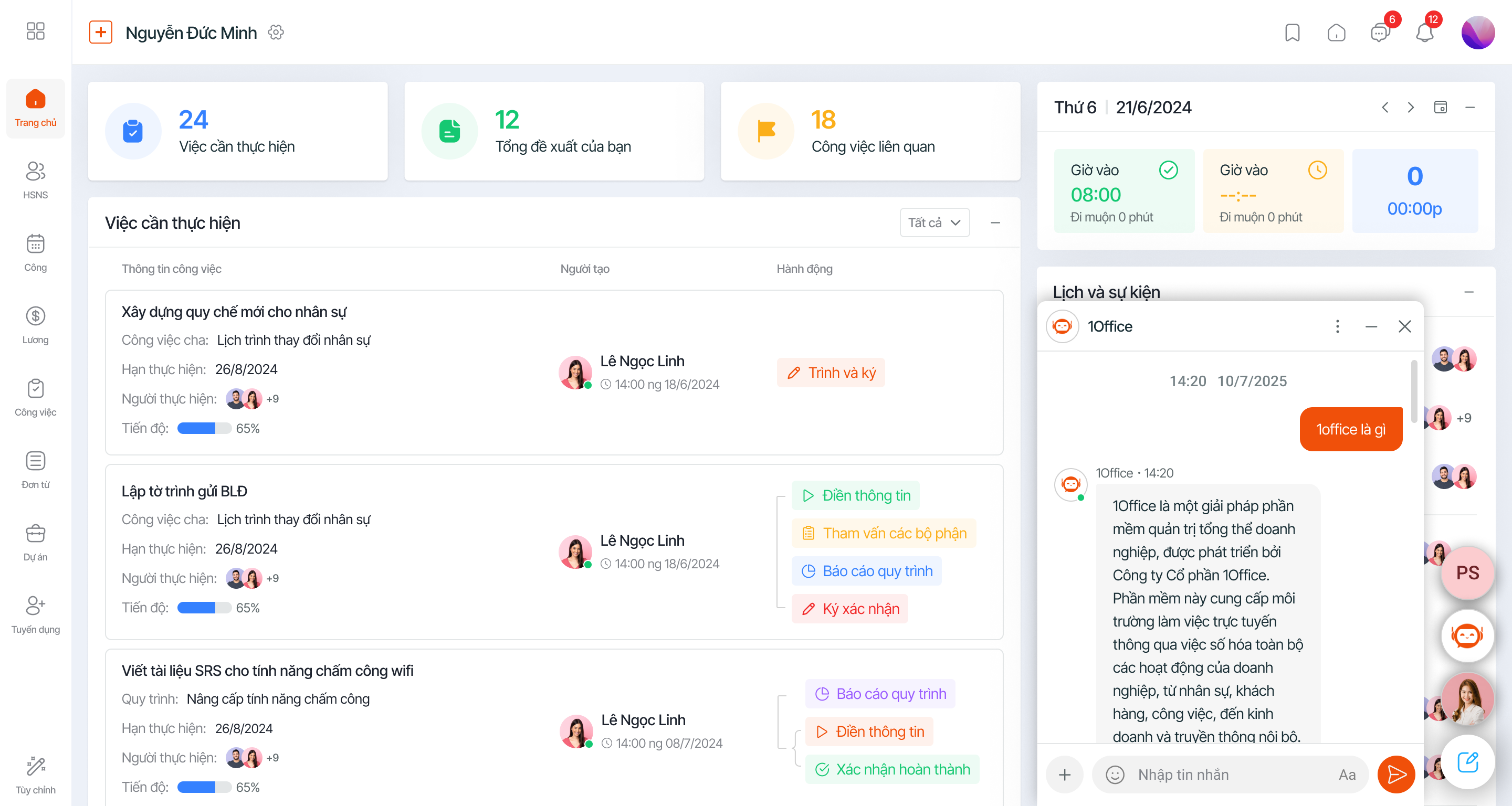
Customer Service & CRM
- Chatbots & Virtual Assistants (NLP + Speech Processing): Utilizes chatbots for customer care
- Predicting Customer Behavior (Machine Learning): Analyzes customer data to predict purchasing needs, helping the sales team reach the right potential customers
Marketing & Ads
- Automated Content Creation (NLP + Text Generation): Automatically writes ad copy, product descriptions, and marketing emails.
- Ad Optimization (Machine Learning): AI analyzes ad data and optimizes budgets and keywords.
Human Resource Management HR Tech
- Smart Recruiting (AI-powered Hiring): AI analyzes candidate profiles, screens CVs, and suggests suitable candidates
- Employee Performance Management (Employee Analytics): AI tracks employee performance and predicts turnover risks.
Finance & Accounting
- Accounting Automation (AI-powered Automation + NLP): Processes invoices, categorizes expenses, and automatically performs accounting data entry.
- Cash Flow Forecasting (Predictive Analytics): AI analyzes financial data to forecast future revenue and expenses.
Intelligent Process Automation
- Business Data Analysis (BI + Predictive Analytics): Automatically analyzes statistical reports to suggest decisions to the CEO or even make decisions on their behalf.
- Workflow Automation (AI-powered Workflow): AI helps automate and optimize business operational processes.
Software Deployment
- Personalized Experience Optimization: Automatically analyzes user behavior, creating.
- Document Recognition & Information Extraction (OCR + NLP): Understands information and automatically installs software, replacing the need for deployment personnel.
9. Conclusion
Low-code is a rapid and cost-effective software development solution that helps businesses create applications without extensive programming knowledge. Popular platforms like Mendix, OutSystems, Appian, and 1Office are proving effective in optimizing software development processes and automating tasks. Although low-code reduces reliance on programmers, it cannot completely replace their role in complex projects. The future of low-code will continue to expand with the integration of AI and advanced technologies, helping businesses optimize processes and enhance work efficiency. With these advantages, low-code is becoming a significant trend in digital transformation and software development.
















