


 12/05/2026
  286 views
In the context of the Industry 4.0 wave sweeping across Vietnamese businesses, choosing the right work management software has become more important than ever. JIRA, with its outstanding features, is gradually becoming the leading tool to help software development teams optimize their work performance. Let’s explore with 1Office what Jira is, and what benefits and value this software brings to project management and work management in businesses.
Mục lục
- 1. What is Jira?
- 2. What are the basic features of Jira software?
- 3. What are the pros and cons of Jira software?
- 4. Key Terms to Know When Using Jira
- 5. A Beginner’s Guide to Using Jira
- 6. How to Create an Issue in Jira
- 7. The Top Jira Alternative – 1Work Project and Task Management Software
- 8. Conclusion
1. What is Jira?
Jira is a project management software and work management platform developed by Atlassian. It is designed to help software development teams, project groups, and other organizations manage tasks, track progress, and collaborate effectively.
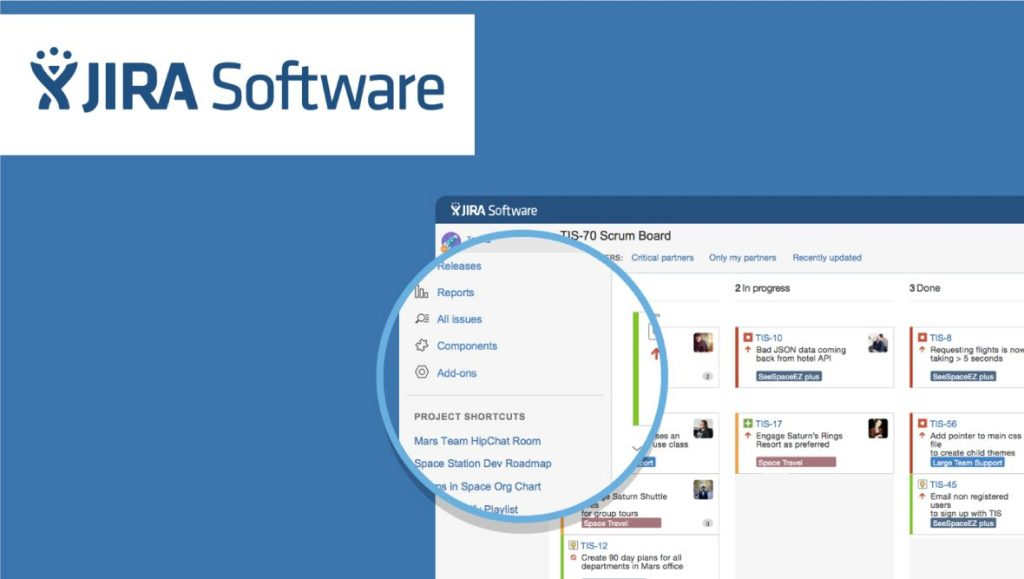
Simply put, Jira is a tool that helps you:
- Organize work: Define tasks, set priorities, and assign them to team members.
- Track progress: Monitor the progress of work, plan, and make adjustments as needed.
- Collaborate: Help team members interact, exchange information, and support each other.
- Manage projects: Plan, track, and effectively manage projects.
- Analyze data: Collect and analyze data to evaluate performance and make better decisions.
2. What are the basic features of Jira software?
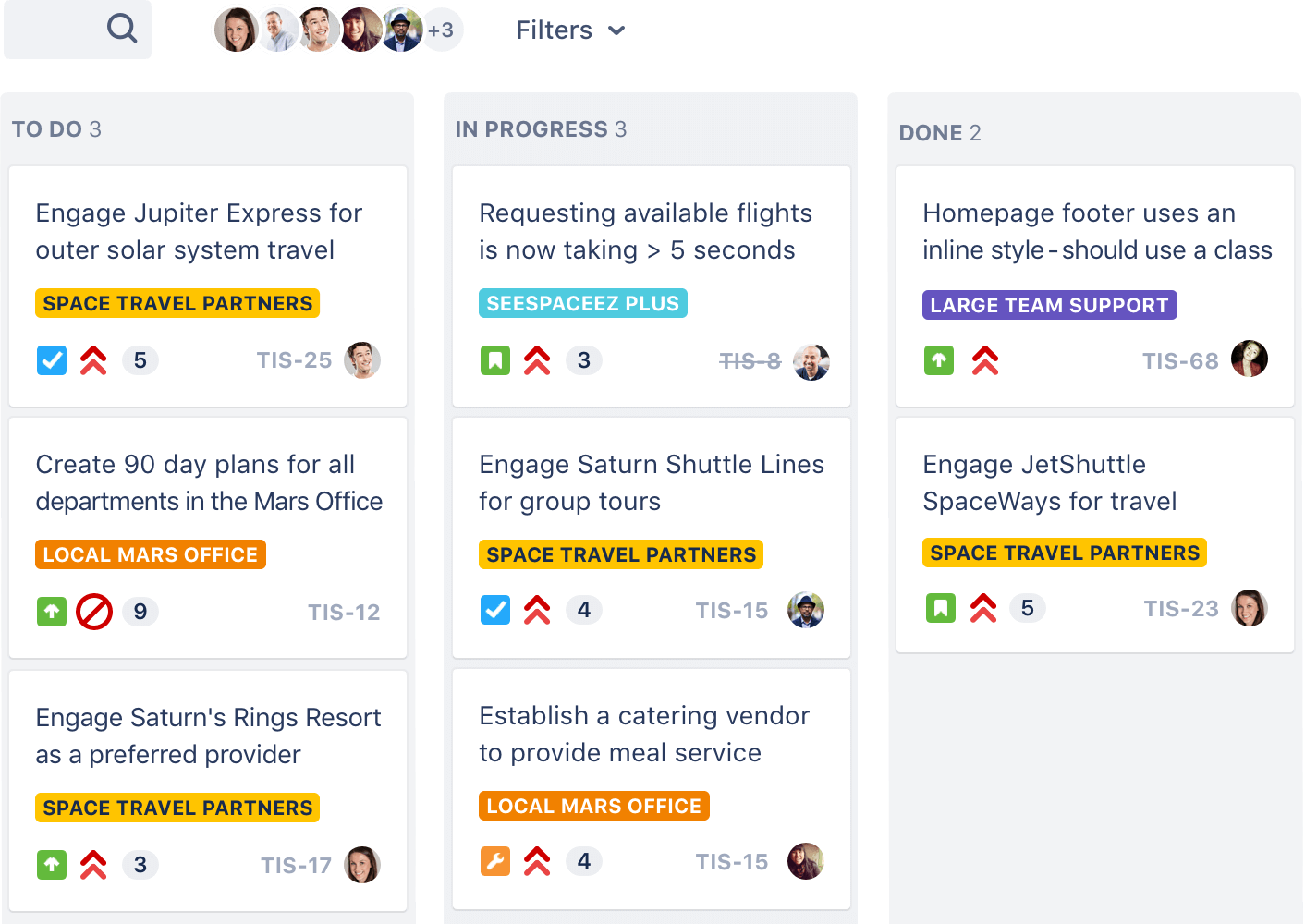
Jira possesses many useful feature sets that make this software one of the most powerful and flexible tools on the market for project management, bug tracking, and process optimization, making it particularly suitable for various types of projects and teams.
Some of the most prominent features of Jira include:
- Flexible work management system: Supports various work management methodologies, including Scrum, Kanban, and Waterfall.
- Progress tracking system: Track progress, plan, and make adjustments as needed.
- Collaboration support: Supports features like chat, notifications, and team communication.
- Project management: Supports features such as planning, progress tracking, resource management, and activity coordination.
- Data analysis: Collect and analyze data to evaluate performance and make better decisions.
- Project progress management and tracking: Statistical reports with various chart types, suitable for different project types and user groups.
- Manage tasks, bugs, improvements, new features, or any issues that arise.
- Build workflows compatible with the requirements of each project.
3. What are the pros and cons of Jira software?
Jira is a powerful and flexible tool, especially suitable for Agile projects and software development teams. However, businesses need to carefully consider the pros and cons of Jira before deciding to use it.
| Pros | Cons |
| Detailed permission settings for each task, protecting proprietary information. | High cost, especially for large enterprises. |
| Easy to integrate with other systems (Email, Excel, RSS, etc.). | Time-consuming and effort-intensive to set up, more suitable for large projects. |
| Highly customizable with a system of modules and an extensive toolset. | English language interface with many specialized terms. |
| Compatible with all popular browsers and hardware platforms. | Complex workflow that requires time to learn. |
| Easy to print. | Not suitable for small and medium-sized projects (under 3 months). |
| Integrates directly with code, suitable for developers. |
4. Key Terms to Know When Using Jira
Jira is an English-language software that contains many specialized technology terms. Besides basic terms like “user story,” “bug,” and “task,” beginners should familiarize themselves with the following important concepts:
- Sprint: A short work cycle (2-4 weeks) focused on completing small parts of a product, including planning, requirements analysis, design, and implementation.
- Backlog: A comprehensive list of “user stories,” bugs, and features that need to be implemented for a specific product or sprint.
- Scrum: An Agile method that divides the development process into iterative sprints to manage work more effectively.
- Scrum of Scrums: A technique for scaling Scrum, applied to large projects with multiple teams working together.
- Board: A visual tool that displays work progress according to a specific workflow, customizable for different Agile methods (e.g., Scrum, Kanban).
- Burndown Chart: A chart that shows the progress of completed work compared to the initially estimated workload within a sprint.
- Daily stand-up: A short meeting (15 minutes) at the beginning of the workday for team members to update on their progress and work plans.
- Epic: Represents a large goal, often broken down into multiple smaller “user stories” to be completed over several sprints.
- Issue: The basic unit of work in Jira (task, bug, story, epic) that is tracked throughout its lifecycle.
- Swimlane: A visual tool that helps categorize and organize work by group or specific criteria.
- Velocity: A metric that measures a team’s capacity to complete work within a specific period.
5. A Beginner’s Guide to Using Jira
Step 1: Create an Atlassian account at this link: https://id.atlassian.com/login
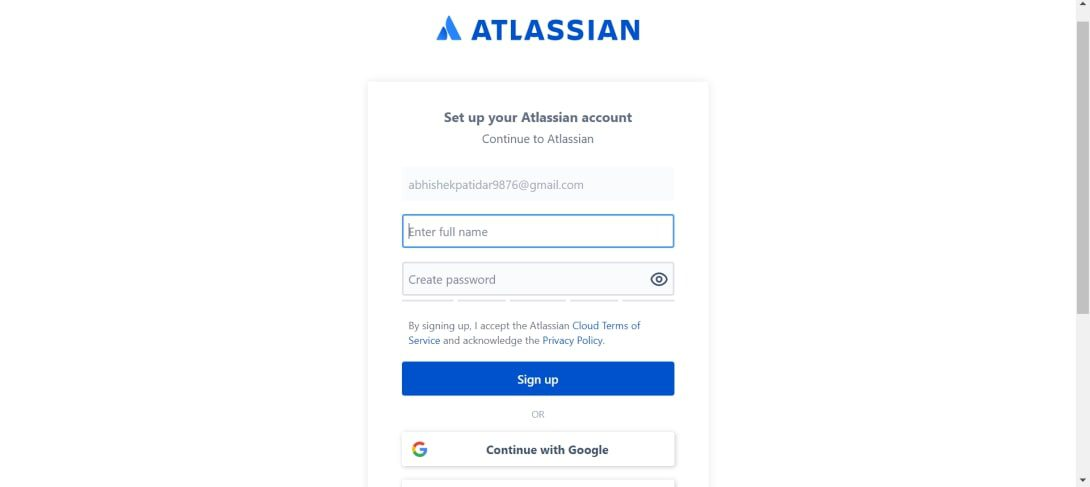
Step 2: Set up your Atlassian account.
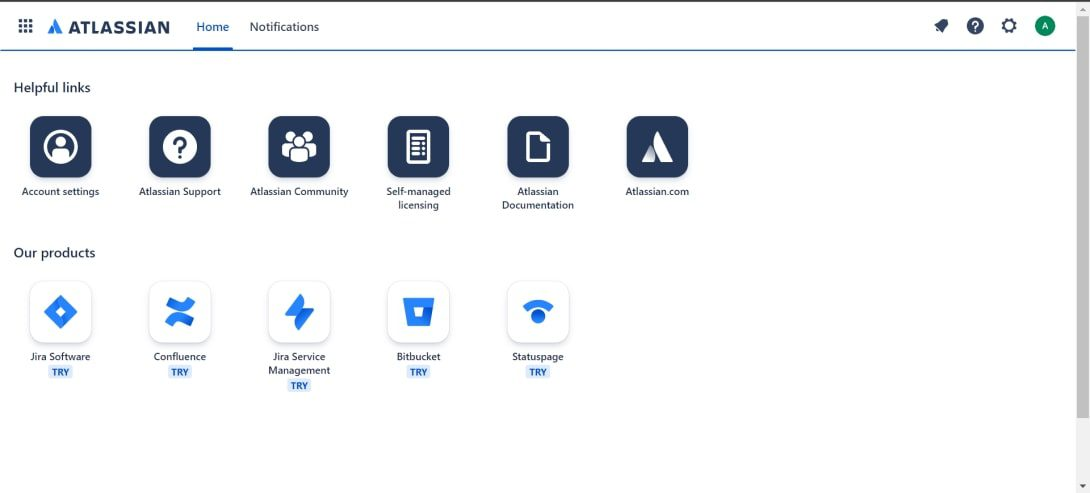
Step 3: Log in to Jira and select Create a new project
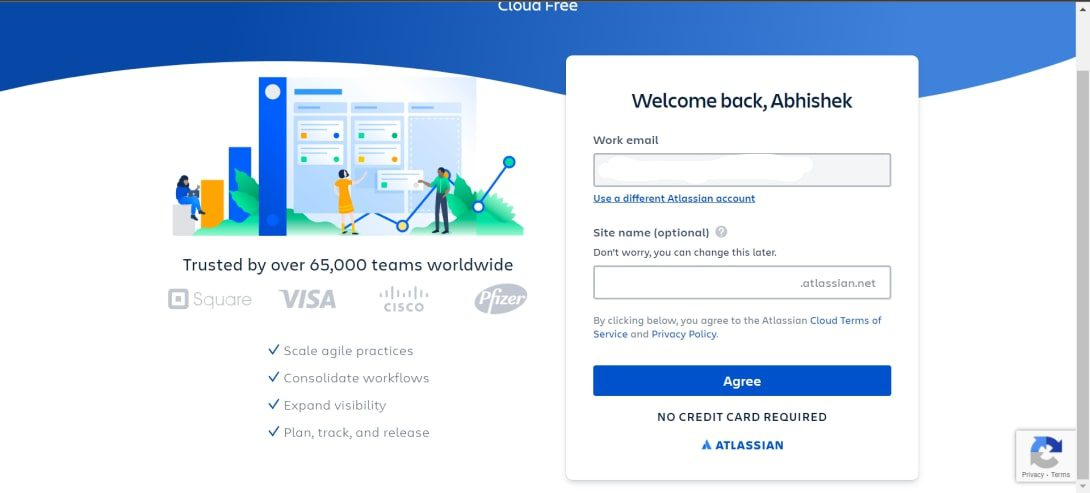
Step 4: Answer some basic questions to set up Jira for your team.
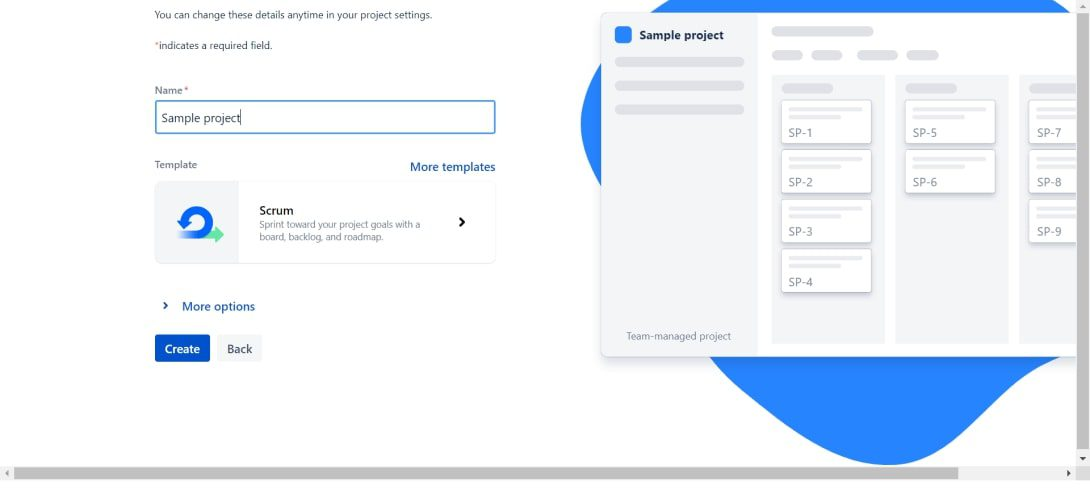
Step 5: Choose a project name and a template like Scrum or Kanban, etc., for your project.
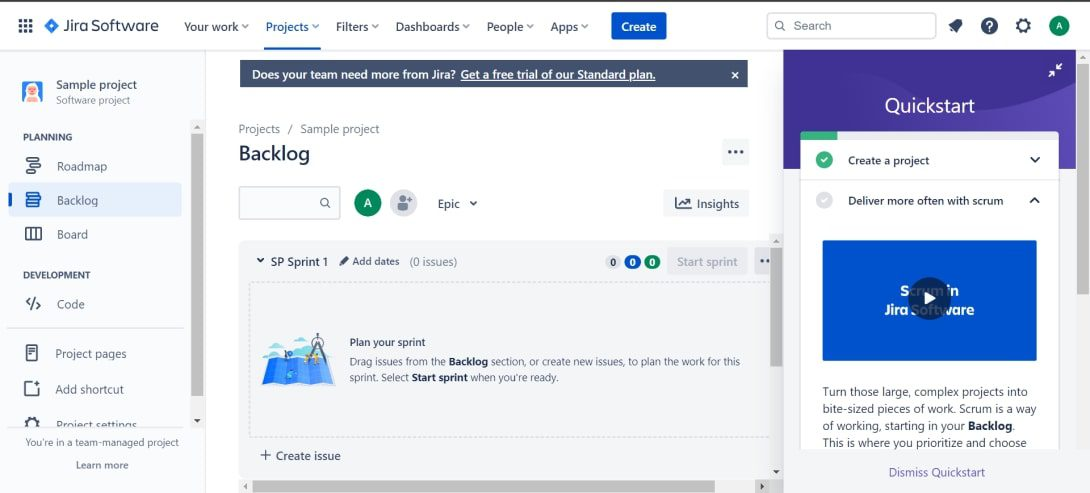
6. How to Create an Issue in Jira
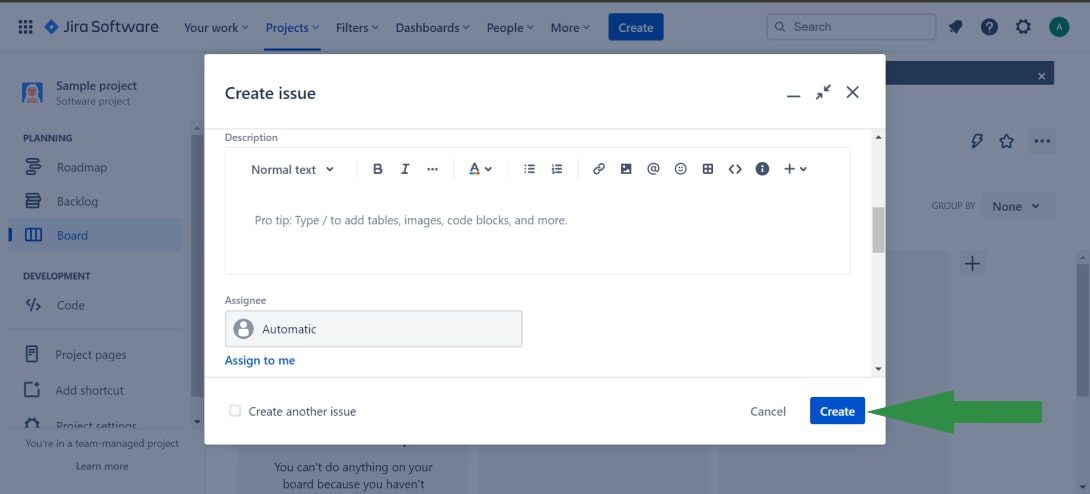
Creating an issue in Jira is a simple yet crucial process for effective work management. Here are the detailed steps:
Step 1: Select the blue Create button located at the top of every page.
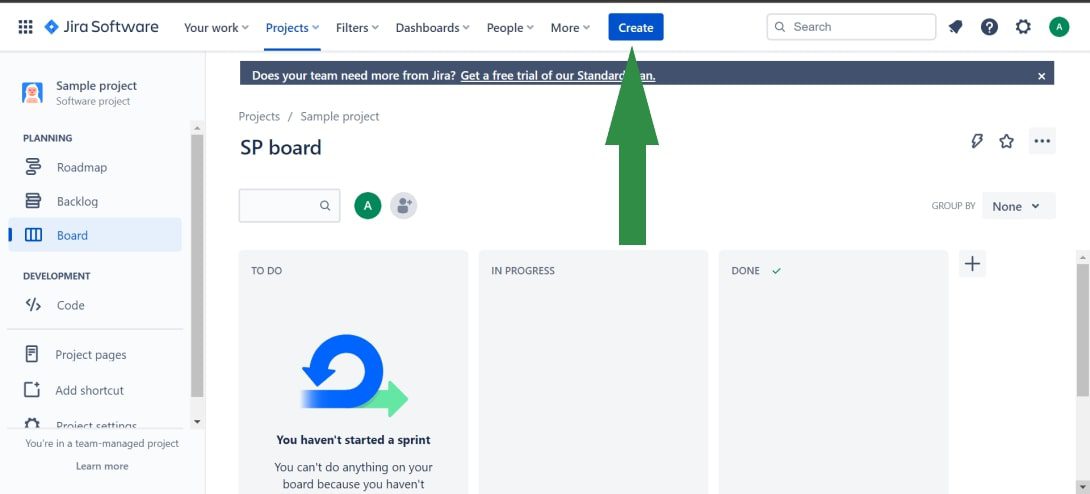
Step 2: Enter a brief description of the issue in the Summary section.
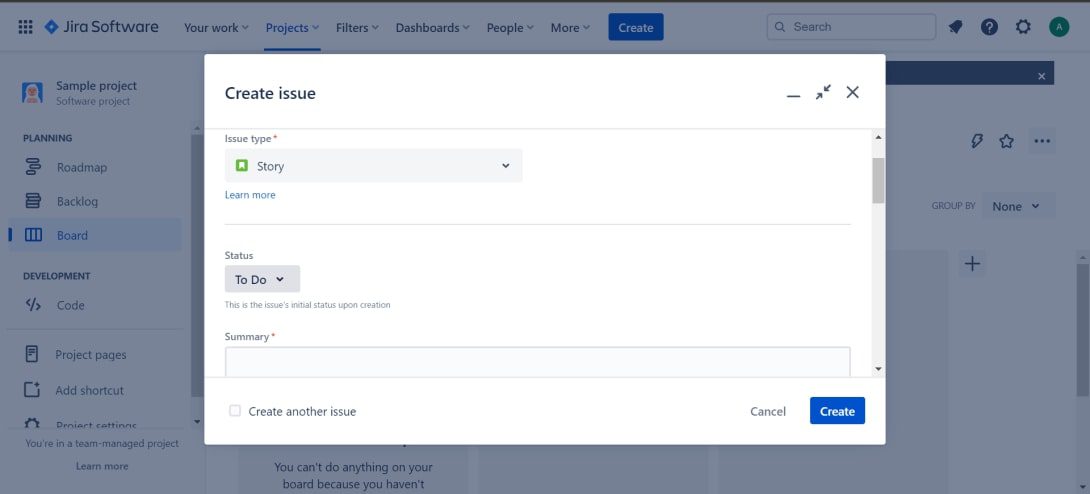
Step 3: Complete all required fields and any other necessary fields. When finished, select Create.
7. The Top Jira Alternative – 1Work Project and Task Management Software
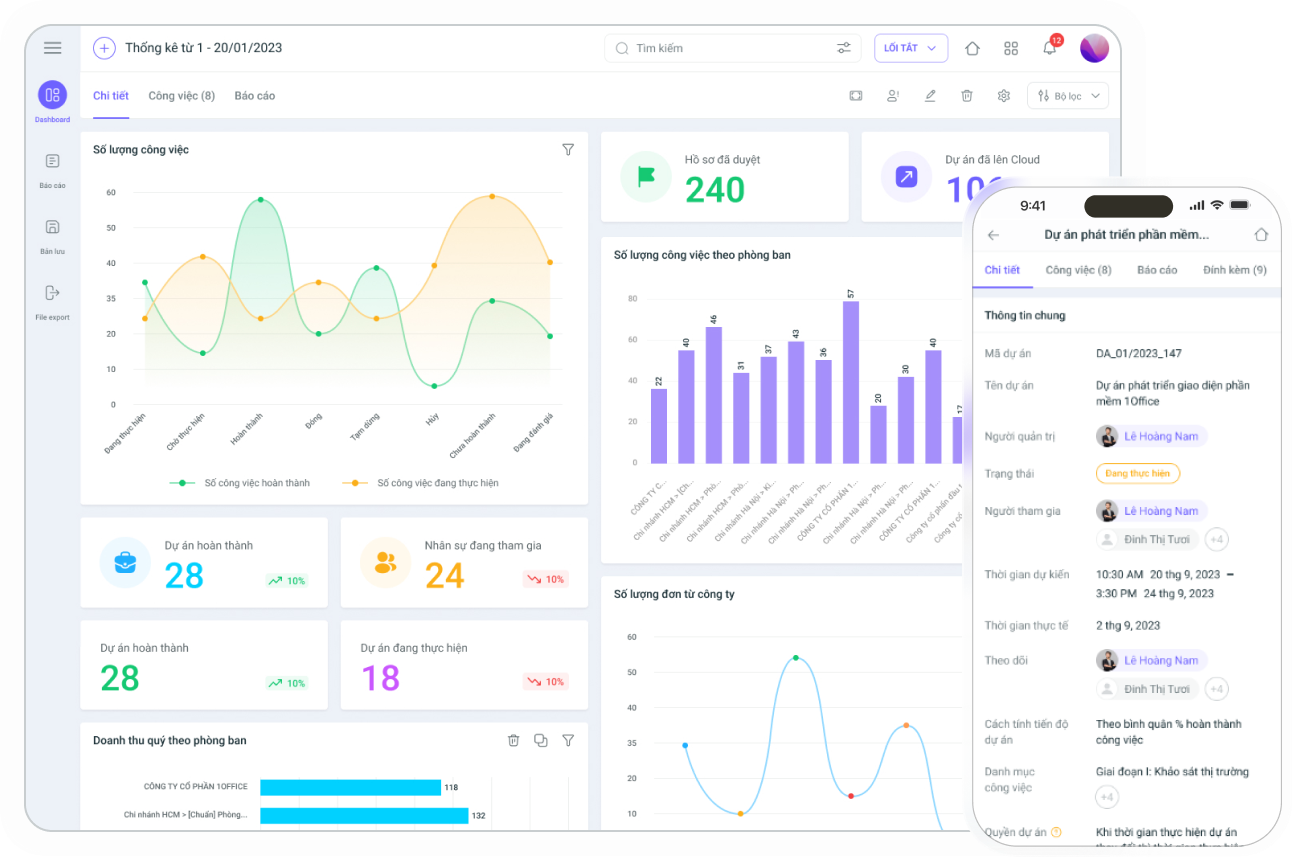
Both Jira and 1Work by 1Office are Agile project management tools that offer planning, collaboration, reporting, and integration features. However, 1Work stands out for its ability to meet the needs of all types of businesses in Vietnam while addressing Jira’s shortcomings:
- Cost: 1Work offers a Freemium plan that allows up to 20 accounts to use all features for 12 months without any license fees, making it suitable for the budgets of Vietnamese businesses.
- Ease of Use: A user-friendly Vietnamese interface and a dedicated support team help users quickly familiarize themselves with and master 1Work, regardless of business size.
- Convenience and Efficiency: 1Work simplifies the installation and deployment process, saving businesses time and effort. Additionally, features like updating results and commenting directly on individual tasks help optimize workflows, even for small projects.
- With these outstanding advantages, 1Work is an effective and cost-efficient work management solution, especially suitable for small and medium-sized enterprises in Vietnam.
With these outstanding advantages, 1Work is confident in being an effective and cost-saving work management solution, suitable for all types of businesses in Vietnam.
Sign up for a free 1Work Demo account!
8. Conclusion
Jira can be a complex software for new users of work management software and projects, but once you get used to it, Jira is always a “quality” tool for all small and medium-sized businesses. Hopefully, through this article, 1Office has helped you understand more about what Jira software is, along with its features, advantages, and disadvantages.
If you are looking for work and project management software or solutions, 1Office is ready to assist with an optimized, easy-to-use interface designed for all Vietnamese businesses. Featuring outstanding All IN One capabilities, it meets all the requirements of a comprehensive work management tool.

















