


 12/05/2026
  417 views
Applying a production management software system to the operations of a manufacturing business brings many significant benefits, from improving production capacity and optimizing inventory management to increasing profits. Production management software is an indispensable tool; however, selecting and implementing it accurately and effectively is by no means easy.
In this article, 1Office will help you learn about and compare the differences between the software currently on the market, thereby helping you choose the most suitable one for your business.
| Software Name | Key Features | Business Size | Usage Cost |
| 1Office |
|
Suitable for both large and small businesses. Thanks to its customization features, 1Office is suitable for all business sizes. | Offers multiple feature packages with different price lists. A free trial is available. |
| Bravo |
|
Suitable for businesses with diverse production models. | Only offers a full-service package. High cost. Long implementation time. |
| Sinnova |
|
Suitable for both large and small businesses. | Contact for more information |
| Faceworks |
|
Suitable for large enterprises. | Contact for more information |
| VNSolution |
|
Suitable for large business models | Has a free trial with a time limit. |
| Ecount |
|
Small and medium-sized businesses | Preferential pricing |
| SimERP |
|
Suitable for manufacturing businesses. | Contact for details |
| IFMS |
|
Suitable for medium and large businesses | Contact for details |
| MES |
|
Suitable for large businesses | Contact for more details |
| TraceFarm |
|
Suitable for all types of businesses | Contact for more details |
Mục lục
- 1. What is production management software?
- 2. Key features of production management software
- 3. Top 10 best ERP production management software for businesses
- 3.1 1Office Software – A comprehensive management solution for manufacturing businesses
- 3.2 Bravo Production Management Software
- 3.3 Sinnova Comprehensive Management Software
- 3.4 Faceworks Software for Production Management Support
- 3.5 VNSolution Software
- 3.6 Ecount management software
- 3.7 SimERP Software
- 3.8 IFMS management software
- 3.9 MES production execution software
- 3.10 TraceFarm software for agricultural production businesses
- Is 1Office Software Suitable for Small Retail Businesses?
- How to Use 1Office to Increase Efficiency in the Manufacturing Industry
- Conclusion
1. What is production management software?
Production management software is a type of software designed to help businesses manage and optimize production-related activities. This software is designed to meet the specific management requirements of businesses in the manufacturing sector, from planning, tracking production progress, managing materials and assets, to quality and product data management.
Unlike general software, production management software is developed specifically for businesses operating in the manufacturing sector, so it is equipped with specific features tailored to the characteristics of this industry. This helps manufacturing businesses avoid spending extra time and costs on software customization.
With its ability to help solve many issues related to managing and monitoring production and operational processes, production management software plays a crucial role and influences the development of a business.
2. Key features of production management software
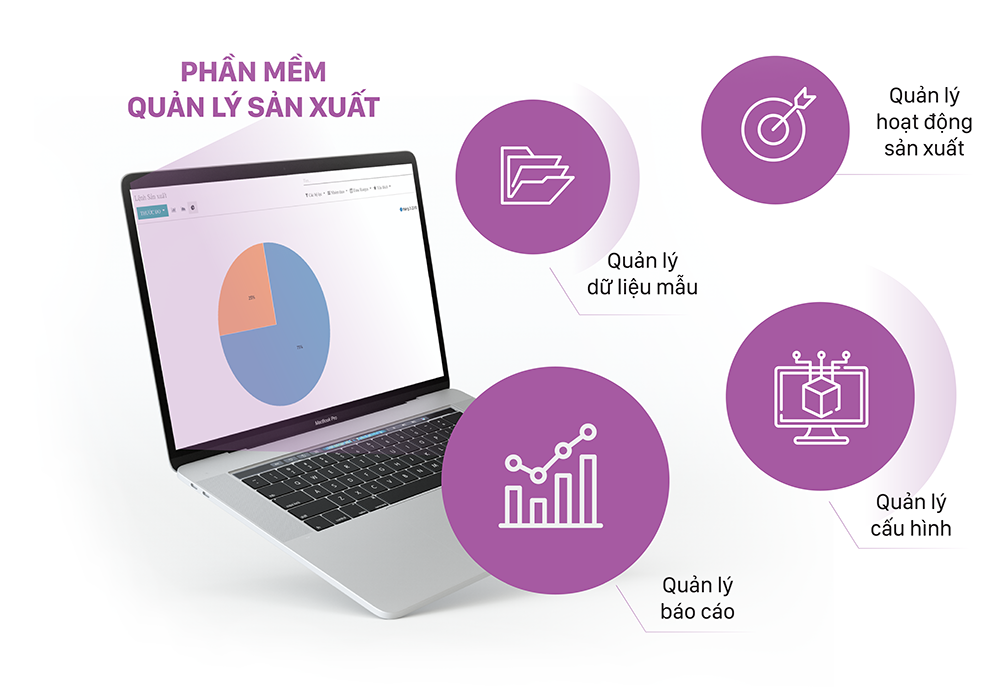
Professional production management software always has many important features to help manage and optimize production activities within a business. Here are some key features that production management software should have:
- Production process management: Track and adjust every step in the production process, from design to packaging and shipping, to ensure product efficiency and quality.
- Production planning: Define and schedule production to meet market demand and optimize resources, including inventory management and production capacity.
- Material and inventory management: Monitor and adjust inventory levels of raw materials and finished products, ensuring supply readiness without waste or shortages.
- Production line optimization: Track the performance of production lines to detect and resolve issues, thereby improving processes and increasing productivity.
- Quality management: Ensure that all products meet quality standards through quality inspection and control from the production process to delivery.
- Bill of materials (BOM) management: Define the materials, labor, and production time required for each product, helping to manage resources effectively.
- Order and supply management: Automate the purchase order creation process, track supplier information, and manage the supply chain to ensure a stable supply.
- Production progress monitoring: Track production progress in real-time to ensure that every step is completed on schedule and in a timely manner.
- Equipment maintenance management: Track the status and maintenance schedule of production equipment to ensure stable operation and prevent unexpected breakdowns.
- Analysis and reporting: Provide data analysis tools to evaluate production performance, inventory statistics, revenue, and generate detailed reports to help management make effective decisions.
3. Top 10 best ERP production management software for businesses
3.1 1Office Software – A comprehensive management solution for manufacturing businesses
1Office is an all-in-one business management platform developed to optimize production activities, increase productivity, and reduce costs for businesses in the manufacturing sector. With the 1Office all-in-one business management solution, businesses can manage all activities in a manufacturing enterprise, from operational processes, automation workflows, work and project management, Marketing & Sales to Administration & Human Resources and Digital Office 4.0 tasks.
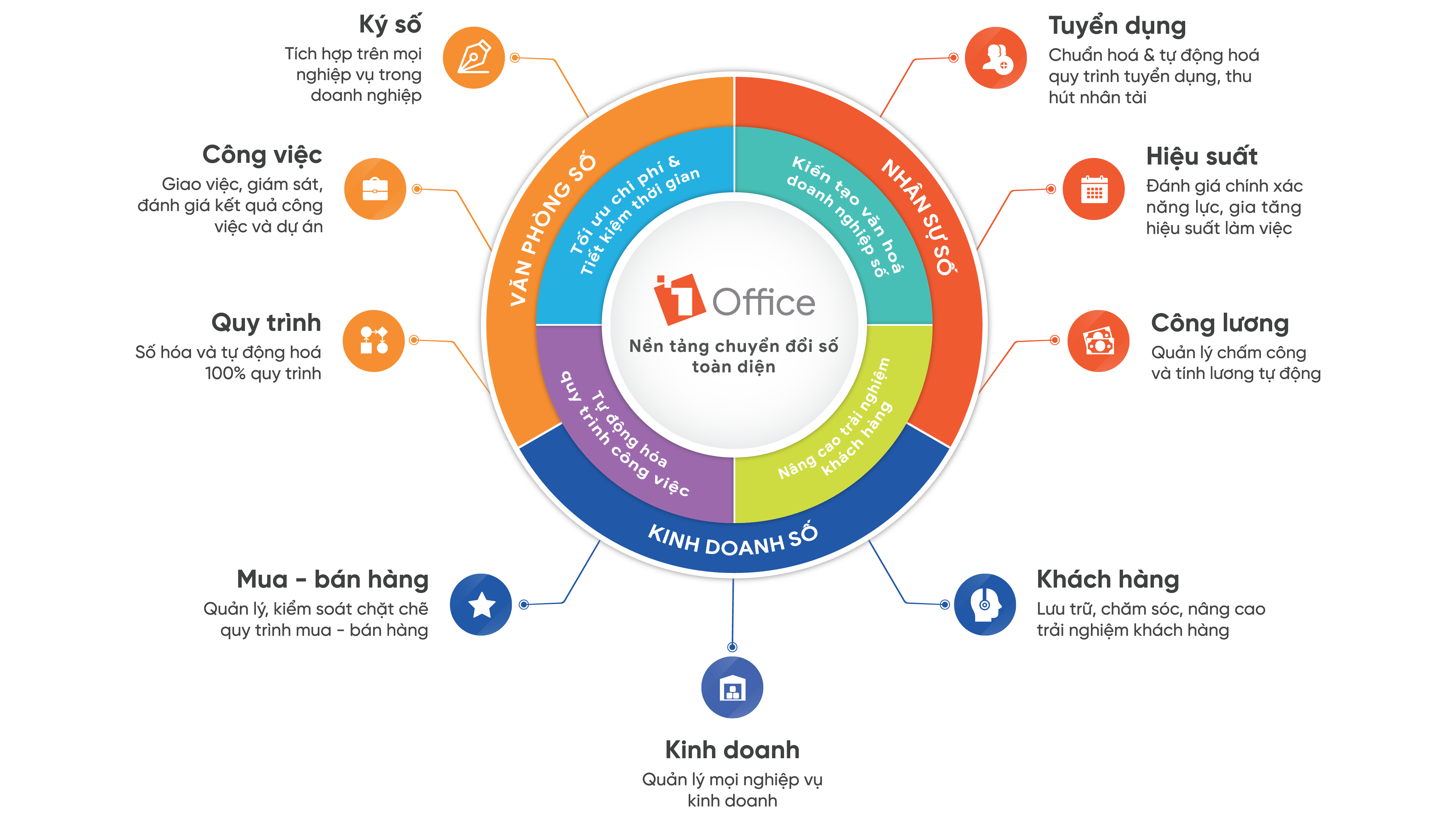
1Work – Operations Management
1Work is a solution suite that provides a full set of tools for managers and employees to complete their work, including:
- Task management, process management, online approvals, communication, internal communication, data storage, etc.
- Manage production progress by order and stage
- Track the delivery process
- Manage tasks by specialized department
- Manage production machinery and equipment, including inventory, maintenance, servicing, repairs, etc.
- Store documents, regulations, etc.
- Establish and operate seamless processes between departments
- Purchasing, advance, and payment processes
- Recruitment proposal and payroll approval processes
- Pricing policy and discount approval processes
- Quality assessment process
1HRM – Human Resource Management
1HRM is a key module in the comprehensive human resource management solution, fully meeting the operational needs of manufacturing businesses, such as:
- Manage recruitment of general laborers and workers with limited technology access
- Manage employee records
- Manage timekeeping, shift scheduling, shift changes, and leave requests
- Manage payroll based on shifts/sales/products, etc.
Currently, 1Office is a solution that effectively meets the complex timekeeping and payroll needs of manufacturing businesses.
Register for a free 1Office Demo account to experience the features!
1CRM – Sales Management
The 1CRM module, part of the 1Office suite, not only helps manufacturing businesses centralize customer information management, build professional sales processes, and manage & supervise the sales team. The software helps businesses provide better customer care, manage their teams effectively, optimize sales activities, and boost revenue with its features.
- Manage customer information
- Track inventory by multiple units of measure and models
- Manage pricing policies and promotional programs
- Manage multi-step sales processes
- Manage contracts and multi-delivery statuses
- Manage automated customer care via email, SMS, etc.
- Manage targets, productivity, and sales forecasts by sales representative or market
- Manage field sales staff (customers, sales, etc.)
- Human Resource Management
1Sign (Digital Signature)
- Internal documents: Payment advances, payment vouchers, raw material procurement, etc.
- External contracts, order quotations
3.2 Bravo Production Management Software
Bravo production management software is highly regarded for its ability to cover all production processes. Bravo allows managers to track progress and coordinate multiple tasks simultaneously.
Furthermore, Bravo’s features help users track the procurement and use of raw materials in production. Once products are finished, managers can still control inventory levels and sales volumes to make timely adjustments.
Bravo’s advantage is its suitability for businesses with diverse production models. This helps businesses easily plan resource utilization to save production costs and reduce supervision time for managers.
However, Bravo is often provided as a complete package to businesses. This creates difficulties for small businesses, especially those without a complete administrative system. The high cost and long implementation time are also factors that companies must consider when choosing Bravo.
3.3 Sinnova Comprehensive Management Software
Sinnova production management software is known for two main applications. First, it supports businesses in comprehensive inventory management. From space arrangement and equipment setup to executing import-export plans and preserving stock, everything can be done through this software.
Second, Sinnova also has many useful applications in joint production projects. Users can easily update and access information about partners, investment budgets, etc., allowing the business to plan, build processes, and manage overall production.
The Sinnova software has a clear design, allowing staff to quickly learn and use it. Its comprehensive applications are also an attractive point for many leaders.
3.4 Faceworks Software for Production Management Support
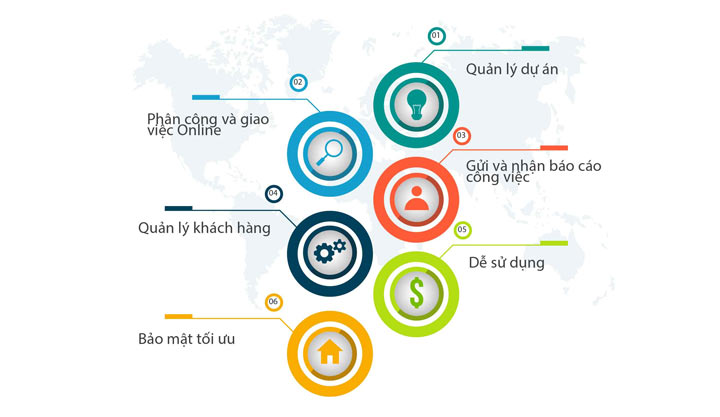
Faceworks is a product designed to scientifically optimize production management and effectively minimize waste. Specifically, the system uses data on materials, the production capacity of each group, and specific stages to calculate the required time.
The manager will review and apply these criteria to the detailed plan, then send it to the production department. By using a web-based platform, businesses can deploy this production management software on multiple platforms and work anytime, anywhere.
At the same time, the close coordination between departments helps production proceed on schedule, ensuring productivity and avoiding product surpluses.
3.5 VNSolution Software
To optimize complex processes and simplify work, Viet Software Solutions Technology Co., Ltd. developed and launched the VNSolution product. To date, VNSolution has become one of the top choices for manufacturing and business companies.
VNSolution is known for many impressive features, such as building complete processes, being easy to use, and offering a free version. This helps the product support businesses in creating orders, planning, and executing production based on supply capability analyses.
However, using the free version comes with limitations on operational tools and information storage capacity. After a period, the software will also stop working, causing disruptions in the production process. Therefore, leaders need to consider carefully and choose the most suitable production management software to ensure long-term stability and sustainability.
3.6 Ecount management software
In the list of popular software today, Ecount is often the preferred choice for small and medium-sized enterprises. This is because Ecount is designed based on cloud computing technology, allowing for quick updates and saving resources for users.
Although it cannot manage production in as much detail as other professional ERP software, Ecount still meets basic requirements. It can manage the supply chain, assign permissions by individual/department, and secure internal data.
In the future, the provider of Ecount management software has promised to continue upgrading its features to meet more diverse and extensive application needs in the production process.
3.7 SimERP Software
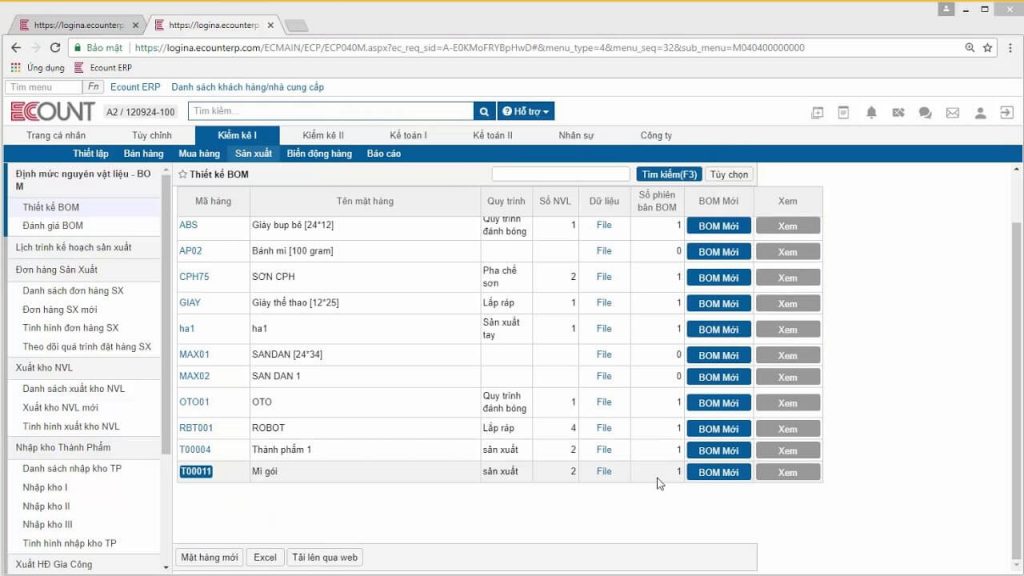
Leveraging knowledge from world-renowned ERP software, SimERP – a production management software – provides businesses with a unified management system. SimERP allows tracking from the process of raw material input, production, and product quality assessment to the sales and after-sales service stage, such as maintenance, defective product recalls, etc.
In addition, SimERP provides basic functions such as creating plans, reports, scheduling, or setting deadlines for tasks. All features can be customized and executed quickly.
A noteworthy point is that SimERP can also measure the operational efficiency of machinery. When a problem arises, it will alert the user for timely resolution and to maintain continuous production.
3.8 IFMS management software
IFMS is ranked among the most worthwhile production management software to purchase, thanks to the advantage of its excellent technology platform. IFMS automatically sets up work result tracking based on the production plan.
In particular, IFMS determines output during the production process through the use of barcodes, QR codes, or sensors attached directly to the production line. Thanks to this, the production process progress is updated instantly, helping businesses save time on monitoring.
Furthermore, with the support of intelligent algorithms, IFMS often aggregates data for managers to review production timing, personnel numbers, and necessary equipment.
3.9 MES production execution software
MES is one of the effective software solutions favored by many businesses. It has functions for work distribution and production planning.
MES supports departments and teams in recording, storing, and connecting data. Reports on MES are generated based on actual work progress, helping managers coordinate more effectively.
One of the companies that has successfully applied this software to workshop production management is Samsung – a globally renowned electronics brand. In Vietnam, CMC Soft is the official distributor of MES.
3.10 TraceFarm software for agricultural production businesses
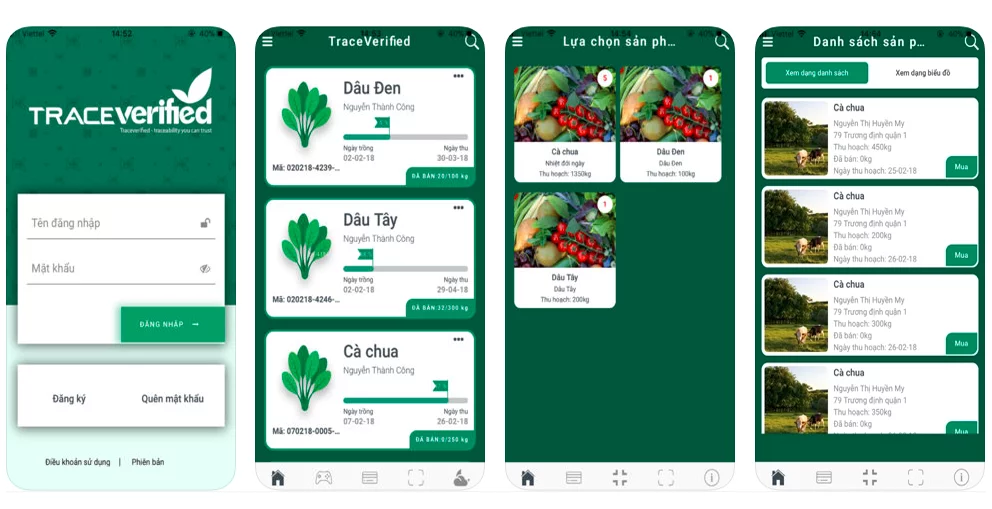
Although a new contender in the production management software market, TraceFarm has a special advantage in a specific niche. It is a tool designed primarily for use on farms, ranches, or in agricultural production businesses.
With TraceFarm software, businesses can monitor production activities at any time, ensuring that all information is encrypted and secure.
For specific products like crops and livestock, TraceFarm uses data tables for users to input information about crop varieties, planting dates, cost of goods, etc. The data is also presented on charts to track the harvesting process.
Thanks to this integration, TraceFarm provides a direct sales platform for businesses, helping them connect with customers in the quickest and most convenient way.
Is 1Office Software Suitable for Small Retail Businesses?
Small retail businesses, such as fashion stores or mini-marts in Hanoi with 10-20 employees, need simple and cost-effective process management software. Base Workflow or MISA AMIS offer process automation and Gantt charts, but they lack flexibility for small retailers, with high costs and complex interfaces. 1Office software is the ideal solution, with its BPA module automating sales and inventory processes.
1Office allows setting up delivery and inventory processes with automatic conditions, easily customizable without coding. A fashion store in Ho Chi Minh City used 1Office to manage its sales process, reducing order processing time by 35% thanks to automatic task assignment and real-time reports. The integrated 1CRM module helps track customers, while the “subscription” model, where you only pay per user, is suitable for small budgets. Compared to Base Workflow, which is strong in Kanban but has high customization costs, 1Office can be implemented quickly in 15 days and supports Vietnamese. MISA AMIS, despite having good security, does not have CRM integration like 1Office.
How to Use 1Office to Increase Efficiency in the Manufacturing Industry
The manufacturing industry, such as furniture or component factories in Binh Duong, requires strict process management to reduce errors and optimize productivity. Kissflow or Pipefy support automation and progress tracking, but they lack deep customization and have high costs for manufacturing. 1Office software offers a superior alternative, with its BPA and 1Work modules helping to automate production processes.
1Office allows setting up production processes based on conditions, such as automatically assigning tasks when goods arrive at the warehouse. A furniture factory in Hanoi used 1Office to manage its production line, reducing forgotten tasks by 40% thanks to automatic reminders and departmental permissions. The integrated 1HRM module evaluates employee KPIs, creating a seamless workflow. Compared to Kissflow, which is strong in charts but costs from $10/user/month, 1Office offers faster implementation and lower costs. Pipefy, despite having multi-channel integration, does not offer Vietnamese support like 1Office.
Conclusion
Managing a manufacturing business is a very complex process. With the support of production management software, businesses can ensure that processes run on schedule, achieve high efficiency, and generate desired revenue. If you are looking for a platform to comprehensively manage your manufacturing business with reasonable costs and rapid implementation, then 1Office is a solution you can’t afford to miss.
















