


 13/05/2026
  235 views
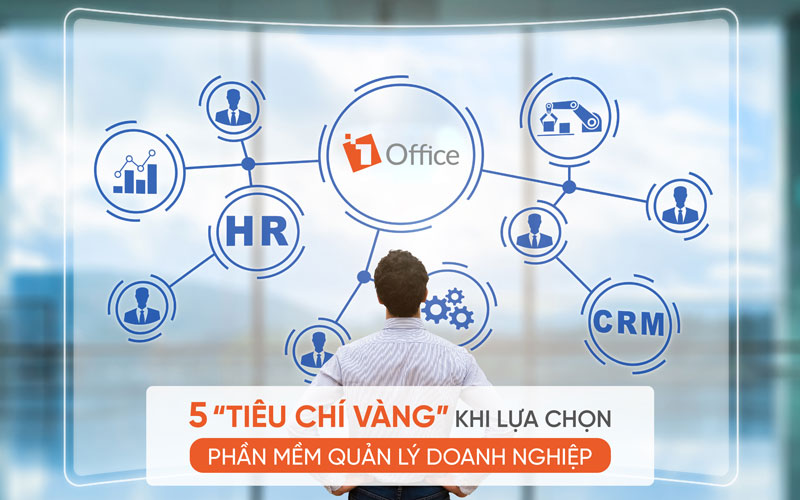
Effective business management means that managers must enhance their own effectiveness when building their teams. All businesses in the digital age operate most effectively with proactive employees on modern technology systems. This article will help you discover the “golden criteria” for choosing business management software.
See more: What is ERP? The Complete Structure of an ERP System in Business Management
Mục lục
1. 5 most important criteria for choosing effective business management software
Unlike standalone software with individual features, business management software needs to handle all of a company’s operations. These operations ensure workflows for all levels of members, from CEOs, C-level executives, and managers to employees in different departments and divisions. Therefore, the key to effective business management with modern software lies in the following 5 important criteria.
1.1. A scientific data storage system
The main purpose of business management software is to help manage all data scientifically. Therefore, choose software where information on personnel, sales, products, goods, cash flow, etc., is organized logically, automatically, and interconnectedly.
A company’s data can include many categories or belong to different departments. You need a business management system with smart search and filtering features. At the very least, it should help you find any information that already exists on the system.
1.2. Comprehensive Coverage of Business Operations
Managers can save time by using software that covers all business operations. This is a crucial factor for working smarter.
You should look for business management software that integrates the following features: task management, project management, human resource management, sales management, etc. Here, you can assign tasks to the person primarily responsible. Also, don’t forget that the ability to automate everything should also be a role of this software.
This allows you to fully focus on your management tasks effectively. Additionally, it can reduce worries and help share the responsibility of managing personnel and the massive projects you need to complete.
1.3. Supports Interaction and Connection
Today, businesses are fortunate to be developing in an era of smart and advanced technology. Leaders have access to more tools for effective personnel management. Therefore, you have more options for solutions that support employee interaction and connection.

Although current chat applications are often free, they can lead to corporate data leaks. Your task is to choose management software that supports work-related interaction, ensuring a fast and timely flow of information. Furthermore, the security of project information and other related data must be guaranteed.
1.4. Multi-platform Flexibility
There are many different business management software options on the market. Among them, systems can be installed in various ways. They might be deployed only on mobile or only on PCs and laptops. These software solutions can be separate, divided by different roles and benefits.
Some applications even require you and your employees to be physically in the office to access and work. You can protect all of the company’s information and data on the system. However, it costs more effort and time when restricted by devices and applications.
For greater convenience, you can choose a comprehensive company management software. This means all data should be stored in the cloud. You only need an internet connection to log in and use it. Crucially, it should be compatible with as many mobile devices (laptops, tablets, mobile phones, PCs, etc.) and operating systems (iOS, Android) as possible.
This way, you and your employees can easily access information, understand tasks, track progress, evaluate, or report anytime, anywhere. The flow of information and data on the software will be automatically sent with reminders to the relevant parties. They can easily open and read it whether they are in the office or not.
1.5. Ability to Integrate with Third Parties
Many leaders say they want to find a single software that meets all their business needs. However, switching between different software during the digital transformation phase can be challenging. Therefore, before deciding to use any software, consider whether it can integrate with third-party applications. This will allow for a smoother transition.
A useful business management software is one that integrates an open API system. It easily allows your business to transfer data back and forth between different software. Accordingly, you can integrate with mail, Microsoft, calendar, Dropbox, or even a parallel employee task management software.
Thus, the 5 criteria above are the golden key to finding an effective business management software. This is the crucial factor that helps you get a smart “assistant” that is with you anytime, anywhere.
2. The most used business management software today
There are many popular business administration software available today. However, do they meet all 5 of the above criteria? We suggest the comprehensive business management software, 1Office. This software is rising to the top in the field of science and technology.
2.1. 1Office comprehensive business management software
1Office software is the number 1 solution trusted by over 3,500 businesses today. 1Office allows you to manage your business of any size and in any industry. It can even link store chains or branch chains for your business.
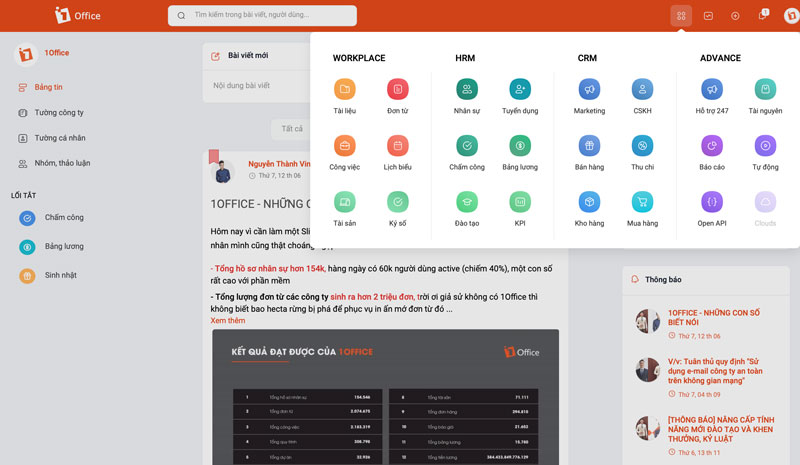
You can refer to the solutions that 1Office software provides, including:
Module HRM: Human resource management for businesses.
- 1Office allows you to perform HR management tasks from recruitment, training, storing profile information, timekeeping and payroll, to creating and managing employee KPIs, etc.
- All these tasks are interconnected and managed on a single 1Office software.
Module Workplace: Work and internal communication management.
- 1Office allows you to schedule work on a shared calendar and create reminders directly within this feature.
- You can manage employee requests submitted for approval.
- Workplace also allows you to manage all departmental tasks, projects, workflows, automatic reports, etc.
- You can create and manage personal and company assets.
- All internal signing activities, workflows, and commercial transaction contracts are executed quickly and easily with digital signatures.
- All personnel can communicate, share, exchange, and discuss on the internal social network. Managers can easily convey information and build a centralized internal culture on this network.
Module CRM: Business operations management.
- 1Office allows you to manage the entire cash flow of the business. You can track and approve payment vouchers, receipts, money transfer orders, etc., created and proposed by employees.
- Manage and track all customer data, customer care programs, etc.
- Check and monitor data on goods imported/exported from the warehouse, buying and selling activities, etc.
Module Advance: All features in the above modules are tightly linked to easily compile automatic reports. In addition, 1Office provides an open connection (Open API) that can import data or link with other parallel software. This makes it easier for your business to transition.
| Read more: What is 1Office Software? An Overview of the 1Office.vn Business Management Platform |
2.2. Why 1Office is the most popular software today
With all the features mentioned above, 1Office is now considered the leading software in the information technology field. This can be the number one choice for leaders looking for a total business management solution. Because up to 3,500 businesses nationwide have chosen to trust and use the 1Office total business management software.
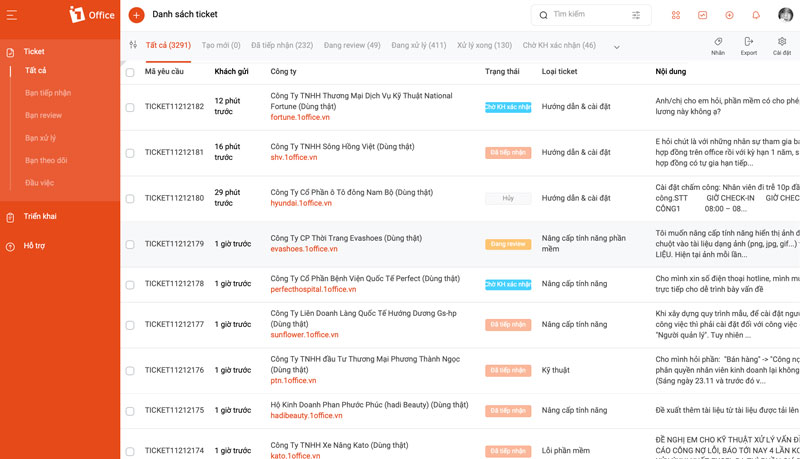
1Office can:
- Integrate all business management tools on a single platform.
- Store data and information intelligently, scientifically, and securely.
- Connect people with work, and connect people with people 24/7.
- Track and manage work, people, goods, and finances on all platforms such as mobile apps, PCs, tablets, etc.
- Open connection gateways to other utility software.
- Support customer requests and inquiries within just 1 hour.
The choice of business management software has a significant impact on the long-term development of your company. Consider using business software that can meet the 5 golden criteria above. You can save hours of management time every day and optimize your business operations. For more detailed advice on 1Office software, you can contact us via the phone number 083 483 8888.
Learn more about the 1Office total business management software at our Fanpage.
















