


 11/05/2026
  961 views
Business management software is now an indispensable choice for business operations. Today, there are many software options from both domestic and international providers. Businesses have many different choices, depending on their budget and operational needs. So, what benefits does an all-in-one business management solution offer? Which software should you choose to optimize your business operations? Join 1Office in exploring the best business and company management software of 2026 in the article below.
Mục lục
- 1. What is business management software?
- 2. What are the core modules of business management software?
- 3. TOP 10 Most Effective and Best All-in-One Business Management Software Today
- 3.1. All-in-One Business Management Software
- 3.1.1 1Office All-in-One Business Management Software
- 3.1.2. MISA AMIS Comprehensive Business Management Software
- 3.1.3. FastWork Online Business Management Software
- 3.1.4. Online Business Management Software – Base
- 3.1.5. Online business management software – CoffeeHR
- 3.1.6. Business management software – digiiMS
- 3.2. ERP Enterprise Management Software
- 3.1. All-in-One Business Management Software
- 4. Benefits of business management software
- 5. Criteria for choosing effective business management software
- 6. The impact of management software on corporate culture
- 8. Challenges businesses face when implementing management software
1. What is business management software?
Business management software refers to software solutions developed for the purpose of managing a company’s activities. The software makes business administration easier and more effective.
When businesses apply these software platforms, they gain numerous benefits for management and operations, save resources and time in production, enhance customer care efficiency, provide a better employee experience, and more. This ultimately helps businesses increase revenue and improve their competitive edge.
2. What are the core modules of business management software?
Currently, a good all-in-one business management software includes the following main modules:
- Customer Relationship Management (CRM)
Customer relationship management focuses on customer service in most situations. Business management software built for customer relationships has the primary goal of keeping the business connected with its customers. Customer relationship management software can also be related to human resource management.
- Human Resource Management (HRM)
Planning and managing human resources is one of the best ways to strategically plan for a business. It helps processes run smoothly and ensures integration across various operational activities. This enhances cohesion and ensures consistency in the HR management process throughout the entire company.
- Internal Communication Network
A key feature of ERP software is the ability to manage and store information from all business activities. This module allows employees to communicate directly on the system, manage work files, assign tasks, and more. Additionally, the internal communication network connects with other modules like HRM, CRM, etc., to provide quick access to information.
>> See more: The process of building a 4.0 business management system to solve management challenges
3. TOP 10 Most Effective and Best All-in-One Business Management Software Today
-

Top 10+ most effective business management software of 2022

3.1. All-in-One Business Management Software
3.1.1 1Office All-in-One Business Management Software
1Office business management software is an all-in-one business management platform that is 100% developed and operated by Vietnamese professionals, built on a cloud computing foundation. 1Office learns from the world’s leading software to deliver a solution that is suitable and more accessible for the Vietnamese market. 1Office business management software enables process automation within a company, enhancing performance and reducing manual labor for employees.
The goal is to be an all-in-one company management software with a full range of useful yet simple and accessible features for Vietnamese users. 1Office business management software consolidates and streamlines smaller functions into its main feature sets: 1Work (Work, Project, and Process Management Toolkit), 1HRM (Human Resource Management Toolkit), and 1CRM (Customer and Customer Care Management Toolkit).
1Work – Work, Project, and Process Management Toolkit
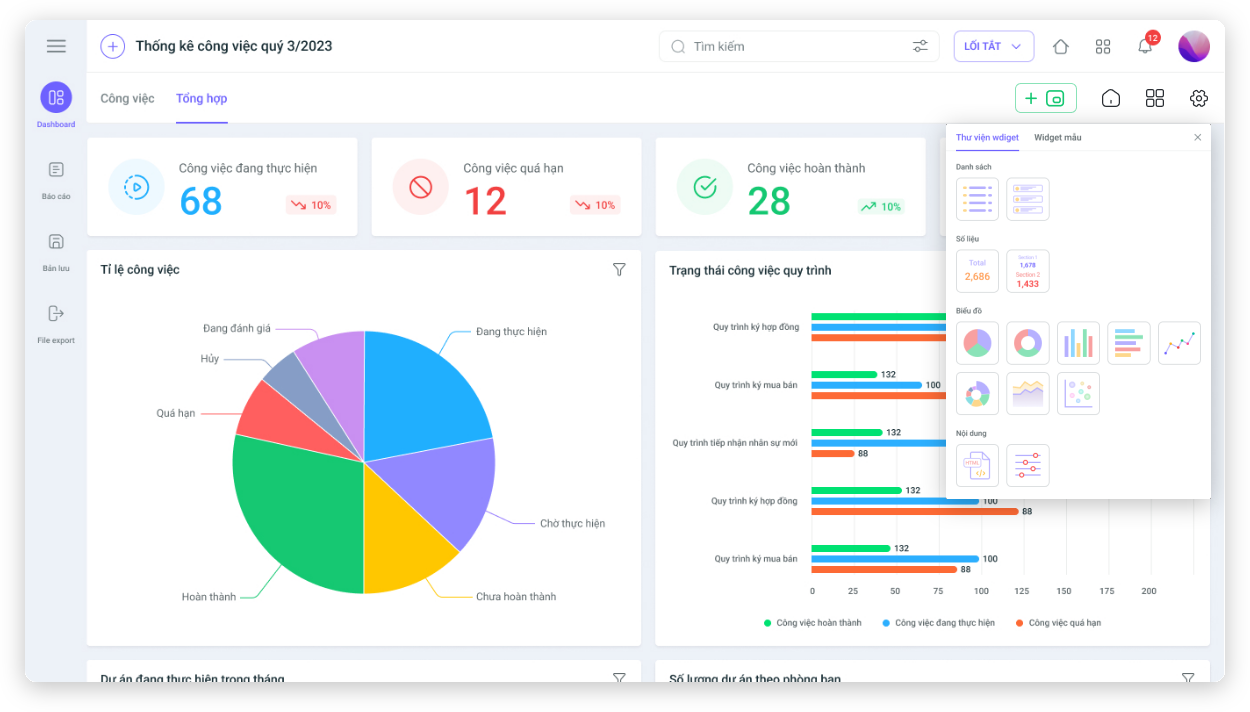
- Digitize 100% of the company’s processes
- Supports work/project planning, helping managers automatically assign tasks to employees, and monitor and track work progress through an intuitive, multi-dimensional Dashboard system.
- Evaluate individual/departmental work performance systematically and professionally.
- Create a working environment and design and build an internal corporate culture, increasing cohesion among individuals within the company.
- Documents are stored centrally, easy to retrieve, minimizing loss, omission, and discrepancies between versions.
- Smart task reminder and alert system helps users avoid forgetting tasks.
1HRM – Human Resource Management Toolkit
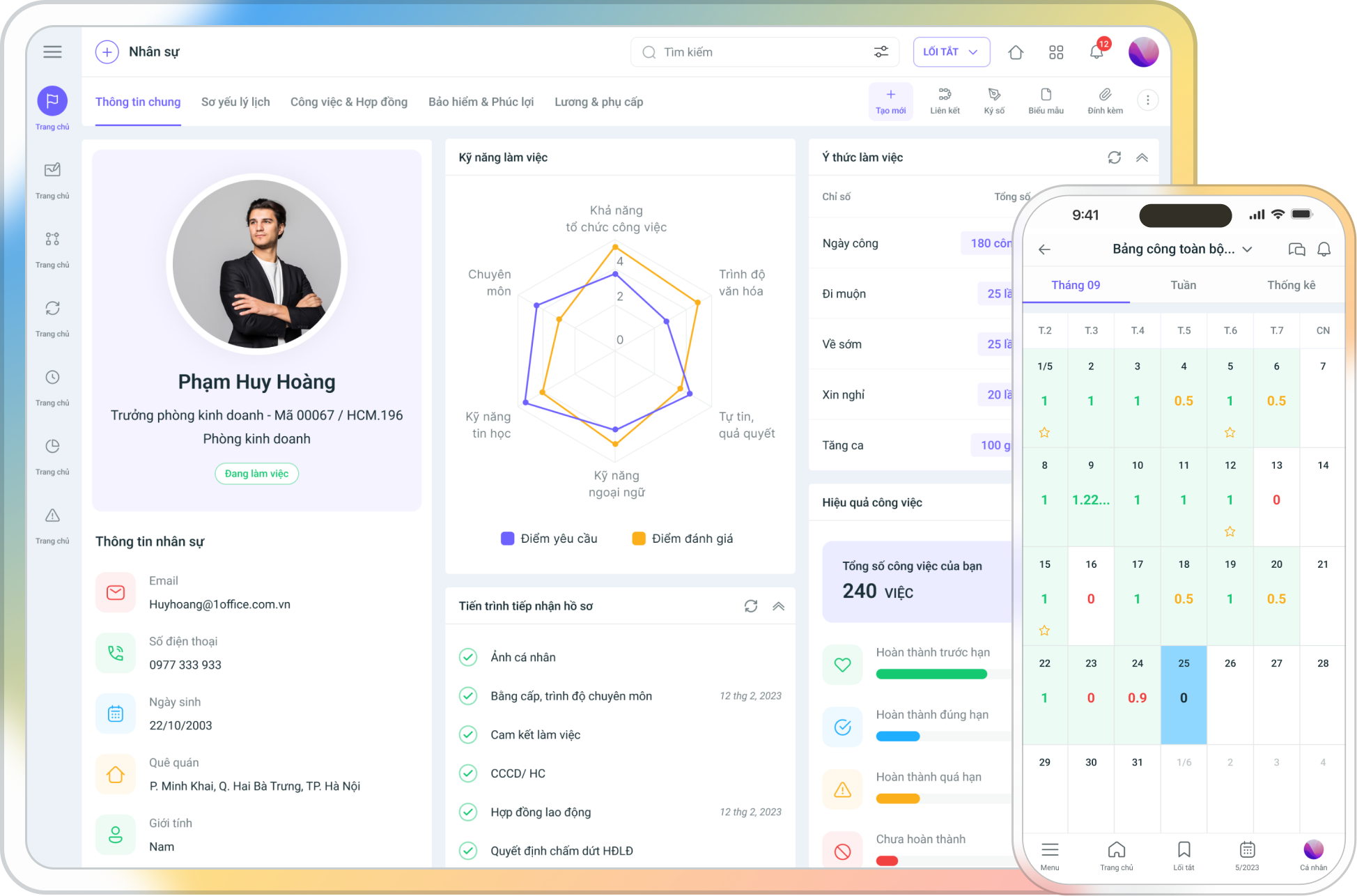
- HRM software helps manage employee records and information effectively (labor contracts, social insurance, etc.), making it easy for you to search and retrieve data.
- Manage and consolidate timesheets, and calculate payroll automatically.
- Easily solve all problems related to work shifts, shift registration, and frequent shift changes. This helps the business save significantly on printing costs for office supplies and time spent reviewing timesheets and payroll.
- Supports the HR department in managing the entire recruitment, training, and performance appraisal process through an effective, closed-loop system.
- Supports the HR department in easily managing the recruitment and performance appraisal process through a closed-loop system.
- A fair and transparent employee performance evaluation system (KPI, OKR, etc.)
1CRM – Effective Business Operations Management Solution
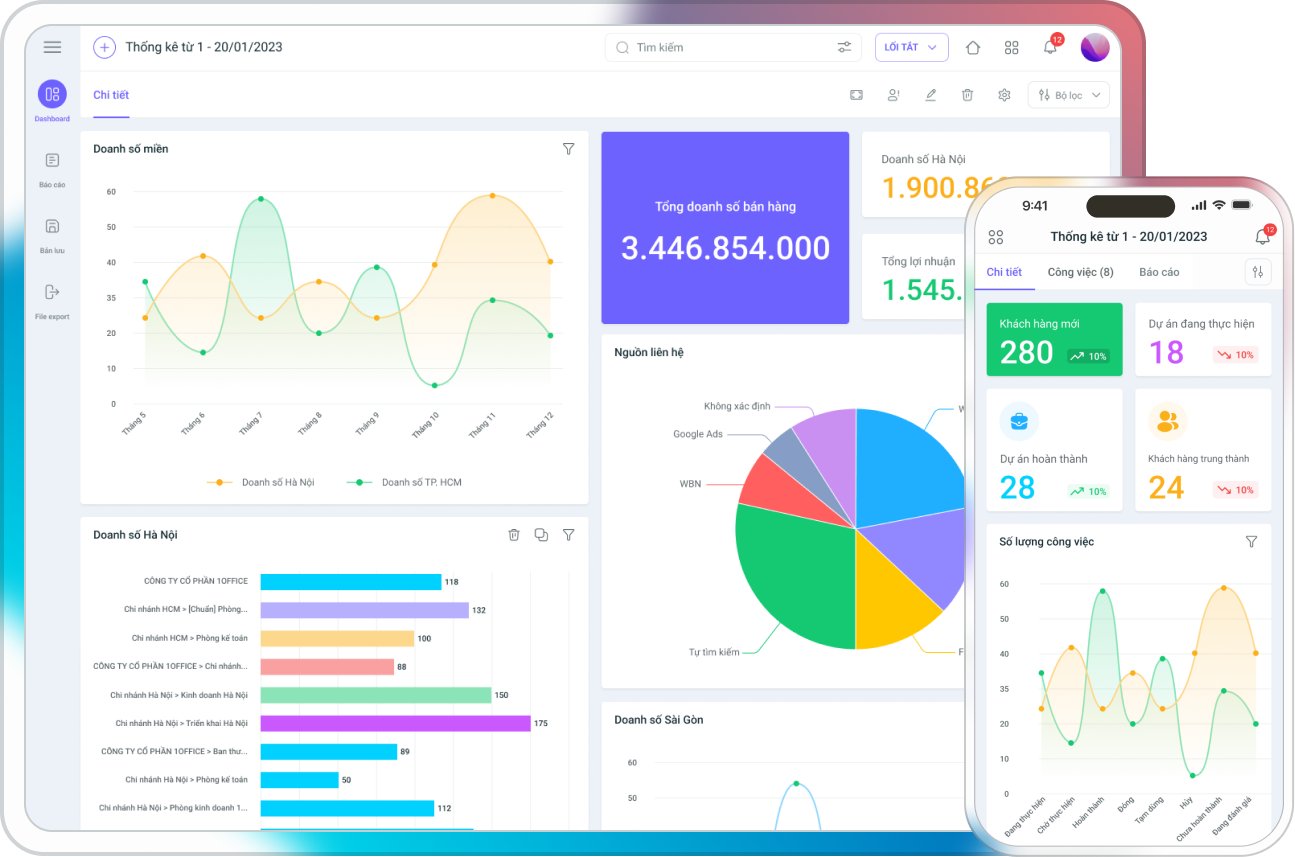
- CRM software manages operations, customer data, and Marketing campaigns, helping to optimize the entire customer care process before, during, and after the sales process.
- Effectively manage all purchasing, sales, and inventory activities.
- Helps businesses manage all internal revenue and expenditure activities, customer debts, and compare profits and losses in detail.
1Office’s business management software pricing:
As you can see, 1Office is a Vietnamese software, so its cost is very suitable for Vietnamese businesses. The subscription price for 1Office software ranges from only 40,000 VND/user/month.
Get a free consultation & demo of 1Office software
3.1.2. MISA AMIS Comprehensive Business Management Software
MISA AMIS is a software that provides digital operation solutions for businesses. The software integrates multiple functions, offering modules for financial management, accounting, marketing – sales, human resource management, and several other features.
This support software is designed to optimize business operations and management processes, from data entry and information processing to report generation and data analysis. MISA AMIS helps businesses save time, improve accuracy, and enhance the efficiency of management activities.
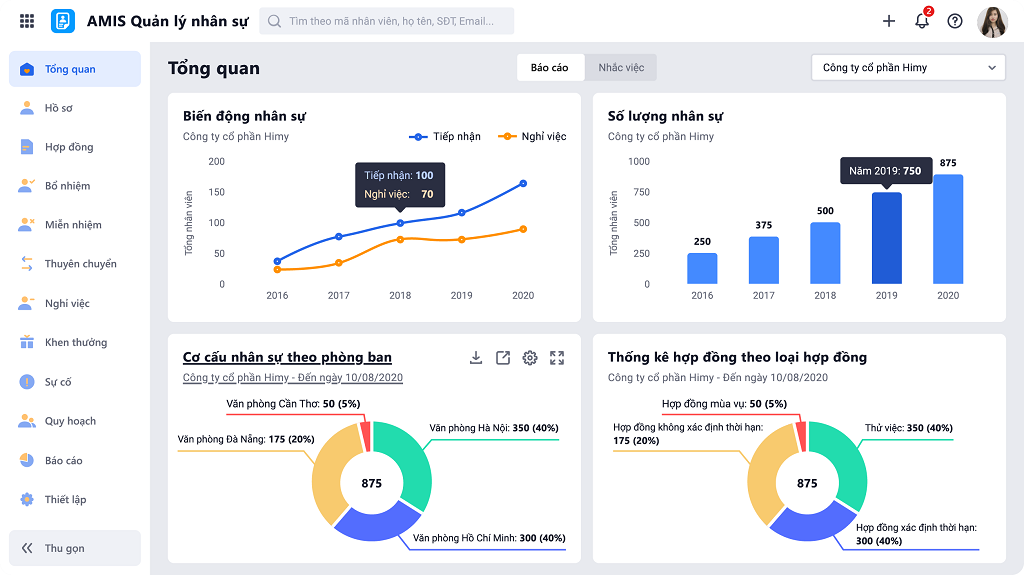
Currently, MISA AMIS is focusing on promoting the following 4 outstanding features:
Financial – Accounting Management
- Automatically import data from invoices, sales bills, bank statements, etc.
- Automatically generate tax reports, financial statements, and ledgers.
- Provides hundreds of management reports from templates or custom designs.
- Connects with banks and other software such as e-invoices, digital signatures, and sales.
- Supports full electronic tax declaration and payment in accordance with regulations.
- Allows access and work from any smart device, helping directors and accountants work flexibly and make operational decisions even when working remotely.
Marketing – Sales Solution
- Marketing Automation tool (sending email marketing)
- Automated customer care: Mobile anytime, anywhere, automated care (email, SMS), customer care effectiveness reports.
Human Resource Management
- Digitize all personnel records: Centralized personnel data management, automated HR procedures, reports evaluating the company’s personnel situation.
- Synchronize timekeeping – payroll: Multiple forms of timekeeping, accurate and consolidated timekeeping data, automated payroll calculation.
- Automated declaration of Social Insurance (BHXH) and Personal Income Tax (TNCN).
Management – Operations
- Assign tasks and update project progress instantly.
- Optimize workflows between departments.
- Create digital signatures, approve online.
- Instant and fast communication.
- Store consolidated and synchronized data.
- Track – coordinate – manage meetings
- Control corporate assets.
>> See more: Top 9 best work reminder software for Windows, MacOS, Android, IOS today
3.1.3. FastWork Online Business Management Software
FastWork is a comprehensive business administration and operations software, suitable for small and medium-sized enterprises. The software provides digital transformation solutions in human resource management and development, work and performance management, and construction project management. The software allows users to use it conveniently on browsers and phones.
As one of the products researched and developed by FastWork Vietnam Technology Co., Ltd., FastWork software stands out with 4 main features:
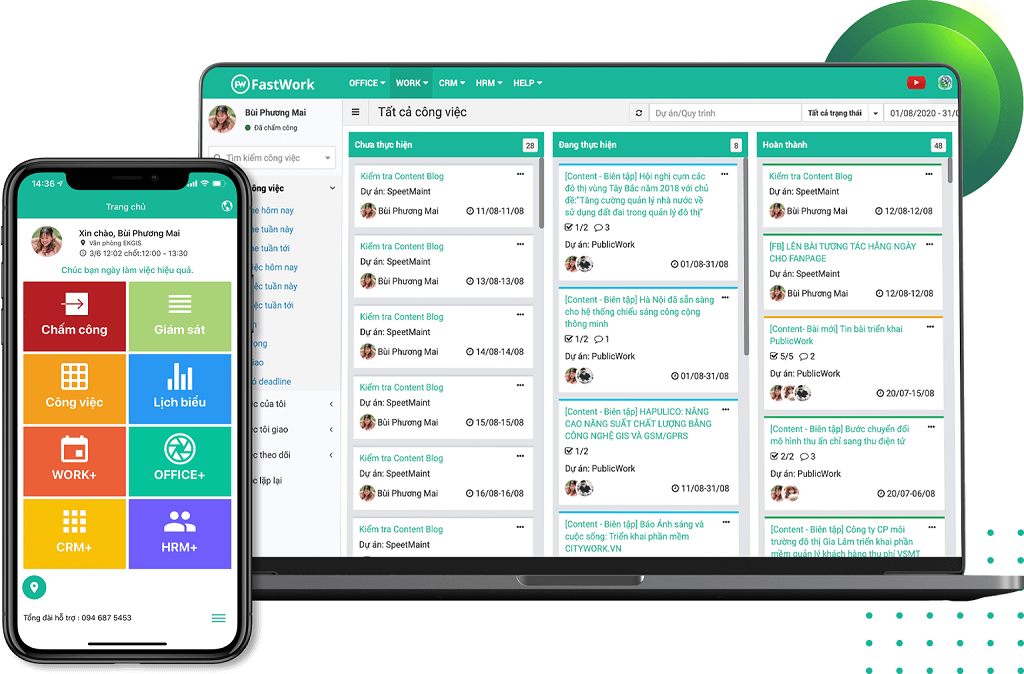
FastWork Office+ (Internal & Office Administration)
- Manage all of an individual’s events and tasks in detail by day, week, month…
- Manage and process incoming/outgoing documents and official letters
- Manage information and registration schedules for using shared resources centrally online on one system.
- Centrally manage and store internal budget receipts/payments, control funds, and reduce cost risks.
- Support organizing, managing, and storing meeting content.
FastWork Work+ (Work and Performance Management)
- Track progress and control the work quality of all personnel on one online system.
- Centrally manage hundreds of online projects on a single screen.
- Manage all business workflows on one centralized online platform.
- Manage working time and monitor the work implementation process of personnel.
- Digitize the entire process of implementing internal proposals.
- Project management specifically for construction businesses & building contractors.
FastWork CRM+ (Sales and Customer Management)
- Effectively manage Marketing campaigns.
- Support Telesales in processing customer data lists and tasks.
- Manage the sales process according to the Sales Pipeline.
- Provide customer care services with a systematic process for receiving, managing, and supporting customers.
- Manage and handle operations related to sales, purchasing, inventory, and goods.
- Track inventory status and accounts receivable instantly and visually.
FastWork HRM+
- Timekeeping with Face ID.
- Manage all assets within the business.
- Online payroll software helps automate the payroll process.
- Manage announcements and internal communications.
- Manage personnel for retail chains.
- Digitize all paper-based personnel records in the business onto the software system.
- Manage recruitment, digitize records, and evaluate KPI performance, FastWork.
- KPI evaluation management helps to transparently and accurately assess the actual work performance of employees.
3.1.4. Online Business Management Software – Base
Online business management software – Base is a software built on a Microservice architecture that delves deep into each business operation. All features on Base are synchronized with each other, helping users easily manage from multiple dimensions.
The main features of the online business management software – Base include:
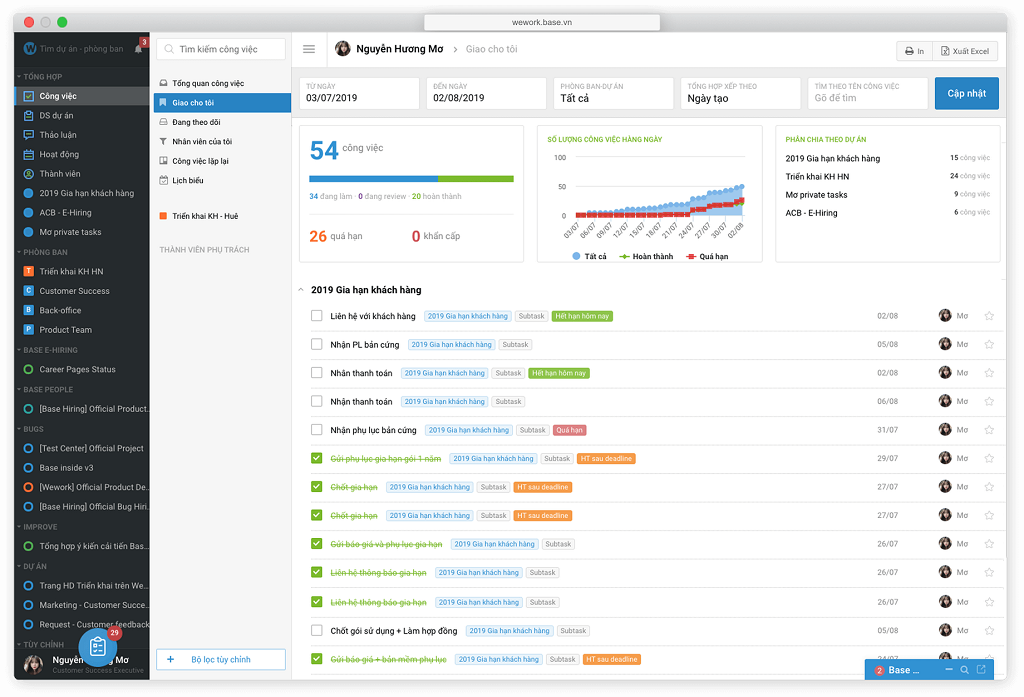
Base Work+
- Process requests and proposals within the business directly on the software.
- Comprehensive work & project management for businesses
- Standardize and connect business processes within the company in a single system.
- Plan, communicate, and collaborate effectively for meetings.
- Build a private internal communication network.
- Manage assets allocated to employees and assets owned by the business.
- An internal Wikipedia solution to help organize and manage the business’s knowledge resources.
- Promote automation and enhance the business’s ability to proactively design processes and solutions
Base Info+
- Official Information: Establish and organize a system of official documents (announcements, dispatches, policies) to serve operations effectively.
- Internal Communication: Communicate the company’s culture, mission, and values, creating a cohesive and happy work environment.
- Exchange & Interaction: Build an open environment that helps employees easily exchange ideas and learn from each other.
- Resource and Information Usage Management: Put resources and information into daily use.
Base HRM+
- HR information management: Personnel information, contracts, assets.
- Recruitment management: Recruitment & onboarding.
- Compensations & Benefits: Salary and bonuses, timekeeping, leave.
- Training & development: Internal training, knowledge management.
- Goal management & Evaluation: OKR/KPI, Performance Review.
Base Finance+
- Financial management
- Expense management
- Revenue management
- Bank reconciliation
- Corporate asset management
- Procurement management
- Budget management
- Virtual financial assistant
3.1.5. Online business management software – CoffeeHR
Unlike other providers, the online business management software – CoffeeHR is the only specialized software from CoffeeHR for human resource management. This is a Cloud HRM (SaaS) solution developed by OOS Software specifically for Small and Medium Enterprises (SMEs). With over 10 years of consulting and implementing HRM software, HRM Cloud helps businesses perform tasks related to: Organizational Management, Recruitment, C&B, Training, Evaluation, and HR Services.
The features of the online business management software – CoffeeHR include:
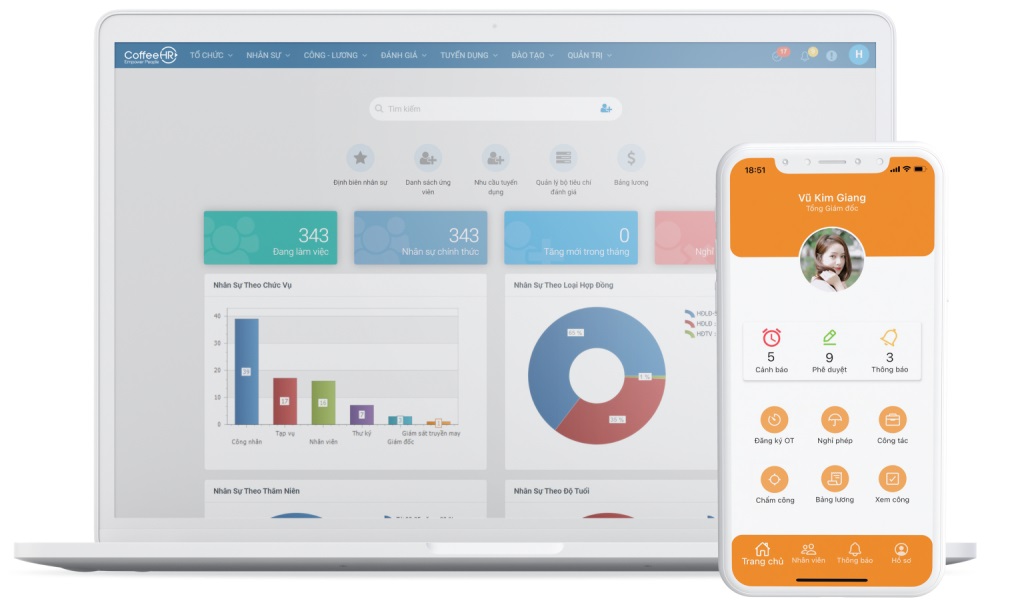
Recruitment
- Automate the recruitment and new employee onboarding process.
- Manage comprehensive HR data, manage personnel by job position.
- Set up and manage a synchronized business management chart.
CoreHR & Payroll
- Automated timekeeping and payroll calculation.
- Automated payment of social insurance and personal income tax.
Resource Development
- Build training roadmaps based on competency frameworks.
- Develop evaluation processes using various methods.
- Track and evaluate training effectiveness.
- Propose suitable welfare policies and training plans.
HR Services
- Monitor an overview of personnel fluctuations.
- Build separate information portals for each employee, department, and the business.
- Build a private internal communication network for the business.
- Manage and evaluate multi-dimensional employee performance.
Reporting System
- Instant, detailed HR reports, trackable anytime, anywhere.
- Comprehensive and diverse reports in various formats such as charts, reports, Gridview, etc.
- Support decision-making processes based on real data.
3.1.6. Business management software – digiiMS
OOC’s business management software – digiMS is a platform that helps businesses design their own systems based on industry databases and business models. With OOC, the ecosystem is synchronized and consistent: digiiOST organizational structure, digiiHR human resource management, digiiKPI KPI management, etc. These modules are clearly and scientifically divided to handle specialized management tasks, making it especially convenient for users to manage all information uniformly.
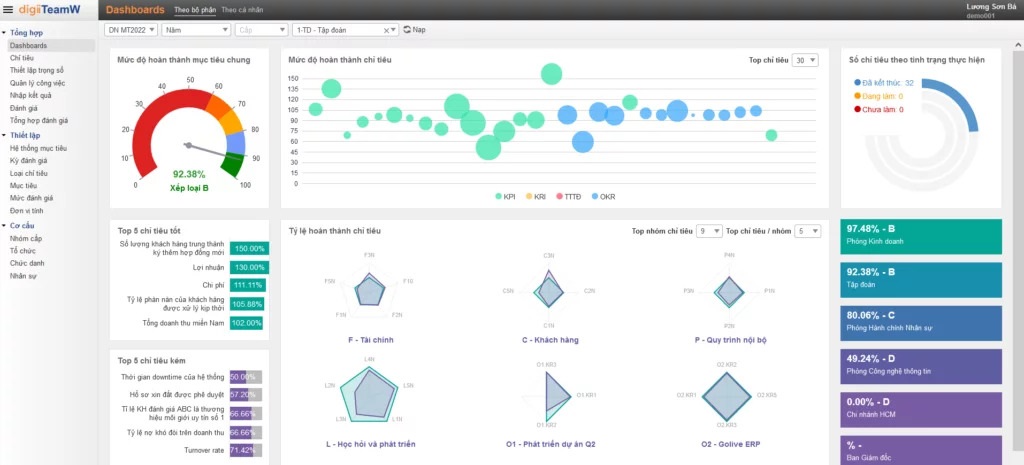
digiiHR Human Resource Management Software
Manages all of the company’s HR-related issues. OOC’s digiiHR human resource management software includes the following components:
- digiiOST organizational structure
- digiiHRi personnel information
- digiiCAT competency management
- digiiKPI results management
- digiiC&B compensation & benefits management
- digiiHRPlan human resource planning
digiiOST Organizational Structure Software
- Design value chains and organizational structures.
- Allocate functions and tasks to departments and job titles.
- Build a set of job descriptions.
digiiHRcore HR Information Software
- Manage employee records according to the designed job title system.
- Provide HR data for other components such as digiiCAT, digiiKPI, digiiTASK, or digiiC&B.
- Collect employee work history information and implement policies applicable to the company’s staff.
digiiCAT Competency Management Software
- Design a competency assessment system, including a competency dictionary, competency framework, and employee competency assessment.
- Create an automated competency assessment reporting system and competency profiles.
- Support payroll, HR strategy formulation, training planning, and serve recruitment, appointment, and transfer processes.
KPI Management Software
- Measure and evaluate the performance of the business, departments, and individuals through a system of quantitative indicators, using the BSC method.
- Design, track, and manage KPIs intelligently, connect with other operational management systems of the business, and provide visual management reports.
digiiC&B Compensation & Benefits Management Software
- Digitize the 3P salary system and regulations into the software.
digiiTASK Task Assignment Software
- Manage task creation and assignment to employees.
- Update work progress and receive result reports.
- Track the overall work of the department.
3.2. ERP Enterprise Management Software
3.2.1. Odoo ERP Open-Source Management Software
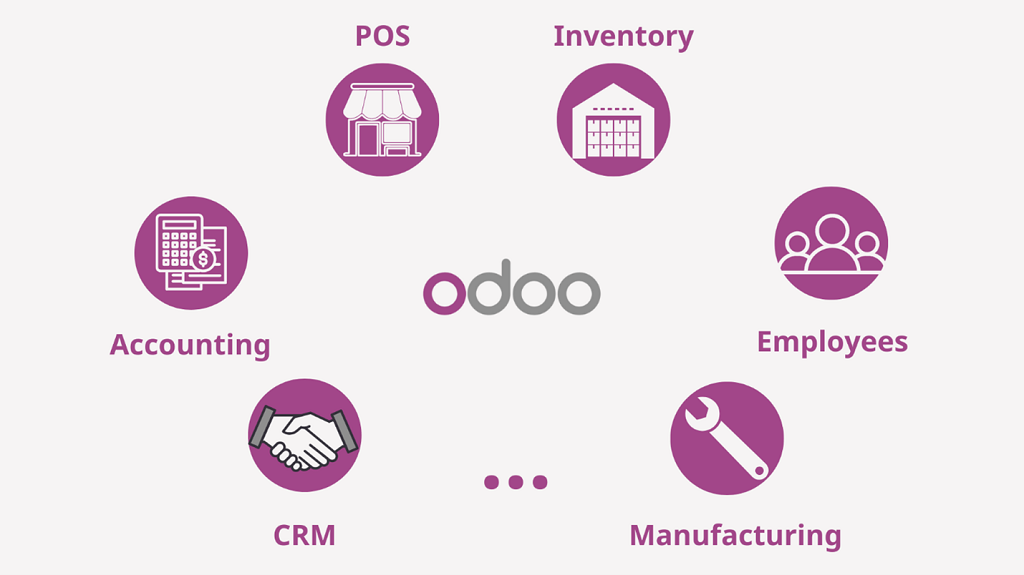
Odoo provides companies with a suite of open-source business management applications for CRM, e-commerce, inventory management, point of sale, accounting, project management, human resources, and more. It is a popular ERP software for small and medium-sized enterprises today. The platform offers 30 applications that can be added as needed and cover everything from warehousing, manufacturing, and sales channels to timesheets, websites, purchasing, and more.
With different pricing points for different needs, Odoo is an accessible option for growing companies looking for a solution that can scale with them.
>> See more: Steps to standardize the business management process and the most professional management process set for 2025
3.2.2. Oracle ERP Software
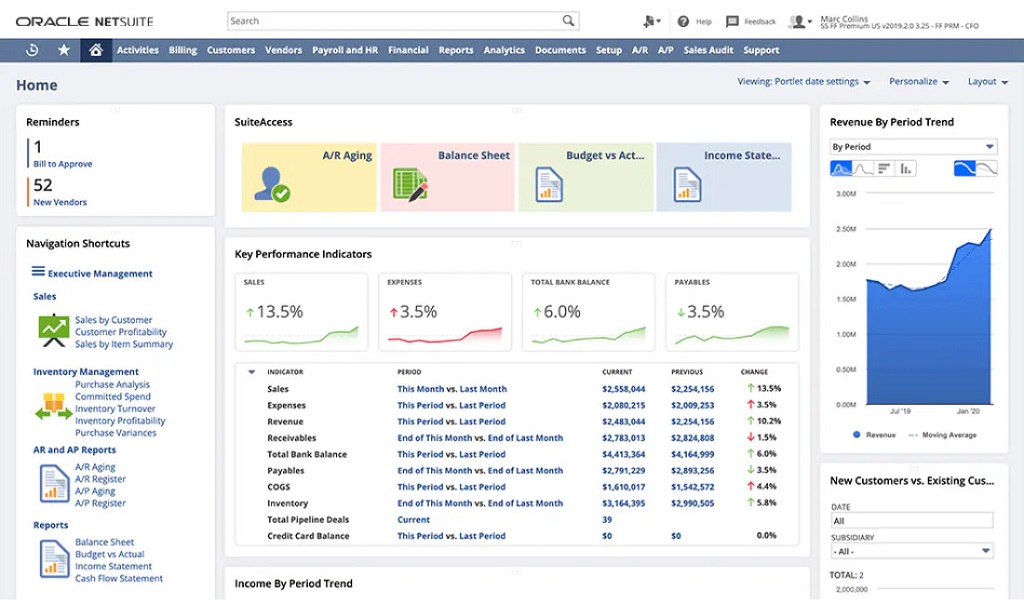
Oracle ERP Cloud (Oracle) is an effective management software for medium and large enterprises operating on a cloud computing platform provided by the software giant Oracle. Oracle offers comprehensive and in-depth functionalities for businesses. All functions are meticulously detailed, providing CEOs with a perfect tool for management, forecasting, and planning.
Oracle provides 10 tools ranging from basic to advanced for users, including: Financial Planning and Analysis, Accounting, Order Management, Enterprise Performance Management, Risk Management, Revenue Management, Inventory and Supply Chain Management, Internal Financial Management, Project Planning and Execution, and Product Lifecycle.
Oracle ERP Software Pricing:
Oracle divides the cost based on the user’s position within the company and the service package the business subscribes to. In the lowest tier, the price for the lowest to highest positions is $82/user/month and $175/user/month. Similarly, in the highest tier, the price will be $150/user/month and $525/user/month.
>> See more: Guide to DOWNLOAD and USE Slack software in detail from A to Z for businesses
3.2.3. Inform ERP business management solution
Inform ERP is a management solution for small and medium-sized businesses that supports distribution, production, and financial activities. It integrates these processes to automate and streamline operations across various aspects of the business.
Its financial management tool coordinates with the production process so that when transactions are made, they are automatically entered into the ledger. It also allows users to plan transportation logistics and consider factors such as volume and necessary stops when planning routes.
3.2.4. SAP ERP company management software
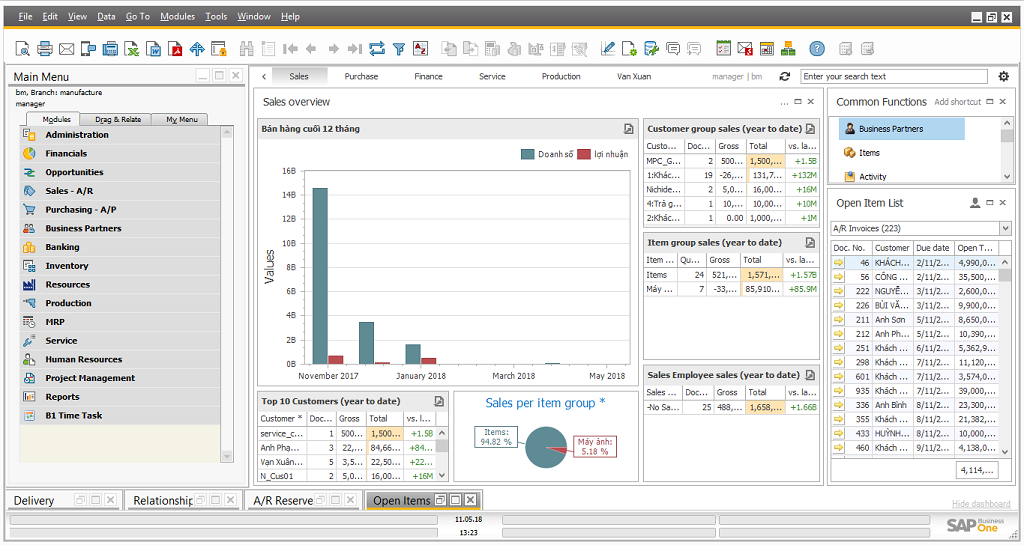
SAP company management software is known for supporting various workflows, such as financial management, order management, human resources, and production management.
These elements are centralized in one location, making it easy to gather statistical insights and share information between departments without misinformation. Deployment is available both on-premise and via the cloud, making it an effective option for businesses with various needs.
Automation, data visualization, human resource management, and budget development are some of the key features included. These elements can help organizations improve productivity and increase revenue.
4. Benefits of business management software
In the Industry 4.0 era, applying business management software is an effective, fast solution adopted by many organizations because it offers many great benefits, such as:
4.1. Maximize time savings in management
Instead of manual management, which used to cost managers a lot of time and effort, applying business management software now helps businesses save time and quickly improve work efficiency. This gives managers more time to strategize and expand their business operations.
4.2. Track and assign tasks effectively
To successfully execute projects, you need an effective task delegation strategy. This ensures that teams can maintain good performance without being overloaded with work. Good business management software identifies resource bottlenecks and provides insights so you can assign priority tasks to existing workloads. Task assignment software can send automatic reminders before due dates to ensure smooth and efficient operations.

- Effective task assignment feature

4.3. Improve work productivity
Another key benefit of a software management system is that it enhances your decision-making process and subsequently your productivity at work. Since all important details can be accessed in one location, you can make informed decisions quickly.
4.4. Enhance teamwork efficiency
Besides resource management, another purpose of business management software is to improve team collaboration. Team leaders often assign individual tasks that are part of a larger project. By using this enterprise resource management system, employees can easily collaborate on projects by discussing tasks, progress, budgets, dependencies, backlogs, and more.
Everyone in the loop is kept informed, ensuring that all team members know what to work on and which tasks should be prioritized. This keeps your team in sync, thereby reducing rework and ensuring service delivery at a fast pace.
4.5. Budget management
One of the things to consider when managing projects is the budget. By using management software, you can track your project’s costs and ensure you don’t go overboard. It provides you with quantitative proof of what employees have done and for how many hours. Those in control of the budget can see where the money is going and how much is being spent in real-time.
4.6. Monitor and track progress easily
Tracking your team’s work progress is crucial for long-term success. A software project management system plays a vital role in monitoring projects and providing methods for evaluating work performance and insights into whether tasks are completed on time. This is done through daily time logging directly into the reporting mechanism. Specialized software can assist you in making the right decisions.
A comprehensive work management solution allows you to store and secure data in the safest, most effective way. This helps prevent the loss or misplacement of important data. Additionally, you can also track any modifications, leading to greater accountability and transparency.
With the benefits mentioned above, it’s clear that comprehensive business management software is an indispensable assistant for leaders. So, among the hundreds of software options on the market, which is the best and most suitable solution for your business to optimize operations? Let’s explore the best business management software in the content below.
5. Criteria for choosing effective business management software
5.1. Focus on your business needs
The first step in choosing software is to create a clear and concise list of your business’s needs. Then, you can shortlist the available options that closely serve your needs. Instead of being drawn to fancy features, focus more on those that specialize in your product line and business.
5.2. Integration with existing software solutions
A good business management software system must be flexible enough to connect with other business tools and systems. With this capability, you can leverage data from other platforms without having to worry about information silos.
System integration allows you to quickly access information stored in other business tools with just one or two clicks.
For quick performance evaluation, you can easily load target data into your management solution’s database. This helps streamline the entire process, thus saving time and resources.
5.3. Cost of business management software
There are many providers of business management solutions on the market today with various price points, but choosing the cheapest available option is not always a good idea. Calculate the cost of the complete installation process.
This includes the cost of the software, any necessary hardware to support it, installation, customization, and consulting fees, as well as recurring maintenance fees. Then, choose a product that meets both your budget and quality standards.
5.4. Business support policy
Choose your implementation service provider and technical support team wisely. Help should always be available when you need assistance or when your system encounters difficulties. Selecting a business management software implementation unit that is proficient and experienced with business operation processes will save you both time and money.
Thus, we have introduced users to the benefits, roles, and feature reviews of the best business management software on the market today. Each software has different advantages to attract and retain users. Using a business management tool is almost mandatory in the Industry 4.0 revolution and the strong digital transformation movement within businesses.
6. The impact of management software on corporate culture
Business management software is not just a tool for more efficient operations; it also helps shape and change corporate culture. When all data, processes, and responsibilities are digitized, the way employees collaborate and leaders manage gradually shifts towards greater transparency and professionalism.
Creating a culture of transparency and accountability: Thanks to the software, tasks are clearly assigned to each individual, with KPIs and deadlines displayed publicly. This fosters a transparent culture of “who does what, and how far along they are,” reducing the shifting of responsibility and enhancing employee commitment.
Encouraging collaboration instead of siloed work: Management platforms help employees update progress, communicate, and share documents directly on the system. This promotes a culture of teamwork and reduces “information silos” between departments.
Building a spirit of continuous improvement: Work data is saved and analyzed, allowing the business to easily learn from experience and adjust processes. This encourages a culture of learning and continuous improvement, rather than sticking to old habits.
Enhancing trust between leadership and employees: When work results are measured by specific data, leaders have an objective basis for evaluation, rather than relying on subjectivity. Employees also feel it is fairer, which in turn builds trust and long-term loyalty.
The impact of management software extends far beyond technology. It helps businesses not only increase operational efficiency but also build a culture of transparency, accountability, and cohesion – a crucial foundation for sustainable development.
8. Challenges businesses face when implementing management software
Implementing management software is a crucial step in the digital transformation process. However, reality shows that many Vietnamese businesses encounter obstacles right from the initial stage. If not handled well, these challenges can cause the implementation project to stall or fail.
Resistance to change from personnel: Many employees are used to working with Excel, email, or traditional methods, and may feel hesitant when a new software is introduced. They might worry about being monitored more closely or spending a lot of time learning how to use it.
- Cause: lack of internal communication, inadequate training.
- Consequence: staff update data perfunctorily, and the system does not reflect the actual situation.
Choosing the wrong software, unsuitable for the scale: A small business buys complex ERP software, or a large enterprise uses only a simple version → leading to wasted costs or unmet needs.
- Reason: Hasty purchasing decision, lack of needs analysis.
- Consequence: The software has redundant, unused features, or lacks core functionalities.
Lack of resources for implementation and data management: Every software requires standard data to function. If the business lacks an IT department or system administrators, incorrect data entry will lead to distorted reports.
- Reason: No dedicated personnel assigned.
- Consequence: Leadership receives inaccurate reports, leading to poor decisions.
Higher-than-expected implementation and maintenance costs: Beyond the licensing fees, businesses also have to pay for training, maintenance, and upgrades. If not budgeted for in advance, maintenance can create financial pressure.
- Reason: Only calculating the initial purchase cost and overlooking hidden costs.
- Consequence: The business abandons the project midway, and the system fails to deliver its full value.
The challenges above show that implementing management software is not just a technological decision, but also a managerial one. Businesses need to survey their needs, communicate internally, choose a suitable solution, and budget resources clearly to avoid failure during application.
For more detailed information, please visit:
- Hotline: 083 483 8888
- Fanpage: https://www.facebook.com/1officevn/
- Youtube: https://www.youtube.com/channel/UCeTIRNqxaTwk0_kcTw6SxmA
















