


 12/05/2026
  416 views
According to a survey, nearly 80% of businesses report using equipment management software to improve work efficiency. However, with countless options on the market today, finding the right software for your business’s needs can be challenging. In the article below, 1Office will introduce you to the top 10 most effective free and paid equipment management software available today. Stay tuned!
Mục lục
- 1. Top 10 best equipment management software of 2024
- 1.1 1Office Asset and Equipment Management Software
- 1.2. Faceworks Asset and Equipment Management Software
- 1.3. GSOFT Equipment Management Software
- 4. iCMMS Equipment Maintenance Management Software
- 5. Bravo Machinery and Equipment Management Software
- 1.6. EHIS Hospital Equipment Management Software
- 1.7. WinMain Equipment Maintenance Management Software
- 1.8. Quasoft CMMS Equipment Maintenance Management Software
- 1.9. Topmaint Equipment Maintenance Tracking Software
- 1.10. SpeedMaint Equipment Management Software
- 2. Which Businesses Should Use Equipment Management Software?
- 3. Criteria for Choosing Equipment Management Software
- 4. Conclusion
1. Top 10 best equipment management software of 2024
| Equipment management software | Mobile | Desktop | Detailed reports | Suitable for | Pricing |
| 1Office | x | x | x | All business sizes and types, such as manufacturing, construction, retail, services, etc. | Contact for a quote and receive a free trial |
| Faceworks | x | x | Businesses that need to manage fixed assets | Paid | |
| GSOFT | x | x | Businesses that need to manage public assets – state assets | Paid | |
| iCMMS | x | Factories, enterprises, etc. | Free | ||
| Bravo | x | x | x | Suitable for administrative, electromechanical, technical, and production departments. | Paid |
| EHIS | x | x | For hospitals and medical centers | Paid | |
| WinMain | x | x | Suitable for manufacturing businesses | Contact for quote | |
| Quasoft CMMS | x | Businesses with a large and diverse number of assets and equipment | Free | ||
| Topmaint | x | Production workshops and warehouses, businesses with a lot of machinery | Contact for quote | ||
| SpeedMaint | x | x | Suitable for manufacturing, construction, service businesses, etc., and non-profit organizations. | Paid |
Comparison table of the top 10 equipment management software today
Equipment management software is a tool designed to help businesses manage and monitor the equipment, assets, and supplies that employees use in their work. This includes computers, phones, tablets, printers, and other devices.
Equipment and supply management software plays a crucial role in a business by automating processes, managing information effectively, minimizing errors, and planning for maintenance and repairs. This helps businesses maintain and grow their operations efficiently and flexibly. Businesses should choose equipment management software that suits their needs and scale of operations to achieve the best results.
>> See more: Top 15 best inventory and supply management software for businesses
1.1 1Office Asset and Equipment Management Software
1Office is an asset management software highly rated by over 6,000 businesses for its many outstanding features. This software provides tools to manage, track, and report on devices, assets, tools, and instruments within the business. It also digitizes asset management tasks directly on the software, thereby reducing loss and damage rates and optimizing asset utilization for the business.
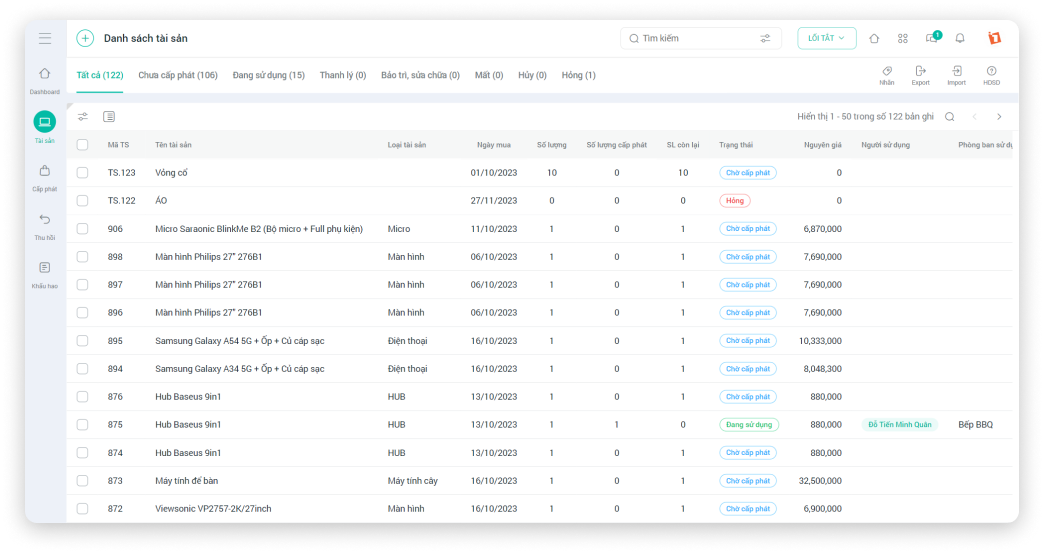
Additionally, 1Office software helps businesses standardize management processes, unify information across departments, manage personnel using assets, and retrieve asset information easily in just a few clicks, saving time and costs for the business.
Outstanding features of 1Office software include:
- Classify all lists of equipment and assets for management, including fixed assets, machinery, equipment, management tools, etc.
- Track in real-time and support users in updating usage status such as allocation, retrieval, reporting damage, warranty, repairs, etc.
- Easily search for assets with smart filters such as searching by department, classification, asset location, etc., helping administrators look up & utilize information quickly and conveniently.
- Manage the asset lifecycle from purchase to liquidation, storing the history of retrieval and allocation of equipment assets for each individual and department.
- Assign permissions for managing assets, tools, and instruments appropriate for each position in the business, ensuring the most secure information protection.
- Provide an overview Dashboard screen, supporting users with detailed reports on the status and performance of devices throughout the company.
With a simple and user-friendly interface, 1Office is an ideal solution suitable for businesses of all sizes that need to manage various types of assets. Notably, this software has a free trial version; businesses just need to leave their contact information, and the 1Office team will get back to you within 2 hours.
Register for a 1Office software trial
1.2. Faceworks Asset and Equipment Management Software
Faceworks is an online asset management solution that helps businesses manage and track their fixed assets. The platform has a user-friendly interface that is easy to use on both computers and mobile devices. Users can add photos and documents to each asset for easy management and tracking.
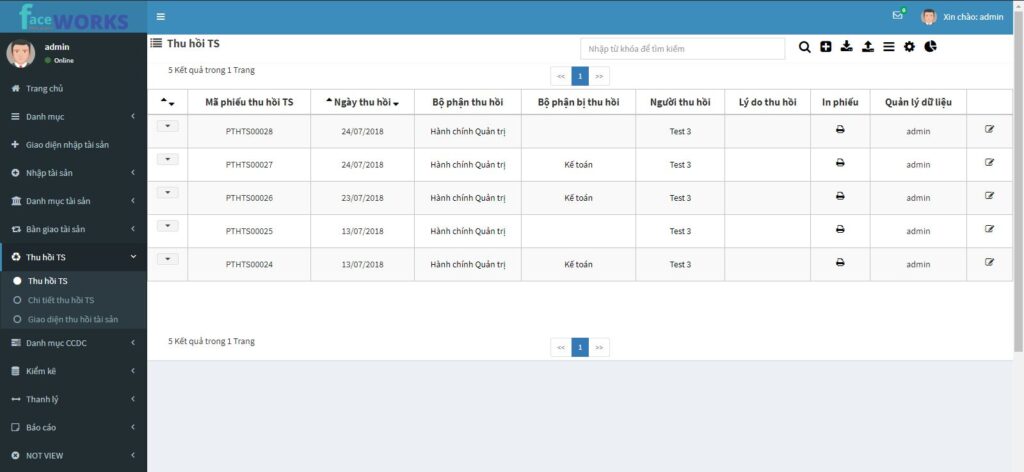
Some outstanding advantages of the software include:
- Manage the asset lifecycle from purchase and use to liquidation
- Plan and record the history of asset maintenance and repairs
- Manage related insurance and lease contracts
- Generate reports and analyze asset data to support decision-making
- Value and calculate depreciation for fixed assets based on accounting standards
With high customization flexibility, Faceworks allows users to create their own separate equipment management modules tailored to the business’s needs without having to change existing operational processes. All asset data is stored and managed securely on a single system. This allows managers and employees to easily share documents while ensuring data security and preventing loss.
1.3. GSOFT Equipment Management Software
Unlike managing equipment with Excel, GSOFT is an effective tool for managing office and information technology equipment. The software allows users to:
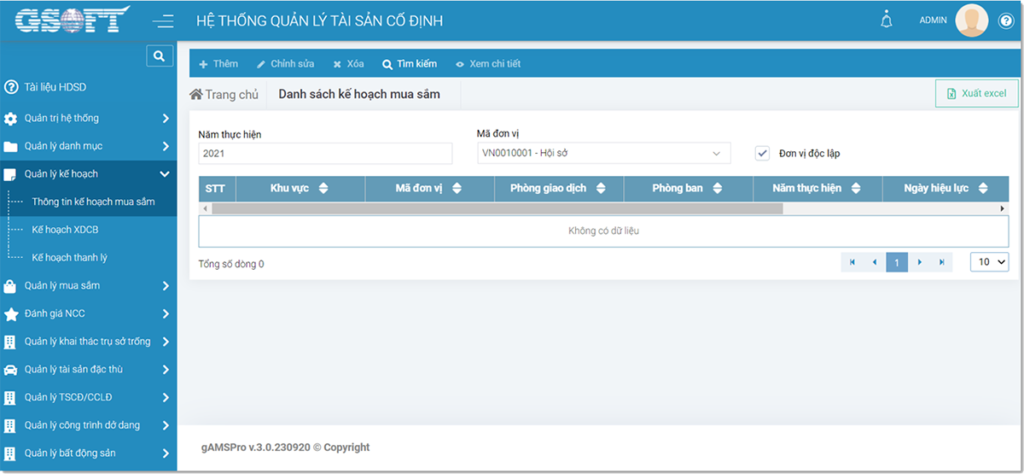
- Track detailed information about equipment such as configuration, operational status…
- Plan and record the history of equipment maintenance and servicing
- Manage contracts and costs for equipment procurement and repairs
- Scan barcodes/QR codes for easier equipment tracking
- Integrate IoT devices to monitor equipment status remotely
GSOFT’s interface is user-friendly and easy to use on multiple platforms such as computers, tablets, and smartphones. The software helps businesses save time by managing IT equipment effectively.
4. iCMMS Equipment Maintenance Management Software
iCMMS is known as an equipment management software with a free trial, offering many outstanding features such as: process automation, cost control, and workload tracking,… This is a powerful tool for scheduling and managing equipment maintenance for factories and enterprises.
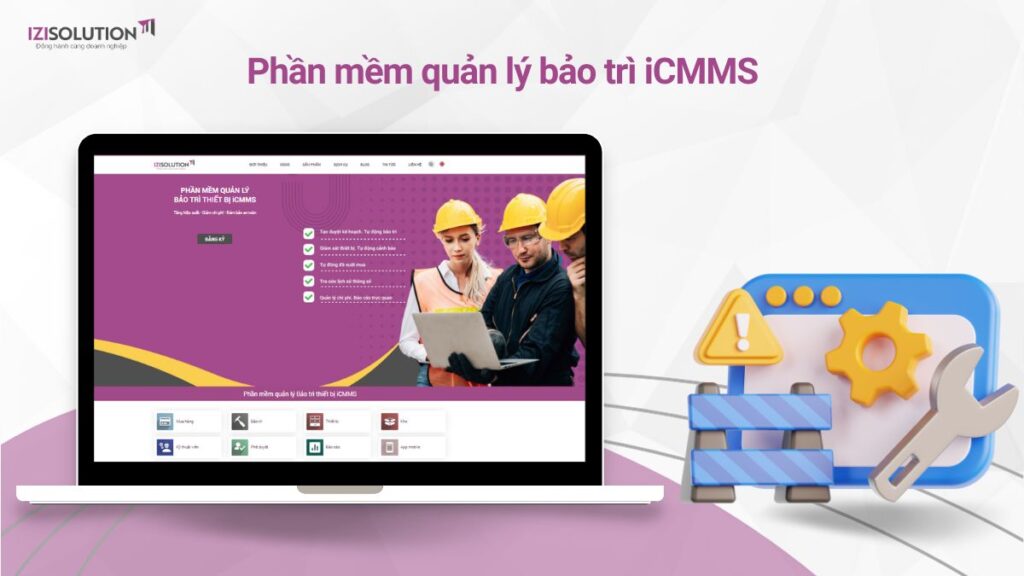
Some outstanding advantages of iCMMS software include:
- Plan and schedule periodic maintenance and servicing tasks
- Record completed maintenance tasks and incurred costs
- Manage purchase orders and supplies for maintenance
- Track equipment performance and operational status
- Optimize maintenance plans based on equipment condition and lifespan
iCMMS is a useful software for large factories that need to regularly maintain and repair a large number of industrial equipment. The software helps reduce production costs and increase the lifespan of machinery.
5. Bravo Machinery and Equipment Management Software
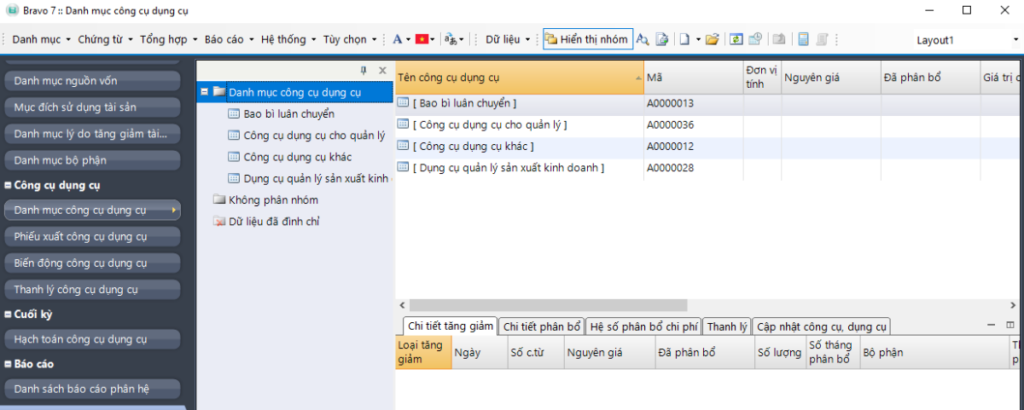
BRAVO asset management software interfaceBravo is a useful tool for tracking and managing assets, machinery, and equipment in manufacturing plants and warehouses. The software includes features such as:
- Collect machinery information such as model, year of manufacture, and technical specifications
- Compile the maintenance and servicing history of each piece of equipment
- Track the costs of procurement, operation, and repair of equipment
- Manage maintenance contracts and service providers
- Store documents and operating manuals related to the equipment
Bravo also allows users to access and update equipment information remotely via mobile devices, thereby helping to control the operation of the business’s machinery and equipment, minimize the risk of damage and wear, while optimizing production costs and significantly saving management time and expenses.
1.6. EHIS Hospital Equipment Management Software
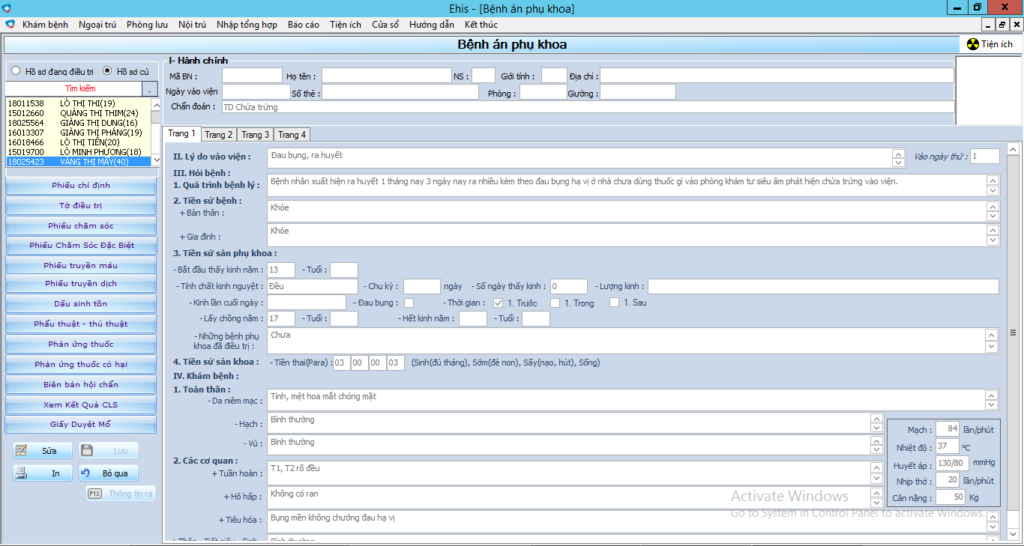
EHIS is a useful tool for hospitals and medical centers to manage medical equipment. This allows administrators to have complete information and optimize maintenance costs for medical equipment, contributing to improving the quality of equipment management. The software provides features such as:
- Track detailed information about medical equipment
- Record the history of maintenance, inspection, and calibration of equipment
- Manage contracts with maintenance service providers
- Schedule usage and create maintenance plans for equipment
- Alert when equipment needs maintenance or calibration
- Allow access to medical equipment information from mobile devices
1.7. WinMain Equipment Maintenance Management Software
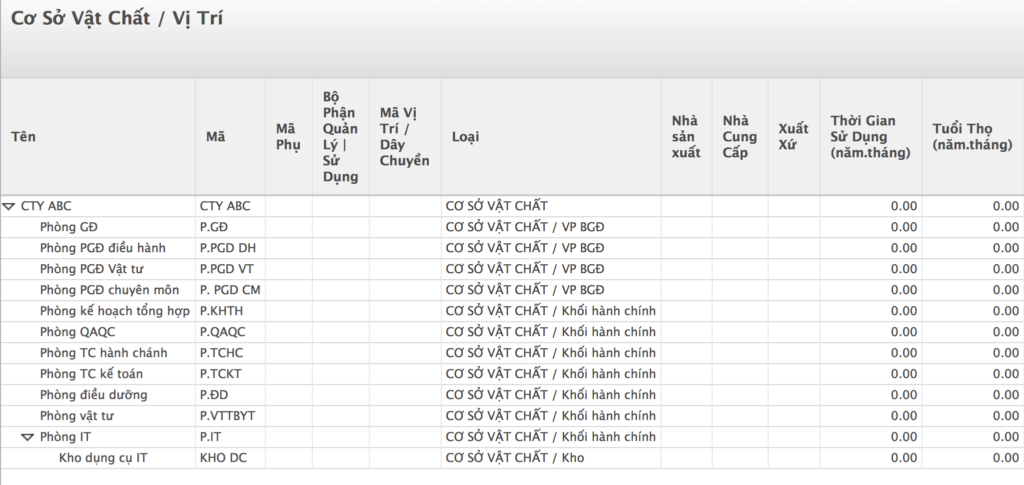
WinMain is a powerful software for planning and managing equipment maintenance tasks. The software helps users:
- Schedule and track periodic maintenance tasks
- Record the maintenance history and costs for each piece of equipment
- Track and analyze equipment performance
- Predict and provide early warnings of equipment failures based on operational parameters
- Manage related contracts, maintenance documents, and procurement
Compared to similar software, WinMain allows users to flexibly define and customize maintenance templates for each type of equipment. This is very useful for factories with many different types of equipment.
1.8. Quasoft CMMS Equipment Maintenance Management Software
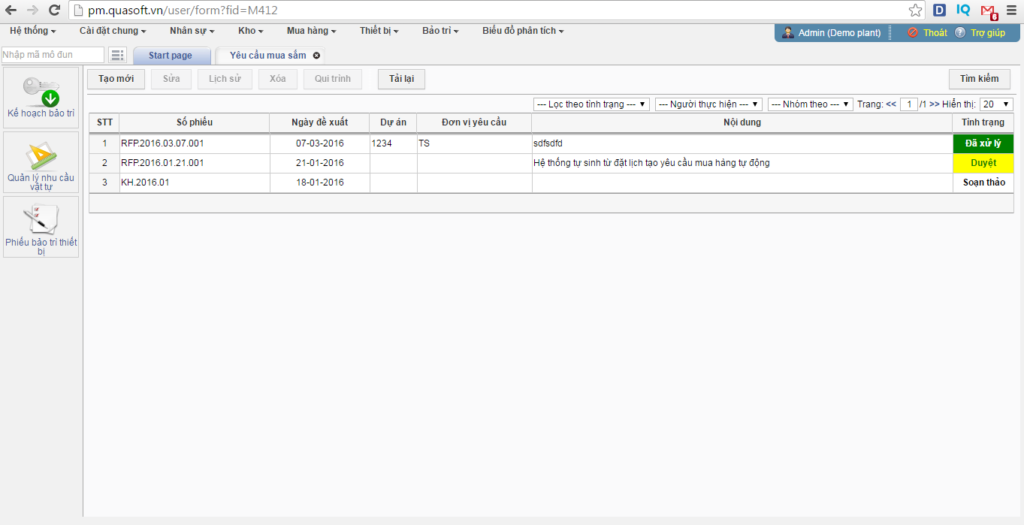
Quasoft CMMS is a free equipment maintenance management software chosen by businesses to manage and plan equipment maintenance tasks. It aims to optimize machinery performance, enhance maintenance efficiency, and minimize risks in the production process. The software supports:
- Schedule periodic repairs and maintenance for equipment
- Track and manage purchase orders for maintenance supplies
- Alert on abnormal equipment operating conditions
- Analyze and predict equipment failures before they occur
- Ability to integrate with GPS systems for asset tracking
Quasoft CMMS software is the ideal maintenance management solution for businesses with many assets and equipment. The software helps optimize operations and save costs for the business.
1.9. Topmaint Equipment Maintenance Tracking Software
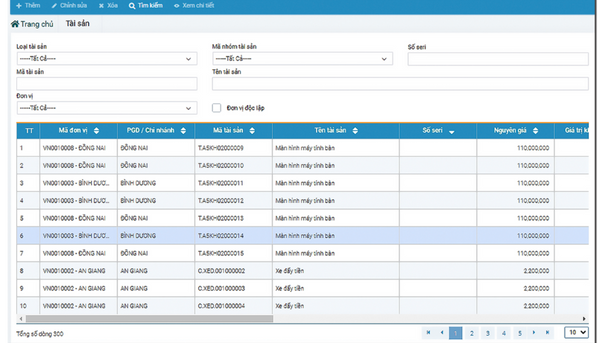
Topmaint is a cloud-based platform that helps track, classify, and manage equipment maintenance programs by different groups, allowing users to easily monitor in real-time. The platform provides outstanding features such as:
- Detailed tracking of equipment operational status
- Plan and manage maintenance tasks based on a periodic schedule or equipment condition
- Update and store maintenance and repair records for each piece of equipment
- Statistics and analysis of equipment maintenance costs
- Automatic alerts for equipment abnormalities or when maintenance is due
Topmaint is suitable for businesses with a lot of machinery and equipment in production workshops and warehouses, helping to save time and costs for the maintenance process.
1.10. SpeedMaint Equipment Management Software
SpeedMaint is designed to support businesses in the maintenance management process and related tasks. By storing information about tool and equipment assets in different departments, the software helps minimize the risk of unexpected breakdowns and ensures operational stability.
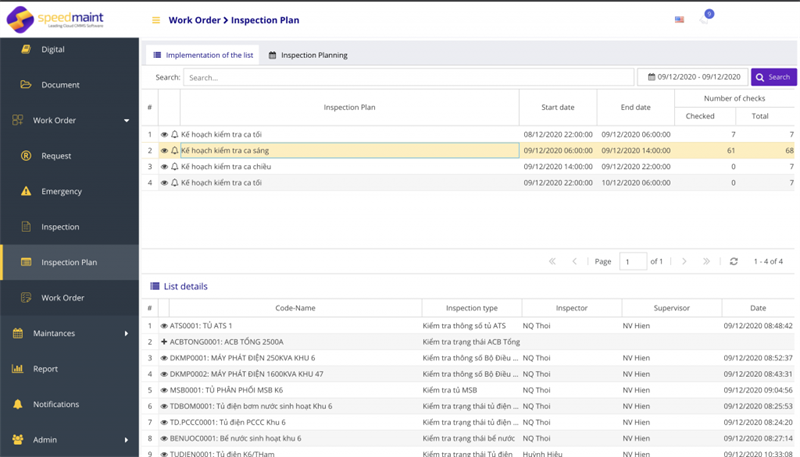
Some of the software’s features include:
- Record and store detailed equipment information such as equipment type, repair history, etc.
- Plan and schedule specific dates and times for each maintenance task
- Assign tasks to maintenance staff and monitor progress
- Support for measuring and analyzing equipment downtime
- Manage inventory of supplies for equipment maintenance and repair
SpeedMaint is a powerful tool for managing and directing equipment maintenance work in workshops and factories. With the software, factories and workshops can better manage the equipment maintenance process to minimize costs and increase operational productivity.
2. Which Businesses Should Use Equipment Management Software?
Equipment management software is a useful tool that helps businesses effectively manage equipment and fixed assets. Therefore, most businesses can use this software to improve operational efficiency. Specifically, equipment management software is suitable for:

- Businesses with a lot of equipment to manage, such as manufacturing companies (machinery, production equipment, production lines, etc.), service companies (machinery, equipment for business operations like computers, printers, vehicles, etc.), construction companies (machinery, construction equipment, building materials, etc.), and transportation companies (trucks, container ships, boats, etc.)
- Businesses with multiple departments sharing equipment, complex maintenance and repair processes, or those needing to track usage history and operational status of equipment.
- Businesses aiming to improve the operational efficiency of assets and equipment, increase labor productivity, and save on repair and maintenance costs.
- Businesses looking for equipment management software that can be adapted to their specific management processes.
3. Criteria for Choosing Equipment Management Software

Choosing the right equipment management software is a crucial decision that helps businesses maximize asset utilization, save costs, and increase labor productivity.
Here are some important criteria to consider when choosing software:
- Business needs: Businesses need to clearly define their equipment management needs, including: the number and type of equipment to be managed, current equipment management processes, necessary software features, and the investment budget for the software.
- Software features: The software should have a full range of features to meet the business’s equipment management needs, such as tracking the status, location, and usage history of equipment; planning maintenance and repairs; managing maintenance and repair tasks; statistical reporting on asset status and operational efficiency; and the ability to integrate with other existing software.
- Usability: The software should have a simple, user-friendly interface suitable for the technological skill level of the staff. Additionally, the software provider should offer good customer support services.
- Customization capability: The software should be customizable to fit the business’s specific management processes. Businesses can request the provider to add or remove features according to their usage needs.
- Security: The software must ensure data safety and protect the business’s information, which is reflected in the provider’s reputation and clear data security policies.
Additionally, businesses should consult with other companies in the same field that have used the software to choose the most suitable solution.
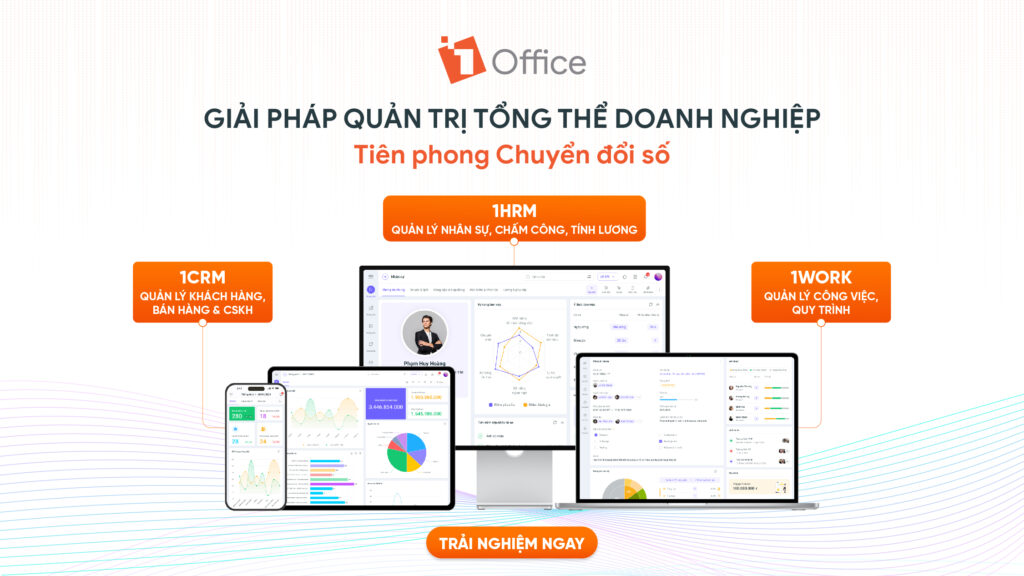
1Office is proud to be the leading solution for overall business management in general and asset and equipment management in particular, with over 5,000 businesses in various fields such as manufacturing, healthcare, design, construction, commerce, services, transportation, construction, etc.
4. Conclusion
In the context of the ever-developing Industry 4.0, equipment management and maintenance is a crucial issue for businesses. This means that using equipment management software is absolutely necessary to help businesses save time and costs in maintaining the operation of their equipment.
Above are the 10 best free and paid equipment management software available today, selected and evaluated based on features, interface, and reliability. Each software has outstanding features and is suitable for different types of businesses. Choosing the right software will help businesses optimize their equipment management and maintenance processes, while also improving efficiency and minimizing risks in business operations.
If your business needs a direct consultation about 1Office’s asset management software, please contact us immediately via the hotline below for the fastest support.
- Hotline: 083 483 8888
- Facebook: https://www.facebook.com/1officevn/
- Youtube: https://www.youtube.com/@1office-chuyendoisodn
















