


 10/05/2026
  174 views
A to-do list is a simple yet very useful tool if you want to manage your work clearly and avoid missing tasks every day. In this article, you will understand what a to-do list is, how to create one effectively, and what tools you should try.
Mục lục
- 1. What is a To-Do List?
- 2. The Difference Between a To-do List and a Checklist
- 3. Benefits of using a to-do list for work management
- 4. Guide to creating a standard to-do list – with downloadable templates
- DOWNLOAD 3 to-do list template files for business use
- 5. How managers can use a to-do list accurately and effectively
- 6. Common types of to-do lists and when to use them
- 7. Who is a to-do list suitable for?
- 8. Top 5 Project Management Software for Creating Effective To-Do Lists
- 9. Conclusion
1. What is a To-Do List?
A “to-do list” is, as the name suggests, a list of tasks that need to be done or completed.

In a business environment, a to-do list is a list of tasks, jobs, or projects that need to be completed within a certain period. This list is usually arranged by priority based on the importance of each task. Creating a to-do list helps leaders organize and manage daily work more effectively, ensuring nothing is missed or forgotten.
A sample to-do list used in business organizations will include basic information such as goals, tasks, and completion times. These elements help managers easily track progress and achieve higher efficiency in both their work and daily life.
2. The Difference Between a To-do List and a Checklist
A to-do list focuses on managing and tracking work, while a checklist focuses on verifying and ensuring compliance with a process. A to-do list is often prioritized and applicable in many situations, whereas a checklist does not necessarily need prioritization and is suitable for specific processes. Below is a comparison table of a to-do list and a checklist:
| Criteria | To-Do List | Checklist |
| Purpose of Use | A to-do list is used to manage and track tasks, duties, or projects that need to be completed. It helps users easily organize, plan, track progress, and ensure no important tasks are missed. | A checklist is used to verify and ensure that all steps, tasks, or requirements have been completed. It serves as a verification list to ensure compliance with specific processes, regulations, or requirements. |
| Order and Priority | A to-do list is usually arranged by priority, with important or urgent tasks placed at the top of the list. | A checklist does not necessarily need to be prioritized. It is used to list the steps or requirements that need to be completed and does not assess the priority level of each item. |
| Scope of Use | A to-do list is used in many cases and fields, such as for personal use, work, projects, and time management. It is applied in situations like organizing daily tasks, planning for an event, or managing large projects. | A checklist is often used in processes, regulations, or tasks that have clear processing steps. For example, in product quality control, preparing for an event, or ensuring process compliance. |
3. Benefits of using a to-do list for work management

Plan and organize work clearly:
A to-do list helps managers identify and record tasks and duties that need to be completed by specific deadlines. This helps businesses plan and organize work effectively, knowing what needs to be done and when it needs to be completed.
Prioritize tasks:
Leaders can mark and arrange important or urgent tasks to be completed first, helping to focus efforts and improve work efficiency.
Manage and allocate time effectively:
By estimating the time required for each task and allocating time appropriately, businesses can organize work logically and make the most of their time.
Create motivation and increase productivity:
When each individual has a clear list of what needs to be done, they will feel a sense of clear career goals and motivation to complete their work.
Reduce forgotten or missed tasks:
By recording the tasks that need to be done, you won’t miss or forget anything important. This helps managers stay organized, create planning steps, and ensure work is completed on time.
4. Guide to creating a standard to-do list – with downloadable templates
Creating a standard to-do list will help your business organize work, increase productivity, and achieve its goals. Follow the steps below to create the most standard and suitable task list.

Step 1: Identify main goals and tasks
Before creating a to-do list, clearly define the overall goals and the main tasks that must be completed. This helps managers focus on the most important work and have clear objectives to pursue.
Step 2: List all necessary tasks
Take the time to list all the tasks that need to be completed. Note down everything, even the smallest tasks, to ensure nothing is missed. Listing everything helps the business get a comprehensive overview of the work and avoid forgetting important tasks.
Step 3: Organize and prioritize tasks
After listing all the tasks, determine the priority for each one. Assess the importance and urgency of each task to decide which ones need to be completed first.
Step 4: Set deadlines for each task
Assign a specific deadline to each task on the list, ensuring it is reasonable and feasible. Setting deadlines helps leaders create commitment and motivates employees to complete work on time.
Step 5: Track, evaluate, and adjust regularly
Track work progress and mark each task as complete on the to-do list. Managers should also periodically review and evaluate the list to adjust, update, and add new tasks if necessary. This helps the business maintain flexibility and work towards sustainable development goals.
DOWNLOAD 3 to-do list template files for business use
Template 1: To-do list file for prioritizing tasks
Template 2: To-do list file for managing tasks by time
Template 3: To-do list file for managing tasks by specific person
5. How managers can use a to-do list accurately and effectively
In the process of managing and executing work, using a to-do list plays a crucial role in enhancing productivity and completing tasks on schedule. For managers, a to-do list is even more important for ensuring the effective organization and management of work and projects. To help businesses build and use to-do lists most effectively, here are some important tips:
5.1 Review and update tasks periodically

Reviewing and updating tasks at fixed intervals will help keep the to-do list maintained and relevant to the company’s current work situation. Managers should review and update the to-do list periodically, which can be daily, weekly, or monthly. At the same time, completed tasks should be removed, and new tasks added to the list.
Example: Before starting work, check your to-do list by reviewing the tasks completed the previous day and adding new tasks that need to be done today.
5.2 Break down tasks and present them specifically
A to-do list in a business can certainly include detailed notes on the objectives, implementation steps, and expected progress of each task. Instead of grouping multiple tasks into one, break them down into specific and clear sub-tasks. This not only helps managers get a more detailed view of the work but also makes it easier to define specific actions for completion.
Example: Instead of writing “Complete report,” you can break the task down into specific steps such as Research data, Collect data, Analyze data, and Summarize report.
5.3 Set deadlines for each task and avoid idle time
Managers need to determine the time required to complete each item and set specific deadlines (date and time) for each task to create a clear work schedule. At the same time, adhere to the rule of no idle time by taking advantage of the moment a task is completed or there are no current tasks to work on the next item in the “to-do list” to maximize time savings and enhance work efficiency.

Example: Set a deadline for each task in the to-do list, noting a specific status like “Complete report by 5:00 PM on June 16, 2023” instead of just “Complete report today.”
5.4 Find solutions for all uncompleted tasks
If there are tasks that are past their deadline and still not completed, investigate the cause and find a solution to finish them. Some solutions for this issue include seeking help from colleagues, changing the work method, or creating a more detailed plan.
Example: If a task is incomplete due to a lack of information from the Marketing department, you can contact the Marketing department to ensure you have the necessary information to complete the task.
5.5 Use supporting software or applications
Currently, there are many software and applications that effectively support planning and task management, such as: 1Office, Trello, Any.do, and Microsoft To Do. They offer many smart features like progress monitoring and tracking, setting alerts, sharing work projects, and more. However, the most suitable software should be chosen based on the requirements and scale of each business.
Example: Using 1Office task management software helps managers easily assign tasks, interact directly, and supports reporting and evaluation of the quality and efficiency of assigned work. This optimizes business operations, saves maximum time, and helps employees work more effectively.
>> See more: The most detailed KPI template for content marketing staff 2026
The latest KPI template for accounting staff 2026
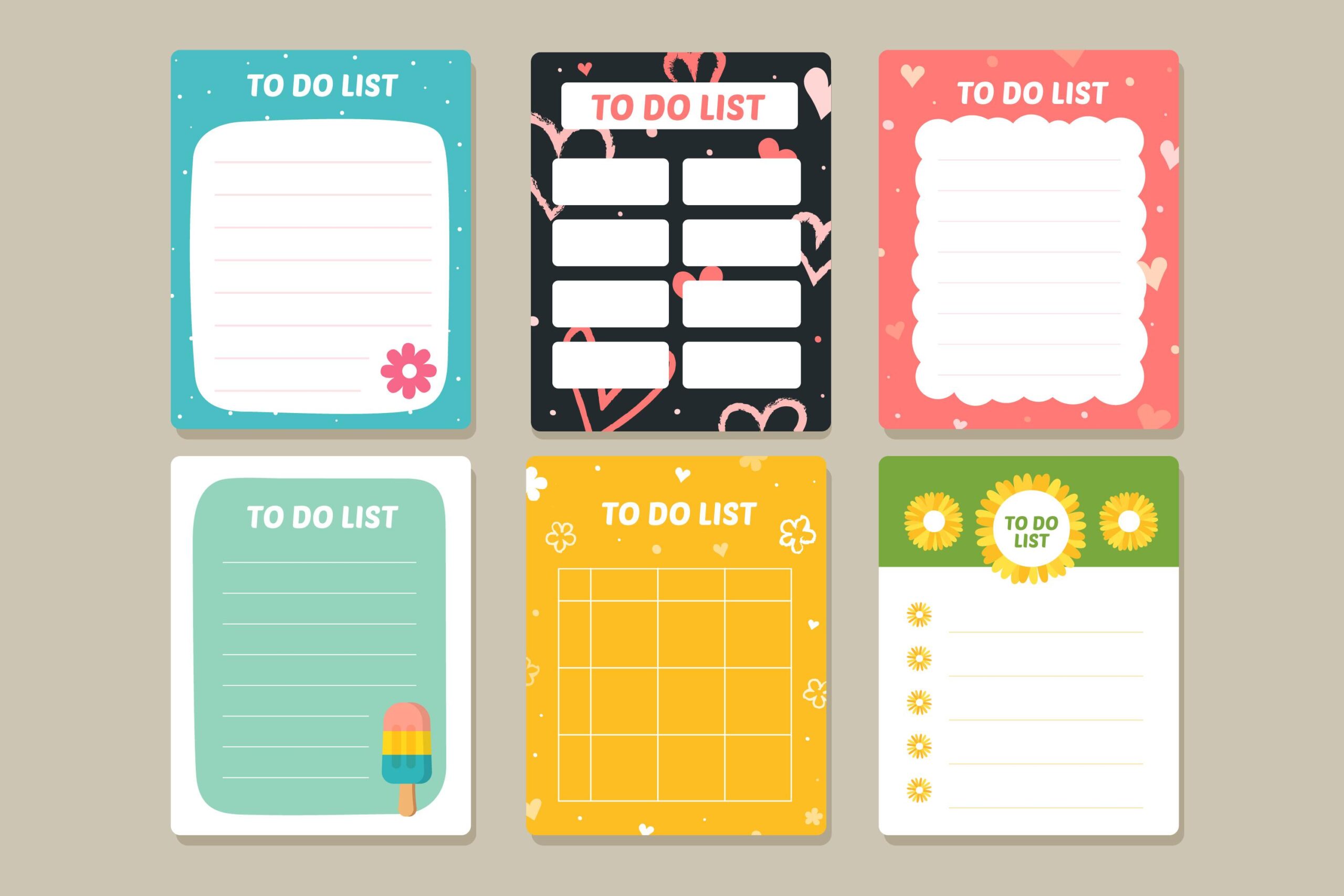
6. Common types of to-do lists and when to use them
There are many different types of to-do lists, each suited for a specific goal and workload. Understanding each type will help you choose the right task management tool, avoiding lists that are too long, difficult to track, or do not accurately reflect priorities. Below are the most common types of to-do lists and suggestions on when to use them.
6.1 Daily To-do list (Daily Task List)
A daily to-do list is a list that helps you identify tasks that need to be completed within the day. This list is usually concise, clear, and focuses on important, specific, and actionable tasks.
When to use:
-
When you have many small tasks to handle in a day.
-
When you want to monitor daily performance and avoid distractions.
-
When you need to prioritize using methods like the Eisenhower Matrix or Time-blocking.
6.2 Weekly To-do list (Weekly Tasks)
A weekly to-do list helps you get an overview of all tasks for the week, allowing you to allocate them scientifically day by day. This type of list is very suitable for people with fluctuating work schedules or multiple overlapping deadlines.
When to use:
-
When you want to proactively manage your work schedule for 5–7 days.
-
When your work requires tracking progress in stages.
-
When you want to reduce daily pressure by distributing the workload evenly.
6.3 Monthly Planning (Monthly Planning)
Monthly Planning not only lists tasks but also sets longer-term goals, such as monthly KPIs, campaigns, or important cyclical milestones.
When to use:
-
When you are making personal or work plans on a monthly/quarterly basis.
-
When you have large goals that need to be broken down into weekly or daily tasks.
-
When managing long-term projects or seasonal tasks (monthly reports, marketing plans, etc.).
6.4 Project To-do list (By Project)
A project to-do list focuses on a specific project, dividing tasks by objective, phase, or person in charge. This list helps prevent missing items and makes it easy to track progress.
When to use:
-
When implementing a project with multiple steps or stakeholders.
-
When you need to track timelines and task dependencies.
-
When you need to coordinate between multiple departments (marketing team – sales – production, etc.).
6.5 Team To-do list (Team/Department Management)
A team to-do list clearly shows who is doing what, what the deadlines are, and the status of each task. This type of list helps manage teams effectively, transparently, and reduces errors in coordination.
When to use:
-
When working in a team or coordinating personnel.
-
When you want to assign permissions, delegate tasks, and track progress.
-
When you need to maintain transparency among members to avoid duplicate work or omissions.
7. Who is a to-do list suitable for?
A to-do list is not just a simple task list, but a flexible tool for time management and task prioritization that can be applied to various audiences with different needs and goals. Depending on the role, the way a to-do list is created and used will also be adjusted to achieve optimal efficiency.
7.1. Office employees & freelancers
For office workers and freelancers, a to-do list acts as a personal work map, helping to control the daily task volume and avoid missing tasks.
-
Helps to clearly list tasks by day, week, or project.
-
Supports prioritizing tasks, especially when handling multiple tasks at once.
-
Increases focus, reduces distractions, and minimizes procrastination.
-
For freelancers, a to-do list also helps manage multiple clients and different deadlines systematically.
Regularly maintaining a to-do list helps individuals work more proactively, reduce pressure, and improve work performance.
7.2. Managers & Team Leaders
For managers and team leaders, a to-do list is not just a personal tool but also a foundation for coordinating and monitoring the team’s work.
-
Supports clear task delegation to each team member.
-
Tracks work progress in real-time.
-
Easily identifies bottlenecks and delayed tasks for timely adjustments.
-
Contributes to enhancing transparency and accountability within the team.
When combined with project management software, a to-do list becomes an effective performance management tool, helping managers make faster and more accurate decisions.
7.3. Business Owners & Startups
For business owners and startups, a to-do list helps transform strategic goals into concrete actions, ensuring plans are implemented synchronously.
-
Helps business owners simultaneously manage multiple areas: sales, HR, finance, marketing, etc.
-
Supports prioritizing important tasks, avoiding getting bogged down in non-value-adding activities.
-
Suitable for the startup environment – where speed and adaptability are crucial for survival.
-
A tool to help build systematic work habits from the very beginning.
A to-do list helps businesses operate leanly, optimize resources, and increase control over their work.
7.4. Students & Long-term Learners
For students and those pursuing long-term learning, a to-do list is an effective tool for organizing studies, helping to maintain discipline and academic progress.
-
Plan studies by subject, semester, or long-term goals.
-
Systematically manage deadlines for assignments, projects, and exams.
-
Helps balance studies, part-time work, and personal activities.
-
Builds the habit of planning – a crucial skill for future careers.
Regularly using a to-do list helps learners be more proactive in managing their time and improving their academic results.
8. Top 5 Project Management Software for Creating Effective To-Do Lists
Thus, using software to support planning and project management is a perfect solution for any business. However, depending on the industry, business type, and company size, leaders will have different criteria for choosing project management software.
8.1 1Office: Project Management and Planning Software
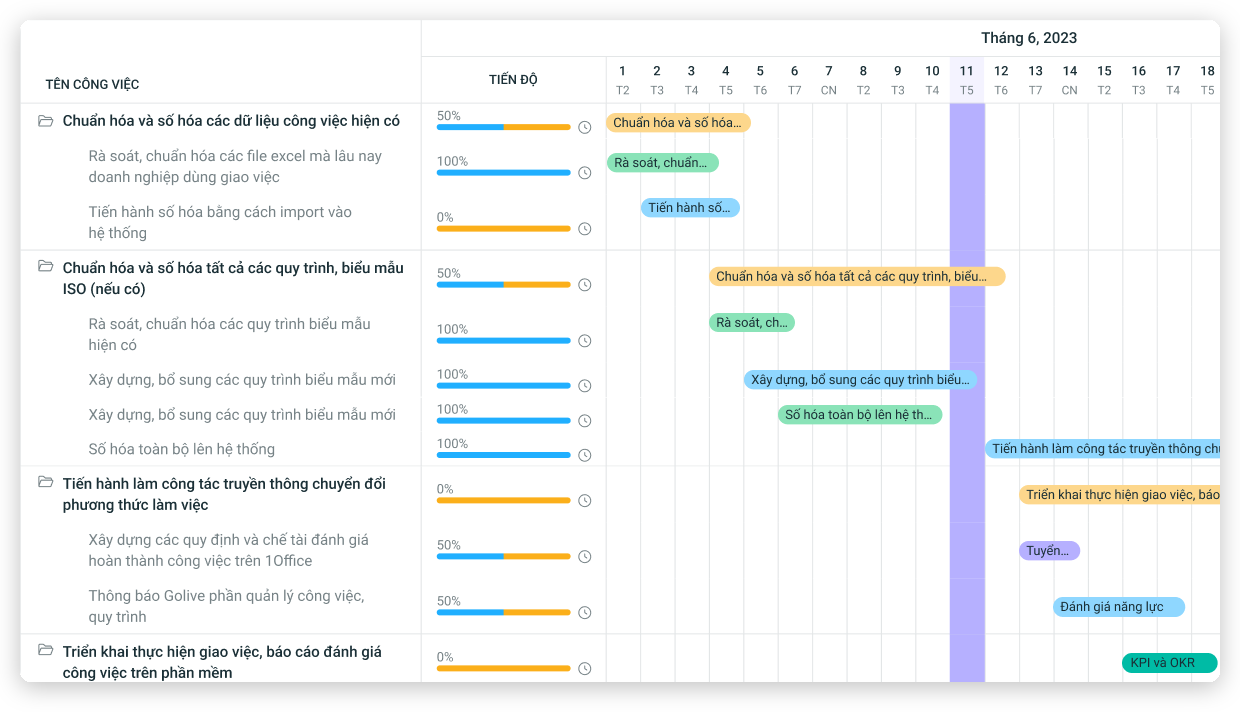
Among the effective to-do list creation software on the market today, 1Office Project Management software is a must-mention. It is a powerful solution that helps businesses plan, organize work, and manage time more effectively and professionally than other software. It has many advantages, such as:
- Create plans directly within the software, allowing users to assign deadlines, followers, assignees, and attach documents and images related to the task.
- Organize tasks by priority level, create sub-tasks with dependent progress, and set strict permissions linked to the parent task.
- Create calendar events for individuals or departments, helping users synchronize their work schedules and stay aware of ongoing tasks.
- Easily track progress, manage teams, and discuss directly within each task or project.
At the same time, the software also integrates many outstanding features such as managing all documents, contracts, supplies, and related objects. Smart alerts, automatic reporting, and progress evaluation features help businesses get a comprehensive overview of tasks and easily prioritize work to achieve the highest efficiency.
8.2 Evernote: Software for Creating To-Do Lists
Evernote is known as a powerful note-taking and task management application. Managers can create To-Do Lists, take notes, store documents, and even attach images and files to their tasks. Evernote also allows users to share and work in teams on mobile phones, tablets, and desktops.
8.3 Trello: An Effective Task Management Tool
This is a visual, easy-to-use task management tool that allows you to create to-do lists and create task cards within them. Users can easily move and arrange task cards on the board, making task management flexible and progress tracking easier. Additionally, Trello provides features like file attachments, comments, and reminders so employees can effectively track and update their work progress.
8.4 Any.do: A Smart To-Do List App
Any.do is a cross-platform task management application with a beautiful and user-friendly interface. Managers can create to-do lists, set reminders, plan their day, and manage personal and team tasks right within the software. Any.do also integrates with other applications like Gmail and Outlook, helping you combine tasks from various sources.
8.5 Todoist: An Application for Creating To-Do Lists
Known as a simple yet powerful task management application, Todoist helps administrators create plans, set deadlines, prioritize tasks, and receive quick reminders. Todoist also integrates with many different platforms and devices, helping users access and manage their work from anywhere.
9. Conclusion
Above is all the information on how to build and use a To do list most effectively and accurately that 1Office wants to share with your business. If you are interested in learning about the software and receiving a free trial of the 1Office Task Management feature, please contact us at:
- Hotline: 083 483 8888
- Facebook: https://www.facebook.com/1officevn/
- Youtube: https://www.youtube.com/@1office-chuyendoisodn
















