


 12/05/2026
  715 views
In the process of work management, each business and manager will apply a unique management method that suits their company’s characteristics and model. There are quite a few methods for managing work, such as Kanban, the Scrum model, MBO, etc. In this article, let’s explore the Japanese work management method, Kanban. So, what is Kanban? And how is the Kanban method applied in managing work and projects? Let’s find out in the content of the article below.
Mục lục
- 1. What is Kanban?
- 2. Pros and Cons of the Kanban Method
- 3. Types of Kanban Cards in Business
- 4. The Basic Principles of the Kanban Method
- 5. How to Apply Kanban for Effective Work Management
- 6. Some Management Tools Using the Kanban Method
- 7. Comparing Kanban, Scrum, and Agile
- 8. Frequently Asked Questions about Kanban Boards
- 7. Optimize Your Work Management Process with the 1Office Solution
1. What is Kanban?
1.1. The Concept of the Kanban Method
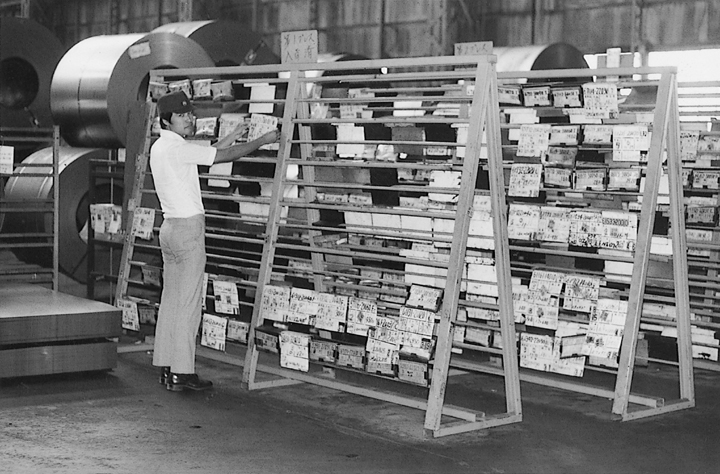
Kanban is a work management system that helps plan for lean manufacturing. This method was discovered by Taiichi Ohno to solve the problem of when to produce and when to stop, after he realized that workers at Toyota had a “produce as much as possible” mindset, even though it caused waste and led to company losses.
1.2. The Essence of the Kanban Method
Kanban – Derived from the Japanese word ( カンバン) meaning “billboard,” originated at Toyota in the 1940s. Kanban is a work management method that helps you break down tasks to track and visualize the current status of a project. Through Kanban, individuals can also determine the work progress and capacity of a group of workers on the same campaign. Today, Kanban and the Scrum model are two methods widely applied by many businesses in modern project work management.
-

- What is the Kanban method?
1.3. What is a Kanban board? The Operating Principles of Kanban
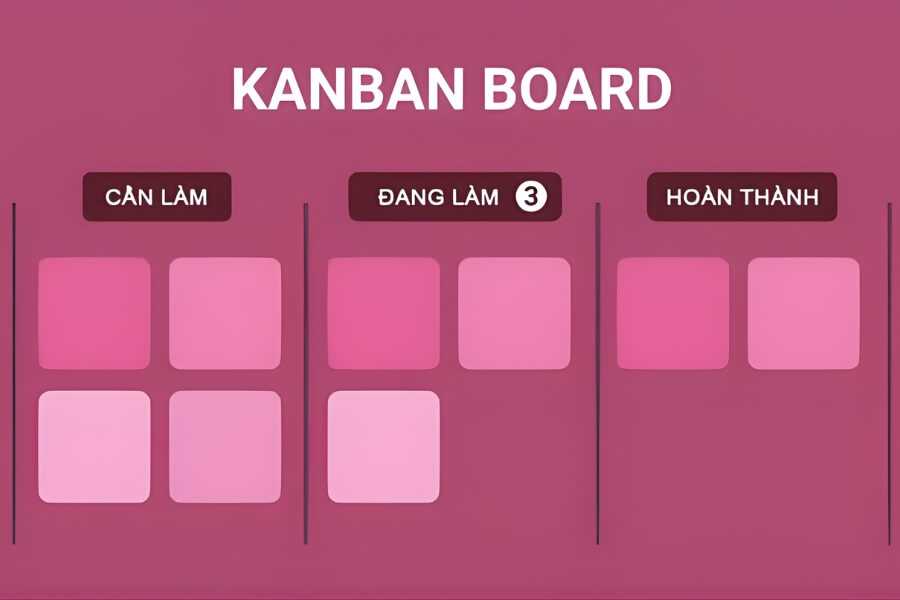
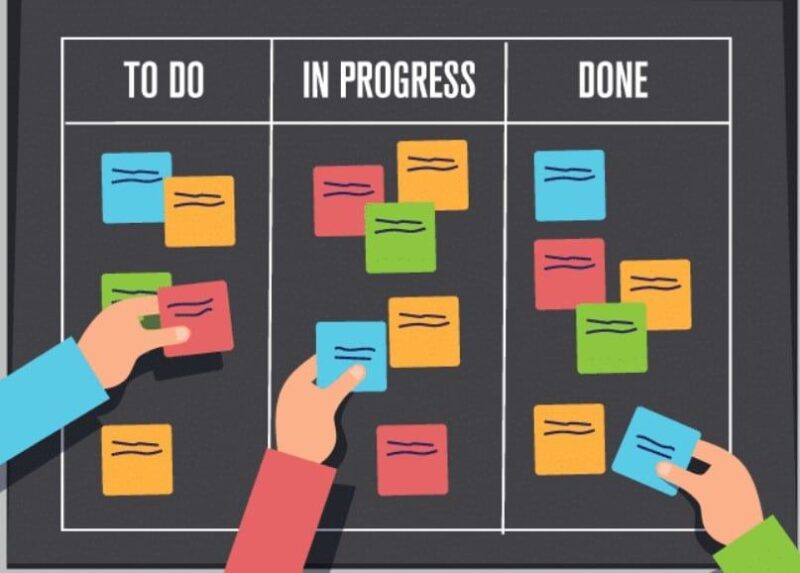
What is a Kanban board? A Kanban board is a visual work management tool that helps teams track and control workflow according to actual statuses. The board is usually structured into columns representing process stages, for example:
| To Do → Doing → Done. |
Each task is represented by a card (Kanban card) and moves across columns as its progress changes, reflecting the actual status of the entire workflow.
A Kanban board operates by visualizing each work item through cards placed in columns on the board. Each column represents a stage in the “value stream”—the sequence of steps a task goes through from start to finish.
Tasks are written on Kanban cards and placed in the column corresponding to their current status.
- Different card colors help categorize types of work (e.g., bug, task, improvement…).
- Swimlanes (horizontal rows) are used to organize work by team, priority, or type of item, making it easy for multiple teams to work on the same board.
- WIP (Work In Progress) limits are set for certain columns to control the number of tasks being processed, preventing bottlenecks and maintaining a stable workflow.
- Team members pull cards and move them from left to right as progress changes, reflecting the journey of the work through each stage.
Thanks to this visual and tangible mechanism, a Kanban board helps teams track progress in real-time, detect bottlenecks early, and optimize work efficiency.

- A Kanban board is a visual work management tool that helps track and control workflows based on their actual status
2. Pros and Cons of the Kanban Method
Pros:
- Clearly defines the production process with connections between stages.
- Highlights unresolved issues.
- Shortens the product lifecycle due to high labor distribution capabilities.
- Reduces inventory levels, preventing waste of raw materials and losses for the business.
Cons:
- With low inventory, the business may not be able to meet orders with large fluctuations in demand.
- Internal disruptions within the company can affect the entire Kanban system.
| Read more: What is PDCA? 4 Steps to Effectively Apply the PDCA Process in Your Business |
3. Types of Kanban Cards in Business
As a method that helps manage work more effectively, which types of work is this method suitable for? We can consider the following 5 types of Kanban Cards:
- Transport Kanban: A Kanban card used to signal a previous stage to move an item to the next stage.
- Production Kanban: Used to signal the production line to produce a quantity of goods to replenish what has been shipped.
- Supplier Kanban: A card type used to signal a supplier for raw materials.
- Temporary Kanban: A Kanban issued for a limited time in case of an unexpected shortage of items.
- Signal Kanban: A type of Kanban card used to signal the plan for batch production stages.
Read more: Top 12+ effective work organization apps to boost productivity
4. The Basic Principles of the Kanban Method
Created as a work management tool based on a foundation of uninterrupted processes, pursuing evolutionary change and continuous improvement. So, let’s examine the principles that create this management method:
4.1. Start with What You Do Now
Kanban is a flexible management method used on existing workflows with the principle of not disrupting what is already in place. Additionally, it helps to evaluate, highlight problems that need solving, and plan for changes without disrupting the workflow as much as possible.
-

- The basic principles of the Kanban method
4.2. Agree to Pursue Incremental, Evolutionary Change
By using the Kanban management method, your business is encouraged to make small, continuous, incremental, and evolutionary changes rather than large, sweeping changes at once, which can cause fear due to uncertainty. These small changes are often implemented through collaboration and feedback, becoming an iterative process that helps your business grow continuously.
4.3. Respect the Current Process, Roles, and Responsibilities
Unlike other management methods, when using Kanban, you are not forced or required to change. Instead, it seeks to research and collaborate to make precise, incremental changes.
4.4. Encourage Acts of Leadership at All Levels
Every individual can be a manager or leader at any level, and leadership stems from everyday insights and actions to improve their work quality. Therefore, the Kanban method encourages everyone to act as a leader and share ideas to achieve optimal performance at all management levels within the business.
Read more: What is the SMART model? How to apply SMART goals in business
5. How to Apply Kanban for Effective Work Management
Besides understanding the theory of what Kanban is, when applying Kanban to the work process of a business or a team, every organization must be careful with the implementation steps. Typically, managers should have a firm grasp of the six core practices of the method to be successful. So, in this section, let’s explore and examine these practices more closely.
5.1. Visualize the Workflow
Kanban helps teams clearly define the tasks that must be done to complete a project before it starts by breaking the project down into smaller pieces. To apply Kanban to your work management process, you will need cards and columns.
While each column in the workflow represents a work step, each card represents a work item to be completed. Using Kanban helps to clearly identify which stage the project’s actual process has reached.
At its simplest, there are 3 basic columns: To-do, In progress, and Done.
-

- How to apply Kanban in work management
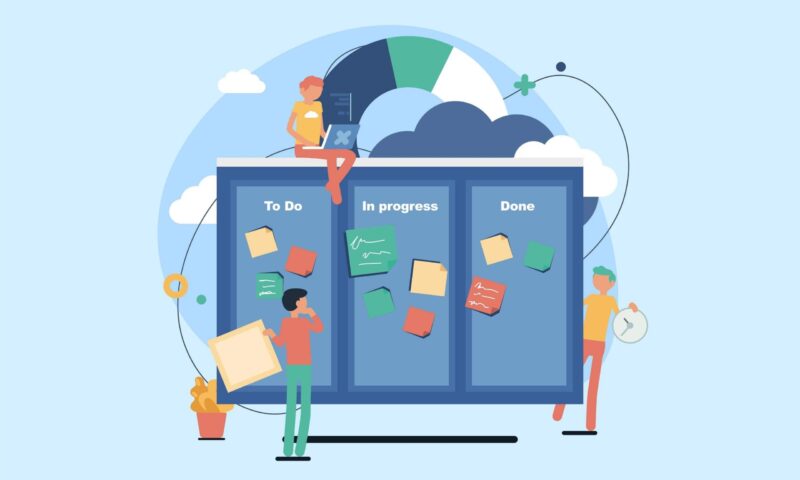
When you start task X, you will drag the card from the To-do column to the In progress column, and then to the Done column after completing the task. This allows you to track work progress and identify bottlenecks (Blocks). Depending on the team and the project, the number of columns on a Kanban board can be greater, depending on the specific workflow.
5.2. Limit Work in Progress (WIP)
By using Kanban, you can ensure that only a specific number of work items are being processed at any given time. Without limiting the amount of work in progress, context switching will harm the overall project process, creating waste and inefficiency.
Set a maximum limit for each stage to ensure that a card can only be “pulled” to the next stage when there is enough capacity to work on it. Limiting work in progress in this way helps to uncover persistent, difficult-to-solve problems so they can be addressed promptly.
5.3. Manage Flow
The Kanban work management solution is a management method that focuses on the work, not the people. Therefore, the movement of work items is the main focus when using this method. With Kanban, clearly defining work items before execution helps you get the most accurate view of the workflow.
By focusing on the progress of item movement, you can also identify difficult issues and devise solutions for them. Instead of focusing on a specific individual, focusing on work items helps the work process flow more smoothly and seamlessly.
5.4. Clear Policies
Using the Kanban management method helps participants clearly understand what they need to do and the overall project goals. Additionally, it helps reduce repetitive tasks, streamline processes, and improve efficiency.
-

- Work Participation Policy

5.5. Feedback Loops
For project teams or companies, having a feedback loop helps work get done more accurately and quickly, with all tasks following a familiar cycle.
Each project has its own Kanban board, which together form a Kanban system within a business. And using the Kanban system smoothly like this will help improve the company’s operations.
5.6. Continuous Improvement
This is a core principle of the Kanban method. By improving from the smallest things, continuously changing, and optimizing the work management process, your business will gradually grow. Although mastering the six core principles above is important, successfully applying them to work management is a process that requires time and effort from managers. Therefore, to get a more comprehensive view of the Kanban work management method, let’s consider its pros and cons.
| Read more: Top 8 Most Effective Free Task Assignment Software for Employees Today |
6. Some Management Tools Using the Kanban Method
Here are some software and tools that support work management using the Kanban method:
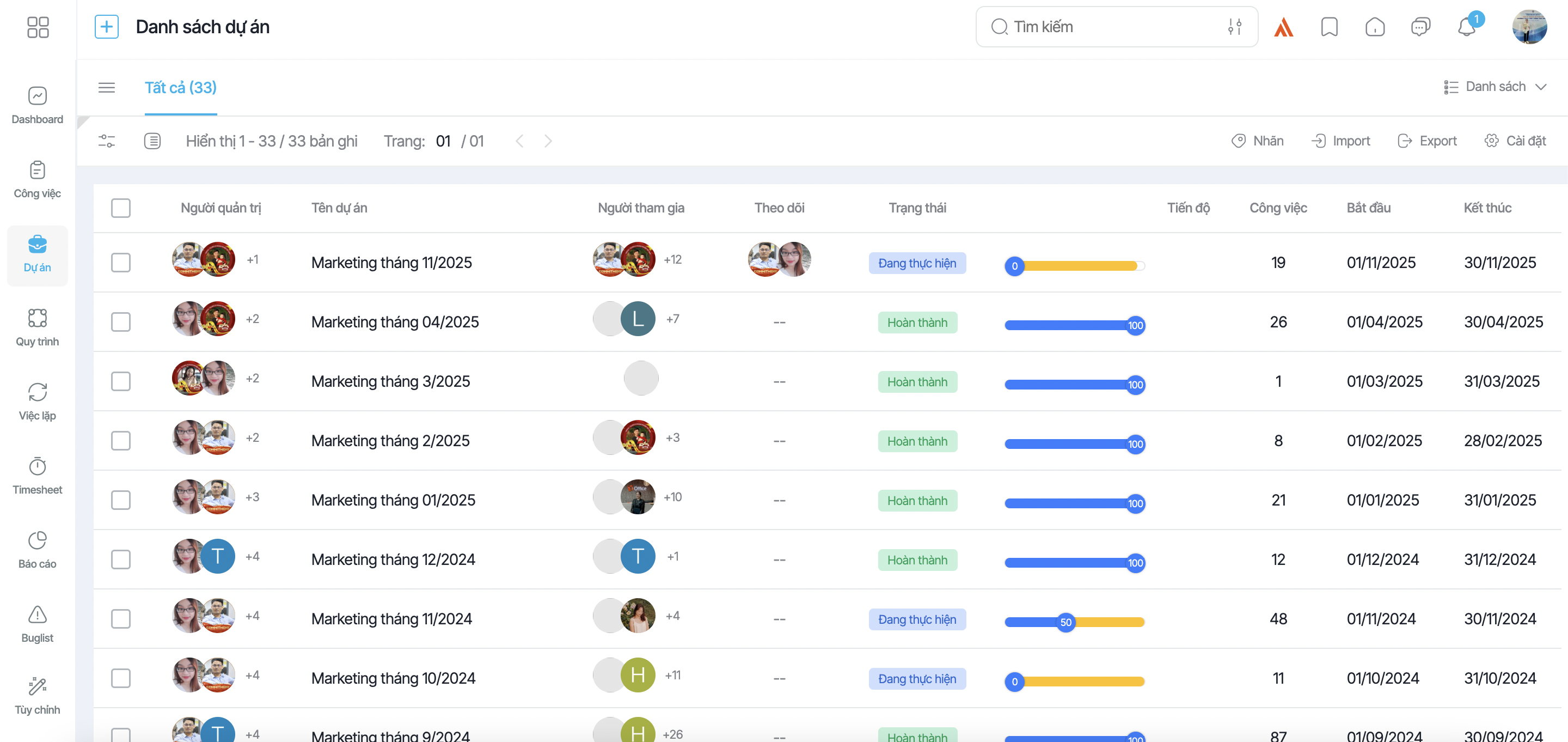
6.1. 1Office Project Management Software
1Office is a management platform that helps businesses easily implement Kanban, optimize processes, and improve work efficiency. With 1Office, businesses can track all tasks, promote team collaboration, reduce resource waste, and focus on tasks that bring real value to the business.
When applying Kanban on 1Office, there are a few notes to optimize efficiency:
- Manage work anytime, anywhere: 1Office is an online software that helps track work from start to finish, regardless of location or time.
- Intuitive Kanban interface: Uses 3 basic columns “To Do – In Progress – Review,” each with a different color, making it easy for managers to assign tasks and evaluate progress.
- Focus and control work: For each campaign, assign specific tasks and limit 3-4 tasks in the “In Progress” column to avoid distractions and overload.
- Direct tracking and reminders: Managers can comment and send progress reminders directly on the task card without needing to meet in person, which enhances efficiency and transparency.
Applying Kanban on 1Office helps leaders manage team tasks more easily, optimize productivity, and improve business operational efficiency.

- 1Office project management software
6.2. Trello Work Management Application
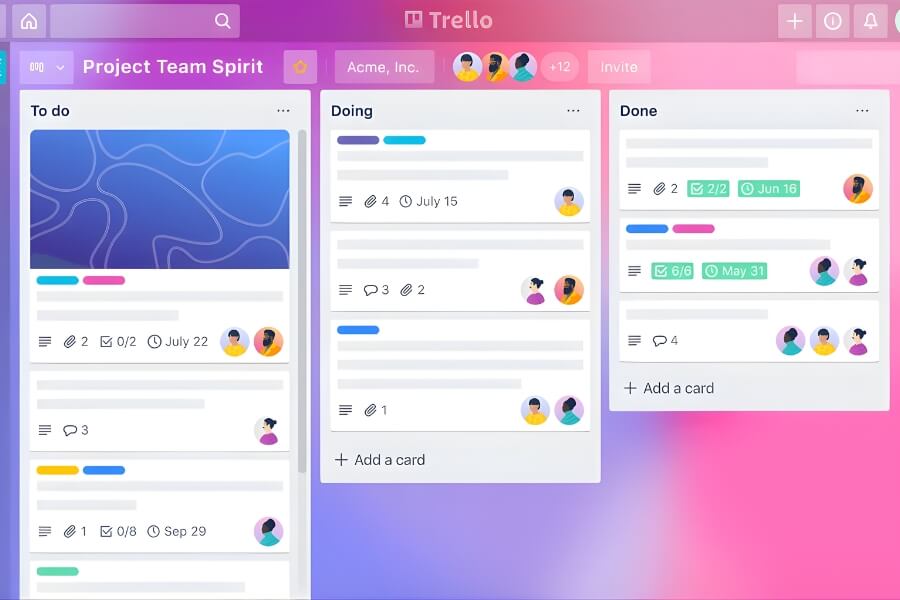
Trello is a work management tool based on the Kanban method, known for its minimalist design, ease of use, and free version. As a result, Trello is chosen by many individuals and small teams.
Trello’s interface simulates sticky notes on a whiteboard. Each column (List) represents a step in the process, for example: To-do > Step 1 > Step 2 > Step 3 > Done. You can drag and drop cards (Card) between Lists to update progress. Each Card has all the necessary information fields and allows members to communicate directly through comments and tagging.
Trello’s limitations lie in its simple administrative hierarchy, lack of time management features, and absence of summary reports.
- Trello work management application
6.3. Base Workflow Business Process Management Software
Base Workflow is a platform for managing and automating processes, helping to standardize and connect hundreds of business operations in one place. The system allows for flexible process building within or across departments, while also providing visual progress tracking and real-time data updates to promptly detect and handle hotspots.
- Detailed and transparent permissions, supporting users to participate in or manage multiple departments and projects simultaneously.
- Flexible progress tracking through multiple display modes: Kanban, list (to-do), calendar, Gantt chart, etc., suitable for various management purposes.
- Integrated internal chat supporting 1-on-1 and group chats directly within the system.
- Daily automatic task reminders, including task lists and overdue alerts.
- Results review feature, ensuring the workflow is not blocked and maintaining output quality.
7. Comparing Kanban, Scrum, and Agile
Agile, Scrum and Kanban: Nature and Relationship
- Agile is a project management methodology and philosophy based on two core principles: iterative development and incremental growth. The goal of Agile is to shorten the time-to-market for products, helping businesses quickly receive feedback and optimize delivery value.
- Scrum is a framework that operates according to Agile, often applied in projects where the product requirements or goals are not clearly defined from the outset. Scrum operates through fixed 1-4 week Sprints (phases) to continuously improve the product, techniques, team, and work environment.
- Kanban is also a management model within the Agile system, providing a set of tools to visualize processes with boards, columns, and cards to optimize workflow. Kanban clearly embodies the Agile spirit through its ability to adapt quickly, limit interruptions, and ensure transparency throughout.
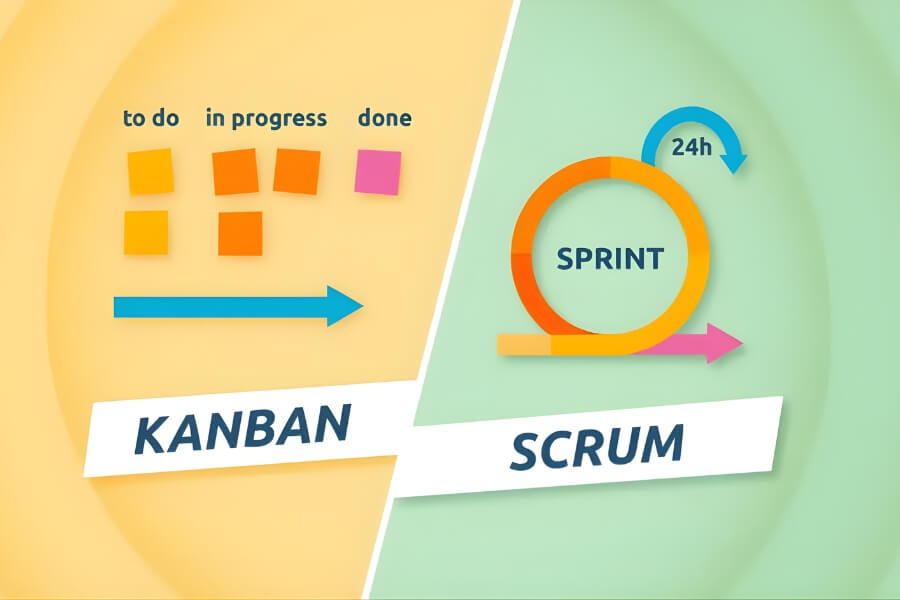
Since both Scrum and Kanban are ways to implement Agile, when analyzing their differences, it is necessary to focus on comparing these two methods.
| Criteria | Kanban | Scrum |
| Origin | Lean Manufacturing | Software Development |
| Operating Principle | Visualizes workflow using boards, columns, and cards | Continuous improvement through development iterations (Sprints) |
| Core Principles | – Effectiveness
– Efficiency – Predictability |
– Transparency
– Adaptation – Inspection |
| Workflow | Continuous flow, not bound by cycles | Follows fixed cycles, operates in Sprints |
| Implementation Steps | – Design the Kanban board
– Set WIP limits – Create work cards – Implement the work – Improve the Kanban flow |
– Build the Product Backlog
– Sprint Planning – Execute the Sprint – Daily Stand-up – Sprint Review – Sprint Retrospective |
| Team Structure | No prescribed roles; suitable for any organizational structure | 3 clear roles: Product Owner, Scrum Master, Development Team |
| Metrics | – Cycle Time
– Lead Time – Workflow Efficiency |
– Velocity
– Workload – Team Satisfaction |
>>> READ MORE: Details on the differences between Kanban and Scrum
- Comparing Kanban and Scrum
8. Frequently Asked Questions about Kanban Boards
Frequently Asked Questions about Kanban Boards
Is Kanban Lean or Agile?
Kanban is a method within the Agile framework, but it originates from Lean. Initially, Kanban was developed at Toyota under the Lean system to optimize workflow and reduce waste. It was later adapted for software development and project management with an Agile mindset, thanks to its ability to visualize work, limit the number of tasks in progress (WIP), and promote continuous improvement.
What is a Kanban board used for?
A Kanban board is a tool for managing and visualizing work progress through different stages. Specifically, a Kanban board helps to:
- Display the status of each task from “To Do” → “In Progress” → “Done,” helping the entire team understand the progress.
- Limit the amount of work in progress (WIP) to prevent overload and increase focus.
- Track and control progress, and promptly identify and resolve bottlenecks.
- Increase transparency, team collaboration, and optimize resource allocation.
- Manage projects flexibly, making it easy to adjust to changes in requirements or priorities.
- Provide data for managers to evaluate performance and drive continuous improvement.
What are the two core rules of a Kanban board?
The two core rules of a Kanban board are:
- Visualize the workflow: All work is clearly displayed on the board through cards and status columns (“To Do,” “In Progress,” “Done”), helping the team easily track progress.
- Limit Work in Progress (WIP Limit): Restrict the number of simultaneous tasks in each column to prevent overload, reduce bottlenecks, and focus on completing started work.
In summary, these two principles ensure transparency, control, and continuous improvement in work management using Kanban.
What is a Kanban view?
A Kanban view is a visual representation of work on a Kanban board, with cards representing individual tasks organized into status columns like To Do, Doing, and Done. This display makes it easy to track progress, identify bottlenecks, and coordinate work effectively by dragging cards across columns as their status changes. A Kanban view is commonly found in project management or CRM software, supporting flexible and transparent management.
What does Kanban mean in Japanese?
In Japanese, Kanban is a combination of “kan” (visual) and “ban” (card), which can be understood as “information board” or “signboard.” The term originated in the Japanese manufacturing industry, first used by Toyota, to describe a method of managing work by visualizing the process through cards and a board.
What are the main principles of using Kanban?
The main principles of Kanban are:
- Visualize the work: Display tasks on cards in columns corresponding to their status, helping the team track and coordinate easily.
- Limit WIP: Restrict the number of tasks being worked on simultaneously to prevent overload and bottlenecks.
- Manage flow: Optimize the workflow, ensuring tasks move smoothly through the stages.
- Make policies explicit: The process is transparent, with guidelines for everyone to understand and follow.
- Implement feedback loops: Continuously evaluate, review, and improve based on actual data.
- Improve collaboratively, evolve experimentally: Always adjust and enhance working methods to achieve the highest efficiency.
What is an example of Kanban in manufacturing?
Examples of Kanban in manufacturing:
- Toyota: Uses Kanban cards to coordinate raw materials and components, ensuring each production stage receives only the necessary amount, avoiding excess inventory and waste.
- Zara: Applies Kanban to maintain low inventory and quickly update new collections, using real-time sales data to respond promptly to market demand.
- Other manufacturing companies: Use Kanban to optimize work cycles, control inventory, and improve supplier relationships; a Kanban board placed near the production area or suppliers helps facilitate quick decision-making.
These examples show how Kanban helps visualize progress, control the flow of materials and work, reduce inventory, and increase production efficiency.
What types of projects is Kanban suitable for?
Kanban is suitable for projects with the following characteristics:
- Work and priorities change frequently, requiring maximum flexibility in management.
- A continuous workflow, not bound by fixed cycles like Sprints in Scrum.
- A need for continuous improvement and maintaining a stable workflow, avoiding bottlenecks.
- Small teams or cross-departmental groups that need to manage multiple projects and tasks simultaneously.
- Projects related to operations support, customer service, or processes that require quick responses.
7. Optimize Your Work Management Process with the 1Office Solution
Using sticky notes or a note-taking app on your computer is suitable when you often work in one place or want to manage personal tasks. However, if you need to manage a team or employees who are frequently on the move, you can opt for work management software that applies the Kanban method, and you might consider the 1Office management platform.
By applying the Kanban method to its software, 1Office helps you gain a better overview of your work and promotes team collaboration. Using 1Office, you can easily reduce resource-wasting activities, automate workflows, and focus on tasks that bring real value to your business.
-

- Applying the Kanban method in work management with 1Office
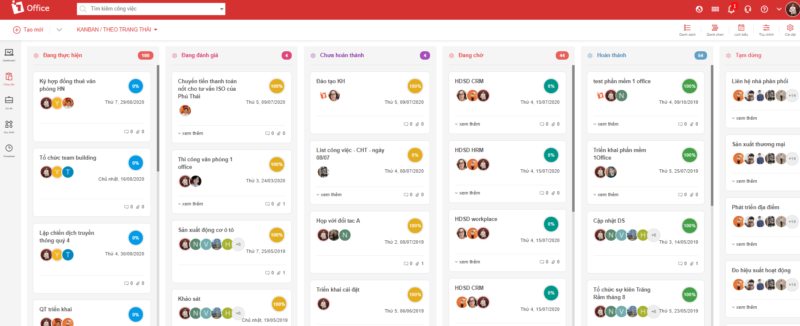
When using Kanban to manage work and projects on 1Office, here are a few tips to help you optimize efficiency and shorten the adoption process:
- 1Office is an online work management software that helps you easily manage work at any time, from anywhere, from start to finish.
- Use the simplest Kanban interface with just 3 columns: To Do, In Progress, and In Review, with each column having a distinct color, helping managers easily assign tasks, track, and evaluate employee performance.
- For each campaign, there will be specific tasks. Limit the “In Progress” column to 3-4 tasks. There is a feature to highlight ongoing tasks, helping you focus better and avoid the distractions and pressure of handling too many things at once.
- Moreover, by using the Kanban feature in 1Office, managers can comment on and send reminders about employee work progress directly on the task cards, without needing to meet in person.
Thus, the article above has helped users understand what Kanban is and how the Kanban work management method works. This is a work management tool that focuses on items within a project, helping individuals in a process enhance their proactivity and ability to self-manage themselves and their work.
If you need any further information or have questions about applying this method to your business management process, you can contact 1Office for support
















