


 10/05/2026
  18048 views
In the context of global economic integration and the rapid development of information technology, applying technological solutions to business management has become a decisive factor in helping companies enhance their competitiveness and achieve sustainable growth. One of the technological solutions that helps businesses optimize operations today is Bravo software – a business management software trusted by many large companies.
Mục lục
- Overview of Bravo Software
- Key Features of Bravo Software
- Pros and Cons of Bravo Software
- Bravo Software Pricing
- Which businesses are a good fit for Bravo?
- Frequently Asked Questions about Bravo software
- 1. Does Bravo software support integration with other systems?
- 2. How can the interface and functions of Bravo software be customized to fit a business’s needs?
- 3. Does Bravo provide customer support services after implementation?
- 4. How to download Bravo software?
- 5. Is Bravo Software Suitable for Small Businesses and the Manufacturing Industry?
- 6. How to Use 1Office to Overcome Bravo’s Limitations in the Retail Industry
- 7. Is there a better solution than Bravo software?
Overview of Bravo Software
Bravo is a comprehensive management solution that helps leaders holistically manage all of a company’s resources (human, financial, and material) and enables all departments to perform their tasks and share information effectively through standardized work processes built into the software’s design.
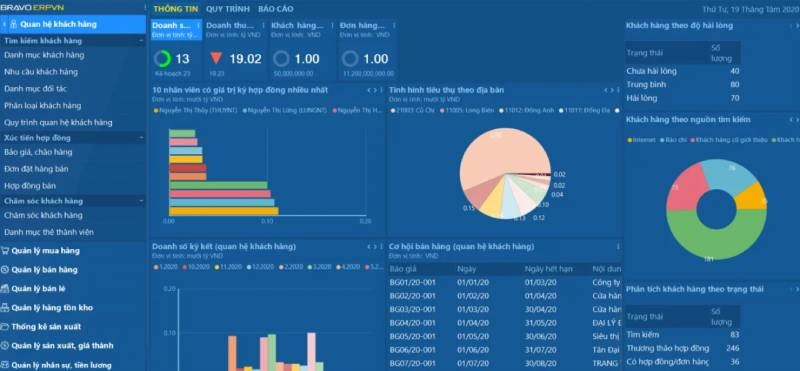
Bravo software is designed to help businesses effectively manage and operate their activities. It not only helps managers improve management and operational efficiency but also optimizes costs and resources, thereby increasing profits and market competitiveness.
Bravo’s software product is developed based on .NET programming technology and uses the SQL Server database. This is a key component of the “Enterprise Resource Planning (ERP) Software Solution” that Bravo provides. When implemented in a business, each department and division is granted specific and clear permissions to access, manipulate data, and use features, ensuring data security while all departments use the same software system.
Key Features of Bravo Software
The features of the Bravo business management software solution are designed based on thorough research of user actions, document circulation processes, and data control methods in real-world businesses. Among them, the following 5 key features are the most prominent.
#1 Project, Task, Progress, and Schedule Management
Bravo software is a powerful business management solution with an integrated project management tool. Users can easily and efficiently create and manage tasks and schedules. The software provides the ability to define project scope, assign resources, create schedules, and track progress.
Bravo allows managers to create Gantt charts, track assignments, and manage resources, helping to enhance project efficiency and control. Bravo also offers the ability to link tasks and projects with other business processes such as human resource management, material management, and financial management. Thanks to these advantages, businesses can optimize their workflows, ensuring projects are completed on schedule and within budget.
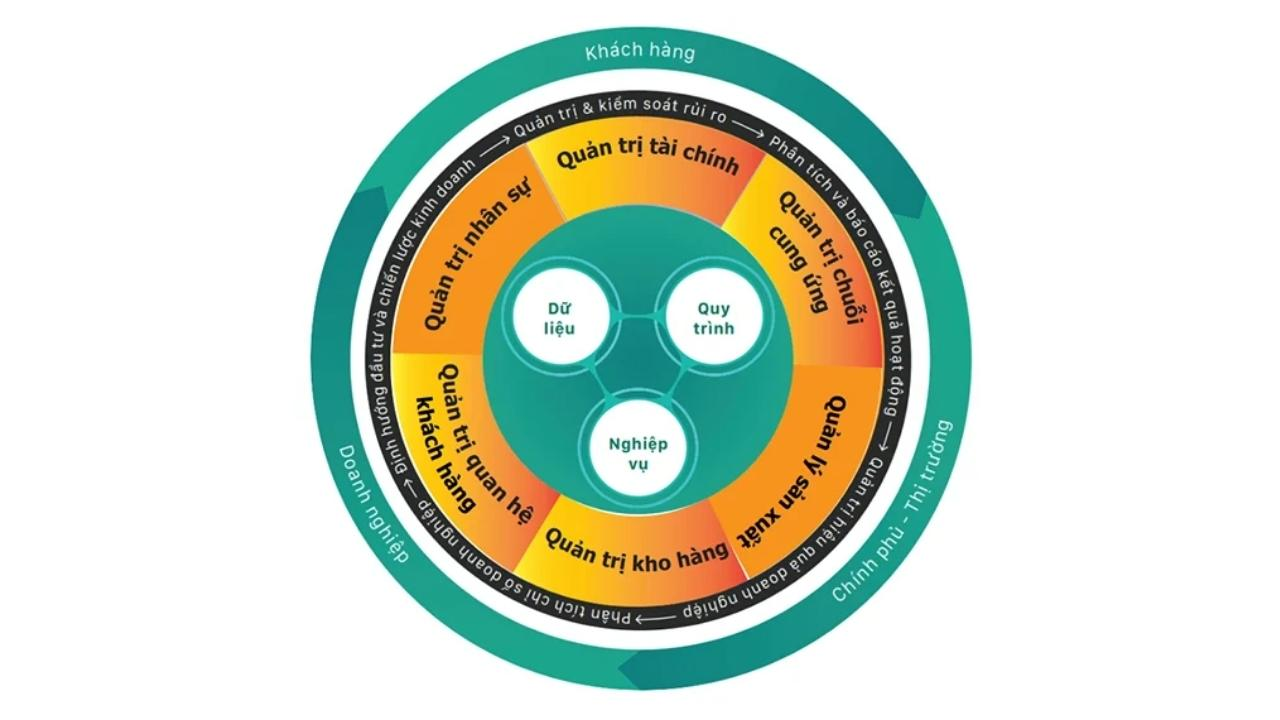
Additionally, Bravo provides a range of features for detailed and comprehensive tracking of work and project progress. Users can view information on actual progress versus planned progress and receive notifications about alerts during project execution. Bravo software allows for the creation of flexible and customizable progress reports based on the requirements and complexity of each project.
Thanks to these features, users can monitor and evaluate the performance of tasks and projects, detect potential issues early, and flexibly apply corrective measures to ensure work stays on schedule.
#2 Store and Manage All Types of Documents
Users can store, access, and share documents such as contracts, reports, manuals, and other important materials. Notably, these documents are categorized and tagged, making searching and access easier. By storing documents in the Bravo system, users do not need to search for and access them from external storage sources, thereby saving time and improving work efficiency.
#3 Create Reports, Analyze Performance
Bravo software provides tools for creating reports, analyzing performance, and managing project progress. Users can generate custom reports to track the detailed progress and completion level of each item.
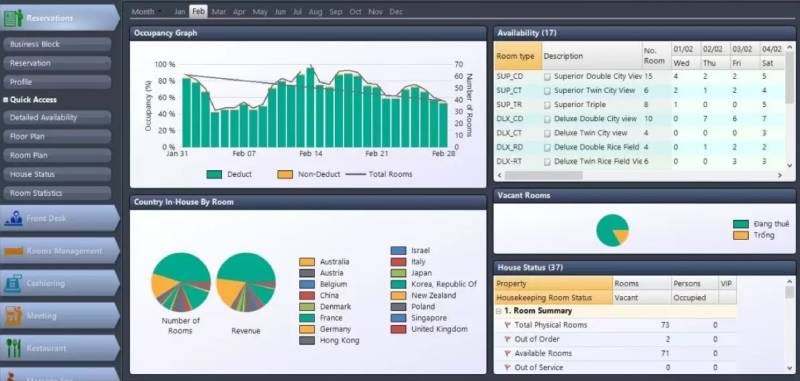
This tool allows users to view an overview of key metrics, analyze data to better understand project performance, identify issues, and adjust work plans as needed. By providing accurate and detailed information, Bravo helps users make intelligent decisions and optimize the project management process.
#4 Internal Communication and Information/Document Exchange
Bravo provides internal communication and online collaboration features, enabling project members to conveniently exchange information, discuss, and share documents. Users can set up forums, workgroups, or virtual workspaces to exchange ideas, discuss issues, and update project-related information. This feature enhances communication, interaction, and collaboration among members, improves work efficiency, and ensures consistency in decisions and actions.
Pros and Cons of Bravo Software
The summary table below will help you better understand the strengths and weaknesses of Bravo software, providing an overview to help you evaluate and make a choice:
| Pros | Cons |
| Provides detailed and comprehensive work and project progress tracking features | The interface can be complex for new users |
| Allows for the creation of flexible and customizable progress reports | The cost can be high for small businesses |
| Supports internal communication and remote data access | May require time for training and familiarization with all features |
| Provides alerts and notifications about issues during project execution | Customer support options may not meet all specific needs |
| Effectively implements accounting and financial management operations | Difficulty integrating with third-party software |
| Supports the creation of financial, tax, and management reports | Lengthy implementation time |
| Supports multiple platforms, including Android, iOS, and Windows | |
| Easily connects with other modules within the same system |
Bravo Software Pricing
With the pros and cons mentioned above, the question is: How much does Bravo software cost? Currently, BRAVO software does not have a fixed price for all customers, unlike off-the-shelf products on the market. This difference stems from its product delivery process. To determine the price for a business, BRAVO will conduct a detailed survey of the company’s management and operational requirements to provide the most reasonable quote.
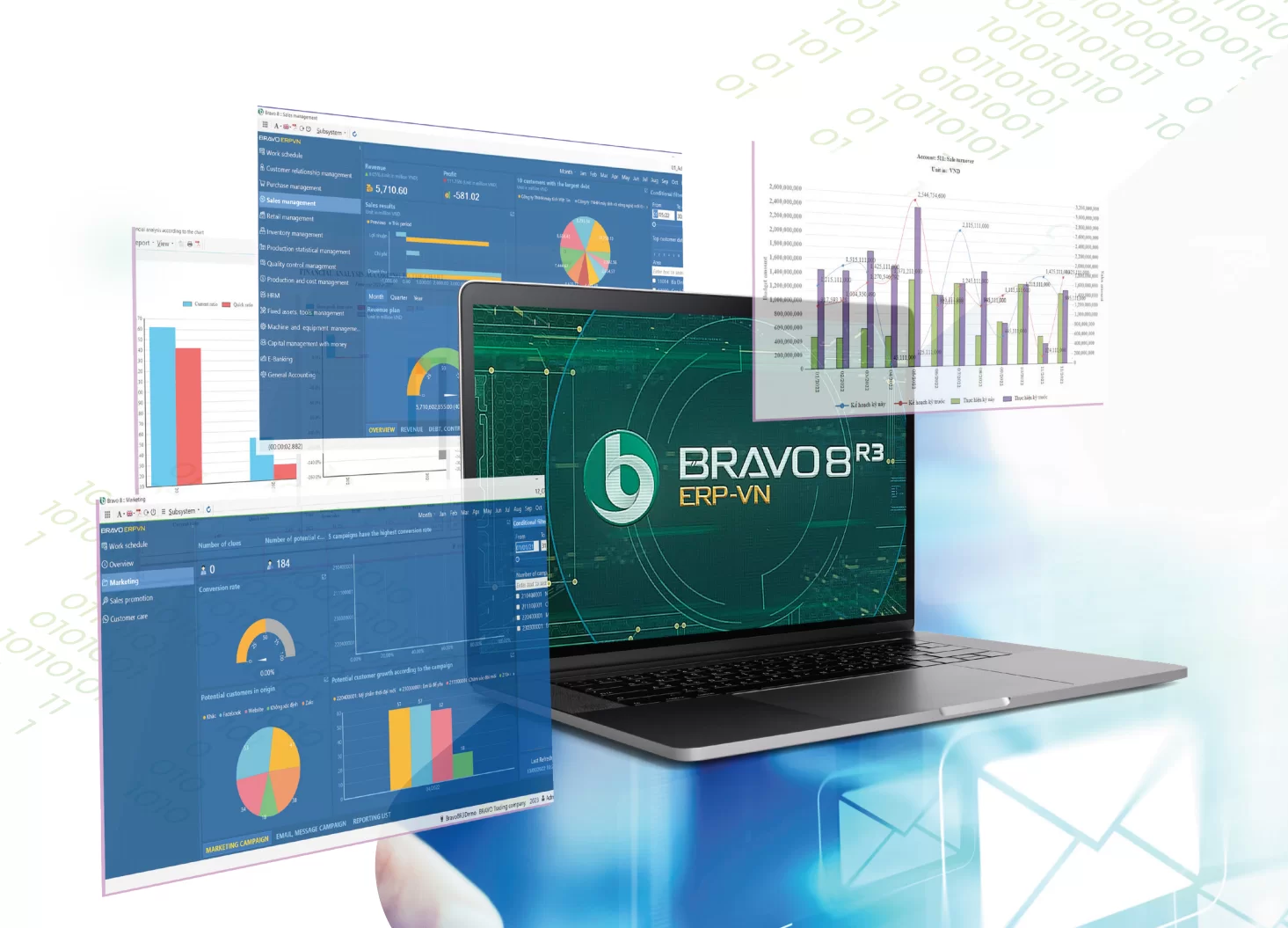
The price for Bravo software is not publicly displayed on media platforms like fan pages or websites. To receive a quote for Bravo software, you must contact the consulting team directly to understand the pricing, discounts, and to experience the Bravo software trial version.
Which businesses are a good fit for Bravo?
This section helps businesses quickly assess whether Bravo Software is suitable for their specific characteristics, business model, and operational goals. Instead of viewing Bravo as a “one-size-fits-all solution,” consider it from multiple perspectives: business scale, industry, level of process standardization, internal IT capabilities, and implementation goals (optimizing accounting, production management, inventory management, or a comprehensive ERP). Below is a full, detailed analysis to help leaders and the purchasing department make an informed decision.
>> See more: TOP 15+ most reputable, easy-to-use sales software in 2026 HERE
1. Business Scale
Bravo is often suitable for businesses with the following characteristics:
-
Medium and large enterprises (Large SMEs – Enterprise):
Bravo’s strength lies in its customizability and ability to handle complex accounting and production operations, making it suitable for medium-sized and larger businesses with sufficient resources to implement and operate an on-premise or hybrid ERP system. -
Scaling-up businesses:
If a business already has basic processes and needs a standardized system to manage multiple branches and warehouses, Bravo can meet the needs of scaling and data integration. -
Less suitable for micro-SMEs or low-budget startups:
New businesses, those with unstable processes, or those with limited budgets may find the implementation costs of Bravo (customization, training, maintenance) to be a barrier. For this group, a lighter cloud/SaaS solution (subscription-based, quick deployment) may be more suitable.
2. Industries — Where Bravo Excels
Bravo has strengths when implemented in industries with clear business processes and detailed accounting and production requirements:
-
Manufacturing:
-
Businesses in consumer goods, mechanics, packaging, and apparel—where management of BOM, norms, production orders, quality control, and timekeeping/machine productivity is needed.
-
Bravo is suitable for factories with multiple production lines, numerous production stages, or complex production cost allocation needs.
-
-
Large-scale Commerce & Distribution (Wholesale/Large Retail Chains):
-
When complex management of accounts receivable, pricing, multiple warehouses, delivery, and POS integration is required.
-
For multi-regional distribution systems with many agents, Bravo can be customized to meet wholesale and retail operational needs.
-
-
Construction and Project-based Industries:
-
Businesses that need to manage construction sites, project-based costs, acceptance testing, and cost allocation—Bravo can customize its project and cost tracking modules.
-
-
Scaled Logistics & 3PL:
-
When multi-dimensional warehouse management, lot tracking, expiration dates, and transportation integration are needed—Bravo can be implemented for effective management.
-
-
Capital-intensive Services (Healthcare, Facility Management) – at a level with large assets/infrastructure:
-
If the business has expensive equipment that requires depreciation and maintenance, Bravo handles the related operations well.
-
3. Level of process standardization & customization requirements
Bravo is particularly suitable for businesses with one of the following two characteristics:
-
Processes are fairly standardized but require deep automation:
If the business already has SOPs and clear operational processes and wants to digitize, Bravo can be easily configured to automate steps, ensuring synchronized data flow. -
High customization needed for specific operations:
Bravo has an advantage in its customization capabilities — suitable when a business has specific operations that don’t fit into a standard software “box”.
Conversely, if a business is in the phase of testing its business model or constantly changing processes, a system that is too “fixed” or requires significant post-implementation customization can be costly and slow down operations.
4. In-house IT capabilities and operational capacity
Choosing Bravo requires considering the business’s technological capabilities:
-
Sufficiently strong in-house IT/PM:
Bravo implementation often requires an experienced in-house IT team or implementation partner (for configuration, customization, integration). A business with a strong IT team will implement, maintain, and upgrade effectively. -
No strong IT — requires a specialized implementation partner:
If the business lacks sufficient capabilities, it needs to budget for implementation, maintenance, or managed-services support. -
Infrastructure requirements (On-premise vs Cloud):
Bravo is traditionally deployed on-premise; businesses need to evaluate their server infrastructure, security, backup, and operational policies before making a decision.
Frequently Asked Questions about Bravo software
1. Does Bravo software support integration with other systems?
Yes, Bravo software can integrate with other systems like CRM and ERP to optimize workflows and share data effectively.
2. How can the interface and functions of Bravo software be customized to fit a business’s needs?
To customize the interface and functions of Bravo software, users can use the tools and options provided within the software. They can also request support from the Bravo development team to make adjustments according to their specific needs.
3. Does Bravo provide customer support services after implementation?
Yes, after implementation, Bravo provides customer support services by offering user guides, and support via phone, email, or online to help resolve issues or questions users encounter while using the software.
4. How to download Bravo software?
To download Bravo software, users can visit the official Bravo website or the app store on their mobile device. Then, they can search for the Bravo application and click the download button to begin the installation process. Ensure your device meets the necessary system requirements and follow the specific instructions during installation.
5. Is Bravo Software Suitable for Small Businesses and the Manufacturing Industry?
Bravo software, built on the .NET and SQL Server platform, is a powerful ERP solution for manufacturing businesses. It supports production line management, inventory control, and financial reporting. An electronics component factory in Binh Duong used Bravo to automate warehouse receiving, reducing manual processing time by 30% after six months, according to information from the Bravo website.
However, Bravo is not an ideal choice for small businesses. The implementation cost is high, often starting from 100 million VND, and its complex interface requires extensive training. Integration with tools like e-invoices can also be difficult, causing inconvenience for startups or businesses with 10-20 employees.
In contrast, 1Office offers a more flexible and suitable solution for small businesses and the manufacturing industry. With its “subscription” model, you only pay per user, which helps save costs. A 15-employee furniture factory in Hanoi used 1Office to manage work shifts and timekeeping, reducing payroll processing time by 40% in one month. Its intuitive interface and quick training support via free demos help employees get accustomed easily. 1Office also integrates seamlessly with e-invoices, meeting manufacturing needs without complex customization.
6. How to Use 1Office to Overcome Bravo’s Limitations in the Retail Industry
In the retail industry, such as fashion store chains or mini-marts in Ho Chi Minh City, Bravo provides effective sales and warehouse management modules. A 50-employee fashion chain used Bravo to manage accounts receivable, improving goods control efficiency by 25%. The internal communication feature also helps employees coordinate quickly during peak hours.
But Bravo has its limitations. Long implementation times, high costs, and difficulty integrating with e-commerce platforms make it hard for retail businesses to optimize quickly. The complex interface also requires a long time for employees to get used to.
1Office addresses these points with a streamlined solution. The 1CRM module helps store customer data from websites and social media, and create personalized marketing campaigns. A retail chain in Hanoi used 1CRM to send SMS promotions, increasing customer return rates by 20% after three months. The 1Work module supports managing counter shifts, while 1HRM automates timekeeping and payroll, reducing errors by 30%. 1Office integrates easily with e-commerce platforms, helping retail businesses operate smoothly. With low costs and fast implementation, 1Office is a superior choice.
7. Is there a better solution than Bravo software?
Yes. A total business management solution that not only has its own advantages but also overcomes the weaknesses of Bravo software, well-known to managers who want to improve efficiency and elevate their business, is 1Office – The #1 Total Business Management Solution in Vietnam.
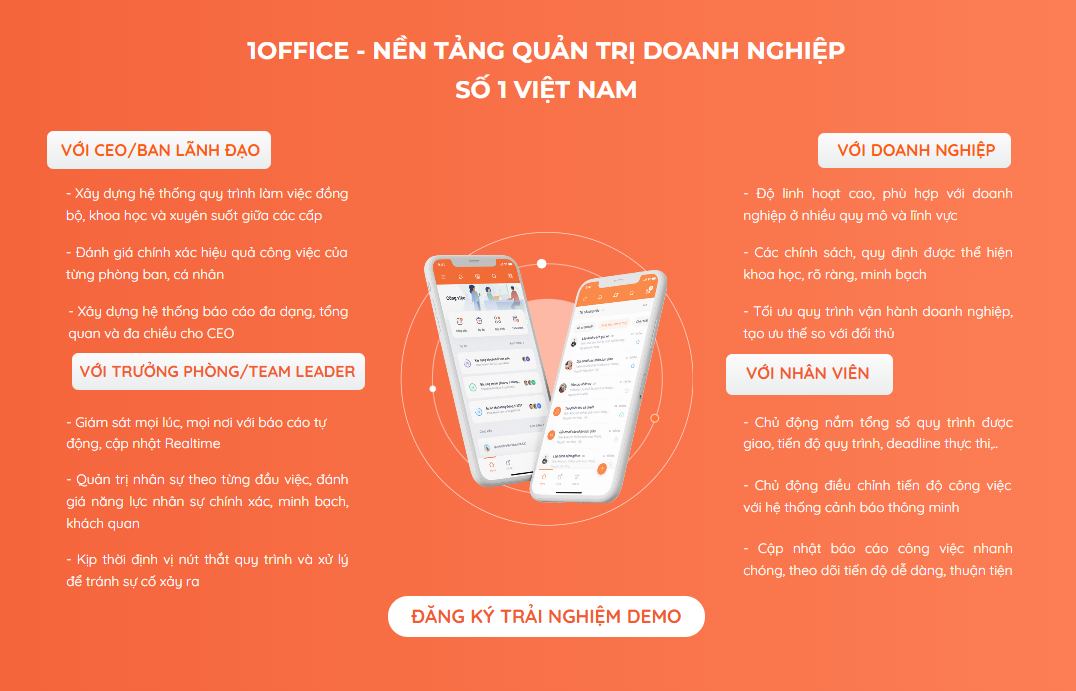
In today’s market, having a breakthrough technology solution can help businesses improve work efficiency, increase sales opportunities, enhance competitive strength, and maximize revenue. To achieve this, the management solution chosen by medium and large enterprises requires high stability and flexibility, applicable not just to a single branch but to the entire system or corporation. 1Office provides a comprehensive solution that helps CEOs digitize operations and manage all business activities on a single platform:
1WORK – COMPREHENSIVE WORK AND PROJECT MANAGEMENT TOOLKIT
- Manage project progress, human resources, and cash flow
- Assign, monitor, accept & evaluate results
- Manage official letters, internal documents, materials, contracts, and departmental schedules
- Build & communicate corporate culture
- Digitize and 100% automate execution and approval processes with BPA
1HRM – TOOLKIT TO MAXIMIZE THE EFFICIENCY OF HUMAN RESOURCE MANAGEMENT ACTIVITIES:
- Build and manage recruitment processes, personnel records, and labor contracts
- Manage timekeeping, calculate salaries and bonuses, and declare social insurance
- Manage and digitize requests, asset information, personnel training, and set up approval processes
- System for periodic employee evaluation, and management of KPI and OKR goals
1CRM – TOOLKIT TO MANAGE ALL BUSINESS OPERATIONS AND CUSTOMER CARE:
- Manage activities, measure, and optimize conversion rates and Marketing costs
- Manage, track, and report sales and commissions for each employee
- Manage and monitor purchasing processes, and propose new material purchases
- Manage exports, imports, inventory, and visually control the entire warehouse
- Track and provide statistical reports on all types of company revenue/expenditures
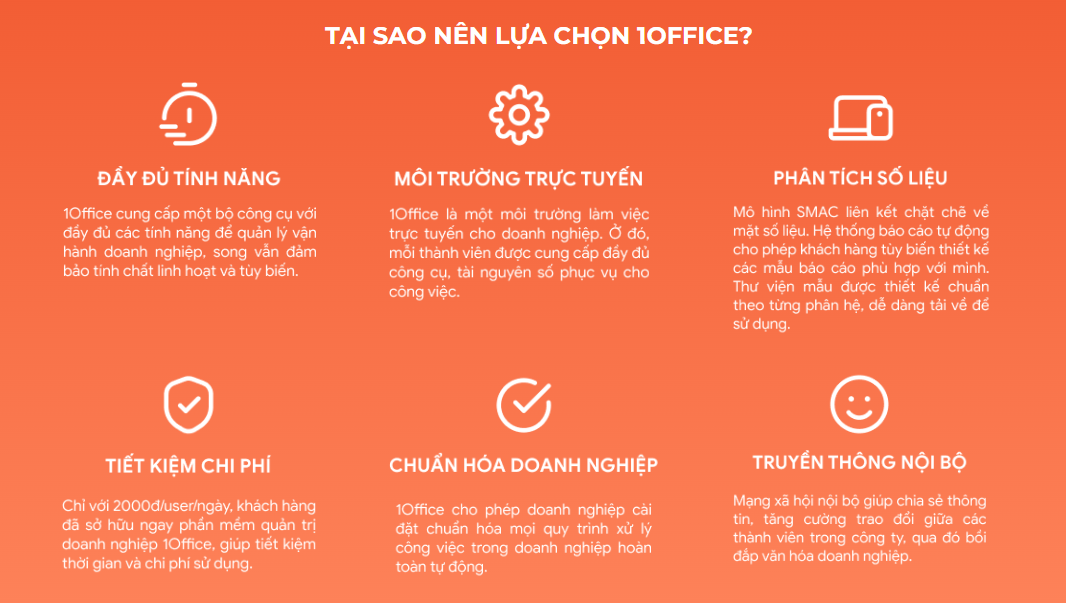
Register for a free 1Office feature Demo account!
————————————
Above is all the basic information you need to know about Bravo software, including an overview, key features, and pros and cons. If you need a product better than Bravo, consider 1Office, a comprehensive management solution suitable for all business models. Contact us now 👆
















