


 13/05/2026
  286 views
With the rapid development of digital technology, work management tools have become powerful assistants helping managers optimize operational processes and improve business performance. However, without the right mindset and application skills, these digital tools cannot reach their full potential and deliver value to the business. So, how can you use work management tools effectively? Let 1Office reveal the best tips for using work support tools optimally in the following article.
1. The Importance of Work Management Tools
Work management tools are applications that help digitize a company’s entire workflow. All daily activities in the organization, such as planning, assigning tasks, and communication, are carried out on a digital platform.
Widely used tools in business management today include Trello, Asana, 1Office, and more.
Currently, team work management tools are an effective solution to the productivity challenge for businesses, helping to save time and costs, and ensuring work progress and outcomes.
Outstanding features of work management software that help organizations operate smoothly and efficiently include:
- Scientific and systematic work planning
- Clear and transparent task allocation to individuals and departments
- Tracking and closely monitoring work progress
- Reminding employees of tasks, minimizing forgotten or missed work
- Accurate work performance evaluation
DISCOVER 1OFFICE’S PROFESSIONAL WORK MANAGEMENT FEATURES
2. Who Needs to Use Work Management Tools?
Employees – Using Personal Work Management Tools
Employees in businesses today often face information overload, struggle with organizing their work effectively, and have too many tasks, leading to forgotten or missed items, which prevents optimal productivity and efficiency. As a result, they are constantly stressed and under pressure from being unable to meet deadlines. Therefore, personal work management apps have emerged as powerful assistants to help employees perform their tasks effectively. Not only do they help create scientific schedules that are easy to follow and execute, but many software also have automatic alert features to remind employees of upcoming deadlines.
Managers – Planning and Tracking Work Progress
By using team work management tools, managers can optimize workflows and manage employee tasks quickly and easily. Instead of spending excessive time in lengthy meetings to assign and explain tasks, managers can connect with hundreds of employees in the organization right from their computer screens. Assigning tasks and monitoring progress can be done with quick, simple actions on the computer, saving maximum management time. Additionally, Work management software also supports managers at all levels in creating automatic, visual reports to present to leadership.
Leaders – Operating the Organization Effectively
With the responsibility of leading the organization, leaders must be pioneers in digital transformation, guiding the business towards a lean organizational model. And applying technology to operational processes is the key for the organization to break through and create a difference. Work management software not only helps leaders optimize workflows within the organization but also helps connect individuals, departments, and management levels to create collective strength, pushing productivity to the highest level.
See more: Secrets to Implementing a Work Management System to Increase Productivity by 200%
3. 6+ Smart Methods for Using Work Management Tools to Optimize Productivity
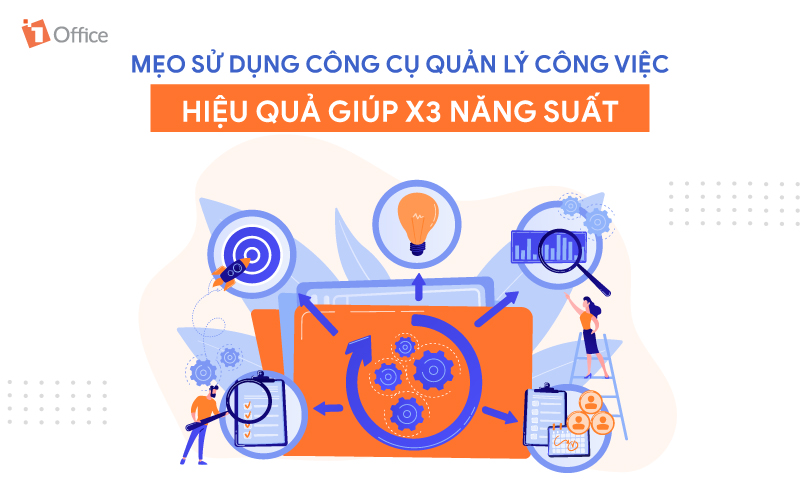
Plan Your Work
This is the first and most crucial step, serving to direct activities and establish the workflow process within the organization. To plan work on the system, first, determine the objectives of the tasks. Then, you need to build a method to achieve those objectives by listing the necessary tasks, classifying and arranging them by priority, and setting KPIs for each task.
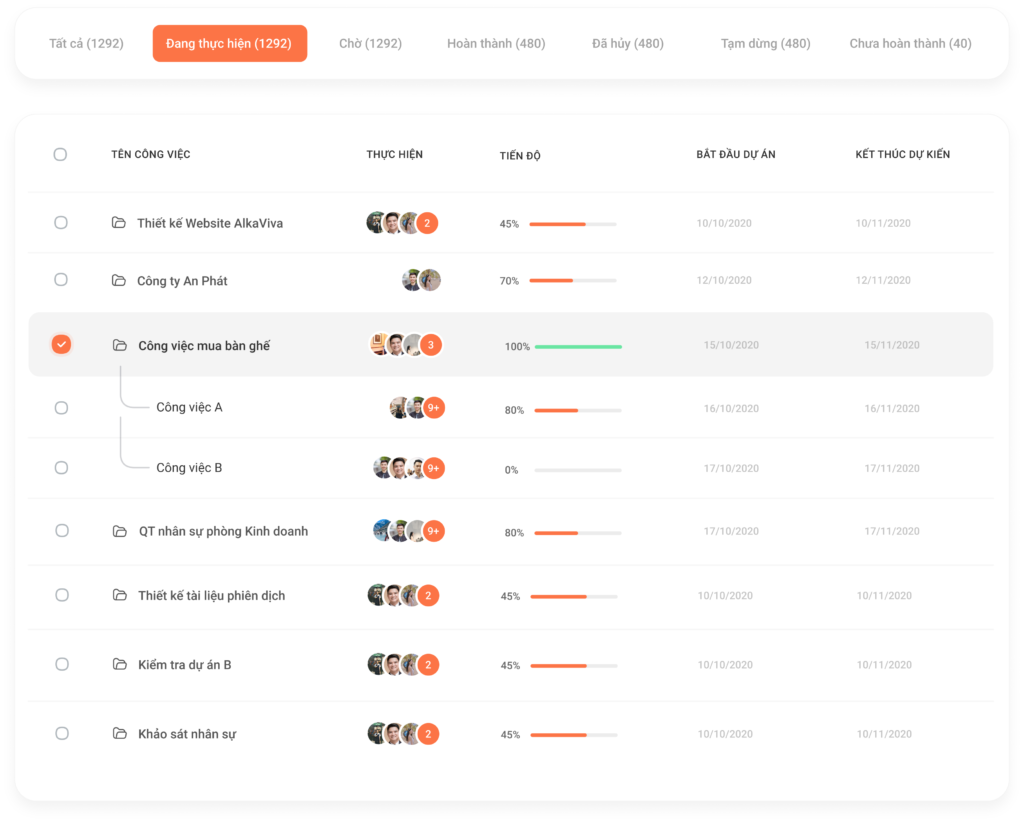
Once a complete work system is in place, the manager will create an online work plan on the software with specific information such as: Task Name, Task Type, Execution Time, Person in Charge, etc. Based on this work plan, employees will clearly understand their responsibilities, and it will also serve as a basis for the manager to monitor and evaluate the work execution process later on.
See more: Review of 8+ HR Work Schedule Management Apps to Double Productivity
Time Allocation
One of the biggest factors determining work efficiency is time feasibility. Therefore, when assigning tasks, managers need to establish a reasonable and feasible schedule to ensure each task has enough time for completion.
Effective task management software can automatically calculate a task’s due date based on the time users allocate for each task. This allows managers to know exactly when a task will be completed and adjust it to fit the overall project timeline.
Task Assignment
For tasks to be executed effectively, the coordinator needs to allocate resources reasonably for each task, ensuring a balanced workload among employees and avoiding situations where some are overloaded while others have too little to do.
A standout advantage of team task management tools is the automation of the assignment process. Instead of manually assigning tasks by sending emails or reminder messages to each person, managers can simply designate the specific individual or department responsible by tagging the employee or department in charge. The task will automatically update on the employee’s personal schedule, allowing them to proactively arrange their time for execution.
Progress Tracking and Monitoring
For monitoring work progress, most task management tools provide a system of smart forms and charts that help users flexibly track tasks from various perspectives. To apply task management software most effectively for progress management, administrators need to clearly understand the characteristics and purposes of the following types of charts:
- Kanban Board: A Kanban board is composed of task cards, helping users classify and grasp the status of work based on stages such as: Awaiting Approval, In Progress, Completed, etc. When a task moves to a new stage, users simply use a drag-and-drop action to move the workflow between columns to update its progress.
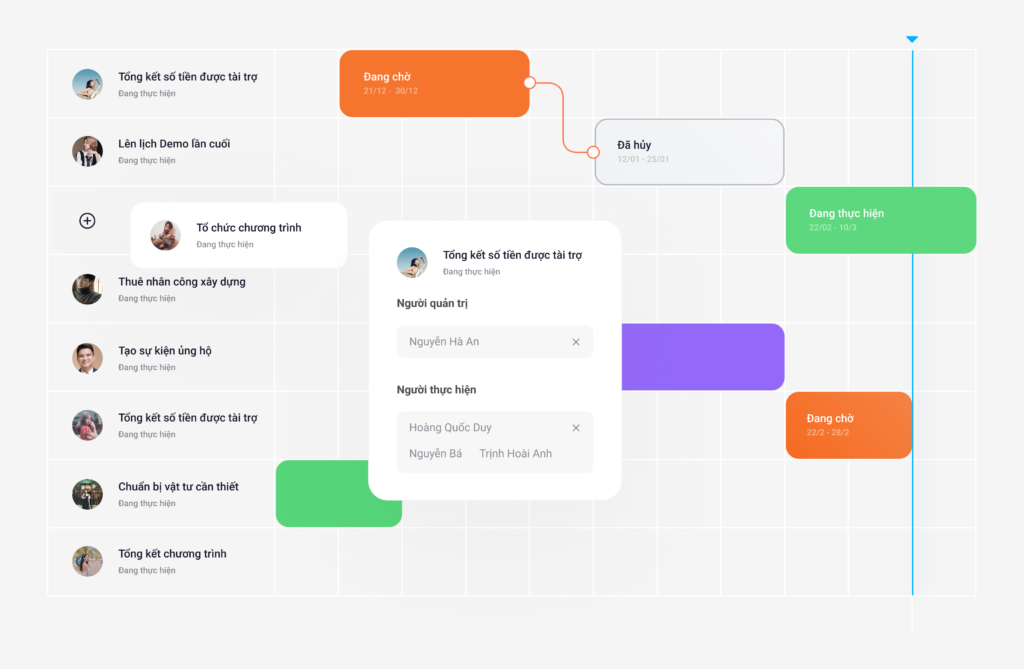
- Gantt Chart: A Gantt chart is the most commonly used chart due to its flexibility and suitability for all types of tasks and projects, large or small. With a Gantt chart, each task has a horizontal bar representing the time frame for its execution. The Gantt chart also shows dependencies between tasks, clearly indicating which tasks can be performed in parallel and which can only start after a preceding task is completed. Using a Gantt chart helps administrators visually track work progress along a timeline and link tasks together to form a complete workflow.
Team Discussion and Communication
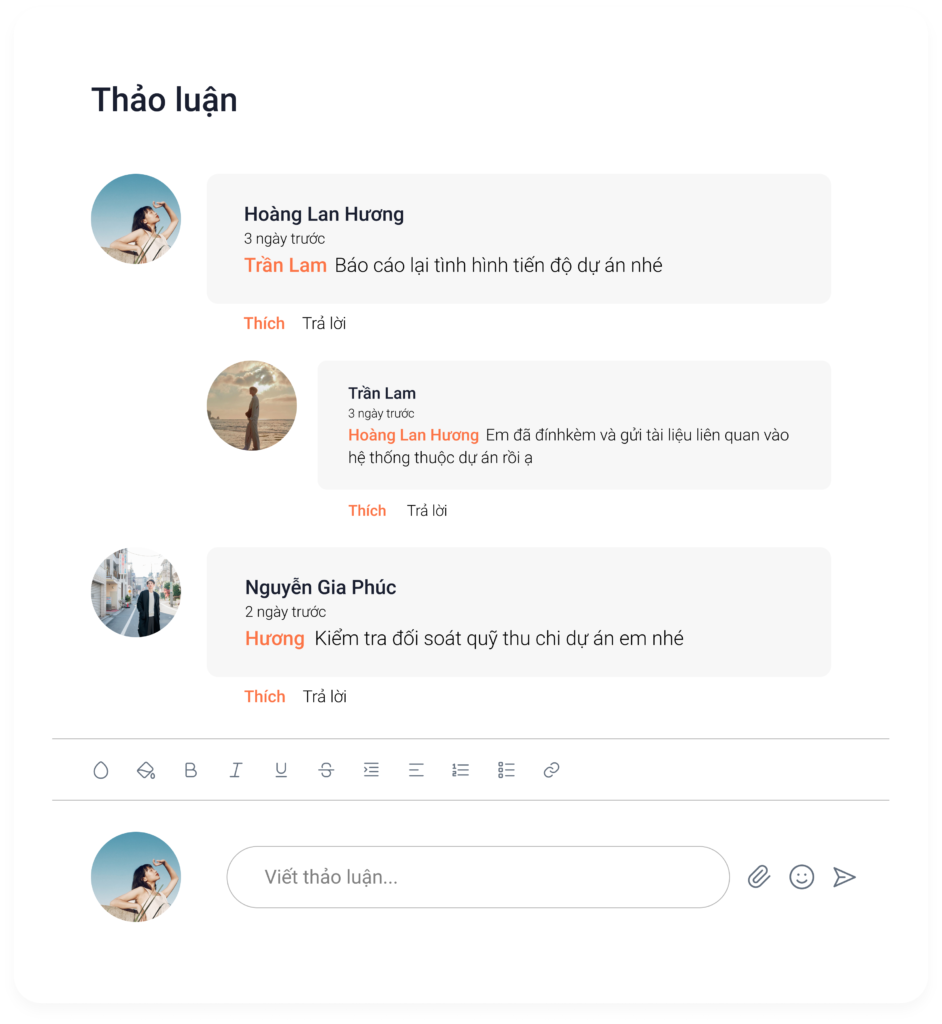
A team task management tool is like a collaborative social network where all members of the organization can communicate directly within the workflow. Instead of communicating through separate messaging apps, which can lead to confusion and lost messages, users can utilize features like comments or tags within the software to discuss and exchange information on work-related matters such as reminders, contributing ideas, and providing feedback for revisions.
Evaluation
Task management software provides an automated reporting system and intuitive dashboards, saving managers the time of manual compilation. From these reports, managers can accurately evaluate the efficiency, productivity, and work progress of employees through performance indicators such as KPIs, percentage of task completion, cost per task, etc.
4. Skills Needed to Use Task Management Tools Effectively
Systems Thinking Skills
To use task management tools effectively and optimally, managers need analytical and systems thinking skills to view problems systematically and develop suitable operational strategies for their teams. With systems thinking abilities, users can organize and arrange task data in the software most scientifically to create a smooth workflow, making it easy for everyone to track and execute.
Management Skills
To manage tasks well, the person in charge must have professional knowledge and operational skills in management, specifically in areas like planning, resource allocation, execution organization, and monitoring. Management skills are the most fundamental quality a leader needs to guide their team in executing tasks effectively and to properly control the organization’s operational processes.
Office IT Skills
Essentially, task management tools are 100% digital software operated entirely on computers and electronic devices. Therefore, administrators must have adequate office IT proficiency and an understanding of technology to use the tools effectively. The skills users need to master for proficient operation on the software include:
- Drafting and editing text documents
- Importing/exporting data and files on the system
- Searching for information about documents, tasks, and personnel
- Organizing work documents into parent and child folders
- Using Excel spreadsheets for planning
5. 1Office – The Leading 4.0 Work Management Tool on the Market
As a business management platform, 1Office has helped thousands of businesses effectively digitize their workflows, increase productivity, and optimize resources. Unlike other individual personal task management tools on the market, 1Office is a comprehensive solution that thoroughly solves all business management challenges on a single platform. The WORKPLACE work management module is part of the all-in-one management ecosystem and is linked with the HR and sales modules to create a seamless user experience.
With the mission of providing the most comprehensive digital transformation solution, 1Office has accompanied over 5,000 businesses in creating a 4.0 working environment. With its superior features, 1Office helps managers solve all the tough challenges related to work management in the 4.0 era, such as manual task assignment, lack of evaluation tools, employees forgetting or missing tasks, and more. This helps businesses optimize operational productivity and stay ahead of the digital transformation trend.
Through the article above, 1Office brings readers the most effective methods for using work management tools. It also introduces a technology solution that helps businesses neatly solve the work management challenge. For a free consultation and a trial experience of today’s leading business management software, please contact us using the information below:
- Hotline: 083 483 8888
- Fanpage: https://www.facebook.com/1officevn/
- Youtube: https://www.youtube.com/channel/UCeTIRNqxaTwk0_kcTw6SxmA