


 11/05/2026
  736 views
ERD drawing software is one of the most effective tools for businesses to build diagrams and manage workflows. Thanks to the ERD model, administrators can create visual diagrams that describe data structures, relationships between entities, and attributes within a process. To learn more about how the ERD model optimizes business process management and to discover the top 9 ERD drawing software, read the article below from 1Office!
Mục lục
- I. What is an ERD? Why do businesses need to draw ERDs?
- II. What are the benefits of using ERD drawing software?
- III. Top 9 ERD Drawing Software for Businesses
- 1. 1Office – Comprehensive Process Management Software
- 2. Draw.io – Simple Online Diagramming Tool
- 3. Gliffy Diagrams – ERD Diagram Software
- 4. SmartDraw – Versatile Diagramming Application
- 5. Lucidchart – Online Flowchart Software
- 6. Visual Paradigm – Online ERD Drawing Software
- 7. Creately – Professional ERD Drawing Tool
- 8. EdrawMax – Diagram and chart creation software
- IV. Criteria for selecting ERD software for process management
- V. Current Development Trends in ERD Drawing Software
- VI. Key Notes and Tips for Drawing Effective ERD Diagrams
- VII. Frequently Asked Questions about ERD Drawing Software (FAQs)
- VIII. Conclusion
I. What is an ERD? Why do businesses need to draw ERDs?
ERD (Entity Relationship Diagram) is a data visualization tool used in information system analysis and design. An ERD illustrates the relationships between entities in a system, helping development and management teams clearly understand the data structure.
Why do businesses need to draw ERDs?
- Understand data and relationships: ERDs help businesses see how data tables, objects, or processes are interconnected.
- Reduce errors in system design: Modeling before implementation helps prevent missing or redundant data.
- Improve communication efficiency: An ERD serves as a common language between technical departments, management, and end-users.
- Support system scalability: When adding new features, an ERD clearly shows where modifications or additions are needed.
Thanks to ERDs, businesses gain a visual perspective, can easily control data flow, and enhance efficiency when implementing management systems.
II. What are the benefits of using ERD drawing software?
ERD drawing software is a powerful support tool that helps programmers and system administrators quickly visualize complex data structures, ensure standardization in design, and create a solid foundation for building accurate and consistent databases.
Key benefits of applying technology to diagram design:
- Saves time: Built-in libraries of standard symbols allow for drag-and-drop functionality instead of manual drawing.
- Increases accuracy: The software automatically aligns elements, reducing errors in linking entities and relationships.
- Supports collaboration: Many online tools allow multiple users to edit simultaneously, which is ideal for teamwork and Agile projects.
- Easy integration: Some modern ERD software can connect directly to databases or process management software.
- Flexible scalability: Allows diagrams to be exported in various formats (PDF, PNG, XML, SQL) for easy sharing and storage.
III. Top 9 ERD Drawing Software for Businesses
The following software introduced by 1Office provides a powerful set of tools and features to effectively model and manage business processes. Depending on the specific needs and requirements of the business, managers can choose the appropriate software to optimize their ERD process management.
| ERD Diagram Software | Key Features | Desktop | Mobile | Security | Free | Paid |
| 1. 1Office | Set up and manage the entire workflow, from performers, department positions, execution time, etc. | x | x | x | x | |
| 2. Draw.io | Create and edit a variety of diagram templates with the drag-and-drop feature. | x | x | |||
| 3. Gliffy Diagrams | Create ERD diagrams and customize various chart types in just a few clicks. | x | x | |||
| 4. SmartDraw | Helps users create charts, workflow diagrams, and organizational charts. | x | x | x | ||
| 5. Lucidchart | Directly connect data to diagrams and automatically generate diagrams based on that data. | x | x | x | ||
| 6. Visual Paradigm | Users can drag and drop components to create diagrams visually. | x | x | x | ||
| 7. Creately | A variety of professional templates and collaboration features make creating and managing ERD diagrams easy. | x | x | x | x | |
| 8. EdrawMax | Provides powerful diagramming and charting tools: shaping, connecting, aligning, formatting, etc. | x | x | |||
| 9. Dbdiagram | Software designed to focus on designing ERD databases. | x | x | x | x |
Comparison table of 9 ERD diagram software for businesses
1. 1Office – Comprehensive Process Management Software
1Office Process Management software is a comprehensive tool that helps manage and optimize business processes – effectively supporting ERD model drawing. Instead of using manual paperwork and documents, 1Office creates an online environment to manage and track business processes.
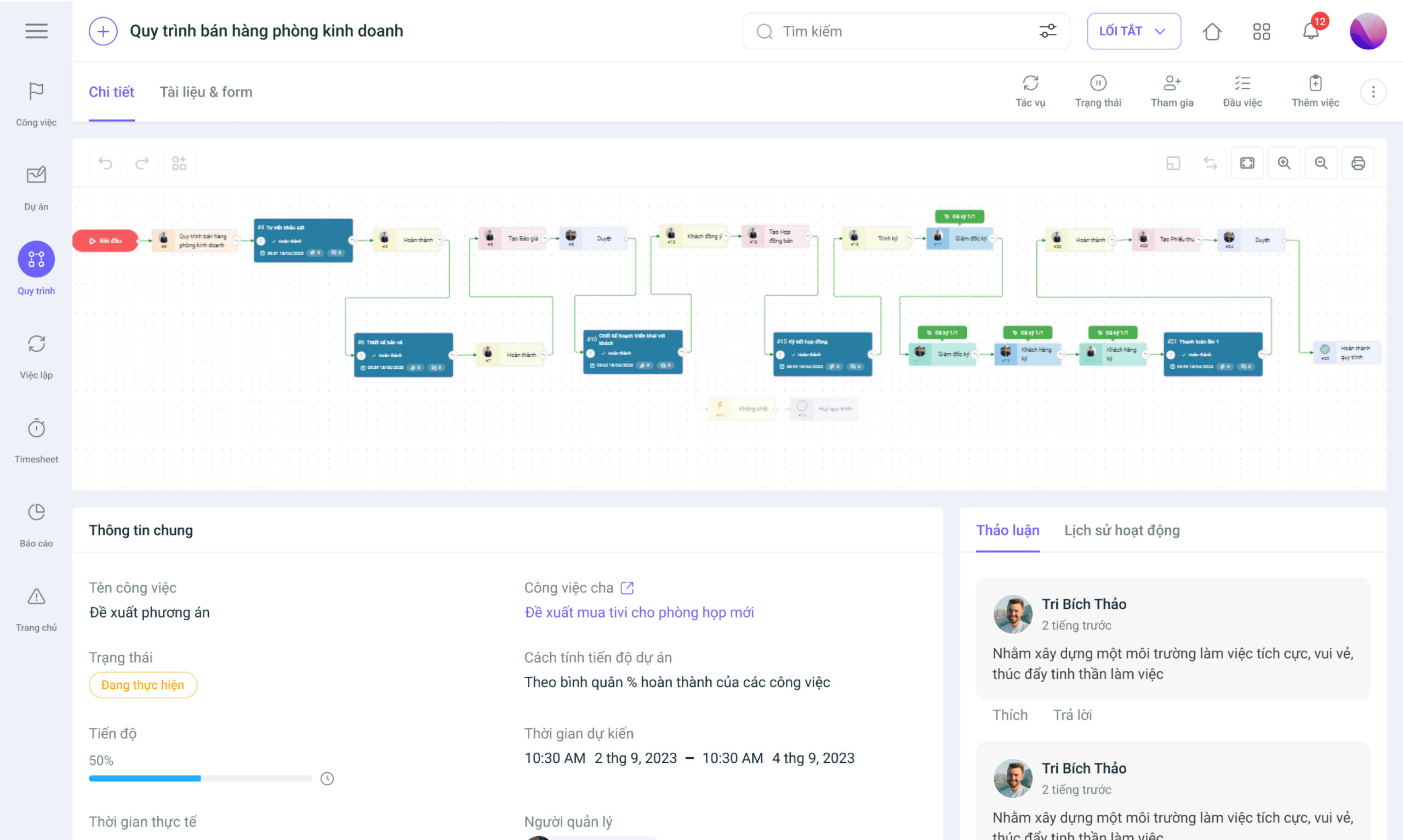
Some outstanding features of the 1Office Process Management module include:
- Digitize and automate 90% of business processes
- Set up and manage the entire process flow with complete information about the performer, department position, execution time…
- Customize diverse forms and reports by visualizing data and information through charts and graphs, supporting information analysis and accurate decision-making.
- Manage documents, link and manage process-related objects such as contracts, orders, receipts, payment vouchers…
- Integrate digital signatures into processes, while setting up flexible signing conditions: parallel signing, sequential signing, and interleaved signing between tasks.
- Smart alerts and secure protection for all information help managers identify and resolve issues immediately, thereby minimizing the risk of data leakage.
In summary, businesses can fully use 1Office software to build ERD diagrams with related entities, relationships, attributes, and constraints to clearly understand the process structure and the relationships between elements. Furthermore, the tool is a perfect solution to help businesses optimize process management, supporting the creation of strategic decisions based on clear and accurate information.
- Software features: Excellent
- Supported platforms: Windows, MacOS, Android, iOS
- Integration capability: with Google Drive, Dropbox, OneDrive, and other modules within the software: task management, project management, human resources, processes…
- Pricing: Paid (depending on the features the business wants to use)
Learn more about the 1Office process management software features: Here
2. Draw.io – Simple Online Diagramming Tool
Draw.io is a simple yet powerful online diagramming tool. It provides an easy-to-use drag-and-drop interface and a variety of tools and charts for drawing ERD diagrams. Businesses can easily create entities, relationships, and attributes and organize them into professional process flowcharts.
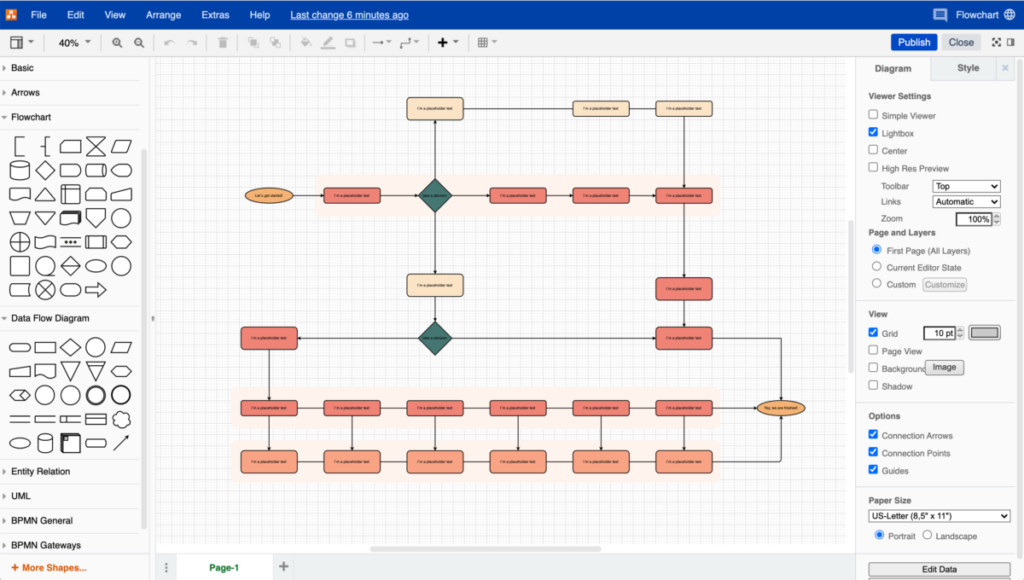
The drag-and-drop feature allows users to easily move and interact with elements in the diagram. Users can create and edit a variety of diagram and chart templates, including organizational charts, ERD diagrams, flowcharts, process diagrams, and more. Additionally, Draw.io allows you to store and share your diagrams, making it easy to collaborate and coordinate with colleagues.
- Software features: Basic
- Supported platforms: Windows, MacOS
- Pricing: Free
3. Gliffy Diagrams – ERD Diagram Software
Gliffy Diagrams is a fast and professional ERD diagram software. With a user-friendly interface and intuitive tools, Gliffy Diagrams allows users to create high-quality ERD diagrams by creating detailed entities, relationships, attributes… and constraints, and customizing various chart types with just a few clicks.
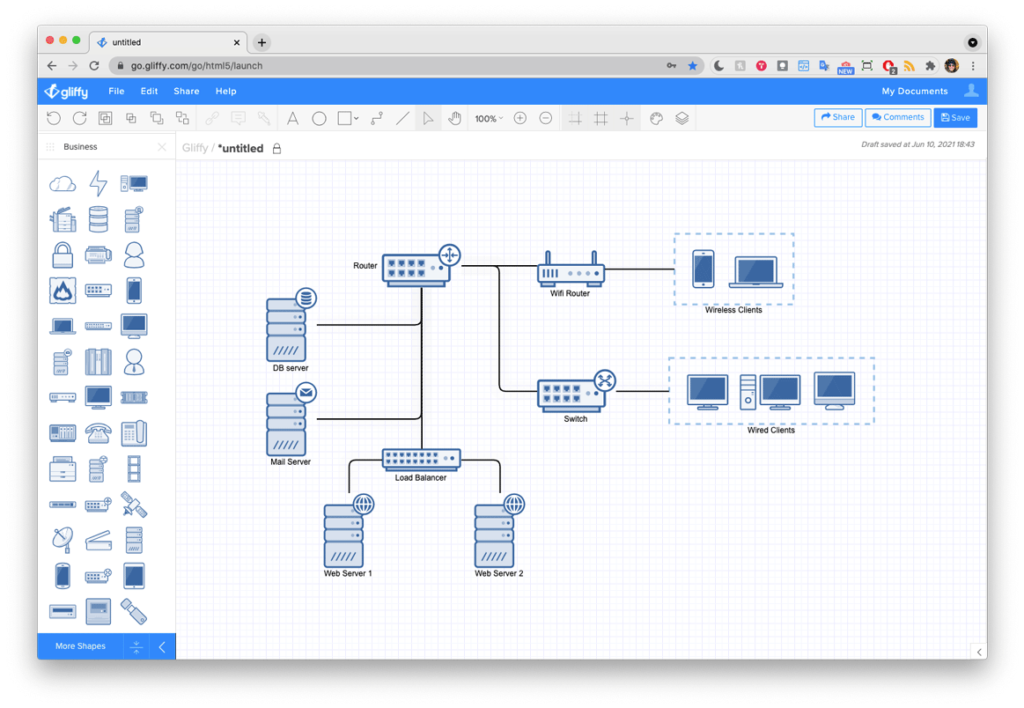
This software provides many charts and pre-made templates to help users quickly create ERD diagrams according to business needs. Gliffy Diagrams also supports sharing and collaboration features, allowing employees to work together on the same diagram and conveniently control and manage diagram versions.
- Software features: Good
- Supported platforms: Windows, MacOS
- Pricing: Paid, from $6 – $10 /user/month or Contact for a quote
4. SmartDraw – Versatile Diagramming Application
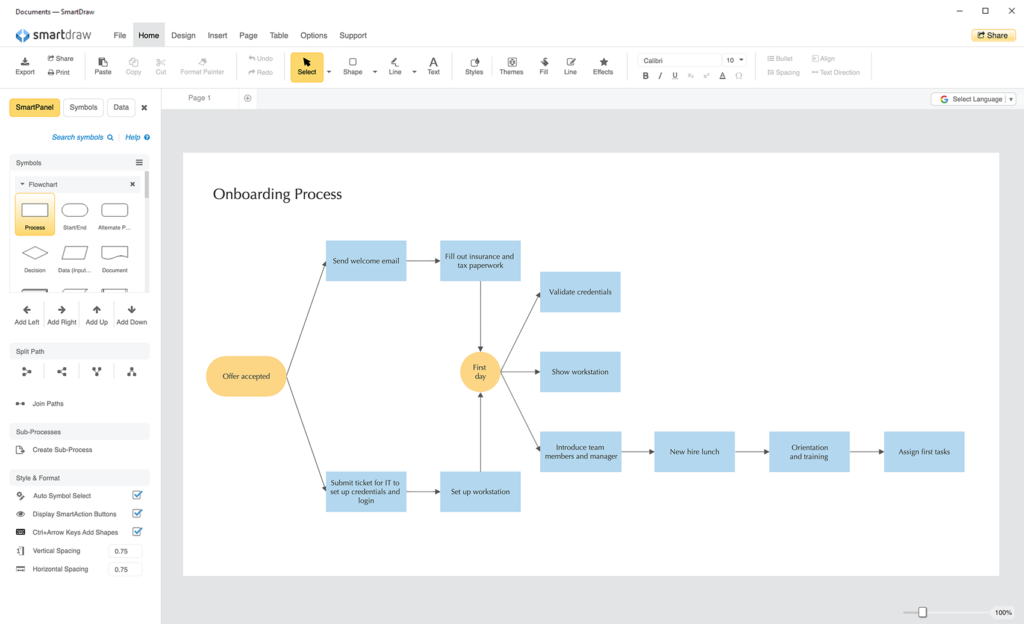
SmartDraw is a versatile diagramming application that provides many tools and ready-made templates for drawing professional ERD diagrams. With a friendly and easy-to-use interface, SmartDraw allows businesses to create detailed, high-quality ERD diagrams with ease. It provides tools for drawing entities, relationships, attributes, and constraints, and allows these elements to be customized to fit user requirements. The software also integrates other features such as creating charts, workflow diagrams, and organizational charts, offering versatility and flexibility for diagramming.
- Software features: Good
- Supported platforms: Windows, MacOS
- Integration capabilities: Google Drive, Dropbox, or OneDrive
- Pricing: Free, Paid (contact for a quote)
5. Lucidchart – Online Flowchart Software
This is a powerful and easy-to-use online ERD drawing software that provides tools and ready-made templates for creating professional diagrams. Businesses can customize attributes, relationships, and the constraints between them to suit their specific requirements and processes.
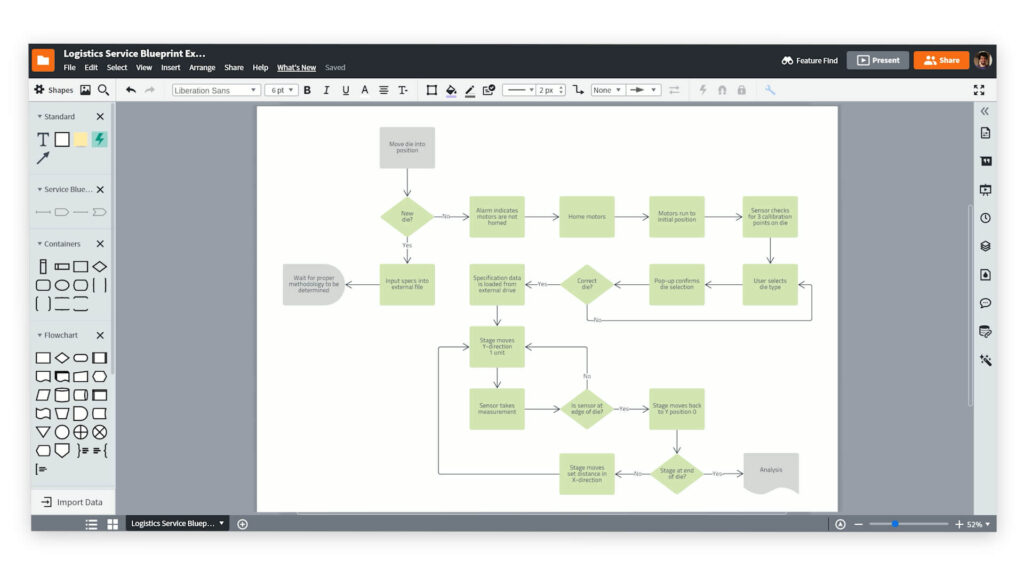
- Customize ERD diagrams to your business’s needs using available symbols or by creating your own custom symbols for process diagrams.
- Directly connect data to diagrams; users can import data, and Lucidchart will automatically generate a diagram based on that data.
- Allows employees to collaborate and share with teams from anywhere, at any time, while ensuring the security of your diagrams with data encryption.
Lucidchart allows users to work simultaneously and share diagrams with colleagues, enhancing collaboration and coordination in drawing and managing ERD diagrams. Additionally, Lucidchart integrates with other applications and services, providing high flexibility and integration for business workflows.
- Software features: Very good
- Supported platforms: Windows, MacOS, Android, iOS
- Integration capabilities: with Google, Atlassian, Microsoft, etc.
- Pricing: Paid (3 price packages for different features)
6. Visual Paradigm – Online ERD Drawing Software
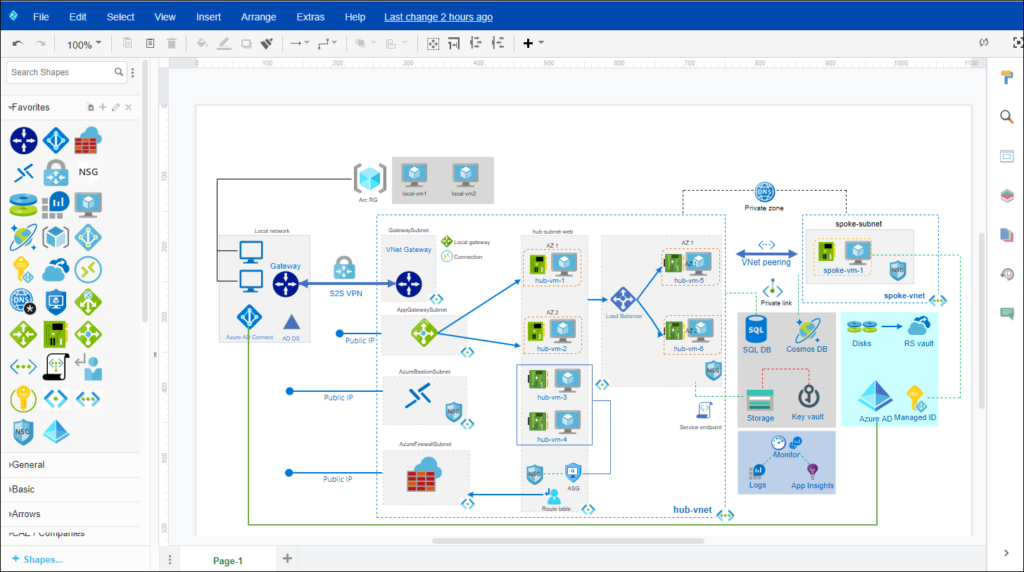
This tool offers both web and desktop versions with hundreds of ready-made templates, helping users easily conceptualize their ERDs. Users can drag and drop components to create diagrams intuitively. Visual Paradigm’s user-friendly interface makes it easy to navigate and customize your ERD diagrams as desired.
Additionally, Visual Paradigm supports importing Visio files and integrates with MS Office products for convenient data sharing. It allows users to automatically generate foreign keys during ERD creation, reducing time and effort when designing relationships between entities.
- Software features: Good
- Supported platforms: Windows, MacOS
- Pricing: Free and Paid
7. Creately – Professional ERD Drawing Tool
Creately offers a variety of professionally designed ERD templates to help users create ERD diagrams quickly. With a friendly interface, users can easily draw, drag, and drop ERD elements. Businesses can create complex ERD diagrams while maintaining their logic and organization.
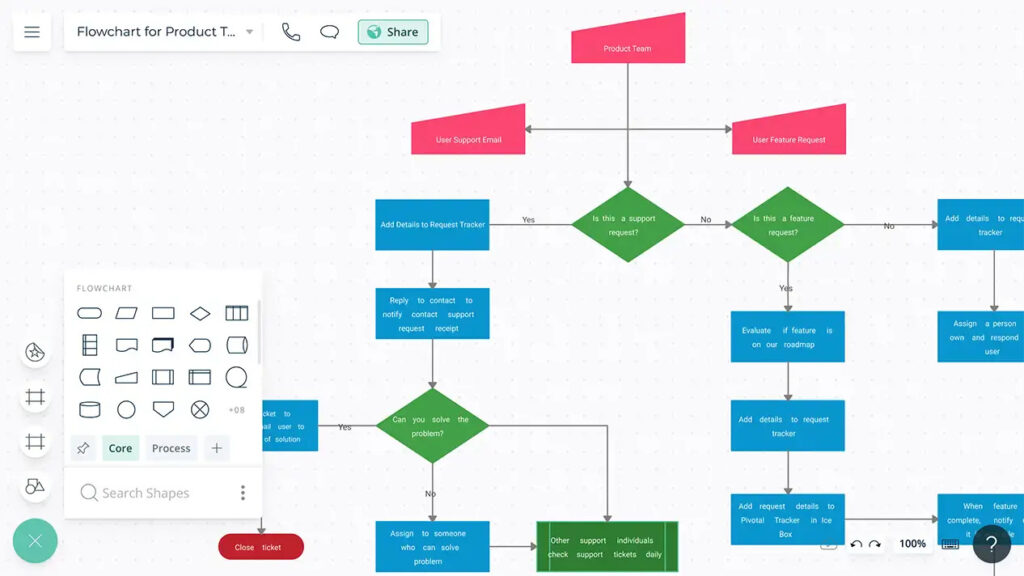
Creately’s ERD drawing software allows users to collaborate and share ERD diagrams with their work teams or business clients. Managers can invite members to a project to edit and discuss directly on the ERD diagram. This helps improve interaction and coordination when working with teams or clients.
Creately is a flexible and useful tool for drawing ERDs, with professional templates and collaboration features that allow you to create and manage ERD diagrams effectively and easily.
- Software features: Very good
- Supported platforms: Windows, MacOS, Android, iOS
- Pricing: Free and Paid (from $5 – $149 /user/month or Contact us)
8. EdrawMax – Diagram and chart creation software
EdrawMax is known as a versatile software for creating business process diagrams and charts. With this software, users can create professional and detailed ERD diagrams to describe the database structure of a business.
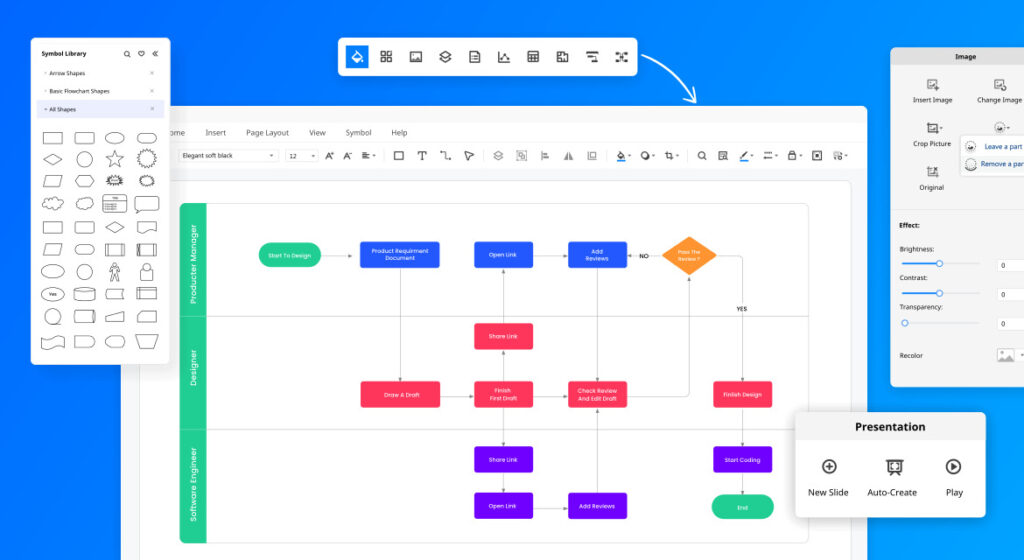
- Intuitive, user-friendly interface makes it easy to operate and create ERD diagrams quickly and conveniently.
- A rich and diverse symbol library for easy customization of symbols suitable for the business’s ERD model. Users can choose from available symbols or create their own.
- Provides powerful diagram and chart creation tools, including drawing, connecting, aligning, formatting, and many other tools.
EdrawMax offers free and paid upgraded versions. Businesses can choose to purchase an annual or lifetime plan, depending on their usage needs and the software’s suitability for the organization.
- Software features: Basic
- Supported platforms: Windows, MacOS
- Pricing: Paid (from $99 to $245/year depending on the plan)
9. DbDiagram – ERD modeling software
Dbdiagram is a simple software dedicated to database design by writing SQL code. The software creates ERD diagrams quickly through simple and easy-to-understand operations, and also allows managers to share their ERD models with other members via a link, facilitating easy teamwork on any work project.
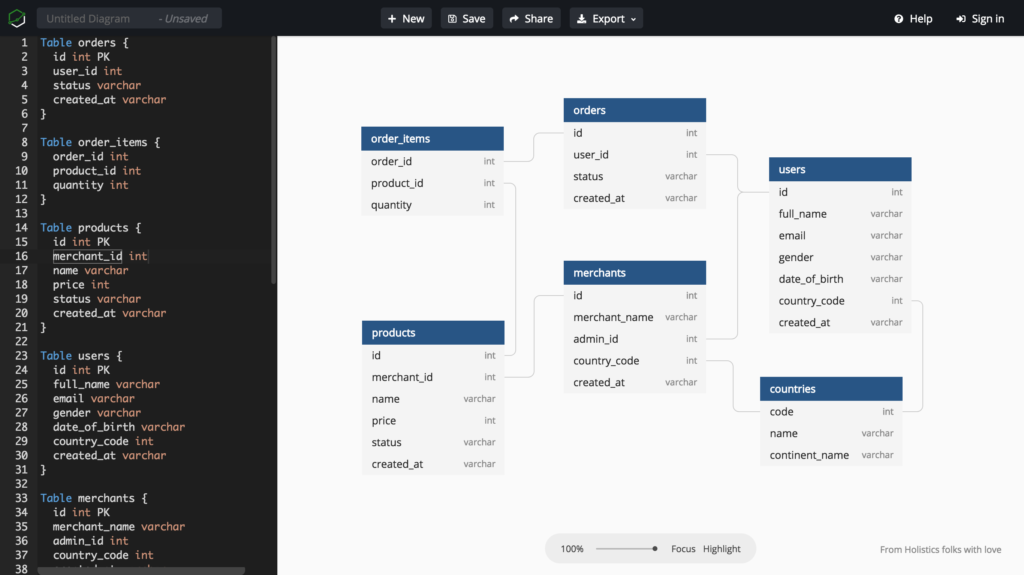
Additionally, this software supports diagram creation by uploading Schema.rb files from web platforms like Django, Rails, etc. It allows exporting ERD diagrams to image and PDF formats for documentation and reporting purposes within the business. However, Dbdiagram is designed to focus on ERD database design; it does not support other types of diagrams like workflow diagrams or UML diagrams.
- Software features: Good
- Supported platforms: Windows, MacOS, Android, iOS
- Pricing: Free and Paid (from $7.5 to $40/year)
IV. Criteria for selecting ERD software for process management
When choosing ERD software for business process management, leaders should consider the following important criteria:
Business budget and resources: Determine the budget for the software and management process to ensure that the software’s price fits the budget and is ready to provide significant value to the business.
Capability of the solution provider: Evaluate the experience and capability of the software provider in the field of ERD drawing and process management. Review their current client list and their comments and reviews.
Customer service and support from the provider: Consider the level of 24/7 support and customer service provided by the software vendor to ensure they can offer technical support, repairs, and expert advice when needed.

Software features that match business needs: Evaluate the software’s features to ensure it meets the specific needs of the business. Managers should choose software that allows for feature customization, supports security, document storage, and file export in multiple formats…
Integration capability with other modules: Choose software that can integrate with other systems and tools the business is currently using, such as human resource management (HRM), customer relationship management (CRM), etc.
Future scalability: Evaluate the software’s future scalability, especially as the business grows and needs to expand its management systems and processes.
By considering these criteria, we hope your business can find the most suitable ERD drawing and process management software for its needs. This will help optimize workflows, save time, and enhance work efficiency for the entire enterprise.
>> See more related articles:
What is a Flowchart? Tools and Tips for Drawing the Most Accurate Flowcharts for Businesses
A to Z Work Implementation Management Process to Help Businesses Double Their Efficiency
V. Current Development Trends in ERD Drawing Software
In the context where data is increasingly becoming a critical asset for businesses, ERD drawing software is also constantly improving to meet practical needs. If in the past, ERD tools merely served to visualize data, they have now evolved into comprehensive solutions for system management, collaboration, and technology integration.
The prominent trends in ERD drawing software today include:
- Application of Artificial Intelligence (AI): Many software have started integrating AI to automatically suggest relationship diagrams, detect logical errors, and propose data model optimizations.
- Support for Online Collaboration: The remote work trend has driven ERD tools to shift strongly to online platforms, allowing multiple users to edit, comment, and track changes in real-time.
- Integration with Enterprise Management Systems: Modern software often integrates with ERP, CRM, or project management systems, making ERD diagrams a part of the overall operational workflow.
- Direct Connectivity to Databases: Instead of just manual drawing, many tools allow direct import from a database to automatically generate ERD diagrams, while also supporting reverse export to SQL scripts.
- Multi-platform and More Flexible: Users can draw diagrams on a browser, desktop, or mobile application, and publish them in various formats (PDF, PNG, SQL, XML).
The current development trend for ERD software is towards automation, collaboration, and integration, helping businesses save time while ensuring accuracy and flexibility. This transforms ERD from just a technical tool into a powerful assistant for data management and modern business operations.
VI. Key Notes and Tips for Drawing Effective ERD Diagrams
- Each relationship between entities should have a unique name to distinguish and describe it.
- The order of relationships is not important in distinguishing them.
- Attribute names must be clear, easy to understand, and do not require a specific order.
- Ensure the ERD structure accurately reflects the relationships and information flow between entities.
- Use correct notations and adhere to ERD design rules.
- Use annotations and notes to explain complex or unclear elements on the diagram.
In summary, drawing an effective ERD diagram requires an understanding of the business’s processes and objectives, along with proper arrangement, naming, and the use of appropriate support tools. Most importantly, always update and review the diagram to ensure its accuracy and alignment with business requirements.
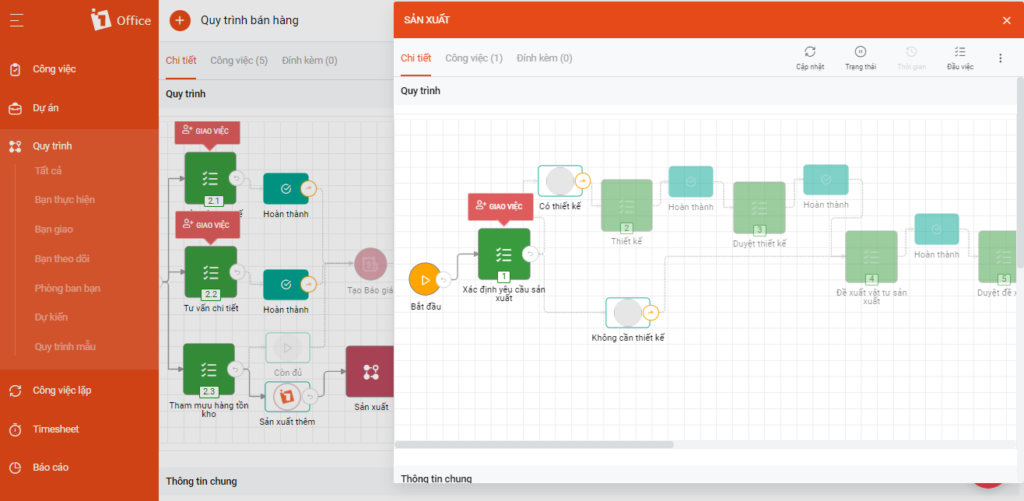
This is a comprehensive and versatile software that helps businesses manage processes and create effective ERD diagrams. The software boasts many outstanding features not found in other ERD drawing tools, including: complete document management, smart security support, and integrated digital signatures directly within the workflow.
VII. Frequently Asked Questions about ERD Drawing Software (FAQs)
Can someone who doesn’t know how to code draw an ERD diagram?
Absolutely. Modern software like 1Office is designed with an intuitive drag-and-drop mechanism. You just need to clearly understand the actual process and the related objects (employees, customers, orders, etc.) to build a diagram without any programming knowledge.
What is the biggest difference between drawing an ERD diagram on specialized software versus on standard graphics tools?
The core difference is connectivity and standard formatting. Specialized software provides a library of standard notations (rectangles for entities, diamonds for relationships), automatically maintains connections between entities when you move them, and supports exporting files as SQL code for system implementation.
How can I prevent an ERD diagram from becoming cluttered when the business process is very complex?
You should apply the “Divide and Conquer” principle. Instead of drawing one giant diagram for the entire business, break it down into separate process subsystems (e.g., Sales Process, HR Process). Additionally, focus only on the most critical entities and hide detailed attributes if they are not essential for the high-level overview.
Does ERD drawing software support checking for logical errors in the process?
Some advanced software with integrated Artificial Intelligence (AI) can alert you if you set up illogical relationships (e.g., an order without a buyer). However, the best method is still to manually test by running the process on management software like 1Office to ensure a smooth real-world data flow.
What criteria should I prioritize when choosing ERD software for a remote team?
The most important criterion is real-time collaboration capability. Choose cloud-based software that allows multiple members to access, edit, and leave comments directly on the diagram. This helps everyone stay updated with the latest version of the process without having to send files back and forth.
VIII. Conclusion
ERD diagrams are the “backbone” that helps businesses shape their data structure and standardize all operational processes. Whether you are a developer needing to design an in-depth database or a manager looking to optimize workflows, leverage the power of modern tools to minimize errors and enhance team performance.
















