


 11/05/2026
  138 views
Online schedule creation software is an important tool that helps businesses manage time and increase employee productivity. So, what schedule management software is your business using? Is it truly optimized and effective for your organization’s operations? Join 1Office to explore the 9 most effective online schedule management and creation software in this article.
Mục lục
- 1. A Detailed Guide to Creating an Online Schedule for Your Business
- 2. Reference an Excel Schedule Management Template Used in Businesses
- 3. What are the benefits of creating an online schedule?
- 4. Top 5 best online time management apps for mobile
- 5. Top 5 best online schedule maker apps for computers
- 6. Why should businesses use a time planning tool?
- 7. Common mistakes when creating online schedules and their solutions
- Frequently Asked Questions about Online Schedule Creation Software
- 8. Conclusion
1. A Detailed Guide to Creating an Online Schedule for Your Business

- A detailed guide to creating an online schedule

Step 1: Identify your business’s requirements
To create an online schedule for your business, you need to clearly understand the company’s requirements, including the number of employees, work schedules, annual holidays, and other special requests.
Step 2: Choose a suitable online schedule creation tool
After understanding the business’s requirements, you need to select a schedule creation tool that best fits your company’s needs. These tools can be online applications or standalone time management software installed on a computer.
Step 3: Create an account and set it up
Register for an account on the schedule creation tool to start creating a schedule for your business. At the same time, configure basic parameters such as working hours, shifts, work modes, etc.
Step 4: Add employees and assign tasks
Basic information to add includes the name, email, phone number, and work schedule of each employee. Some online schedule creation tools today will help you automatically assign tasks based on the parameters you have previously set.
Step 5: Register and track work schedules
After creating the schedule, you need to register and track the employees’ work schedules. Paid tools will have an integrated feature to send you notifications when there are changes or conflicts in the work schedule.
Step 6: Adjust and update the schedule
If there are changes or conflicts in the work schedule, the manager needs to adjust and update the schedule to ensure that the time allocated for work is always flexible and as accurate as possible.
>> See more: Effective time management skills to improve work productivity
2. Reference an Excel Schedule Management Template Used in Businesses

- Excel schedule template used in businesses
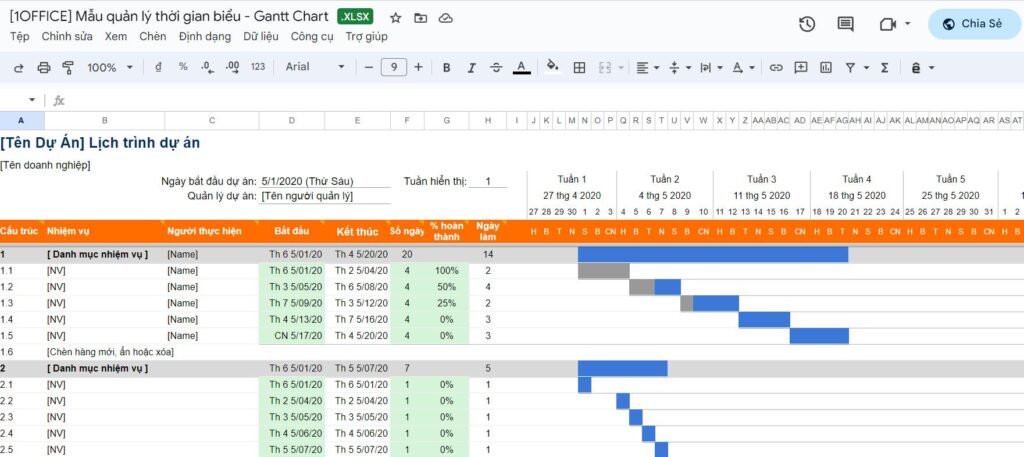
Creating an online schedule helps build flexibility at work, allowing employees to allocate their working time flexibly and complete tasks at the most suitable times. Below is an Excel schedule template used in businesses that managers can refer to:
>> Link to the Excel schedule management template: here
An online schedule template used in a business should include the following basic information:
- Name of the employee or employee group.
- Work start and end times.
- Working days of the week.
- Tasks or jobs to be completed on that day or week.
- Days off and leave schedules for employees.
- Employee contact information so managers can get in touch when necessary.
- Other notes or additional information related to the employee’s work or schedule.
| >> Read more: How to use the Eisenhower Matrix – Tips for more effective time management |
3. What are the benefits of creating an online schedule?
Creating an online schedule transforms time management from a manual process to a smart, digital system, providing perfect synchronization, high flexibility, and instant progress tracking for both individuals and teams.
Here are the practical benefits this solution offers:
-
For individuals:
-
Manage tasks systematically, avoiding forgotten or missed assignments.
-
Easily adjust plans for unexpected situations, thanks to instant update capabilities.
-
Reduce the mental load of remembering, allowing you to focus your energy on important tasks instead of worrying about forgetting your schedule.
-
Synchronize across multiple devices (computer, phone, tablet), allowing you to access your work schedule from anywhere.
-
Integrate with other tools (reminders, email, internal chat) to create a seamless workflow.
-
-
For businesses:
-
Transparent task assignment: every team member knows what they need to do and when the deadline is.
-
Optimize inter-departmental coordination: avoid meeting conflicts and ensure all relevant parties are present.
-
Easy progress tracking: managers have a clear overview of the situation to make quick decisions.
-
Centralized data and long-term storage: easily review work history for reporting and performance evaluations.
-
Increased flexibility & scalability: suitable for both small teams and large enterprises, especially with remote staff.
-
In summary, a digitized schedule acts as a “virtual assistant” that helps individuals work more effectively and enables businesses to operate smoothly and professionally.
4. Top 5 best online time management apps for mobile
| Software Name | Key Features | Pricing |
| 1Office | Project and task management, work scheduling, reminder feature, statistics, and work result reporting. | Offers various feature packages depending on business needs. Therefore, contact for a quote. |
| Nox Ocean | Diagram feature to track work time and a number board to enhance focus. | Free basic plan Professional Plan: $5/month/user Business Plan: $10/month/user Enterprise Plan: contact for a quote |
| Microsoft To Do | Create to-do lists, set goals and plan during the work process, note-taking feature. | Free |
| Trello | Easily manage to-do lists, schedules, and store documents online. | Free basic plan Business Class Plan: $12.5/month/user Enterprise Plan: contact for a quote |
| Pomodoro | Features for customizing work and break times, and tracking the number of completed tasks. | Free |
| Asana | Create schedules, track progress, divide tasks, communicate and collaborate within the team. | Free basic plan Premium Plan: $10.99/month/user Business Plan: $24.99/month/user Enterprise Plan: contact for a quote |
| Google Task | Manage tasks and noted to-do lists. | Free |
| Google Calendar | Create and track events and schedules, create email reminders. | Free |
| Tick Tick | Set important tasks and schedule activities, supports management, reminders, and progress tracking for to-do items. | Free basic plan Premium Plan: $2.79/month/user Family Plan: $4.99/month/user Business Plan: contact for a quote |
4.1 1Office software is available on both iOS and Android
1Office is highly rated for its task management and time management features. The software provides all the necessary features for businesses, such as creating and managing tasks, scheduling work, reminders, statistics, and result reporting. Additionally, 1Office allows users to manage task groups and share tasks with colleagues, helping to increase efficiency and optimize work processes within the organization.

- 1Office software is available on both iOS and Android
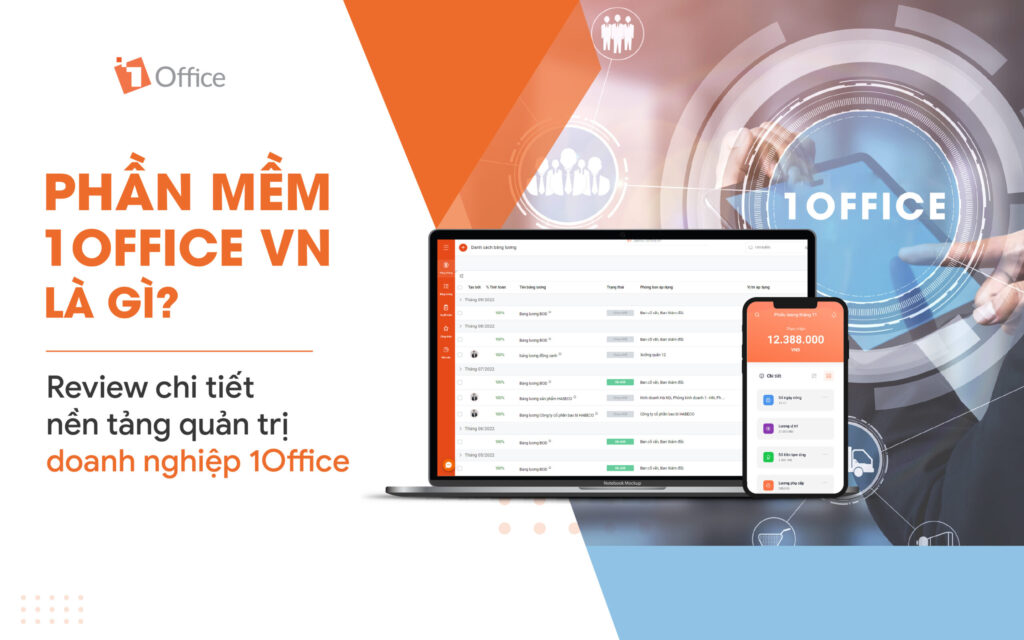
- Includes a full range of time and task management features such as creating schedules, assigning tasks, tracking progress, taking notes, setting reminders, and evaluating results.
- User-friendly interface, easy to use, and highly compatible on both iOS and Android.
- Supports data synchronization across multiple devices.
- Provides an overview report page and detailed statistics on employee working time and activities.
- Integrates features to support businesses in managing human resources, tasks, projects, customer relationships, and more… all in a single software.
4.2 Nox Ocean app on iOS and Android operating systems

- Nox Ocean software on iOS and Android operating systems
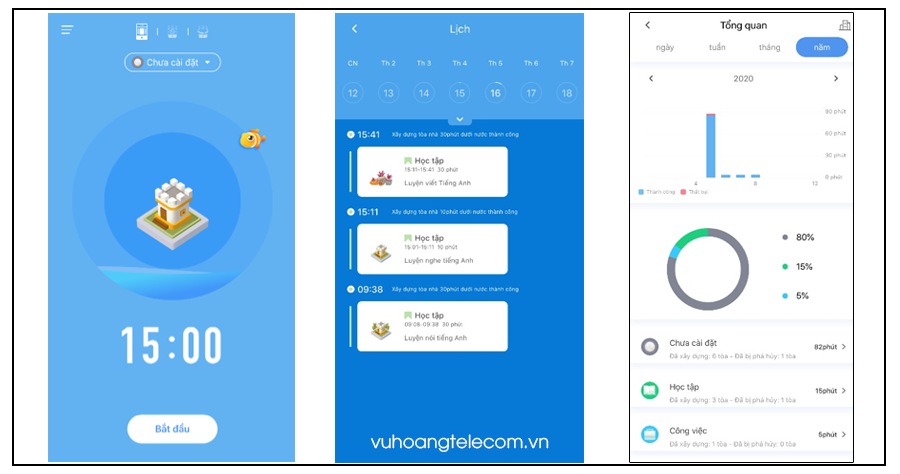
Nox Ocean is a mobile time management application with many attractive features. It includes a chart feature to track work time and a number board to enhance concentration. Nox Ocean also allows users to join any study room or invite friends to study and work together. Additionally, the app offers 3 different focus modes for users to choose from.
However, Nox Ocean has a drawback: it lacks a reminder or notification feature for completing important tasks. Furthermore, the app does not integrate features for task planning, task assignment, or work result reporting. Therefore, if users need an application with comprehensive task management features, Nox Ocean may not be suitable.
>> See also: The best work progress management software for businesses
4.3 Microsoft To Do: A schedule management app

- Microsoft To Do schedule management app
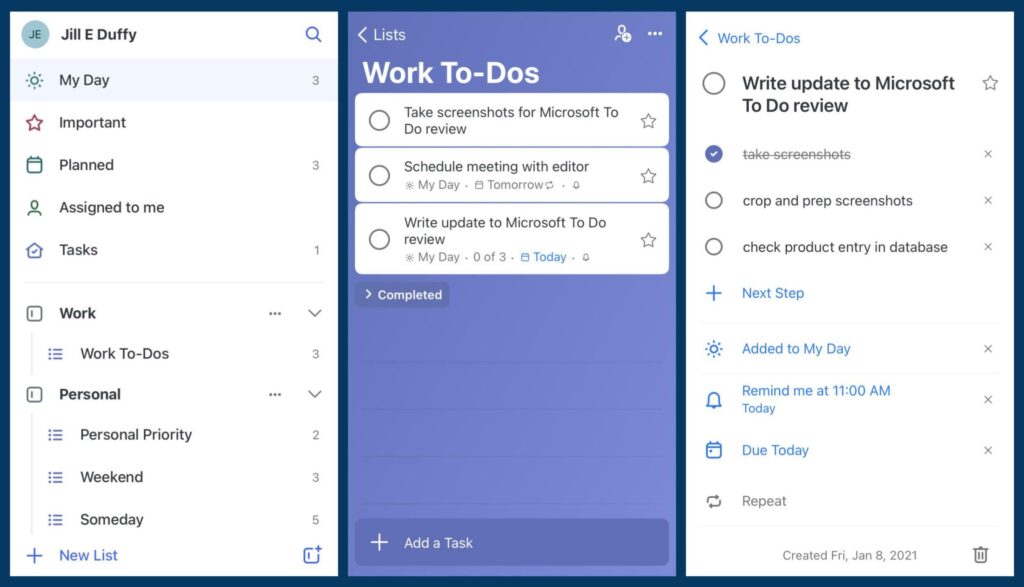
Microsoft To Do is a simple and easy-to-use time management application that allows users to create to-do lists, set goals, and plan their work process. With note-taking and specific deadline features, users can create accurate records and easily track their work progress. The software can fully sync with Outlook and the user’s devices, helping them easily access and manage their to-do lists anytime, anywhere.
However, this application has some limitations, such as the lack of features for sorting and filtering tasks by priority and importance. Additionally, because Microsoft To Do is integrated into Office 365, users must register for an account to use it, which can be a hurdle for those who do not use Microsoft’s Office suite.
4.4 Trello time management application

- Trello time management application
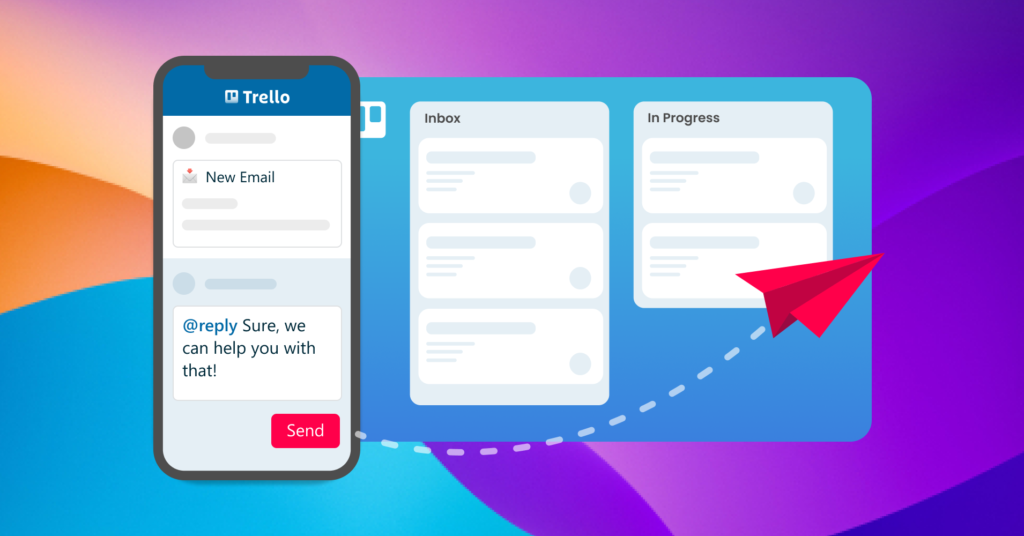
Trello is designed with a simple and intuitive interface, allowing users to easily create and manage to-do lists, schedules, and store documents online. Trello allows users to create multiple boards, cards, and labels to manage different tasks and projects, helping them easily categorize and manage multiple tasks at once.
If you need a more detailed time management tool, Trello may not meet your requirements. Additionally, the application has limited features in its free version; for larger storage capacity up to 250MB, users must upgrade to a paid version. The current version of Trello has not yet added features like task reminders, workflow automation, etc., which are available in software like 1Office.
4.5 Pomodoro time management software

- Pomodoro time management software
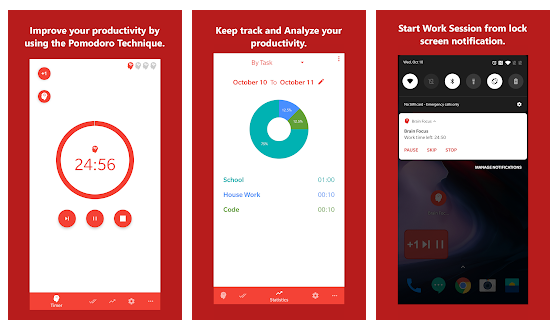
Pomodoro time management software is an application that helps users manage and optimize their work time using the Pomodoro Technique. This technique involves dividing work time into 25-minute intervals, called “Pomodoros,” with a short break after each interval and a longer break after every four intervals.
The advantages of this software are its simplicity and ease of use. It also integrates features that help users focus and track time, as well as options to customize work and break durations, and it records the number of completed Pomodoros so users can track their progress.
However, Pomodoro software is not suitable for tasks that require continuous focus or work periods longer than 25 minutes. Additionally, the software does not offer task management or scheduling features, cannot sync data with other applications, and does not allow for customizing notification sounds for break times.
5. Top 5 best online schedule maker apps for computers
5.1 1Office Time and Task Management Application
The 1Office time and task management software is designed for use on mobile devices as well as laptops with Windows and macOS operating systems. With data synchronization between devices, users can easily access and update work information on both computers and phones, saving time and increasing work efficiency.
The 1Office platform provides a variety of All-in-one features in a single software to support effective time and task management, including creating schedules, tracking work progress, managing projects, creating itineraries, online communication, and real-time collaboration… Therefore, this paid software is always a top choice for medium and large enterprises.
5.2 Asana Scheduling Software

- Asana scheduling software
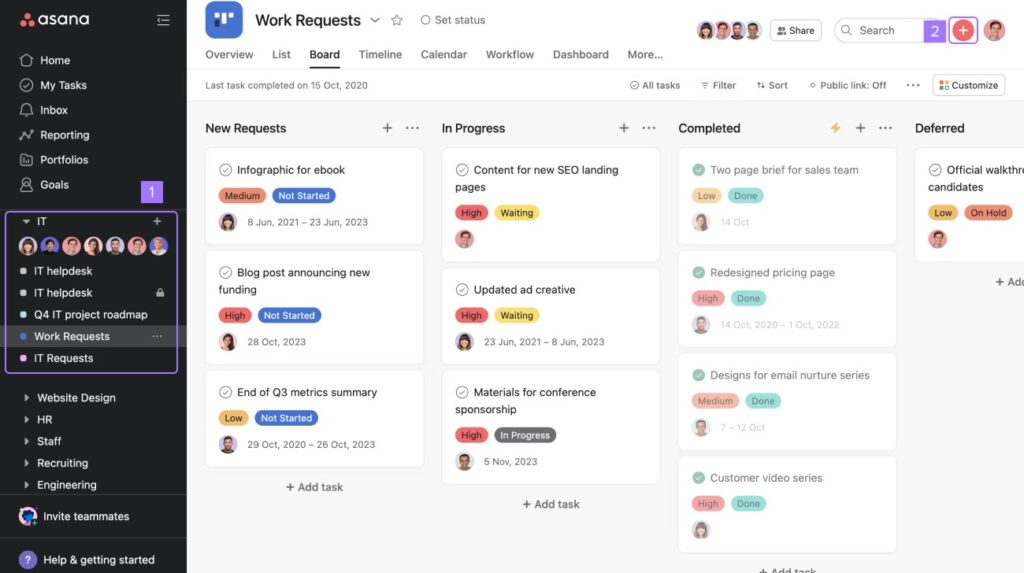
Asana offers many features for managing projects, tasks, and time, including creating schedules, tracking progress, assigning tasks, communicating, and collaborating within teams. The interface is simple and easy to use, supported on multiple platforms, and has a free version for individual users or small teams.
Additionally, Asana can sync with many other services like Slack, Google Drive, Dropbox, etc., but the free version’s limitations on features and number of users are a drawback of this software.
5.3 Google Task Schedule Tracking Platform

- Google Task schedule tracking platform
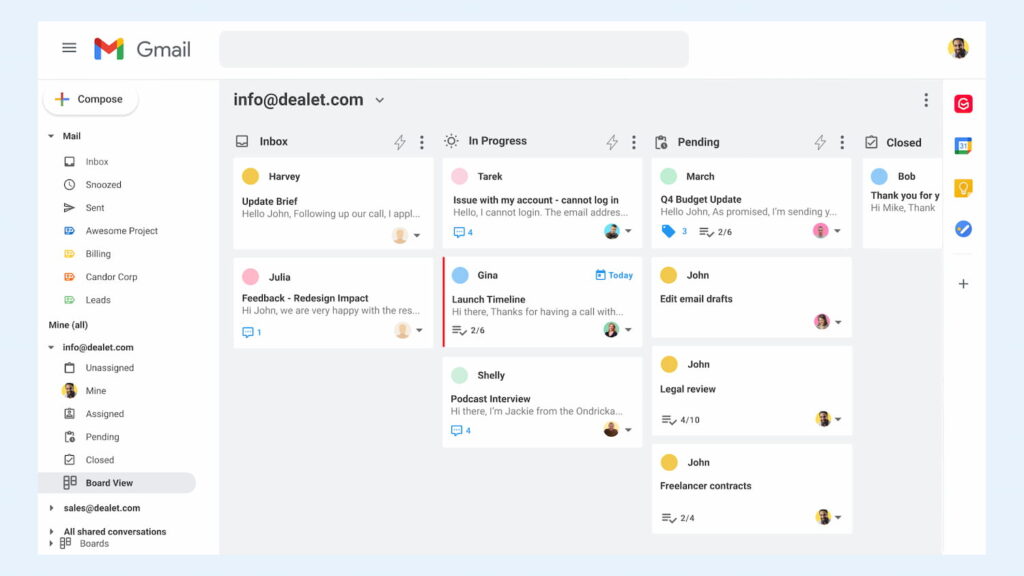
Google Task is integrated with the Google platform, so users can access and manage their task lists from various devices and applications. The highlight of this platform is its simple, easy-to-use interface, and it’s free for all users.
The platform is integrated with Gmail and Google Calendar, allowing users to create to-do lists and set reminder notifications. However, Google Task lacks many features compared to other applications and cannot manage complex tasks or large projects.
5.4 Google Calendar Online Scheduling Software
Google Calendar is designed with a simple, easy-to-use, and customizable interface that helps create events and schedules for regular activities or track pre-planned events. The application also allows users to create reminders for events and send email reminders to specified users.

- Google Calendar online scheduling support software
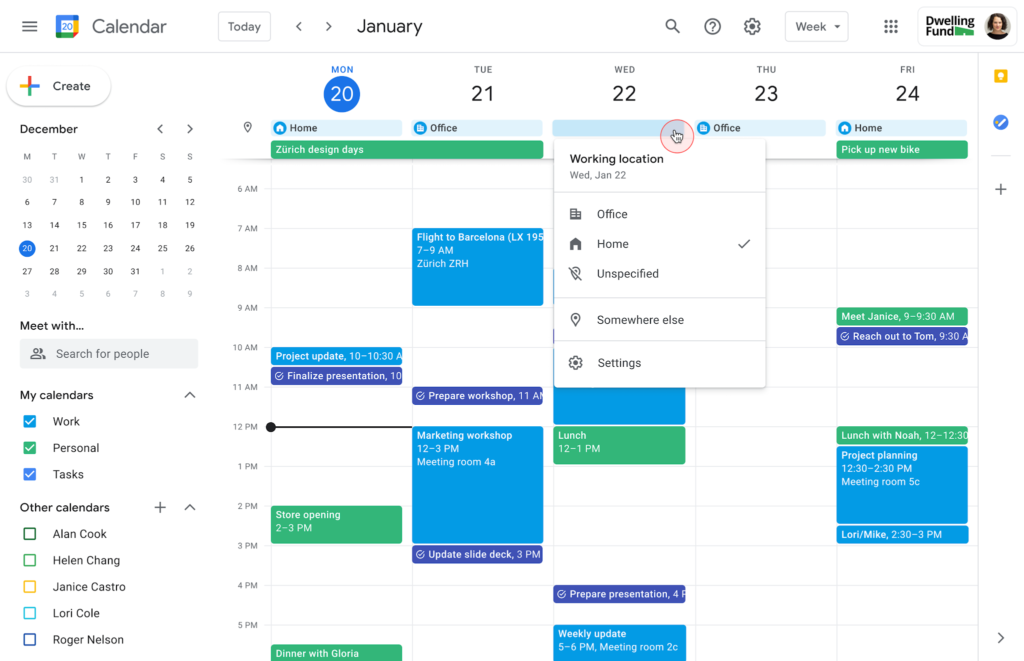
One of the advantages of Google Calendar is its high synchronization capability, allowing users to access their schedules from any device, with schedules automatically synced across different devices. Additionally, users can share their calendars with others or receive calendars from others to easily track events or team schedules.
However, Google Calendar also has some limitations, such as the lack of a real-time tracking feature, which can reduce the accuracy of the schedule if users do not promptly update events that have occurred. Furthermore, Google Calendar can become cluttered and difficult to use if a user has too many schedules or events at the same time.
5.5 TickTick: The Effective Time Management App

- TickTick effective time management app
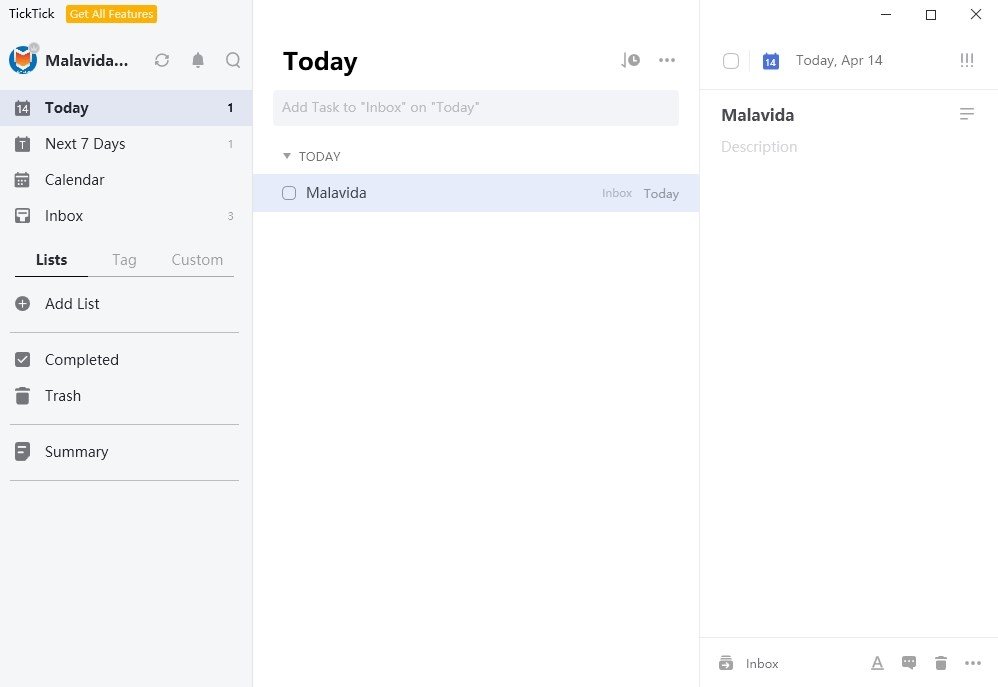
TickTick is a time, task, and schedule management software designed to help users organize tasks, create schedules, and set reminders to achieve high work efficiency. The application can be used on various platforms, including Windows, macOS, Android, and iOS.
However, a drawback of TickTick is that the free version has limited features and storage. To use the application’s full features, users need to upgrade to the paid version. Additionally, many users find the price of the paid version quite high compared to other similar applications on the market.
>> Read more: TOP 3 Optimal Project Time Management Methods to Ensure On-Time Delivery
6. Why should businesses use a time planning tool?
Using an online time planning tool helps businesses optimize resources by digitizing the task assignment process, enabling multi-dimensional progress monitoring, and building a professional and transparent work environment.
- Create specific study and work plans:
A time management tool helps managers create specific study and work plans based on time and priority. This gives managers a more concrete view of the work that needs to be done, helping to optimize time and increase productivity.
- Delegate tasks, improve work efficiency:
Time management software helps managers delegate tasks to team members reasonably and effectively based on personnel capacity, completion time, task priority, workload, etc., thereby maximizing work efficiency.
- Gain a visual overview and assign tasks accurately:
With an intuitive and easy-to-use graphical interface, managers can easily and quickly view the entire schedule, tasks, and related information about project progress.

- Why should business managers use a time planning tool?

- Work schedule reminder notification feature:
Provides a work schedule reminder notification feature, helping managers remind employees to complete tasks on time and avoid forgetting or procrastinating.
- Automatic results reporting feature:
The time management tool provides an automatic results reporting feature, helping managers track work progress and make appropriate adjustments, increasing transparency and work efficiency.
- Monitor work anytime, anywhere:
This is especially useful when employees work remotely or are on business trips, helping you check project status, completion times, and the work progress of each team member. This gives managers a comprehensive view of the company’s operations and allows them to adjust work plans quickly and accurately when necessary.
Enhance professionalism and modernity for the business: Managers can organize, manage, and assign tasks scientifically and accurately, helping the business operate effectively and attract the interest of customers and partners.
7. Common mistakes when creating online schedules and their solutions
Digitizing schedules helps individuals and businesses manage work better; however, if not used correctly, this tool can be counterproductive. Below are common mistakes many people make and their corresponding solutions:
7.1. Over-scheduling without break times
Many people “cram” all their tasks into the schedule without leaving buffer time for rest or handling unexpected situations. This can easily lead to stress, burnout, and a decrease in work quality.
-
Solution:
-
Use the 80/20 rule (only fill 80% of your time, leaving 20% for incidents or short breaks).
-
Set “buffer time” between meetings or important tasks.
-
7.2. Lack of task prioritization
Listing all tasks as a flat list without distinguishing between importance and urgency. As a result, users can easily feel overwhelmed and not know where to start.
-
Solution:
-
Apply the Eisenhower matrix (important/urgent).
-
Set the “Top 3 priorities” for each day or week to serve as a guide for the schedule.
-
7.3. Not syncing calendars across multiple platforms
An individual or team uses Google Calendar, Outlook, internal software, etc., simultaneously without linking them, leading to fragmented, duplicated, or missed events.
-
Solution:
-
Synchronize calendars by integrating the applications with each other.
-
Choose one main platform to manage the schedule and use other platforms as supplementary tools.
-
7.4. Creating a schedule without clear deadlines or goals
Many people just add tasks to the calendar as a “to-do list” but without deadlines or desired outcomes. The schedule thus becomes a formality, and its effectiveness is hard to evaluate.
-
Solution:
-
Attach a specific deadline to each task.
-
Define the desired outcome (e.g., “complete a 10-page report” instead of just “write report”).
-
7.5. Forgetting to update the schedule when changes occur
Actual work often changes, but many people forget to update their schedules, causing them to become “outdated” and eventually ignored.
-
Solution:
-
Spend 5–10 minutes each day reviewing and adjusting the schedule.
-
Establish a weekly review habit to update new plans and eliminate tasks that are no longer relevant.
-
In summary, for an online schedule to be truly effective, users need to treat it as a living, flexible tool, not a “rigid board.” Regular updates, sensible prioritization, and leaving room for flexibility will help you turn your schedule into a productivity support tool rather than a management burden.

Frequently Asked Questions about Online Schedule Creation Software
How can I secure work data when using free schedule applications?
Prioritize applications that offer two-factor authentication (2FA) and data encryption. For businesses, it is advisable to use centralized management platforms like 1Office to control access rights and prevent business roadmaps from being leaked.
Can schedules from specialized software be integrated into popular calendar applications?
Yes. Most software today supports synchronization via API or .ics format to track schedules centrally in one place.
Does schedule management software support automatic task prioritization?
Some AI-integrated tools can suggest time slots based on deadlines, but users still need to manually check to ensure feasibility.
How to resolve scheduling conflicts when multiple people book a meeting in the same time slot?
Specialized software for businesses often has a “Check for Overlaps” feature. When a team member creates an event, the system will automatically issue a warning if a relevant person already has another appointment, helping to coordinate time effectively from the start.
Should I choose specialized software or an integrated (All-in-one) platform for time management?
For personal management, specialized applications like Pomodoro are sufficient. But for businesses, it’s better to choose an integrated platform like 1Office so that schedule data is directly linked to project management, HR, and performance reports.
8. Conclusion
Hopefully, the article above has helped businesses understand the importance of creating an online schedule as well as the tools available for time management on computers and phones. If you want to learn more about a comprehensive business management platform in general, and time and project management in particular, please contact 1Office for free via:
- Hotline: 083 483 8888
- Facebook: https://www.facebook.com/1officevn/
- Youtube: https://www.youtube.com/@1office-chuyendoisodn
















