


 09/05/2026
  23244 views
Effective project management software is becoming the optimal solution for every business in the digital transformation era. Because during the project management process – whether large or small – you will undoubtedly face numerous conflicts, difficulties, and disagreements with colleagues. So how can you control work more smoothly? Join 1Office to explore the TOP best project management software of 2025 in the article below!
Mục lục
- 1. TOP 10 most effective project management software for businesses
- 1.1. 1Office’s Project Management Software Solution
- 1.2. Wrike Project Progress Management Software
- 1.3. Due – Free Project Progress Management Software
- 1.4. Jira Project Progress Management Software
- 1.5. Trello Project Progress Management Software
- 1.6. Project Manager Software
- 1.7. Asana Project Management Software
- 1.8. LiquidPlanner Project Management Software
- 1.9. MISA AMIS Project Management Software
- 1.10. Construction Project Management Software VietPM
- 2. What are the benefits of using project progress management software?
- 3. Criteria for choosing effective project management software for businesses
- 4. Frequently Asked Questions about project progress tracking software
- 5. Discover a comprehensive project management solution with 1Office
1. TOP 10 most effective project management software for businesses
Among the myriad of options available today, each project management software has its own unique advantages, suitable for different scales and operational needs. Below is a summary table to help you quickly compare and choose the most suitable tool for your business.
| Software | Country | Key Features | Management Methodology | Suitable for | Pros | Cons |
|---|---|---|---|---|---|---|
| 1Office | Vietnam | Task management, real-time progress tracking, reporting dashboard | Kanban, Gantt, Workflow | SME – Enterprise | Integrated with a comprehensive business management suite | Requires initial setup time |
| Wrike | USA | Project management, customizable dashboards, Zapier integration | Agile / Kanban | Startups, small teams | Flexible, many integrations | High cost for the full version |
| Due | USA | Reminders, deadline management, task tracking | Task management | Individuals, small teams | Easy to use, can work offline | Few project management features |
| Jira | Australia | Backlog management, sprints, bug tracking | Agile / Scrum | IT teams, developers | Very powerful for software development | Interface is difficult for new users |
| Trello | USA | Kanban board, visual task management | Kanban | Small teams – startups | Simple, easy-to-use interface | Free version has limited features |
| ProjectManager | USA | Timeline management, Gantt charts, progress tracking | Waterfall / Hybrid | Medium-sized businesses | Good reporting and project tracking | Only has paid versions |
| Asana | USA | Task management, workflows, collaboration | Agile / Kanban | Medium to large businesses | Good UX, effective team collaboration | Quite high cost |
| LiquidPlanner | USA | Project planning, progress forecasting | Predictive scheduling | Enterprise | Detailed project analysis | High price |
| MISA AMIS | Vietnam | Task management, real-time progress tracking | Workflow | SME | Integrates with HRM and accounting | Limited project customization |
| VietPM | Vietnam | Construction project management, site tracking | Project construction | Construction businesses | Detailed management of construction items | Less suitable for other industries |
1.1. 1Office’s Project Management Software Solution
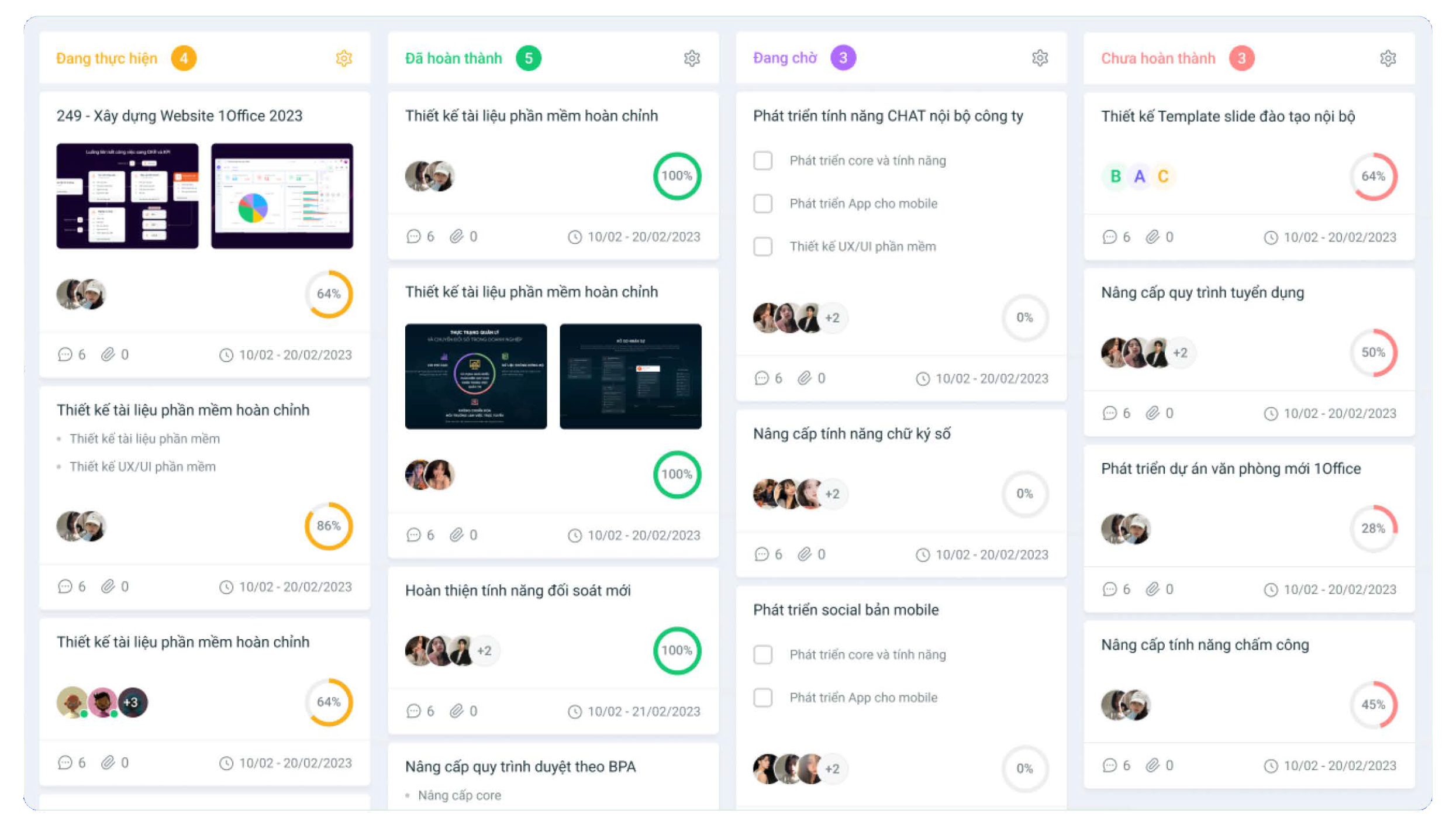
1Office project management software is considered the leading and most favored software on the market today. Recognized as the best platform for overall work and process management, 1Office has been successfully implemented for over 6,000 businesses and more than 500,000 users.
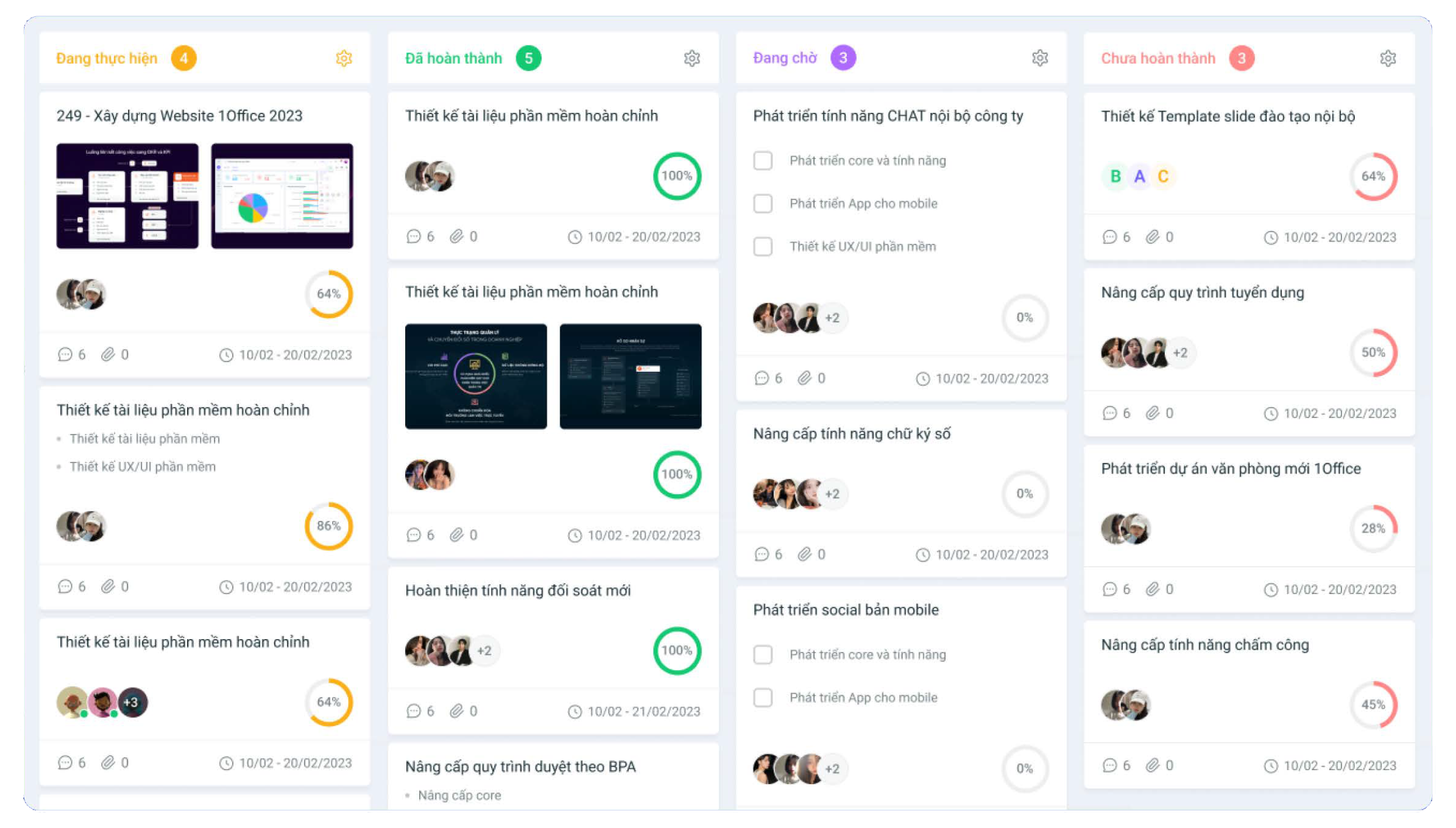
Applying the 1Office project work management platform helps managers assign tasks quickly, and track and monitor progress accurately and promptly…. Currently, this is the leading solution among the top project work management software in Vietnam.
Features of 1Office software:
Clear, unified processes on a single platform
- Tightly control projects: progress, assignees, work results.
- Control operational data, synchronize metrics, and optimize data mining capabilities.
- Customize the system, measurement methods, and reports to suit the different characteristics and purposes of the business.
More than just a task assignment tool, 1Office project work management software also helps create a seamless connection between individuals, departments, and management levels. By integrating the entire process on a single platform, businesses can minimize information transfer time while ensuring transparency and consistency in all operational activities.
Intuitive, real-time project progress reports
- Accurate, intuitive measurement with detailed figures, charts, and statistics
- Instantly update reports and data on all aspects of the business (sales, project work progress reports, HR, communications, etc.)
- Accurately measure the results achieved by departments/individuals. Automatically and quickly calculate the profit and loss percentage for each project.
Standardize processes, enhance work efficiency
- Proactively track project progress and processes with automatic, real-time reports, and promptly handle any arising issues.
- The process system is built specifically for each department and job position, with a clear division of responsibilities for each unit, helping to minimize delays or missed tasks.
- Identify bottlenecks in the project management workflow through visual data, helping managers easily control and accurately optimize processes.
- Helps employees understand the overall coordination picture, enabling them to take control of their work progress.
In reality, for interior construction companies, the challenge of human resource management is often closely linked to project management and construction progress. Personnel are allocated into teams, rotated between projects, and work seasonally or by construction shifts. With 1Office, businesses can set up each construction project as an “independent operational unit” within the system: assign personnel to specific projects, delegate tasks for each construction item, track completion progress, and automatically record work hours by shift, location, and GPS. Timekeeping can be done flexibly via FaceID at the construction site or by location confirmation via GPS/Wifi for site supervisors. All this data is synchronized to the timesheet and automatically calculates salaries based on the actual construction days, completed output, or team KPIs.
At the same time, the system also supports performance evaluation by project and position, detects turnover risks using AI, and automatically sends reminders for contract renewals, insurance extensions, etc. This is a prime example of how, when HR management software is closely connected to actual operations, 1Office not only helps digitize HR but also comprehensively optimizes the company’s operational efficiency.
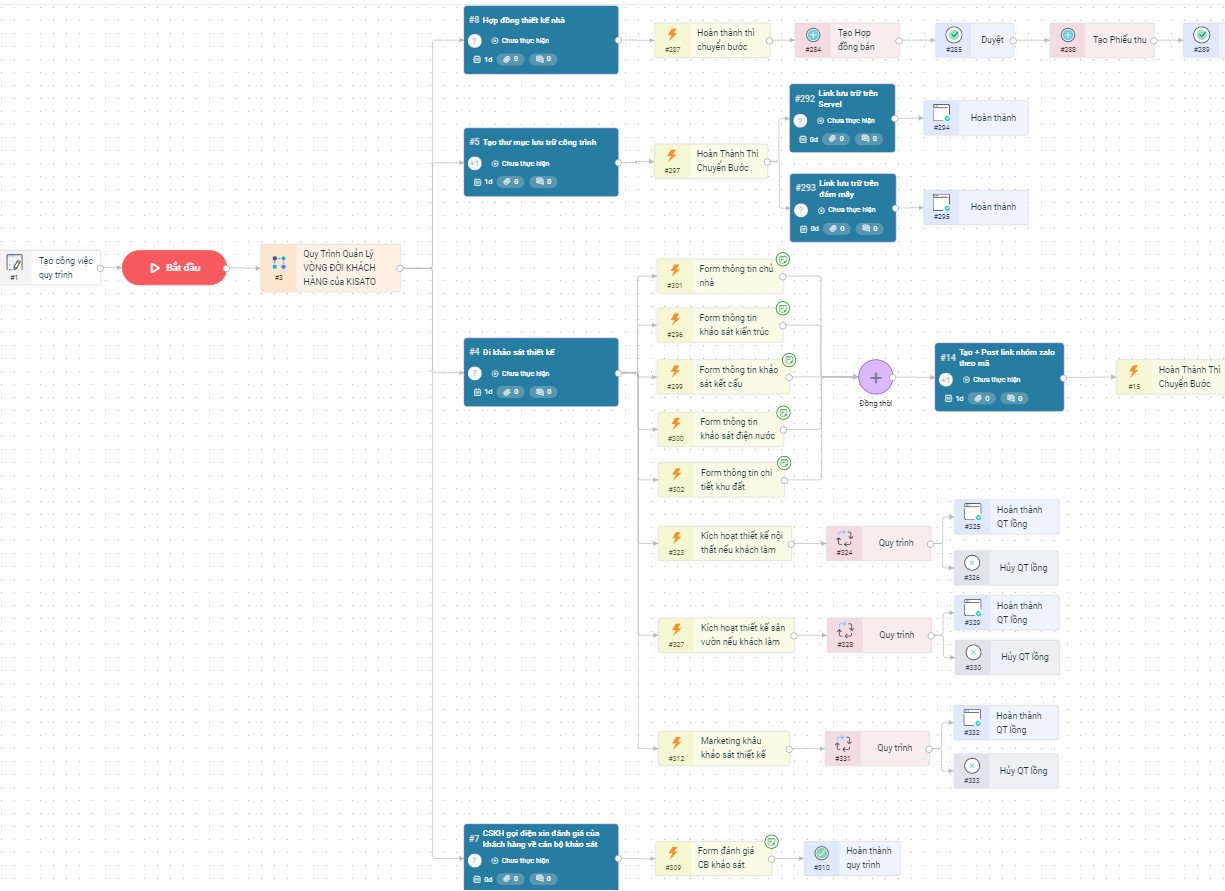
To get a consultation on the project management software pricing and a free trial, please register below, and 1Office experts will contact and advise you.
Get a free consultation and software Demo
| Read more: TOP 8 best free asset management software for businesses |
1.2. Wrike Project Progress Management Software
Wrike is a fairly popular software in the field of project progress management and work administration. With its rapid customization capabilities, the software allows users to freely modify the system’s dashboard according to their needs. This makes it easy for users to set up a project management process tailored to the requirements of each project and field of operation.
For example, this flexibility allows you and your team to transform it into a comprehensive collaboration and work management solution. Additionally, the time tracking feature is integrated with Zapier, a web application automation solution.
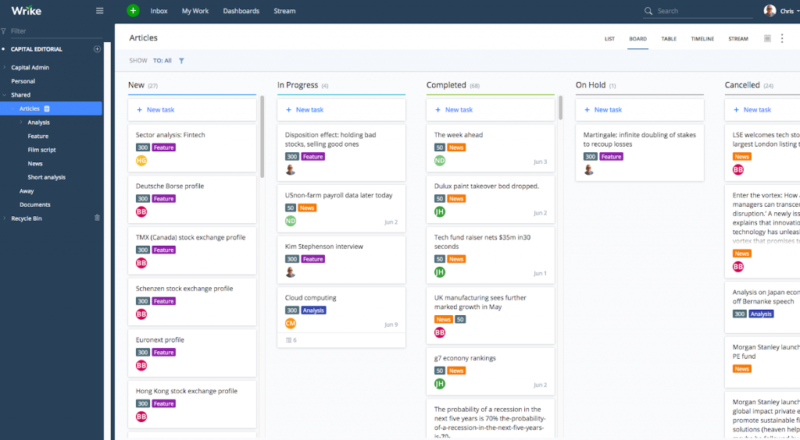
However, Wrike’s project progress management software is only suitable for small teams or startups with limited budgets. If a small business wants to use more advanced features, they must purchase a more expensive Wrike software license, which can be quite costly.
Key advantages of the software:
- The Zapier feature helps to closely manage work execution time.
- Offers a free software plan (for up to 5 users).
- Users can easily communicate with the developers to resolve any issues encountered during use.
- Allows data synchronization on Github.
| >> Read more: What is Software Project Management? The Most Effective Processes and Models |
1.3. Due – Free Project Progress Management Software
Due is a project management tool that allows for managing project cost norms and provides effective task reminders for small businesses or teams. With its fast and timely task reminder feature, the software will continuously remind you of tasks until you complete them. The notification mode only turns off when you press “completed”.
Because Due’s main advantage is its focus on the reminder feature, other work management tasks such as reporting, planning, and assigning tasks are quite limited. Therefore, the software is only suitable for those looking for a work management solution for small and medium-sized teams.
Some outstanding features of the software:
- The software can operate without an internet connection.
- Closely track and monitor project work progress.
- Scientific work schedule management.
- Automatically sends notifications to users when a task’s deadline is approaching.
- The project work timeframe is integrated on the work screen to help manage time closely.
1.4. Jira Project Progress Management Software
JIRA is a free project progress management software solution from the software company Atlassian. The tool is designed to help businesses plan and track work progress using the Agile model (a method focused on efficiency). Therefore, product versions are continuously updated based on customer feedback.
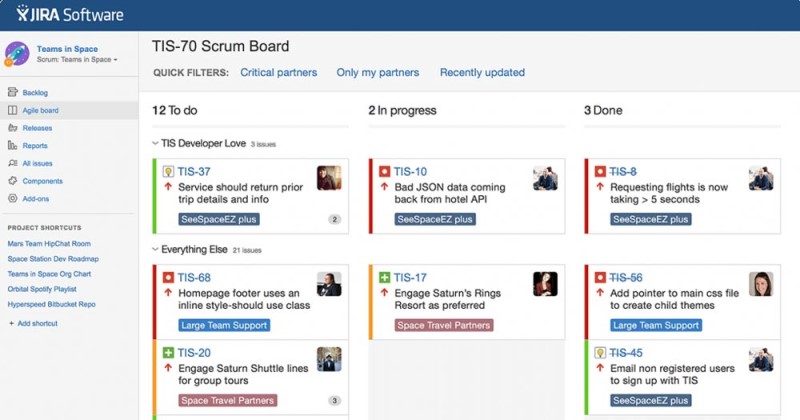
However, the software has some issues: The interface is complex and difficult to use without training, and it takes a long time to get familiar with the software. In particular, the software is limited to certain fields and is only suitable for technology teams, software development teams, or teams working with the agile methodology.
Some outstanding advantages of the software:
- The software integrates many features such as planning, monitoring, and controlling work progress.
- Clear task assignment feature for personnel.
- Sends notifications when the project deadline is approaching.
- Reports work and time through charts.
- Clear user permissions, integration with other platforms via API, etc.
1.5. Trello Project Progress Management Software
Trello is a project management solution that is widely used around the world. Trello offers two versions for users to choose from: a free and a paid project management version. However, the free version has some feature limitations compared to the paid version.
The main strength of the free Trello project management software is its scientific task assignment feature. Regarding the work interface, this solution uses a Kanban board format.
Some advantages of Trello software:
- Easily add or remove personnel from a project.
- Feature for direct comments and attaching documents to each project.
- Users can tag usernames or tag task sections for easy tracking.
- The software works on mobile, PC, laptop, and tablet platforms, making it easy to manage anytime, anywhere.
- A free version is available for users to experience project management features (with limited functionality).
1.6. Project Manager Software
Project Manager software is known as a real-time project work progress management software, helping users accurately measure and track schedules and task due dates. The software offers users many outstanding features such as: online project management in board and Gantt chart formats, project planning, etc.
Currently, Project Manager software only offers paid versions, so users must invest a considerable amount to experience the software. The lowest package is for individual project management, with a cost starting from $15/user/month.
1.7. Asana Project Management Software
Asana is a project management solution that helps users organize work in the most optimal way, arranging tasks more effectively and intelligently. It is especially useful for assigning tasks within a project team.
With a beautiful and scientific management app interface, users can get an overview of information such as: Lists, task breakdowns from large to small, and can track their entire project in the most intuitive way. This is considered one of the most popular project quality management software for businesses today.
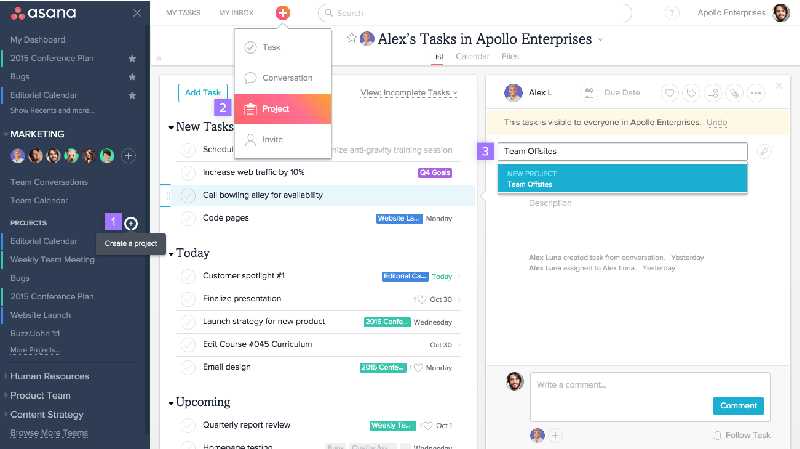
A downside of Asana is that this project management tool is quite expensive, at $9.99 / user / month. As you can see, to fully use the features of the Asana platform, a business must pay a rather high fee.
Additionally, the software is only suitable for companies with a cross-functional collaboration model or large companies where one person needs to participate in many different projects/departments.
1.8. LiquidPlanner Project Management Software
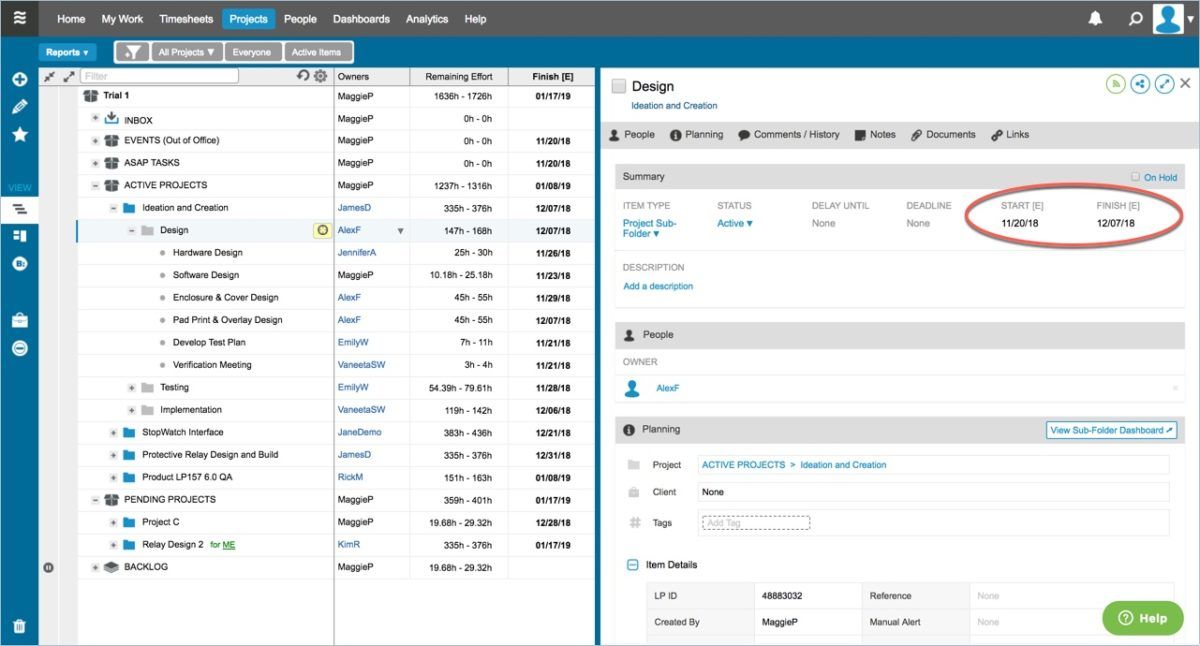
LiquidPlanner is regarded as a project cost management and work tracking software that meets many complex operational needs for large-scale personnel. The software provides many professional features for tasks such as: strategic planning, project planning, measuring, tracking, and monitoring progress. This helps to analyze work efficiency in the most detailed way, helping you identify the project’s strengths and weaknesses to build upon.
However, the software’s high price makes it suitable only for large-scale enterprises with stable financial resources. For small businesses, the cost for this project management software is quite high.
1.9. MISA AMIS Project Management Software
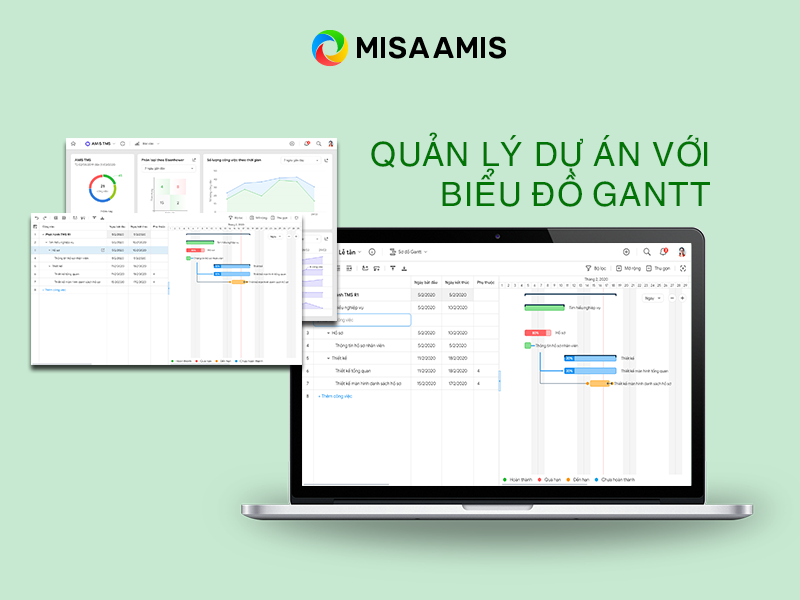
MISA is an intelligent project and work management software. The software allows users to set up project management processes intuitively. The platform automatically and continuously updates work progress parameters, giving managers an overview and allowing them to quickly detect any arising issues. Using a project quality management tool helps improve productivity and ensure work quality.
Outstanding advantages of the software:
- Create detailed implementation plans for one or more projects.
- Clear user permissions that are easy to track.
- The software updates work progress in real-time, helping to closely monitor progress.
- Features for evaluating operational productivity and the quality of each task, etc.
1.10. Construction Project Management Software VietPM
VietPM is a solution developed to serve the needs of construction project management. This construction project management software has all the features to help users monitor every small detail during project operation. The VietPM project management tool helps streamline the project management process and control time effectively, thereby bringing high efficiency.
Some outstanding advantages of VietPM software:
- Can be used on multiple device platforms: phones, laptops, etc.
- Track the progress of each work item handled by each team, department, or division.
- Data is updated quickly and accurately.
- Easy to assign tasks to personnel.
2. What are the benefits of using project progress management software?
Project progress management software helps businesses comprehensively control every implementation phase, from planning and resource allocation to execution monitoring on a unified and flexible platform.
Below are the practical values that this solution brings:
- Manage project progress anytime, anywhere
Operating on a web-based platform, users can access the system anytime, anywhere with just an internet connection. Therefore, managing work remotely or working online is no longer an obstacle. No matter where you are, you can easily update work information, progress, and any issues that arise during the work process directly on the system. This helps make management more effective and professional.
- Manage project information
With management software, you can track and monitor all project activities throughout the entire project implementation process: from planning, categorizing items, and forecasting necessary tasks and personnel, to work progress, reporting, and more. This allows you to manage departments within the <a href="https://1office.vn/mo-hinh-quan-ly-du
- Easily customize projects
Previously, customizing projects with manual solutions was time-consuming and labor-intensive. Now, with project process management software, you can easily and conveniently customize project tasks according to each stage and plan. This is arguably the most outstanding feature of automated software platforms, offering businesses a flexible project management model to customize workflows while maintaining work quality.
3. Criteria for choosing effective project management software for businesses
Above are suggestions for the best project management solutions. However, to apply project management software platforms in your business, the following notes will help you effectively utilize technology platforms and avoid unnecessary resource waste.
To choose a project management software, consider the following criteria:
3.1. Software features
Consider whether the features of the project management support software fully meet your needs and have the flexibility to grow and be customized according to the future needs and growth rate of the business.
3.2. User-friendly interface
User-friendliness: To apply a technology solution most effectively, user-friendliness plays a very important role. A project management software designed with a scientifically arranged interface and easy-to-understand user guides helps users quickly learn and grasp the system’s features.
3.3. Project management software price
Cost: The cost is an essential factor influencing a business’s investment decisions. Depending on the needs and budget of the business, the organization can choose different software solutions.
3.4. Software provider
Reputation and popularity of the solution: The popularity of the software indicates that the solution is trusted by many businesses, from which you can partially assess its quality. A provider with capability and a reputable brand will be a good project management software supplier that businesses should choose.
Support services from the provider: The provider’s support not only helps businesses operate the project management system effectively but also helps them resolve issues that may arise during use. A provider that responds quickly to customer issues is always highly valued.
3.5. System compatibility
Compatibility with infrastructure: Implementing a technology solution can slightly alter or even completely overhaul a business’s management process. Therefore, the organization needs to analyze its internal infrastructure in detail to plan for the appropriate application of the project management system.
4. Frequently Asked Questions about project progress tracking software
What is project progress tracking software?
This is a tool that helps businesses plan, assign tasks, track progress, control deadlines, and effectively manage entire projects on a centralized platform. This allows managers to easily grasp the status of work and make timely decisions.
Why should businesses use project management software?
Project management software like 1Office helps prevent information loss, enhances collaboration between departments, tracks progress transparently, and optimizes work performance. At the same time, businesses can also easily control resources, costs, and the quality of each project’s output.
What types of businesses is project management software suitable for?
Most businesses of all sizes can use project management software, from startups and small to medium-sized enterprises to large corporations. This tool is especially necessary for businesses with multiple collaborating departments or those that frequently run multiple projects simultaneously.
Does project management software help with effective deadline control?
Yes. Most current software supports setting task deadlines, automatic reminders, tracking processing status, and alerting when a task is at risk of being overdue. This helps managers be more proactive in coordinating and handling arising issues.
Can a business track multiple projects simultaneously on one software?
Yes. Many project management software allow businesses to track multiple projects simultaneously, divided by department, responsible team, or priority level. All data is centralized on one system, making overall management more convenient and accurate.
Should I choose free or paid project management software?
This depends on the scale and needs of the business. Free software may be suitable for small teams or basic needs, while paid software often offers more in-depth features such as advanced reporting, process automation, detailed permissions, and better technical support.
5. Discover a comprehensive project management solution with 1Office
Choosing the right project management software not only helps businesses track work progress effectively but also enhances collaboration, deadline control, and resource optimization throughout the implementation process. If your business is looking for a platform that supports project management, task assignment, and progress monitoring, while also being able to connect with other management functions, 1Office is a solution worth considering. With its integrated business management ecosystem, 1Office helps businesses standardize workflows, increase team performance, and manage operations on a unified platform.
Register for a free feature Demo!
For more details, please contact:
- Hotline: 083 483 8888
- Facebook: https://www.facebook.com/1officevn/
- Youtube: https://www.youtube.com/@1office-chuyendoisodn
- Zalo OA: https://zalo.me/3883877516951440238
















