


 09/05/2026
  19630 views
With so many task reminder apps on the market, not every tool will suit your work style or your business’s needs. In this article, you’ll find a list of the best task reminder software to use in 2026, along with their pros, cons, and important selection criteria.
Mục lục
- 1. Why should businesses use task reminder software?
- 2. TOP 9+ Best Task Reminder Software of 2026
- 2.1 1Office Automatic Task Reminder Software
- 2.2. Microsoft To Do Task Reminder Software
- 2.3. Google Tasks Task Reminder Application
- 2.4. Todoist Desktop Reminder Software
- 2.5. Trello Task Reminder Software
- 2.6. TickTick – A Convenient Reminder Software
- 2.7. To Do Reminder Task Reminder Tool
- 2.8 Any.DO Task Reminder Software
- 2.9 Evernote Task Note-Taking App
- 3. Criteria for Choosing an Effective Task Reminder Software
- 4. Benefits of Using Task Reminder Software
- 5. Frequently Asked Questions
1. Why should businesses use task reminder software?
Task reminder software helps employees organize and manage their work effectively, thereby increasing their ability to complete tasks on time and boosting productivity. Reminders and alerts ensure that no task is forgotten or missed, all duties are handled, and there is no risk of information loss or customer dissatisfaction.
It helps businesses track work progress effectively by identifying and prioritizing important tasks, allowing employees to focus on high-impact duties and make efficient decisions about time management. Additionally, with features like recurring reminders and alerts, task reminder apps help prevent errors during task completion, improve work quality, and minimize risks that could cause losses for the business.
Today, many reminder software also allow for easy sharing and assignment of tasks to team members. They may also provide a suite of project management tools that help managers track progress, assign tasks, and evaluate performance optimally. Departments can track progress and exchange information together, creating better synchronization and collaboration.
| >> Read more: How to Easily Create an Online Schedule and the 9+ Best Time Management Software Today |
2. TOP 9+ Best Task Reminder Software of 2026
2.1 1Office Automatic Task Reminder Software
1Office is a comprehensive business management software used by over 6,000 businesses and more than 500,000 users. It is an All-In-One tool that supports businesses with leading task management, process management, project management, human resource management (HRM), and customer relationship management (CRM) on the market.
The 1Office task management feature helps businesses set up and manage automated processes, supports task assignment by department, reports project progress in real-time, and measures and evaluates work performance anytime, anywhere. In particular, the 1Office automatic task reminder application also provides smart alerts and automatic reminders to help businesses never miss any important tasks. For example, it sends alerts when employment contracts are about to expire, tasks are nearing their deadlines, etc.
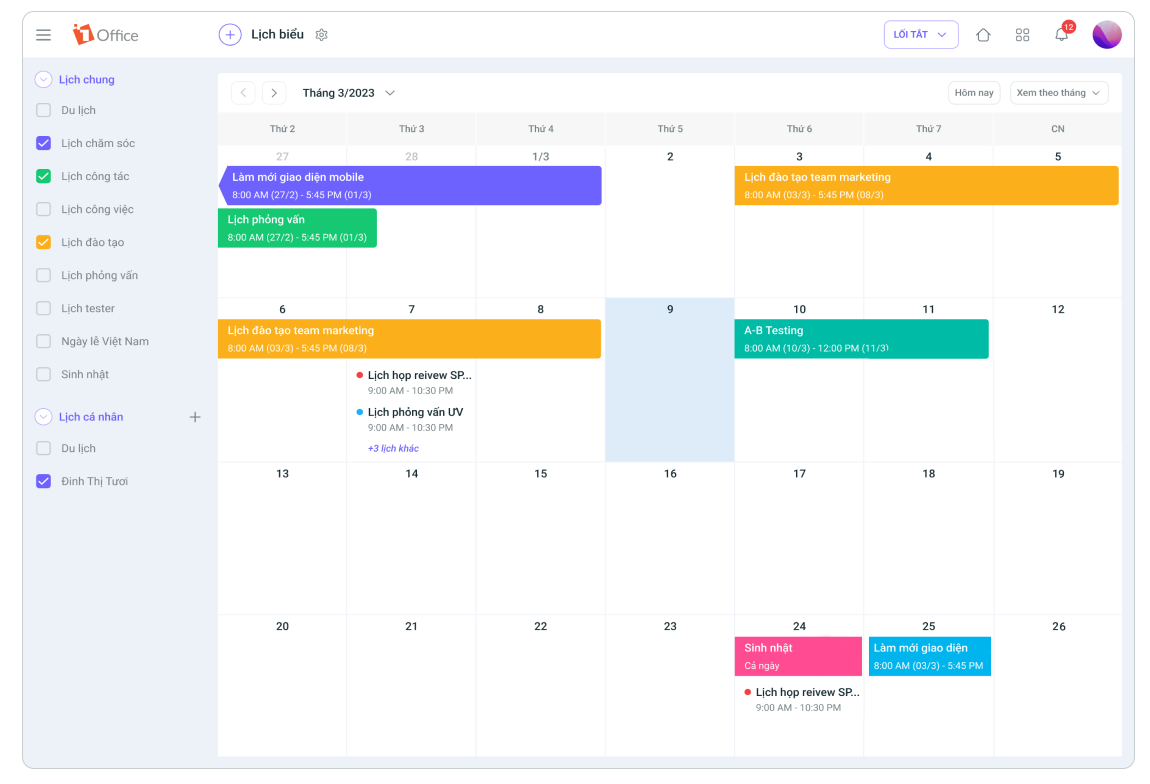
The 1Office task reminder software is set up with key work alerts such as:
- List-based alerts: When accessing the task management module, users will see an overview of the completion percentage (%) for tasks with statuses like on-schedule, overdue, on-time, etc.
- Notification alerts: When logging into the system, tasks that need to be done will be displayed directly on the user’s personal page.
- Email alerts: When a user connects their email account to the 1Office system, task-related information will be automatically sent to the user’s email.
Some of the software’s outstanding features include:
- Displays task reminder notifications directly on the dashboard interface, is easy to use, and supports both computers and mobile phones, allowing for task tracking anytime, anywhere.
- The alert feature allows setting up all types of alerts for task deadlines, employment contracts, overdue debts, inventory levels, upcoming events, etc.
- Multiple conditions can be set within a single alert, which can be concurrent conditions or branching conditions.
- Integrates with project management and task management features on the same software to support businesses in: planning, tracking work progress, direct communication, and reporting and evaluating work performance.
>> Get a free demo of 1Office task management software <<
Additionally, the software allows for customization and setup of alerts based on the specific business requirements of each company, where alert conditions will vary. Therefore, 1Office is currently the #1 task reminder software for mobile and desktop on the market, helping businesses increase work efficiency, ensure deadline compliance, and minimize forgotten or missed tasks.
| Read more: Review: 8+ Apps for Managing Work Schedules on Your Phone & Effective Online Scheduling |
2.2. Microsoft To Do Task Reminder Software
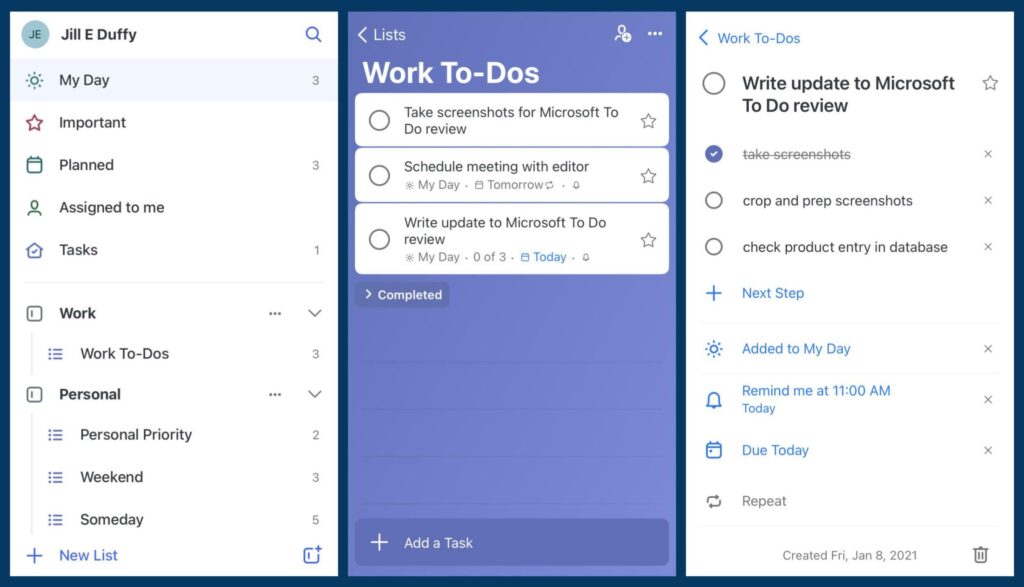
Microsoft To Do is a free task reminder application from Microsoft. With integration with Microsoft accounts and Office 365 applications, it allows businesses to create to-do lists, schedule tasks, and receive reminder notifications.
Pros:
- Multi-platform integration on Windows, macOS, iOS, and Android, allowing users to access and manage tasks from any device.
- Microsoft To Do’s user interface is very simple and easy to use, allowing you to quickly create, organize, and manage to-do lists.
- Microsoft To Do integrates well with other Microsoft applications and services, enhancing functionality and flexibility at work.
Cons:
- Microsoft To Do lacks some advanced features for task reminders, such as setting priorities, sharing tasks, or complex project management capabilities.
- The free version has limited features, and some more advanced integration features are only available in the paid version of Microsoft To Do.
2.3. Google Tasks Task Reminder Application
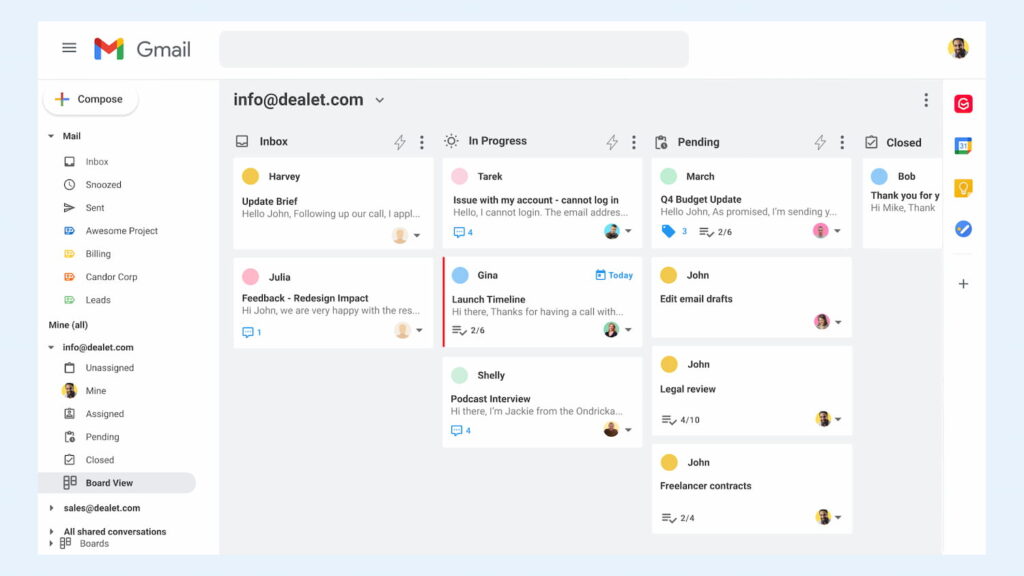
Google Tasks is a simple and easy-to-use application for managing tasks, seamlessly integrated with Google Calendar and Gmail. Managers can create tasks, set due dates, and receive reminder notifications. The free Google Tasks reminder software is also available on mobile and desktop platforms.
Pros:
- Google Tasks is tightly integrated with Google accounts, allowing tasks to be synchronized across multiple platforms such as Android, iOS, and web browsers.
- The Google Tasks interface is very simple and clean, helping users easily create, organize, and manage their to-do lists.
- The software allows users to create and organize tasks quickly through an intuitive interface and convenient shortcuts.
- It is a task reminder software that can be used on both phones and computers.
Cons:
- It does not support advanced features like setting task priorities, assigning labels, planning complex projects, or sharing tasks with others.
- For those who want to customize the interface or have a richer user experience, Google Tasks may have limitations.
- Additionally, the tool only provides basic reminder features, lacking options like sound notifications, location-based notifications, or location-based reminders.
2.4. Todoist Desktop Reminder Software
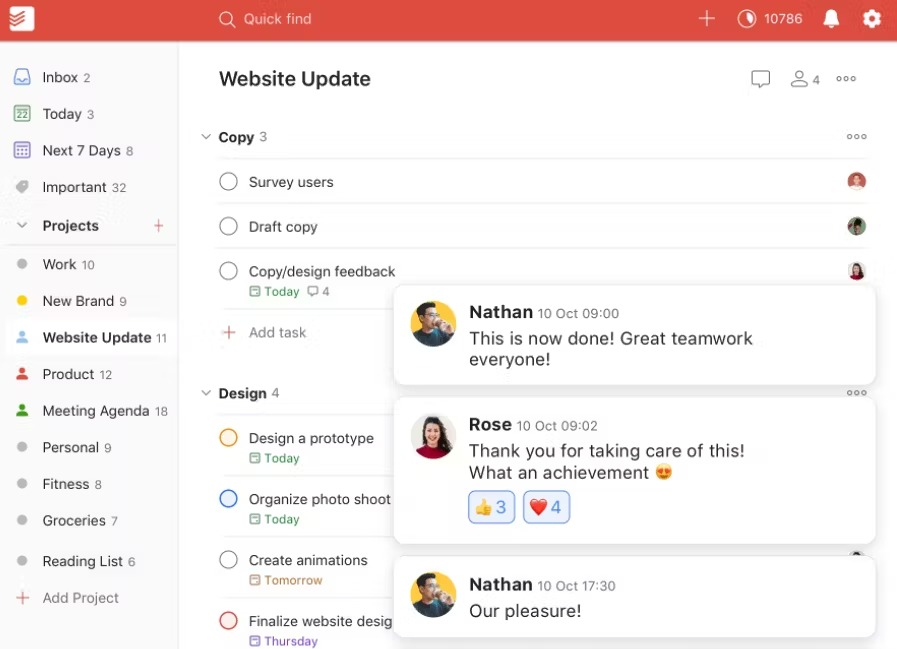
Todoist is a popular work organization software with an intuitive interface and many powerful features. It allows managers to create to-do lists, set deadlines, prioritize, and share tasks with colleagues.
Pros:
- The simple, intuitive interface helps users easily create and manage to-do lists.
- It provides a reminder feature to ensure you don’t miss important tasks. You can set reminder notifications for specific dates and times to remember your tasks.
- The Todoist reminder app allows you to create and customize separate to-do lists, helping you organize and manage tasks by category.
Cons:
- The Todoist task reminder software lacks multi-language support, which is a limitation for non-English speaking users.
- Todoist may not integrate well with other applications and services, limiting the ability to work and share tasks with other tools that businesses commonly use.
2.5. Trello Task Reminder Software
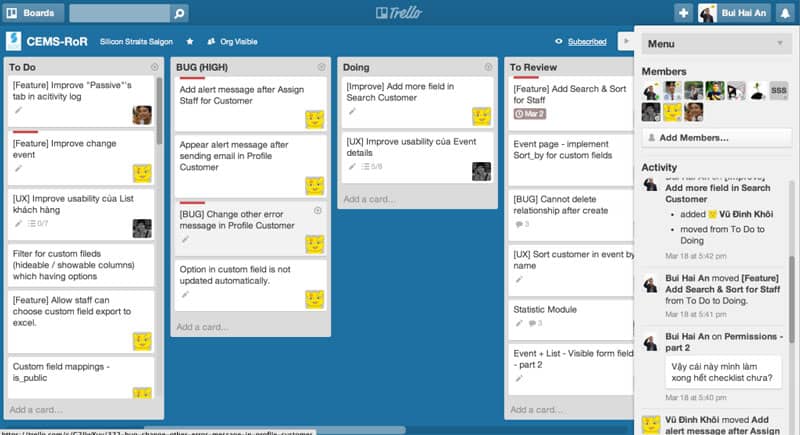
Trello is a task management application based on the Kanban board system. You can create to-do lists, cards, and boards to track work progress.
Pros:
- The intuitive interface allows users to create and manage to-do lists by organizing them into boards and cards.
- Trello allows you to create flexible boards and cards to organize tasks, track progress, and customize the layout to fit your business’s work needs.
- The desktop task reminder application allows multiple users to work on the same board, creating convenience and efficiency in sharing information, communicating, and collaborating on team tasks.
Cons:
- The free version has limitations on features and storage capacity. Advanced features and integrations with additional applications and services may require payment.
- Trello does not provide complex project planning and management features such as scheduling, task allocation, or detailed progress tracking.
- Additionally, for large and complex projects, the interface can become cluttered and difficult to organize, making task management challenging.
2.6. TickTick – A Convenient Reminder Software
The TickTick task reminder software is supported on multiple platforms, including desktop, mobile, and web browsers, allowing business owners to access and manage tasks from anywhere and on any device.
Pros:
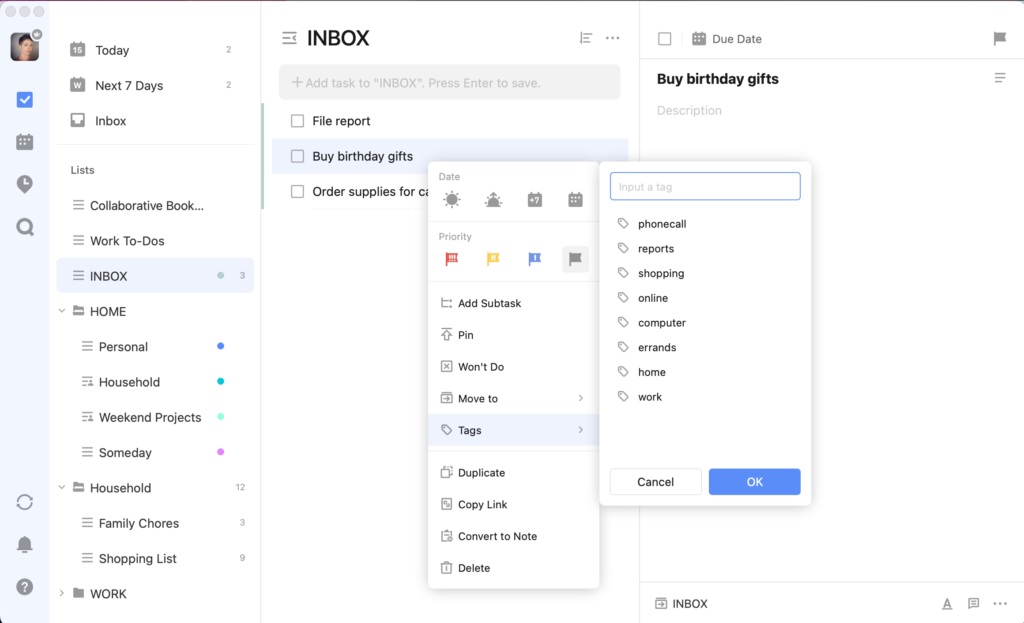
- The beautifully designed and intuitive interface helps users easily create, organize, and manage tasks. Users can customize the layout, colors, and tags to suit their style and work needs.
- TickTick offers multiple reminder options, including sound notifications, location-based notifications, calendar notifications, and email notifications.
Cons:
- It lacks team collaboration features such as progress tracking, task delegation, and direct in-app communication.
- It does not have multi-language support, which is a limitation for non-English speaking users.
2.7. To Do Reminder Task Reminder Tool
To Do Reminder is a simple and easy-to-use daily task reminder software for mobile phones with the following pros and cons:
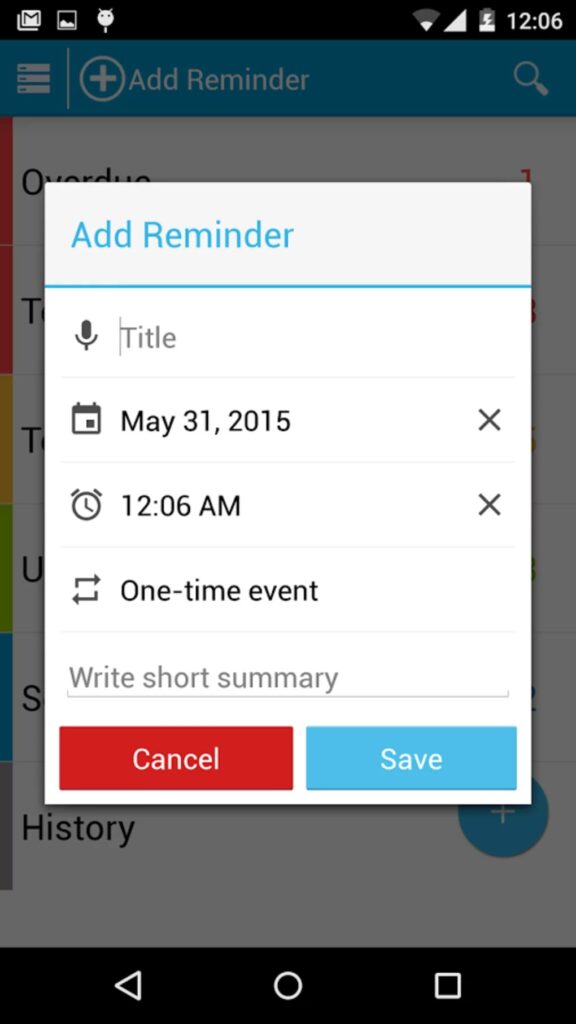
Pros:
- To Do Reminder integrates with your phone’s contacts, allowing you to select a contact from your address book as the recipient of a reminder.
- Flexible customization of reminder options, including sound, color, icons, and notifications.
Cons:
- To Do Reminder is a simple reminder app with basic features. It lacks more complex functionalities like project management, detailed planning, and integration with other applications and services.
- There is no desktop version; only a mobile task reminder app is available, which is a limitation for businesses that want to use a reminder tool across multiple devices.
- To Do Reminder has a free version with ads. To remove ads and access all features, you need to upgrade to the paid version.
2.8 Any.DO Task Reminder Software
Any.do is a cross-platform task management application with a beautiful and user-friendly interface. It offers reminder features, scheduling, notes, and integration with other tools like Gmail, Evernote, and Microsoft Outlook. The Any.do reminder software also supports voice technology to add tasks by speaking them.
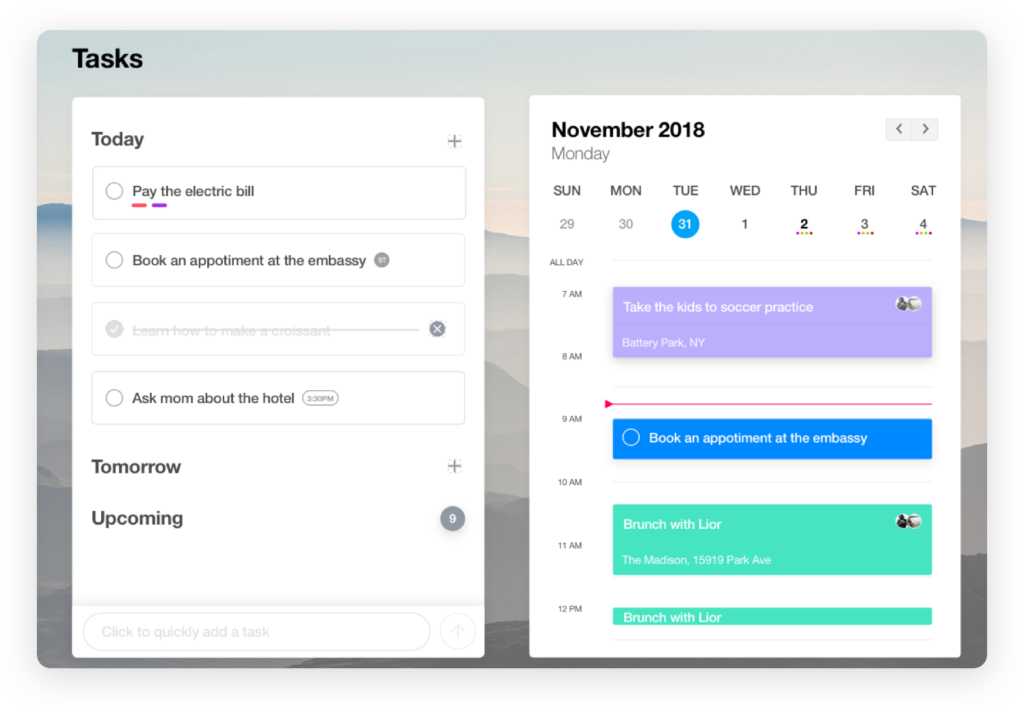
Pros:
- Any.do has an intuitive, modern, and user-friendly interface with clearly arranged features, making it easy for users to track their work.
- The application allows for sharing and collaborating on tasks, including: sending tasks to others, setting up shared schedules, and receiving notifications on work progress.
Cons:
- To access the full range of features and benefits, an upgrade to the paid version is required.
- It does not fully support all task reminder features, such as detailed planning, categorizing tasks by project or progress, and reminder alert features.
2.9 Evernote Task Note-Taking App
Evernote is not only a powerful note-taking app but also has a task reminder feature. You can create tasks, set times, and mark completed tasks. The Evernote mobile task reminder app also integrates with many other applications and services to enhance work efficiency.
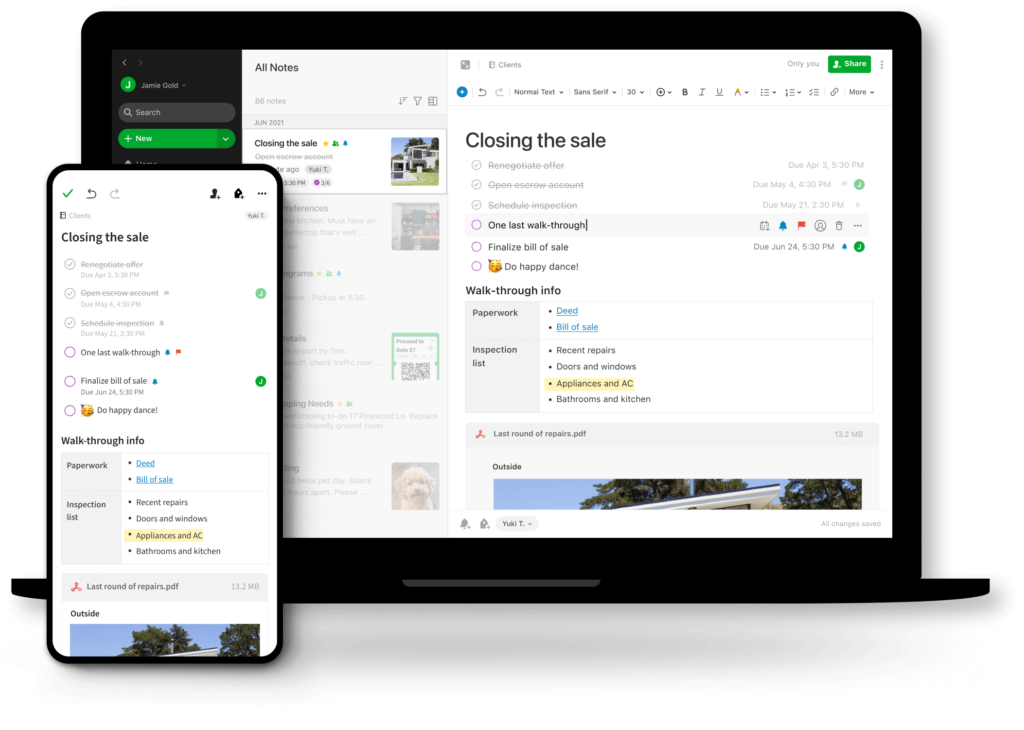
Pros:
- Evernote allows you to create, organize, and take notes on tasks in various formats, such as: text notes, audio notes, image notes, and video notes.
- It provides a powerful search tool, even allowing searches for text within images and PDF documents.
Cons:
- Some users may find the Evernote interface a bit complex and it may take some time to get used to and fully utilize the app’s features.
- Sometimes Evernote can be slow to synchronize data and feel unresponsive, especially when handling large amounts of data.
3. Criteria for Choosing an Effective Task Reminder Software

3.1 Customization Capabilities to Suit Each Business
Each business has its own needs and work processes, so businesses should prioritize choosing task reminder software that can be customized to fit their way of working.
3.2 Compatibility on Computers and Phones
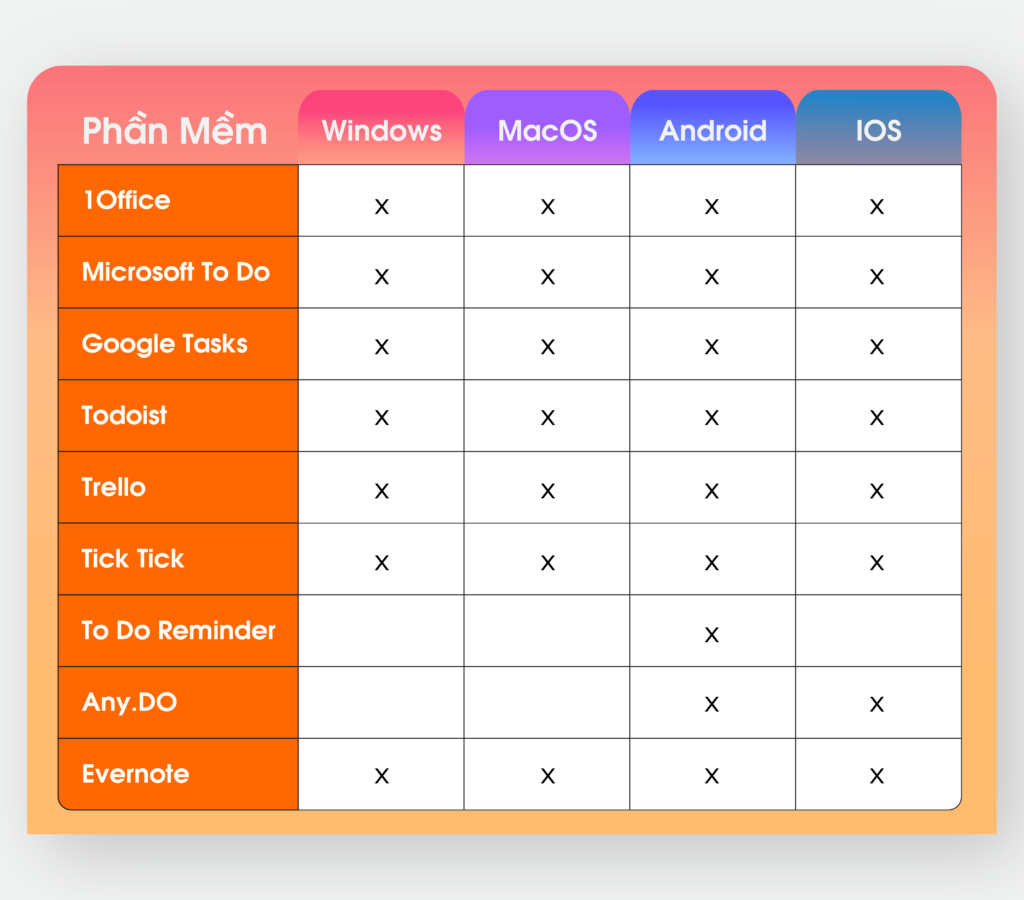
To ensure flexibility and convenience, managers should choose online reminder software that is compatible with multiple operating systems such as Windows, MacOS, Android, and iOS. This allows you to access and manage work anytime, anywhere, on any device and platform.
3.3 Visual Reporting and Analysis Features of the Software
Businesses should choose software that provides reporting and analysis features for work management in a visually intuitive and easy-to-understand manner. With a user-friendly interface and overview reports presented in charts and graphs, you can track work progress, evaluate performance, and find ways to improve work management more easily and quickly.
3.4 Security and Access Rights Management
Information security within a business is always a crucial factor when choosing task reminder software. The software needs to have robust security settings to ensure the safety of the business’s work data. At the same time, managing and assigning access rights is also an important criterion, as different positions will have different rights corresponding to their jobs.
3.5 Integration and Information Sharing Capabilities
Task reminder software should be integrated with applications and tools frequently used in the business, such as email, work calendars, and project management, HR management, and customer relationship management tools… all on the same platform. Additionally, the ability to share work information among team members is also an important factor for managers when choosing suitable software.
3.6 Technical Support and Regular Updates
Ensure that the task reminder software has good technical support and that the developer provides regular updates to fix bugs and introduce new features. This ensures you have stability and continuous improvements for your software.
4. Benefits of Using Task Reminder Software
Using task reminder software not only helps individuals manage their time effectively but also increases the productivity of the entire team or department. When tasks are automatically tracked and reminded, employees are less likely to miss important tasks and will meet deadlines on time. Some of the notable benefits of using task reminder software include:
-
Increase individual and team productivity: The software helps everyone focus on important tasks, prioritize work, and minimize wasted time. At the same time, team members can track each other’s progress, enhancing teamwork efficiency.
-
Avoid missing important deadlines: With automatic reminders, users will be notified before deadlines, thereby reducing the occurrence of forgetting or procrastinating on important tasks.
-
Support effective time management: Reminder software helps in planning and allocating time reasonably for each task, avoiding scattered work or being overloaded during the day.
-
Improve coordination between departments: When reminder tools are synchronized between departments, communication and work coordination become easier. Employees can know who is performing which task and its progress, thereby improving the overall efficiency of the business.
Overall, task reminder software is a powerful support tool that helps individuals and businesses optimize productivity, reduce the risk of missing tasks, and enhance work coordination.

5. Frequently Asked Questions
Why use reminder software instead of manual notes?
Compared to writing on paper or scattered notes, reminder software helps you manage tasks more scientifically, avoid missing deadlines, easily track progress, and receive timely notifications. Additionally, many applications support convenient data synchronization between phones and computers.
Can task reminder software be used on both phones and computers?
Yes. Currently, most reminder software supports multiple platforms such as Android, iPhone, Windows, macOS, and web browsers. This allows you to create a task on your phone and continue tracking it on your computer without interruption.
Are free reminder apps sufficient for most needs?
For individual or small group needs, the free versions of many apps are quite comprehensive, including task creation, reminder scheduling, task categorization, and basic synchronization. However, if you need advanced features like team collaboration, progress reporting, or automation, you might consider a paid version.
Which reminder software is suitable for individuals?
If you only need to manage your schedule, daily to-do lists, and set reminders, simple and easy-to-use applications are more suitable. Prioritize software with an intuitive interface, quick operations, and support for recurring reminders.
Should businesses use reminder software?
Yes. For businesses, reminder software not only helps individuals be more proactive but also supports managing work progress by department, project, or team. It is an effective solution to reduce instances of forgotten tasks, missed deadlines, and improve work efficiency.
Does task reminder software require an internet connection?
It depends on the application. Some software allows you to create and view tasks offline, then syncs them when a connection is available. However, to receive real-time notifications, share with others, or sync across multiple devices, an internet connection is necessary.
Above is the Top 9+ list of effective task reminder software for computers and mobile phones that 1Office wants to share with business managers. We hope this article has helped you find a suitable application to best manage your work and projects. If your business is interested in learning more about 1Office work management software, please contact us via:
- Hotline: 083 483 8888
- Facebook: https://www.facebook.com/1officevn/
- Youtube: https://www.youtube.com/@1office-chuyendoisodn
- Zalo OA: https://zalo.me/3883877516951440238
















