


 12/05/2026
  403 views
Income and expense management software is an important support tool that helps businesses easily manage and control their cash flow. Not only that, but this software also helps record daily transactions in detail and stores data securely and safely. The following article by 1Office will introduce you to the 7 best and most worthwhile free and paid income and expense management software available today. Let’s dive in!
| Software Name | Key Features |
| 1CRM |
|
| Kế toán 1A |
|
| Faceworks Expense |
|
| GnuCash |
|
| Codedao |
|
| Kiotviet Expense Management Software |
|
Mục lục
- Top 7 Expense Management Software for All Business Types
- 1CRM – Professional Expense Management Software
- Ketoan 1A – Highly Customizable Expense Management Software
- Free Business Expense Management Software – Faceworks Expense
- GnuCash – Convenient Business Expense and Revenue Management Software
- Codedao Software
- Kiotviet Expense and Revenue Management Software
- Essential Features of a Business Expense and Revenue Management Software
- Benefits of using business revenue and expenditure management software
- Conclusion
Top 7 Expense Management Software for All Business Types
1CRM – Professional Expense Management Software
1CRM is a module within the 1Office comprehensive business management solution, trusted by over 500,000 users and more than 6,000 leading companies and businesses in Vietnam. With nearly 10 years of development, 1CRM has established its position in the SaaS sector with outstanding features that help managers easily track and manage the company’s cash flow on a single screen.
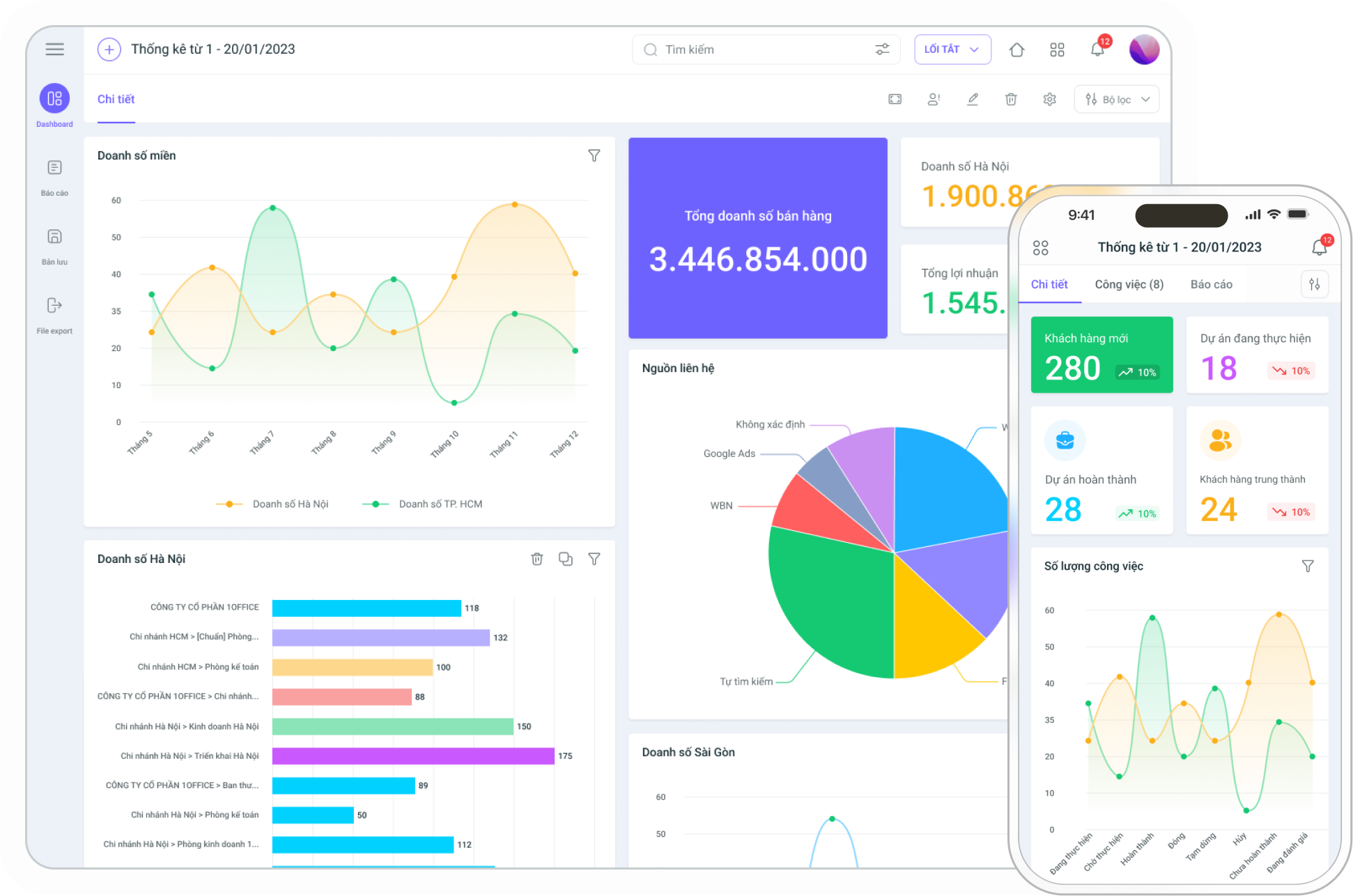
Key features of the 1CRM expense management software:
- Real-time tracking of cash flow across internal company accounts: Provides detailed reports and expense statistics by day, week, month, quarter, and year.
- Automatic alerts for upcoming payments: Utilizes BPA technology to automatically send notifications and reminders for due payments and receivables.
- Debt management: Digitizing debt information from quotes, contracts, and orders into the software helps minimize errors and facilitates monthly debt management and tracking. The software also supports alerts and reminders for collection deadlines, covering both accounts receivable from customers and accounts payable to suppliers.
- Trend analysis: Helps businesses forecast cash flow and make informed financial decisions.
- Data security: Advanced security system compliant with ISO/IEC 27001:2013 standards, ensuring the safety of the company’s financial information.
- Rapid digitization of financial approval processes: The software supports flexible approvals based on the type of revenue/expense, amount, and departmental structure, making it easy to set up and record approval history, from identifying approvers by job title to defining approval steps. This helps reduce paperwork and saves time in processing and signing off.
Register for a free demo account to experience all of 1CRM’s features!
Ketoan 1A – Highly Customizable Expense Management Software
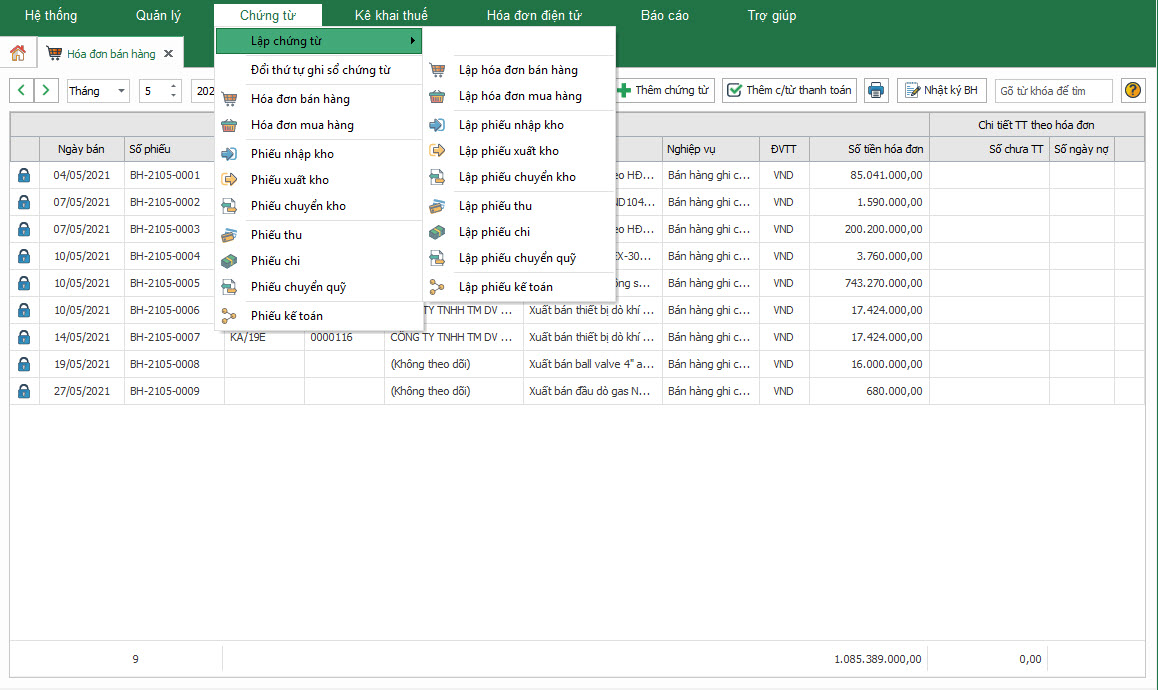
Ketoan 1A can automate processes from data input collection to report generation, helping to manage business expenses effectively. It provides a detailed list of amounts received and spent per account for each day/week/month/year. This software also allows businesses to know the current balance in each fund, making it easier and more timely to track and plan cash flow distribution.
The TTsoft 1A expense management software is characterized by the following features:
- Automatically generates financial reports and cash ledgers based on daily data entry.
- Supports multiple currencies and automatically converts currency when transactions occur, using the latest exchange rates and calculating exchange rate differences as required by tax authorities.
- Allocates prepaid expenses and allows users to print receipts and payment vouchers according to specified templates.
Free Business Expense Management Software – Faceworks Expense
The Faceworks Expense Management software allows users to add detailed notes about the allocation of revenues/expenses for specific purposes, rather than just entering the figures directly. This helps users easily manage installment payments or transactions with partners who have multiple contracts.
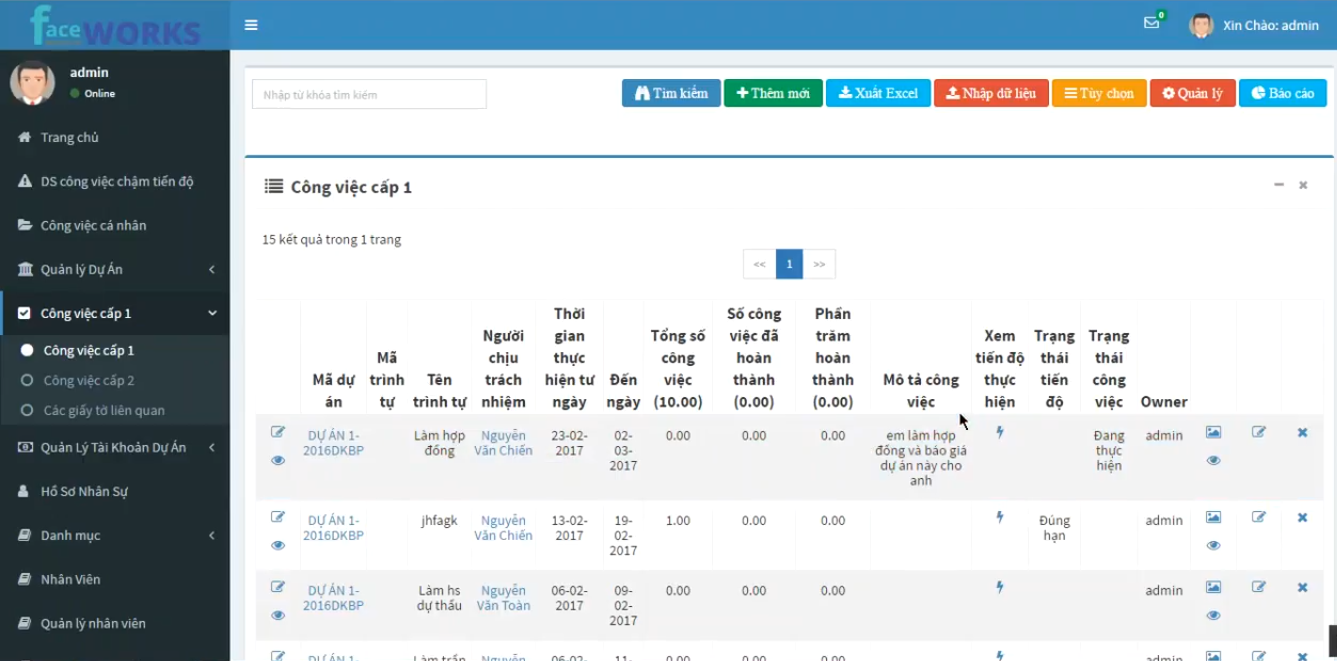
The software will automatically generate detailed reports on revenue and expense sources in real-time. You only need a computer, phone, or tablet with an internet connection to comprehensively check your cash flow.
Here are the key features of the Faceworks software:
- Stores the company’s revenue and expense information accurately and reliably. This software provides detailed stored information, which helps in evaluating and creating specific business reports, supporting the determination of business development direction.
- Generates reports on revenues/expenses and allows custom sorting by category and time, including daily, weekly, monthly, and yearly cycles.
- Quickly controls and updates the company’s current cash balance.
- Supports displaying and handling multiple currencies and automatically converts them according to pre-set exchange rates when transactions occur, simplifying the transaction process and ensuring accuracy in currency conversion.
GnuCash – Convenient Business Expense and Revenue Management Software
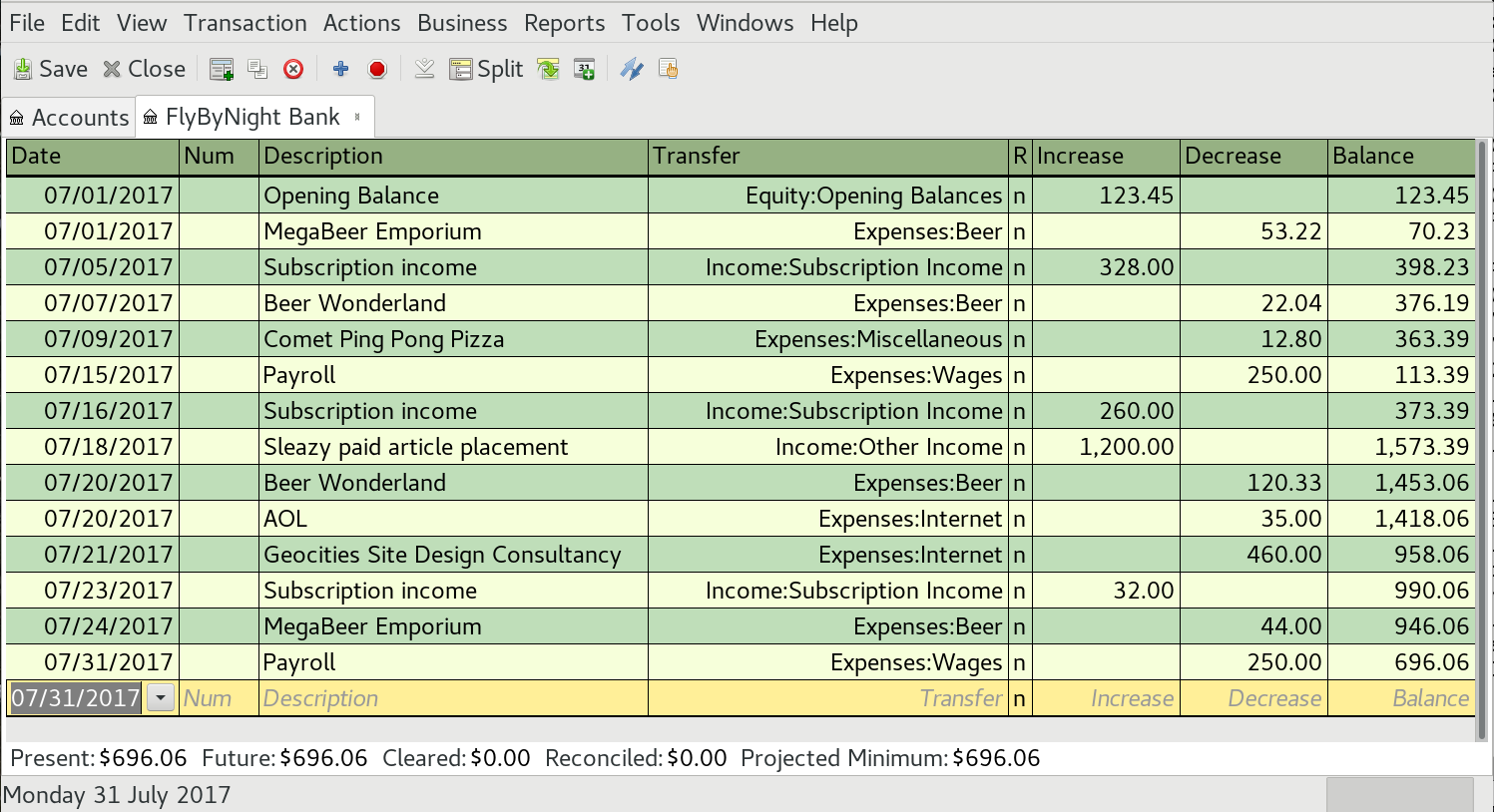
GnuCash functions as an electronic cash book, adheres to professional accounting principles, and offers a range of outstanding features as follows:
- The double-entry bookkeeping feature allows for quick calculation of the difference between expenses and income, giving managers a comprehensive overview of the company’s financial situation to make appropriate decisions.
- Generates detailed reports in the form of intuitive, easy-to-read, and highly accurate graphs, helping you easily track and analyze the company’s financial information.
GnuCash is a simple and convenient expense and revenue management software commonly used for corporate financial management. Additionally, businesses can use this software to monitor business production processes, bank account status, stocks, profits, and other fees.
Codedao Software
Codedao is a popular application used by many people today. With a simple, user-friendly interface and many features that thoroughly solve the expense and revenue management problem, Codedao promises to bring many benefits, helping businesses save significant time and manpower.
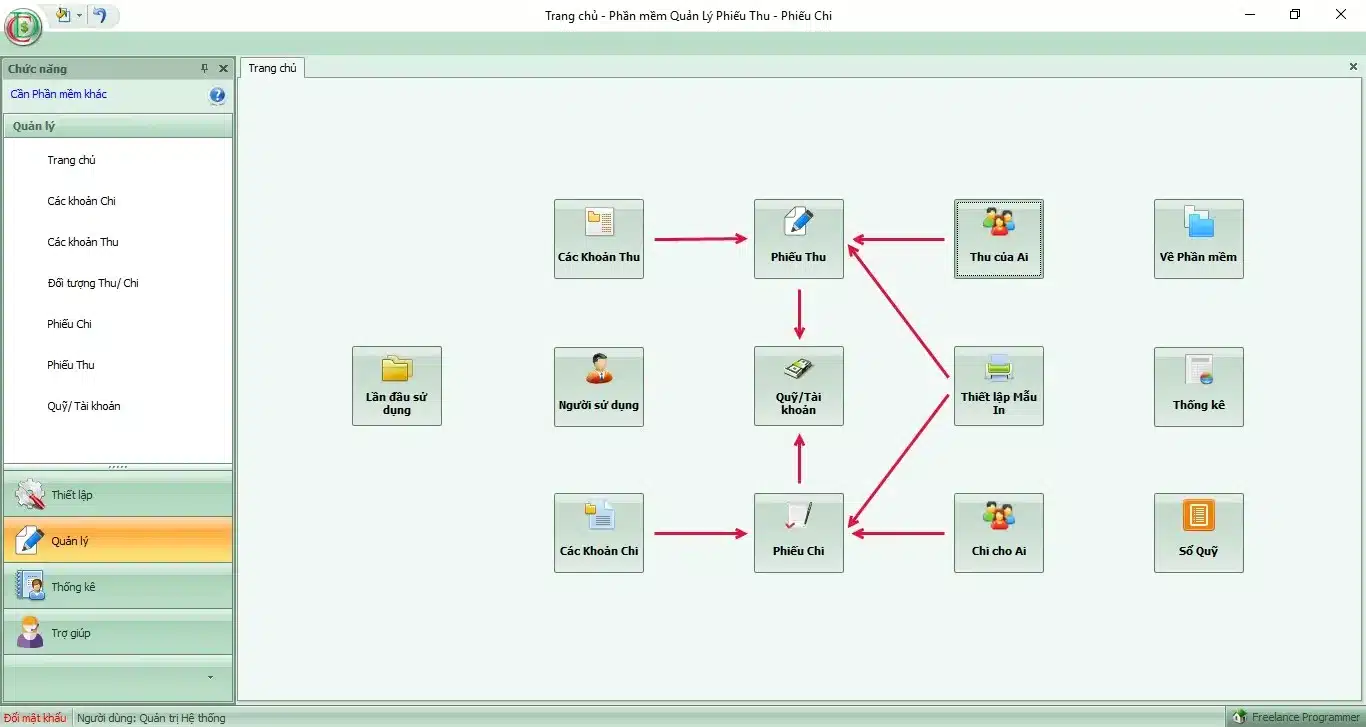
Codedao integrates several notable features as follows:
- Supports detailed recording of revenues, expenditures, and debts over time.
- Printing and statistics feature for various types of receipts and payment slips with the most detailed reporting system.
- Displays a full range of statistical reports by day, week, and month, while allowing for clear analysis of revenues and expenditures.
- Compares and provides commentary on total revenue and expenditure annually using a chart system.
Kiotviet Expense and Revenue Management Software
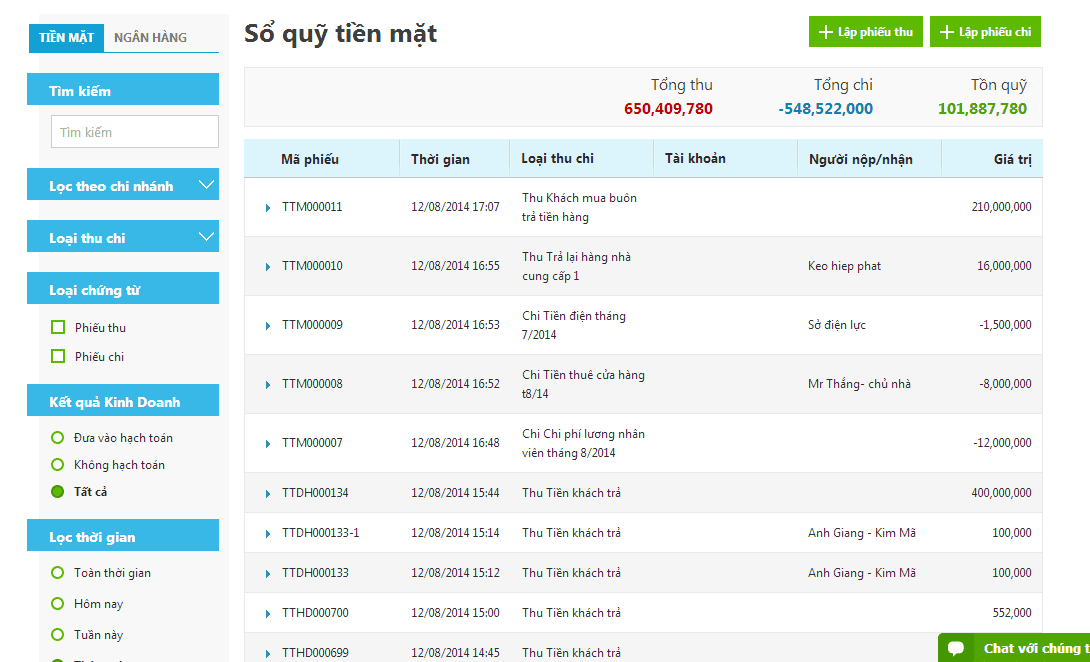
Recently, Kiotviet has become a popular expense management software among many businesses. Kiotviet is designed with several notable features as follows:
- Maximum debt limits and maximum debt days are applied to manage receivables from customers and payables to suppliers.
- Kiotviet automatically updates all revenue and expenditure transactions, while providing fast and accurate financial reports.
- The software provides detailed cash book management, including information on expenditures and remaining balances.
Essential Features of a Business Expense and Revenue Management Software
An expense and revenue management software for businesses must have core features to meet financial management and operational needs effectively. Here are 5 essential features that this software should have:
Recording and Tracking Revenue and Expenses
The “Recording and Tracking Revenue and Expenses” feature is a fundamental function that all expense management software must have. It allows businesses to record every revenue and expenditure transaction in a detailed, accurate, and complete manner, providing a full picture of the company’s financial situation. This helps business owners track and control cash flow, analyze business performance, and make informed financial decisions.
Additionally, expense and revenue management software helps closely monitor cash flow, ensuring timely payment of expenses. The recording feature is responsible for creating and storing information about all of the company’s revenues and expenditures, including:
- Transaction type: Cash, bank transfer, bank card, etc.
- Revenue/Expense category: Revenue, production costs, selling expenses, etc.
- Date, amount, transaction party, etc.
Planning and Budget Forecasting
The “Planning and Budget Forecasting” feature helps businesses establish and monitor their budgets in an organized manner, ensuring that financial resources are used effectively. Business owners can create revenue and expenditure plans for each item over time (month, quarter, year) and forecast budgets for business activities, investments, etc.
See more: What is EBITDA? How to calculate EBITDA to support investment decisions
Reporting and Statistics
The statistics feature provides detailed reports on revenue and expenditure based on various criteria (time, revenue/expenditure type, category, etc.) and visualizes revenue and expenditure data through charts and graphs. This helps managers evaluate business performance and make strategic decisions.
Not all software can aggregate data from all transactions to create scientific, easy-to-read, and understandable reports and statistics about a company’s financial situation. A revenue and expenditure management software with a scientific reporting and statistics feature will help business owners easily detect potential financial issues and quickly implement timely corrective solutions or make business decisions based on real data.
Debt Information Management
Debt information management is a crucial feature in revenue and expenditure management software. It helps users effectively track and manage accounts receivable and payable. This feature allows users to monitor and manage debts with their partners, customers, or suppliers.
As an advanced feature that requires significant professional expertise, the debt information management feature integrated into software like 1Office not only solves management and storage problems but also provides alerts and reminders for businesses when debts are due for collection, including:
- Customer receivables
- Supplier payables.
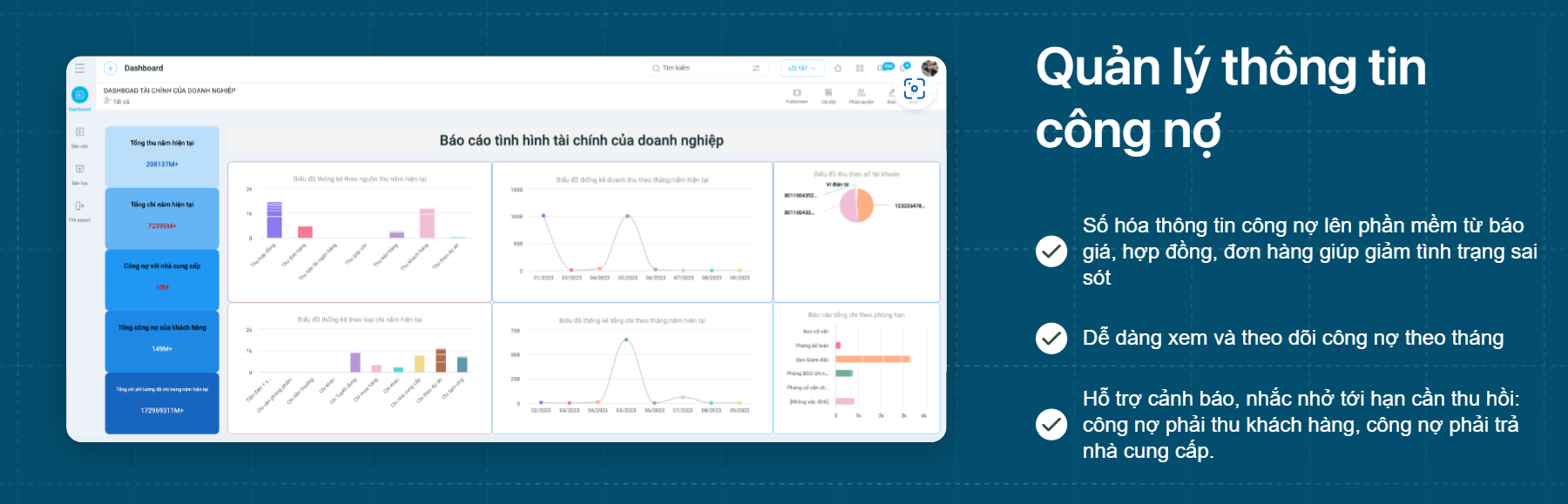
Register to experience the Debt Information Management feature of 1CRM!
With this feature, managers can get an overview of remaining debts, overdue debts, and even create notifications or payment limits to ensure that debts are managed effectively.
Permissions and Security
The “Permissions and Security” feature ensures that the company’s financial data is securely protected and that only authorized individuals can access sensitive information, thereby preventing the risk of data loss or security breaches.
In addition to the 5 core features above, revenue and expenditure management software for businesses can also integrate many other useful features such as:
- Debt management
- Invoice management
- Integration with accounting software
- Multi-platform support (web, mobile)
Choosing the right revenue and expenditure management software will help businesses improve financial management efficiency, optimize cash flow, and make informed business decisions.
See more:
Latest Debt Reconciliation Report Template 2023【Compilation】
7 most accurate and effective debt management software in 2024
5 latest debt payment request templates and detailed filling instructions
Benefits of using business revenue and expenditure management software
Maximize work speed
Revenue and expenditure management software will help you simplify the steps in the management process without spending as much time as when using traditional methods like ledgers or Excel. As a result, the company’s sales management productivity will be significantly improved.
Detailed allocation for each revenue/expenditure item
The software’s detailed allocation features for each revenue/expenditure item will help businesses simultaneously resolve emerging issues and note spending allocation plans. This will bring many benefits to the business in the process of managing installment payments for contracts.
Build a reasonable spending plan
Revenue and expenditure management software allows you to organize and adjust spending transactions for specific time periods. This helps you plan your spending flexibly, according to the available capital. In addition, through the software, you can easily track surplus revenues and expenditures and promptly adjust and apply appropriate solutions.
Supports multi-currency revenue and expenditure management
An advantage of using revenue and expenditure management software for businesses is the ability to easily manage transactions in many different currencies. Whenever a transaction occurs, the system will automatically perform currency conversion at the latest exchange rate. In addition, the software also supports businesses in compiling statistics on revenues and expenditures according to various criteria.
Remote Management
The remote management feature of revenue and expenditure management software is truly useful for managers who are not often present at the business. Understanding this, many revenue and expenditure management software now offer a mobile application version to help managers monitor all work from anywhere.
Absolute Data Security
Storing data on personal computers or in physical ledgers can be insecure. When important documents are lost or fall into the wrong hands, it can lead to significant consequences for your company. Therefore, using expense management applications is essential, as data is stored on servers with absolute security, helping to ensure the safety of your business.
Conclusion
This article has presented the top 7 expense management software for businesses that managers should consider. We hope this summary from 1Office helps you better understand expense management software and choose the most optimal management solution for your business.
If you are looking for a comprehensive business management solution, or more specifically, a solution to help manage sales and expenses for your business, don’t hesitate to leave your information. 1Office’s solution consulting experts will advise on the most suitable solution for you!
Sign up for a free demo account to access all 1CRM features!
















